Quick answer
Why Can OLED Displays Flicker?
OLED light output can vary over time because of PWM dimming, emission timing or other drive behavior. The result depends on the exact panel, controller and operating settings. LCD backlights can also exhibit modulation.
Evaluate frequency together with waveform shape, modulation depth, luminance and use conditions. A high refresh rate, a “DC” label or a camera recording without bands does not by itself prove low-flicker operation.
For OEM projects, DisplayMan recommends checking the actual sample across the intended brightness range, representative content and final electronics before approving the display.
What Does OLED Flicker Mean?
OLED pixels produce their own light. The amount of light reaching the viewer can vary over time because of the driving method, emission timing, displayed content or changes in operating mode. Temporal light modulation describes the changing optical output; visible flicker is one possible perceptual result. These are related concepts, not interchangeable measurements.
A screen can look steady while an instrument records modulation. Conversely, a visible brightness change can come from automatic brightness, content processing or a fault rather than regular PWM dimming. DXOMARK’s display-testing explanations distinguish temporal modulation from the artifacts a viewer may perceive. [1]
For product development, first describe the observation: regular pulsing, slow brightness changes, camera bands or a problem that appears only at a particular setting. This is more useful than labeling every symptom “OLED flicker.”
OLED is not inherently transparent or flexible. Those properties require a suitable panel construction. The principles here apply to evaluating a particular display and driver, rather than declaring one behavior for every OLED product.
PWM Dimming: Frequency, Duty Cycle and Modulation Depth
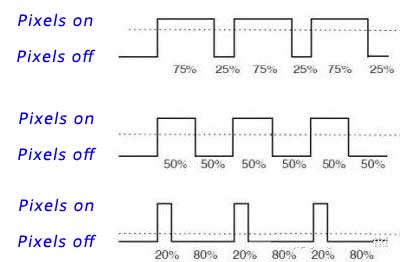
Pulse-width modulation (PWM) adjusts average output by controlling the duration of emission pulses. In a simplified example, a fixed-frequency waveform spends a greater or smaller proportion of each cycle at its high level. Actual panel waveforms can include nonzero low levels, multiple pulses or other timing features.
| Term | Meaning | What it does not tell you alone |
|---|---|---|
| Frequency | Repetition rate of a specified waveform component, in hertz | The full waveform or the amount of brightness variation |
| Duty cycle | Fraction of a cycle spent in the defined active interval | A universal mapping to the brightness-slider percentage |
| Modulation depth | Relative change between specified high and low optical levels | The frequency, pulse width or complete perceptual effect |
| Average luminance | Time-averaged optical brightness under defined conditions | Whether the instantaneous light output is steady |
For an ideal two-level rectangular waveform, average luminance is approximately D × Lhigh + (1 − D) × Llow, where D is duty cycle. When the low level is zero and the high level is unchanged, reducing duty cycle reduces average output. This is a physical change in average light, not simply a trick that leaves brightness unchanged.
A 50% duty-cycle example is not proof that a display’s 50% brightness setting uses that waveform. User controls can be nonlinear, and the driver can change pulse amplitude, timing or operating mode.
Why Low-Brightness Settings Need Separate Testing
At a fixed PWM frequency, reducing duty cycle shortens each high-output interval. The frequency does not have to decrease. Another design may change frequency, amplitude or the combination of methods across its brightness range.
This distinction corrects a central problem in the old article: a longer relative off interval is not itself evidence of a lower repetition rate. The waveform must be measured to determine what changed.
The lowest useful brightness deserves particular attention because pulse shape, low-level uniformity and controller behavior can differ from midrange operation. Test the settings people will actually use, not only maximum brightness.
A 100% brightness setting does not prove continuous emission. Refresh-related timing or another control mechanism can still produce optical variation. Similarly, lowering a digital brightness value does not guarantee a predictable change in the panel’s analog drive current.
For comparison, record actual luminance as well as the slider setting. Two displays both set to “30%” may have very different brightness and waveforms.
PWM, Current Dimming and Hybrid Control
Current-based dimming changes the emission drive level, while PWM controls emission timing. Hybrid approaches can combine the two or use different modes over the brightness range. A setting described as “DC-like” is not a complete engineering specification.
| Method | Basic approach | Trade-offs to investigate |
|---|---|---|
| PWM / emission-time control | Adjust the duration or timing of light output | Temporal waveform, minimum pulse behavior and camera interaction |
| Current-based dimming | Reduce the emission drive level | Low-level accuracy, gray tracking, color and uniformity |
| Hybrid control | Combine timing and current changes | Mode transitions and behavior across the brightness range |
TI’s LED-driver documentation explains the distinction between analog current adjustment and PWM timing, including low-level dimming limitations. This is useful background for light-source control; its particular LED circuits are not universal OLED pixel-driver recipes. [2]
An OLED module’s supported drive modes depend on its panel and electronics. Do not assume that a controller-board change can override inaccessible panel timing. Likewise, increasing PWM frequency is not the definition of DC dimming.
“PWM has no color error” and “DC dimming is impossible for OLED” are both too broad. Evaluate color, uniformity, temporal output and electrical limits for the supported operating modes together.
Why LCD Screens Can Also Show Modulation
LCD pixels modulate illumination, while OLED pixels emit the image light directly. A transmissive LCD’s LED backlight can use PWM, current-based control or a combination. Its optical output can therefore vary even when the liquid-crystal image is static.
Other display functions can also introduce variation. The practical conclusion is to test the finished display rather than assuming that “LCD” guarantees a steady light source. TI’s backlight-driver documentation shows that dimming is an active design choice in LCD systems. [3]
For an OEM project, compare the relevant TFT LCD modules or high-brightness TFT LCD modules under the same luminance, content and measurement conditions. A brighter backlight, by itself, does not establish better temporal performance.
For the underlying structural differences, see What Is an LCD Display? and OLED Manufacturing Process.
Refresh Rate, PWM Frequency and Camera Bands
Refresh rate describes image-update timing. PWM frequency describes a particular brightness-control repetition. A high-refresh display can still have substantial modulation, and an optical waveform can contain several frequency components. The highest advertised number may not describe the dominant low-frequency variation.
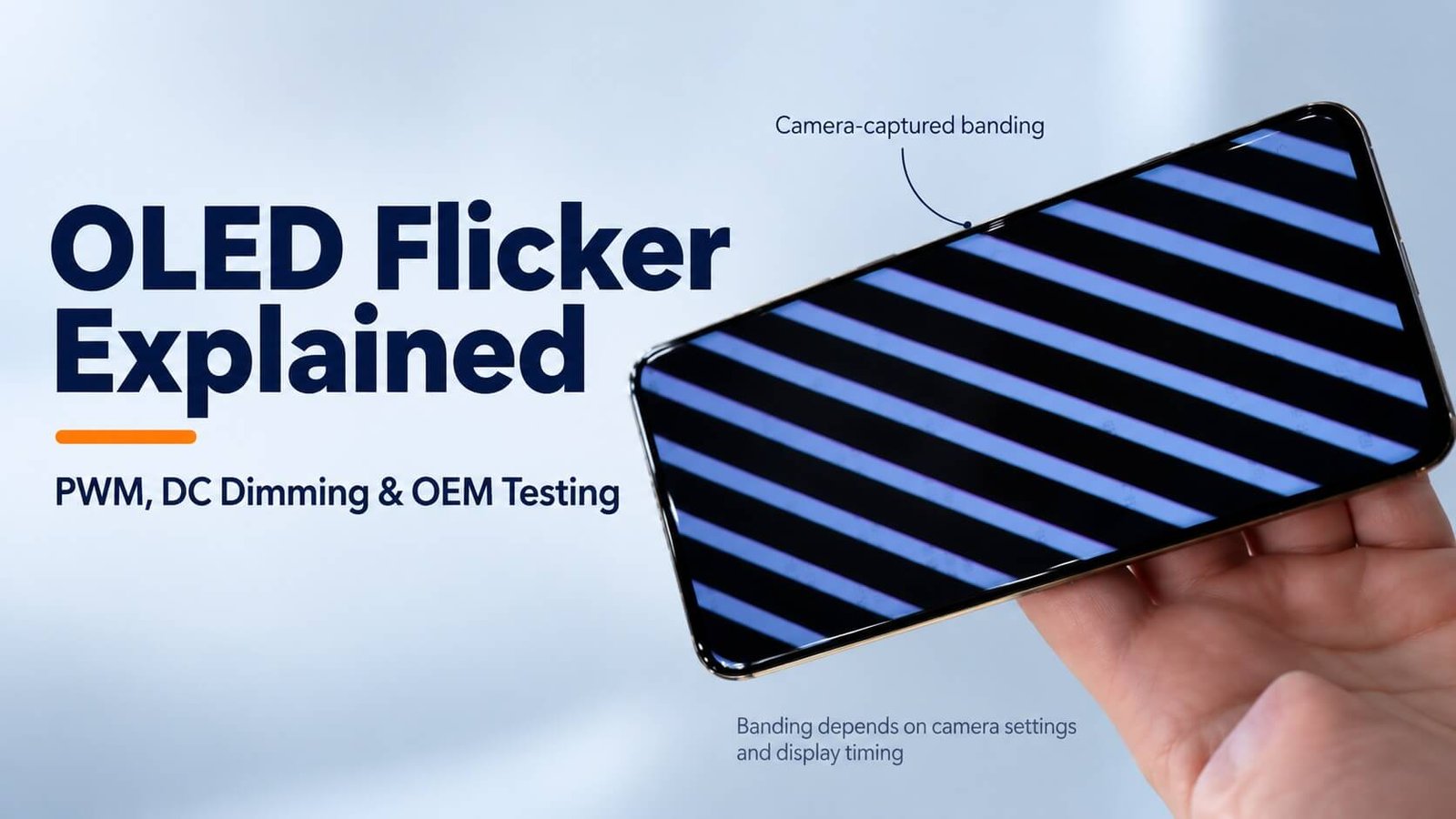
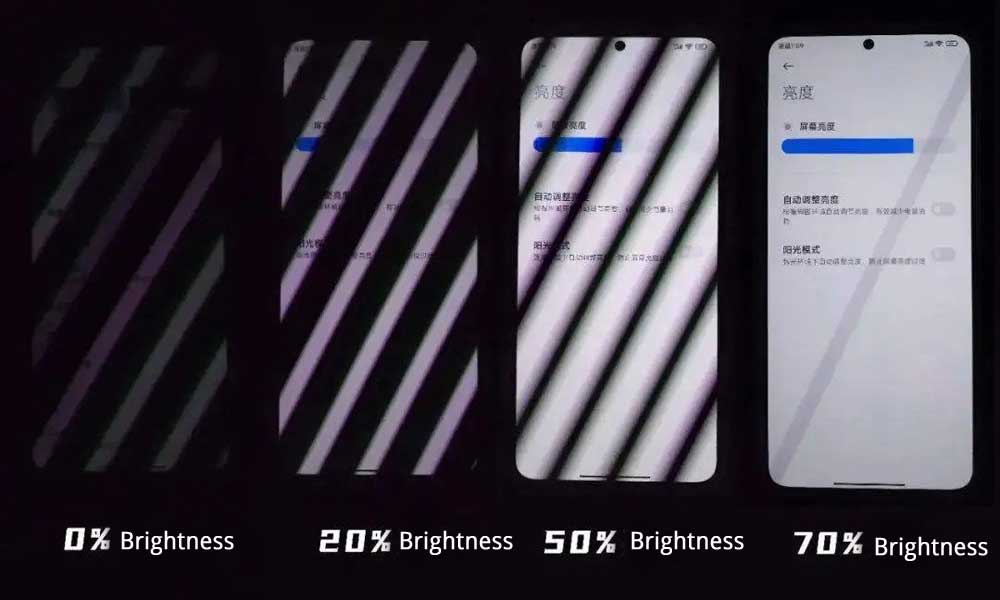
A camera samples the scene using its own exposure and readout timing. With rolling-shutter readout, different image rows can record different parts of a varying light waveform, producing bright and dark bands. Their appearance changes with exposure, frame rate and the display mode.
Camera bands are useful clues, not a calibrated measure of human discomfort or a direct reading of PWM frequency. Absence of bands in one recording also does not prove a modulation-free display.
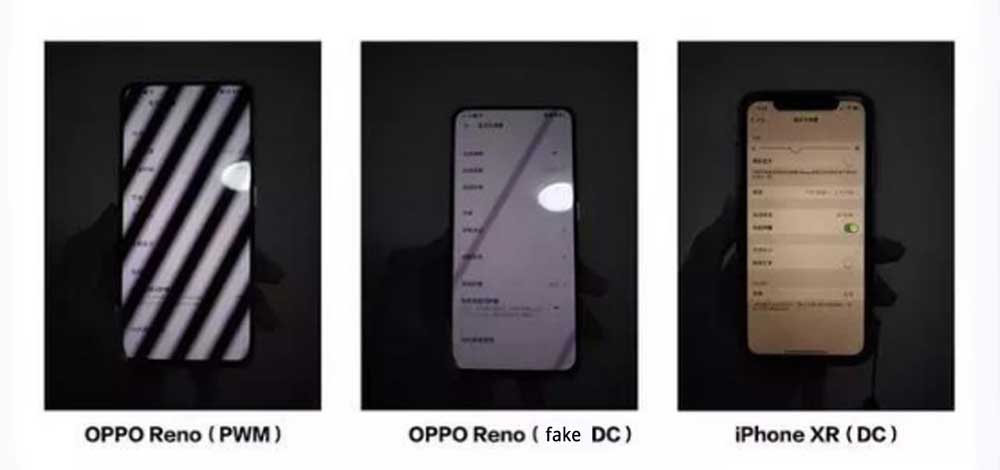
The original phone photographs remain useful historical illustrations, but they do not establish a current product ranking. Their labels and brightness settings belong to those examples, and the original exposure conditions are not documented here.
For a camera-facing installation, specify the actual camera, frame rate, shutter setting and expected lighting. A screen acceptable to a person can still cause recording artifacts in that combination.
Does Higher-Frequency PWM Solve Every Problem?
Moving modulation to a higher frequency can reduce some temporal artifacts under comparable conditions. It is one engineering option, rather than a complete guarantee. Frequency, modulation depth, pulse shape, mean luminance and viewing conditions all influence assessment. DOE’s temporal-light-modulation resources emphasize this wider set of waveform variables. [4][5]
The old article’s 1920 Hz product example should not be treated as a universal threshold or the final stage of OLED development. Nor should one advertised frequency establish that a display is comfortable for every person or free from camera artifacts.
Ask whether the quoted frequency applies throughout the usable brightness range and whether lower-frequency components remain. A single number cannot replace an optical trace.
For engineering, replace “highest Hz wins” with a requirement that includes the operating conditions, waveform evidence and acceptance method. If certification is requested, identify the exact test scheme and the settings covered by the report.
Do OLED Screens Hurt Your Eyes?
Some people experience discomfort with particular OLED displays, but discomfort is not the same as eye injury. Symptoms during screen use do not, by themselves, establish that OLED light has damaged the eye or that PWM is the cause. General eye-care guidance distinguishes screen-related dryness and fatigue from permanent eye damage; it does not certify every display or explain an individual’s symptoms. [8]
Review optical waveform testing alongside viewing conditions and habits: use comfortable brightness relative to the room, limit glare, choose readable text and take regular breaks. Neither maximum brightness nor a particular PWM frequency guarantees comfort. Persistent symptoms should be assessed by an eye-care professional.
Some viewers report discomfort with particular displays or settings. That does not establish that PWM caused every episode of headache, dry eyes or fatigue. Digital eye strain can involve prolonged near work, blinking behavior, glare, text size and other factors. The American Academy of Ophthalmology discusses screen-use habits and visual comfort. [6]
A practical user review can include comfortable ambient lighting, readable text, glare control and regular viewing breaks. These measures do not certify the waveform. If a particular screen or mode repeatedly feels uncomfortable, stop that use and assess an alternative; persistent symptoms warrant professional advice.
For a product specification, avoid claiming that one frequency prevents eye injury or that a camera stripe proves retinal harm. Optical measurements, user evaluation and any applicable compliance assessment answer different questions.
An OEM test report should describe measured behavior, not diagnose users or promise that every individual will respond identically.
Can a Dimming App or Black Overlay Remove Flicker?
A software overlay changes pixel values or displayed content. It does not necessarily change the hardware brightness-control method. On an OLED, this can change optical output, but the effect on the waveform depends on the panel and processing path.
Therefore, an app that makes the screen look darker cannot be assumed to remove PWM. It can also alter contrast, gradients and color, so its effect must be assessed with the intended content and instrumented measurements.
The old article’s instructions to grant accessibility permissions are not needed for an engineering guide and are removed. No specific app is required to evaluate a module.
For an OEM product, prefer documented panel or controller functions. If software dimming is part of the design, verify the complete signal path and repeat the assessment after firmware changes. Do not label the result “flicker-free” solely because the image is darker.
How to Measure a Display’s Optical Waveform
A useful assessment measures light output over time, rather than only the electrical PWM input. A photodiode with appropriate optics and acquisition equipment, or a suitable display flicker meter, can capture relevant behavior. Instrument response and settings must suit the waveform.
| Test element | What to document | Why it matters |
|---|---|---|
| Sample configuration | Panel, controller and firmware revisions | Behavior can change with the drive implementation |
| Display settings | Brightness, refresh mode and adaptive functions | Settings can alter the waveform |
| Image content | White and gray patches plus representative application screens | OLED output and processing can depend on content |
| Optical setup | Sensor location, sampled area and ambient-light control | Unrelated light and spatial averaging can affect results |
| Acquisition | Bandwidth, sampling rate, capture duration and measurement range | Avoid missing short pulses or slower variations |
| Results | Mean luminance, trace, relevant frequencies and stated modulation metric | Supports comparisons beyond a single Hz value |
One commonly used percent-modulation definition is 100 × (Lmax − Lmin) / (Lmax + Lmin) for a nonzero denominator. State the definition, filtering and acquisition conditions. It does not describe every feature of a complex waveform and should not be used alone as a comfort rating.
Capture both a short time window that resolves pulses and a sufficiently long interval to reveal slower changes. Avoid detector saturation, check the noise floor and exclude modulated room lighting. A screenshot captures image data, not this optical time history.
DOE’s measurement resources are useful background, but metrics or limits developed for general lighting should not automatically be claimed as display certification. Agree on the appropriate method and scope for the intended product. [7]
OEM Sample Test Matrix and Supplier Questions
A repeatable sample matrix is more informative than one maximum-brightness demonstration. The following is a project-planning template, not a completed test report or a universal compliance standard.
| Variable | Suggested coverage | Evidence to retain |
|---|---|---|
| Brightness | Minimum intended level, low, middle and high settings | Actual luminance and waveforms |
| Content | Full white, several gray levels and real UI screens | Pattern files and capture conditions |
| Refresh / operating mode | Every supported mode intended for shipment | Mode and firmware identification |
| Automatic functions | Check relevant adaptive or content-dependent settings | Behavior during transitions |
| Camera use | Intended recording setup where relevant | Camera settings and original recordings |
| Integrated product | Final controller, power supply and front optics | Approved assembly configuration |
Ask the supplier:
- Which dimming and emission-control modes does this exact module support?
- Does the method change with brightness, refresh mode or content?
- Is the quoted frequency measured optically, and under what conditions?
- Can the supplier provide traces at the project’s low-luminance settings?
- Which settings can the customer control without exceeding panel limits?
- What image-quality or power trade-offs arise in alternative modes?
- Which firmware and hardware revisions were used for the samples?
- How will changes affecting the approved temporal behavior be communicated?
If “low flicker” is a contractual requirement, turn it into a documented acceptance procedure with agreed conditions and limits. Do not invent a pass/fail value from this article.
Selecting AMOLED, Flexible OLED or Transparent OLED
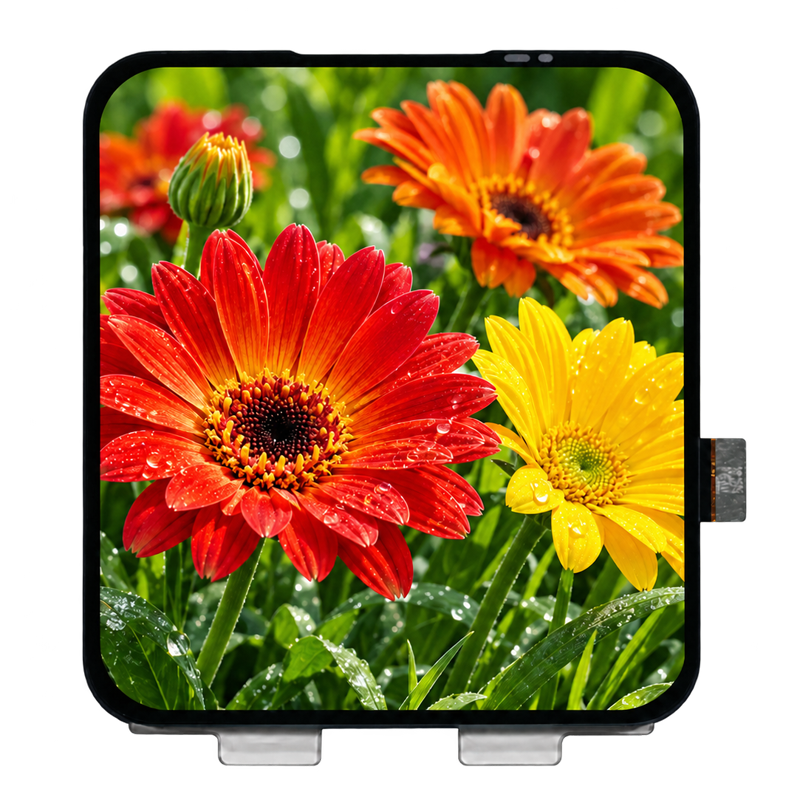
AMOLED: review the integrated panel and driver with the intended host and UI. Full-color capability, resolution and advertised refresh rate do not establish temporal performance. Explore AMOLED Displays.
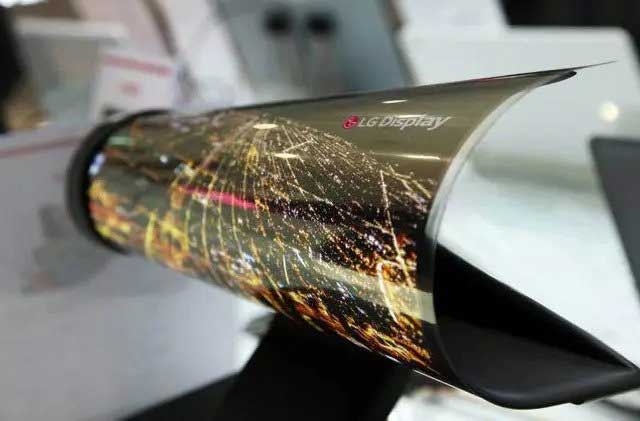
Flexible OLED: bending capability does not determine the dimming waveform. Evaluate the electrical design alongside bend radius, support and mechanical limits. DisplayMan’s direction is bendable or curvable integration; repeated folding should not be assumed. Explore Flexible OLED Displays.
Transparent OLED: test both the screen’s emitted light and the viewing installation. Background illumination can itself fluctuate and can change perceived readability. For instrumented assessment, distinguish the panel’s modulation from light transmitted through it. Explore Transparent OLED Displays.
DisplayMan can help review product options, available specifications and a suitable sample-validation plan. A low-flicker characteristic is not assumed for every listed product; confirm evidence for the exact configuration before making a performance claim.
For image-retention concerns, read OLED Burn-In and How to Reduce It. Differential aging and temporal modulation are separate subjects; choosing PWM is not a general burn-in solution.
Frequently Asked Questions
Do all OLED displays flicker in the same way?
No. Optical behavior depends on the panel, driver, operating mode, brightness and content. Measure the configuration you intend to use.
Does 120 Hz refresh mean 120 Hz PWM?
No. Image refresh and brightness modulation are different quantities. The optical trace may contain components related to both.
Does lowering brightness always lower PWM frequency?
No. The driver may reduce duty cycle at a fixed frequency, change current, change frequency or combine methods.
Is a display flicker-free if my phone camera shows no bands?
Not necessarily. Camera exposure and readout can conceal or reveal artifacts. Use suitable optical measurement equipment for a supported claim.
Is DC dimming guaranteed to produce perfectly steady light?
No. Current-based dimming can reduce a source of modulation, while other timing or processing effects can remain. Check the finished display’s output.
Does high-frequency PWM prevent burn-in?
No general guarantee follows. Aging depends on the device, current, temperature, operating duration and content distribution. Manage lifetime and temporal performance as distinct requirements.
From process to product
Explore Related Display Products
Choose a product direction, then confirm the panel, module and integration requirements together.
AMOLED Displays
Review full-color module options for detailed interfaces, graphics and OEM products.
Explore product options →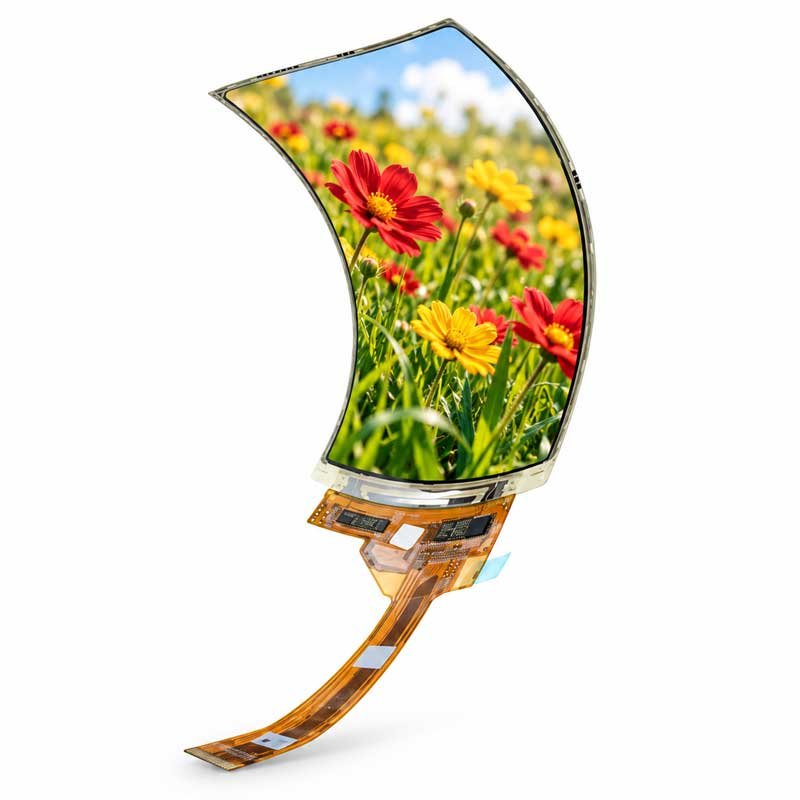
Flexible OLED Displays
Explore bendable or curvable display directions with mechanical limits reviewed for the assembly.
Explore product options →
Transparent OLED Displays
Explore see-through displays for showcases, signage and engineered commercial systems.
Explore product options →Project review
Review Your Display Dimming Requirements
Send your display type, application, target luminance range, host electronics, content and quantity. If temporal performance is important, include the intended test method, operating modes and available waveform data. DisplayMan can review product options and sample-validation requirements.
Prefer to open the enquiry form here?
Technical References and Further Reading
- DXOMARK: Temporal Light Modulation and Its Artifacts
- Texas Instruments: Analog and PWM Dimming
- Texas Instruments: LCD Backlight LED Drivers
- U.S. Department of Energy: Temporal Light Modulation Research
- U.S. Department of Energy: Flicker Basics
- American Academy of Ophthalmology: Computers, Digital Devices and Eye Strain
- U.S. Department of Energy: Flicker Measurement and Standards
- UCLA Health: Computer-Related Eye Fatigue — discomfort and permanent eye damage
Lighting-driver references explain general modulation concepts; they do not establish OLED panel specifications. The sample matrix is an engineering planning guide, not a claim that a DisplayMan product has passed a named certification.