Home | Products | Transparent OLED Displays | Transparent OLED AI Digital Human Screen

DisplayMan – Transparent OLED AI Digital Human Screens

Where Technology Becomes Human

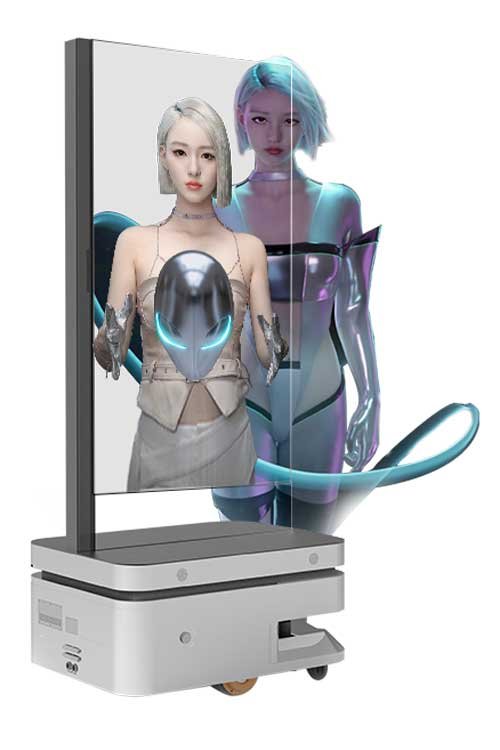
Deliver futuristic experiences with DisplayMan’s industry-leading Transparent OLED Displays powered by intelligent AI digital humans. We merge elegant transparency with real-time interactive avatars to redefine how people interact with information.

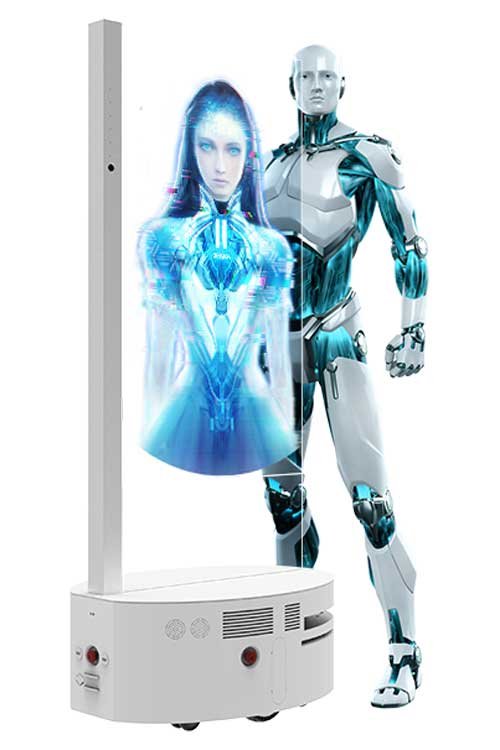
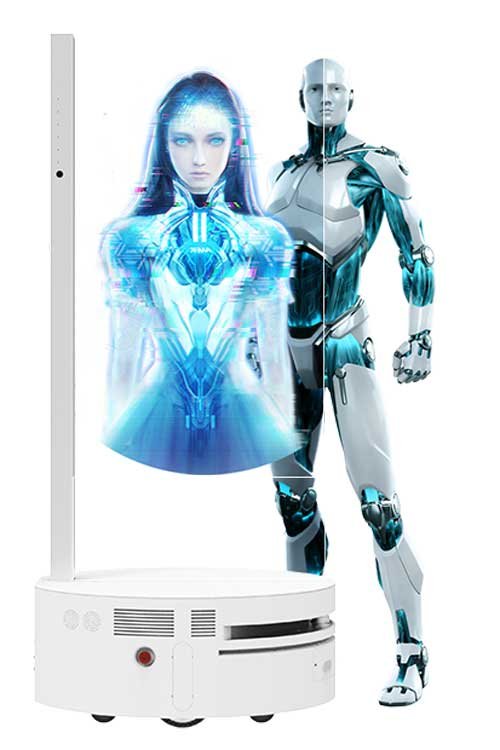
transparent oled ai digital human screen

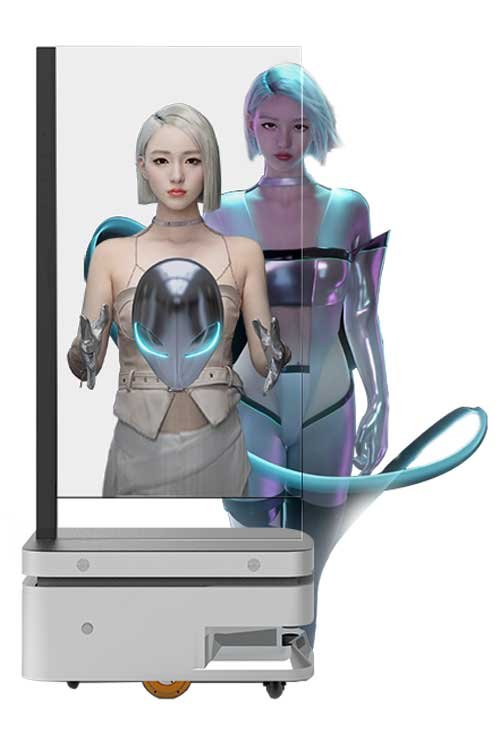
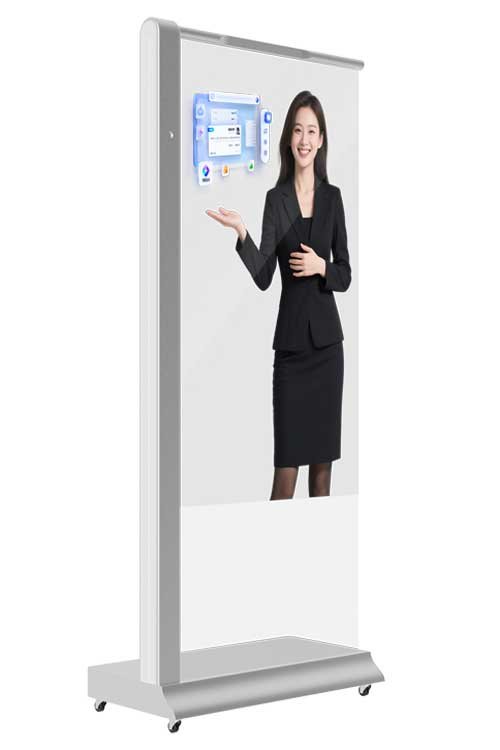
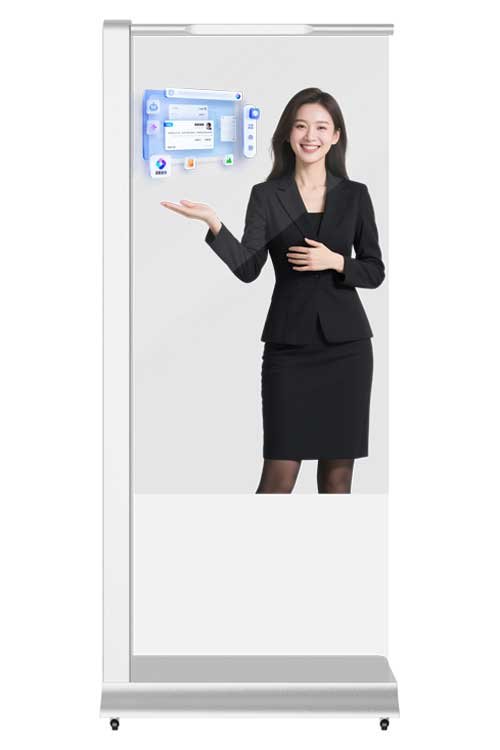
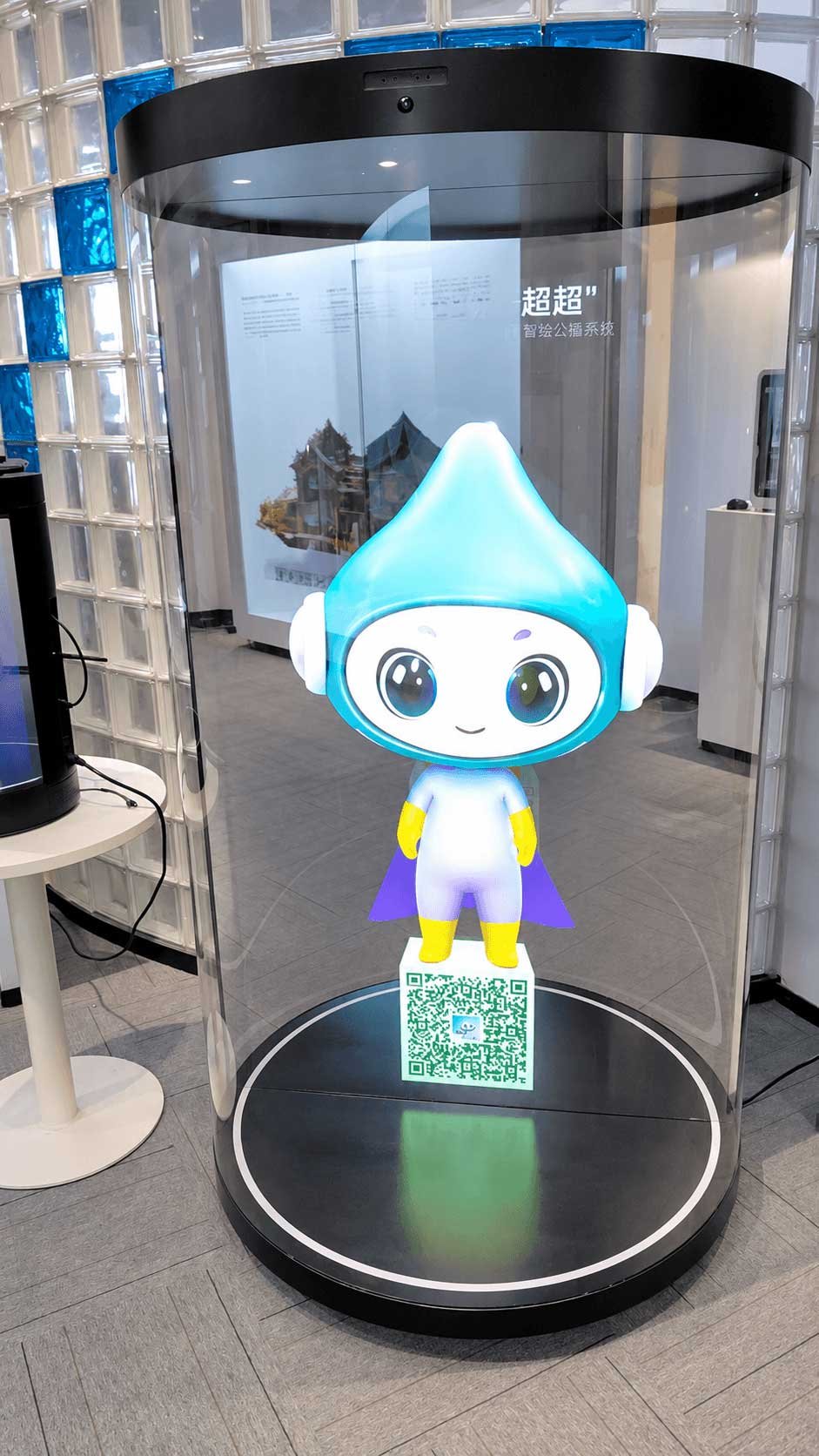
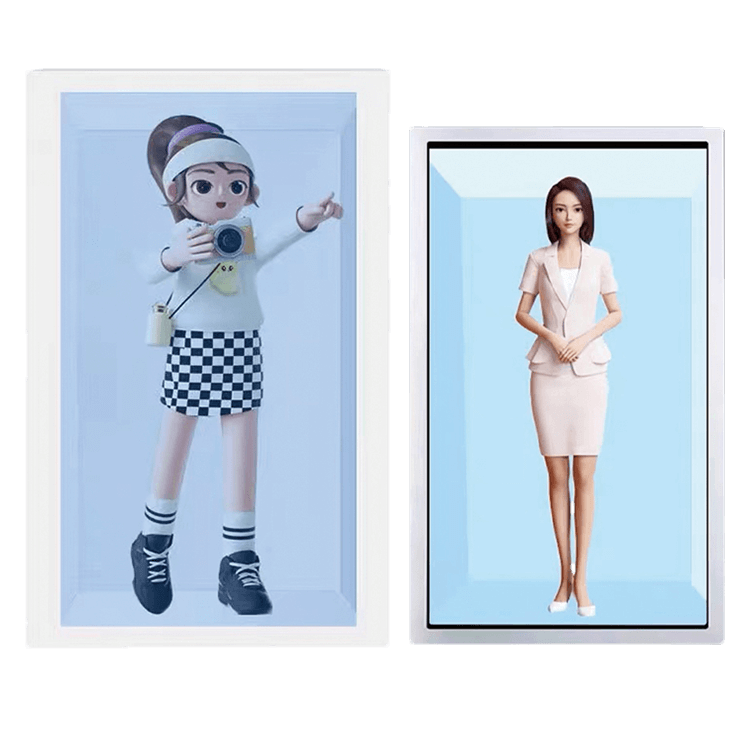
The exhibition of Transparent OLED AI Digital Human Screens

Step into a new era of immersive technology with DisplayMan’s Transparent OLED AI Digital Human Screens, available in 30-inch, 55-inch, and 77-inch sizes. This exhibition showcases the perfect fusion of transparent OLED display and AI-powered virtual human interaction — bringing life to glass, and intelligence to space.

Visit the exhibition and witness how DisplayMan is redefining digital communication — one transparent screen at a time.

CategoryParameter ItemDetails
Transparent DisplayDisplay Size77 inches
Transparent DisplayBacklight TypeOLED
Transparent DisplayDisplay Resolution3840×2160
Transparent DisplayDisplay Aspect Ratio16:9
Transparent DisplayBrightness200 – 600cd/㎡, Auto – adjustment
Transparent DisplayContrast Ratio200000:1
Transparent DisplayViewing Angle178°/178°
Transparent DisplayResponse Time1ms (Gray To Gray)
Transparent DisplayColor Depth10bit (R:1.07 billion colors)
Configuration SystemMain ControlWindows Version (X86)
Configuration SystemCPUI5 CPU
Configuration SystemMemory16G
Configuration SystemStorage512G
Configuration SystemOperating SystemWindows 10
Touch MethodCapacitive Touch10 – point capacitive touch
Power & Battery ParamsPower Input (Charger)AC 100 – 240V
Power & Battery ParamsBattery Voltage for EnduranceTBD
Power & Battery ParamsBattery Capacity for EnduranceTBD
Power & Battery ParamsCharging MethodTBD
Power & Battery ParamsTime for Full ChargeTBD
Power & Battery ParamsBattery LifeTBD
Power & Battery ParamsOverall Power Consumption<600W
Operating EnvironmentRunning Time7×12h (Dynamic Playback)
Operating EnvironmentOperating Temperature0℃ – 40℃
Operating EnvironmentOperating Humidity20% – 80%
StructureMaterialTempered Glass + Sheet Metal
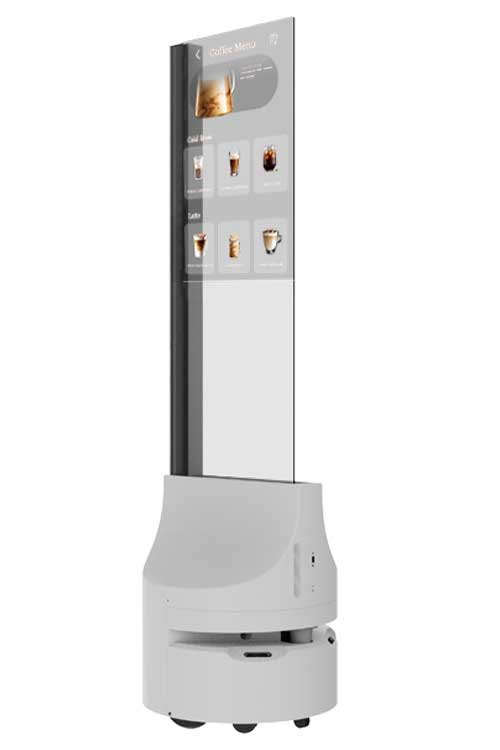
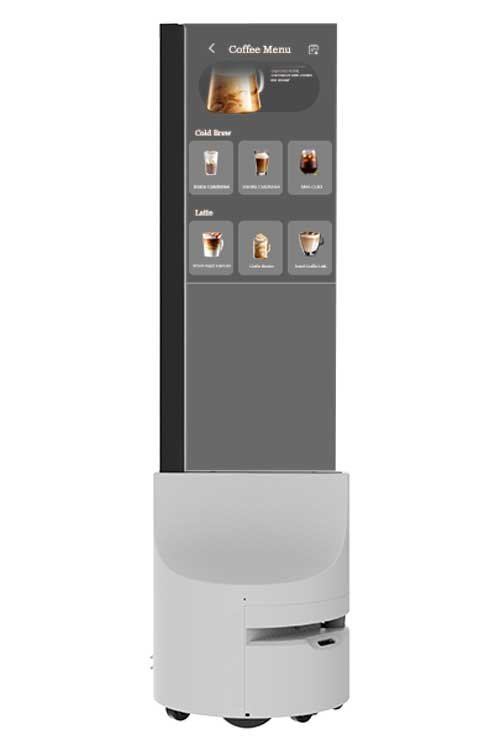
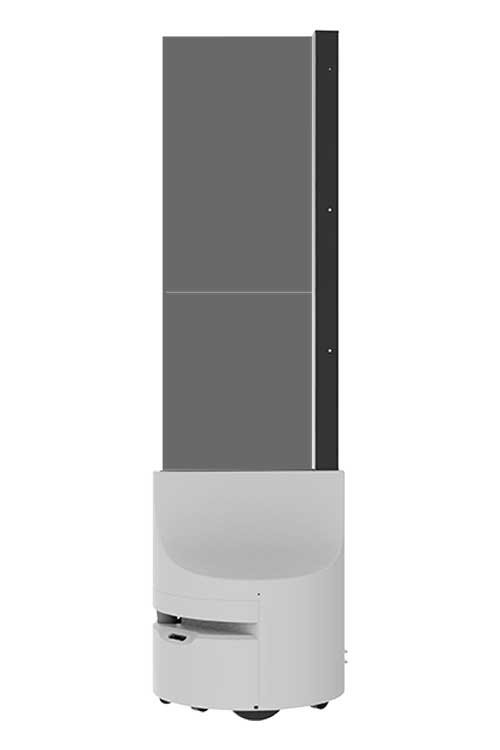
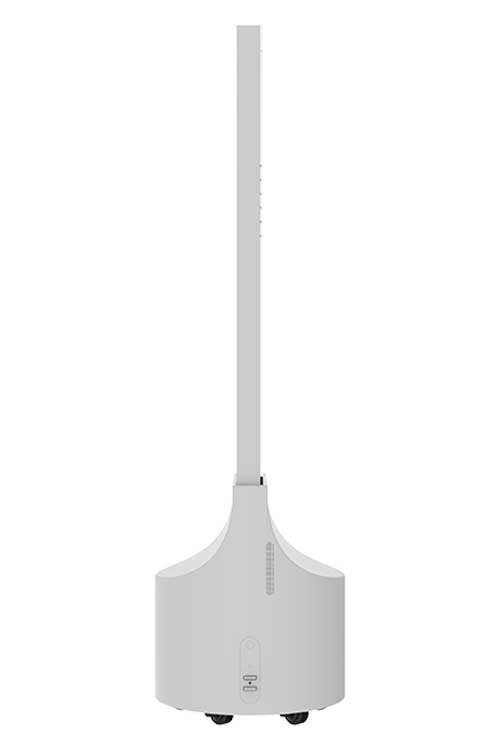
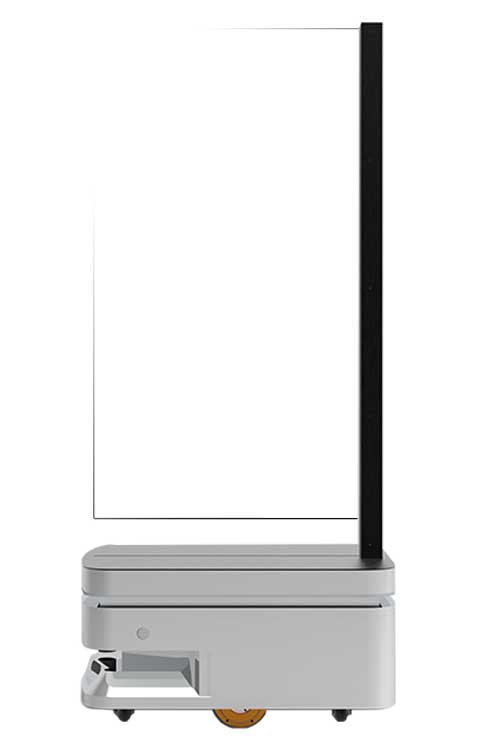
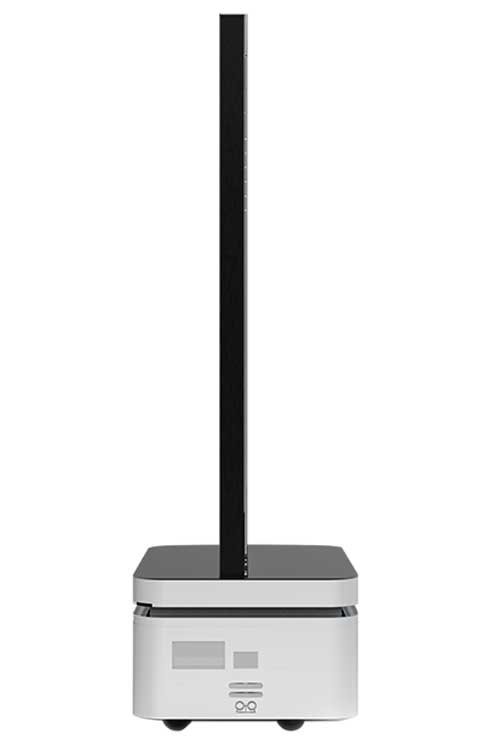
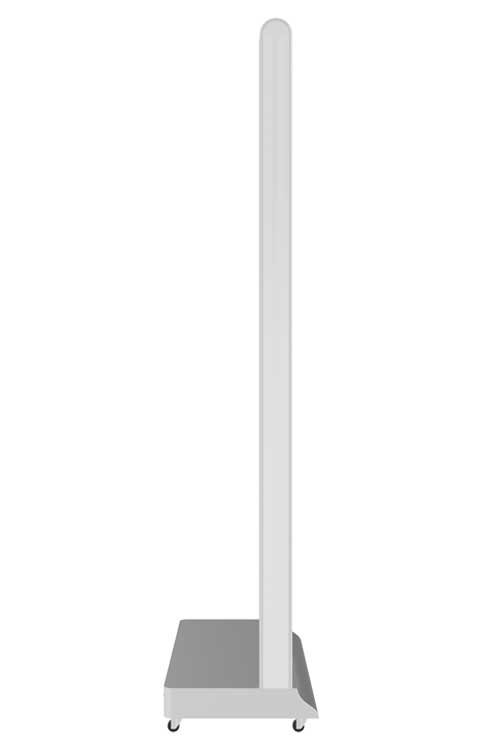
StructureOverall Dimensions1972×1040×597(mm), see structure drawing
StructurePacking DimensionsTBD
StructureInstallation MethodBase – mounted
StructureNet Weight/Gross WeightTBD
Accessory ListPower Cord, Antenna, Remote Control, Certificate of Conformity & Warranty Card
MiscellaneousAfter – sales ServiceOne – year warranty
CategoryParameter ItemDetails
Transparent DisplayDisplay Size55 inches
Transparent DisplayBacklight TypeOLED
Transparent DisplayDisplay Resolution1920×1080
Transparent DisplayDisplay Aspect Ratio16:9
Transparent DisplayBrightness200 – 600cd/㎡, Auto – adjustment
Transparent DisplayContrast Ratio100000:1
Transparent DisplayViewing Angle178°/178°
Transparent DisplayResponse Time0.1ms (Gray To Gray)
Transparent DisplayColor Depth10bit (R:1.07 billion colors)
Configuration SystemMain ControlWindows Version (X86)
Configuration SystemCPUI5 CPU
Configuration SystemMemory16G
Configuration SystemStorage512G
Configuration SystemOperating SystemWindows 10
Touch MethodCapacitive Touch10 – point capacitive touch
Power & Battery ParamsPower Input (Charger)AC 220V
Power & Battery ParamsBattery Voltage for Endurance54.75±0.2V
Power & Battery ParamsBattery Capacity for Endurance48V 30Ah
Power & Battery ParamsCharging MethodAuto – recharge at low battery, or manual recharge command
Power & Battery ParamsTime for Full Charge5 hours
Power & Battery ParamsBattery Life>2000 charge – discharge cycles
Power & Battery ParamsOverall Power Consumption<200W
Operating EnvironmentRunning Time7×12h
Operating EnvironmentOperating Temperature0℃ – 40℃
Operating EnvironmentOperating Humidity20% – 80%
StructureMaterialTempered Glass + Sheet Metal
StructureOverall Dimensions1860×832×570(mm), see structure drawing
StructurePacking DimensionsTBD
StructureInstallation MethodBase – mounted
StructureNet Weight/Gross WeightTBD
Accessory ListPower Cord, Remote Control, Certificate of Conformity & Warranty Card, Charger, Instruction Manual
MiscellaneousAfter – sales ServiceOne – year warranty
CategoryParameter ItemDetails
Transparent DisplayDisplay Size30 inches
Transparent DisplayBacklight TypeOLED
Transparent DisplayDisplay Resolution1366×768
Transparent DisplayDisplay Aspect Ratio16:9
Transparent DisplayBrightness180 – 600cd/㎡, Auto – adjustment
Transparent DisplayContrast Ratio135000:1
Transparent DisplayViewing Angle178°/178°
Transparent DisplayResponse Time0.1ms (Gray To Gray)
Transparent DisplayColor Depth10bit (R:1.07 billion colors)
Configuration SystemMain ControlRK3568
Configuration SystemCPUQuad – core Cortex – A55, Max Frequency up to 2.0GHz
Configuration SystemMemory4G
Configuration SystemStorage32G
Configuration SystemOperating SystemAndroid 11
Touch MethodCapacitive Touch10 – point capacitive touch
Power & Battery ParamsPower Input (Charger)AC 220V
Power & Battery ParamsBattery Voltage for Endurance29.47V
Power & Battery ParamsBattery Capacity for Endurance25.6V 25Ah
Power & Battery ParamsCharging MethodAuto – recharge at low battery, or manual recharge command
Power & Battery ParamsTime for Full Charge5.5 hours
Power & Battery ParamsBattery Life>2000 charge – discharge cycles
Power & Battery ParamsOverall Power Consumption<150W
Operating EnvironmentRunning Time7×12h
Operating EnvironmentOperating Temperature0℃ – 40℃
Operating EnvironmentOperating Humidity20% – 80%
StructureMaterialTempered Glass + Sheet Metal
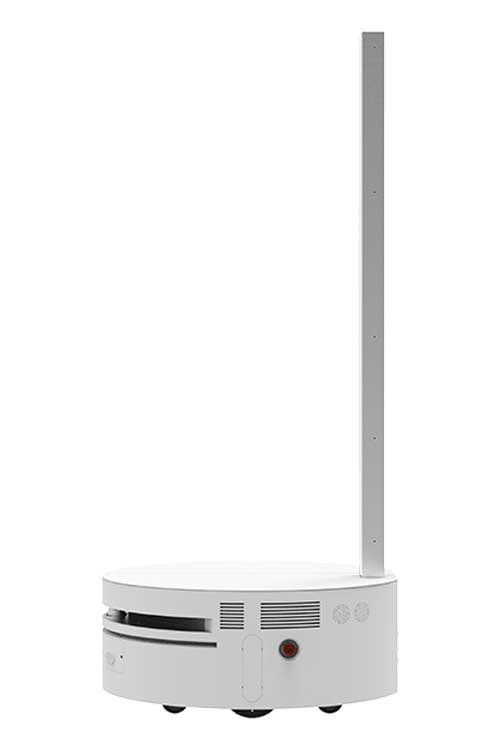
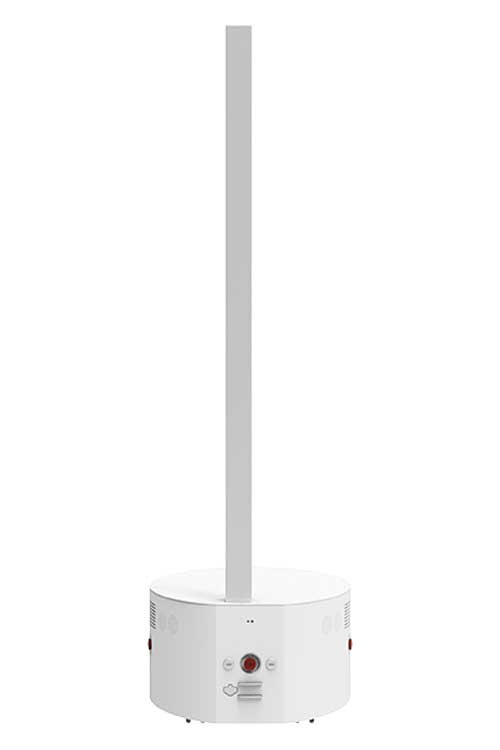
StructureOverall Dimensions1750×500×500(mm), see structure drawing
StructurePacking DimensionsTBD
StructureInstallation MethodBase – mounted
StructureNet Weight/Gross Weight115KG/130KG
Accessory ListPower Cord, Antenna, Remote Control, Certificate of Conformity & Warranty Card, Charger
MiscellaneousAfter – sales ServiceOne – year warranty

What Is a Transparent OLED AI Digital Human Screen?

A Transparent OLED AI Digital Human Screen is a premium interactive terminal that uses a see-through OLED display to present a digital human, virtual presenter, AI avatar or service interface.

It goes beyond normal digital signage by combining transparent OLED visual impact with touch, voice, camera, sensor, computing and software options. The terminal can welcome visitors, introduce products, explain exhibitions, provide multilingual information or support customer-facing service tasks.

The final product may be supplied as display hardware, an interactive hardware terminal, a digital-human playback system or a more complete AI-integrated solution. The exact software scope must be confirmed for each project.

Typical Functions

  • Virtual receptionist and visitor welcome
  • Retail promotion and product guidance
  • Museum narration and exhibition explanation
  • Hotel concierge and service information
  • Multilingual menus and wayfinding
  • Touch, voice or sensor-triggered interaction
  • Brand storytelling and premium showroom presentation
Product Positioning

Transparent OLED AI Digital Human Screen is a premium customer-facing terminal that combines transparent display, digital human content and project-based interaction—not simply an OLED panel or a video player.

A Complete Interactive Terminal, Not Only a Transparent Screen

The product should be evaluated as a complete system. A premium screen creates the visual effect, but the real project value depends on the interaction method, computing platform, software, content and long-term operation.

Transparent OLED Display

Presents the avatar and interface while keeping the surrounding environment visible.

Touch and User Interface

Allows visitors to select a language, browse information, choose a service or navigate product content.

Camera and Sensors

Can support presence detection, content activation, gesture triggers and compatible software input.

Microphone and Speaker

Provide voice input and audio output for greetings, explanations and AI conversation when supported by software.

Android or Windows System

The computing platform should be selected according to digital human software compatibility and performance requirements.

AI Software and Content

May include avatar playback, scripts, voice interaction, knowledge base, CMS, multilingual content and customer backend integration.

Important Software Boundary

DisplayMan can supply the hardware terminal and review system integration. The AI digital human platform, avatar, voice engine, knowledge base and backend connection may be supplied by DisplayMan, the customer or a third-party provider and must be defined before quotation.

Transparent OLED AI Digital Human Screen Sizes

Main sizes include 30, 55 and 77 inches. The correct size depends on interaction distance, available space, mobility, desired avatar presence, budget and software interface.

30 inch

Compact and Mobile AI Terminal

Suitable for counters, tabletop guidance, mobile demonstrations, compact exhibitions, reception desks and close-viewing interaction.

55 inch — Mainstream

Best Starting Point for Most Projects

Suitable for retail, museums, lobbies, hotels, showrooms, exhibitions and smart reception. It balances avatar visibility, structure, mobility, installation and project cost.

77 inch — Flagship

Premium Large-Format Presence

Suitable for large museums, flagship showrooms, airports, transport hubs, corporate experience centers and high-budget installations.

Size Recommendation

Start with 55 inches for most commercial projects. Choose 30 inches for compact or mobile interaction and 77 inches only when a stronger flagship presence justifies the higher cost and structure requirements.

Interaction Options

Not every project needs full real-time AI interaction. Select the simplest interaction method that completes the intended visitor task reliably.

Pre-Produced Digital Human Playback

Plays avatar videos, welcome messages and product introductions without open-ended AI conversation.

Touch Interaction

Supports language selection, menus, product browsing, service topics, guides and controlled visitor journeys.

Voice Interaction

Uses microphone, speaker, speech recognition and compatible AI software for spoken questions and responses.

Camera or Presence Trigger

Activates greetings or content when a visitor approaches, depending on hardware, privacy and software design.

Gesture or Motion Trigger

Provides non-touch activation for exhibitions, public spaces and selected hygiene-sensitive environments.

Multilingual Service

Can provide scripts, menus or AI responses in multiple languages according to the selected software platform.

Do Not Over-Specify the AI Function

A controlled touch menu is often more reliable and easier to maintain than unrestricted voice conversation. Full AI interaction should only be selected when the knowledge base, software provider, network, privacy and long-term support are clearly defined.

Recommended AI Digital Human Project Levels

Different customers use “AI digital human” to describe very different systems. These four levels help define the real scope before hardware and software are quoted.

1

Digital Human Video Playback

Pre-produced avatar videos, welcome messages or looping presentations. The simplest and fastest route for exhibitions, retail promotion and brand storytelling.

Typical hardware: Transparent OLED display, media player, speaker and fixed or mobile housing.

2

Touch-Based Interactive Digital Human

Visitors select topics, languages, product categories or services through a controlled touch interface.

Typical hardware: Touch panel, Android or Windows system, speaker and interactive software.

3

Voice Interactive AI Digital Human

Adds microphone, speech recognition, AI response, voice output and a prepared knowledge base.

Additional review: Language accuracy, background noise, network, privacy, scripts and software maintenance.

4

Fully Integrated AI Service Terminal

Connects the digital human to booking, visitor management, product databases, CRM, customer systems or customized AI knowledge bases.

Project model: Joint development between hardware supplier, software provider, customer IT team and system integrator.

Practical Starting Point

Many commercial projects should start with Level 1 or Level 2. Advanced voice and backend integration should be added only when the service task and software responsibility are clear.

Reference Specifications

The following values are reference options. Final specifications depend on the selected OLED panel, touch, computing system, camera, audio, sensors, software and product structure.

Item Reference Options
Product NameTransparent OLED AI Digital Human Screen
Display TypeSelf-emissive Transparent OLED
Main Sizes30" / 55" / 77"
Most Practical Size55" for most commercial projects
Resolution1366 × 768 / 1920 × 1080 / 3840 × 2160 depending on panel
BrightnessApprox. 180–600 cd/m² depending on size and configuration
TransparencyApprox. 40–60% depending on model, environment and content
Touch OptionCapacitive touch optional depending on size and structure
Computing PlatformAndroid / Windows / customer-provided computing platform
Camera OptionStandard camera / 4K camera / customer-specified module review
Audio OptionSpeaker / microphone / microphone array
Sensor OptionMotion sensor / presence sensor / gesture-trigger review
NetworkEthernet / Wi-Fi / customer network requirement review
Battery OptionMobile battery-powered version can be reviewed according to model and operating-time requirement
InstallationFloor-standing / mobile base / counter / tabletop / custom OEM terminal
Recommended EnvironmentIndoor or controlled customer-facing environment
OEM OptionsHousing, base, touch, camera, microphone, speaker, sensor, computing, branding and packaging
Important

Transparent OLED AI Digital Human Screen is a project-based interactive product. Final functions cannot be confirmed from the display specification alone. Software compatibility, language, content, privacy, network and support responsibility must also be reviewed.

Typical Product Structure

A complete AI Digital Human Screen may include the following hardware and software modules. The actual configuration should match the selected project level.

Transparent OLED Display

Shows the avatar, service interface, videos and digital content while preserving background visibility.

Optional Touch and Front Glass

Capacitive touch and custom front glass can support interactive menus and branded product design.

Computing System

Android or Windows hardware selected according to software compatibility, processing and peripheral requirements.

Camera and Sensor Modules

Can support visitor detection, activation, gesture input and customer software applications.

Microphone and Speaker

Provide voice input and output for greetings, explanation, navigation and AI interaction.

AI Digital Human Software

May include avatar playback, speech recognition, voice synthesis, scripts, knowledge base, UI and backend integration.

Housing and Base

Floor-standing, mobile, counter, tabletop or custom terminal structures can be reviewed.

Power and Cable Management

Power, network, signal cable, connector positions and maintenance access should be planned with the mechanical design.

Long-Term Operation

Content updates, software support, privacy, network reliability, cleaning and service responsibility must be planned before deployment.

Typical Applications

Transparent OLED AI Digital Human Screens are best used in premium customer-facing spaces where the terminal can help visitors, explain information or improve the brand experience.

Retail Promoter

Introduces products, promotions, brand stories and service information in luxury retail and smart stores.

Museum and Exhibition Guide

Explains exhibits, provides multilingual narration and helps visitors navigate cultural or educational content.

Corporate Digital Receptionist

Welcomes visitors, introduces the company, provides event information and guides guests in lobbies and visitor centers.

Hotel Concierge

Provides hotel services, directions, restaurant information, schedules and multilingual guest assistance.

Airport and Transport Information

Supports guidance, wayfinding, service information and multilingual interaction in selected transport environments.

Exhibition Presenter

Attracts visitors, presents products and delivers repeatable explanations at trade shows and product launches.

Real Estate Sales Assistant

Introduces projects, floor plans, amenities and property information in premium sales centers.

Education and Public Service

Provides structured information, training, visitor guidance and service menus in universities, libraries and service halls.

OEM Smart Service Terminal

Can be developed as a branded terminal connected to customer software, databases and service workflows.

How to Choose the Right AI Digital Human Screen

1

Define the Visitor Task

Confirm whether the terminal should attract attention, welcome visitors, answer questions, guide users, introduce products or complete a service task.

2

Select the Project Level

Choose video playback, touch interaction, voice AI or full backend integration before specifying the hardware.

3

Choose the Screen Size

Start with 55 inches for most applications. Use 30 inches for compact or mobile use and 77 inches for flagship projects.

4

Confirm Software Ownership

Define who supplies the avatar, AI platform, scripts, knowledge base, languages, cloud service and ongoing software support.

5

Match the Hardware

Select Android or Windows, touch, camera, microphone, speaker, sensor, network and base structure according to the software.

6

Plan Long-Term Operation

Review network, privacy, content updates, maintenance staff, software subscription, support responsibility and operating hours.

Selection Logic

The correct hardware can only be selected after the interaction and software scope are defined. A simple playback terminal and a real-time AI service terminal are fundamentally different projects.

Hardware and Software Responsibility

Project Area Typical Hardware Scope Typical Software / Content Scope
Display and Interaction OLED screen, touch, camera, microphone, speaker, sensors and computing system Avatar UI, touch menu, voice workflow and interaction design
Digital Human Content Playback and audio hardware Avatar appearance, clothing, voice, scripts, videos and animation
AI Conversation Microphone, speaker, camera, network and suitable computing hardware Speech recognition, language model, voice synthesis, safety rules and response logic
Knowledge and Service Network and customer-system connection hardware Knowledge base, booking system, product database, CRM or visitor-management integration
Operation and Maintenance Service access, cooling, cable routing, spare parts and physical maintenance Cloud subscription, software updates, content ownership, privacy and technical support
Quotation Requirement

Before quotation, confirm whether the requirement is hardware only, interactive hardware, digital human playback, voice AI interaction or a fully integrated service terminal.

Content and User Journey Strategy

A successful digital human terminal should help visitors complete a simple task. The interaction must be short, clear and repeatable, especially in public or noisy spaces.

Recommended Visitor Journey

  1. Idle content or sensor attracts attention
  2. The digital human greets the visitor
  3. The visitor selects a language or topic
  4. The visitor taps a menu or asks a question
  5. The system gives a short voice or visual response
  6. Additional product, map or service content appears
  7. The visitor scans a QR code or completes the task
  8. The terminal returns to idle mode
Good Content

Welcome messages, product introductions, exhibition guidance, FAQ answers, service menus, wayfinding, multilingual information, brand stories and short interactive responses.

Avoid

Long speeches, unclear open-ended interaction, excessive menus, unrealistic AI promises and workflows that depend on unstable network or unmaintained content.

Transparent OLED AI Digital Human Screen vs Other Display Routes

Comparison Transparent OLED AI Digital Human Screen Alternative Route
AI Screen vs OLED Signage Best when a virtual presenter, guide or service assistant needs stronger interaction. Transparent OLED Signage is better when premium video, images and commercial content are sufficient.
AI Screen vs OLED Cabinet Best when the visitor interaction and digital human are the main focus. Transparent OLED Display Cabinet is better when a physical product inside a protected showcase is the center.
Transparent OLED vs Transparent LCD Digital Human More premium, thinner and self-emissive, with a stronger flagship visual effect. Transparent LCD Digital Human Display is usually better for cost control and wider size flexibility.
Transparent OLED vs Standard LCD Terminal Best when transparency and premium brand impression are part of the project value. Standard Digital Signage or Touchscreen All-in-One Terminals are more practical when basic interaction and lower cost are more important.
AI Terminal vs Hologram Effect A stable screen-based terminal suitable for repeatable customer service and interaction. Hologram-style systems are generally better for special visual effects, events and entertainment rather than practical service workflows.
Technology Choice

Choose Transparent OLED AI Digital Human Screen when premium transparent presentation and visitor interaction are both important. Choose simpler signage or standard terminals when the project does not need the OLED effect.

Engineering and Customization Support

The terminal should be configured around the real interaction and software requirement. Display, computing, peripherals, base, network, power and maintenance should be reviewed as one complete system.

  • 30" / 55" / 77" product review
  • 55" mainstream terminal recommendation
  • Floor-standing terminal design
  • Mobile base structure
  • Counter and tabletop structure
  • Custom OEM housing
  • Capacitive touch integration
  • Custom front glass
  • Android system configuration
  • Windows system configuration
  • Customer computing-system review
  • Camera and 4K camera review
  • Microphone and microphone array
  • Speaker integration
  • Motion and presence sensors
  • Gesture-trigger review
  • Voice-interaction hardware
  • Digital-human playback system
  • Multilingual content review
  • Customer software integration
  • AI platform compatibility review
  • Network and cloud requirement
  • Battery-powered mobile version
  • Cable routing and connectors
  • Power, cooling and service access
  • OEM branding and packaging
  • Sample project support
  • Batch project support
Integration Principle

Hardware should follow the software requirement. Do not select cameras, microphones, computing platforms or sensors before confirming what the digital human must actually do.

When This Product Is the Right Choice

Suitable For

  • Premium transparent virtual presenters
  • Retail promoters and product guides
  • Museum and exhibition guides
  • Corporate digital receptionists
  • Hotel concierge and multilingual service
  • Smart visitor and customer-service terminals
  • 55-inch customer-facing AI terminal projects
  • OEM transparent AI display products

May Not Be the Best Choice

  • The project only needs low-cost video playback
  • Transparency adds no real value
  • There is no defined AI software or content plan
  • The customer expects full AI without software cost
  • The site lacks reliable network but needs cloud AI
  • No team will maintain scripts, software or content
  • The installation is outdoors under direct sunlight
  • The project needs a very large high-brightness wall
Project Insight

The OLED screen creates the premium visual platform. Project success depends on useful content, clear software responsibility, realistic interaction and long-term operational support.

What Information Should You Provide?

The more clearly the interaction, software and operating responsibility are defined, the faster the correct hardware terminal can be recommended.

Application and Project Level

  • Retail, museum, exhibition, lobby, hotel or service use
  • Video playback, touch, voice AI or full integration
  • Indoor environment and visitor flow
  • Viewing and interaction distance
  • Noise and language environment
  • Permanent or temporary installation

Software and Interaction

  • Who provides the AI software and avatar
  • Required languages and voice style
  • Online or offline operation
  • Knowledge base and backend integration
  • Touch, voice, camera, sensor or QR interaction
  • Privacy, cloud and software-support requirement

Hardware and Commercial

  • 30", 55" or 77" screen size
  • Android, Windows or customer platform
  • Camera, microphone, speaker and sensors
  • Fixed, mobile, counter or custom structure
  • Quantity, budget and project schedule
  • Shipping destination and certification requirement

Related Application, Solution and Product Pages

Transparent OLED AI Digital Human Screen projects connect with the Transparent OLED product family, digital human solutions, interactive terminals, customer-facing applications and alternative transparent display routes.

Product Route

For product selection, start with Transparent OLED Displays and this Transparent OLED AI Digital Human Screen page. Review Transparent OLED Signage when premium content playback is enough, Transparent OLED Display Cabinet when a physical product is the focus, and Transparent OLED Video Wall for larger premium installations.

Related Transparent OLED Product Pages

Related Product PageWhen to Visit
Transparent OLED DisplaysFor the complete Transparent OLED family, main sizes and product categories
Transparent OLED SignageWhen premium transparent video, images and commercial content are sufficient without advanced AI interaction
Transparent OLED Display CabinetWhen a physical product, artifact or luxury item inside a showcase is the center of the experience
Transparent OLED Video WallWhen multiple Transparent OLED panels are needed for a larger high-end visual installation
Custom Small-Size Transparent OLED DisplayFor selected icon, indicator, instrument or limited-information OLED applications

Related Solution Pages

Related Solution PageWhen It Helps
Transparent Digital Human Display SolutionFor comparing Transparent OLED, Transparent LCD and other digital human display approaches at solution level
Transparent Display SolutionsFor comparing Transparent OLED, LCD, LED and Micro LED technologies
Transparent Retail Display SolutionWhen the project is retail-focused and the correct transparent product is not confirmed
Transparent Exhibition & Showroom Display SolutionFor museums, exhibitions, showrooms, product launches and brand experience spaces
OEM/ODM Display Engineering & PrototypingWhen the project requires custom structure, sample development, interface integration or batch engineering

Related Application Pages

Application PageWhen It Helps
Exhibition, Events & ShowroomsFor digital presenters, product launches, trade-show interaction and showroom guidance
Corporate & Office EnvironmentsFor lobbies, reception areas, visitor centers and corporate experience spaces
Industry ApplicationsFor reviewing display products across retail, museums, hospitality, corporate and public-service markets

Related Interactive Product and Integration Pages

Product / CapabilityWhen It Helps
Touchscreen All-in-One TerminalsWhen the project needs a conventional interactive terminal and transparency is not essential
AI Recognition & Smart Access TerminalsWhen camera recognition, access control or identity-oriented terminal functions are required
Wall-Mounted Touch TerminalsWhen a fixed wall-mounted interactive interface is more practical than a floor-standing transparent terminal
Capacitive Touch PanelsWhen touch browsing, language selection and controlled visitor interaction are required
Custom Touch Panel GlassWhen front glass dimensions, printing, holes, edges or surface treatments must be customized
LCD Controller BoardsWhen HDMI, signal input, media player or display-driving configuration must be reviewed
FPC & Cable AssemblyWhen cable routing, connectors and internal wiring must match the terminal housing

Alternative Display Routes

Alternative RouteWhen It May Be Better
Transparent LCD Digital Human DisplayWhen cost control, wider size flexibility and a practical transparent terminal are more important than premium OLED effect
Transparent LCD DisplaysFor broader cost-controlled transparent display, cabinet, vending and OEM routes
Digital Signage DisplaysWhen the project mainly needs video playback and transparency or AI interaction adds little value
Touch vs Non-Touch DisplayWhen the project must decide whether interaction is necessary or passive content is sufficient
Transparent Display vs Standard DisplayWhen the project must confirm whether a transparent screen is actually required
Decorative vs Informational Transparent DisplaysWhen the display purpose must be clarified as visual attraction, information, interaction or a combination
Navigation Logic

The product page should guide customers from the real visitor task and project level to the correct OLED size, interaction method, computing system, AI software scope, terminal structure and alternative display route.

FAQ

What is a Transparent OLED AI Digital Human Screen?

A Transparent OLED AI Digital Human Screen is an interactive transparent OLED terminal that presents a digital human, virtual presenter, AI avatar or service assistant on a see-through display.

How is it different from Transparent OLED Signage?

Transparent OLED Signage mainly displays video, images and commercial content. The AI Digital Human Screen adds a computing system and can also include touch, camera, microphone, speaker, sensors and digital human software integration.

What size is most commonly used?

55" is usually the safest and most practical starting point for commercial Transparent OLED AI Digital Human Screen projects.

What other sizes are available?

Main product sizes include 30", 55" and 77". The 30-inch format is suitable for compact or mobile use, while 77 inches is intended for premium flagship projects.

Can the screen support touch?

Yes. Capacitive touch can be reviewed for menu selection, product browsing, language selection, visitor guidance and customer self-service.

Can it support voice interaction?

Yes. Voice interaction can be reviewed with microphone, speaker and compatible AI software. The final capability depends on the software platform, language model, knowledge base, network and project scope.

Can it support a camera or motion sensor?

Yes. Camera, motion sensor, presence sensor or gesture-trigger hardware can be reviewed for visitor detection, content activation and software interaction.

Does DisplayMan provide the AI software?

DisplayMan can supply the display terminal hardware and review software integration. The exact AI software scope may be provided by DisplayMan, the customer or a third-party software provider and must be confirmed before quotation.

Can the product work without real-time AI software?

Yes. Some projects use pre-produced digital human videos, scheduled content or touch-based menus without real-time voice interaction.

Can it support multilingual content?

Yes. Multilingual scripts, menus and voice interaction can be reviewed according to the software platform and project requirements.

Can it be used as a digital receptionist or museum guide?

Yes. It can be configured as a virtual receptionist, museum guide, exhibition presenter, retail promoter, hotel concierge or customer-service terminal.

Does it require internet access?

Offline video playback and local touch content may not require internet access. Cloud AI interaction, online knowledge bases and remote services normally require a stable network connection.

Which operating system can be used?

Depending on the AI software and performance requirement, the terminal can use Android, Windows or a customer-provided computing platform.

Can it be battery-powered?

A battery-powered mobile configuration can be reviewed according to screen size, power consumption, required operating time, base structure and safety requirements.

Can it be used outdoors?

Standard Transparent OLED AI Digital Human Screens are mainly designed for indoor or controlled environments. Outdoor-facing or direct-sunlight use requires separate review of brightness, protection, heat and visibility.

What information is needed for a quotation?

Please provide the application, screen size, project level, interaction method, AI software scope, hardware configuration, installation form, quantity, budget, schedule and shipping destination.


Need a Transparent OLED AI Digital Human Screen for Retail, Museums, Lobbies or Smart Service?

Tell us the application, screen size, project level, interaction method, AI software plan, hardware configuration, installation form, quantity, budget and project schedule.

For most commercial projects, a 55-inch Transparent OLED AI Digital Human Screen is the best starting point. A 30-inch version can be reviewed for compact or mobile applications, while 77 inches is intended for premium flagship projects.

The correct terminal depends on the visitor task, interaction level, software provider, avatar and language requirements, computing platform, camera, microphone, speaker, sensors, network, housing and long-term support plan.

Send Your Display Requirement

Please share your application, display size, quantity and project background. We will review the most practical display direction.