
Explore open frame display terminals from DisplayMan for custom kiosks, vending machines, smart lockers and commercial equipment. Review mounting points, touch, operating system, interfaces and cable routing around your enclosure and software requirements.
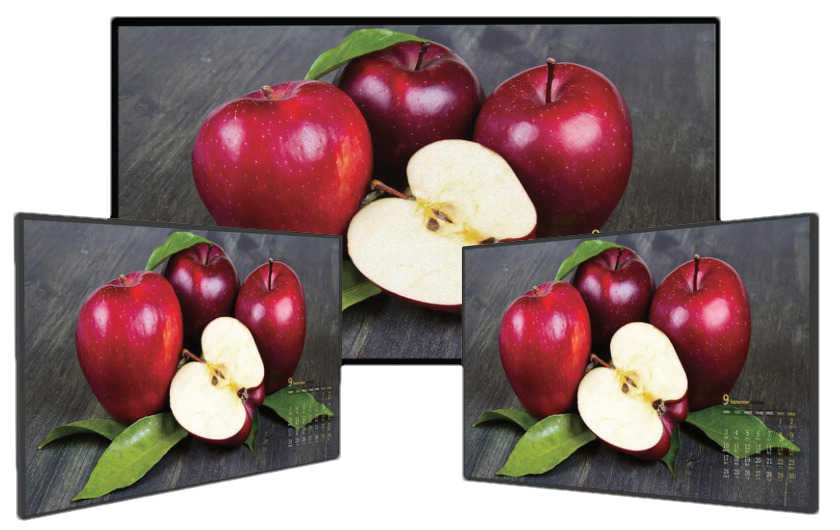
Assembly reference from our high-brightness range. Brightness, computing platform, touch and mounting depend on the selected configuration.
Open Frame Digital Signage is an integration-ready commercial display terminal designed for customers who already have their own enclosure, machine, kiosk body, wall structure or commercial equipment.
Unlike a finished Digital Signage Display, the product focuses on embedded installation, mounting points, interface access, cable direction, touch integration and compatibility with the customer’s final structure.
Unlike a Floor-Standing Kiosk, it does not include the customer’s complete standing enclosure or base.
This product belongs to Touchscreen All-in-One Terminals → Enterprise & Industrial Terminals.
Open Frame Digital Signage is the display-and-system core inside the customer’s own equipment. It is not a finished standalone screen and not a complete kiosk enclosure.
Both product routes fit inside the customer’s enclosure. Choose according to the lighting conditions and whether you need a display connected to your own computer or an integrated computing configuration.
| Selection Point | Open Frame Digital Signage | Open Frame High Brightness Monitors |
|---|---|---|
| Main Focus | Embedded content playback, touch interaction and optional computing for commercial equipment | High-brightness display assemblies with optical, power and thermal integration |
| Installation Environment | Primarily controlled indoor equipment, kiosks, smart lockers and commercial fixtures | Equipment exposed to strong ambient light, storefront windows or daylight; final outdoor protection requires enclosure review |
| Brightness Selection | Selected for the indoor lighting and front-glass stack; confirm per project | Listed reference configurations include 700–5000 nits, depending on size and model; confirm the selected configuration |
| Computing & Software | Customer PC or media player, or optional Android, Linux or Windows computing for CMS and customer applications | Monitor controller or optional compatible computing; the main selection priority is daylight readability and heat management |
| Touch & Glass | Optional touch, cover glass and bonding selected for the equipment workflow | Optional touch, cover glass and bonding reviewed together with reflection, transmission and sunlight exposure |
| Mechanical Integration | Opening, mounting points, installation depth, interfaces, peripherals and service access | The same mechanical checks, plus backlight power, heat paths, ventilation and solar loading |
| Weather Protection | Customer enclosure provides the finished protection; an open frame assembly is not automatically waterproof | High brightness does not establish an outdoor IP rating; protection depends on the final equipment assembly |
| Typical Projects | Indoor kiosks, vending machines, smart lockers, embedded advertising and customer application terminals | Daylight-facing kiosks, EV chargers, window-facing equipment and other high-ambient-light installations |
| Product Page | Explore Open Frame Digital Signage → | Explore Open Frame High Brightness Monitors → |
For indoor content playback and equipment interaction, start with Open Frame Digital Signage. For strong ambient light, review Open Frame High Brightness Monitors. Integrated computing and touch can be evaluated in either route, subject to the selected hardware.
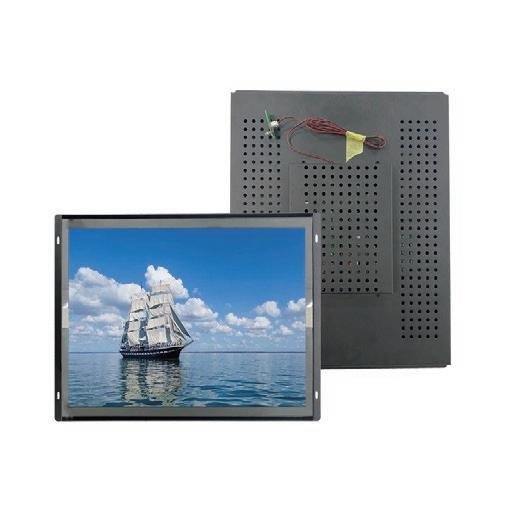

Product structure references from the high-brightness range. These photos do not specify the brightness or computing configuration of an indoor digital signage project.
| Product Direction | Typical Size | Best For | Key Difference |
|---|---|---|---|
| Compact Open Frame Digital Signage | 10.1"–21.5" | Equipment panels, counters, smart lockers, vending machines and compact terminals | Compact embedded display structure |
| Standard Open Frame Digital Signage | 23.8"–43" | Kiosks, retail equipment, self-service machines and commercial terminals | Mainstream OEM integration size range |
| Large-Format Open Frame Digital Signage | 55"–98" | Large kiosks, wall-integrated displays, exhibitions and premium commercial equipment | Greater visual impact for custom enclosures |
| 75" Open Frame Digital Signage | 75" | Large-format commercial terminals and custom kiosk projects | Most practical large-format starting point |
| Touchscreen Open Frame Digital Signage | Project-based | Interactive kiosks, self-service terminals and smart equipment | Adds touch while the customer supplies the final enclosure |
| System-Integrated Open Frame Display | Project-based | Android CMS, Linux embedded systems and Windows business applications | Combines display, computing, network and I/O |
| OEM Open Frame Display Assembly | Project-based within 10.1"–98" | Custom machines, private-label devices and commercial equipment | Customized mounting, cables, interfaces, system and packaging |
For many real projects, 75" is the most practical large-format option. A 98" display is usually the practical maximum for regular projects. A 110" display should be treated only as a special evaluation because cost, logistics and installation difficulty rise sharply.
Standard Open Frame Digital Signage is primarily designed for controlled indoor equipment. Storefront windows, direct sunlight, strong ambient light, semi-outdoor and outdoor projects require separate review of brightness, reflection, backlight heat, ventilation, enclosure protection, condensation and installation conditions.
Use High Brightness Displays as the environmental product route. When the customer already has the final equipment enclosure, continue to Open Frame High Brightness Monitors.
For companies that already design and manufacture their own standing or wall-mounted kiosk enclosure.
For beverage, food, retail and specialty vending machines requiring display, touch and system integration.
For parcel lockers, rental lockers, pickup terminals and service-access equipment.
For ticketing, registration, check-in, ordering and payment-terminal structures.
For product selection, shelf information, interactive catalogs and commercial fixture integration.
For information display and equipment integration; projects centered on industrial control or rugged operation should also review Industrial Panel PCs & Rugged Waterproof Terminals.
For embedded displays inside demo structures, exhibition walls and interactive event equipment.
For private-label equipment requiring customized mounting, software, interfaces, logo and packaging.
Suitable for smart lockers, payment terminals, vending machines, equipment panels and close-view interaction.
Suitable for mainstream kiosks, retail equipment, self-service machines and commercial terminals.
Suitable for wall-integrated displays, large kiosks, exhibition equipment and budget-controlled large-format projects.
Provides strong commercial impact while retaining better price, handling and customer acceptance than 86" or 98".
Suitable for high-budget projects with enough enclosure space, handling capacity and installation planning.
Can be reviewed technically for selected projects, but it is not a standard recommendation.
For large-format integration, the main limitations are often enclosure cost, packing, transport, lifting, installation access, serviceability and customer budget—not only display technology.

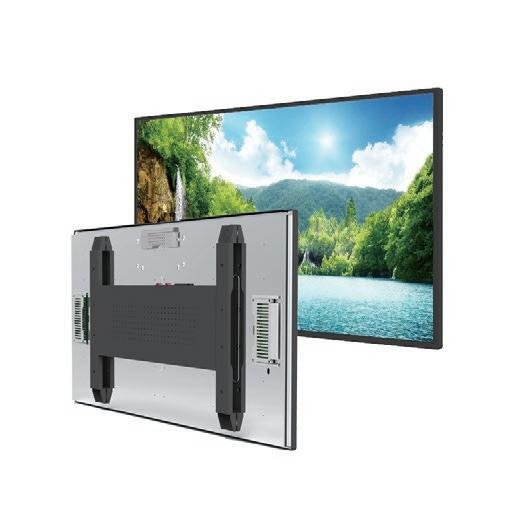
High-brightness assembly references illustrating open frame construction. Confirm mounting dimensions, brackets and rear layout for the selected digital signage configuration.
The final equipment drawing should define available width, height, depth, front opening and internal clearance.
The visible opening must match the LCD active area, bezel, cover glass and touch structure.
Rear brackets, side ears, holes, studs and support structure must fit the customer’s mechanical design.
Power, USB, HDMI, Ethernet, serial ports and antennas need accessible, protected cable routes.
Touch sensor, cover glass, air gap or optical bonding, edge clearance and grounding affect mechanical fit.
Mainboard, power supply, LCD backlight and customer equipment heat must be considered together.
The customer should be able to reach connectors, boards, screws and replaceable components after assembly.
Large modules require handling points, protective packaging and a realistic local installation plan.
Open frame projects should begin with the customer structure, installation opening and mechanical constraints. The display size and rear architecture must fit the equipment—not the other way around.
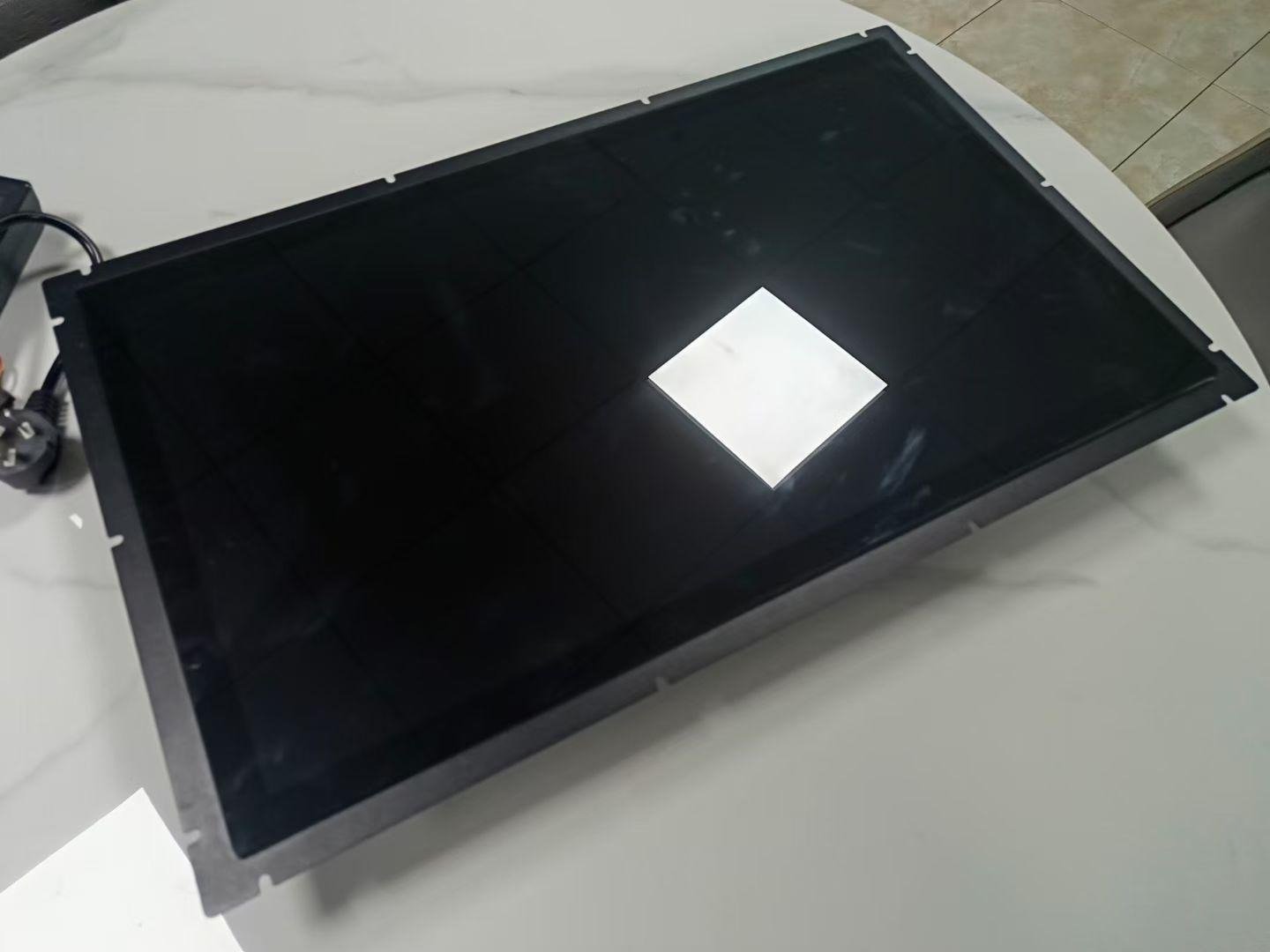
Front glass does not confirm touch is included. Glass, touch sensor, controller and bonding are selected for the project.
Suitable for advertising, information, status display, equipment instructions and passive content playback.
Suitable for kiosks, vending machines, product browsing, ordering, user input and modern interactive terminals.
Can be considered for selected large-format projects where the enclosure and front structure can support the infrared frame.
Cover glass size, printing, logo, holes, thickness, sensor and controller can be reviewed around the customer’s equipment.
Can improve optical appearance, reduce internal reflection and strengthen the display stack for selected projects.
Add touch only when the equipment workflow requires user input. Passive information displays should remain simpler and easier to maintain.
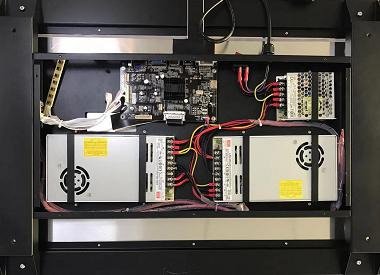
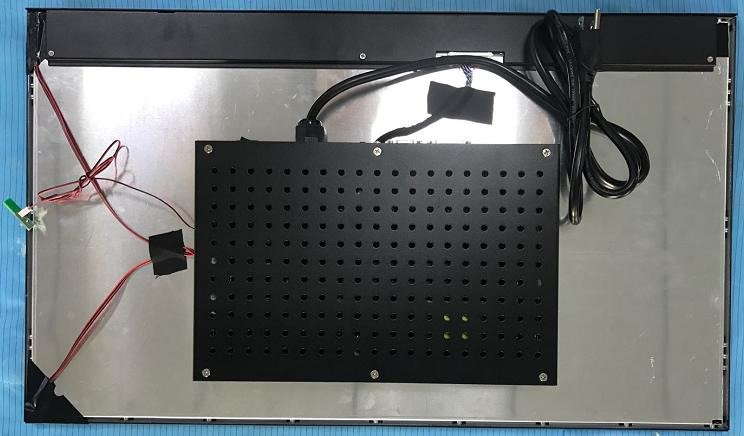
Rear assembly examples illustrate component placement and access. Operating system, CPU, memory and peripheral support require a separately confirmed computing platform.
Suitable for CMS playback, browser content, Android applications, kiosk mode and cost-efficient connected terminals.
Suitable for controlled embedded applications, machine integration and custom system environments.
Suitable for enterprise software, kiosk applications, specialized peripherals and customer-managed x86 environments.
CPU architecture, operating system version, application permissions, video decoding, browser engine, peripheral drivers, update method and software responsibility affect the motherboard, interfaces, heat and mechanical design.
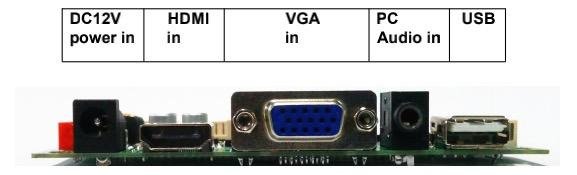
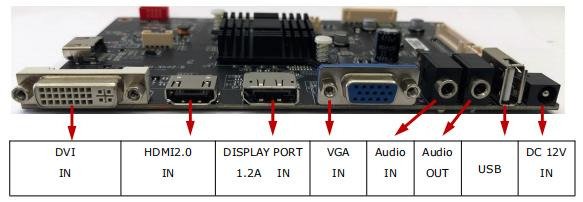
These images show monitor controller examples, not a confirmed Android or Windows motherboard. Networking, serial I/O and peripherals depend on the selected computing platform.
| Function | Typical Use | Important Confirmation |
|---|---|---|
| Wi-Fi / Wi-Fi 6 | CMS, cloud services, applications and flexible equipment deployment | Frequency band, antenna position, metal-enclosure shielding and signal environment |
| Ethernet | Stable fixed network connection inside equipment | Port direction, cable route, service access and network policy |
| PoE | Selected compact wall panels and terminal modules | PoE standard, power budget, cable length and total device consumption |
| 4G | Remote machines without reliable local networks | Frequency bands, SIM access, antenna position and local approval |
| USB | Touch, storage, scanners, printers, cameras and service access | Quantity, version, host mode, cable length and connector access |
| RS232 / RS485 | Machine communication, sensors and commercial peripherals | Protocol, voltage, isolation, connector and software driver |
| Camera | QR workflows, visitor systems and selected smart applications | Resolution, angle, opening, privacy indicator and software access |
| NFC / Card Reader | Membership, identification, access and selected payment workflows | Reader type, front position, protocol and application integration |
| GPS | Selected mobile or location-aware terminal projects | Antenna, indoor reception and software use |
| Microphone / Speakers | Prompts, media, voice input and communication | Acoustic openings, echo, volume, privacy and software control |
Providing a connector is not enough. Cable, voltage, protocol, driver, application access, opening position and serviceability must all be defined.
The following table defines common project directions. Final specifications depend on screen size, LCD availability, motherboard, touch technology, customer enclosure, environment, software, interfaces and quantity.
| Item | Project Direction |
|---|---|
| Screen Size | 10.1" / 13.3" / 15" / 15.6" / 17" / 18.5" / 19" / 21.5" / 23.6" / 23.8" / 27" / 32" / 43" / 55" / 65" / 75" / 86" / 98" |
| Most Practical Large Size | 75" for many real large-format integration projects |
| Practical Maximum | 98" for regular commercial projects |
| Special Size | 110" may be reviewed as a special project but is not a standard recommendation |
| Resolution | 1280×800, 1366×768, 1920×1080 or 4K depending on size |
| Orientation | Landscape or portrait depending on customer structure, software and content |
| Touch | Non-touch, projected capacitive touch or selected infrared touch |
| Operating System | Android, Linux or Windows depending on software and motherboard |
| CPU Platform | ARM or x86 selected according to application, decoding, peripherals and performance |
| RAM | Common project directions include 1GB / 2GB / 4GB / 8GB or higher platform options |
| Storage | Common project directions include 16GB / 32GB / 64GB / 128GB or larger x86 storage |
| Network | Wi-Fi, Wi-Fi 6, Ethernet, selected PoE and selected 4G |
| Interfaces | USB, RS232, RS485, GPIO or project-specific interfaces depending on platform |
| Optional Functions | Camera, NFC, GPS, microphone, speakers and selected peripherals |
| Environment | Standard versions are primarily indoor; high ambient light and outdoor projects route to High Brightness Displays or Open Frame High Brightness Monitors |
| Structure | Open frame, embedded rear structure, custom brackets and customer-enclosure integration |
| OEM | Mounting, cable direction, interface layout, boot screen, UI, logo, accessories and packaging |
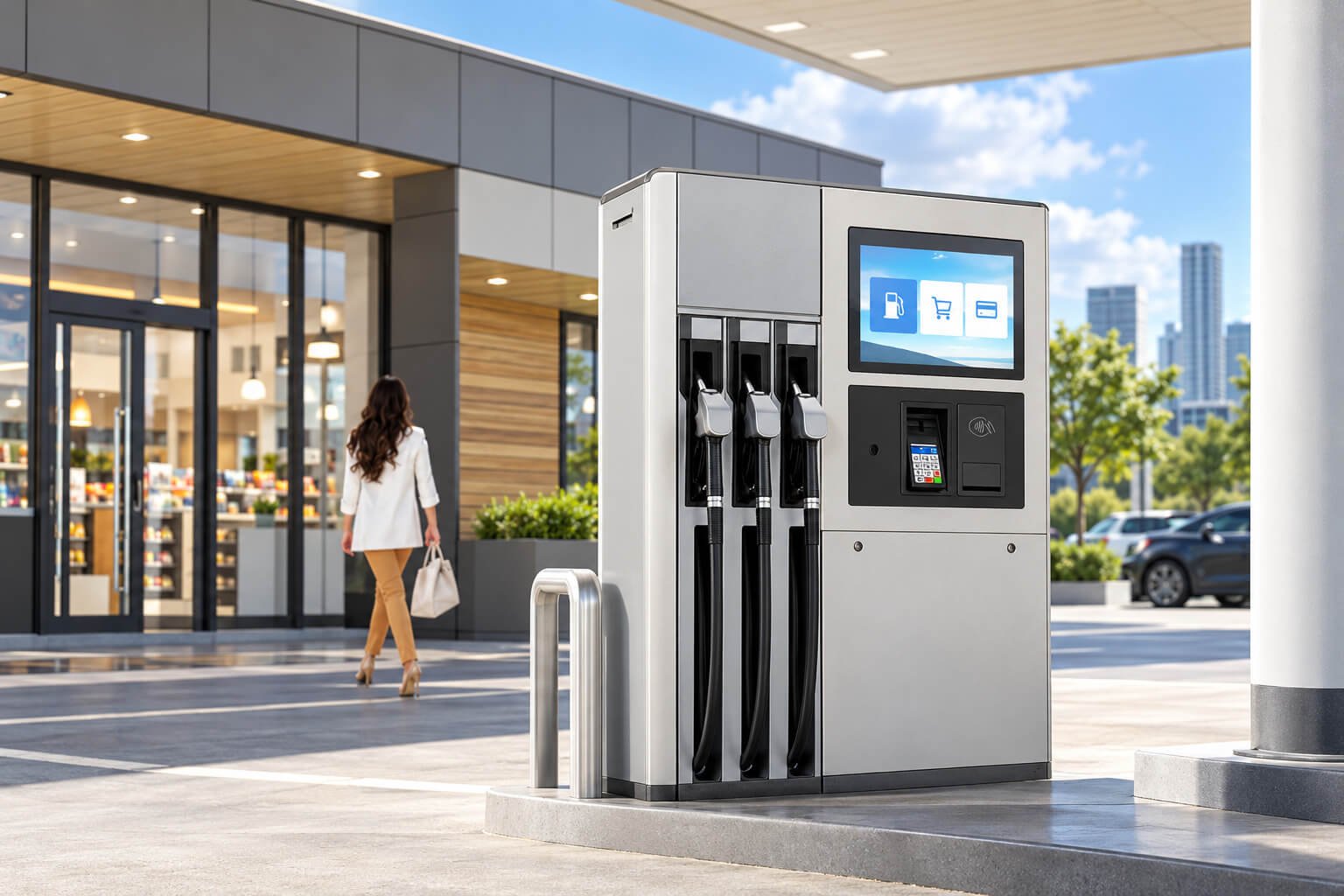
Finished equipment illustrates an integration scenario, not the open frame assembly supplied alone. Outdoor installations require separate brightness, sealing and thermal review. Review Open Frame High Brightness Monitors →
Display, touch and system core for customer-designed kiosk enclosures.
Advertising, product information, selection interface and machine-side customer operation.
Parcel pickup, rental, storage, service access and user-information terminals.
Check-in, registration, ticketing, ordering and payment-device integration.
Product selection, interactive catalog, shelf promotion and commercial fixture integration.
Production information, machine status and equipment-integrated display; rugged control projects should use the industrial terminal route.
Ticket machines, information terminals and passenger-service equipment.
Embedded displays inside demo structures, brand installations and interactive event equipment.
Architectural structures, custom walls, decorative fixtures and built-in commercial displays.
Custom display, touch, computing, interfaces, mounting and packaging for batch products.
| Factor | Open Frame Digital Signage | Digital Signage Displays | Floor-Standing Kiosks |
|---|---|---|---|
| Product Form | Embedded display and system core | Finished commercial display | Complete freestanding terminal |
| Final Enclosure | Provided by the customer | Supplied with finished commercial housing | Supplied with standing enclosure and base |
| Installation | Inside equipment, walls or custom structures | Wall, counter, desktop or VESA | Placed or anchored on the floor |
| Mechanical Priority | Mounting, opening, cables and fit | Finished appearance and mounting | Base, internal space, access and stability |
| Touch | Optional | Optional for light interaction | Optional or common depending on workflow |
| Peripherals | Integrated by customer or jointly defined | Normally display-oriented options | Can include scanner, printer, card reader and payment hardware |
| Mainstream Large Size | 75" | 75" | 75" |
| Practical Maximum | 98" | 98" | 98" |
| Best For | OEM equipment and customer-owned enclosures | Ready-to-deploy content and information display | Complete signage, wayfinding and self-service products |
Choose Open Frame Digital Signage when you already have the final enclosure. Choose Digital Signage Displays when you need a finished screen. Choose Floor-Standing Kiosks when you need the complete standing product.
For window-facing, strong ambient light, sunlight-readable and outdoor projects.
For embedded high-brightness displays inside customer-owned outdoor or window-facing equipment.
When a finished wall-mounted application terminal is required instead of an embedded assembly.
When face recognition, attendance, identity verification or access control is the core function.
When industrial control, rugged computing, sealing or demanding environmental reliability is the core requirement.
For meetings, classrooms, collaborative annotation and large multi-user interaction.
Share the mechanical drawing, opening, available depth, mounting method and internal clearance.
Indoor, storefront window, high ambient light, semi-outdoor or outdoor. High-light projects need the High Brightness route.
Choose within 10.1"–98" based on active area, enclosure opening, viewing distance, interaction and budget.
Non-touch, capacitive touch, infrared touch, cover glass, bonding and front-stack dimensions.
Android, Linux, Windows, CMS, APK, business software, network, serial ports and peripherals.
Mechanical fit, mounting, cable access, heat, power, touch, network, software and production sample.
| Stage | Main Work | Output |
|---|---|---|
| 1. Requirement Review | Application, enclosure, size, environment, touch, software, interfaces and quantity | Recommended product and architecture direction |
| 2. Mechanical Fit Review | Opening, active area, depth, brackets, holes, cover glass, cable route and service access | Confirmed installation concept and drawing |
| 3. Electrical Architecture | LCD, touch, motherboard, memory, network, power, interfaces and peripherals | Confirmed electrical configuration |
| 4. Software Integration | CMS, APK, browser, Linux or Windows application, startup, permissions and updates | Working software image or integration plan |
| 5. Sample Validation | Mechanical fit, display, touch, network, I/O, heat, power, software and user workflow | Approved sample and change list |
| 6. Batch Production | BOM control, software loading, assembly, aging, inspection and packaging | Consistent OEM display assemblies |

Fan-cooled high-brightness assembly reference. Cooling for the selected signage configuration must be reviewed with its brightness, computing load and customer enclosure.
DisplayMan can support the display, touch, system platform, agreed interfaces and open-frame assembly. The customer’s final enclosure, machine control system, business software, cloud service, third-party protocols and local compliance responsibilities must be assigned clearly.
Open Frame Digital Signage is an integration-ready commercial display terminal designed to be installed into the customer's own enclosure, kiosk, machine, wall structure or commercial equipment.
A standard Digital Signage Display normally has a finished commercial housing. Open Frame Digital Signage focuses on embedded installation, mounting points, interface access and OEM integration.
A Floor-Standing Kiosk includes the complete standing enclosure and base. Open Frame Digital Signage does not include the customer's final kiosk body and is installed inside the customer's structure.
Common project sizes range from 10.1 inches to 98 inches, covering compact equipment displays, standard kiosk integration and large-format embedded commercial displays.
For many large-format Open Frame Digital Signage projects, 75 inches is the most practical starting point because it offers strong visual impact with better cost, handling and customer acceptance than 86 or 98 inches.
For regular commercial projects, 98 inches is usually the practical maximum because packing, logistics, handling, installation and project cost become more demanding above this size.
A 110-inch display can be reviewed as a special project, but it is not recommended as a standard option because price, transport, installation and availability become difficult for most projects.
Yes. Non-touch, projected capacitive touch and selected infrared touch can be reviewed depending on screen size, customer structure and application.
Yes. Android, Linux and Windows platforms can be reviewed according to CMS, kiosk software, customer applications, peripheral drivers and performance requirements.
Yes, subject to platform compatibility. APK installation, launcher control, automatic startup, permissions, Windows software, Linux drivers and update responsibility should be confirmed before sample production.
Selected compact platforms can support PoE. The PoE standard, available power budget, cable length, display consumption and network architecture must be confirmed.
Selected system boards can support USB, RS232, RS485, GPIO or other project-specific interfaces. Connector type, voltage, protocol, isolation and software driver must be defined.
Selected smart-terminal configurations can support these functions. When face recognition, access control or industrial control becomes the main purpose, the corresponding specialized terminal category should also be reviewed.
Standard Open Frame Digital Signage is primarily designed for controlled indoor integration. Window-facing, high ambient light, semi-outdoor and outdoor projects should use the High Brightness Displays or Open Frame High Brightness Monitors product route.
Yes. Mounting brackets, holes, cable direction, interface positions, rear structure, cover glass and mechanical fit can be reviewed for OEM projects.
This page is intended for customers who already have their own enclosure or equipment structure. A complete custom enclosure can be reviewed as a separate OEM project, but a finished standing product belongs to the Floor-Standing Kiosks category.
Please provide screen size, active area requirement, enclosure drawing, available installation space, touch requirement, operating system, software, interfaces, mounting method, environment, quantity, destination and project schedule.
The customer enclosure, mechanical dimensions, mounting points, cable exits, interface positions, touch structure, software, heat path, power, network and responsibility boundaries should be confirmed before sample production.
Send us the screen size, customer enclosure drawing, opening dimensions, available depth, touch requirement, operating system, software, interfaces, environment, mounting method, quantity, destination and target schedule.
We will review the mechanical fit, display, touch, system platform, interfaces and OEM integration scope.
Open frame projects require early mechanical and electrical confirmation. The display must fit the customer’s enclosure, interface layout, software environment, thermal path and final installation structure.