
DisplayMan supports LCD digital day clocks for senior care, home use, assisted living and OEM branded projects. Choose clear time, date and weekday displays, selected reminder functions, Wi-Fi or non-Wi-Fi configurations, and housing and packaging options for your target users.
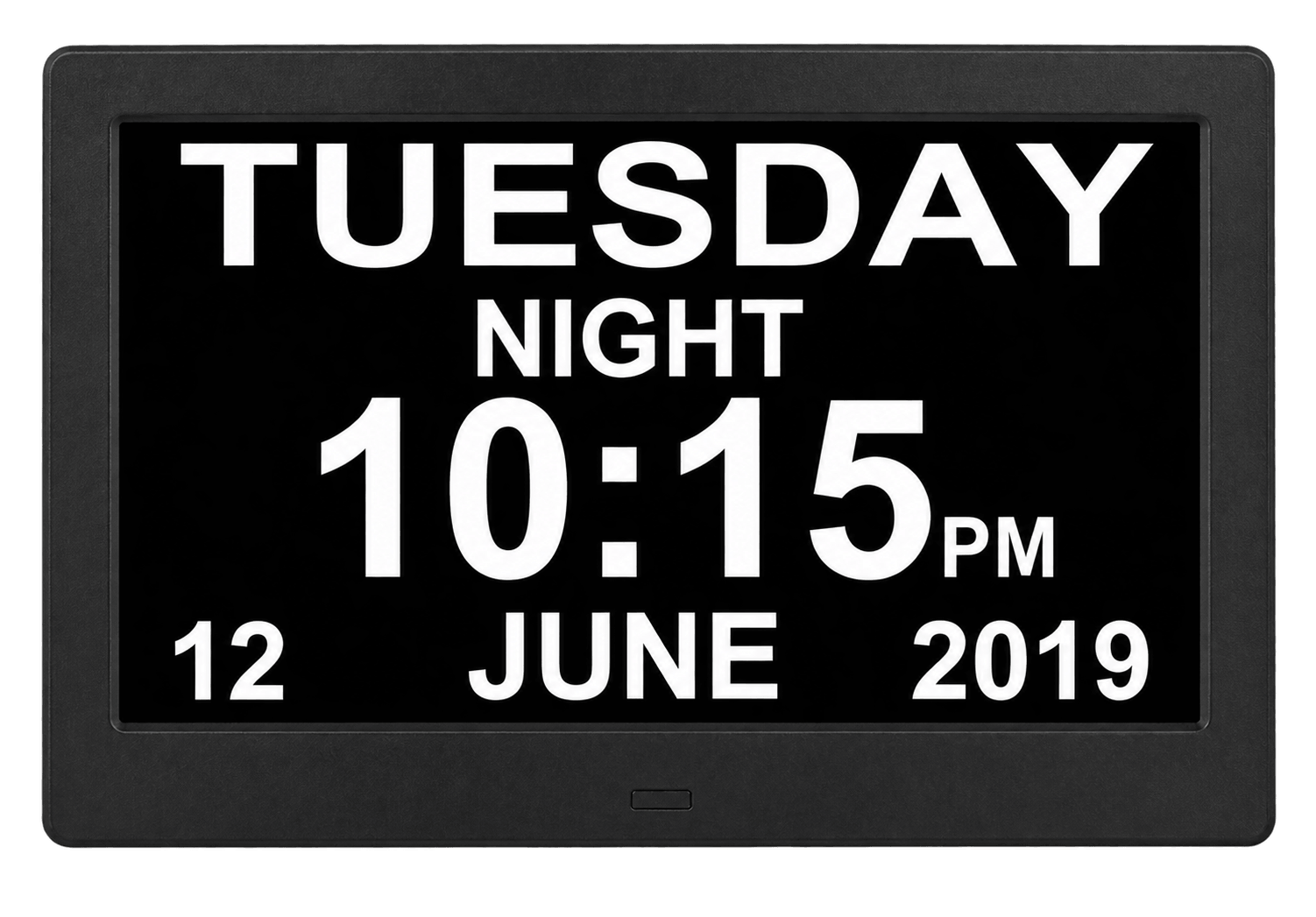
A Digital Day Clock is an LCD information display designed to show the time, date, day of the week, day period, alarms, reminders and selected daily information in a clear and easy-to-read layout.
It is especially useful when users need more context than a normal clock can provide. Large text, high contrast, full weekday names and reminder messages can make daily orientation and routine information easier to understand.
For DisplayMan, this product belongs to Touchscreen All-in-One Terminals → Consumer & Light Commercial OEM.
Digital Day Clock = large, clear daily-orientation and reminder display. Digital Photo Frame = photo and video playback. Commercial Tablet PC = interactive applications and computing.
| Product Direction | Typical Size | Best For | Key Difference |
|---|---|---|---|
| Standard Digital Day Clock | 7″ / 8″ / 9″ / 10″ | Bedside, desk, home care, family gifts and personal daily orientation | Compact size with large time, date and weekday display |
| Large Digital Day Clock | 12″ / 15″ | Assisted living, care rooms, reception areas and larger viewing distances | Larger text and more comfortable room viewing |
| Wi-Fi Digital Day Clock | Selected sizes | Weather information, connected time synchronization and selected smart functions | Adds network-dependent information services |
| Non-Wi-Fi Digital Day Clock | Selected sizes | Simple clock, date, alarms and local reminders | Lower complexity and stable local operation |
| Medicine Reminder Day Clock | Selected sizes | Senior care, home care and scheduled routine reminders | Supports project-specific reminder messages and schedules |
| OEM Custom Digital Day Clock | Project-based | Care-product brands, healthcare suppliers and private-label distributors | Custom UI, language, housing, logo, accessories and packaging |
A larger screen is not automatically better. The right size depends on viewing distance, font size, room placement, user vision, installation height and the amount of information shown.
Compare eight catalogue product forms and three weather display examples. Interface language, date layout, alarm behavior and weather functions depend on the selected firmware and configuration.
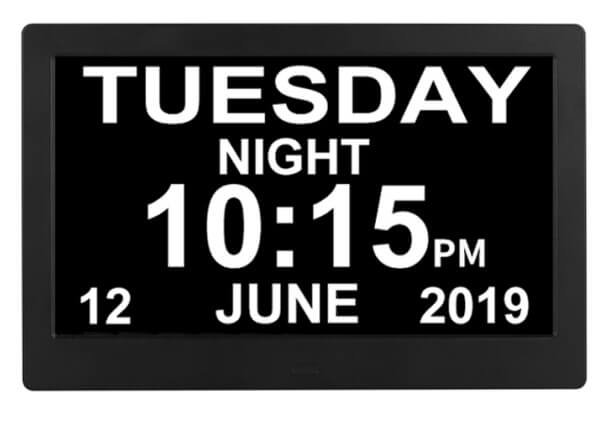
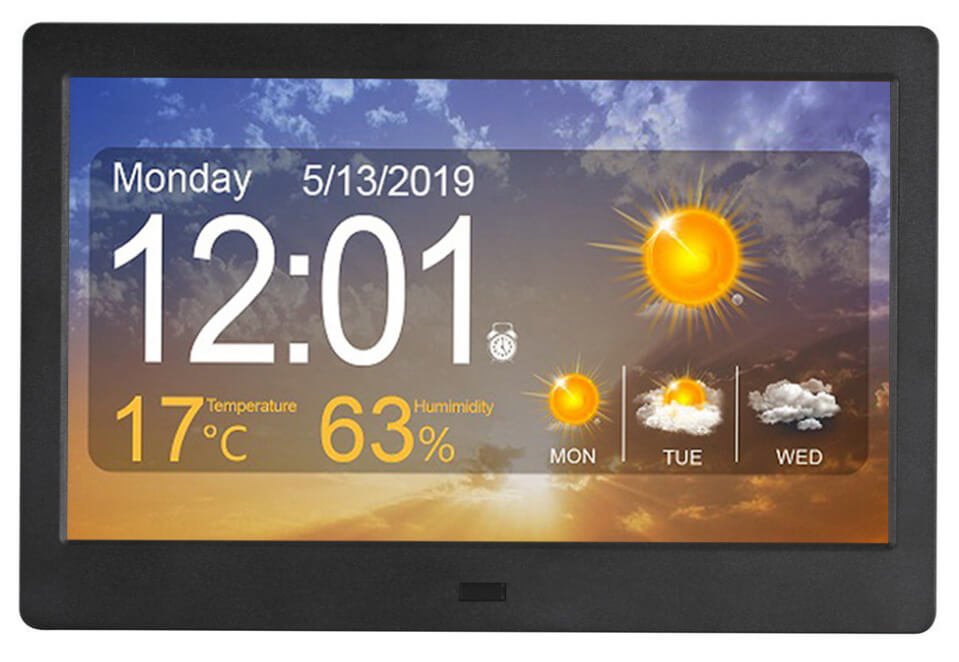
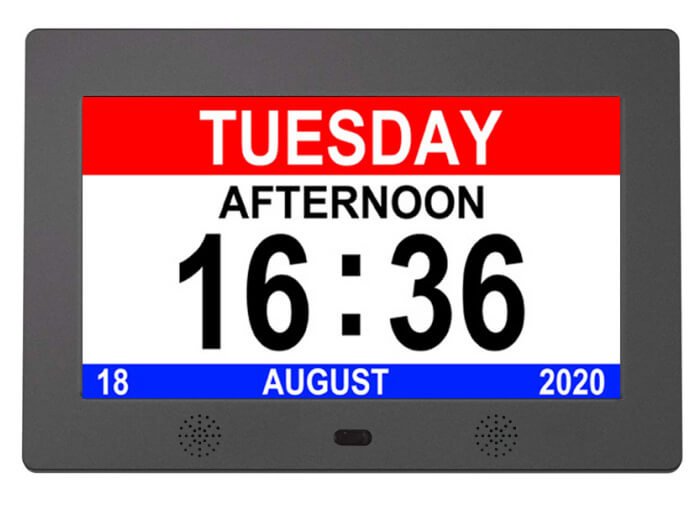
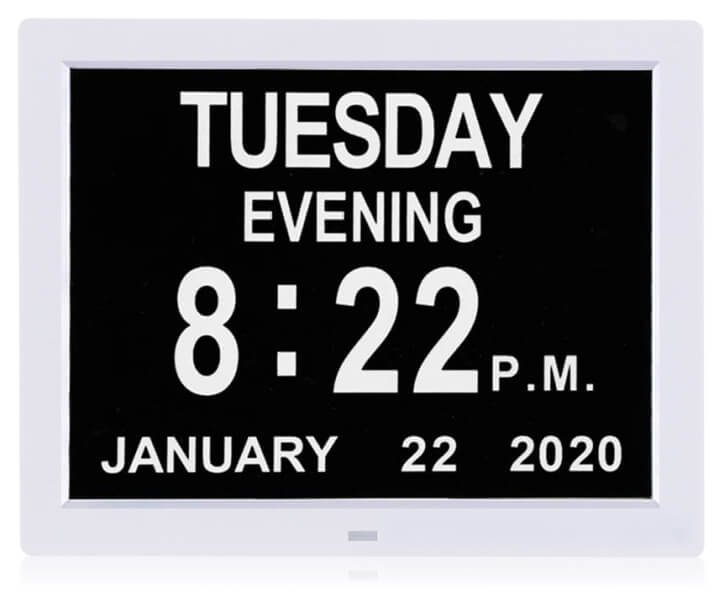
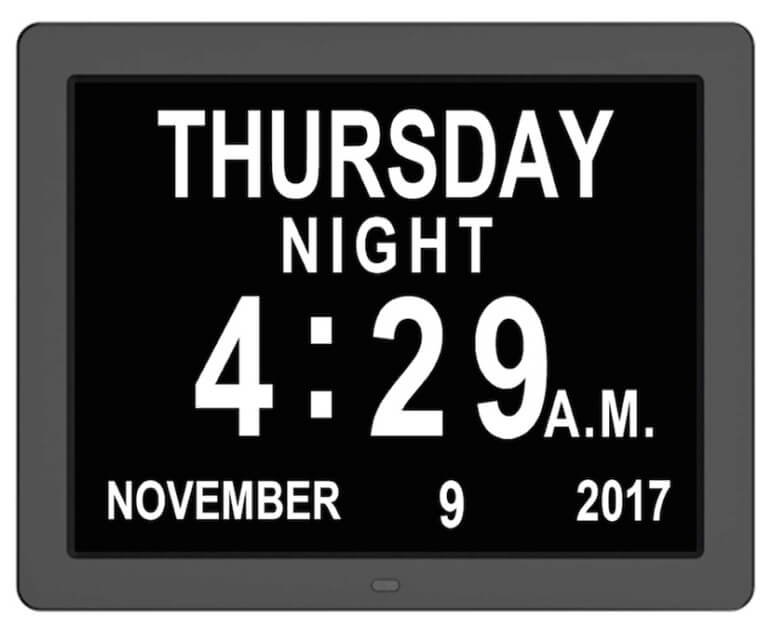
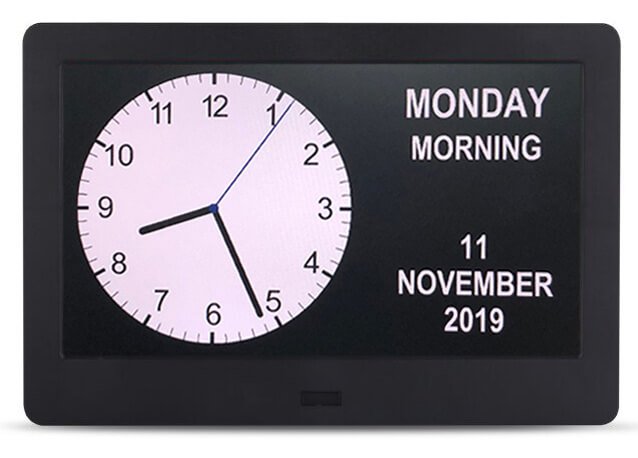
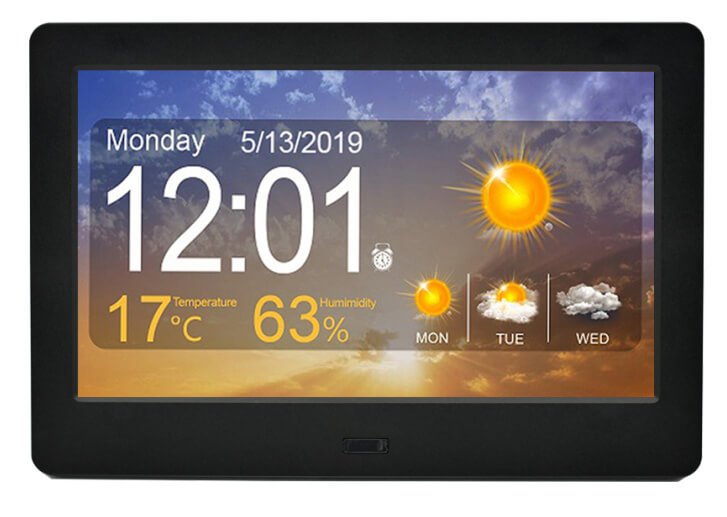
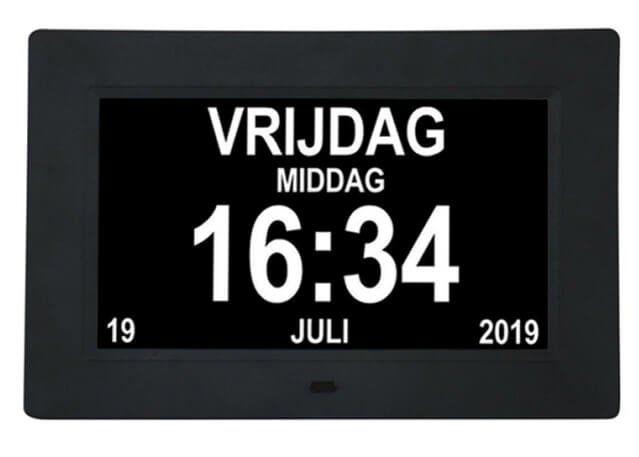

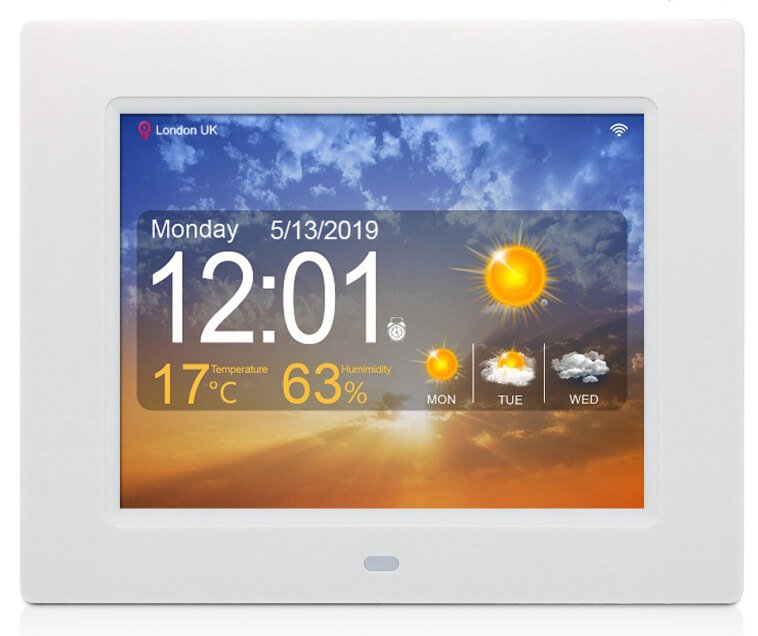
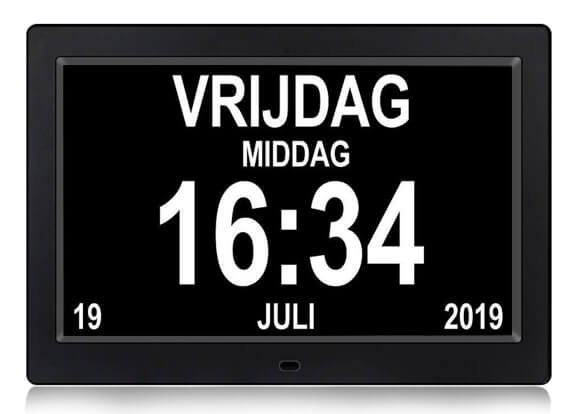
Compact personal use where the display is viewed from a short distance.
A practical balance for bedrooms, living areas, home-care reminders and family use.
Suitable for care rooms, assisted-living facilities, waiting areas and longer viewing distances.
Choose a photo frame when family photos, videos and app-based sharing are the main functions.
Choose a Tablet All-in-One when users must operate applications, cloud software or advanced touch functions.
Choose Digital Signage when advertising, centralized CMS and long commercial operating schedules are primary.
Time should remain visually dominant and readable from the intended distance.
Displaying the complete weekday name is clearer than relying only on a numeric date.
Morning, afternoon, evening and night can provide additional daily context.
Text, background and icons should be selected for clarity rather than decorative complexity.
Too many widgets, colors or small icons can reduce the usefulness of a large display.
Settings should use clear labels, limited menu depth and predictable buttons.
Screen size, viewing distance, font size, contrast, language length, information hierarchy and user controls must be reviewed together.
| Localization Item | Available Project Direction | Why It Matters |
|---|---|---|
| Language | English and project-specific language packages subject to software platform | Weekday, month, reminders and menu text must be understandable to the user |
| 12-Hour / 24-Hour Time | Selectable or market-specific default | Matches local convention and user familiarity |
| Date Format | MM/DD/YYYY, DD/MM/YYYY, YYYY/MM/DD or project-specific format | Avoids confusion between month and day |
| Week Start | Sunday or Monday depending on market and calendar design | Supports local convention |
| Day Period Wording | Morning, afternoon, evening, night or localized terminology | Improves daily orientation |
| Reminder Text | Project-specific messages, icons and schedules | Makes reminders relevant to the target user group |
| Time Zone | Manual setting, regional default or network synchronization on selected models | Required for accurate connected operation |
| Daylight Saving Time | Manual or automatic depending on software and region | Prevents seasonal time errors |
Long weekday names, reminder messages and localized date formats may require different font sizes and spacing. Language should be confirmed before final UI approval.
Supports wake-up, appointment or routine reminders depending on the selected software.
Can display scheduled reminder text, icons or sound prompts on selected platforms.
Daily, weekday, weekend or project-specific repeat rules can be reviewed.
Alarm sound, speaker volume and mute controls should suit the intended environment.
Large on-screen messages can remain visible long enough for the user to notice them.
Selected OEM projects may use simplified setup methods for family members or care staff.
A Digital Day Clock can provide scheduled prompts, but it does not verify medication, control dosage, confirm that medicine was taken or replace professional healthcare supervision.
| Factor | Non-Wi-Fi Digital Day Clock | Wi-Fi Digital Day Clock |
|---|---|---|
| Main Purpose | Local time, date, alarm and reminders | Connected information and selected remote functions |
| Time Setting | Manual or local clock setting | Manual or selected network synchronization |
| Weather | Not normally available | Available on selected platforms with a supported data service |
| Network Dependency | Core functions do not require a network | Connected information depends on Wi-Fi and service availability |
| Setup | Simpler for users and care environments | Requires network credentials, location and account or service setup |
| Software Maintenance | Lower long-term software complexity | May require app, server, API or firmware maintenance |
| Best For | Simple, stable daily display | Weather, remote updates or connected OEM services |
Wi-Fi increases setup and software responsibility. A non-Wi-Fi model is often more suitable when the real requirement is only time, date, alarms and local reminders.
Suitable for desks, shelves, reception areas and short viewing distances.
Requires stable support, comfortable brightness, accessible controls and suitable night operation.
Suitable for care rooms, common areas and longer viewing distances.
The adapter and cable should not create a trip, pulling or appearance problem.
The clock should remain visible from the intended bed, chair, desk or room position.
Settings, volume, alarm and power controls should remain accessible after installation.
A large screen installed too high, too far away or at a reflective angle may be less useful than a smaller screen placed correctly.
Digital Day Clocks are selected from available LCD, controller, software and housing platforms. Final specifications depend on model, language, user interface, reminders, network functions and order quantity.
| Item | Project Direction |
|---|---|
| Screen Size | 7″ / 8″ / 9″ / 10″ / 12″ / 15″ |
| LCD Platform | TN or IPS LCD platform selected according to model, viewing angle, resolution and price |
| Resolution | Common directions include 1024×600, 1024×768 and 1280×800 depending on model |
| Screen Ratio | 16:9, 16:10 or 4:3 depending on LCD platform |
| Main Display | Time, full date, weekday and selected day-period information |
| Time Format | 12-hour or 24-hour format |
| Language | Standard or project-specific language pack subject to software platform |
| Wi-Fi | Wi-Fi and non-Wi-Fi product directions |
| Weather | Available on selected Wi-Fi platforms with compatible data service |
| Reminder | Alarm, routine reminder and selected medicine-reminder functions |
| Storage Expansion | USB or SD support on selected models |
| Audio | Speaker, alarm sound and volume control depending on model |
| Installation | Desktop stand, bedside or wall-mounted use depending on product structure |
| Power | External power adapter and market-specific plug |
| OEM | UI, language, housing color, logo, boot screen, packaging, manual and accessories |
| Item | Catalogue Options |
|---|---|
| Screen Size Options | 7 / 8 / 9 / 10 / 12 / 15 inch |
| Panel & Resolution Options | 1024 × 600 TN / 1024 × 768 TN / 1280 × 800 IPS; confirm size and panel pairing |
| Aspect Ratio Options | 16:9 / 4:3, depending on selected LCD |
| Connectivity | Wi-Fi / non-Wi-Fi configurations |
| Time Interface | Date, time and clock display; layout and language are firmware-dependent |
| Weather | Weather forecast on selected Wi-Fi models; requires supported service and network |
| Reminders | Medicine reminders and alarm clock functions; confirm number, schedule and sound behavior |
| Media Expansion | SD / USB card slot listed; confirm slot availability and supported functions |
The catalogue provides a shared size and function range, without individual specifications for every pictured model. Exact size, resolution, panel type, power supply and firmware must be confirmed for quotation. Weather examples are separate configuration references.
| Factor | Digital Day Clock | Digital Photo Frame | Commercial Tablet All-in-One PC |
|---|---|---|---|
| Main Purpose | Time, date, weekday and reminder display | Photo, video and slideshow playback | Touch applications and commercial computing |
| Typical Size | 7″–15″ | 7″–32″ | 10.1″–32″ |
| Main User | Older adults, families, care facilities and reminder users | Families, gift programs, hospitality and retail counters | Business users, kiosks, rooms and commercial equipment |
| Interface Priority | Large text and simple information | Image presentation and sharing | Application operation and system control |
| Wi-Fi | Optional | Optional | Common |
| Touch | Usually not central | Optional | Core product direction |
| Best Choice When | Daily orientation and reminders are central | Photos and media are central | Software and interaction are central |
Large time, date, weekday and reminder information for home use.
Resident rooms, common areas, care stations and daily-orientation support.
Patient rooms, recovery spaces and care environments requiring simple daily information.
Clear weekday, date, time and day-period presentation as a daily-orientation aid.
Scheduled prompts for home care and care facilities, subject to the selected software.
Senior-friendly rooms, service apartments and clear bedside information display.
Waiting areas, reception desks and indoor spaces requiring a clear clock display.
Practical branded gifts for parents, grandparents and older family members.
Private-label products for healthcare brands, care suppliers and specialized distributors.
Home user, older adult, assisted-living resident, hotel guest, care staff or commercial customer.
Bedside, desk, room wall, reception or common area—and the required text size.
Time, date, weekday, day period, alarms, reminders, weather or other daily information.
Language, date order, 12/24-hour format, day-period wording and time zone.
Local operation or connected weather, plus user buttons, caregiver setup and volume control.
Readability, language, reminders, sound, night use, mounting, power and packaging.
| Stage | Main Work | Output |
|---|---|---|
| 1. Requirement Review | User group, viewing distance, size, language, reminders, Wi-Fi and quantity | Recommended product platform |
| 2. UI and Function Definition | Time, date, weekday, day period, alarms, reminders, weather and controls | Confirmed interface and function list |
| 3. Hardware Confirmation | LCD, controller, speaker, buttons, storage, power, housing and mounting | Confirmed hardware specification |
| 4. OEM Branding | Logo, boot screen, housing color, packaging, labels, manual and adapter | Approved artwork and OEM files |
| 5. Sample Validation | Readability, language, alarms, reminders, network, audio and installation | Approved sample and change list |
| 6. Batch Production | BOM control, software image, assembly, aging, function test and packaging | Consistent private-label products |
Weather, remote updates, cloud accounts and network services require a defined data source, software owner, maintenance plan and update responsibility. They should not be promised only because the hardware has Wi-Fi.
| Related Page | When to Visit |
|---|---|
| Touchscreen All-in-One Terminals | Overview of Consumer, Light Commercial, Enterprise and Industrial terminal products |
| Digital Photo Frames | When photos, videos, sharing and gifts are more important than daily reminders |
| Digital Smart Art Frames | When decorative artwork and premium wall presentation are primary |
| Commercial Tablet All-in-One PCs | When applications, touch, network and computing are required |
| Digital Signage Displays | When advertising, CMS and managed commercial media are required |
| Wall-Mounted Touch Terminals | When wall-mounted user interaction is more important than passive information |
| All-in-One Touch Display PC Solution | For integrated touch-computing system requirements |
| Custom LCD Module Solution | When a custom embedded display platform is required |
| Medical & Lab Display Interfaces | For professional healthcare equipment and controlled display interfaces |
| OEM/ODM Display Engineering & Prototyping | For custom product definition, sample development and batch production |
| Corporate & Office Environments | Reception, waiting areas and office information displays |
Explore all touchscreen terminal types, the Consumer & Light Commercial OEM family and its five product categories.
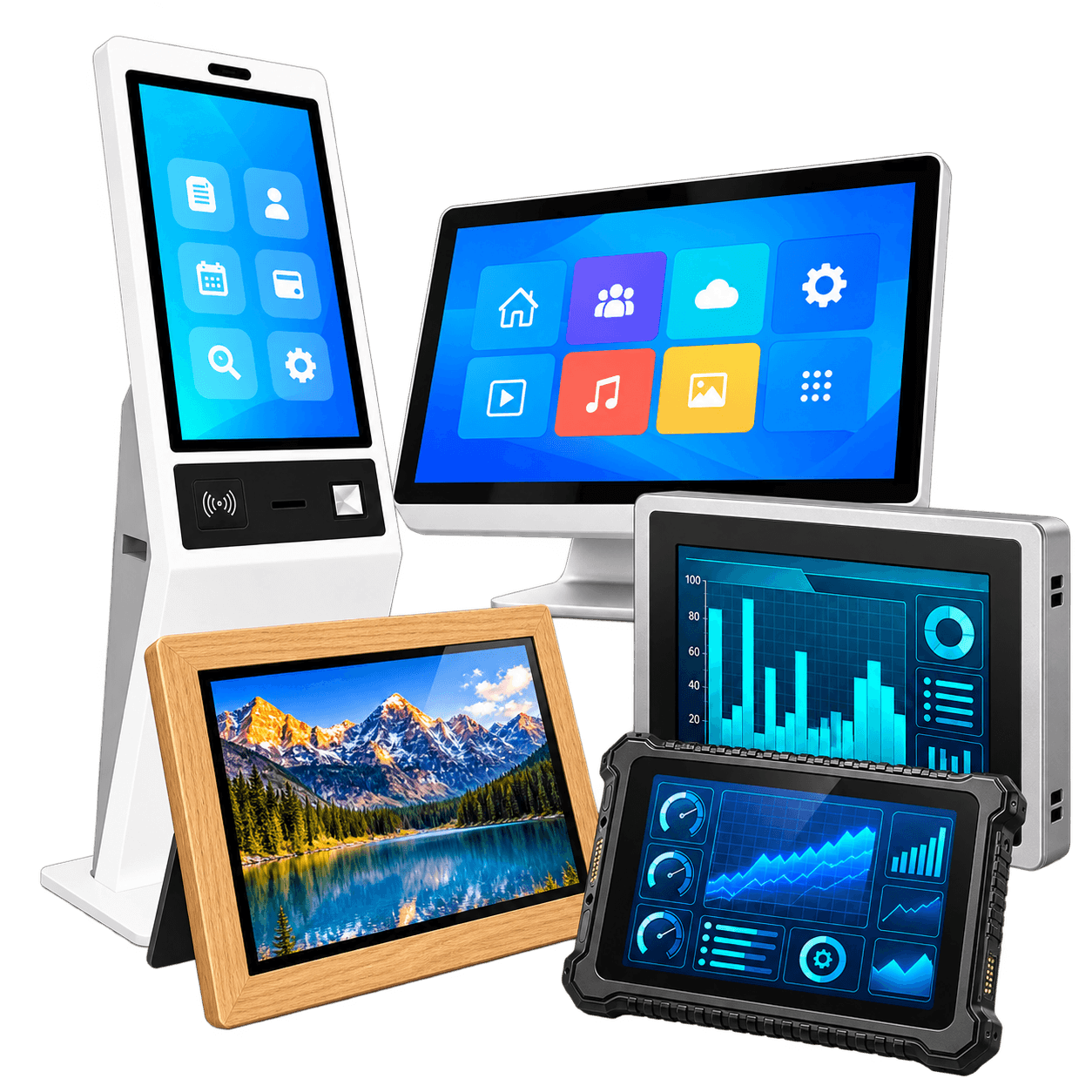 All TypesCustom Touchscreen All-in-One TerminalsExplore All Terminal Types →
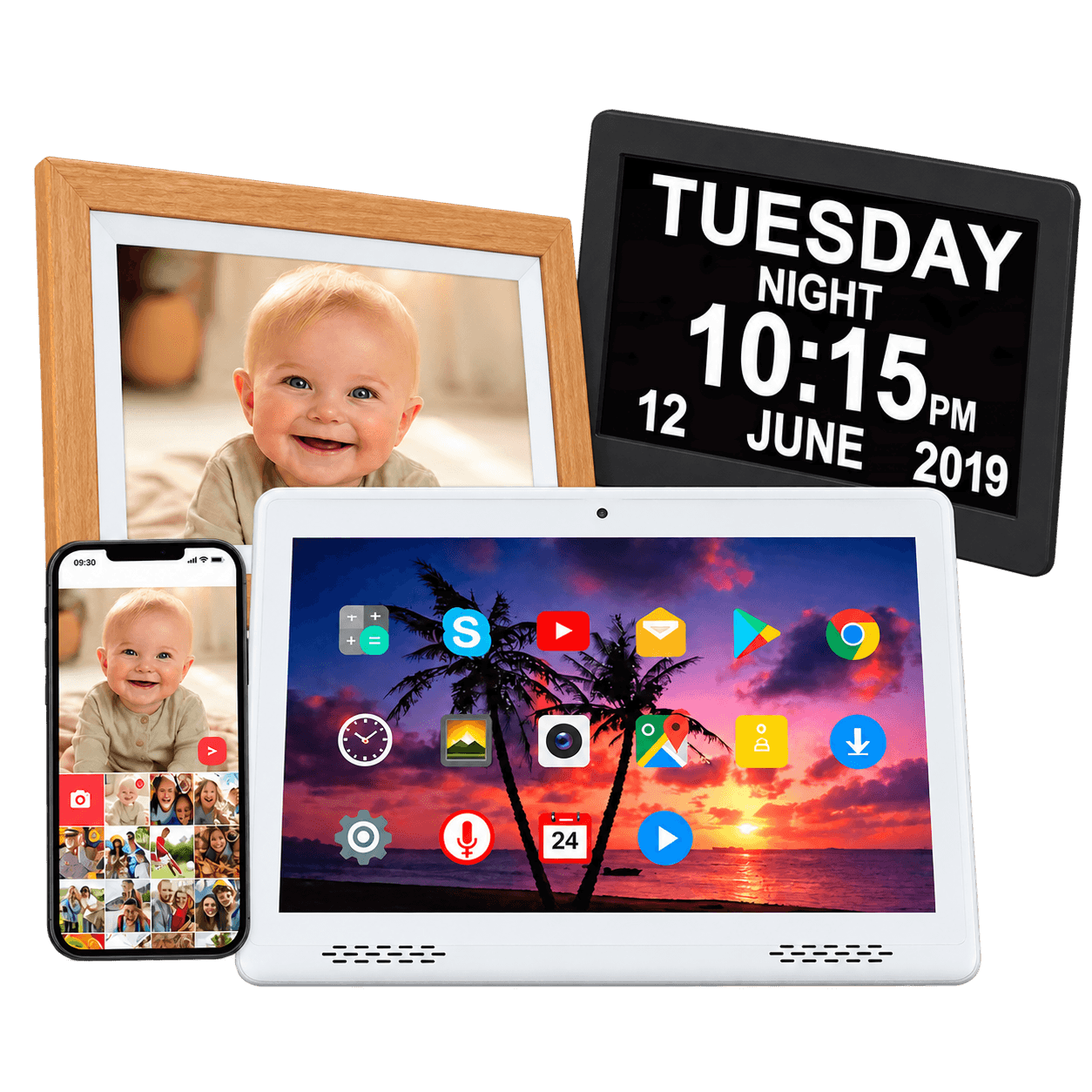 Consumer & Light Commercial OEMView All Types →
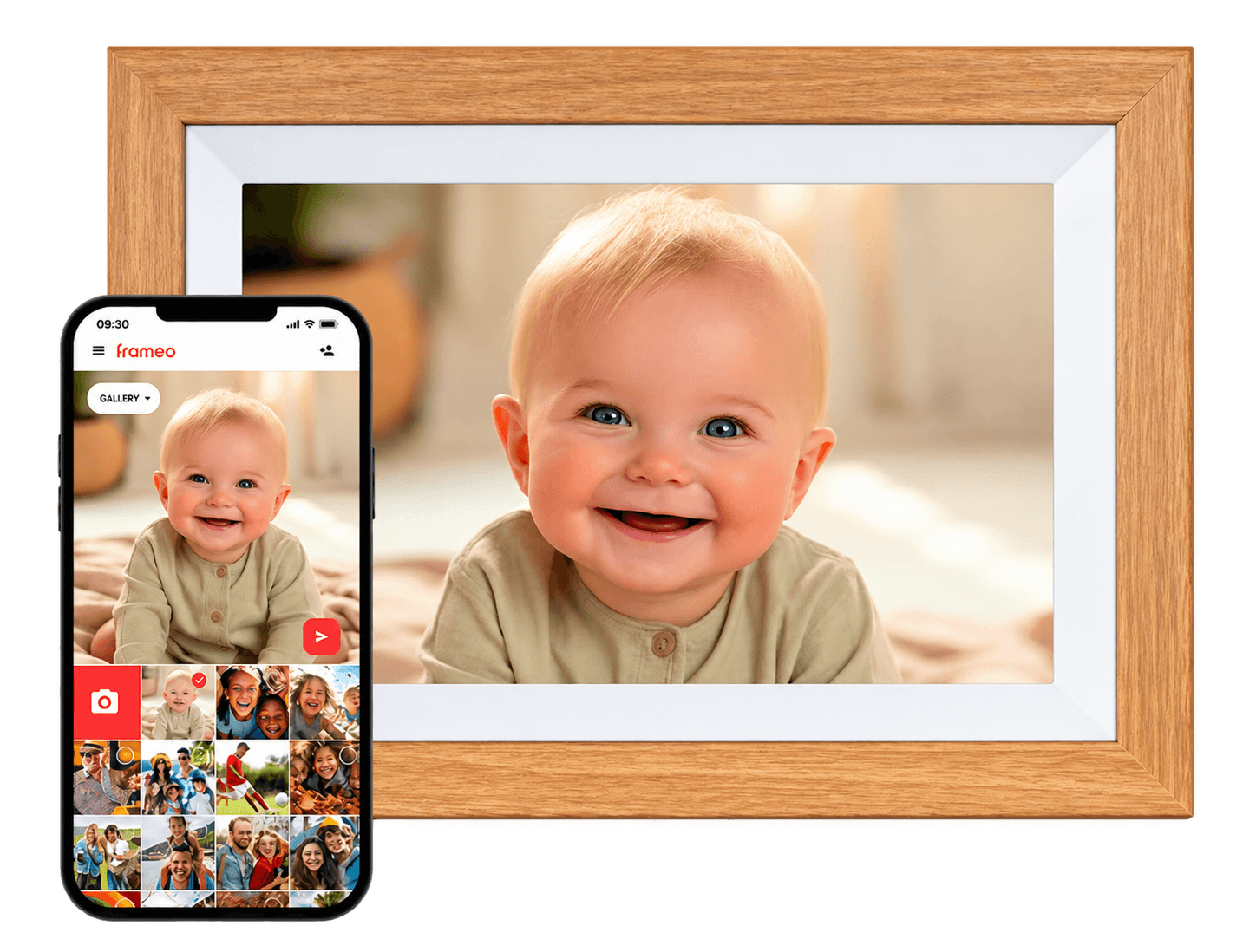 Digital Photo FramesPhoto playback & Wi-Fi sharing
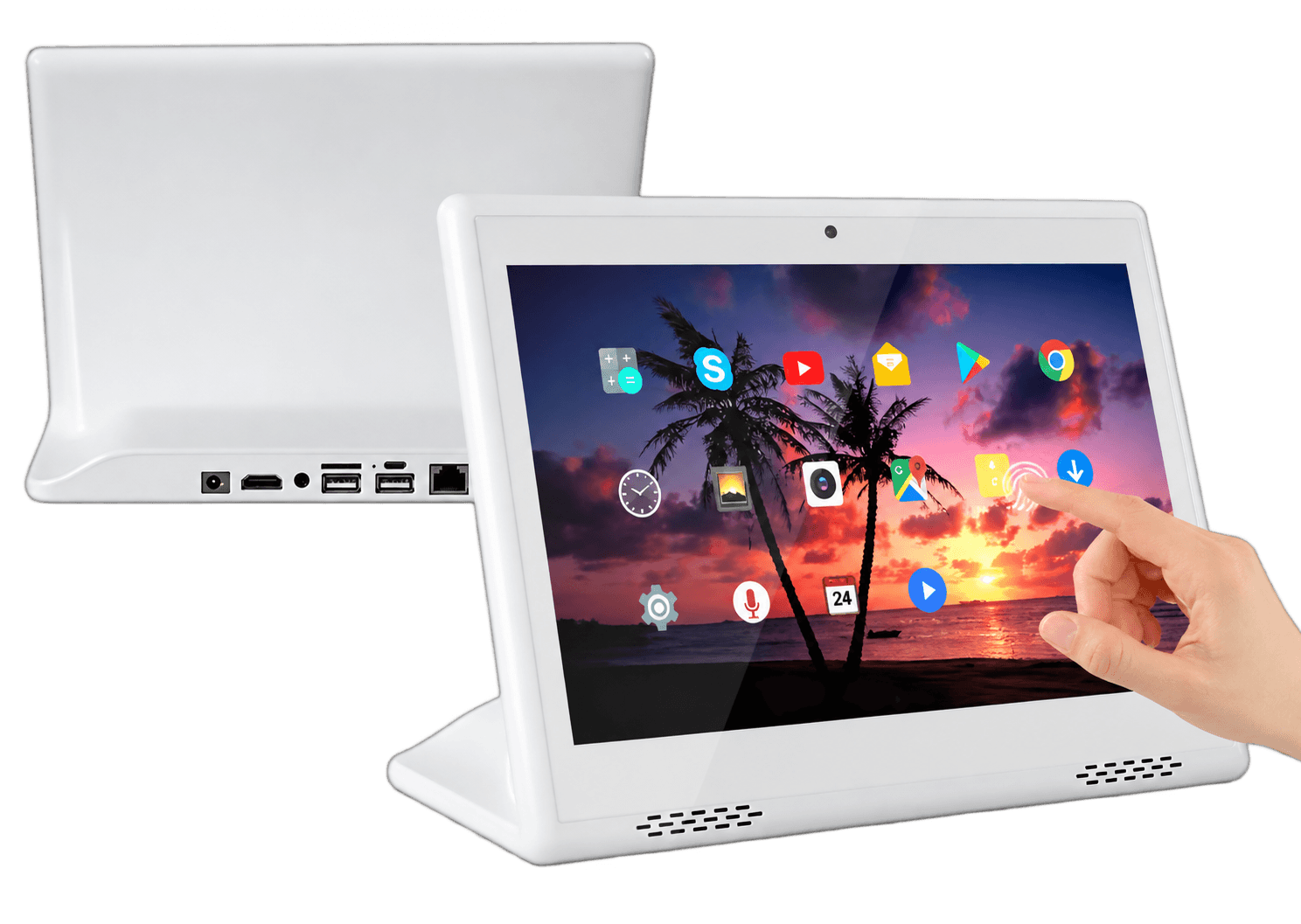 Commercial Tablet All-in-One PCsIntegrated touch computing
 Portable LCD MonitorsUSB-C & HDMI external display
 LCD Digital Art FramesArtwork & decorative interiorsCurrent PageDigital Day ClocksBack to Top ↑
A Digital Day Clock is an LCD information display designed to show the time, date, day of the week, day period, alarms, reminders and selected daily information in a clear and easy-to-read layout.
They are commonly used by older adults, families, assisted-living facilities, care providers, healthcare rooms, hotels, reception areas and OEM brands that need a clear daily-orientation display.
Common project directions include 7, 8, 9, 10, 12 and 15 inches. Final availability depends on the LCD, housing, software, language, reminder functions and project quantity.
A Digital Day Clock uses a larger LCD interface to show more than the current time. It can also present the full date, weekday, day period, alarms, reminders and selected weather information.
Yes. Selected interfaces can display the current day period to make daily orientation easier. The exact wording and time ranges can be customized for suitable OEM projects.
Yes, selected platforms can support scheduled reminder messages or icons. The product is a reminder aid and should not be treated as a medical device, medication dispenser or substitute for professional care.
Selected models can support multiple alarms or scheduled reminders. The number of reminders, repeat rules, sound, on-screen text and user-editing method depend on the software platform.
Selected Wi-Fi models can display weather information when the software, location setting, network service and data source are available.
No. Non-Wi-Fi models can provide local time, date, alarm and reminder functions. Wi-Fi is used only when connected services such as weather, remote updates or time synchronization are required.
The core clock and local reminder functions may continue depending on the selected platform, while weather and other connected information may stop updating until the connection returns.
Yes. Language, weekday names, month names, date formats, 12-hour or 24-hour time and interface text can be reviewed for OEM projects.
Yes. Large fonts, high contrast, reduced menu depth, limited buttons and simplified reminder controls can be reviewed for the intended user group.
Yes. Depending on the model, desktop stand, bedside use and wall mounting can be supported. Cable routing, viewing height, access to controls and local installation should be planned.
Some platforms may support media playback through USB or SD storage, but photo and video playback are not the core function. Choose a Digital Photo Frame when media sharing is the main requirement.
Touch can be reviewed for selected projects, but it is not normally the primary function. A Commercial Tablet All-in-One PC may be more suitable when advanced interactive applications are required.
Yes. Housing color, logo, boot screen, interface, language, packaging, labels, manuals, adapter and accessories can be reviewed for batch OEM projects.
DisplayMan mainly supports OEM, private-label, commercial and batch projects. A single unit is normally supplied only as a paid evaluation sample for a defined project.
Please provide screen size, user group, viewing distance, Wi-Fi requirement, language, time and date format, reminder functions, interface style, housing, mounting, logo, packaging, quantity, destination, certifications and schedule.
Send us the screen size, user group, viewing distance, Wi-Fi requirement, language, time and date format, reminder functions, interface style, housing, mounting, logo, packaging, quantity, destination, certifications and schedule.
We will recommend a suitable LCD and software platform and define the practical readability, reminder, localization and OEM customization scope.
The correct Digital Day Clock must match the user, viewing distance, language, interface, reminders and setup method—not only the screen size.