Notice
The character appears within the cylindrical structure and invites visitors to approach.

Present a virtual receptionist, presenter or guide with a floating visual effect inside a cylindrical enclosure. The 21.5-inch reference uses an LCD imaging panel with a supplier-described Mini-LED backlight and partially reflective mirror glass. DisplayMan helps configure the terminal around the visitor journey, content and interaction requirements.
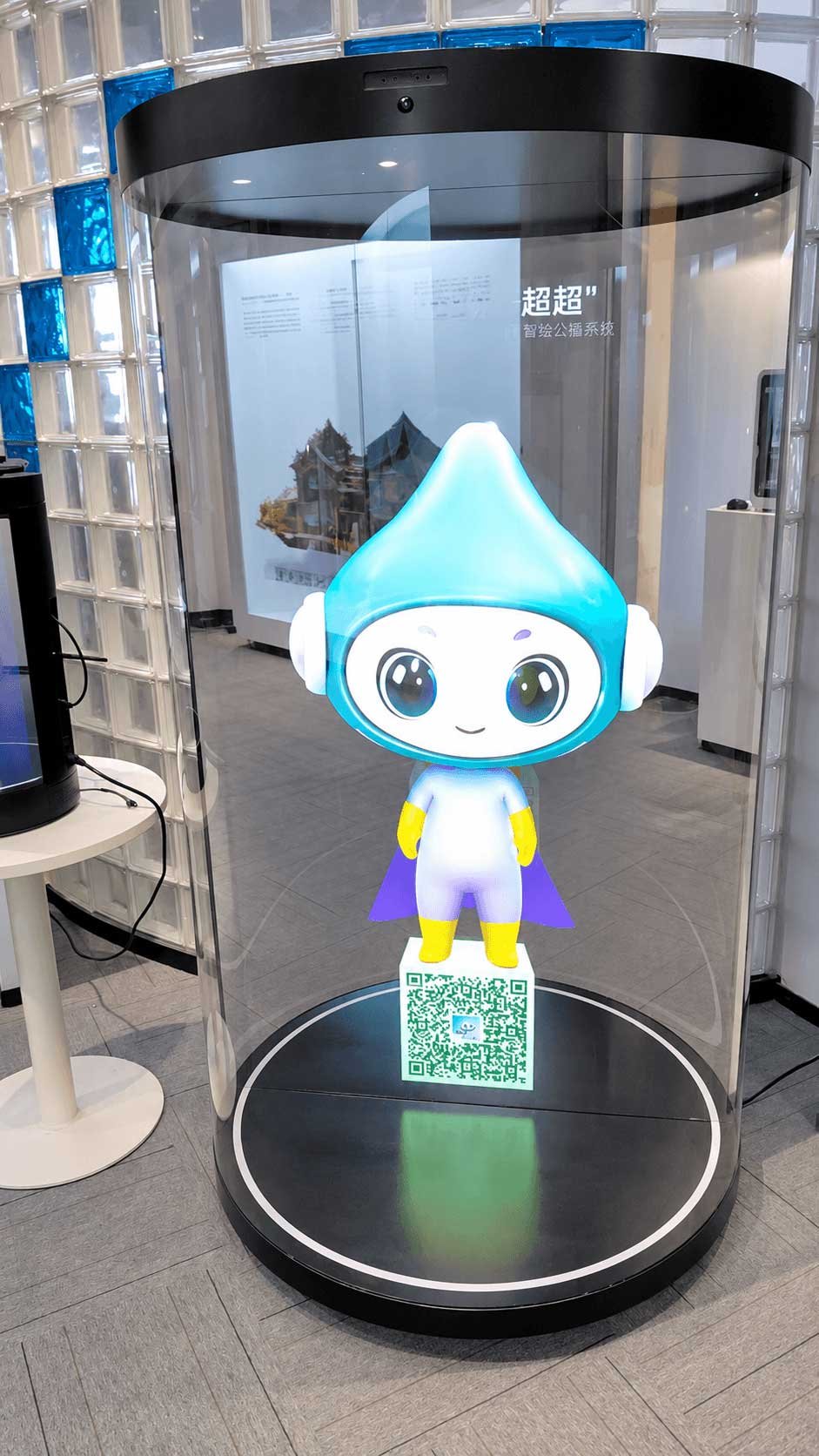
A 3D Holographic Cylinder Display is a cylindrical display terminal that presents a digital character with a floating visual effect. It can serve as a virtual receptionist, product presenter or visitor guide in a lobby, showroom, exhibition or public-facing service point.
In the supplied 21.5-inch reference, a Mini-LED backlight illuminates an LCD imaging panel. Partially reflective mirror glass and the cylinder enclosure help position the image visually inside the structure. Mini-LED refers to the backlight; the image-forming panel remains LCD. The term “3D holographic” describes the perceived floating presentation; it does not mean the image is formed in free air. The 75-inch CYSXY7501 is a separate LCD hardware platform whose optical construction must be confirmed for the selected project.
The display can play prepared digital human videos as a basic presentation. With compatible, separately scoped software, microphones, speakers and computing hardware can support guided menus, speech-based questions and more advanced visitor workflows. The exact capabilities depend on the model and integration.
The cylinder platform can be developed around an appropriate LCD panel size by engineering the Mini-LED backlight, reflective glass and enclosure together. A panel size alone does not determine the viewing effect or mean that a complete cylinder is already available.
DisplayMan starts with the physical terminal and project requirements: display size, enclosure, imaging effect, audio and input hardware, installation space and maintenance access. The digital human content and AI service are then defined in the project quotation.
The core deliverable is the display terminal hardware. Overseas AI avatar software, speech services, multilingual workflows, knowledge-base preparation and customer-system connections are scoped and quoted separately.
Typical tasks: welcome visitors, explain products, guide an exhibition route and answer approved service questions.
Plan the display around the visitor’s task. A prepared character can attract attention and explain a message; responsive conversation requires separately developed software and a validated hardware workflow.
The character appears within the cylindrical structure and invites visitors to approach.
Play a prepared greeting or use a configured trigger when a visitor arrives.
Offer a topic menu or voice input when the project includes compatible interaction software.
Present an approved answer, exhibition story or product explanation in the required language.
Guide the visitor to a destination, staff member or integrated service when configured.
The sequence is a project design example. The base hardware does not by itself provide AI dialogue, a knowledge base or business-system connection.
A compact cylindrical display for reception points, counters, exhibitions and guided product presentations. Its supplier-described Mini-LED backlight serves a 1920 × 1080 LCD panel, with partially reflective mirror glass used for the floating visual effect. The supplied sheet also lists RK3568S/Android 11, an eight-microphone array, 5 MP camera and 2 × 5 W speakers.
Configuration: the detailed reference parameters appear below. AI conversational software and overseas deployment are separately scoped and priced; the 75-inch hardware configuration is different.
Model CYSXY7501 is a large floor-standing reference platform with a 75-inch portrait LCD, Android 14/RK3588 computing, camera, four-microphone array and dual speakers as described in its supplied specification.
Display and enclosure dimensions, power and interfaces are listed in the reference table below. Final software and optical presentation details require project confirmation.
Size convention: LCD panel size options for custom review: 7″, 10.1″, 12.1″, 14″, 15.6″, 19″, 21.5″, 32″, 43″, 49″, 55″, 65″, 75″, 86″ and 98″, plus other project sizes. This is a list of LCD panel size directions, not a catalogue of ready-made cylinder models. DisplayMan currently has 21.5″ and 75″ cylinder samples. For another size, the LCD, Mini-LED backlight, reflective glass, cylinder housing, thermal design and content geometry must be matched and confirmed by engineering. Inch sizes refer to LCD panel diagonals, not the apparent floating-image dimensions.
Watch the 75-inch cylinder display present an animated digital character. This showroom clip demonstrates the visual presentation; AI conversation software, languages and interaction workflows are separately scoped for each project.
View two 75-inch display presentations and three 21.5-inch digital character examples. The 21.5-inch visuals are enhanced illustrations of possible content; final appearance depends on the supplied hardware, source media, lighting and project configuration.
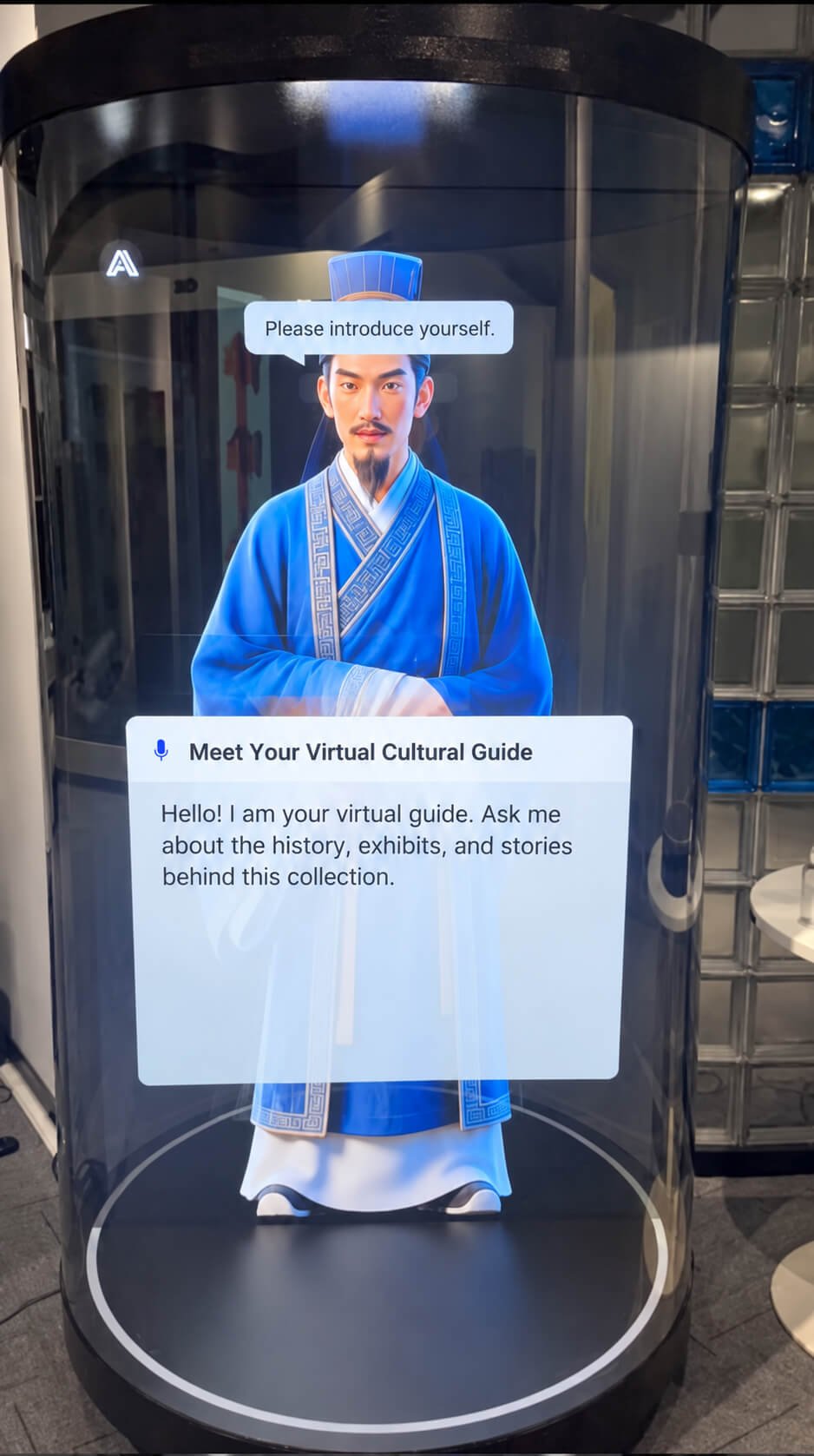
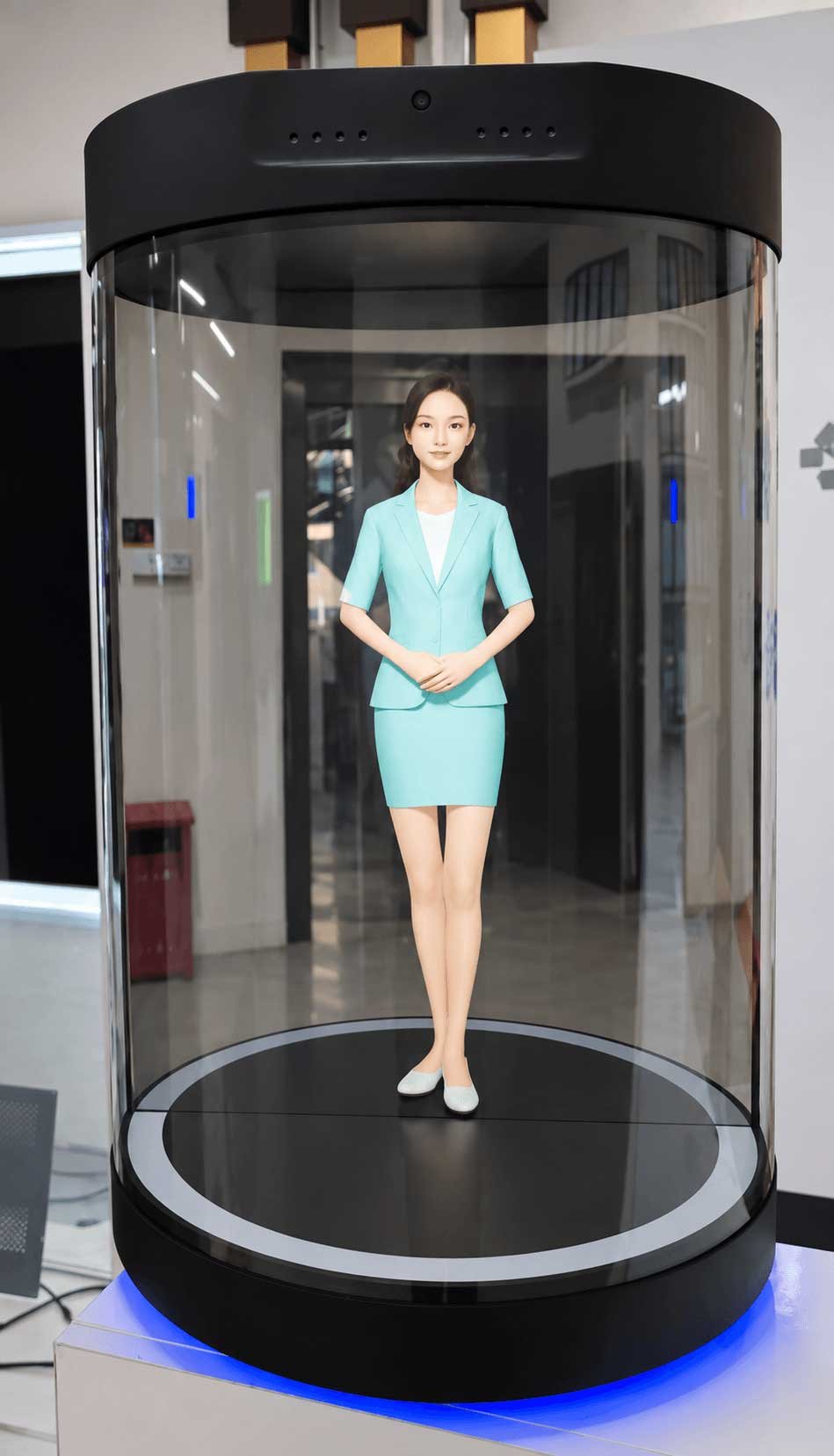
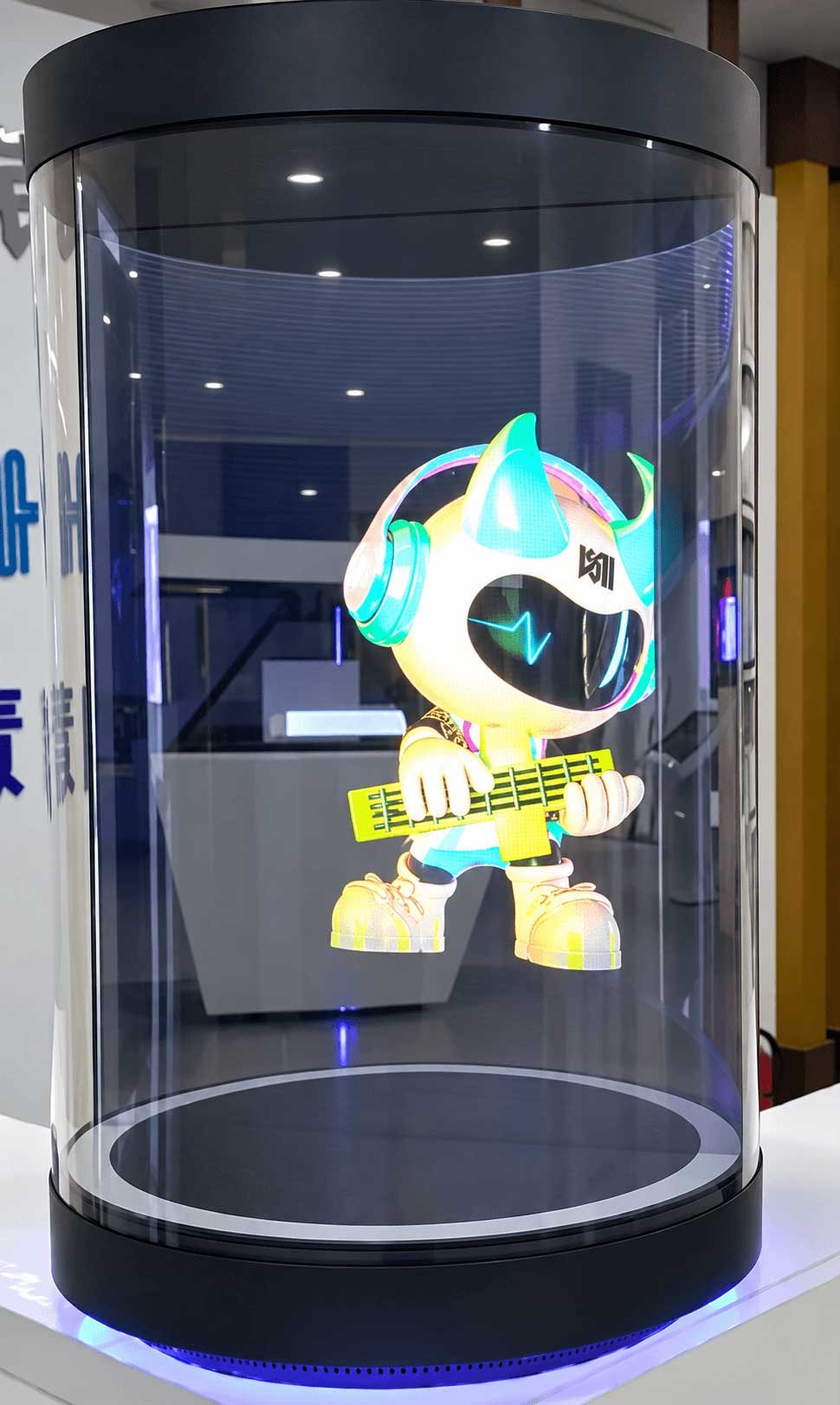
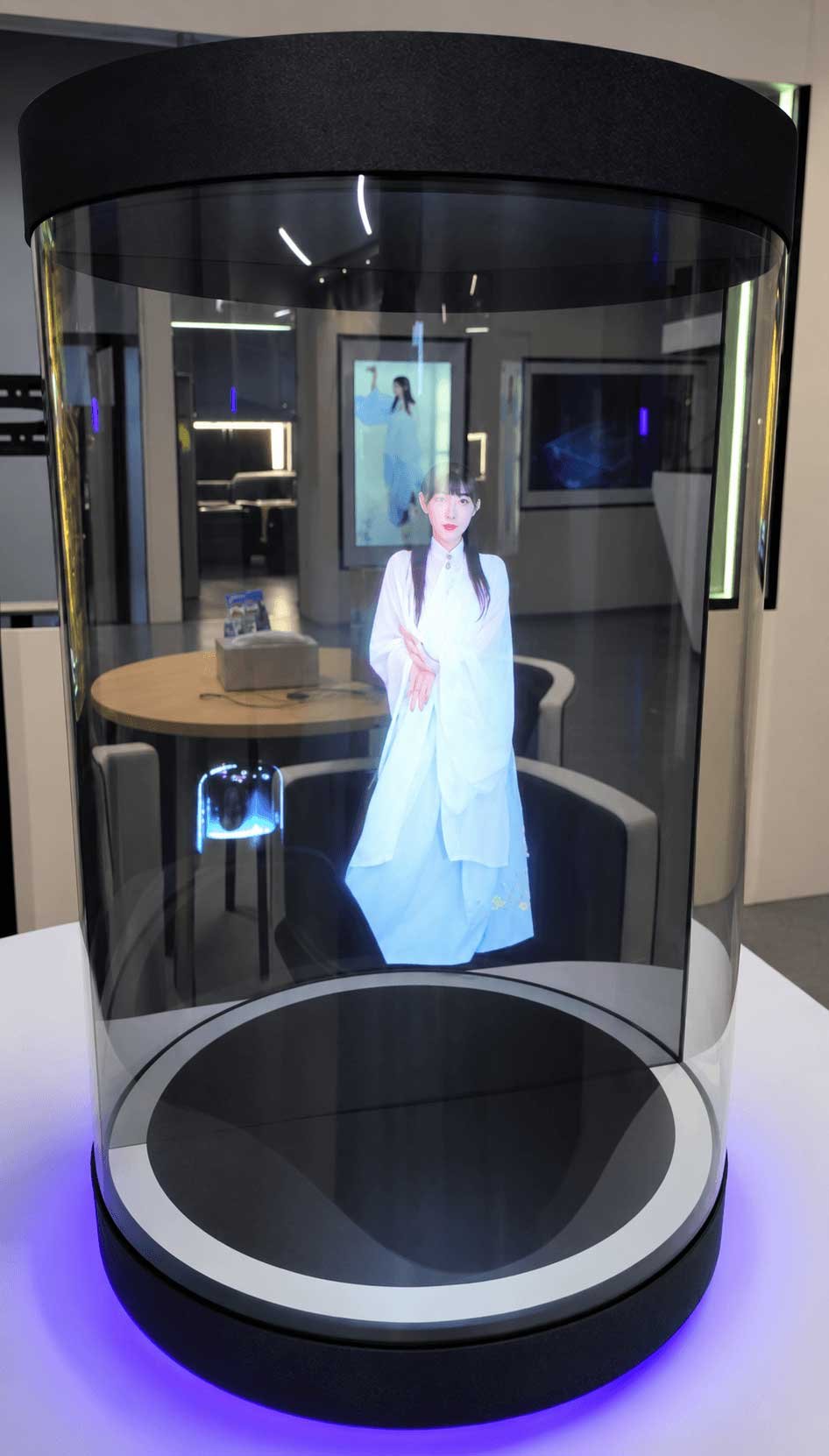
Hardware selection starts with the intended visual effect, then considers audio, computing, enclosure and installation as one system. The 21.5″ and 75″ samples have different documented configurations.
The supplied 21.5″ model uses an LCD panel with a supplier-described Mini-LED backlight. Confirm the backlight specification and optical construction of each other size independently.
Glass, enclosure and content geometry create the perceived character position. The selected model’s glass type, dimensions and usable viewing area require confirmation.
Review processor, memory, operating system, media formats and required online or local operation for the specific model.
Match microphones, speakers, camera and any requested touch or presence input to the visitor workflow; inclusion differs by model.
Check site power, Ethernet or Wi-Fi availability, service access, cable routing and the software’s network dependencies.
Confirm floor space, stability, ventilation, transport, cleaning access and the replacement plan before finalizing the enclosure.
In DisplayMan’s sample demonstration, the character remains visible across an approximately 180° front viewing arc. This is an observation of the photographed setup, not a guaranteed optical viewing-angle specification for every size or installation.
Review the expected audience positions, ambient light, glass reflections and background at the installation site. Confirm the usable viewing arc with a sample or project test before specifying a wider-angle experience.
Digital humans, cultural guides, animated mascots, product animations and brand content can be developed around the apparent image area. The character position, background treatment, subtitles, scale and playback format should be tested on the selected hardware.
Prepared video is the basic presentation route. Real-time dialogue, multilingual responses, knowledge-base content and system integration require separately scoped software and content work.
Play prepared welcome, narration or product videos. Suitable when visitors mainly watch a fixed presentation.
Offer a structured choice of topics, languages or routes. The interaction interface and input method depend on the selected configuration.
Combine microphones and speakers with separately licensed or custom speech recognition, AI response and avatar software.
Connect approved knowledge, product, booking or visitor systems through project-specific software and API work.
Both supplied reference configurations list microphones, camera, speakers and computing hardware that can support interactive projects. They do not establish that real-time AI conversation software is preinstalled or included in the base hardware price.
Present a branded host in a lobby, showroom or experience center. Pair greetings with reception information, appointment guidance or a live service handoff where software integration is required.
Use a virtual narrator to introduce exhibits, present multilingual stories and direct visitors to the next stop.
Show a digital brand representative, animated mascot or floating product animation to introduce products and draw attention to a launch area. Questions and responses require the separately configured interaction software.
Explain facilities, service hours, routes and frequently requested information. Define escalation paths for questions outside the approved knowledge base.
The two supplied manufacturer sheets describe different hardware platforms. Confirm the final supply specification at quotation; AI software is a separate project item.
Transcribed from the supplied four-page 21.5-inch round-model specification. Mini-LED refers to its backlight; the imaging panel is LCD.
| Category | 21.5-Inch Reference Configuration |
|---|---|
| Display technology / area | 21.5-inch, 16:9 LCD panel with supplier-described Mini-LED backlight; active display area 476 × 268 mm |
| Resolution / brightness | 1920 × 1080; 1000 cd/m² stated brightness |
| Contrast / response | 1,000,000:1 stated physical contrast; 8 ms; HDR1000 support stated by supplier |
| Viewing angle | Left/right and up/down: 79° minimum in each direction, as listed |
| Housing / imaging material | Painted sheet-metal housing with acrylic cover; 6 mm mirror glass specified at 70% transmission / 30% reflection |
| Operating platform | RK3568S quad-core up to 2.0 GHz; Android 11; 2 GB RAM + 16 GB storage |
| Camera / microphones | 5 MP driver-free camera; eight-microphone array |
| Audio | Stereo, 2 × 5 W / 8 Ω speakers |
| Connectivity | 2 × USB, microphone input, DC input, Ethernet 10/100, built-in Wi-Fi and Bluetooth 4.2; UBOOT port listed |
| Power | AC 100–240 V, 50/60 Hz; rated power 200 W |
| Operating / storage | Operating 0–40°C, 10–85% RH; storage −10–60°C, 10–90% RH; noncondensing |
| Enclosure dimensions | Height 625.4 mm; drawing indicates 276 mm body width and Ø340 mm base. Confirm dimensions and axis labels before quotation. |
21.5-inch review: The supplier specifies Mini-LED backlighting and 6 mm mirror glass with 70% transmission / 30% reflection for the 21.5-inch unit. These elements and the cylinder form produce its stated floating visual effect; the sheet does not fully document the optical path or an included AI software license. It labels an overall dimension “H × R” while the drawing shows a body and larger base, so the enclosure dimensions need confirmation.
Values below are transcribed from the supplied five-page CYSXY7501 manufacturer sheet. They describe the 75-inch configuration only.
| Category | 75-Inch Reference Configuration |
|---|---|
| Model / panel | CYSXY7501 / 75-inch portrait LCD panel |
| Display area | 1652 (H) × 930 (V) mm in supplier sheet; portrait orientation. Confirm axis naming against drawing. |
| Resolution / refresh | 2160 × 3840 / 60 Hz |
| Brightness / contrast | White ≤1200 cd/m² at center point; contrast ≥1200:1, as stated by supplier |
| Color / response | 1.07 billion colors (8-bit + FRC); 8 ms |
| Viewing angle | 89°/89°/89°/89° minimum (CR ≥10) |
| Protection / housing | 4 mm coated tempered glass, hardness ≥6H; sheet-metal housing |
| Operating platform | Android 14; RK3588; 8 GB RAM + 128 GB storage |
| Camera | USB 2.0 UVC camera; up to 3840 × 2160 at 30 fps; 150° stated field of view |
| Microphones | Four-microphone linear array; 1.5 m designated pickup distance; supplier lists active noise reduction and echo suppression |
| Audio output | Two speakers, 2 × 10 W |
| Connections | One HDMI 2.0 input to display driver; supplier also lists one HDMI output, RJ45 10/100 Ethernet and two USB ports. Confirm final port arrangement. |
| Power | AC 100–240 V, 50/60 Hz; maximum power <800 W; standby <1 W per supplier sheet |
| Enclosure dimensions | 1040 × 1813 × 900 mm, as listed; confirm width/depth/height order against drawing |
| Operating temperature | −10°C to +60°C for complete unit, as stated in supplied sheet |
Specification review: the sheet contains inconsistent orientation labels and lists response time under “touch point count,” but does not clearly confirm a touch panel. Touch is therefore not shown here as a standard included function. The optical path and actual floating-image dimensions also need supplier confirmation.
Choose reception, exhibit explanation, product presentation or a service workflow; this sets the content and interaction level.
Map approach direction, viewing distance and audience circulation. The observed approximately 180° front arc is a sample observation, not a model-wide guarantee.
Use 21.5″ and 75″ samples as review points. Other LCD panel diagonals require engineering of the complete cylinder, glass and light source.
Test ambient reflections and the character’s apparent position with actual assets at the intended location.
Decide whether the project uses prepared media, customer-provided software or separately developed AI services.
Agree on access for updates, networking, cleaning, maintenance, regional deployment and acceptance criteria.
Prepare the avatar, script, language and visual framing for the actual cylinder rather than assuming a flat-screen video will create the same effect. Test scale, contrast, captions, movement and any visible background on the selected unit.
For interaction, define the welcome trigger, available topics, approved answers, handoff when the system cannot answer, and the owner of content updates. Multilingual delivery, speech recognition, AI-model access and knowledge-base maintenance belong in a separately agreed software scope.
Define the quoted LCD cylinder terminal, enclosure, included compute platform, power, audio, camera and available interfaces for the chosen reference or engineered size. The written specification and acceptance plan control the final deliverables.
Digital character content, live AI conversation, languages, model/API access, knowledge base, application integration and ongoing services require a separate written scope and charge for overseas projects. Customer software may be evaluated for compatibility.
Beyond the two sample platforms, DisplayMan can review an LCD panel size and develop the enclosure around the required visual effect. A custom panel diagonal is a design direction, not a ready-made complete-cylinder model.
Match LCD, Mini-LED light source, reflective glass, cylinder geometry and content position through engineering evaluation.
Review housing, color, branding, installation footprint, ventilation, service access and power routing.
Specify audio and camera peripherals, controller compatibility, network requirements and optional application connections together.
The final combination is verified against component compatibility, target performance, MOQ, tooling requirements and project budget before a configuration is offered.
Reception, cultural interpretation, product launch and guided presentations where the cylinder’s floating character is central to the visitor experience and the intended audience approaches mainly from a validated viewing arc.
If visitors must see the same effect from every direction, test the exact installation and model before claiming full-surround visibility. If the task requires extensive touch use, confirm touch feasibility rather than assuming it is included. Compare other digital human display routes when a flat, see-through format is preferable.
Share the visitor task, floor plan, lighting, approximate viewing distance and positions, indoor location and target display footprint.
Describe the avatar, required languages, prepared-video or real-time AI level, knowledge source, network access and who will develop and maintain the software.
State the 21.5″ or 75″ sample of interest, any custom LCD size, quantity, destination, target timing and installation responsibility.
The quoted base configuration defines the display, enclosure, control electronics, power, audio and available interaction peripherals. The 21.5-inch reference lists a 5 MP camera and eight microphones; the 75-inch CYSXY7501 lists a separate camera and four microphones.
Installation, shipping, peripheral details and the final acceptance checklist are confirmed in the project quotation.
Avatar production, languages, speech recognition, AI model/API access, knowledge base, business workflow and backend connection are separate project items. Overseas deployment may need local hosting, privacy review, ongoing service fees and maintenance arrangements.
AI software is not included in the basic hardware price unless it is expressly listed in the written quotation.
Choose the visual presentation first, then review the model specifications and separately quoted AI software.
3D Holographic Cylinder DisplayCurrent page · floating character inside a cylindrical enclosure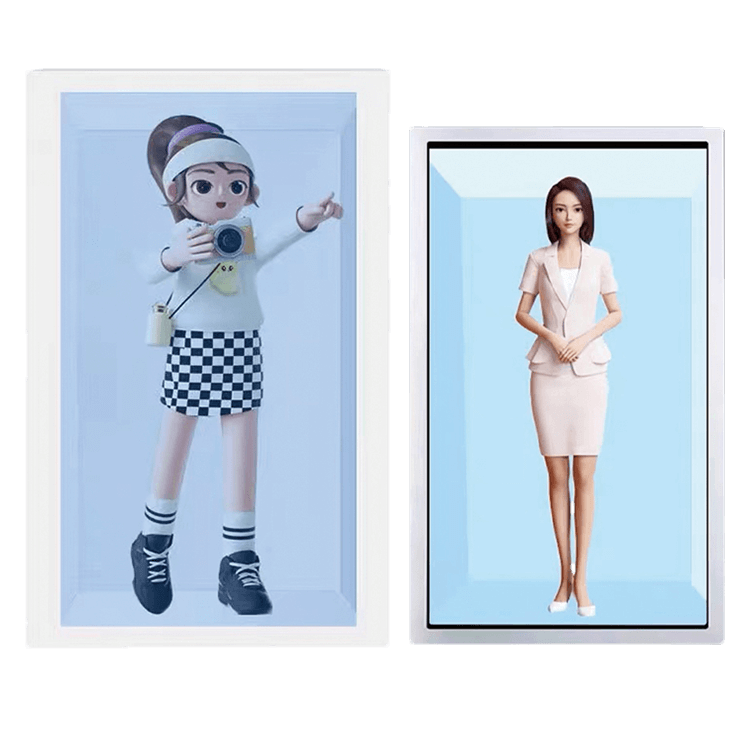 Transparent LCD AI Digital Human DisplayA character presented on a see-through LCD in a designed, illuminated structure
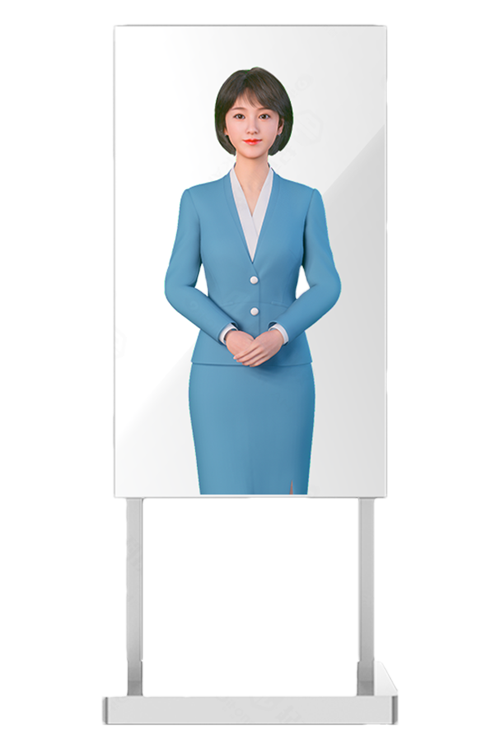 Transparent OLED AI Digital Human DisplayA self-emissive transparent OLED for premium indoor presentations
Compare all three routes in the Digital Human Display Solution →
It is a cylindrical display terminal that presents a digital character with a floating visual effect. The supplied 21.5-inch reference uses a Mini-LED backlit LCD imaging panel, partially reflective mirror glass and a cylindrical enclosure. Confirm the optical and hardware configuration of the selected model.
Yes, with a compatible digital human application and project-specific integration. Both reference configurations include computing, microphones, speakers, camera and network hardware, but neither supplied specification establishes that AI conversation software is included at delivery.
No, unless the written quotation expressly includes it. Overseas languages, avatar content, speech recognition, AI service, knowledge base and system integration are scoped and priced separately.
LCD panel size directions for custom development include 7″, 10.1″, 12.1″, 14″, 15.6″, 19″, 21.5″, 32″, 43″, 49″, 55″, 65″, 75″, 86″ and 98″, plus other project sizes. These are not all ready-made cylinder models. The existing cylinder samples are 21.5″ and 75″. Other sizes require matched LCD, Mini-LED backlight, reflective glass, housing and thermal/optical engineering. Inch sizes refer to LCD panel diagonals, not the apparent floating-image size.
Our sample demonstration shows the character visible across an approximately 180° front viewing arc. This is an observation, not a guaranteed angle for every model. Confirm audience positions and the usable arc with a sample or project test.
The supplied CYSXY7501 sheet lists a USB UVC camera up to 3840 × 2160 at 30 fps, a four-microphone array, and two 10 W speakers. Their use in a particular AI workflow depends on software compatibility and configuration.
Touch inclusion is not clearly confirmed for either supplied reference configuration. Request a written confirmation for any touch input requirement before quotation.
Prepared digital human video or other media can be used as a basic presentation mode, subject to the confirmed player and format. Interactive reception, guidance and Q&A require additional software.
Send the installation location, preferred sample or custom size, audience positions and distance, ambient lighting, visitor task, languages, interaction level, network availability, content/AI platform, quantity, delivery region and project timeline.
Prepared playback runs a pre-produced character video. AI interaction requires separately developed or licensed application software, speech services, approved content and testing with the selected microphone, speaker and compute hardware.
Yes, a different LCD panel diagonal and housing can be reviewed as an engineered project. LCD, Mini-LED backlight, reflective glass, optics, cooling and content geometry must be matched; a listed panel size does not mean a ready-made cylinder is stocked.
Tell us the visitor task, site, preferred 21.5″ or 75″ reference, viewing conditions, interaction level, languages, project quantity and timeline.
DisplayMan can review the terminal hardware, display and optical structure, audio and camera peripherals, computing platform, installation and maintenance requirements. Overseas AI avatar software, conversation service and business-system integration are scoped and quoted separately.
The right solution depends on the visual effect, enclosure dimensions, lighting, visitor flow, content workflow and confirmed model specifications. The 21.5″ hardware configuration must not be applied to the 75″ model without verification.