High Pixel Density
Micro OLED can render text, symbols, status data and fine graphics in a small image source that fits compact wearable optics.

Match Micro OLED, Driver Electronics and Optics for Your Wearable HUD
Integrate high-resolution Micro OLED displays, matched driver electronics and compact near-eye optics with DisplayMan for industrial assistance, engineering visualization and professional wearable HUD systems, with prototype and OEM support tailored to your project.
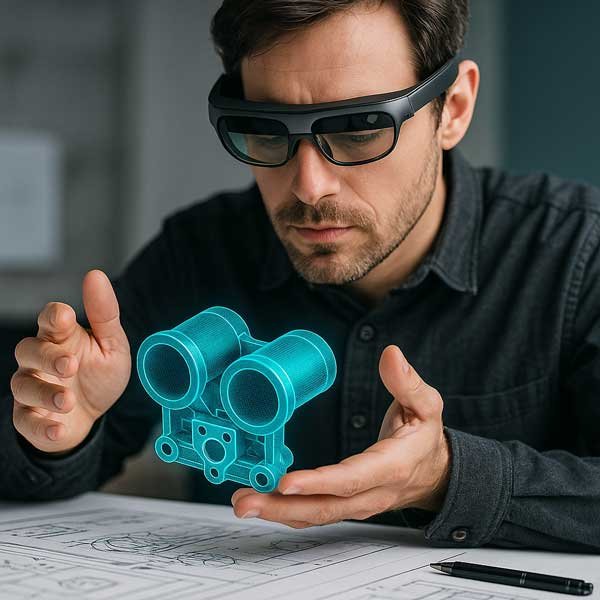
Display + Driver Electronics + Near-Eye HUD Optics
Overlay useful digital information while the user remains engaged with the real environment.
Micro OLED is a strong image-source technology for compact near-eye and head-mounted HUD systems because it combines high pixel density, strong contrast, fast response and a small physical display suitable for optical magnification or projection.
Final HUD performance depends on source brightness, optical efficiency, FOV, eye box, eye relief, virtual-image distance, driver electronics, mechanical alignment, power, thermal design and the real operating environment.
This page covers near-eye and head-mounted HUD systems. Automotive windshield HUD, transparent direct-view HUD and large projection HUD can use different display and optical architectures.
Micro OLED can render text, symbols, status data and fine graphics in a small image source that fits compact wearable optics.
Self-emissive pixels allow dark backgrounds and bright information elements, useful for readable overlays and controlled optical paths.
Fast pixel response supports moving symbols and live information, while complete latency still depends on sensing, processing and driver electronics.
The optics create the virtual image and determine how the digital information is positioned relative to the user’s real-world view.
Host / Sensors → Driver Board → Micro OLED → Near-Eye Optics → User’s Eye
Assembly instructions, inspection points, maintenance steps, warnings and equipment status presented within the operator’s viewing workflow.
CAD references, component identification, spatial guidance and digital design information for development and field work.
Directional cues, communication status, sensor data and task information for specialized wearable systems.
A professional HUD should present concise, readable information without unnecessarily blocking or distracting from the real environment.
| Display | Resolution | Brightness | Interface | HUD Direction |
|---|---|---|---|---|
| 0.32″ Micro OLED | 800 × 600 SVGA | 2000 cd/m² | MIPI / RGB | Compact monocular HUD and lightweight wearable optical systems. |
| 0.49″ Micro OLED | 1920 × 1080 Full HD | 1800 / 3000 / 20000 cd/m² option review | MIPI | High-detail and high-brightness direction for near-eye HUD, AR and optical R&D. |
| 0.6″ Micro OLED | 1920 × 1080 Full HD | 6000 cd/m² | MIPI | Larger Full HD image source when the optical architecture benefits from stronger brightness and physical size. |
Final selection must follow optical efficiency, ambient light, target eye brightness, FOV, mechanical envelope and content requirements.
Source luminance alone does not predict readability. Evaluate final eye brightness, contrast against the real scene, ambient conditions, optical efficiency and user comfort.
A high-brightness Micro OLED can still create a weak overlay if the optics lose too much light or the content contrast is unsuitable for the operating environment.
A single-eye HUD may use compact monocular electronics, while dual-eye systems require synchronized driver and optical channels.
HDMI or Type-C host input often must be converted to MIPI or RGB at the Micro OLED. Confirm timing, resolution, refresh, power and firmware.
Display, prism, lens or combiner position must remain stable. Cable routing, board height and thermal design must fit the wearable enclosure.
| Architecture | Typical Direction | Strength | Important Boundary |
|---|---|---|---|
| Micro OLED Near-Eye HUD | Head-mounted and wearable HUD | Compact high-resolution self-emissive image source | Requires compatible near-eye optics; not a transparent display by itself |
| Projection HUD | Automotive windshield, aviation and equipment projection | Virtual image projected through a combiner or windshield | Uses a different projection optical architecture |
| Transparent Micro LED HUD | Direct-view transparent or see-through display concepts | High brightness potential and transparent direct-view direction | Different system route from Micro OLED near-eye optics |
| LCOS / LCD Image Source | Selected projection and legacy HUD systems | Mature architectures for specific optical designs | Requires illumination or backlight and compatible optics |
Display selection begins with the HUD architecture: near-eye, head-mounted, projection or transparent direct-view.
| Project Condition | Starting Direction | Confirm Next |
|---|---|---|
| Compact monocular industrial HUD | 0.32″ SVGA + monocular driver | Content detail, optics, eye brightness, FOV and enclosure space |
| High-detail near-eye HUD | 0.49″ Full HD | Optical efficiency, MIPI driver, thermal load and virtual image |
| Stronger source-brightness direction | 0.6″ Full HD or high-brightness 0.49″ review | Power, heat, optical size, eye brightness and lifetime |
| Optics and display undefined | Near-Eye Display Solution review | Application, HUD type, FOV, eye box, eye relief, mechanics and budget |
| Transparent direct-view HUD | Transparent Micro LED direction | Transparency, brightness, viewing distance, pixel pitch and glass integration |
Send the optical datasheet, FOV, eye box, eye relief, virtual-image distance, efficiency, supported image size and mechanical drawing.
It focuses on near-eye and head-mounted HUD systems using compact Micro OLED image sources and optical engines.
No. Micro OLED is a compact self-emissive image source. See-through viewing is created by the optical system, such as a prism, combiner or waveguide.
Automotive projection HUD normally uses a different optical architecture. Micro OLED suitability must be evaluated for that specific projection system rather than assumed from near-eye use.
0.32-inch SVGA suits compact directions, while 0.49-inch and 0.6-inch Full HD support higher-detail or stronger-brightness reviews. Final selection depends on optics.
There is no universal value. Required source luminance depends on optical efficiency, ambient conditions, content contrast and target eye brightness.
Usually yes unless the host directly supplies the exact panel timing, interface, power and initialization.
It is the apparent distance at which the HUD information is focused. It affects eye accommodation and integration with the real-world task.
Selected projects can be reviewed as Micro OLED, driver electronics, near-eye optics and mechanical integration.
Provide HUD type, application, FOV, eye box, eye relief, virtual-image distance, brightness, optics, signal, mechanics, quantity and project stage.
Send the HUD type, application, optical architecture, FOV, eye box, eye relief, brightness, input interface and mechanical space.
Start by defining the HUD architecture—not only the display.
HUD Type → Viewing Requirement → Optics → Micro OLED → Driver Electronics → Mechanical Integration