
Integrate a high brightness display or an open frame touch screen monitor into your kiosk, vending machine, EV charger or industrial equipment. DisplayMan helps review the LCD, controller, touch panel, cover glass, metal frame and cable layout around your enclosure and operating environment.
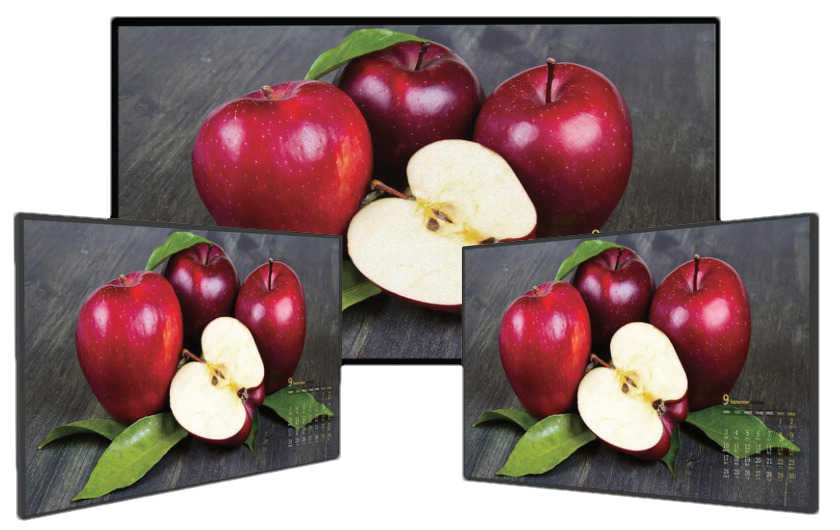
An Open Frame High Brightness Monitor is a sunlight-readable LCD monitor assembly designed to be built into another machine, kiosk, cabinet, terminal or industrial equipment enclosure.
It is not a finished consumer monitor and it is not automatically a complete outdoor display. It is the embedded display engine that the OEM integrates into its own mechanical, electrical and environmental structure.
A project may combine the LCD panel, high-brightness LED backlight, monitor controller, metal open frame, power and signal connections, optional touch panel, custom cover glass and optical bonding. With a compatible touch sensor and controller, the assembly becomes an open frame touch screen monitor for direct interaction with your equipment software.
Open Frame High Brightness Monitors are built for OEM integration. The customer’s enclosure provides the finished product appearance, environmental protection, access control and final installation structure.
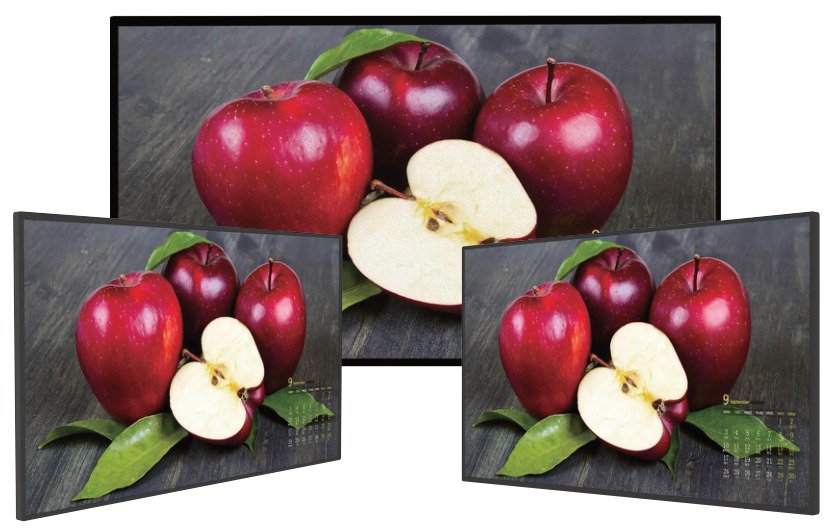

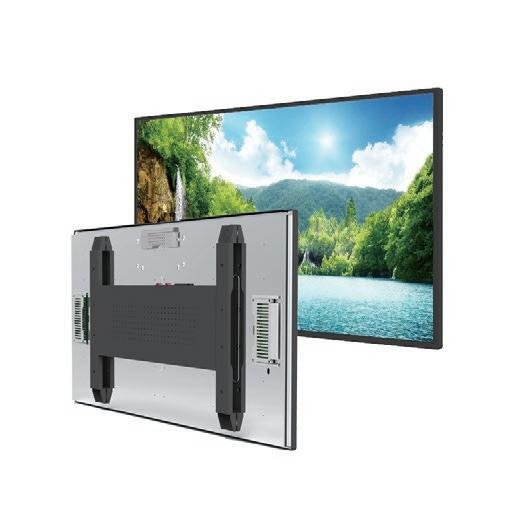
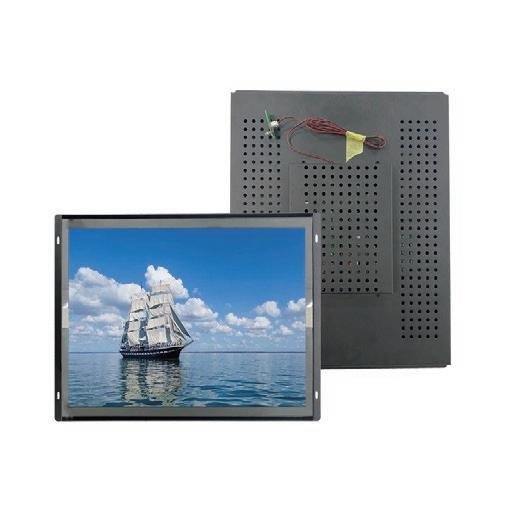
Both product routes fit inside the customer’s enclosure. Choose according to the lighting conditions and whether you need a display connected to your own computer or an integrated computing configuration.
| Selection Point | Open Frame Digital Signage | Open Frame High Brightness Monitors |
|---|---|---|
| Main Focus | Embedded content playback, touch interaction and optional computing for commercial equipment | High-brightness display assemblies with optical, power and thermal integration |
| Installation Environment | Primarily controlled indoor equipment, kiosks, smart lockers and commercial fixtures | Equipment exposed to strong ambient light, storefront windows or daylight; final outdoor protection requires enclosure review |
| Brightness Selection | Selected for the indoor lighting and front-glass stack; confirm per project | Listed reference configurations include 700–5000 nits, depending on size and model; confirm the selected configuration |
| Computing & Software | Customer PC or media player, or optional Android, Linux or Windows computing for CMS and customer applications | Monitor controller or optional compatible computing; the main selection priority is daylight readability and heat management |
| Touch & Glass | Optional touch, cover glass and bonding selected for the equipment workflow | Optional touch, cover glass and bonding reviewed together with reflection, transmission and sunlight exposure |
| Mechanical Integration | Opening, mounting points, installation depth, interfaces, peripherals and service access | The same mechanical checks, plus backlight power, heat paths, ventilation and solar loading |
| Weather Protection | Customer enclosure provides the finished protection; an open frame assembly is not automatically waterproof | High brightness does not establish an outdoor IP rating; protection depends on the final equipment assembly |
| Typical Projects | Indoor kiosks, vending machines, smart lockers, embedded advertising and customer application terminals | Daylight-facing kiosks, EV chargers, window-facing equipment and other high-ambient-light installations |
| Product Page | Explore Open Frame Digital Signage → | Explore Open Frame High Brightness Monitors → |
For indoor content playback and equipment interaction, start with Open Frame Digital Signage. For strong ambient light, review Open Frame High Brightness Monitors. Integrated computing and touch can be evaluated in either route, subject to the selected hardware.
The six product routes address different installation, display technology and integration requirements.
| Product Route | Main Product Form | Best For | Weather Protection |
|---|---|---|---|
| Open Frame High Brightness Monitors | Embedded monitor assembly without a finished outer enclosure | OEM machines, kiosks, vending systems, EV chargers and industrial equipment | Provided mainly by the customer’s final equipment enclosure |
| Window Facing Displays | Finished indoor signage display installed behind glass | Retail windows, storefront advertising and indoor window-facing media | Indoor unit protected by the building window |
| Outdoor High Brightness Displays | Finished high-brightness display with outdoor enclosure | Standalone outdoor signage and public information | Integrated into the finished display product |
| Outdoor Waterproof Touch Screen Displays | Waterproof touch screen assembly or complete enclosed outdoor monitor | Public self-service, wayfinding, payment and outdoor interaction | Front-panel or full-enclosure protection, according to the selected supply scope |
| Holographic Cylinder Displays | Cylinder-format display category | Selection depends on the cylinder format, visual presentation and installation requirement | Confirm with the selected configuration |
| Mini-LED Backlit LCD Displays | LCD display category using Mini-LED backlighting | Selection depends on the backlight configuration and application requirements | Confirm with the selected configuration and enclosure |
Choose Open Frame when you already have a machine enclosure. Choose Window Facing for finished indoor signage behind glass. For a complete weather-protected display, explore Outdoor High Brightness Displays. For interactive projects, explore Outdoor Waterproof Touch Screen Displays and confirm whether you need front-panel protection for equipment integration or a fully enclosed monitor.
Compare 20 reference configurations from 15.6 to 98 inches. DisplayMan can review the display platform, brightness, touch, controller and mounting around your equipment requirements.
Both configurations are designed for integration into equipment. Choose according to the front assembly, cooling arrangement, brightness and available space.
| Selection Point | Standard Open Frame Configuration | Embedded Configuration With Front Glass |
|---|---|---|
| Reference Size Range | 23.8–98 inches | 15.6–65 inches |
| Front Glass | Review according to the project; tempered front glass is not listed as a standard accessory in the reference range | Tempered front glass is listed in the reference configuration |
| Cooling | Cooling arrangement is selected and confirmed for the model and enclosure | Fan cooling is listed in the reference configuration |
| Brightness | 23.8 / 27 inches: 1500 nits; 32–86 inches: selectable 700–5000 nits; 98 inches: selectable 700–3000 nits | 15.6–27 inches: 1000 nits; 32–65 inches: 2500 nits |
| Touch | Optional | Optional; front glass does not by itself mean touch is included |
| Controller | Monitor controller or customized Android configuration, subject to board selection | Monitor controller or customized Android configuration, subject to board selection |
| Integration Direction | Useful when the equipment design defines its own front structure, cover glass and mounting arrangement | Useful when a front-glass assembly and fan-cooled rear structure fit the equipment design |
| Outdoor Protection | Final environmental protection depends on the complete equipment enclosure | Front glass and fan cooling do not establish a complete outdoor IP rating; confirm the final enclosure design |
“Embedded” describes the installation purpose. The differences above describe these two reference configurations, rather than a universal distinction between all open frame and embedded displays.

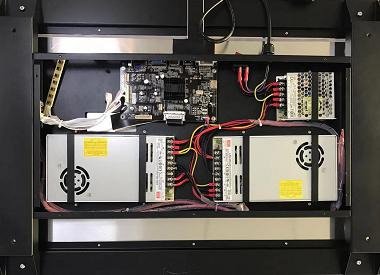
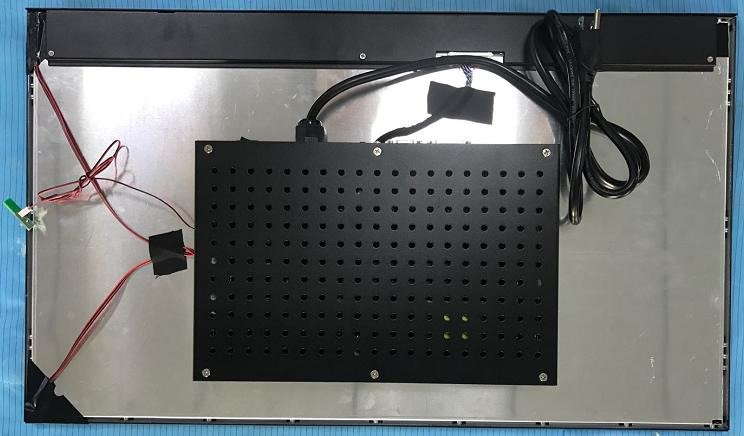
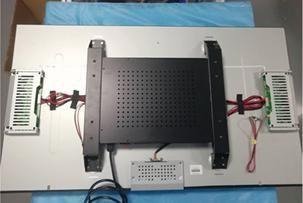
| Reference Model | Size | Aspect Ratio | Active Area (mm) | Resolution | Brightness Options (nits) | Touch |
|---|---|---|---|---|---|---|
| FSKT238-E15 | 23.8″ | 16:9 | 527 × 296.4 | 1920 × 1080 | 1500 | Optional |
| FSKT270-E15 | 27″ | 16:9 | 597.8 × 336.3 | 1920 × 1080 | 1500 | Optional |
| FSKT320-D20 | 32″ | 16:9 | 698.4 × 392.8 | 1920 × 1080 | 700–5000 | Optional |
| FSKT430-D20 | 43″ | 16:9 | 940.9 × 529.2 | 1920 × 1080 | 700–5000 | Optional |
| FSKT490-D20 | 49″ | 16:9 | 1073.8 × 604 | 1920 × 1080 | 700–5000 | Optional |
| FSKT550-D20 | 55″ | 16:9 | 1209.6 × 680.4 | 1920 × 1080 | 700–5000 | Optional |
| FSKT650-D20-4K | 65″ | 16:9 | 1428.4 × 803.5 | 3840 × 2160 | 700–5000 | Optional |
| FSKT750-D20-4K | 75″ | 16:9 | 1649.6 × 927.9 | 3840 × 2160 | 700–5000 | Optional |
| FSKT860-D20-4K | 86″ | 16:9 | 1895 × 1065.9 | 3840 × 2160 | 700–5000 | Optional |
| FSKT980-D20-4K | 98″ | 16:9 | 2158.9 × 1214.4 | 3840 × 2160 | 700–3000 | Optional |
Configuration options include an HDMI / DVI / VGA controller or a customized Android board, power supply, LED driver, ambient-light sensor and connection cables. Controller inputs depend on the selected board. The 98-inch reference configuration is listed at 700–3000 nits.
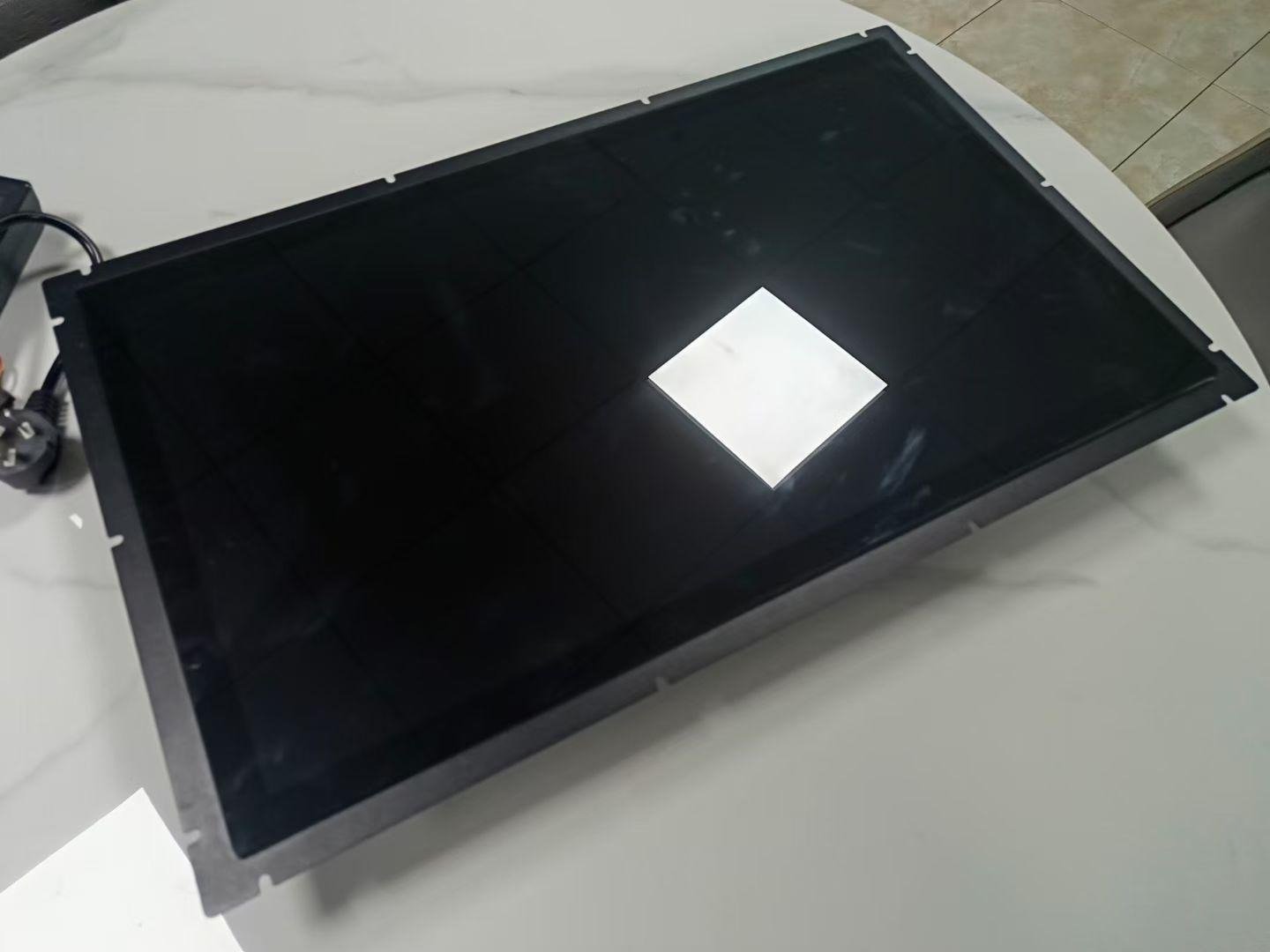
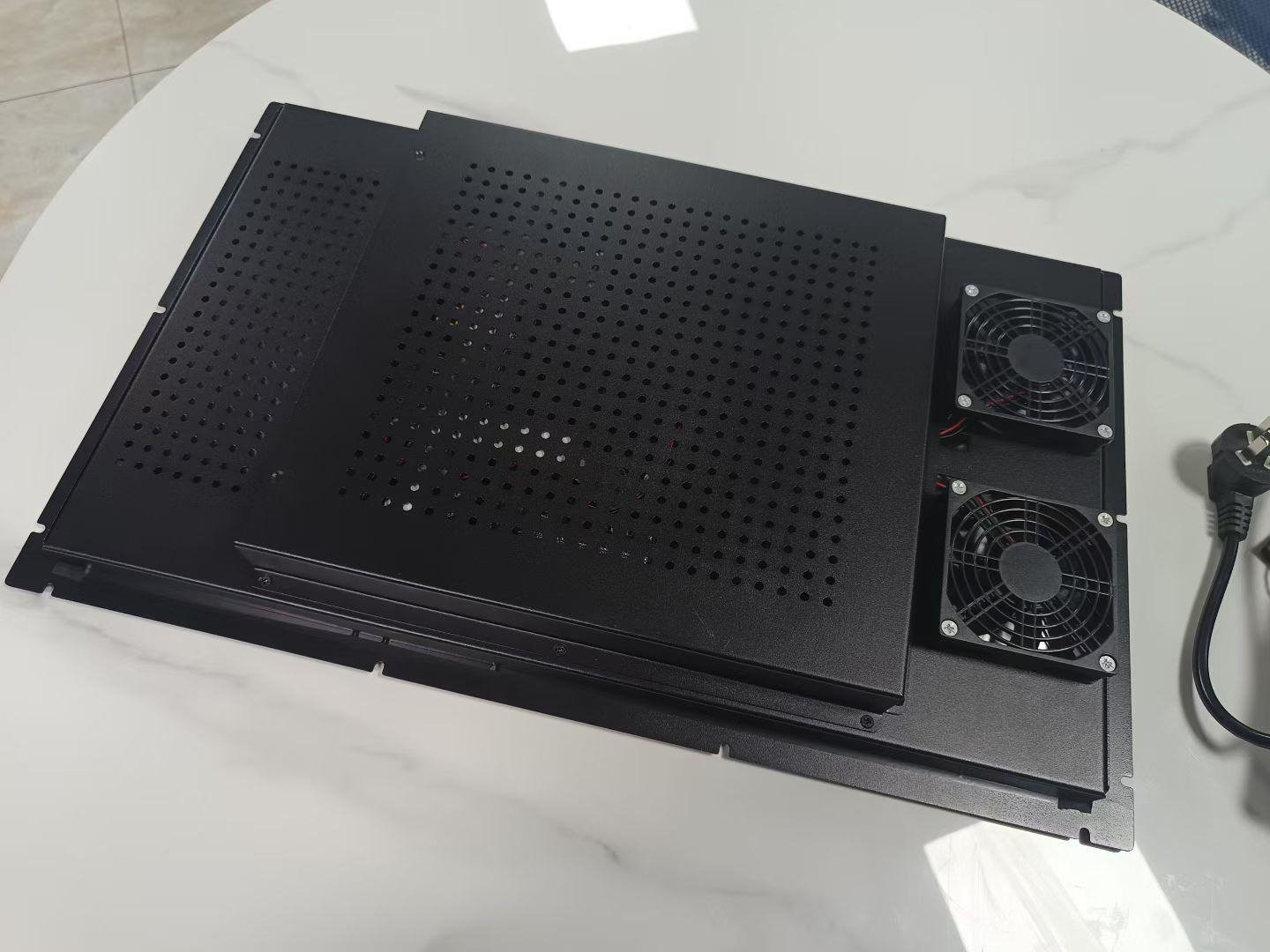
These K-series assemblies serve the same equipment integration route, with tempered front glass, fan cooling and optional touch. They are included here as an integration configuration within the Open Frame range.
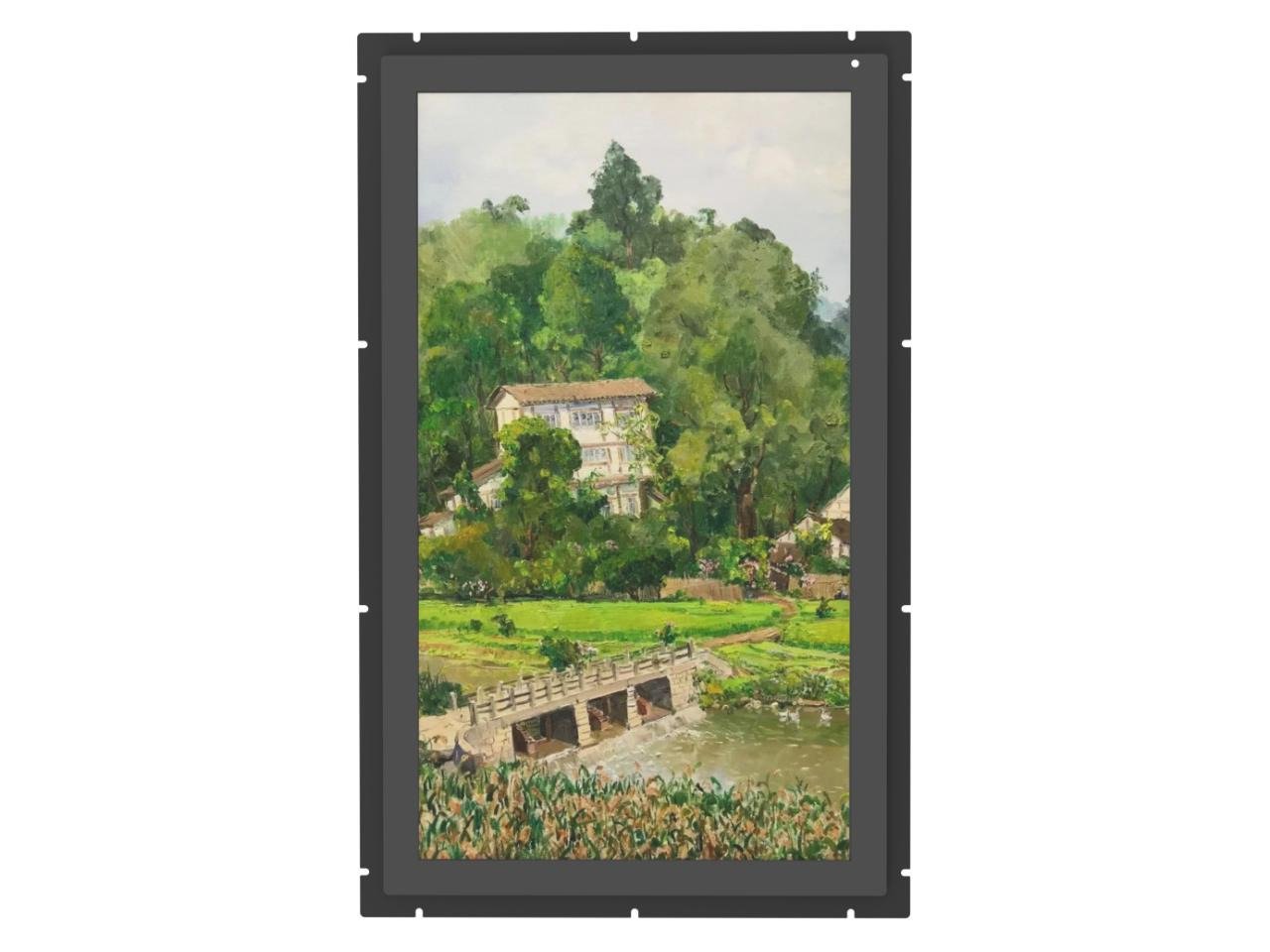

| Reference Model | Size | Aspect Ratio | Active Area (mm) | Resolution | Brightness Options (nits) | Touch |
|---|---|---|---|---|---|---|
| FS156-E10-K | 15.6″ | 16:9 | 344.16 × 193.59 | 1920 × 1080 | 1000 | Optional |
| FS185-E10-K | 18.5″ | 16:9 | 409.8 × 230.4 | 1920 × 1080 | 1000 | Optional |
| FS215-E10-K | 21.5″ | 16:9 | 476.6 × 268.1 | 1920 × 1080 | 1000 | Optional |
| FS238-E10-K | 23.8″ | 16:9 | 527 × 296.4 | 1920 × 1080 | 1000 | Optional |
| FS270-E10-K | 27″ | 16:9 | 597.8 × 336.3 | 1920 × 1080 | 1000 | Optional |
| FS320-D25-K | 32″ | 16:9 | 698.4 × 392.8 | 1920 × 1080 | 2500 | Optional |
| FS430-D25-K | 43″ | 16:9 | 940.9 × 529.2 | 1920 × 1080 | 2500 | Optional |
| FS490-D25-K | 49″ | 16:9 | 1073.8 × 604 | 1920 × 1080 | 2500 | Optional |
| FS550-D25-K | 55″ | 16:9 | 1209.6 × 680.4 | 1920 × 1080 | 2500 | Optional |
| FS650-D25-K | 65″ | 16:9 | 1428.4 × 803.5 | 3840 × 2160 | 2500 | Optional |
Reference specifications are platform-specific. Brightness options represent selectable configurations, not a guaranteed operating range for every assembled unit. Confirm outer dimensions, voltage, mounting drawings, cooling and availability for the selected model.
High-brightness LCD, monitor controller, power input and metal open frame for integration into the customer’s equipment.
Adds projected capacitive or project-specific touch for kiosks, terminals, charging equipment and HMI operation.
Integrates project-specific glass, border printing, logo, openings and optional surface treatment.
Bonds the LCD to touch or cover glass to improve readability, structure and front-surface integration.
Uses LVDS, eDP or MIPI from the customer’s motherboard when a conventional external monitor input is unnecessary.
Combines an available LCD platform with customized brightness, backlight, frame, glass, touch, board, cables and mounting.
Selected from available commercial or industrial panels according to size, resolution, interface and lifecycle.
Provides the required luminance while creating additional power and thermal-design requirements.
Converts HDMI, DisplayPort or another source—or connects directly through LVDS, eDP or MIPI in embedded systems.
Provides panel support, mounting points, alignment and a mechanical interface to the customer’s housing.
Length, direction, connector type and cable exit can be reviewed around the equipment layout.
PCAP or another touch route can be selected from the front structure and operating method.
Provides the visible front surface, branding, cleaning surface and additional protection.
Reduces the internal air gap and improves optical and structural integration.
Mounting holes, brackets, controller position and replacement access are coordinated with the OEM machine.
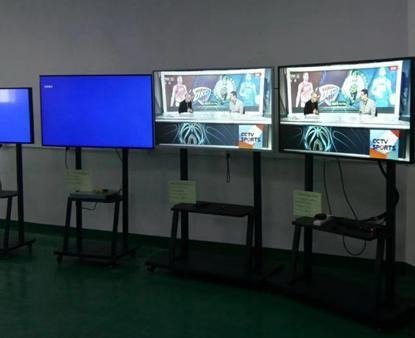
Choose a monitor assembly for connection to your existing computer, or request an integrated computing configuration for signage playback and equipment interaction. Computing, networking and peripherals are project options, not standard features of every reference model.
| Configuration | Application | What to Confirm |
|---|---|---|
| Monitor Assembly | Display and optional touch connected to the customer’s PC, media player or equipment controller | Video input, touch interface, power, timing and mounting |
| Android Computing | CMS playback, customer APK, browser content and kiosk applications | Supported ARM board, Android version, RAM, storage, application permissions and decoding |
| Linux Computing | Embedded equipment software and controlled system images | Board support, distribution, peripheral drivers and application compatibility |
| Windows Computing | Customer business applications and peripherals requiring Windows drivers | Compatible x86 platform, licensing, memory, storage, cooling and power budget |
| Project Option | Integration Requirements |
|---|---|
| CMS & Customer Software | Review local or cloud playback, APK installation, browser compatibility, kiosk mode, automatic startup and recovery after power loss. Confirm software licenses, deployment and update responsibility. |
| Ethernet & Wi-Fi | Select supported networking hardware; define antenna placement, metal-enclosure shielding, cable access and the installation network. |
| PoE & 4G | Review only on compatible platforms. Confirm PoE standard and total power including the high-brightness backlight, or cellular bands, SIM access and antenna arrangement. |
| USB, RS232, RS485 & GPIO | Define port count, connector, signal voltage, protocol, isolation where required, cable direction and driver support. |
| Scanner, Printer & Card Reader | Confirm the exact peripheral model, SDK or driver, power supply, mounting space and application workflow before selecting the board. |
| Camera, NFC & Audio | Review hardware openings, reader placement, microphone and speaker arrangement, software access and compatibility with the equipment enclosure. |
Integrated computing adds heat, power consumption and mechanical depth. Confirm the high-brightness backlight, processor, power supply, cable layout, ventilation and service access in the final equipment enclosure. Agree who supplies the business software, cloud service, peripheral integration and system updates.
For controlled indoor content playback, CMS and customer application terminals, review Open Frame Digital Signage. Standard-brightness configurations are evaluated separately; the model tables on this page describe the listed high-brightness assemblies.
For a finished commercial display, review Digital Signage Displays. For a complete standing enclosure and base, review Floor-Standing Kiosks. Integrated terminal applications are grouped under Enterprise & Industrial Terminals.
Open Frame High Brightness Monitors are project-configured products. The following table describes the selection scope rather than one universal model.
| Item | Project Direction |
|---|---|
| LCD Size | Selected from available LCD panel platforms; final size depends on active-area, outer-dimension, resolution and supply requirements |
| Brightness | Typically reviewed from approximately 1,000 to 2,500+ nits; higher levels require panel, backlight, power and thermal confirmation |
| Resolution | Panel-specific, including common HD, Full HD, UHD and industrial resolutions where available |
| External Monitor Inputs | HDMI, DisplayPort, DVI or VGA depending on the selected monitor controller |
| Embedded Panel Interfaces | LVDS, eDP or MIPI when directly connected to a compatible motherboard or embedded controller |
| Touch | Projected capacitive or project-specific resistive touch; USB, I²C or another compatible touch screen interface |
| Cover Glass | Custom size, thickness, black border, logo, holes, notches and optional AG / AR / AF treatment |
| Bonding | Air bonding or optical bonding according to optical, mechanical, touch and environmental requirements |
| Mechanical Structure | Open metal frame, customized mounting holes, brackets, depth, connector direction and cable exit |
| Dimming | Manual, PWM, serial or ambient-light-based control can be reviewed according to the controller and backlight design |
| Input Power | Project-specific DC input or external power solution based on the display and equipment system |
| Operating Temperature | Panel-, touch-, controller- and project-specific; must be confirmed for the final assembly |
| Environmental Protection | Normally provided by the customer’s finished machine enclosure; the open frame assembly is not automatically waterproof |
| Production Model | Sample or engineering validation followed by repeat OEM production |
Indoor lighting, window exposure, canopy shade and direct sunlight create very different visibility requirements.
Cover glass, tint, printing and touch layers reduce the brightness that reaches the viewer.
Surface reflection and the air gap may reduce contrast even when the LCD luminance is high.
Screen orientation, sun direction and the user’s position affect the required luminance and LCD viewing characteristics.
Higher luminance normally requires more backlight power and a stronger heat path inside the equipment.
Manual, scheduled or sensor-based dimming can reduce night glare, heat and unnecessary power consumption.
The correct specification is the brightness and contrast visible through the final customer glass under the real lighting condition—not only the bare-panel luminance measured in a laboratory.
| Environment | Possible Starting Direction | Additional Checks |
|---|---|---|
| Bright Indoor Equipment | Approximately 1,000 nits | Front-glass transmission, indoor lighting and viewing distance |
| Window-facing or Semi-outdoor Equipment | Approximately 1,000–1,500+ nits | Glass reflection, sun direction, canopy and daily operating time |
| Public-facing Equipment With Strong Daylight | Approximately 1,500–2,500+ nits | Solar heat, power, dimming, bonding and enclosure ventilation |
| Extremely Bright or Direct-sunlight Project | Separate panel and thermal feasibility review | High-temperature LCD behavior, blackening risk, solar loading and active cooling |
Increasing brightness alone does not protect the LCD from solar heat. The machine enclosure, front glass, ventilation, shading and operating-temperature design must be reviewed together.
| Interface Type | Typical Use | Important Difference |
|---|---|---|
| HDMI / DisplayPort / DVI / VGA | External monitor input from a PC, media player, industrial computer or customer source | The monitor controller handles timing conversion and panel driving |
| LVDS | Direct embedded connection between motherboard and compatible LCD panel or converter assembly | Pinout, voltage, resolution, timing, bit mapping and connector must match |
| eDP | Modern embedded display connection from motherboard or computing board | Lane configuration, voltage, EDID and timing must be compatible |
| MIPI DSI | Compact embedded systems and selected smaller displays | Requires close matching of lanes, timing, command mode and software support |
| USB / I²C / Serial Touch | Touchscreen communication | Touch interface is separate from the LCD video interface |
Please provide the source-board model, output interface, connector, pinout, supported resolution and timing. “LVDS” or “eDP” alone is not enough to confirm compatibility.
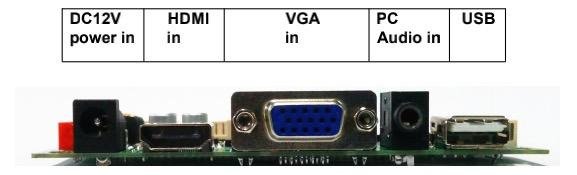
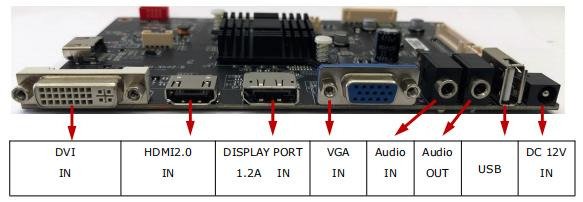
Configure an open frame touch screen monitor around the user interface, front glass and installation environment. The LCD video connection and touch screen communication are separate interfaces; both must be compatible with the host computer or embedded controller. Non-touch monitor configurations remain available.
Projected capacitive touch screens can be reviewed for kiosk, EV charging, retail and equipment interfaces. Confirm cover-glass thickness, controller tuning, multi-touch requirements and any glove or water conditions during sample validation.
Can be reviewed for selected industrial applications requiring pressure-based input.
Defines the visible product surface and can include border printing, logo, openings and project-specific geometry.
Anti-glare treatment can reduce sharp reflections but may affect image clarity and perceived contrast.
Anti-reflective treatment can improve light transmission and contrast when the correct material and process are selected.
Anti-fingerprint treatment improves cleaning and front-surface handling.
A simpler assembly with an air gap between the LCD and front touch or glass.
Fills the air gap to reduce internal reflection and improve mechanical integration.
The customer’s enclosure must seal and support the complete front assembly for outdoor or wash-down use.
Review the Optical Bonding Display Solution and Custom Touch Glass Solution for detailed front-assembly options.
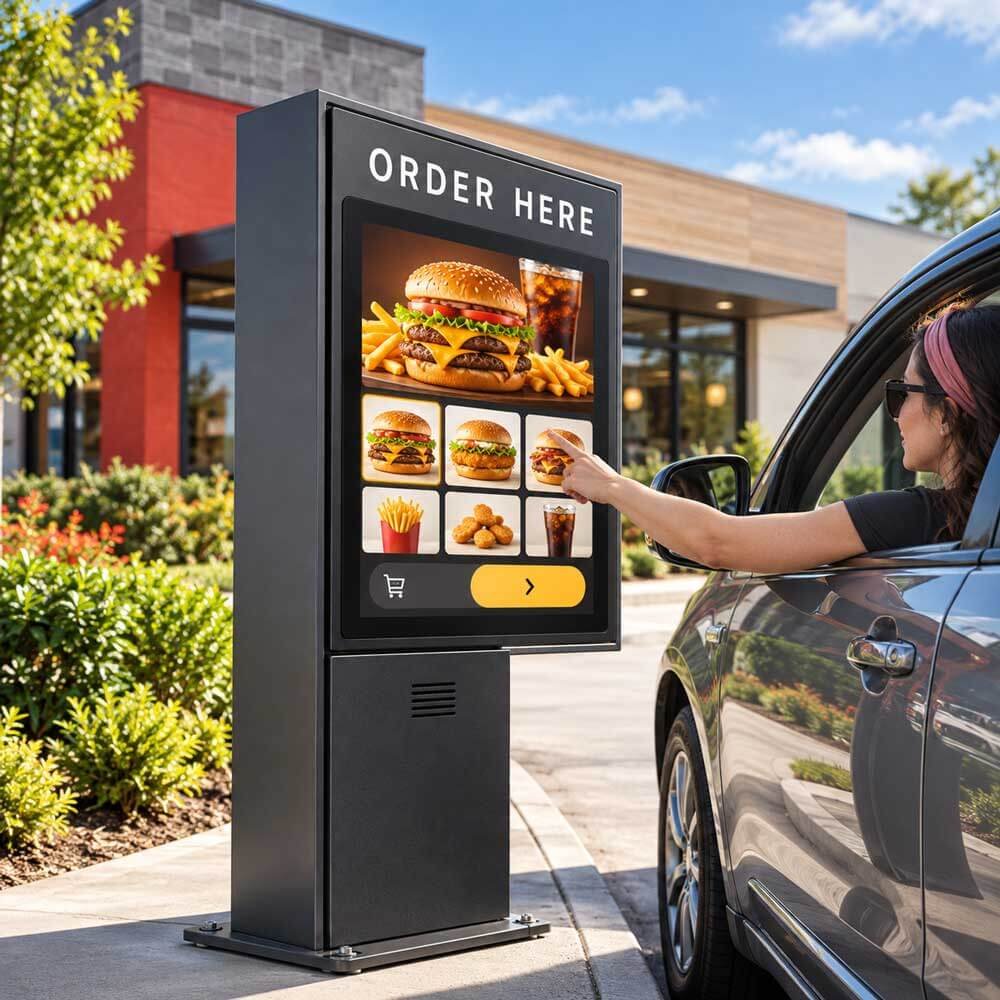
The equipment opening should match the active and visible areas without covering important pixels.
The selected LCD, frame, board, cables and glass must fit inside the customer’s mechanical envelope.
Hole position, bracket direction, screw access and tolerance should be confirmed in drawings.
Allow space for the LCD, frame, controller, connectors, cable bends, heat path and service access.
Power, signal and touch connectors must not conflict with the customer’s housing or access panels.
Glass thickness, adhesive, sealing, touch, air gap or bonding change the final mechanical depth.
The metal frame should transfer heat into the enclosure without creating local hot spots.
LCD, glass, metalwork and equipment tolerances should not create panel pressure or visible misalignment.
The monitor, controller, cables and power components should remain replaceable after machine assembly.
Snack, beverage, refrigerated, smart-retail and specialty vending-machine interfaces.
Ordering, payment, ticketing, check-in, registration and information terminals.
Charging status, payment, advertising and user-interface displays inside the charger enclosure.
Machine controls, process monitoring, operator interfaces and professional equipment.
Parcel lockers, refrigerated lockers, access systems and unattended service equipment.
Public-facing equipment requiring strong-light visibility and optional touch operation.
Ticketing, passenger service, access control and semi-outdoor public equipment.
Professional devices requiring an integrated display, controlled front surface and clear visibility.
High-brightness displays installed inside a customer-designed protected outdoor enclosure.
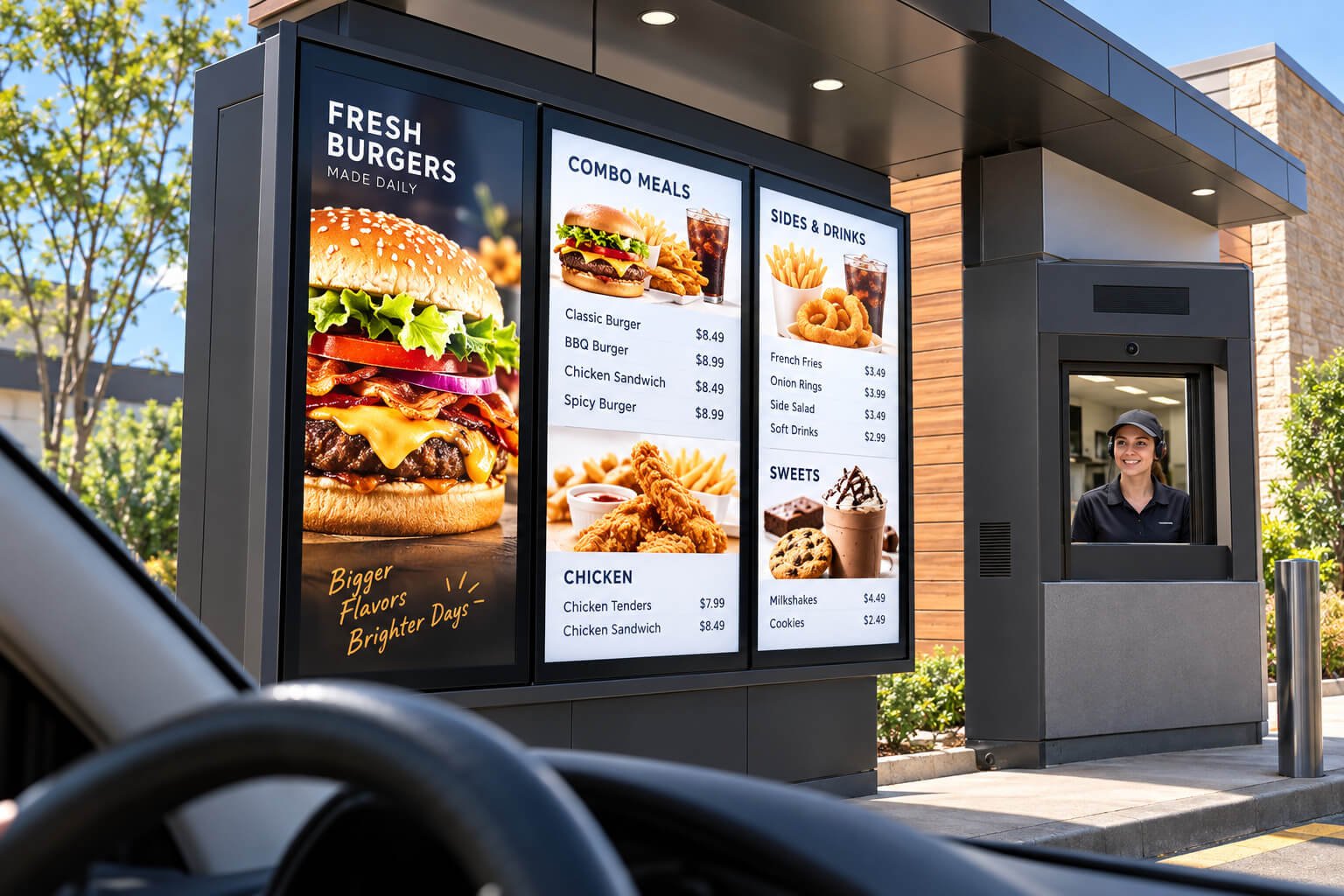
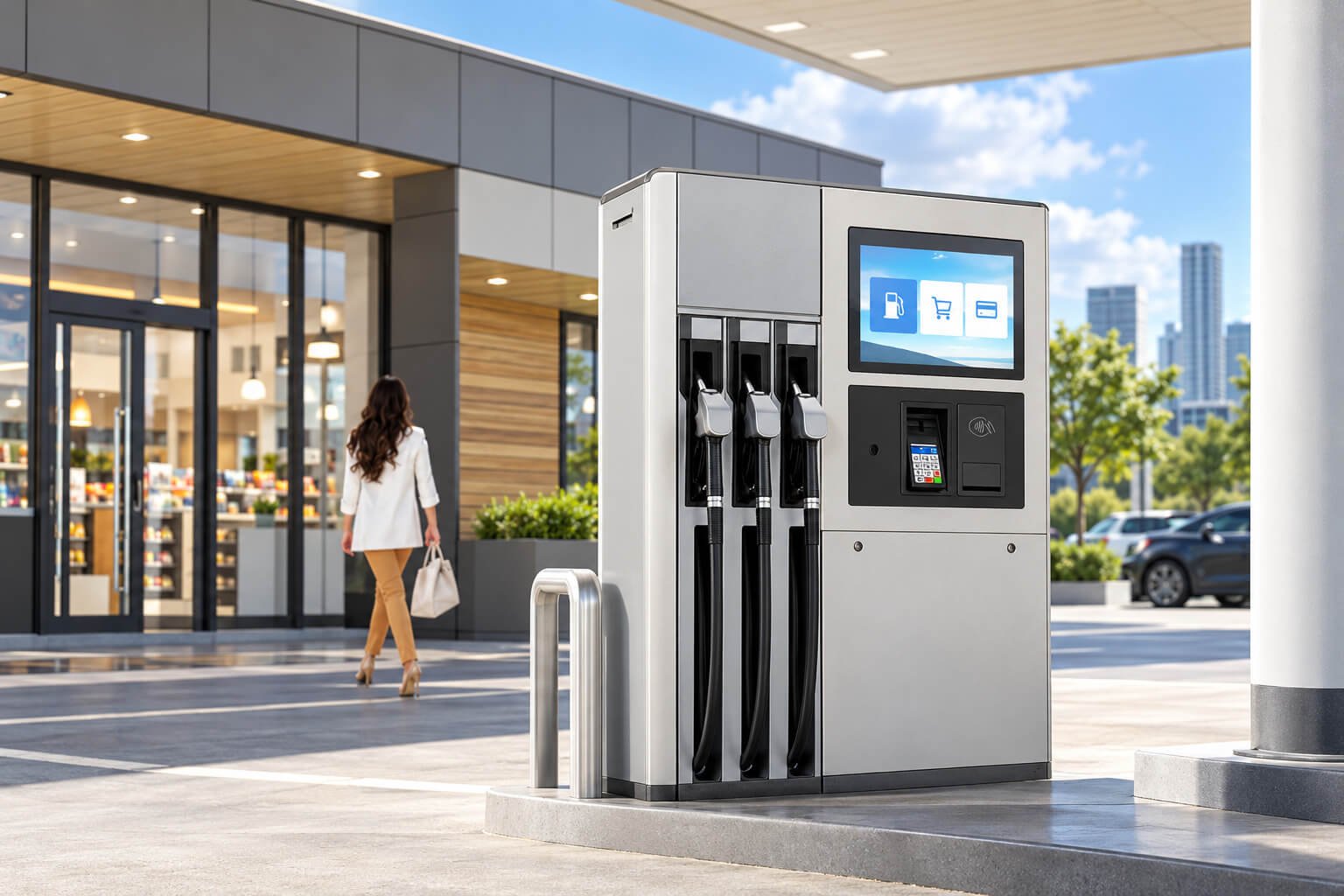
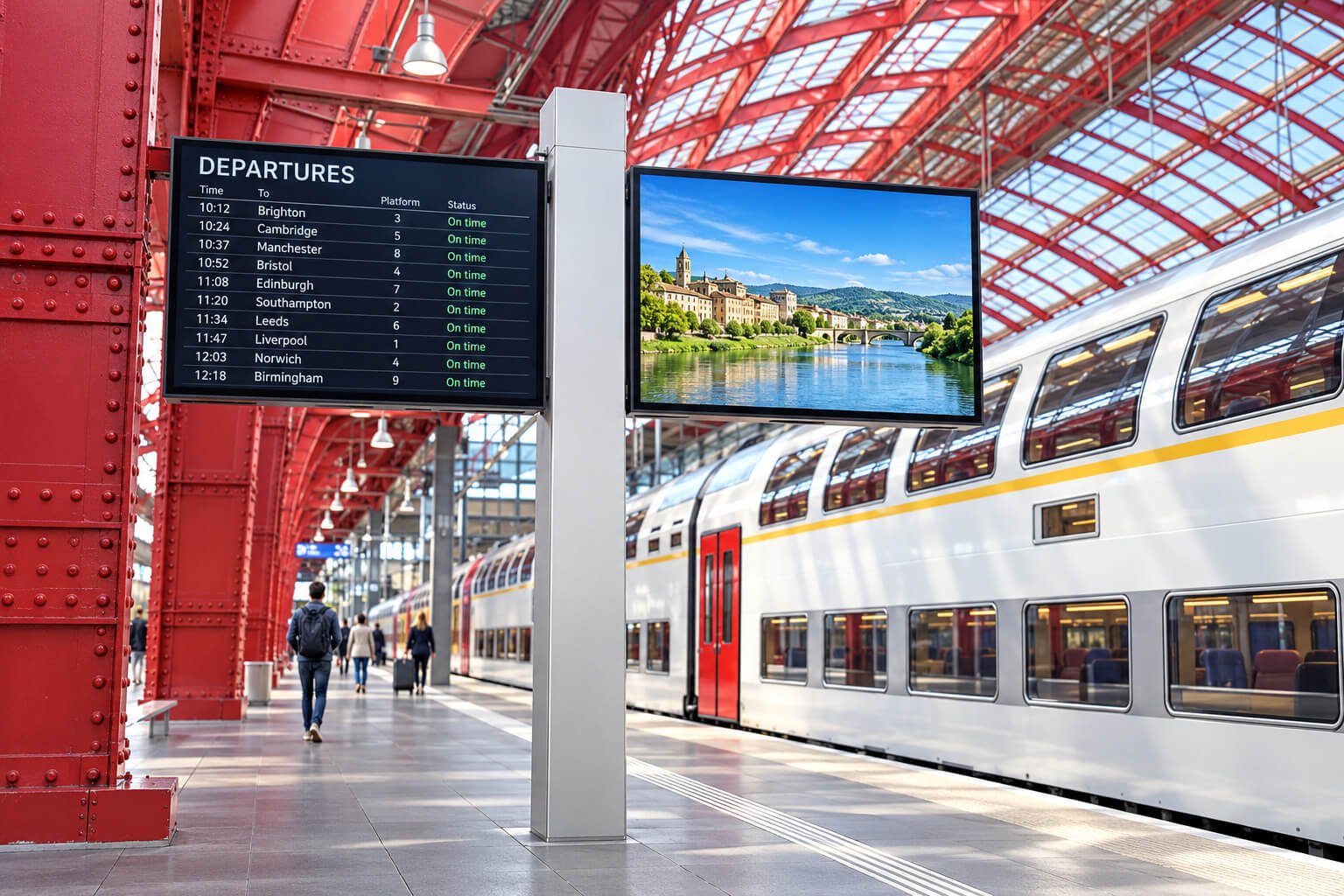

| Factor | Open Frame High Brightness Monitor | Window Facing Display | Outdoor High Brightness Display |
|---|---|---|---|
| Main Purpose | Embedded inside an OEM machine or enclosure | Finished signage installed indoors behind a window | Finished standalone or mounted outdoor display |
| Outer Enclosure | Open metal frame or simplified assembly | Finished indoor signage enclosure | Weather-protected finished enclosure |
| Customer | OEM, equipment maker, kiosk builder or integrator | Retailer, signage installer or commercial operator | Outdoor signage operator or public-display project |
| Weather Protection | Provided by the customer’s machine | Provided by the building/window environment | Provided by the display enclosure |
| Mechanical Flexibility | High; designed around the customer’s housing | Moderate; finished product sizes and mounting | Lower after weatherproof enclosure is defined |
| Touch | Optional and integrated into the OEM front assembly | Usually not the main requirement | Use Outdoor Waterproof Touch Screen Displays when interaction is required |
| Typical Applications | Vending, kiosk, EV charger and industrial equipment | Retail window advertising | Outdoor advertising and public information |
A high-brightness LCD is not automatically an outdoor product. The final equipment must protect the display from water, dust, solar heat, impact, condensation and unsafe electrical conditions.
| Customization Level | Typical Scope | Commercial Position |
|---|---|---|
| Standard Platform Configuration | Select an available panel and configure brightness, controller, touch, glass, frame, cables and mounting | The normal and fastest OEM route |
| Minor Mechanical or Electrical Modification | Change mounting holes, bracket, cable length, connector direction, glass printing, touch interface or power input | Common when the selected platform already matches the main requirement |
| Custom Backlight or Open Frame Assembly | Develop a project-specific backlight, chassis, glass and board combination around an available LCD panel | Possible with engineering charges, sample validation and suitable MOQ |
| New LCD Cell Size or Resolution | Develop a completely new LCD panel architecture and supply chain | Rare and normally requires very high NRE, tooling and mass-production volume |
Select a stable LCD panel first, then customize the brightness, touch, glass, optical bonding, metal frame, controller and cables around the equipment.
Confirm size, brightness, environment, interface, touch, glass, mechanical limits, quantity and lifecycle.
Select a suitable LCD, backlight direction, controller, touch and bonding structure.
Review drawings, mounting holes, glass, connectors, cables, power, timing and equipment integration.
Produce and test the sample assembly; sample or engineering charges may apply.
Verify mechanical fit, brightness, touch, interface, thermal behavior and final front-glass performance.
Lock drawings, BOM, inspection requirements, packaging and repeat-production plan.
| Related Page | When to Visit |
|---|---|
| High Brightness LCD Displays | Overview of the complete High Brightness LCD product family |
| Window Facing Displays | Finished indoor signage installed behind retail glass |
| Outdoor High Brightness Displays | Finished weather-protected outdoor signage |
| Outdoor Waterproof Touch Screen Displays | Waterproof touch screen displays for kiosks, EV chargers and outdoor terminals; front-panel or full-enclosure protection is specified by configuration |
| High Brightness TFT LCD Displays | Panel-level and compact embedded high-brightness LCD requirements |
| Optical Bonding Display Solution | Improve front optical and mechanical integration |
| Custom Touch Glass Solution | Custom touch and cover-glass engineering |
| Window Facing Display Systems | Brightness and storefront-window planning |
| Outdoor High Brightness Display Solutions | Outdoor thermal, enclosure and visibility planning |
| Rugged Outdoor Terminal Solution | Complete protected terminal and equipment applications |
| Industrial Equipment & HMI | Industrial embedded display applications |
| Smart Vending & Unattended Retail | Vending, lockers and self-service retail applications |
| High Brightness vs Normal Display | Understand luminance and environmental selection |
| Custom LCD Module Solution | Panel- and module-level custom display engineering |
It is a high-brightness LCD monitor assembly without a finished consumer or outdoor enclosure, designed to be integrated into an OEM machine, kiosk, cabinet, terminal or industrial equipment housing.
No. The open frame monitor is the embedded display core. Direct rain, dust, impact, UV and environmental protection must be provided by the customer’s final equipment enclosure.
A typical assembly may include the LCD panel, high-brightness LED backlight, LCD or monitor controller, metal open frame, power and signal connections, mounting structure and optional touch, cover glass or optical bonding.
Brightness should be selected from ambient light, direct or indirect sunlight, front-glass transmission and reflection, viewing distance, operating hours, thermal conditions and power limits. Typical projects may start around 1,000–2,500+ nits, but the exact level is model- and project-specific.
No. Higher brightness increases power and heat and may reduce indoor comfort. The correct target is enough luminance after the customer’s front glass and under the real ambient-light condition.
Yes, when the customer’s complete machine provides suitable weather protection, solar-heat management, condensation control, ventilation, grounding and service access.
Not by itself unless a specific protected assembly is explicitly confirmed. A protected front panel does not establish rear-enclosure protection. The final IP rating depends on the complete assembly, front sealing, cable entries and installation. For waterproof interactive projects, explore our Outdoor Waterproof Touch Screen Displays; wet-touch operation is confirmed separately for the selected touch configuration.
Yes. An open frame high brightness monitor can be configured as an open frame touch screen monitor with a compatible projected capacitive or project-specific resistive touch panel. Confirm the touch screen interface, host OS and drivers, cover glass, glove or water requirements and bonding method for the application.
Yes. Glass size, thickness, black border, logo printing, holes, notches and AG, AR or AF surface treatments can be reviewed.
Optical bonding fills the air gap between the display and touch or cover glass. It can reduce internal reflections, improve readability, strengthen the front assembly and improve touch response.
A monitor-controller configuration may support HDMI, DisplayPort, DVI or VGA depending on the selected board. A board-level embedded configuration may instead use LVDS, eDP or MIPI from the customer’s motherboard.
No. They are normally embedded panel interfaces and require the source timing, voltage, pinout and panel configuration to be matched. They are different from standard external HDMI or DisplayPort inputs.
Yes. Mounting-hole positions, bracket direction, frame outline, depth, cable exit, connector direction and equipment integration can be reviewed from the customer’s mechanical drawing.
The most practical route is to select an available LCD panel and customize the backlight, touch, glass, frame, board and cables around it. A completely new LCD cell size or resolution normally requires very high MOQ and paid development.
Please provide the equipment drawing, display opening, active-area requirement, maximum outer dimensions and depth, mounting points, front-glass structure, connector direction, ventilation space and maintenance method.
The customer enclosure should provide a heat path for the high-brightness backlight and controller. Ventilation, heat spreaders, fans, operating temperature, solar loading and internal component spacing must be reviewed.
An Open Frame High Brightness Monitor is embedded into the customer’s equipment. A Window Facing Display is normally a finished signage unit installed indoors behind a storefront window.
Please provide LCD size or active area, resolution, brightness, ambient-light condition, front glass, touch, interface, input voltage, mechanical drawing, installation environment, operating temperature, quantity, certifications, destination and schedule.
Yes. Integrated computing can be reviewed as a project option. Android and Linux require a supported board and software image; Windows requires a compatible x86 platform. Confirm the application, drivers, memory, storage, licensing, power and cooling before selection.
Customer software can be reviewed for platform compatibility. Confirm installation permissions, kiosk mode, automatic startup, network access, recovery after power loss, licenses and update responsibility before sample production.
Selected platforms can support PoE, 4G, USB, RS232, RS485 or GPIO. Availability depends on the board. Confirm total power including the high-brightness backlight, cellular bands, connector details, voltage, protocols and drivers.
Yes, subject to compatibility review. Provide the exact peripheral models, drivers or SDKs, power requirements, mounting space and application workflow so the computing platform and enclosure can be evaluated together.
Yes. Standard-brightness indoor assemblies can be evaluated separately according to the selected panel and equipment requirements. They are not represented by the high-brightness reference model specifications on this page.
Yes. These monitor assemblies can provide the display and optional touch interface for open frame digital signage inside customer equipment. Connect a compatible external PC or media player, or review optional integrated computing for CMS playback and customer applications. Select brightness, mounting, cooling and software according to the installation.
Send us the LCD size or active area, resolution, brightness requirement, ambient-light condition, equipment drawing, touch and cover-glass requirement, interface, power input, operating environment, optional computing platform, software and peripherals, quantity, certification needs and schedule.
We will review a suitable LCD platform and configure the backlight, controller, open frame, touch, glass, optical bonding, cables and mounting around your equipment. Integrated computing, software compatibility and peripheral interfaces can be reviewed when required.
Open Frame High Brightness Monitors are designed for integration into the customer’s enclosure. They are not automatically finished waterproof outdoor displays.