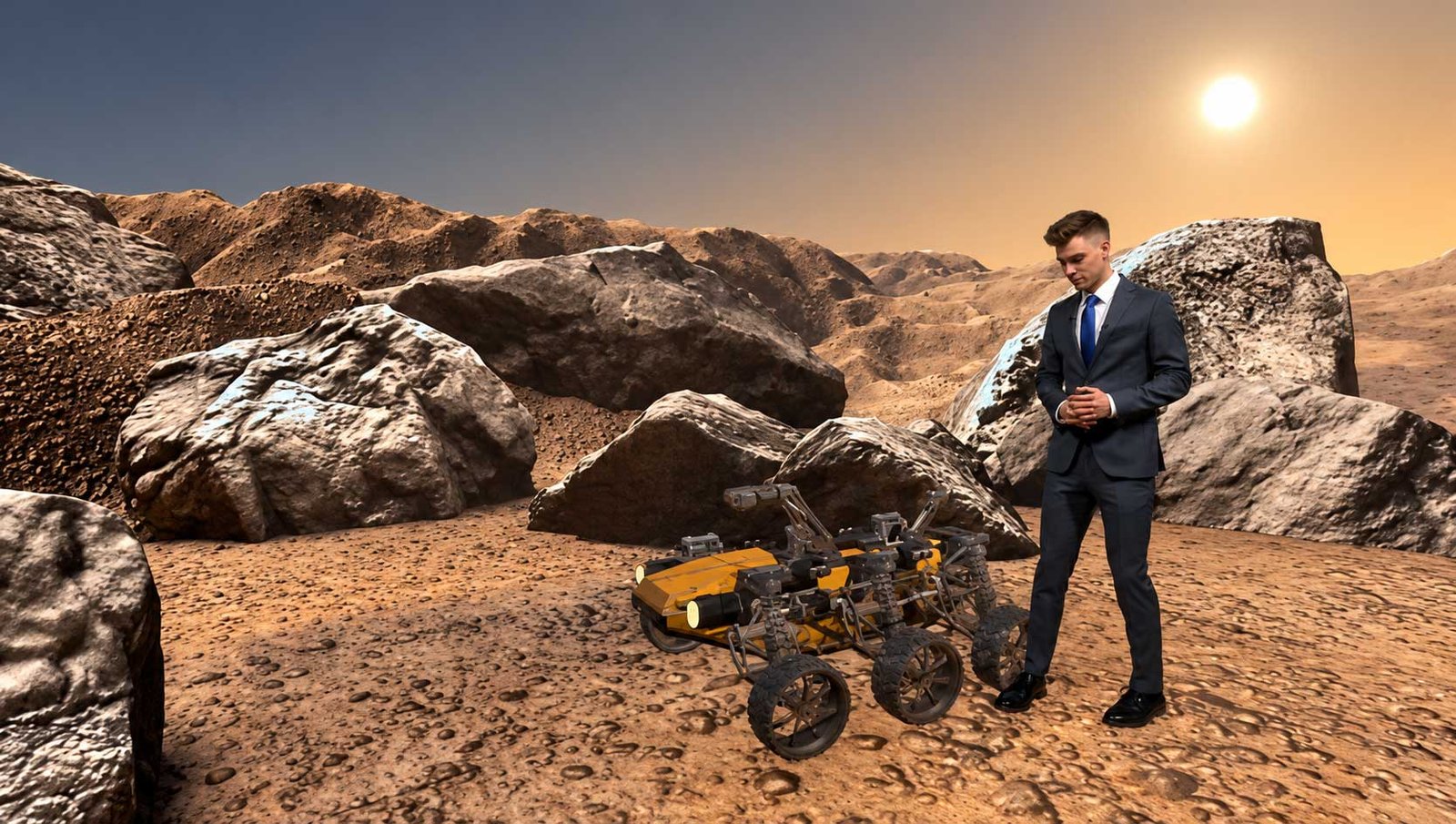
Professional XR LED Display Manufacturer

The New Standard for “Final Pixel” Virtual Production.

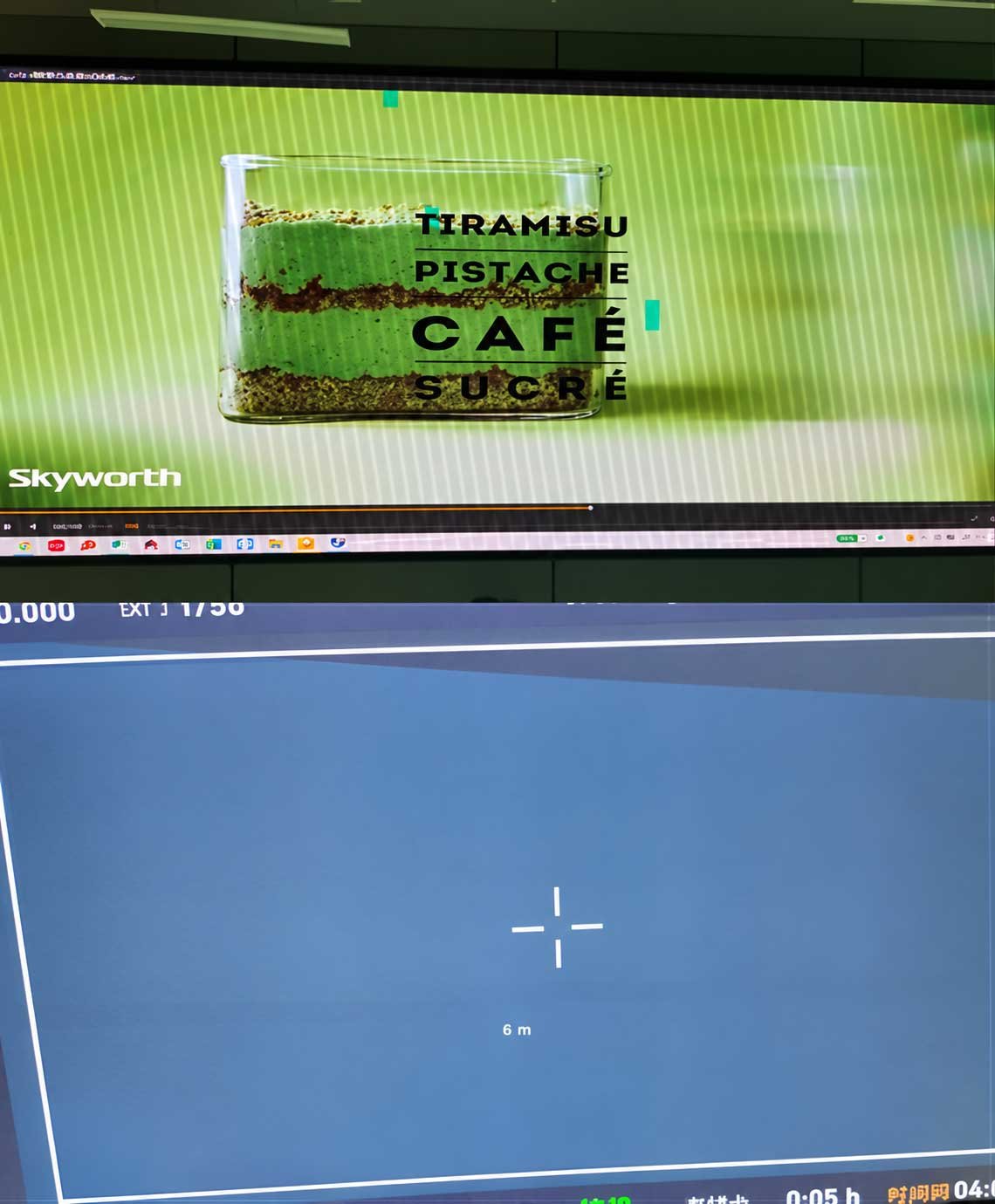
Eliminate the “Green Screen Tax” and stop fixing it in post. DisplayMan’s XR Series delivers a high-performance 7680Hz refresh rate and 22bit+ fine grayscale to ensure artifact-free, cinematic results directly in-camera. Experience Hollywood-grade immersion with Manufacturer-Direct ROI.

XR LED Displays: Designed for the Camera Workflow, Not Only the Human Eye

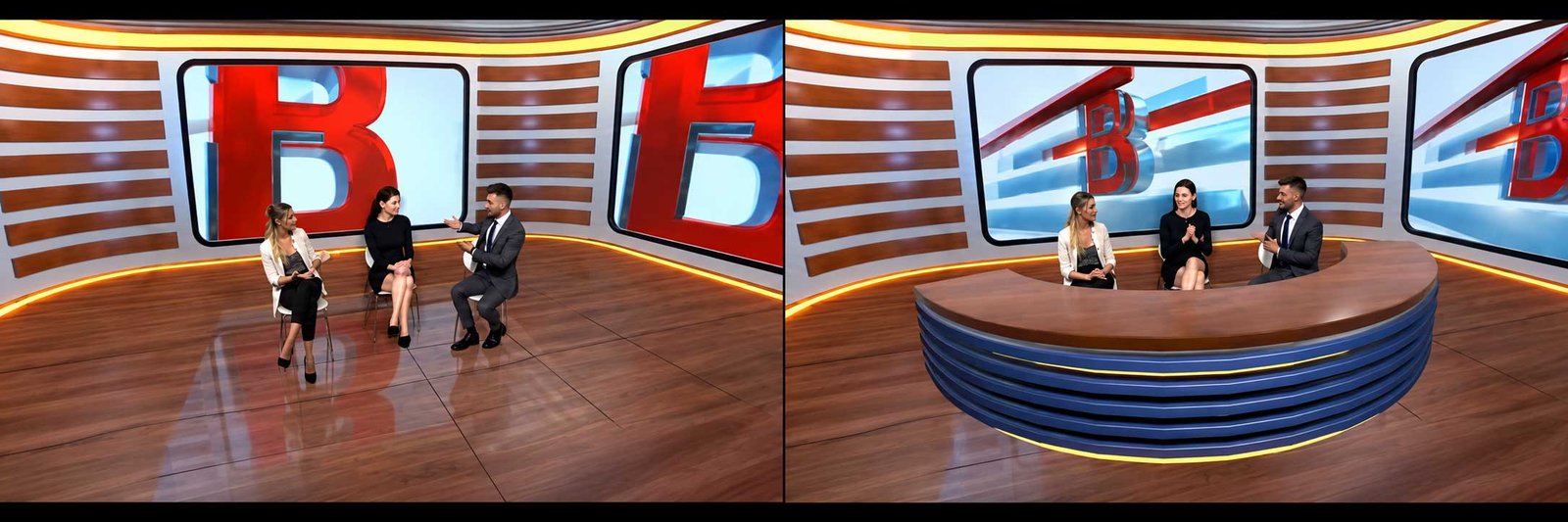
XR LED Displays are professional camera-facing LED systems for virtual production, broadcast studios, live streaming, corporate studios, film sets, product launches and immersive content stages.

A standard LED wall can look excellent to a person and still show flicker, scan artifacts, moiré, color shift or banding through a professional camera. XR therefore requires the LED hardware, control system, camera, lens, media server, rendering engine and synchronization workflow to be reviewed together.

Core Selection Principle

XR LED Displays are selected when the LED screen must perform correctly for cameras, not only for human eyes. Pixel pitch, refresh rate and brightness are only part of the decision.

P1.95 / P2.6Two practical XR product directions for different camera distances and volume sizes.
≥7680Hz DirectionHigh-refresh project configurations for camera-facing applications.
Genlock ReviewDisplay timing must fit the complete production signal workflow.
Camera-Test MindsetMoiré and artifact risk must be reviewed with the real camera/lens setup.

XR LED Display Product Directions

Choose the product direction from the production workflow first, then select pixel pitch, cabinet and control architecture.

Product DirectionPrimary RoleBest ForSelection Logic
XR LED WallMain camera-facing virtual backgroundVirtual production, broadcast, corporate studios, immersive stagesChoose when the LED surface is the primary background seen by the camera
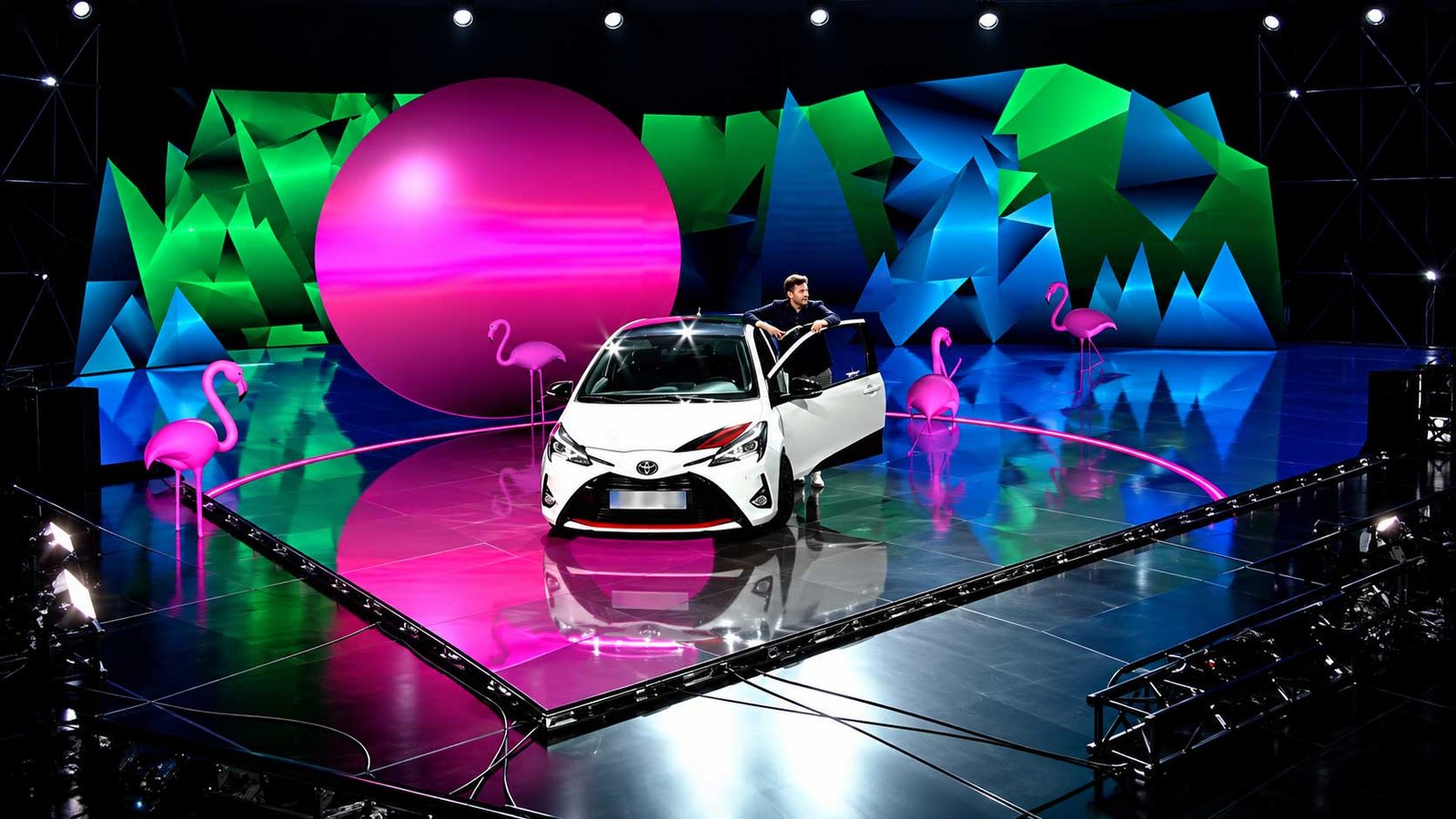
XR LED FloorVirtual ground plane / reflectionsExtended environments, automotive/product shoots, immersive stagesRequires load-bearing, surface protection, anti-slip and color matching review
XR LED Ceiling / Lighting PanelAmbient scene color and reflection supportStudios needing controllable overhead color or scene lightingReviewed as part of lighting/reflection workflow, not simply as another video wall
XR-P1.95 DirectionCloser camera distance / smaller studioPremium close shots, smaller volumes, tighter camera-to-wall distanceHigher pixel density direction when camera distance and lens require it
XR-P2.6 DirectionBalanced XR volumeMedium and larger studios, broadcast rooms, cost-balanced volumesGood balance of screen area, camera distance and project investment
Broadcast XR DirectionRepeatable camera-facing studioNewsrooms, live streaming, corporate studiosPrioritizes stable color, refresh, calibration and repeatable control workflow
Virtual Production LED VolumeMulti-surface production environmentFilm, commercial video, product content and immersive productionWall, floor, ceiling, tracking, rendering and signal chain must be reviewed together
XR LED + Control SystemProfessional signal architectureProjects requiring Genlock, processor and receiving-card matchingSelect when display and production synchronization must be engineered as one chain

XR-P1.95 & XR-P2.6 Reference Product Directions

XR-P1.95Closer Camera Distance / Higher Pixel Density

Reference direction for smaller studios, closer camera-to-wall distance, premium broadcast and tighter shots where higher pixel density creates real value.

Reference: 1.953 mm pitch · 256 × 256 cabinet resolution · ≥7680Hz project review · front service.

XR-P2.6Balanced XR Volume / Larger Screen Efficiency

Reference direction for medium and larger LED volumes where total screen area, camera distance and system cost need a stronger balance.

Reference: 2.604 mm pitch · 192 × 192 cabinet resolution · ≥7680Hz project review · front service.

SpecificationXR-P1.95 DirectionXR-P2.6 Direction
Pixel Pitch1.953 mm2.604 mm
Reference Cabinet Size500 × 500 mm class500 × 500 mm class
Module Resolution128 × 128 px96 × 96 px
Cabinet Resolution256 × 256 px192 × 192 px
Pixel Density262,144 dots/m²147,456 dots/m²
Brightness1000–1200 cd/m² project review1000–1200 cd/m² project review
Visual Refresh Rate≥7680 Hz project review≥7680 Hz project review
Drive Mode1/16 dynamic scanning direction1/16 dynamic scanning direction
Grayscale16-bit to 22bit+ project review16-bit to 22bit+ project review
Cabinet MaterialDie-cast aluminumDie-cast aluminum
Reference Cabinet WeightAround 7.2 kg project reviewAround 7.2 kg project review
Protection DirectionIP5X studio dust-protection directionIP5X studio dust-protection direction
MaintenanceFront-service magnetic moduleFront-service magnetic module
Reference Specifications, Not Universal Guarantees

Final performance depends on the selected LED module, driver IC, receiving card, processor, cabinet revision and production workflow. Confirm the final project datasheet before order.

Camera-Facing Performance: The Real Difference Between XR and Normal LED

For XR, the camera is part of the display specification. A high refresh number alone is not enough.

Camera / Display FactorWhat Must Be Reviewed
Refresh RateA high refresh direction such as ≥7680Hz can help reduce camera flicker and scan artifacts, but it must be reviewed together with camera frame rate, shutter angle/speed and processor settings.
Scan ModeLow-scan architecture is important for camera-facing work. The selected scan mode should be confirmed with the final module and driver configuration.
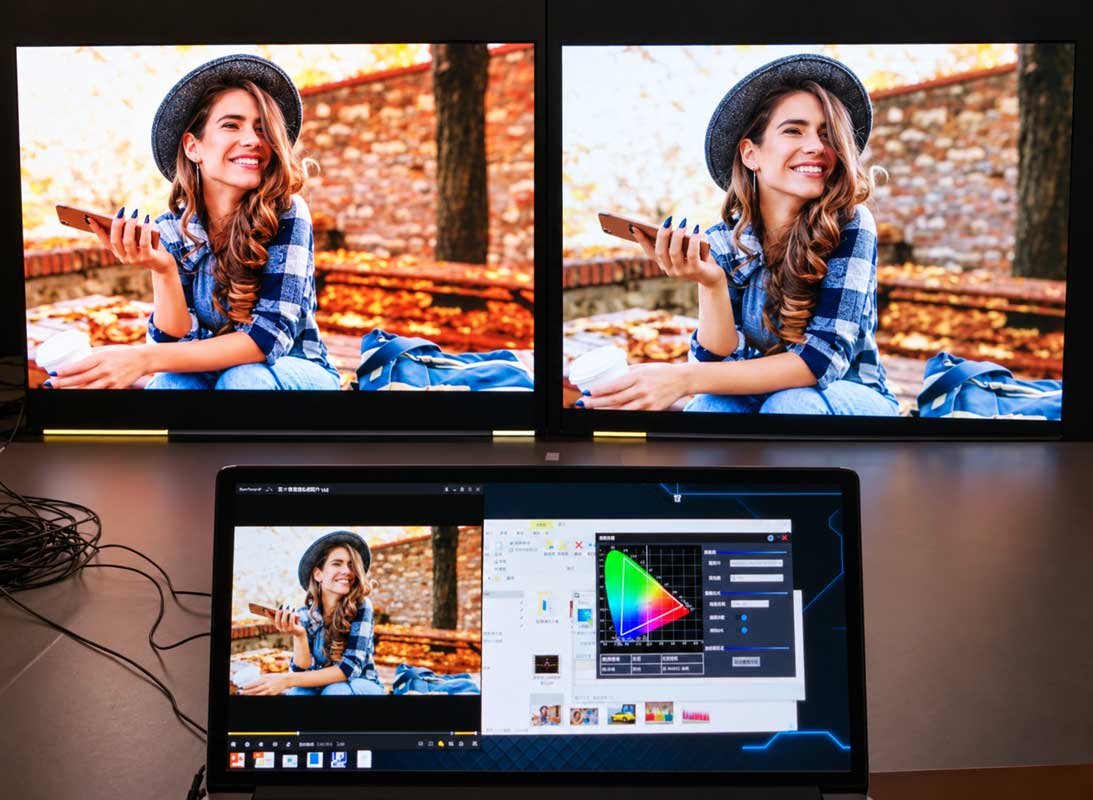
Fine GrayscaleHigher grayscale processing can improve dark gradients, shadow detail and low-brightness transitions that cameras may reveal more clearly than the eye.
GenlockGenlock can synchronize LED/video timing with the production system and camera workflow. It should be reviewed together with processor, media server and frame-rate architecture.
Color CalibrationCabinet-to-cabinet uniformity, white balance, gamma, color temperature and brightness calibration become more critical when the wall is captured by professional cameras.
Moiré RiskPixel pitch alone does not determine moiré. Camera distance, sensor, lens focal length, aperture, focus, viewing angle and LED mask design also matter.
Camera DistanceThe wall may look visually fine to a person while producing moiré or visible pixel structure on camera. Real camera-to-wall distance must be part of pitch selection.
Processor / Receiving SystemRefresh, color, synchronization and total pixel load depend on the control architecture as well as the LED cabinet.

How to Choose the Right XR LED Display

Start with the camera geometry and production workflow, not with pixel pitch alone.

Decision FactorWhat to ProvideWhy It Matters
Studio TypeVirtual production, broadcast, live streaming, corporate studio, education or event content stageDefines how strict camera, tracking and rendering requirements need to be
Camera-to-Wall DistanceClosest planned shooting distanceOne of the most important inputs for pitch and moiré review
Camera & LensCamera sensor, lens focal length, aperture, frame rate, shutter speed/angleDetermines how the LED pixel structure is captured
Pixel PitchP1.95, P2.6 or another project directionChoose from the camera geometry and required screen area, not only from viewing distance
Wall GeometryFlat / curved / partial wrap / LED volumeInfluences cabinet layout, content mapping, camera angle and structure
Floor / Ceiling RequirementWall only, wall + floor, wall + ceiling or full volumeChanges mechanical, power, safety and color-matching requirements
Signal ArchitectureProcessor, Genlock, media server, inputs and receiving systemMust support the required frame rate, pixel load and synchronization workflow
Tracking / RenderingCamera tracking, rendering engine and media-server workflowCritical when the background perspective changes with camera movement
Calibration / Camera TestCalibration method and pre-production camera testRecommended before final approval for professional XR production
Practical Selection Chain

Studio Type → Camera & Lens → Camera Distance → Pixel Pitch → Wall Geometry → Processor / Genlock → Tracking / Rendering → Calibration / Camera Test.

Architectural Showcase: The XR System Flow

A Seamless Ecosystem: From Engine to Lens

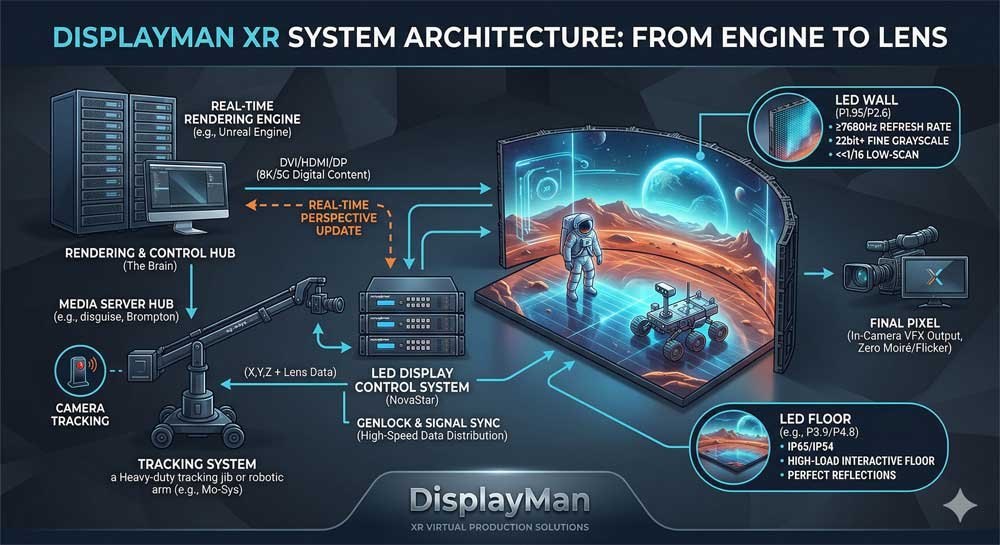
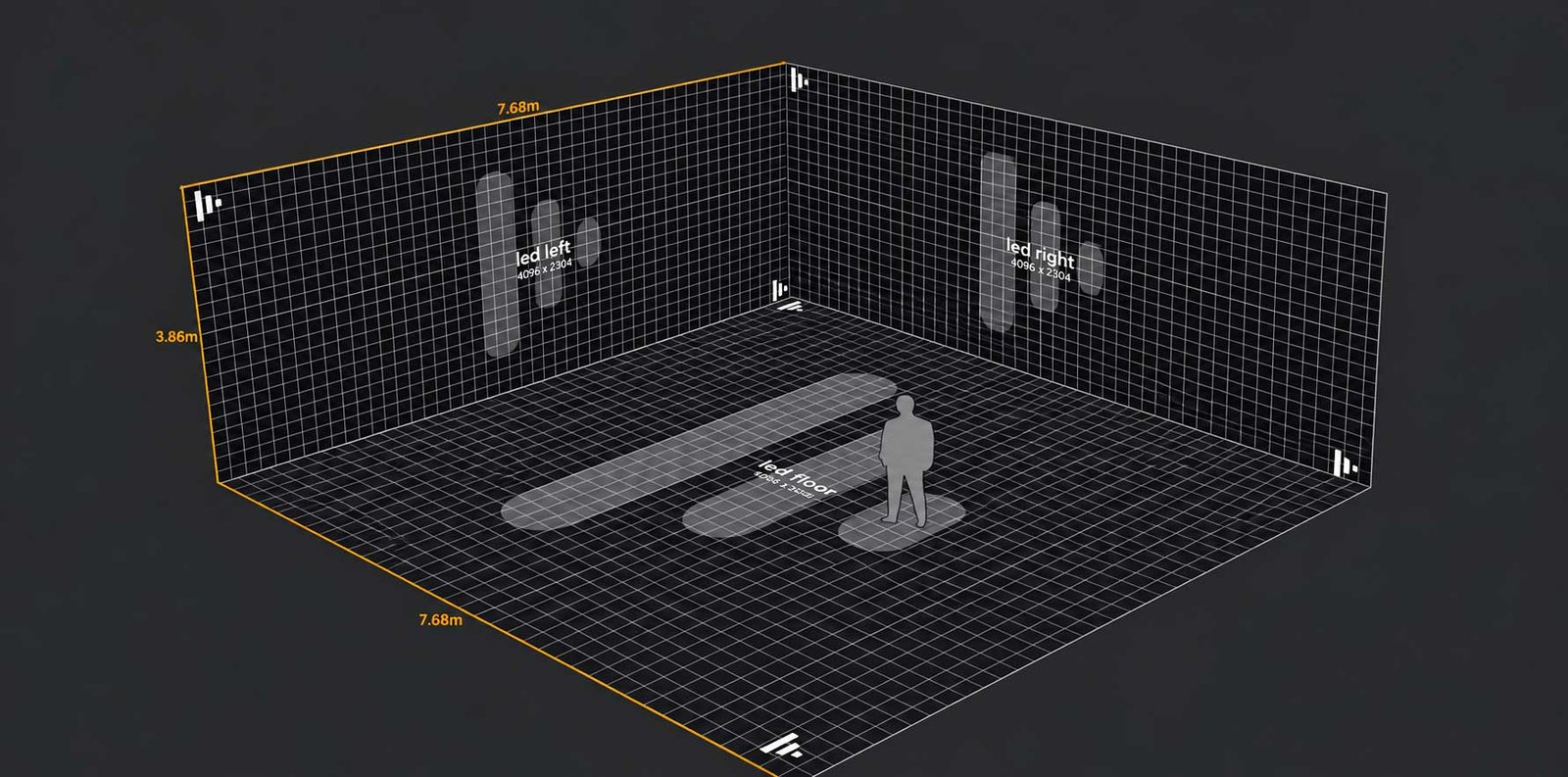
An XR volume is more than an LED wall. It is a synchronized visual system that connects the rendering engine, camera tracking, media processing, LED control hardware and the physical LED volume.

For professional virtual production, the goal is not simply to display content on a screen. The system must deliver a background that responds correctly to camera movement, lens changes, timing requirements and real-time scene updates.

DisplayMan approaches XR LED as a system-level camera workflow, helping customers review how the LED display and control architecture fit into the broader production environment.

XR LED virtual production system architecture showing rendering engine, camera tracking, media server, LED control system, wall, floor, ceiling and camera workflow
XR LED Virtual Production System Architecture — engine-to-lens workflow for rendering, tracking, media processing, LED control and the physical XR volume.
Rendering EngineReal-time 3D environment
Tracking & MediaCamera/lens data + scene workflow
LED ControlMapping + synchronization
XR LED VolumeWall / floor / ceiling
Camera CaptureFinal production image
01 · The Brain

Real-Time Rendering Engine

The rendering engine generates the virtual 3D environment in real time. Platforms such as Unreal Engine are commonly used in professional virtual-production workflows.

  • Real-time output: the digital environment is rendered continuously as production conditions change.
  • Perspective correction: when camera position changes, the rendered viewpoint can update to maintain the correct visual perspective.
  • Scene integration: lighting, objects, animation and virtual environments can be coordinated inside the rendering workflow.
02 · The Nervous System

Camera Tracking & Media Processing

Camera tracking connects the physical camera to the digital environment. Professional tracking systems can feed position, orientation and lens data into the rendering workflow.

  • Tracking data: X / Y / Z position, rotation and lens metadata can be used by the real-time scene.
  • Media-server coordination: systems such as Disguise-class workflows or other production media servers can manage output, compositing and signal routing.
  • Production integration: the tracking and media layer bridges camera movement, rendered content and final LED output.
03 · The Control Backbone

LED Display Control System

The LED control architecture distributes rendered image data to the XR LED volume and helps maintain timing, mapping and camera-facing stability.

  • NovaStar-based architecture: project configurations can use professional NovaStar controller and receiving-card platforms according to total pixel load and studio requirements.
  • High-bandwidth workflow: 8K-class or other high-resolution production pipelines can be reviewed where required by the project.
  • Signal synchronization: Genlock and high-frame-rate workflows can be reviewed so display timing fits the camera and production system.
  • Cabinet-level control: receiving cards, calibration and mapping determine the final behavior of the physical LED surface.
04 · The Physical Volume

XR LED Wall, Floor & Ceiling

The final output is realized across one or more physical LED surfaces. Each surface plays a different role in the camera image and should be engineered accordingly.

  • XR LED Wall: the primary camera-facing virtual background.
  • XR LED Floor: extends the ground plane and can support reflections, scene continuity and environmental color.
  • XR Ceiling / Lighting Surface: can contribute ambient color, reflections or controllable scene-light support where required.
  • Volume coordination: wall, floor and ceiling should be reviewed for color matching, geometry, camera angle and control-system compatibility.

Visual Logic: XR System Architecture

System Component Primary Role DisplayMan Project Direction
Rendering EngineReal-time content creationIntegrate the LED workflow with real-time rendering platforms such as Unreal Engine according to the production architecture.
Camera TrackingCamera position, orientation and lens dataReview tracking-data requirements with the customer or XR integrator so camera movement can drive perspective-correct content.
Media Server / Content SystemSignal, playback and production workflow coordinationReview compatibility with the selected media-server / production pipeline rather than locking the display to one server brand.
LED Control SystemImage distribution, mapping and synchronizationNovaStar-based or other professional control architectures can be selected from total pixels, refresh, Genlock and project requirements.
Receiving CardsCabinet-level LED driving and refresh behaviorMatch receiving-card architecture to the module, driver IC, scan mode and target camera performance.
Genlock / SyncProduction timing coordinationReview synchronization across processor, media server and camera workflow where required.
XR LED WallMain virtual backgroundOptimize pitch, camera distance, geometry, service access, calibration and moiré risk.
XR LED FloorGround-plane extension and reflectionsReview load bearing, surface protection, anti-slip, color match and camera angle.
XR LED Ceiling / Lighting SurfaceAmbient scene color and reflection supportReview brightness, color temperature, weight, mounting and scene-lighting role.
CalibrationBrightness, gamma and color consistencyUse cabinet-level calibration and final camera validation to align the complete volume.

Why This Architecture Matters

In XR virtual production, the LED screen is only one part of the final image. Camera-facing performance depends on how the rendering engine, tracking workflow, media processing, LED control system, synchronization and physical LED volume work together.

That is why DisplayMan positions XR LED not as a standard video-wall product, but as a camera-facing integrated display workflow.

DisplayMan Scope Boundary

DisplayMan can supply XR LED display hardware and support project-based display / control-system review. Camera tracking, rendering engines, media servers, full studio design and local integration may require coordination with the customer's XR production team or specialist integrator.

XR Volume in Practice

Real-Time Virtual Production Studio — From System Architecture to Physical Stage

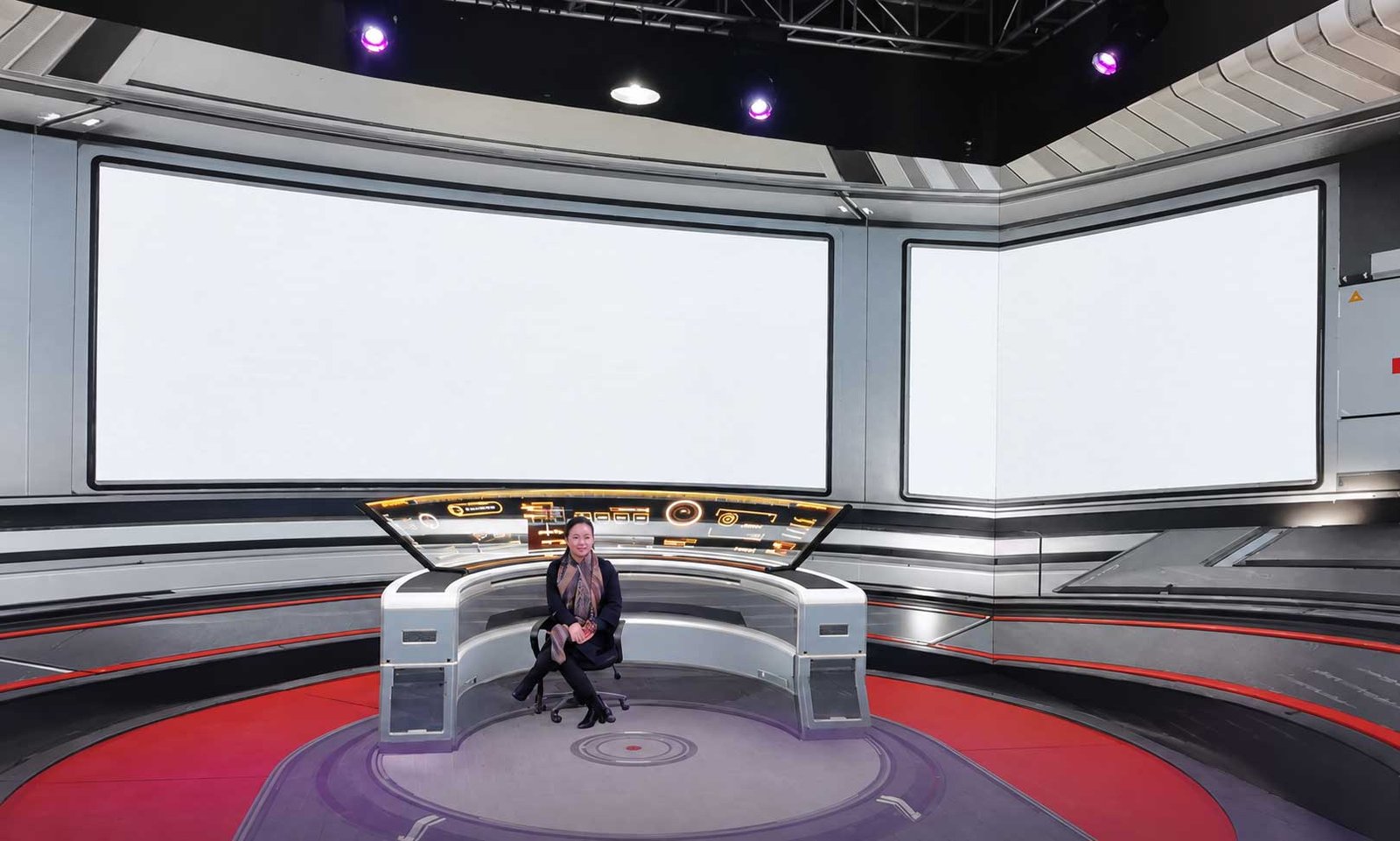
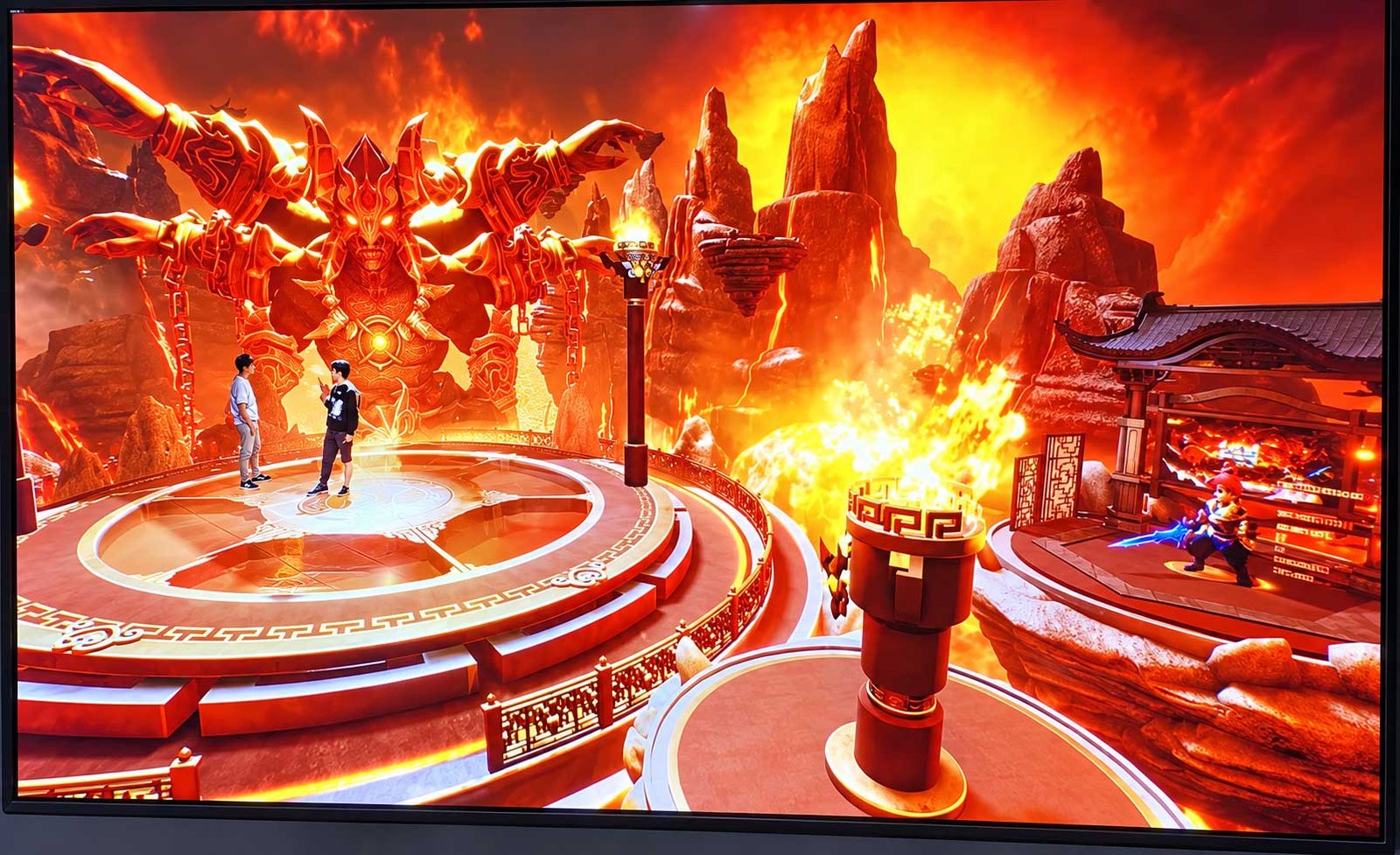
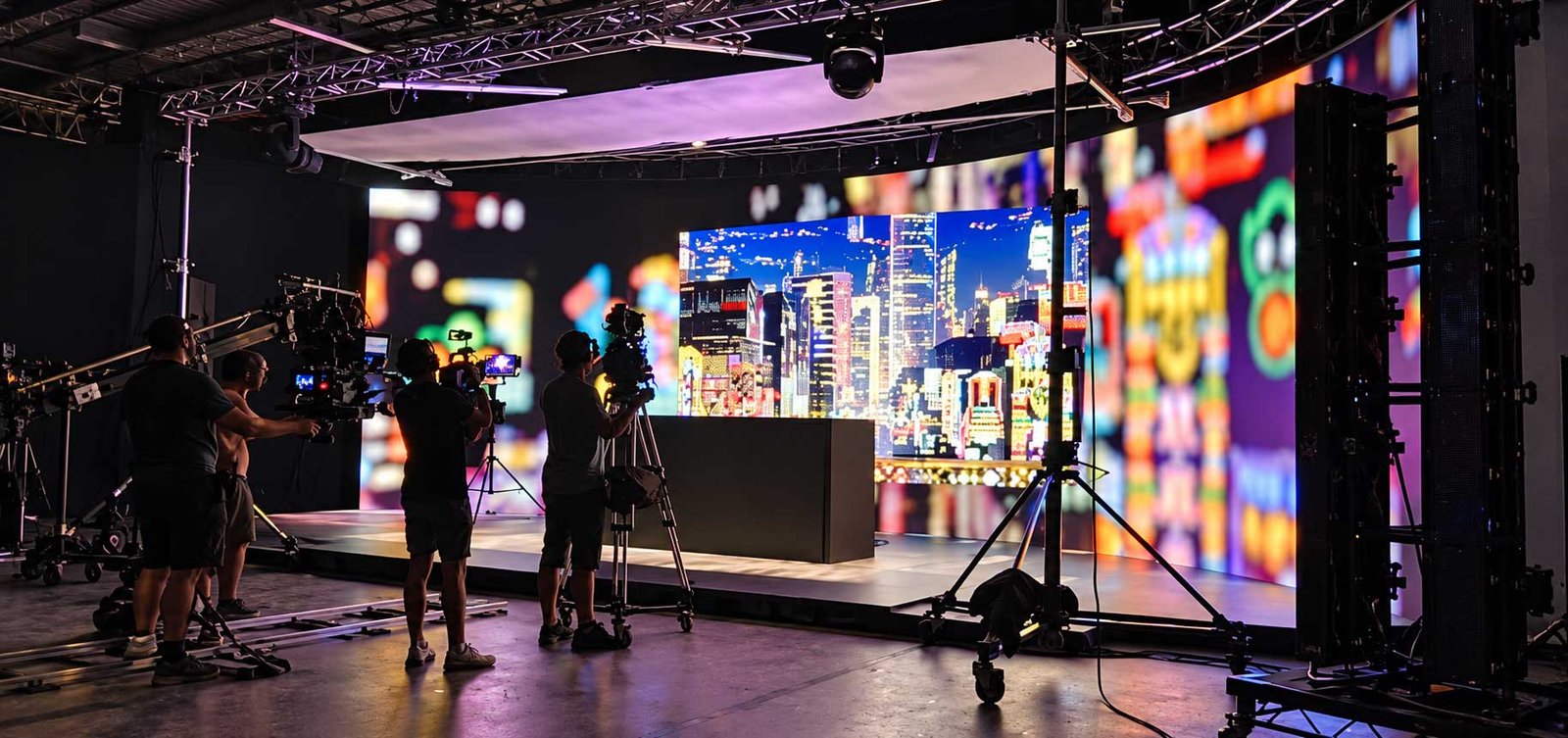
The engine-to-lens architecture becomes a real production environment when the rendering, tracking, control and LED systems are combined into a physical XR volume. This type of stage can bring together a camera-facing LED wall, extended floor visuals and scene-lighting surfaces for live performance, broadcast and virtual production workflows.

Real-time virtual production studio with XR LED stage for live performance and camera-facing content production
Real-Time Virtual Production Studio — XR LED stage illustrating how the display architecture becomes a physical camera-facing production environment.

XR LED Wall, Floor & Ceiling

The same XR volume can use different physical LED surfaces, but each surface has a different engineering role.

SurfacePrimary RoleKey Engineering Review
XR LED WallMain virtual backgroundWidth/height, pitch, camera distance, flat/curved layout, refresh, grayscale, Genlock, color calibration, front maintenance
XR LED FloorGround plane / reflectionsLoad bearing, anti-slip, surface protection, cabinet strength, color match, camera angle, safe installation
XR LED Ceiling / Lighting PanelAmbient color / reflectionsBrightness, color temperature, weight, heat, mounting height, power routing and scene-lighting need
Background

XR LED Wall

The main camera-facing background. Camera distance, pitch, wall geometry, front service, calibration and signal architecture are the key decisions.

Ground Plane

XR LED Floor

Extends the scene onto the ground plane. Mechanical strength, anti-slip, surface protection and safe installation are essential.

Lighting

XR Ceiling / Lighting Panel

Supports scene color and reflection. It should be reviewed as part of lighting and reflection workflow rather than simply as another display.

XR Project Workflow: From Studio Concept to Camera Validation

Professional XR projects are safer when display decisions are frozen only after camera and production requirements are understood.

1
Production DiscoveryStudio type, wall size, camera system, shooting distance and production workflow.
2
Display & Camera FeasibilityPitch, moiré risk, refresh, scan, brightness, wall geometry and control direction.
3
System ArchitectureLED cabinets, processor, receiving cards, Genlock, media server, tracking and signal chain.
4
Factory ValidationCabinet assembly, functional test, calibration and camera-facing parameter review where applicable.
5
Commissioning SupportDisplay configuration, calibration guidance and coordination with customer / XR integrator during final setup.
Camera Validation Before Final Sign-Off

For professional XR work, camera tests are strongly recommended where possible. Fine pitch can reduce some risks, but it cannot replace real validation of camera distance, lens, shutter, focus and display settings.

XR LED Display Applications

Application

Virtual Production Studios

Film, commercial video and real-time digital-set production using camera-tracked virtual backgrounds.

Application

Broadcast Studios

Newsrooms, sports commentary, live streaming, interview spaces and professional broadcast environments.

Application

Corporate XR Studios

Product launches, executive communication, training, webinars and branded virtual presentation content.

Application

Product Launch Stages

Automotive, technology and premium-product presentations using immersive real-time backgrounds.

Application

Education & Training Studios

Universities, media programs and creative labs teaching virtual-production workflows.

Application

Live Streaming & Content Creation

Smaller camera-facing LED spaces for online events, podcasts, courses and branded content.

XR LED Display vs Rental LED Display

FactorXR LED DisplayRental LED Display
Main UseVirtual production and camera-facing contentEvents, stages, concerts and temporary video walls
Primary ViewerProfessional camera + production workflowAudience / human viewers
Refresh / Scan RequirementHigher and more camera-specificHigh refresh useful, but not always XR-level
GenlockOften importantNot always required
Color CalibrationMore critical for camera captureImportant, usually less strict
Moiré ReviewMust be reviewed carefullyUsually less critical unless filmed closely
System WorkflowRendering engine + tracking + media server + camera syncVideo processor + standard playback workflow
Best ForXR studios, broadcast, virtual productionLive events, exhibitions and stage screens

XR LED Display vs Indoor Fine Pitch LED Display

FactorXR LED DisplayIndoor Fine Pitch LED
Main PurposeCamera-facing virtual productionHuman-viewed indoor video wall
Pitch SelectionCamera distance + lens + moiré + screen sizeHuman viewing distance + content detail
Refresh / ScanHigher and more camera-specificDepends on application
GenlockOften requiredUsually not required
Color WorkflowCamera / content / calibration workflowHuman visual performance focused
Control SystemXR / media-server production workflowStandard LED control workflow
Best ForVirtual production, broadcast, XR studiosControl rooms, boardrooms, showrooms

XR LED Display vs Green Screen

FactorXR LED DisplayGreen Screen
BackgroundReal-time LED backgroundAdded through chroma-key / post-production workflow
On-Set Lighting / ReflectionsLED surface can contribute scene color and reflectionsRequires separate lighting and post-production treatment
Talent InteractionTalent can see the virtual environmentTalent performs in front of a plain chroma background
On-Set ReviewReal-time scene review is possibleFinal composite depends more heavily on post-production
Initial System CostHigher LED + control + workflow investmentLower display-stage hardware cost
Post-ProductionCan reduce some background replacement workMore dependent on chroma key and compositing
Best FitRepeatable virtual sets and in-camera visual workflowsProjects where traditional VFX/chroma workflow is more practical
XR Does Not Replace Every Other Production Workflow

XR is strongest when real-time backgrounds, on-set visual review, reflections and camera-tracked perspective create enough production value to justify the system cost and workflow complexity. Green screen remains practical for many VFX projects.

When XR LED Is the Right Product

Recommended

Good Fit

  • Camera-facing virtual production or broadcast is the primary goal
  • The LED wall will be captured directly by professional cameras
  • Genlock / synchronization is part of the workflow
  • Camera tracking or real-time rendering is required
  • Moiré and camera artifacts must be controlled
  • The project can support professional processor / media / calibration workflow
  • Wall, floor or ceiling LED surfaces need coordinated color
  • Camera testing can be included before final approval
Alternative

Choose Another Product When

  • The screen is mainly for human audience viewing
  • The project only needs a temporary event wall — choose Rental LED
  • The project needs a permanent indoor wall without XR workflow — choose Indoor Fine Pitch LED
  • The project needs a portable event poster — choose Portable Foldable LED Poster
  • Budget or production workflow makes green screen more practical
  • The customer has no camera / rendering / tracking workflow
  • A standard signage or presentation product is sufficient

What Information Should You Provide for an XR LED Quote?

Display

Display & Studio Requirement

  • Studio type: virtual production / broadcast / livestream / corporate / education
  • LED wall width × height
  • Flat or curved wall
  • LED floor requirement
  • LED ceiling / lighting-panel requirement
  • Preferred pixel pitch if known
  • Front maintenance requirement
  • Installation structure / site information
Camera Workflow

Camera & Production Workflow

  • Camera model
  • Lens information
  • Closest camera-to-wall distance
  • Frame rate
  • Shutter speed / shutter angle
  • Genlock requirement
  • Media server / processor requirement
  • Rendering engine / tracking workflow
  • Color / calibration requirement
  • Project schedule and budget range
Camera Information Is Required for a Serious XR Review

A normal LED quotation based only on width, height and pitch is not enough to confirm whether a system is suitable for virtual production.

XR LED Display FAQ

What is an XR LED Display?

An XR LED Display is a professional LED display system used in virtual production, broadcast and other camera-facing environments. It is reviewed together with processor, camera, lens, media server, synchronization and content workflow.

Is XR LED the same as a normal LED video wall?

No. XR LED requires stricter review of refresh rate, scan mode, grayscale, Genlock, color calibration, moiré risk, camera settings and the complete production workflow.

What pixel pitch should I choose for XR LED?

It depends on camera distance, wall size, lens, camera sensor, content and budget. P1.95 is a strong direction for closer camera distances; P2.6 is often practical for medium and larger XR volumes.

Is P1.95 always better than P2.6?

No. P1.95 provides higher pixel density but costs more. P2.6 may be more efficient when the camera is farther from the wall or the total LED volume is larger.

Does XR LED need 7680Hz refresh rate?

A ≥7680Hz direction can be useful for selected XR configurations, but refresh rate alone does not guarantee camera performance. Scan mode, shutter, frame rate, processor, grayscale and synchronization must also be reviewed.

Does XR LED need Genlock?

For professional XR and broadcast workflows, Genlock is often important. It should be reviewed together with the processor, media server, camera and production frame-rate architecture.

What causes moiré on XR LED screens?

Moiré can result from interaction between the camera sensor and the LED pixel structure. Pixel pitch, camera distance, lens, aperture, focus, viewing angle and mask design all affect the risk.

Can fine pixel pitch completely eliminate moiré?

No. A finer pitch can help in some setups, but it does not eliminate the need for camera-distance and lens review. Professional XR projects should include camera testing where possible.

Can Rental LED Displays be used for XR?

Some high-performance rental systems can support camera-facing work, but a normal rental screen should not automatically be treated as XR-ready. The complete display and control workflow must be reviewed.

Can Indoor Fine Pitch LED be used for XR?

Some indoor fine-pitch hardware may be suitable, but XR requires additional camera-specific review of refresh, scan, moiré, Genlock, calibration and production workflow.

What is an XR LED floor?

An XR LED floor extends the virtual scene onto the ground plane and can provide visual continuity and reflections. It requires load-bearing, protection, anti-slip, safety and camera-angle review.

Do I need an XR ceiling?

Not always. Ceiling / lighting panels are project-dependent and may support ambient scene color, reflections and lighting consistency.

Can XR LED completely replace green screen?

No. XR LED and green screen serve different production workflows. The right choice depends on budget, scene requirements, crew experience, post-production workflow and whether real-time in-camera backgrounds provide enough value.

Can DisplayMan provide a complete XR studio?

DisplayMan can supply XR LED display hardware and support project-based display/control-system review. A complete XR studio may also require camera tracking, rendering, media-server workflow, studio design and local integration partners.

What information is needed for quotation?

Provide studio type, LED wall size, camera model, lens information, closest camera distance, preferred pitch if known, floor/ceiling requirement, Genlock requirement, media server/control requirements, installation condition, quantity, schedule and target budget range if available.

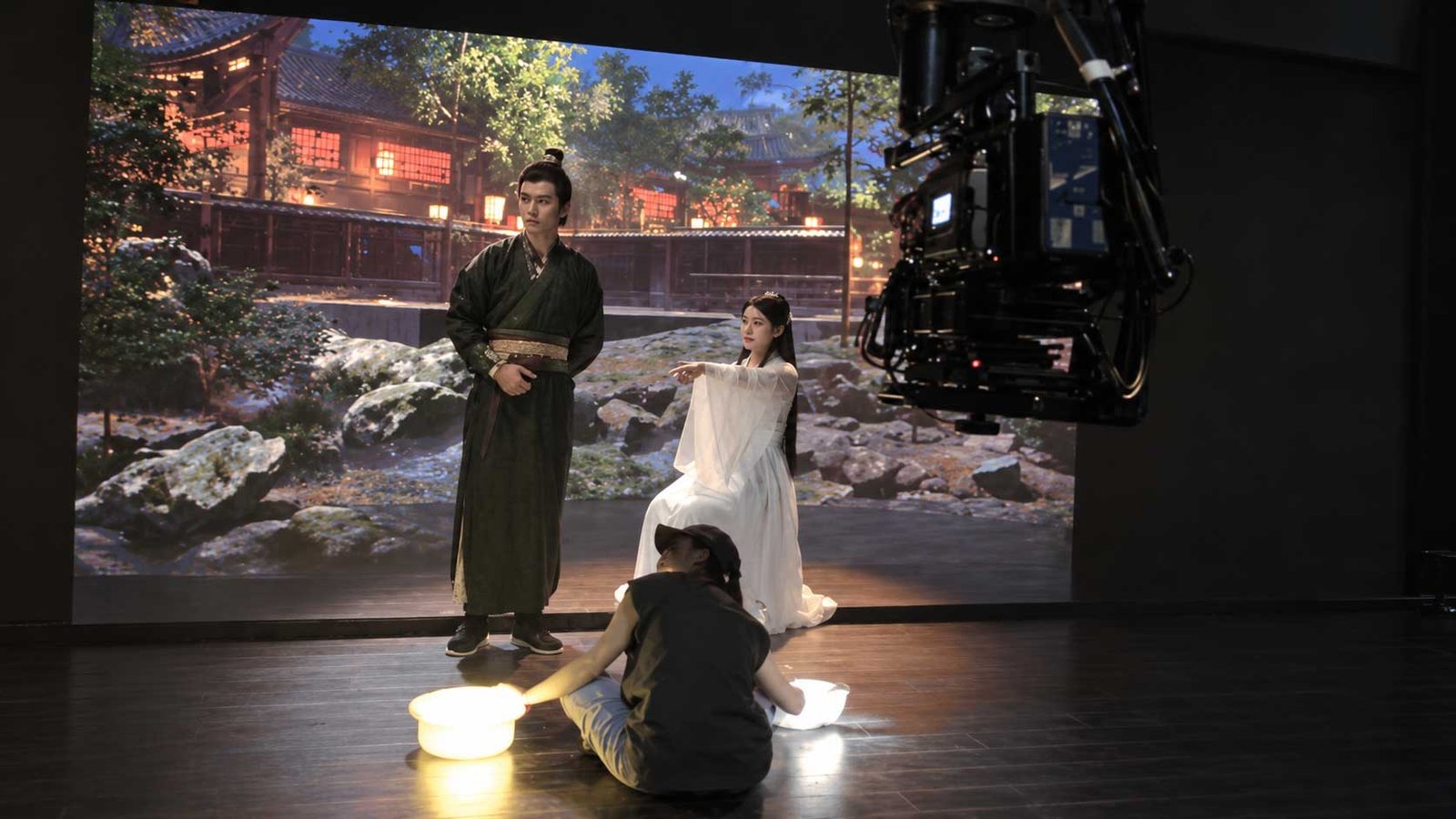
Build the XR Display Around the Camera Workflow

Send the studio type, wall size, camera model, lens, closest shooting distance, pitch preference and Genlock / media-server requirements. DisplayMan can review the most practical XR LED hardware and control-system direction.

Send Your Display Requirement

Please share your application, display size, quantity and project background. We will review the most practical display direction.