
Explore touchscreen tables, interactive coffee tables, digital flip-book desks and signature/photo terminals for museums, showrooms, retail and visitor spaces. Match the screen, touch system, software, viewing angle and furniture structure to your project.
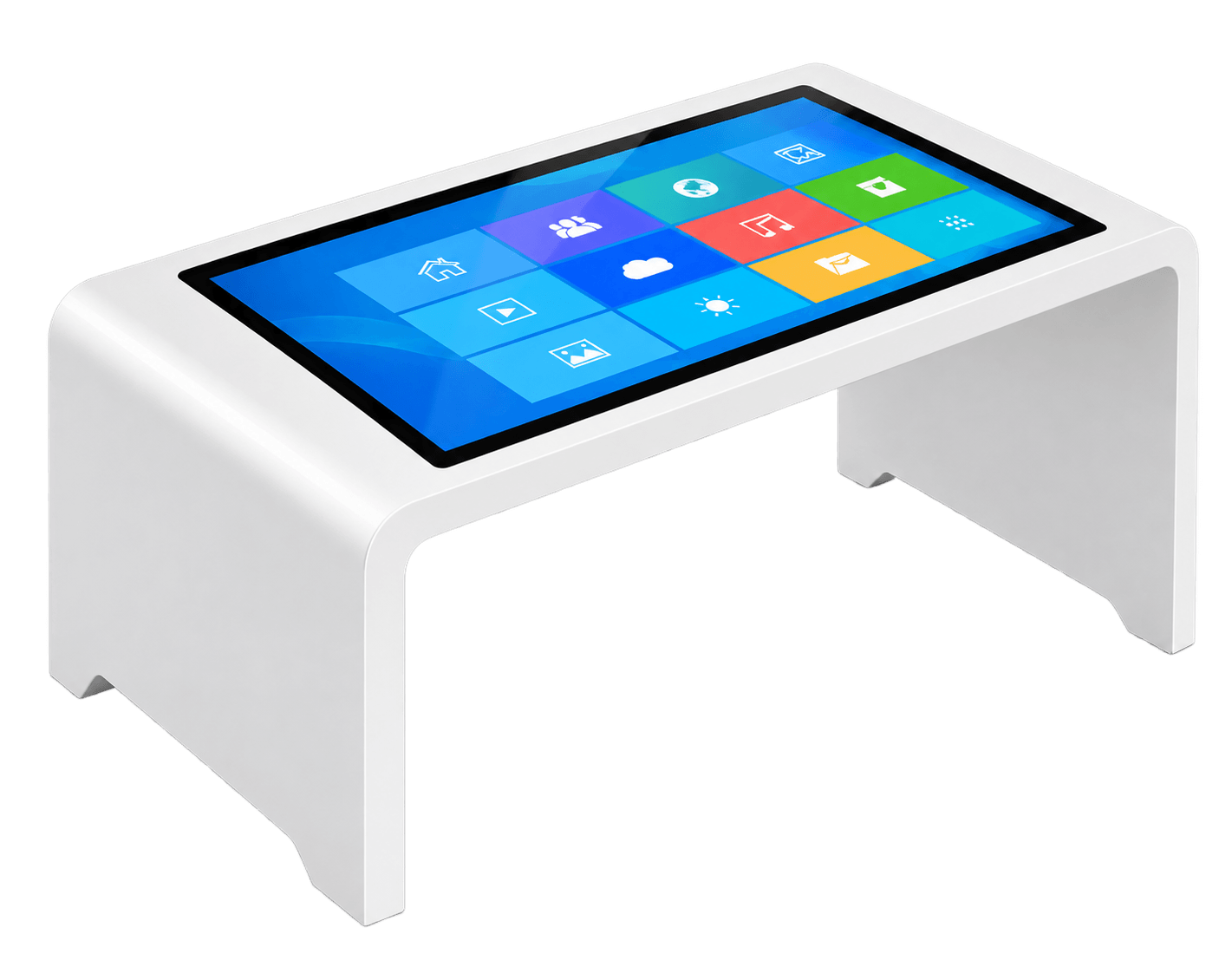
A Horizontal Interactive Desk is a complete table-style touchscreen terminal designed for users to explore digital content from above or gather around the display as a shared interactive surface.
It combines a commercial LCD display, multi-touch system, computing platform, protective glass, horizontal enclosure, internal wiring, ventilation and desk structure into one interactive product.
For DisplayMan, this product belongs to Touchscreen All-in-One Terminals → Enterprise & Industrial Terminals.
This family covers horizontal touch tables and selected sloped interaction desks. Choose a flat surface for shared exploration or an angled screen for guided browsing, digital guestbooks and exhibition content.
DisplayMan focuses on transparent displays, custom displays, high brightness engineering and integrated touchscreen terminals. For museum showcases, retail exhibits and daylight-facing installations, explore these dedicated display ranges alongside the interactive desk family.
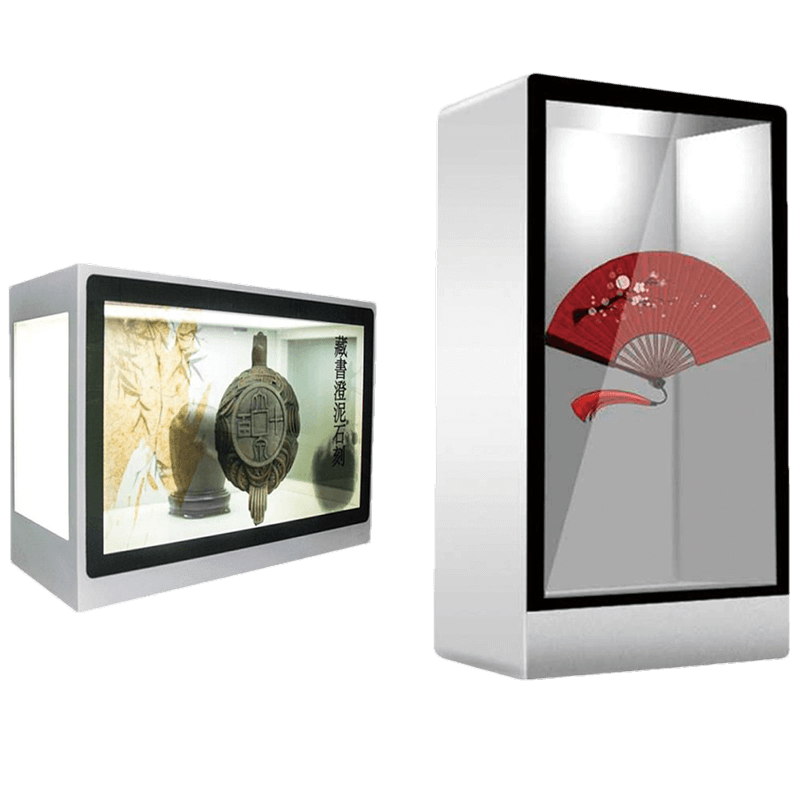
Combine digital content with visible physical exhibits in display cabinets, demonstration equipment and interactive showcases. Plan the rear lighting, object space and installation as part of the system.
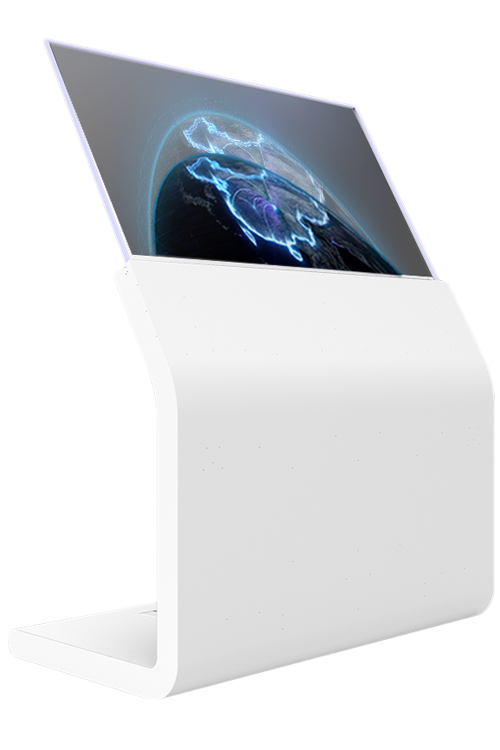
Use self-emissive transparent displays for premium showrooms, interactive presentation concepts and exhibits where visibility through the screen matters. Touch and mounting are reviewed for the chosen product.
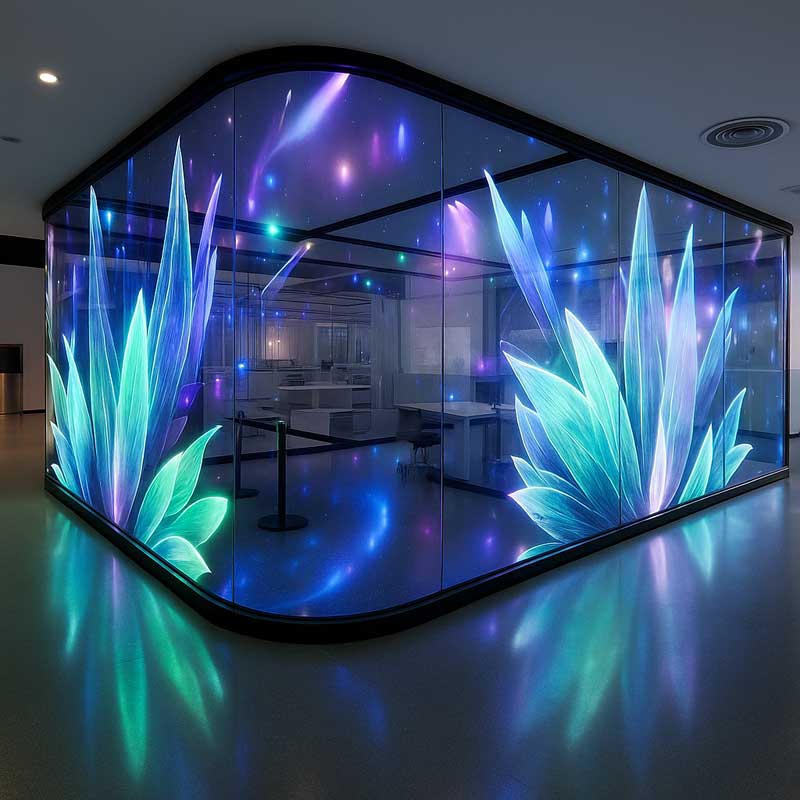
Explore glass-mounted and larger architectural display formats for lobbies, windows and presentation spaces. Pixel pitch, transparency, viewing distance and structure determine the appropriate format.
Specify ambient light, direct sunlight, reflections, touch and thermal requirements before selecting the display.
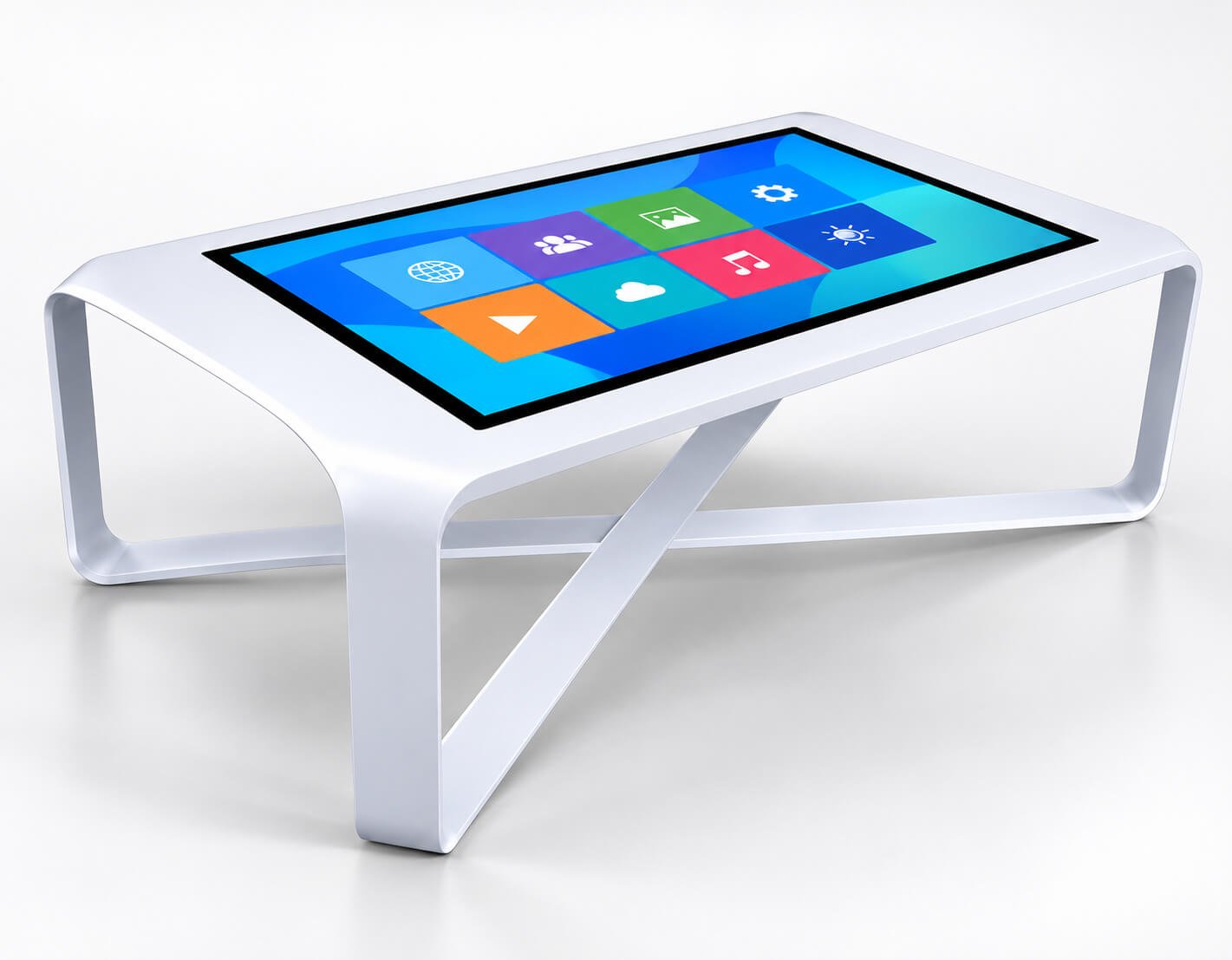
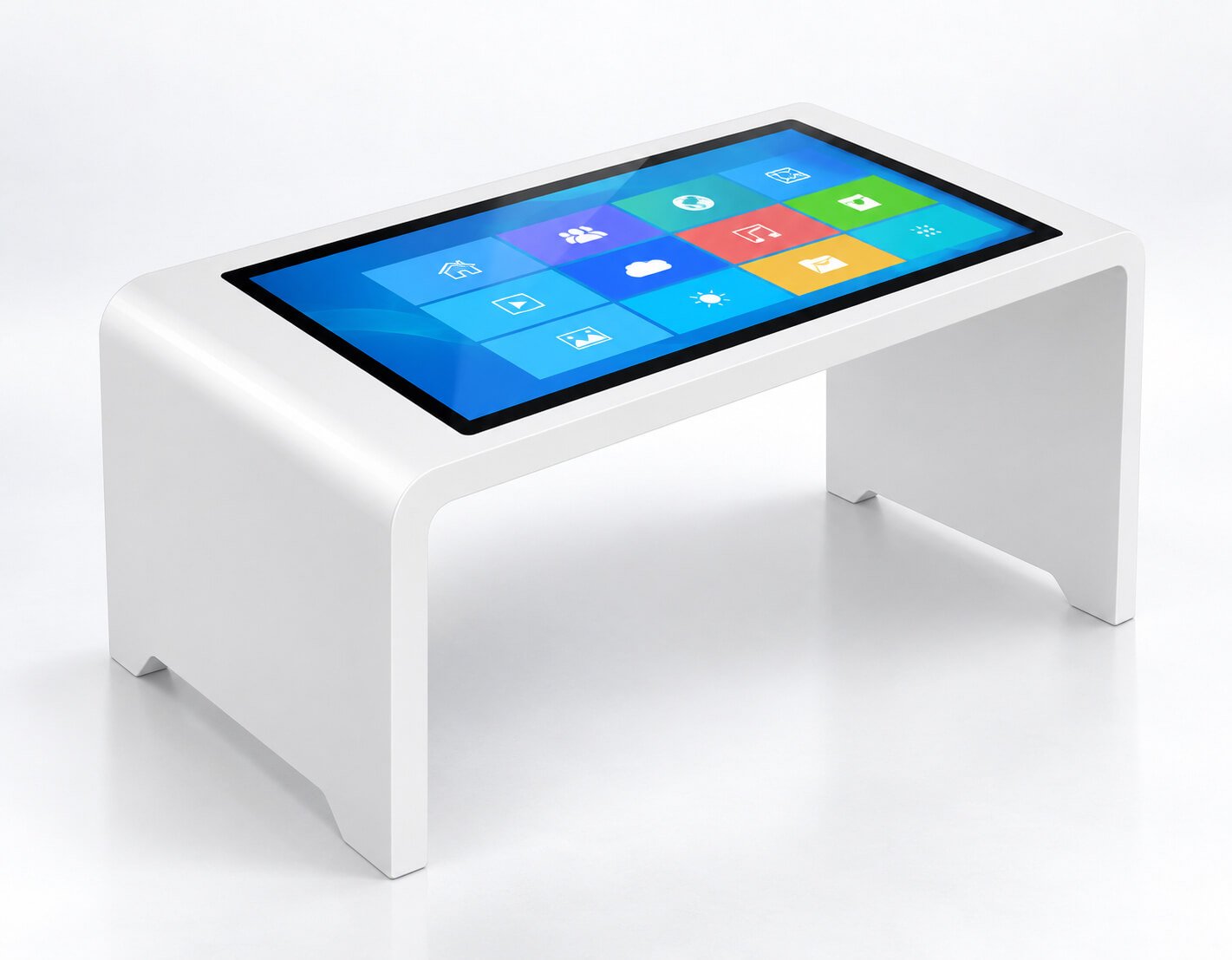
Compare four enclosure styles for interactive maps, product browsing, shared content and exhibition navigation. Flat table formats encourage users to gather around the screen; sloped desks support front-facing browsing and guided interaction.


| Selection Item | Project Detail |
|---|---|
| White open-leg table | Sculptural open supports and a horizontal screen for showrooms, shared browsing and exhibit spaces |
| Rounded white touch table | A simple two-panel support structure with open space beneath the display |
| Black pedestal desk | A single-pedestal, angled-screen format for focused visitor interaction and information browsing |
| White sloped desk | An angled touch surface supported by two side panels for exhibition and reception applications |
| Screen / resolution | Select the panel size and native resolution with enclosure dimensions and content readability |
| Touch / software | Choose controller, touch-point count and OS drivers; simultaneous multi-user behavior depends on the application |
| Ergonomics | Confirm top height, screen angle, reach distance, knee clearance and seated or standing use |
| Computing / connections | Android, Windows or Linux platform review; agree CPU, memory, storage, video, USB and network per configuration |
| OEM structure | Finish, branding, cable outlet, locked service access, thermal path and packaging |
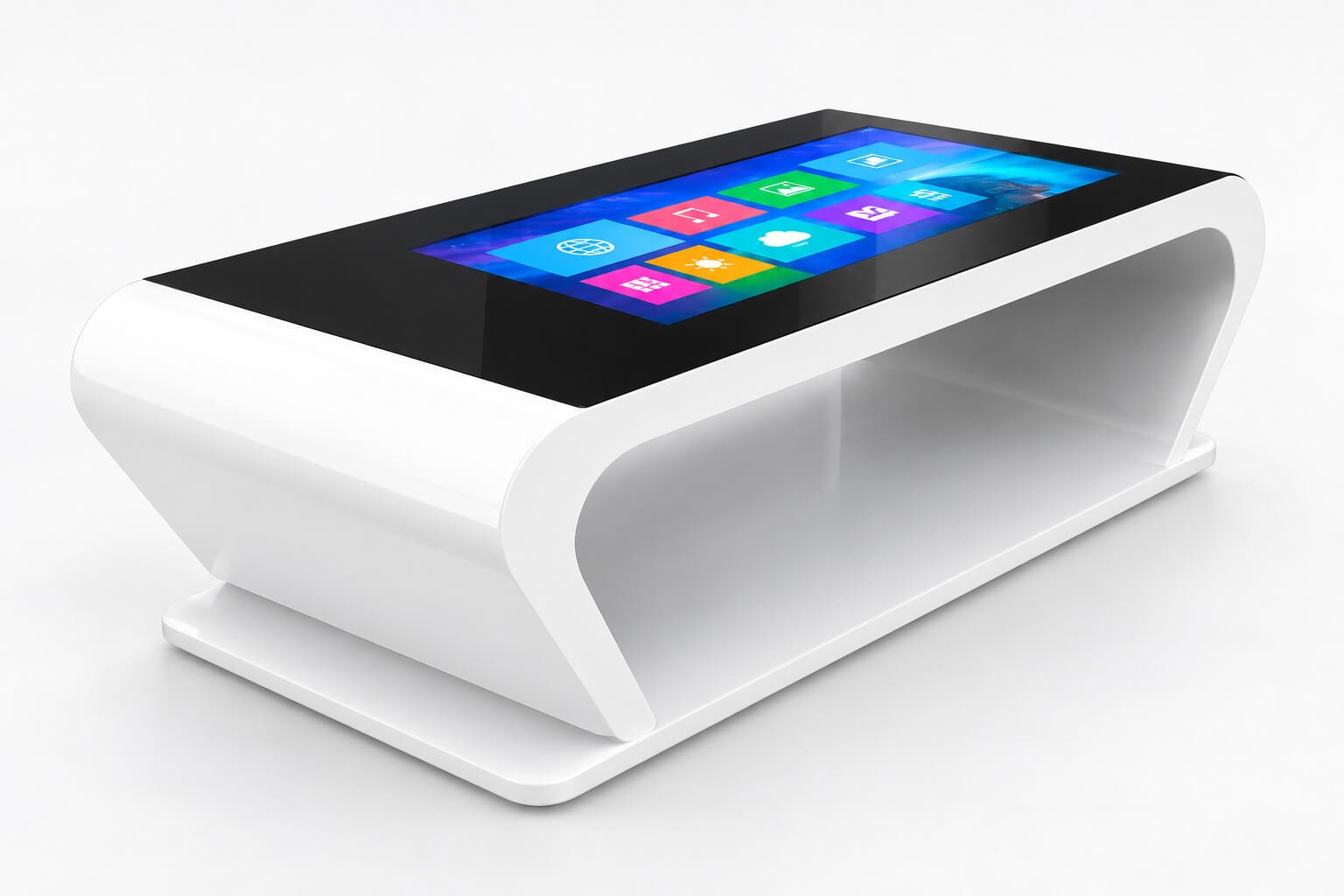
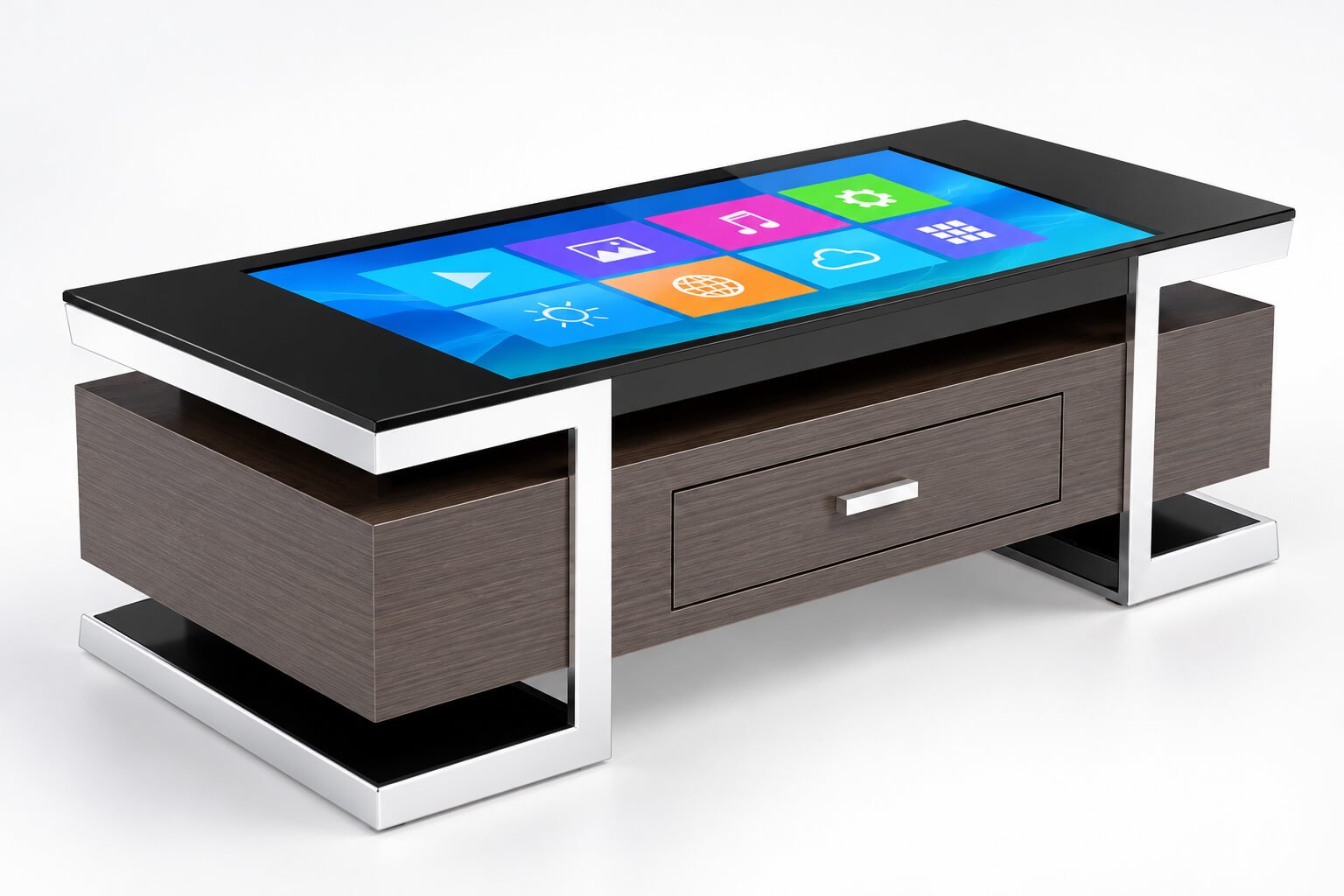
Low-profile touchscreen furniture combines digital content with a lounge or reception layout. The curved white style emphasizes a continuous enclosure, while the wood-finish version provides a furniture-style drawer and framed support.
| Selection Item | Project Detail |
|---|---|
| Curved white enclosure | Black glass top, integrated screen and open side cavity for lounge and showroom layouts |
| Wood-finish storage enclosure | Dark wood finish, drawer and contrasting metal frame; agree usable storage space and internal electronics access |
| User position | Review sofa or chair height, viewing angle and comfortable reach from the intended seating |
| Cover glass | Specify edge finish, surface treatment and cleaning method; load capacity and spill protection require separate confirmation |
| Display / touch | Panel orientation, brightness, reflection control and touch response are selected for the indoor environment |
| Software | Menus, catalogues, games or information apps require compatible licensing and touch behavior |
| Thermal / power | Provide protected cable routing, ventilation clearance and separation between storage and electronics |
A sculpted book-shaped surround creates an exhibition reading point for museum stories, company histories, archives and cultural content. The integrated flat display presents digital pages through the selected application.
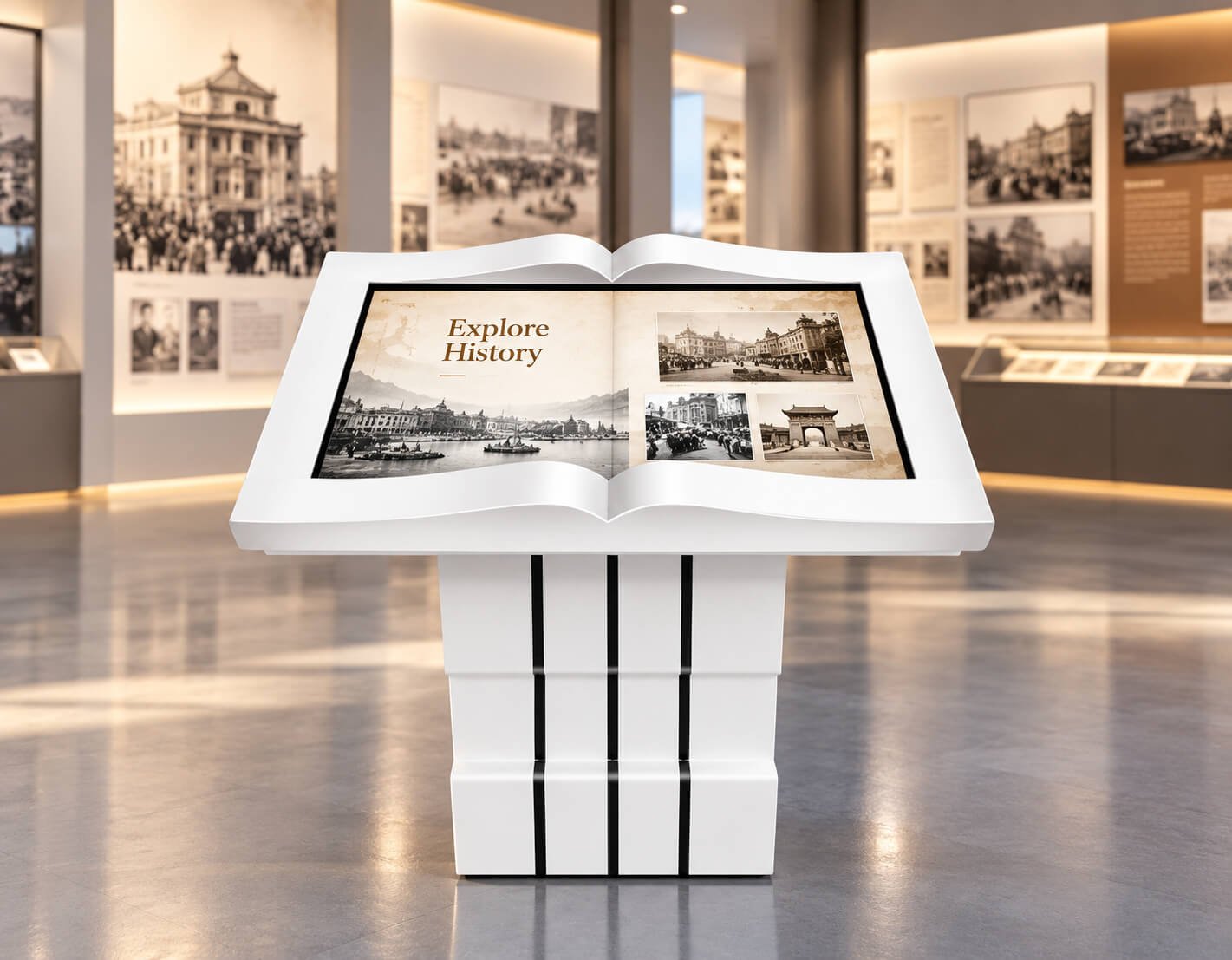
| Selection Item | Project Detail |
|---|---|
| Product structure | White open-book surround and freestanding pedestal with vertical decorative details |
| Content formats | Digital page spreads, photographs, timelines and video links according to the chosen application |
| Interaction | Specify touch navigation and page-turn controls; contactless gesture input requires a separately defined sensing system |
| Display / computing | Confirm screen size, native resolution, brightness, processor, memory and media-storage requirements |
| CMS and updates | Define local USB updates, network publishing or customer CMS integration |
| Exhibition fit | Review viewing height, queue space, ambient lighting, anchoring and maintenance access |
| OEM content | Agree language, layout, artwork preparation, software license and commissioning scope |
An angled signature and photo desk creates a visitor interaction point for exhibitions, receptions and events. The illustrated format includes a landscape touch display and top-mounted camera for a software-defined guestbook or photo workflow.

| Selection Item | Project Detail |
|---|---|
| Enclosure | White sloped display with silver support frame and front service enclosure |
| Signature workflow | Define finger or compatible stylus input, clear/undo controls and saved image format |
| Photo workflow | Review camera resolution, framing, lighting, preview, retake and sharing/export requirements |
| Application design | Guestbook templates, language, background images and event branding are configured in software |
| Peripheral options | Printing, NFC, QR or external storage require selected hardware and drivers; do not infer a printer from the front opening |
| Data handling | Define visitor notice, storage, access permissions and automatic deletion within the application |
| Deployment | Agree network, protected power connection, installation dimensions and sample acceptance tests |
| Product Direction | Typical Size | Best For | Key Difference |
|---|---|---|---|
| Compact Interactive Touch Desks | 32" / 43" / 55" | Small showrooms, education corners, retail counters and limited spaces | Smaller footprint and easier placement |
| 65" Interactive Desks | 65" | Museums, retail, schools and medium-size showrooms | Useful interaction area with lower cost than 75" |
| 75" Horizontal Interactive Desks | 75" | Multi-user interaction, exhibitions, real estate and showroom projects | Best balance of interaction area, visual impact, cost and usability |
| Large-Format Interactive Desks | 86" / 98" | Premium showrooms, planning rooms and large exhibition tables | Larger shared surface with higher glass, enclosure and logistics requirements |
| Android Interactive Desks | Project-based | Digital maps, media, product browsing and light interactive content | Built-in ARM system for cost-efficient applications |
| Windows Interactive Desks | Project-based | 3D visualization, GIS, real estate, simulation and enterprise software | x86 system for higher-performance applications |
| OEM Horizontal Interactive Desks | Project-based | Private-label brands, museums, exhibition companies and smart furniture projects | Custom enclosure, desk height, glass, system, UI and accessories |
For most real projects, 75" is the best large-format starting point. A 98" desk is usually the practical maximum for regular projects. A 110" desk should be treated only as a special evaluation because screen, glass, enclosure, packing and installation costs increase sharply.
Digital archives, historical maps, cultural storytelling, exhibit interaction and visitor education.
Master plans, floor plans, 3D community models, project videos and property comparison.
Company history, product lines, project cases, interactive brand stories and customer reception.
Product browsing, catalog exploration, configuration, membership and customer engagement.
Group discussion, digital maps, interactive learning, collaborative exploration and training content.
Booth engagement, product demonstrations, interactive storytelling and visitor participation.
Maps, dashboards, project planning, emergency planning and collaborative decision-making.
3D product review, technical explanation, configuration and customer presentation.
City maps, tourism guidance, hotel information and attraction exploration.
Custom interactive tables for furniture brands, integrators and themed commercial environments.
Suitable for compact demo tables, counters, education corners and close-view single-user interaction.
Suitable for smaller museums, retail experiences, showrooms and education projects.
Suitable for medium-size spaces and several users, but may provide less shared area than 75".
Provides the best balance of multi-user surface, visual impact, enclosure size, logistics and budget.
Suitable for large exhibition, planning and premium showroom projects with adequate space and budget.
Can be reviewed technically, but is not recommended as a standard product due to total project cost and installation difficulty.
Large desks also require larger glass, stronger support, more internal space, wider packing, heavier lifting and a realistic path through doors and elevators.
Suitable for precise gestures, premium appearance and responsive direct interaction on selected desk sizes.
Can be considered for selected large-format desks where the edge structure and enclosure can support an infrared frame.
Touch-point count, simultaneous users, gesture support and application behavior depend on the controller, operating system and software.
Protects the display and touch assembly from repeated contact, cleaning, objects and accidental impact.
Reduces ceiling-light reflections that can be especially noticeable on an upward-facing horizontal surface.
Improves contrast and premium visual appearance in controlled showroom and museum environments.
Helps reduce visible fingerprints and supports easier cleaning in high-traffic public use.
Can reduce internal reflection and improve visual depth for selected premium projects, subject to size and feasibility.
Glass thickness, supported span, edge support, touch sensitivity, impact expectation and whether users may lean or place objects on the surface must be defined before the final design.
Suitable for media playback, digital maps, catalogs, simple interactive content and cost-efficient applications.
Suitable for project-specific embedded software, stable exhibition applications and controlled system images.
Suitable for 3D visualization, GIS maps, real estate software, simulations and high-performance custom applications.
3D models, high-resolution maps, multi-user content, video walls, sensors and real-time data may require a stronger Windows computer than ordinary Android content browsing.
| Function | Typical Use | Important Confirmation |
|---|---|---|
| Wi-Fi | Cloud content, application updates and flexible indoor deployment | Antenna position, metal enclosure shielding and network policy |
| Ethernet | Stable museum, showroom and enterprise network connection | Cable entry, floor outlet, service access and site network |
| 4G | Temporary exhibition or remote sites without fixed network | Frequency bands, SIM access, antenna and local approval |
| HDMI | External computer, media player or presentation source | Input or output direction, resolution and connector access |
| USB | Touch, storage, camera, scanner and service devices | Quantity, version, host mode and protected access position |
| RS232 / RS485 | External equipment, sensors and project-specific control | Protocol, voltage, isolation, connector and software driver |
| NFC | Membership, exhibit activation and identification | Reader position, frequency, protocol and application integration |
| Camera | Visitor interaction, document capture or selected recognition functions | Position, angle, privacy, lighting and software access |
| Microphone / Speakers | Audio prompts, media, voice and presentation | Acoustic openings, echo, pickup distance and volume |
Suitable for museums, showrooms and public spaces where users stand around the desk for short interactions.
Suitable for education, planning and longer collaborative sessions using chairs around the desk.
Creates a true table-like experience for maps, planning and shared exploration, but may increase ceiling-light reflections.
A slight angle can improve viewing and reduce glare for single-side or front-facing use, but changes the multi-user experience.
Screen dimensions, controls and software layout should allow intended users to reach important areas without excessive leaning.
Knee clearance, table height, edge design and interface layout should be reviewed for the intended public environment.
Rounded corners, glass edge protection and stable supports improve safety in public and education spaces.
Surface cleaning, anti-removal hardware, cable protection and stable floor contact should be considered.
The upward-facing LCD and glass require a rigid frame that limits deformation and protects the display surface.
Backlight, mainboard, Windows PC and power supply need a defined ventilation path inside the desk enclosure.
The design should define whether users may lean, place brochures or set light objects on the surface.
Power and Ethernet may enter from the floor, wall or furniture structure and should remain protected from users.
Access doors or removable panels should allow maintenance of the computer, power supply, touch controller and connectors.
Leg position, base width, total weight and user leaning force should be considered for a stable public installation.
Large desks may use removable legs, separate glass packaging or sectional enclosure construction to reduce logistics risk.
Large 75"–98" desks require qualified handling, enough doorway width and a planned final assembly sequence.
The LCD, touch, glass, enclosure, heat, service access, cable layout, transport and user behavior must be designed as one complete product.
Final specifications depend on size, touch solution, glass, system platform, software, enclosure, environment and quantity.
| Item | Project Direction |
|---|---|
| Screen Size | 32" / 43" / 55" / 65" / 75" / 86" / 98" |
| Most Recommended Size | 75" for most commercial multi-user projects |
| Practical Maximum | 98" for regular commercial applications |
| Special Size | 110" may be reviewed as a special project but is not a standard recommendation |
| Resolution | Full HD or 4K depending on size and configuration |
| Touch | Projected capacitive touch or selected infrared touch |
| Touch Points | Multi-touch options depending on controller, system and software |
| Operating System | Android, Linux or Windows |
| Network | Wi-Fi, Ethernet or selected 4G |
| Interfaces | USB, HDMI, RS232, RS485 or project-specific interfaces |
| Audio | Built-in speaker option |
| Smart Functions | NFC, camera or microphone depending on project |
| Glass | Tempered cover glass, custom touch glass, optional AG, AR or AF treatment |
| Structure | Freestanding desk, fixed table, angled table or custom exhibition furniture |
| Environment | Standard products are indoor; outdoor projects route to Outdoor Touch Displays |
| OEM | Desk height, angle, color, logo, UI, interface layout, packaging and accessories |
| Factor | Horizontal Interactive Desks | Interactive Flat Panels | Wall-Mounted Touch Terminals | Floor-Standing Kiosks |
|---|---|---|---|---|
| Product Form | Table-style horizontal touchscreen terminal | Vertical collaboration display | Wall-mounted application terminal | Vertical freestanding terminal |
| Main Purpose | Maps, product exploration, exhibitions and shared tabletop interaction | Meetings, teaching, writing and collaboration | Fixed business application operation | Signage, wayfinding and self-service |
| User Position | Above or around the desk | In front of the screen | In front of the wall | In front of the kiosk |
| Touch | Core function | Core function | Core function | Optional or workflow-based |
| Enclosure | Desk or furniture enclosure | Display housing | Wall-mounted housing | Standing enclosure and base |
| Mainstream Large Size | 75" | 75" | 75" | 75" |
| Practical Maximum | 98" | 98" | 98" | 98" |
Choose Horizontal Interactive Desks.
Choose Interactive Flat Panels.
Choose Floor-Standing Kiosks.
Maps, museum content, real estate, product configuration, education, planning or another tabletop workflow.
Choose 32"–55" for compact use, 65" for medium use, 75" for most projects and 86"–98" for premium large spaces.
Touch method, touch points, glass treatment, expected public use and whether users may lean or place objects on the surface.
Android for light content, Linux for controlled embedded applications and Windows for 3D, GIS and enterprise software.
Standing or seated use, flat or angled surface, furniture appearance, stability, cable entry and service access.
Crate size, glass packaging, doorway width, elevator, lifting, local assembly, power, network and final floor position.
| Stage | Main Work | Output |
|---|---|---|
| 1. Requirement Review | Application, users, size, touch, software, desk height, glass, environment and quantity | Recommended product direction |
| 2. Display and System Architecture | LCD, touch, computer, memory, network, interfaces and audio | Confirmed electrical configuration |
| 3. Mechanical and Glass Engineering | Frame, enclosure, legs, glass support, height, angle, ventilation, cable route and service access | Mechanical drawing and installation concept |
| 4. Software Integration | Android, Linux or Windows application, touch orientation, multi-user behavior and startup | Working software image or integration plan |
| 5. Sample Validation | Touch, glass, structure, software, heat, user reach, stability, interfaces and packaging | Approved sample and change list |
| 6. Batch Production | BOM control, software loading, assembly, aging, inspection and modular packaging | Consistent OEM desk batch |
| Project Area | DisplayMan | Customer / Software Team | Local Installer / Site Team |
|---|---|---|---|
| Display, Touch and Computer | Supply agreed hardware platform | Confirm application performance and software requirements | Receive and protect equipment during installation |
| Interactive Software | Support agreed system compatibility | Provide, license, test and maintain application | Support network and site commissioning |
| Desk Enclosure and Glass | Supply agreed structure and drawings | Confirm appearance, height and user workflow | Verify floor location, access and final assembly |
| Power and Network | Define device-side requirements | Confirm network policy and server requirements | Provide compliant power, cabling and site network |
| Transport and Lifting | Provide dimensions, weights and packing direction | Confirm delivery address and site access | Provide local unloading, lifting and assembly |
| Public Safety and Local Approval | Provide agreed product information | Confirm project requirements | Verify final stability, floor condition and local installation compliance |
Standard Horizontal Interactive Desks are indoor products. Storefront windows, direct sunlight, semi-outdoor exposure and outdoor use require separate review of target brightness, reflection, touch behavior, glass temperature, enclosure sealing, drainage, condensation, ventilation, corrosion and floor installation.
Use High Brightness Displays as the main environmental route. For direct outdoor interaction, continue to Outdoor Touch Displays.
Four touch-table and sloped-desk styles, two interactive coffee-table styles, one digital flip-book desk and one signature/photo desk.
The book-shaped enclosure does not determine the input method. Specify touch page navigation or a separate gesture-sensing system with the intended application.
Printing is a selected peripheral option. The illustrated enclosure opening alone does not confirm a printer, paper format or driver support.
Confirm spill protection, glass loading, edge construction and cleaning requirements for the selected model. A furniture-style appearance does not establish a waterproof or load rating.
A Horizontal Interactive Desk is a complete table-style touchscreen terminal that combines a commercial display, touch system, computing platform, protective glass, enclosure, ventilation and desk structure for interaction from above or around the table.
Interactive Flat Panels are normally vertical displays for meetings, teaching, writing and presentation. Horizontal Interactive Desks are designed for tabletop exploration, maps, product comparison, exhibitions and multi-user interaction around a horizontal surface.
A Wall-Mounted Touch Terminal is fixed vertically to a wall for application operation. A Horizontal Interactive Desk is built into a freestanding or fixed desk structure and is operated from above.
A Floor-Standing Kiosk normally presents a vertical screen for signage, wayfinding or self-service. A Horizontal Interactive Desk presents a table-like touch surface for shared exploration and collaborative use.
Common project sizes include 32, 43, 55, 65, 75, 86 and 98 inches.
For most commercial Horizontal Interactive Desk projects, 75 inches is the most practical starting point because it provides a large shared touch surface with better cost, handling and installation acceptance than 86 or 98 inches.
A 65-inch desk can work in medium-size spaces, but 75 inches usually provides a better multi-user surface and stronger visual impact for museums, showrooms, real estate and exhibition projects.
Yes. 86-inch and 98-inch versions can be reviewed for premium showrooms, large exhibition spaces, planning rooms and high-budget projects.
For regular commercial projects, 98 inches is generally the practical maximum because the glass, enclosure, packing, transportation, lifting and installation become significantly more demanding above this size.
A 110-inch product can be reviewed as a special project, but it is not recommended as a standard option because screen cost, glass, enclosure, logistics and installation are difficult for most projects.
Projected capacitive touch is suitable for premium direct interaction and precise gestures. Infrared touch can be reviewed for selected large-format structures. The final choice depends on size, glass, edge structure, user experience and budget.
Yes, multi-touch and multi-user operation can be supported depending on the touch controller, operating system and application software. The required number of simultaneous users should be defined before sample production.
Yes. Android is suitable for media, maps and light interactive applications; Windows is suitable for 3D, GIS, real estate and enterprise software; Linux can be used for controlled embedded applications.
Yes, subject to platform compatibility. The software type, graphics requirement, touch points, orientation, startup behavior, drivers and update responsibility should be confirmed before the hardware platform is finalized.
Yes, provided that the selected Windows or other computing platform has enough CPU, GPU, memory and storage for the software and content.
Yes. Desk height, surface angle, enclosure dimensions, leg structure, access doors, interface position and furniture appearance can be reviewed for OEM projects.
Tempered cover glass is commonly used. Anti-glare, anti-reflection, anti-fingerprint coating, custom printing and selected optical bonding can be reviewed according to lighting, cleaning, touch and durability requirements.
The enclosure should provide a defined airflow path, ventilation openings, internal spacing and service access. Display backlight, computer power and room temperature must be considered together.
Standard Horizontal Interactive Desks are indoor products. Outdoor or semi-outdoor projects require a separate high-brightness, sealed, thermal and drainage design and should use the Outdoor Touch Displays product route.
Depending on size and structure, the display module, glass, legs and enclosure may be packed as one assembly or multiple sections. Door width, elevator access, lifting path, local manpower and final assembly should be confirmed before shipment.
Please provide screen size, application, number of users, touch requirement, operating system, software type, desk height, surface angle, glass requirement, installation environment, interface requirements, quantity, destination and project schedule.
Screen size, touch method, software, computing platform, desk height, viewing angle, glass, ventilation, cable layout, service access, transport method and installation responsibility should be confirmed before sample production.
Send us the application, screen size, number of users, touch requirement, operating system, software type, desk height, surface angle, glass requirement, interfaces, environment, quantity, destination and target schedule.
For most real projects, 75" is the best starting point. DisplayMan can also review 32", 43", 55", 65", 86", 98" and special OEM requirements.
Horizontal Interactive Desk projects require the screen, touch, glass, computing platform, enclosure, heat, cable layout, transport and software to be confirmed as one complete product.