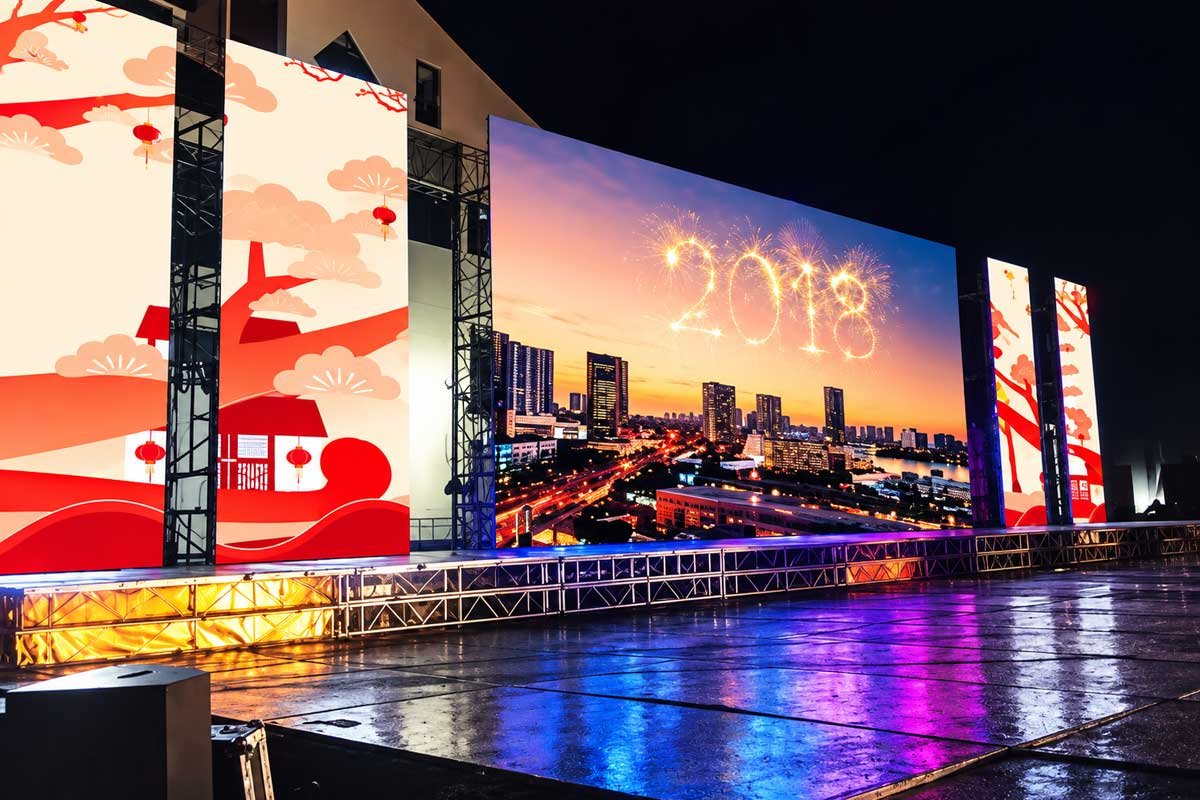
Rental LED Displays

Engineered for Events. Built for Repetition.

Most LED displays are adapted for rental use.

DisplayMan rental LED systems are engineered for it from the start.

Designed specifically for environments where screens are assembled, dismantled, transported, and redeployed—again and again—our rental LED displays support:

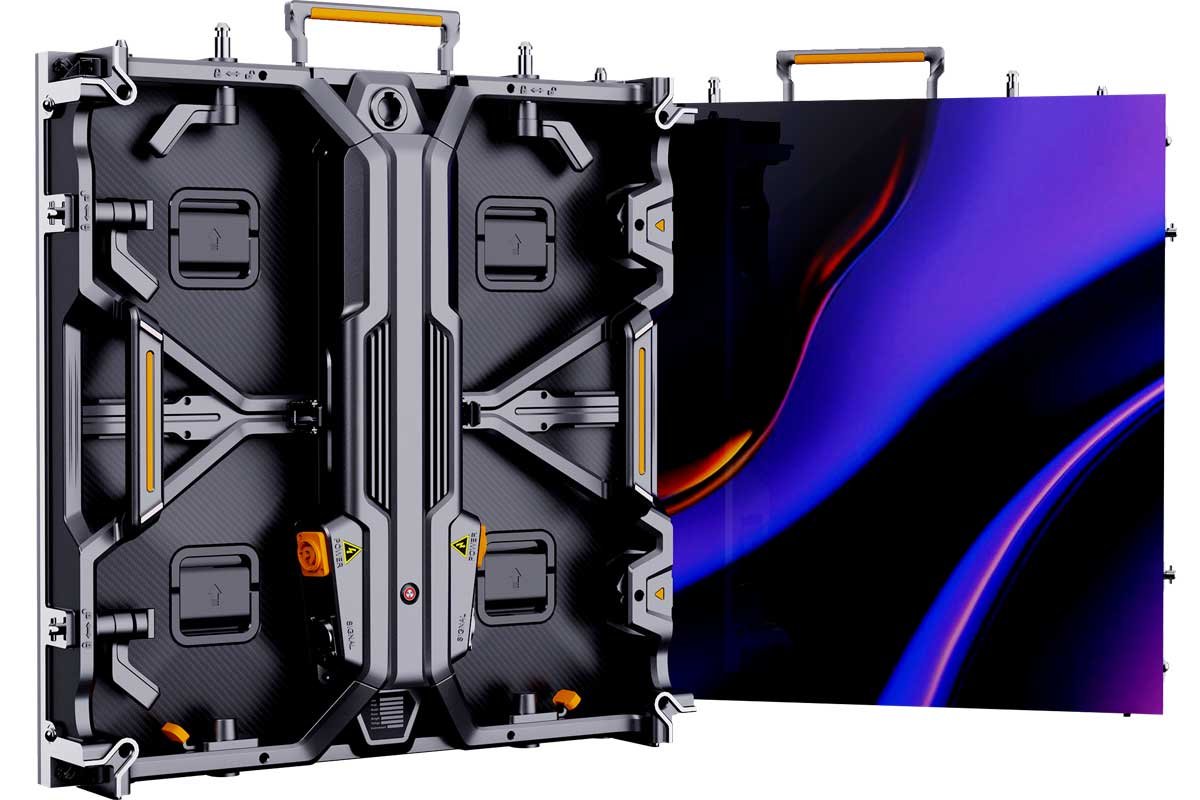
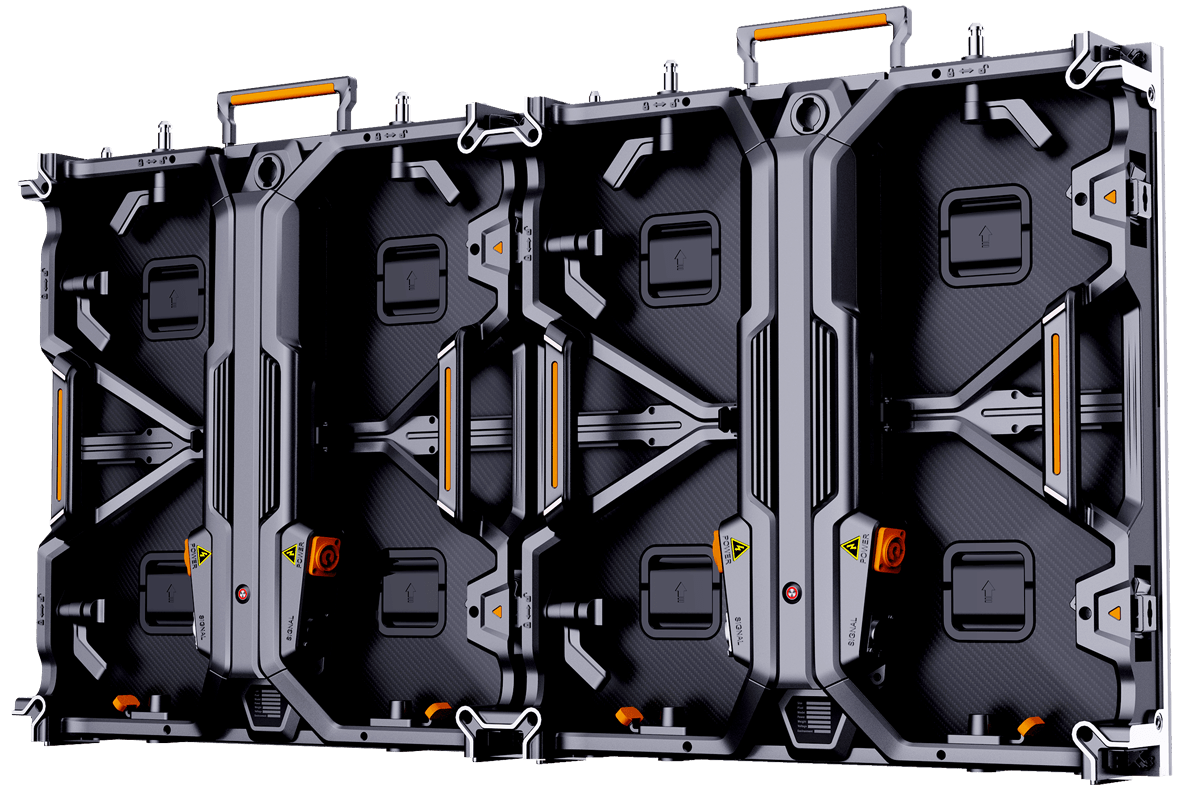
f6 rental led display cabinet – front and rear view

What Is a Rental LED Display?

A Rental LED Display is a professional modular LED video wall system specifically engineered for temporary use, repeated installation and fast deployment at live events.

Unlike fixed-installation LED screens, rental LED displays are designed to be transported frequently, assembled and dismantled repeatedly, installed under strict time pressure and operated reliably during live shows.

DisplayMan supplies rental-grade LED display hardware and complete reusable systems for AV rental companies, event production teams, touring projects, stages, exhibitions, conferences, concerts and temporary indoor or outdoor video walls.

Built for Repeated Rental Workflows

Rental LED is not only about image quality. Cabinet weight, locks, flatness, transport protection, service access, camera performance, rigging compatibility and long-term cabinet interchangeability all affect the real commercial value of the system.

Repeated DeploymentDesigned for frequent setup, teardown, transport and reconfiguration.
4 Product SeriesFN / UN for indoor rental; FW / UW for outdoor rental requirements.
500×500 / 500×1000Common modular cabinet platforms for flexible rental-fleet planning.
Camera-Friendly & Touring-OrientedHigh-refresh project configurations, calibration, flight cases, spares and field-service planning.

Rental LED Display Specifications — Choose the Right Series for Your Events

Professional rental projects demand different engineering for different environments. To simplify product selection, DisplayMan organizes Rental LED Displays into four dedicated product series — two indoor directions and two outdoor directions.

FN Series

FN Series – Premium Indoor Rental LED Displays

High-definition indoor rental for close viewing, premium events and camera-facing applications.

Models: FN1.56 · FN1.95 · FN2.9 · FN3.9
Best For
  • Corporate events and executive conferences
  • Premium exhibitions and product launches
  • Indoor stages with closer viewing distances
  • Camera-facing event production
Key Advantages
  • Fine-pitch options for close viewing
  • Lightweight 500×500 mm cabinet direction
  • High-refresh configurations for camera-facing use
  • High cabinet flatness for seamless video walls
  • Fast-lock design for quick setup and dismantling
How to Choose

FN1.56 / FN1.95 → premium indoor events and closer viewing.
FN2.9 / FN3.9 → larger indoor stages with a stronger balance of cost and visual quality.

Typical cabinet weight and refresh rate depend on the final cabinet/module/driver configuration. Confirm the selected model before procurement.

UN Series

UN Series – Universal Indoor Rental LED Displays

Flexible indoor rental platform for AV companies that need one product family to cover many event types.

Models: UN1.56 · UN1.95 · UN2.6 · UN2.9 · UN3.9
Best For
  • Multi-purpose indoor rental fleets
  • Trade shows and exhibitions
  • Corporate and hotel events
  • AV companies serving varied client requirements
Key Advantages
  • Wide pixel-pitch range for mixed rental inventories
  • Modular platform for flexible screen sizes
  • Stable performance under repeated assembly and dismantling
  • Consistent color calibration across cabinet inventory
  • Balanced investment cost and rental flexibility
How to Choose

UN1.56 / UN1.95 → premium indoor visuals.
UN2.6 / UN2.9 / UN3.9 → general-purpose indoor rental and stronger fleet economics.

FW Series

FW Series – Outdoor Performance Rental LED Displays

Outdoor rental platform for concerts, festivals and high-demand temporary event environments.

Models: FW2.6 · FW2.9 · FW3.9 · FW4.8
Best For
  • Outdoor stages and concerts
  • Festivals and large public events
  • Touring systems requiring strong outdoor visibility
  • Camera-facing outdoor event production
Key Advantages
  • High-brightness configurations for outdoor visibility
  • Robust aluminum cabinet direction for repeated handling
  • Outdoor dust/weather-protection configurations available by model
  • Wide operating-temperature configurations for event use
  • High-refresh options for filming and live broadcasting
How to Choose

FW2.6 / FW2.9 → closer outdoor viewing and higher image detail.
FW3.9 / FW4.8 → larger crowds, larger screens and longer viewing distances.

Brightness, ingress protection and operating-temperature rating must be confirmed from the final selected FW configuration. IP6X alone describes dust protection and should not be treated as a complete water-ingress rating.

UW Series

UW Series – Universal Outdoor Rental LED Displays

Cost-conscious outdoor rental platform for scalable fleets, touring and regional event operations.

Models: UW2.6 · UW2.9 · UW3.9 · UW4.8
Best For
  • Rental companies covering medium and large outdoor events
  • Touring and regional rental operations
  • Outdoor inventory expansion
  • Projects requiring broader cost-performance balance
Key Advantages
  • Outdoor brightness configurations for temporary event use
  • Universal cabinet approach for different screen sizes
  • Durable design for repeated transport and setup
  • Balanced cost, brightness and reliability
  • Practical platform for scalable rental operations
How to Choose

UW2.6 / UW2.9 → higher visual-detail requirements.
UW3.9 / UW4.8 → large-format screens and longer audience distances.

FN vs UN vs FW vs UW — Rental LED Series Comparison

Factor FN Series UN Series FW Series UW Series
EnvironmentIndoorIndoorOutdoorOutdoor
PositioningPremium / close-viewUniversal / flexible inventoryPerformance outdoorUniversal / scalable outdoor
Pitch Range1.56 / 1.95 / 2.9 / 3.91.56 / 1.95 / 2.6 / 2.9 / 3.92.6 / 2.9 / 3.9 / 4.82.6 / 2.9 / 3.9 / 4.8
Closest ViewingBest of the four seriesClose to long indoor rangeMedium to long outdoorMedium to long outdoor
Camera-Facing PriorityHighHigh / project-basedHigh / project-basedProject-based
Rental Fleet FlexibilityPremium-event focusedVery highOutdoor-performance focusedVery high
Investment LevelHigherBalancedHigherBalanced
Best ForConference / Exhibition / Premium IndoorAV Rental Fleet / General IndoorConcert / Festival / Premium OutdoorOutdoor Rental Fleet / Touring
Start with the Series, Then Select the Pixel Pitch

Choose FN or UN first for indoor rental, and FW or UW first for outdoor rental. Then select the final pixel pitch from viewing distance, camera requirements, screen size and budget. This avoids treating pixel pitch as the only product decision.

How to Choose the Right Rental LED Display

Choosing the right Rental LED Display is not about picking the lowest price or the smallest pixel pitch — it is about matching the screen to how it will actually be used.

Different events place very different demands on an LED system. A screen that works perfectly for a conference may be the wrong choice for a concert, touring show or outdoor festival if viewing distance, cabinet platform, brightness, camera performance or setup workflow are not considered together.

DisplayMan therefore reviews the following decision factors before recommending a rental LED configuration.

Selection Factor 01

Viewing Distance

The closer the audience, the finer the pixel pitch normally needs to be. Longer viewing distances allow wider pixel pitches and can significantly improve project economics.

  • Short viewing distance → finer pitch for sharper detail
  • Medium viewing distance → balance detail and rental cost
  • Long viewing distance → wider pitch for stronger cost efficiency
Why It Matters: The right pitch avoids both overspending and visible image compromise.
Selection Factor 02

Indoor or Outdoor Environment

The environment determines brightness, weather protection, cabinet design, thermal load and installation requirements.

  • Indoor events prioritize image detail, controlled brightness and camera performance
  • Outdoor events require higher brightness, weather resistance and stronger structural planning
  • Power, cable protection and heat management become more important outdoors
Why It Matters: Indoor and outdoor rental systems are not interchangeable without trade-offs.
Selection Factor 03

Screen Size & Aspect Ratio

Rental screens are rarely one fixed standard size. Cabinet format and screen geometry should be planned around the event space and future reuse.

  • Optimize 500×500 / 500×1000 cabinet layout
  • Match aspect ratio to stage, booth or content design
  • Plan cabinet quantity around future screen configurations
Why It Matters: Good cabinet planning increases flexibility across future rental projects.
Selection Factor 04

Camera Use — Broadcast, Filming & Streaming

If the screen will be filmed, streamed or broadcast, camera-facing performance becomes a major part of the specification.

  • High-refresh configurations such as 3840Hz-class or higher can be selected where required
  • Low-brightness grayscale performance should remain stable
  • Color consistency and cabinet calibration become more important
  • Scan mode, camera shutter and frame rate should be reviewed together
Why It Matters: A camera-friendly system can deliver higher rental value and more reliable results for premium clients.
Selection Factor 05

Setup Time & Crew Size

Labor cost, event access windows and setup frequency directly affect rental profitability.

  • Available installation and teardown time
  • Crew size and technical skill level
  • Cabinet weight, handles and quick-lock design
  • Frequency of setup, teardown and transport
Why It Matters: Faster setup can reduce labor cost and increase equipment utilization across more events.
Selection Factor 06

Rental Fleet Strategy

For AV rental companies, one purchase should support many future jobs rather than only the first event.

  • Cabinet interchangeability
  • Mixed 500×500 / 500×1000 compatibility where available
  • Flight cases and spare-parts planning
  • Future inventory expansion
Why It Matters: The best rental system is the one that remains commercially useful across many different projects.
Selection Principle

Start with the real event workflow — viewing distance, indoor/outdoor conditions, screen size, camera use, setup time and future inventory needs — then choose pixel pitch and cabinet format. Not the other way around.

500×500 & 500×1000 Rental Cabinet Platform

These two cabinet formats are widely used because they cover most event-wall sizes while keeping rental inventory modular. The best fleet may use one format or a mechanically compatible mix.

Cabinet DirectionCore AdvantageBest ForTrade-Off / Check
500 × 500 mmMost flexible rental building blockCurved screens, compact screens, mixed-height layouts, corner configurationsEasy handling and fine screen-size adjustment; more cabinet count on large walls
500 × 1000 mmFast large-wall assemblyStages, concerts, large event walls, touring inventoryFewer cabinets and locks for the same area; heavier per cabinet
Mixed 500 × 500 + 500 × 1000Inventory-efficient configurationRental fleets that need many screen heights and aspect ratiosUseful only when the selected cabinet family is mechanically/electrically compatible
1000 × 500 / Special FormatSeries-dependentTouring, stage or creative rental systemsAvailable only in selected platforms; verify lock, module and rigging compatibility
Curved / Angle CabinetCreative rental configurationConcave, convex, corner, L-shape or segmented stage designsAngle range and structural support must be confirmed before quotation
Flexible Building Block

500 × 500 mm

Best when the buyer needs maximum screen-size flexibility, smaller creative sections, curved layouts or frequent changes in screen height.

Fast Large-Wall Build

500 × 1000 mm

Best when the buyer builds large flat stage walls repeatedly and wants fewer cabinet locks, fewer power/data connections and faster total assembly.

What Makes a Cabinet Truly Rental-Grade?

A rental cabinet is a working asset that may be handled far more aggressively than a fixed-install cabinet. Mechanical repeatability and field service matter every time the system leaves the warehouse.

Rental Hardware FeatureWhy It Matters
Die-Cast Aluminum CabinetCommon rental direction because repeat deployment benefits from good flatness, dimensional consistency and lower weight than many traditional fixed-install steel structures.
Quick LocksReduce setup and teardown time. Lock condition and repeatability matter because the screen may be assembled hundreds of times.
Alignment Pins / Locating FeaturesHelp maintain cabinet flatness and seam consistency during fast installation.
Corner / Edge ProtectionImportant for rental fleets because LED module corners and cabinet edges are exposed during frequent handling.
Integrated HandlesImprove lifting, positioning and safe handling during assembly.
Hanging & Ground-Stack CompatibilityA strong rental platform should support the installation modes required by the buyer's typical event workflow.
Curving HardwareAngle-adjustable locks or dedicated curve cabinets enable concave/convex screens where supported.
Front / Rear ServiceService direction depends on cabinet/module design. Front service is valuable where rear access is restricted; rear service can be convenient on stages.
Power / Signal ConnectorsRental-grade connectors should support repeated plugging, clear routing and fast troubleshooting.
Flight Case InterfaceCabinet dimensions, handles and stacking should work with protective flight cases for repeat transportation.
Fast Setup Is Not Only About Quick Locks

Real setup speed comes from cabinet weight, handles, alignment, lock repeatability, cable routing, compatible rigging, clear labeling and a screen configuration that crews already understand.

Pixel Pitch Selection Guide

The correct rental pitch is determined by closest viewing distance, camera distance, screen size, indoor/outdoor use and the economics of the rental inventory.

Pixel Pitch DirectionPositioningTypical UseSelection Logic
P1.5–P1.9Premium close-view indoor rentalBroadcast-facing events, executive conferences, high-end exhibitions, camera-near stagesHigher cost and more handling sensitivity; use when close-view detail is genuinely required
P2.6Fine general indoor rentalCorporate events, exhibitions, product launches, medium viewing distanceStrong balance for premium indoor rental inventory
P2.9Universal indoor / selected outdoorGeneral rental, stages, trade shows, mixed inventoryPopular compromise between detail, cost and flexible use
P3.9Universal stage / indoor-outdoor rentalConcerts, stages, touring, festivals, large exhibition wallsCost-effective and widely applicable when viewers are farther from the wall
P4.8Outdoor / long-distance rentalLarge outdoor stages, festivals and long viewing distancesLower pixel density, stronger economics for large temporary screens
Do Not Buy Fine Pitch Only Because It Looks Better on a Specification Sheet

Fine-pitch rental systems cost more and normally require more careful handling. If the audience is farther away, a P2.9, P3.9 or P4.8 system may deliver better rental economics with no meaningful loss of visual impact at the real viewing distance.

Camera-Friendly Rental LED for Filming, Streaming & Broadcast Events

High refresh rate is important, but it is not the only camera parameter. A screen that looks excellent to the eye can still show scan artifacts, poor low-brightness gradients or color mismatch on camera.

Camera / Image FactorWhat to Review
Refresh RateUse a high-refresh configuration for filmed, streamed or camera-facing events. Confirm the actual refresh rate of the selected cabinet/module/driver combination rather than relying on a category label.
Scan ModeCamera behavior is affected by scan architecture as well as refresh rate. It should be reviewed for broadcast or close-camera projects.
Gray Scale at Low BrightnessConference and studio environments often run below maximum brightness; low-level grayscale quality influences gradients and skin tones.
Color CalibrationRental inventory should remain visually consistent across cabinets. Calibration data and batch consistency are important when cabinets are mixed between events.
Brightness ControlIndoor stages may need controlled brightness for cameras, while outdoor events need much higher luminance for daylight visibility.
Camera Shutter / Frame RateFinal on-camera performance also depends on camera settings. Screen and camera workflow should be tested together for important broadcasts.
Processor / ControllerVideo processing, scaling, frame-rate handling and signal redundancy can matter in live production.
XR BoundaryA rental screen can be camera-friendly without being XR-ready. XR requires stricter review of scan, color, calibration, latency, synchronization and production workflow.

Outdoor Rental LED: More Than Higher Brightness

Temporary outdoor stages combine display engineering with event safety. The selected cabinet platform must fit the venue's daylight, weather, rigging, electrical and service conditions.

Outdoor FactorProject Review
BrightnessOutdoor event screens require substantially higher brightness than indoor rental walls. Final target should be confirmed from venue daylight conditions and selected product series.
Weather ProtectionFront/rear ingress protection and connector sealing must match the temporary outdoor environment.
Wind LoadScreen size, elevation, temporary structure and local conditions must be reviewed by the event/structural team.
Rigging / Ground SupportHanging bars, truss, ballast or ground-support structure must match cabinet loads and venue rules.
Power SafetyOutdoor power distribution, grounding, connectors and cable routing require event-appropriate protection.
Heat ManagementHigh brightness and outdoor ambient temperature increase thermal load.
Cable ProtectionPower/data connections must be protected from rain, foot traffic and repeated event handling.
Service AccessThe event team needs a realistic method to replace modules, PSUs or receiving cards under time pressure.
Outdoor Brightness Is Project-Dependent

Do not specify outdoor rental brightness from pixel pitch alone. Venue orientation, daylight exposure, camera use, screen size and power availability should be reviewed together with the selected module series.

Flat, Curved, Corner & L-Shaped Rental LED Configurations

Curved

Concave / Convex Rental

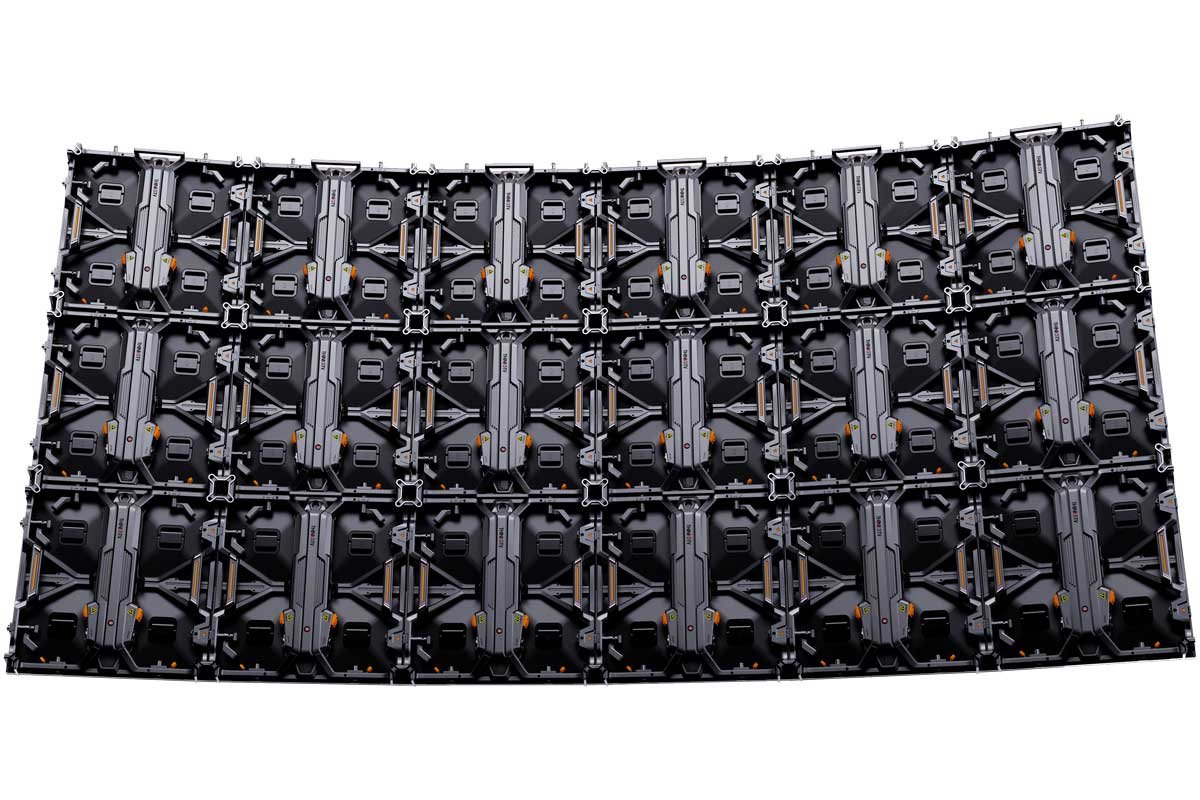
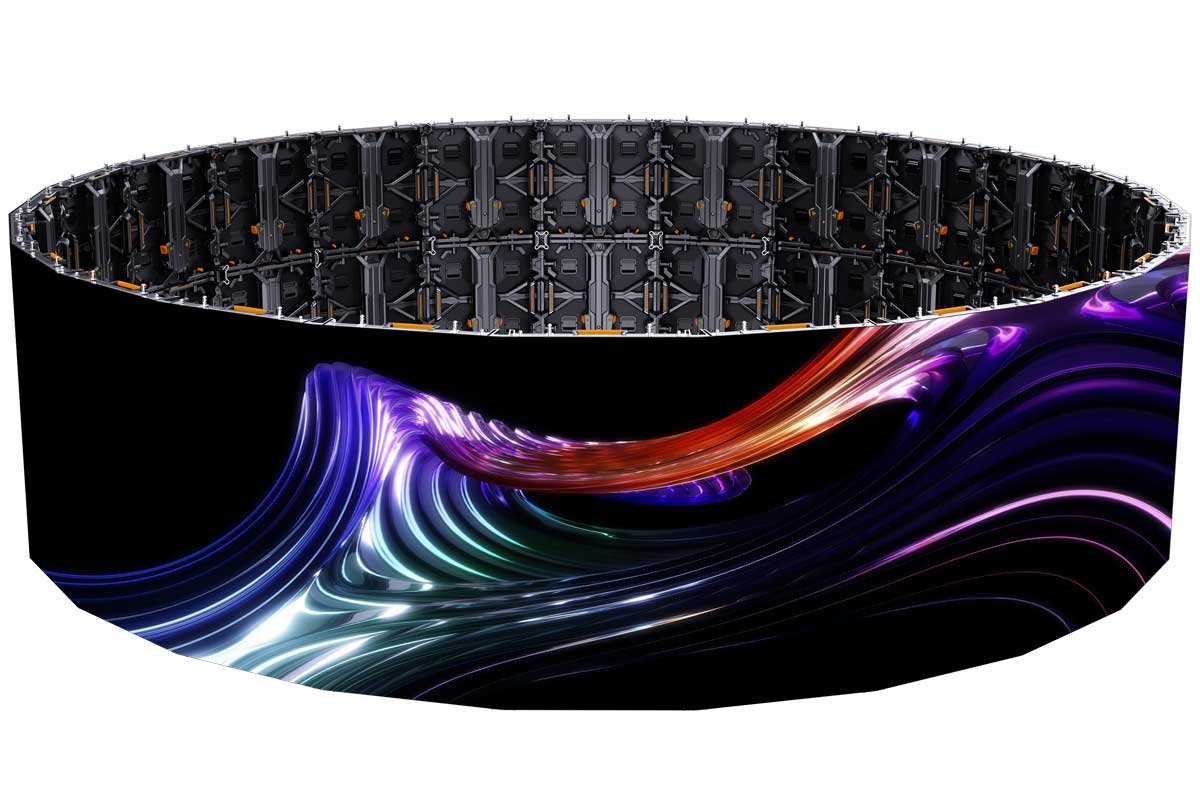
Selected 500×500-style rental platforms use curve locks or dedicated curved cabinets to create controlled stage arcs. Supported angles must be confirmed per cabinet series.

Corner

90° / Corner Rental

Dedicated corner or right-angle cabinet solutions can create sharp stage corners and L-shaped event displays. This is not a universal feature of every rental cabinet.

Creative

Mixed Creative Layout

Flat walls, curved zones and corner sections can be combined only when cabinet mechanics, pixel pitch, module height and controller mapping are compatible.

Content Must Follow the Final Geometry

A curved or corner screen may technically play normal video, but important titles, faces and logos should be placed with the viewing angle, cabinet seam and corner transition in mind.

Designing Rental LED as Long-Term AV Inventory

For an AV rental company, the product is not only the LED wall used tonight. It is an inventory platform that should remain interchangeable, serviceable and commercially useful across many future events.

Fleet / Inventory FactorWhy It Matters
Cabinet InterchangeabilityCabinets from the same platform should align mechanically and visually when mixed across different events.
Batch ConsistencyLED color, module revision, power supply, receiving card and cabinet mechanics should be controlled when building long-term rental inventory.
Spare ModulesPlan spare quantity by total screen size, tour duration and service risk.
Spare Power SuppliesKeep field-replaceable spares for rapid recovery during events.
Spare Receiving CardsUseful for live-event troubleshooting where downtime is unacceptable.
Spare Cables / ConnectorsPower and data cables are high-handling components and should be included in the spare strategy.
Flight CasesProtect cabinets during repeated trucking, loading, storage and venue changes.
Calibration FilesMaintain cabinet/module calibration data so replacement parts can be matched and commissioned quickly.
Service ToolsMagnetic tools, module removal tools, test cables and configuration tools should travel with the system.
Asset LabelingCabinet IDs, case IDs and cable labeling simplify fleet tracking and setup workflows.
Lifecycle

Buy for the Next 100 Setups

Repeated handling exposes weak locks, connectors, cabinet corners and packaging. Rental buyers should evaluate long-term deployment cost, not only initial purchase price.

Fleet Expansion

Protect Platform Consistency

When expanding inventory later, module revision, LED bin, cabinet hardware, receiving system and calibration compatibility should be checked before mixing new and old stock.

A Complete Rental LED Display System

Rental projects should be quoted as working systems. Cabinet square-meter price alone does not tell the buyer what is required to build, transport, power, drive and service the screen.

Cabinets500×500 / 500×1000
ControlReceiving + sender
ProcessingVideo processor
RiggingHang / ground support
TransportCases + spares
System ComponentTypical Scope
LED Rental CabinetsSelected cabinet family, pixel pitch, quantity and screen dimensions
LED ModulesInstalled modules plus recommended field spares
Receiving SystemReceiving cards and hub architecture matched to the cabinet
Controller / SenderSignal transmission and display configuration
Video ProcessorScaling, switching, input management and live-production integration where required
Power & Data CablesRental-grade cabling sized for the planned screen configuration
Hanging Bars / RiggingCompatible hanging hardware for suspended screens where required
Ground Support InterfaceBase / support compatibility for ground-stacked event walls
Flight CasesProtective transport cases sized for the selected cabinet system
Spare Parts PackageModules, PSUs, receiving cards, cables and other project-critical spares
Configuration FilesCabinet mapping, receiving-card configuration and backup files
Optional Creative HardwareCurve locks, corner cabinets or angle solutions where supported

Rental LED Selection Workflow

A strong specification starts with how the screen will be used, then works backward into cabinet, pitch, rigging and control hardware.

Selection StepDecision
1. Event / Inventory GoalOne project, repeated rental inventory, touring use or mixed venue fleet
2. Viewing & Camera DistanceClosest audience distance plus camera position
3. Indoor / OutdoorBrightness, weather protection and structural requirements
4. Cabinet Platform500×500, 500×1000, mixed platform, curved/corner capability
5. Pixel PitchSelected from distance, camera requirement and budget
6. Screen GeometryFlat, concave, convex, L-shape, corner or multiple screen zones
7. InstallationHanging, truss, ground stack or project-specific support
8. Control & ProcessingController, processor, source inputs and live-event workflow
9. Transport PackageFlight cases, spare parts and cable inventory
10. CommissioningConfiguration backup, calibration, test pattern and service documentation
For Rental Companies, Tell Us Your Typical Jobs

A list of the screen sizes, venues and viewing distances you rent most often can be more useful than requesting one isolated cabinet specification. It allows the inventory mix to be optimized around real future use.

Rental LED Display vs Fixed Installation LED Display

FactorRental LED DisplayFixed Installation LED Display
Primary UseRepeated temporary deploymentLong-term permanent installation
Cabinet DesignLightweight, quick-lock, transport-orientedOptimized for permanent structure and long-term operation
AssemblyFrequent setup and teardownInstalled once or infrequently moved
Screen SizeFrequently reconfiguredNormally fixed after installation
PackagingFlight cases normally importantRepeated transport usually not required
MaintenanceFast event-side replacementLong-term planned maintenance
RiggingHanging / ground-stack flexibility importantProject-specific permanent support
Best ForAV rental fleets, stages, concerts, exhibitions, conferencesMalls, fixed signage, control rooms, permanent venues

Rental LED Display vs XR LED Display

FactorRental LED DisplayXR LED Display
Main PurposeEvents, stages, touring, exhibitions, live productionVirtual production and camera-tracked environments
Camera RequirementHigh refresh and stable on-camera behavior importantScan, refresh, color, calibration, latency and sync are mission-critical
Controller / ProcessorStandard professional live-event workflowXR render pipeline, genlock/sync and production integration
Surface CalibrationImportant for visual consistencyCritical for camera image matching and compositing
Cost / ComplexityMedium to highHigher
Selection LogicChoose for temporary video walls and live eventsChoose when the LED wall is part of a virtual production imaging system
Rental LED Wall or Portable Foldable LED Poster?

Choose Rental LED when the display is built from modular cabinets and must be reconfigured into different wall sizes, stage layouts or hanging / ground-stack systems. Choose Portable Foldable LED Poster Displays when the customer wants a finished vertical display that folds for transport and is repeatedly moved between exhibitions, roadshows and product launches without building a large modular wall.

Not Every Camera-Friendly Rental Screen Is an XR Screen

Standard rental LED can perform very well for cameras and live streaming. XR virtual production, however, requires a more tightly controlled display, camera, synchronization and render workflow.

Typical Rental LED Display Applications

Rental-grade systems are strongest where the LED wall must be moved, reconfigured and operated repeatedly across temporary projects.

Concerts & Touring

Large modular walls, side screens and backdrops where fast setup, flight cases and repeat deployment are essential.

Corporate Events

High-resolution presentation walls for keynote stages, product launches, award events and executive conferences.

Trade Shows & Exhibitions

Reconfigurable modular LED walls for larger booths, launches and branded spaces. For a compact foldable vertical display that travels as a finished poster product, review Portable Foldable LED Poster Displays.

Festivals & Outdoor Stages

Outdoor-configured high-brightness temporary walls with project-specific weather protection, rigging, cable and service planning.

Broadcast & Streaming Events

Camera-facing rental displays selected around refresh, scan, grayscale and calibration.

Hotel Ballrooms

Indoor rental walls for conferences, weddings, brand activations and temporary presentation stages.

Sports & Public Viewings

Temporary large-format screens for fan zones, watch parties and event information.

AV Rental Company Inventory

Standardized cabinet fleets designed around interchangeability, transport protection and spare-parts support.

Related Rental LED Products, Solutions & Applications

Rental LED projects often begin from different starting points. Some buyers already know the display type they need, some are solving an event-system or integration problem, and others only know the final venue or use case. Use the routes below to continue from the direction that best matches your project.

When Rental LED Is the Right Product

Recommended

Good Fit

  • The screen will be assembled and dismantled repeatedly
  • The buyer is an AV rental company or event production team
  • Screen size changes between projects
  • Fast rigging and teardown matter
  • Flight-case transport is part of normal use
  • The screen may need hanging and ground-stack configurations
  • Camera-facing performance is important
  • Spare parts and field service must be fast
Alternative

Choose Another LED Direction When

  • The screen will stay permanently in one location — use fixed indoor/outdoor LED
  • The project is for virtual production — review XR LED
  • The physical screen must form a special sculpture — use Custom LED
  • Only a simple curved permanent wall is needed — review Flexible LED
  • The project needs a foldable vertical LED poster for exhibitions, roadshows or product launches — choose Portable Foldable LED Poster Displays
  • Local event rental service is required rather than equipment purchase

What Information Should You Provide for a Rental LED Quote?

Display

Display Requirement

  • Indoor / outdoor use
  • Target screen width × height
  • Closest audience viewing distance
  • Camera / streaming / broadcast requirement
  • Preferred pixel pitch if known
  • Flat / curved / corner / L-shape requirement
  • Typical event type
  • One project or long-term rental inventory
  • Quantity / total screen area
System

System & Logistics

  • 500×500 / 500×1000 preference if known
  • Hanging / ground-stack requirement
  • Controller / processor requirement
  • Input sources
  • Flight case requirement
  • Spare parts package
  • Power condition
  • Destination
  • Project schedule
  • Future inventory expansion plan
For AV Rental Fleets, Send Your Typical Screen Sizes

Tell us the 3–5 screen configurations you build most often. DisplayMan can then review whether 500×500, 500×1000 or a compatible mixed platform gives the best cabinet count, setup speed and inventory flexibility.

Rental LED Display FAQ

What is a Rental LED Display?

A Rental LED Display is a modular LED video wall system engineered for repeated temporary installation, dismantling, transportation and reuse. Its cabinet, locks, handles, service access and transport protection are optimized for event workflows.

Does DisplayMan provide local event screen rental service?

This page focuses on rental-grade LED display hardware and complete systems for AV rental companies, event production teams and project buyers. Local rental service, event crew and venue installation are separate project requirements.

What cabinet sizes are common for rental LED?

500 × 500 mm and 500 × 1000 mm are common rental cabinet formats. Some platforms also support 1000 × 500 mm or special creative formats. Mechanical compatibility must be confirmed before mixing cabinet sizes.

Why are 500 × 500 and 500 × 1000 cabinets popular?

500 × 500 cabinets give flexible sizing and are convenient for curved or compact screens, while 500 × 1000 cabinets reduce cabinet count and speed large-wall assembly. A compatible mixed platform can improve rental-fleet flexibility.

What pixel pitch should I choose?

Typical rental directions include P1.5–P1.9 for premium close-view indoor events, P2.6/P2.9 for general indoor rental, P3.9 for universal stage and indoor/outdoor use, and P4.8 for larger outdoor or longer-distance projects.

What factors should I consider before choosing a Rental LED Display?

Start with viewing distance, indoor or outdoor use, target screen size and aspect ratio, camera or broadcast requirements, setup time, crew size and long-term rental-fleet strategy. Pixel pitch and cabinet format should then be selected around those real operating conditions.

Is P3.9 still useful for rental LED?

Yes. P3.9 remains a practical rental direction for stages, touring, concerts and larger event walls where viewers are farther away and cost, durability and screen size matter.

Can rental LED screens be curved?

Yes, selected cabinet platforms support concave or convex configurations through angle-adjustable locks or dedicated curved cabinets. The supported angle range must be confirmed for the exact series.

Can rental LED create 90-degree corners or L-shaped screens?

Selected platforms can use dedicated corner or right-angle cabinet solutions. This is project-specific and should be confirmed before screen geometry and content are finalized.

Can rental LED be front service?

Yes, selected rental cabinets support front service, rear service or both. The maintenance direction depends on module and cabinet design.

Why are quick locks important?

Quick locks reduce assembly and teardown time and help crews build repeatable cabinet alignment under event time pressure.

Do rental LED displays need flight cases?

For repeated transport and rental inventory, flight cases are strongly recommended to protect cabinets, modules and connectors during loading, trucking and storage.

What spare parts should an AV rental company keep?

A practical spare package normally includes LED modules, power supplies, receiving cards, power/data cables and service tools. Quantity depends on total inventory and event risk.

What refresh rate is required for filming?

Camera-facing projects should use a high-refresh configuration, but refresh rate alone is not enough. Scan mode, grayscale, calibration, brightness, camera shutter and frame rate should also be reviewed.

Can any rental LED display be used for XR?

No. A camera-friendly rental screen is not automatically XR-ready. XR virtual production requires stricter control of refresh, scan, color, calibration, latency, synchronization and production workflow.

Can rental LED be used outdoors?

Yes. Outdoor rental systems must be selected for brightness, weather protection, cabinet strength, rigging, power safety, heat, wind-load planning and cable protection.

Can I use rental LED as a permanent display?

It is technically possible in some cases, but a fixed-install LED system is usually more efficient for a permanent screen. Rental hardware is optimized for movement, fast assembly and repeated deployment.

What is more important than pixel pitch for a rental fleet?

Cabinet durability, lock reliability, alignment, serviceability, spare-parts availability, flight-case packing, controller compatibility and long-term cabinet interchangeability can matter as much as pixel pitch.

Should I buy only 500 × 500 cabinets?

Not necessarily. A rental fleet may benefit from 500 × 500 for flexibility, 500 × 1000 for faster large-wall build, or a compatible mixed system. The best inventory depends on the buyer's typical events and screen sizes.

How should a touring rental system be specified?

Touring systems should prioritize cabinet strength, repeatable locks, edge protection, flight cases, labeling, spare parts, cable management and fast field service, in addition to image quality.

What are the four DisplayMan Rental LED Display series?

DisplayMan organizes Rental LED Displays into four product directions: FN Series for premium indoor rental, UN Series for universal indoor rental, FW Series for outdoor performance rental, and UW Series for universal outdoor rental.

What is the difference between FN and UN Rental LED Displays?

FN is positioned toward premium indoor and closer-view event work, while UN is positioned as a broader universal indoor rental platform for flexible AV rental inventory. The final model should still be selected from viewing distance, camera requirements and project budget.

What is the difference between FW and UW Rental LED Displays?

FW is positioned toward higher-demand outdoor performance applications such as concerts and festivals, while UW is positioned toward versatile, scalable outdoor rental inventory. Final brightness, ingress protection and cabinet configuration should be confirmed by model.

What is the difference between Rental LED and a Portable Foldable LED Poster?

Rental LED uses modular cabinets that can be repeatedly assembled into different screen sizes, stage walls, hanging systems or ground-stack configurations. Portable Foldable LED Poster Displays are finished vertical products designed around folding, transport and fast reuse at exhibitions, roadshows and product launches. Choose Rental LED for reconfigurable event walls; choose the Foldable LED Poster for a compact mobile vertical display.

What information is needed for quotation?

Provide indoor/outdoor use, screen width and height, viewing distance, event type, camera/streaming requirement, preferred pitch if known, flat/curved/corner requirement, hanging or ground support method, cabinet quantity, flight cases, spare parts and project schedule.

Build a Rental LED System Around Your Real Event Workflow

Send the typical screen sizes, viewing distance, indoor/outdoor use, camera requirements and installation method. DisplayMan can review cabinet format, pixel pitch, curve/corner options, controller, rigging, flight cases and spare-parts direction.

A strong rental LED system should still be easy to build, align, transport and repair after repeated use. Pixel pitch is important, but cabinet mechanics, workflow and inventory compatibility determine whether the system is commercially successful for rental operation.

Send Your Display Requirement

Please share your application, display size, quantity and project background. We will review the most practical display direction.