
Present promotions, property listings and brand content through your storefront glass. DisplayMan helps you choose single-sided and double-sided high brightness LCD displays, with installation, brightness, cooling and content systems planned around your window and audience.
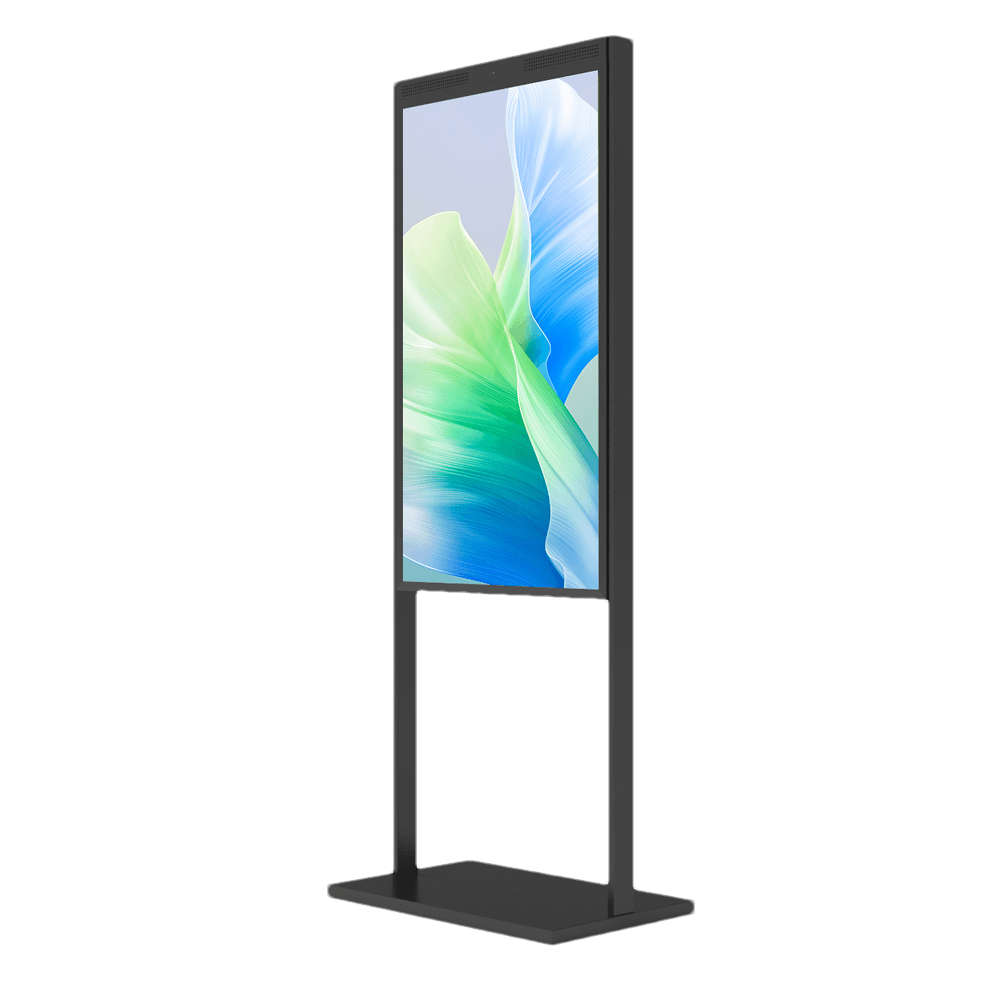
A Window Facing Display is a finished high-brightness commercial LCD display installed indoors and positioned toward storefront glass, street traffic, mall walkways or another public-facing direction.
Its job is to keep advertising, product information, menus, property listings and brand content visible through glass under stronger daylight and reflection than a normal indoor signage screen is designed to handle.
It is not a complete outdoor display. The screen remains inside the building, while the audience may be outside or on the other side of the glass.
Window Facing Displays are finished indoor commercial displays designed for outdoor-facing visibility through glass—not weather-exposed outdoor displays.
| Product Route | Main Product Form | Best For | Weather Protection |
|---|---|---|---|
| Open Frame High Brightness Monitors | Embedded display assembly without a finished outer enclosure | OEM kiosks, vending machines, chargers and equipment | Provided mainly by the customer’s final equipment enclosure |
| Window Facing Displays | Finished indoor signage display facing storefront glass | Retail windows, real estate offices, banks, restaurants and mall storefronts | Installed indoors and protected by the building |
| Outdoor High Brightness Displays | Finished high-brightness display with outdoor enclosure | Standalone outdoor signage and public information | Integrated into the finished outdoor display |
| Outdoor Waterproof Touch Screen Displays | Waterproof touch screen assembly or complete enclosed outdoor monitor | Outdoor wayfinding, self-service, payment and public interaction | Front-panel or full-enclosure protection, according to the selected configuration; IP rating and wet-touch operation are confirmed separately |
| Holographic Cylinder Displays | Cylinder-format display system | Creative commercial presentation | Confirm the selected product configuration and installation environment |
| Mini-LED Backlit LCD Displays | LCD display with Mini-LED backlighting | Projects requiring a dedicated backlight configuration | Confirm the selected product configuration and installation environment |
Choose Window Facing Displays when the screen is installed indoors but must be clearly visible to people outside or across bright commercial glass.
One high-brightness screen faces the window or public traffic when only the outside audience needs to see the content.
An outward-facing high-brightness side and an inward-facing commercial display serve street traffic and indoor customers.
A slim suspended display keeps the floor clear and creates a clean storefront presentation.
A freestanding structure supports fast placement, easier service and changing retail layouts.
A fixed wall or bracket installation for long-term storefronts and commercial spaces.
Custom size, orientation, housing, color, bracket, glass, media system and cable routing can be reviewed.
Choose one outward-facing screen when your message is intended for people outside the store. The C Series covers 32 to 86 inches, with floor-standing, hanging and bracket-based installation options.
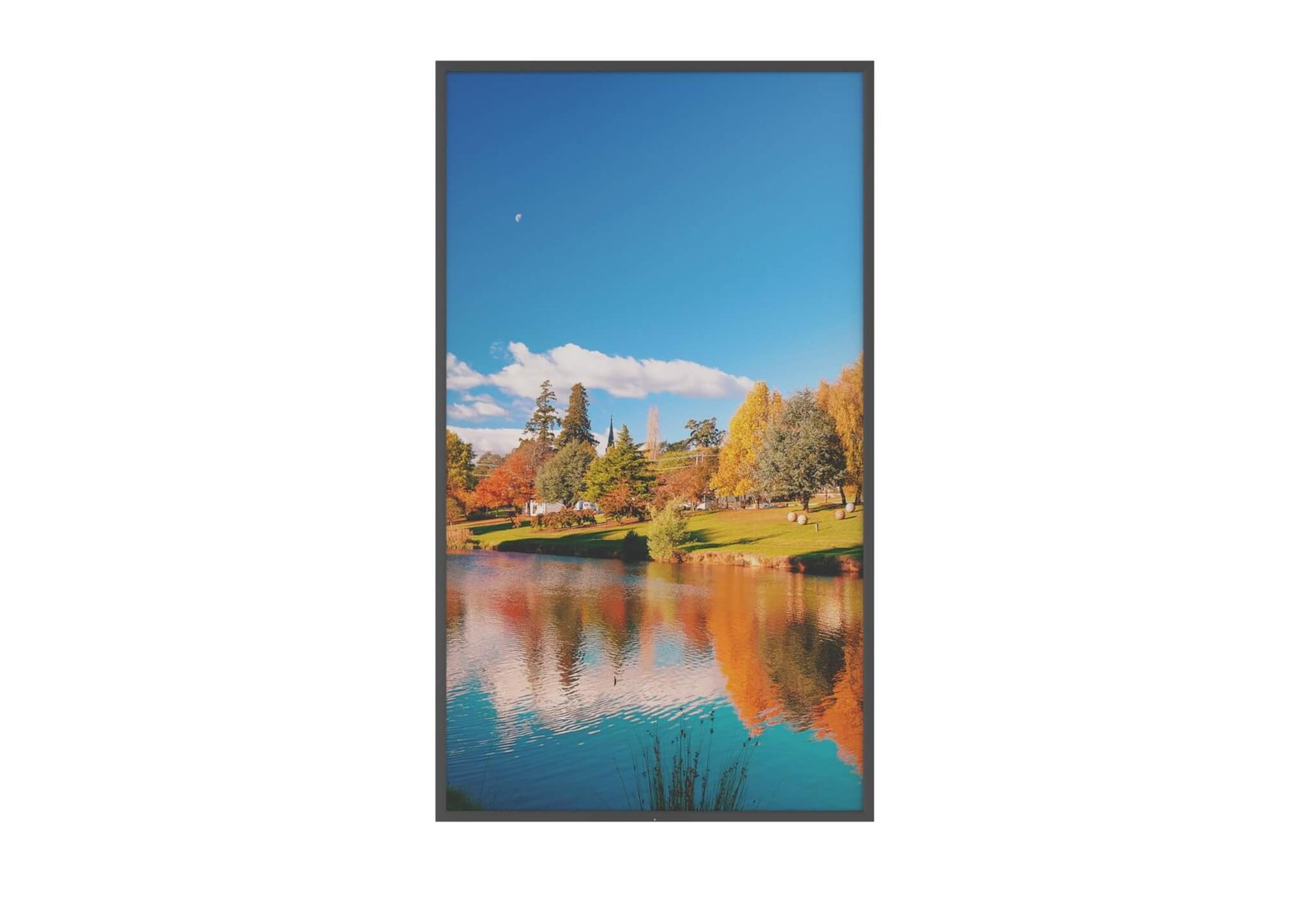
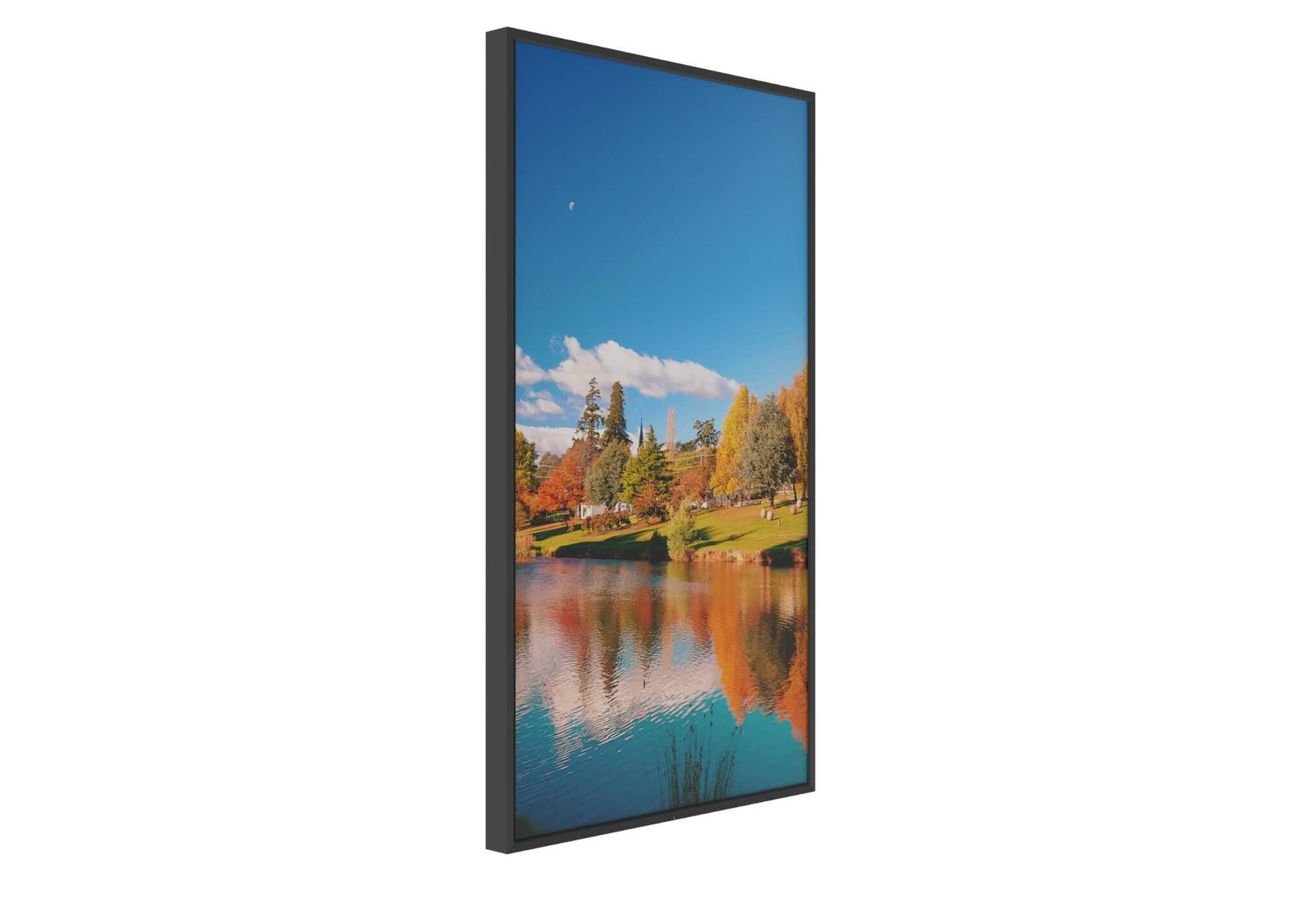
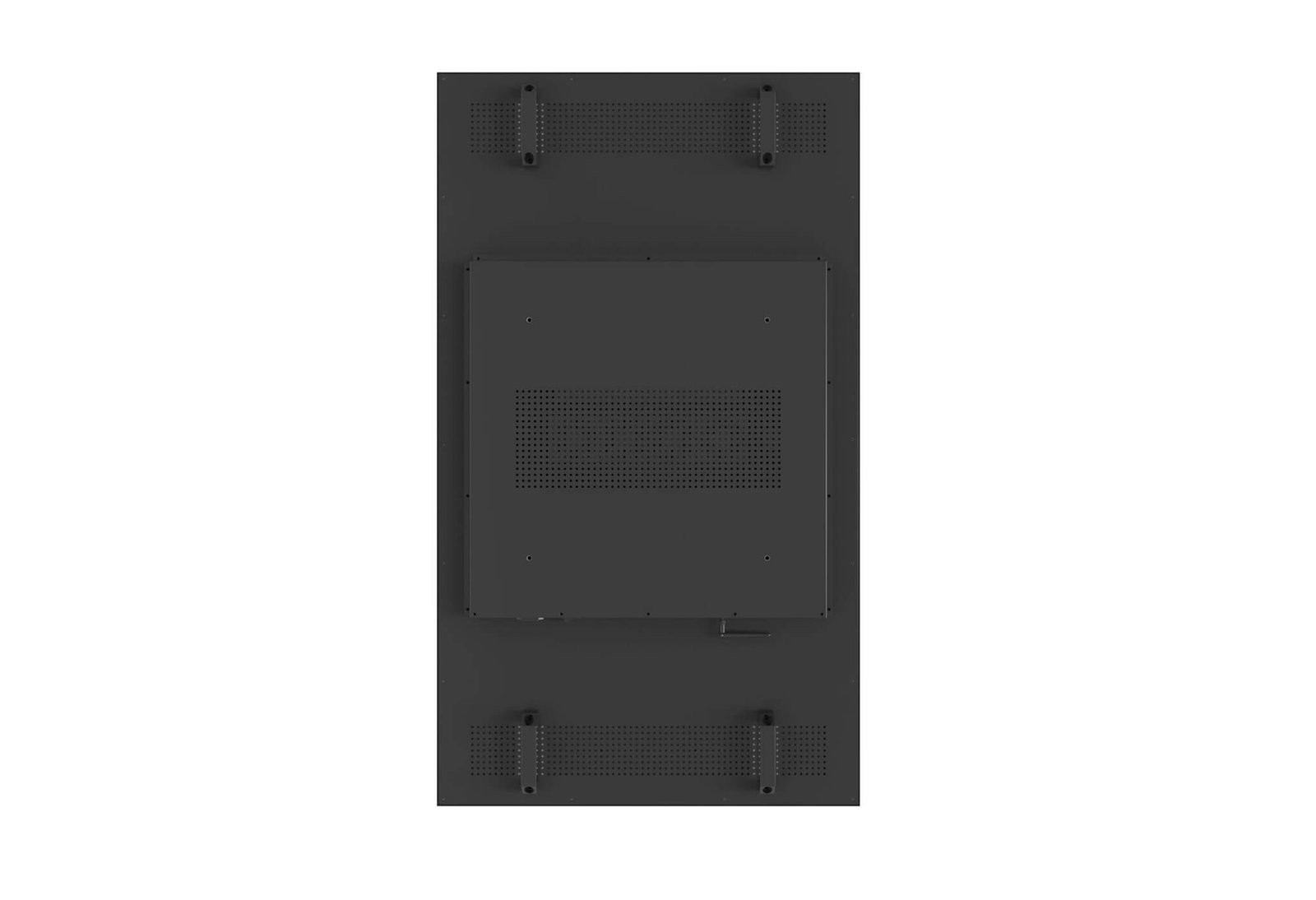







Reach street-facing viewers and customers inside with two display surfaces. Review hanging, floor-standing and bracket-free product versions, then confirm the brightness and content configuration for each side.
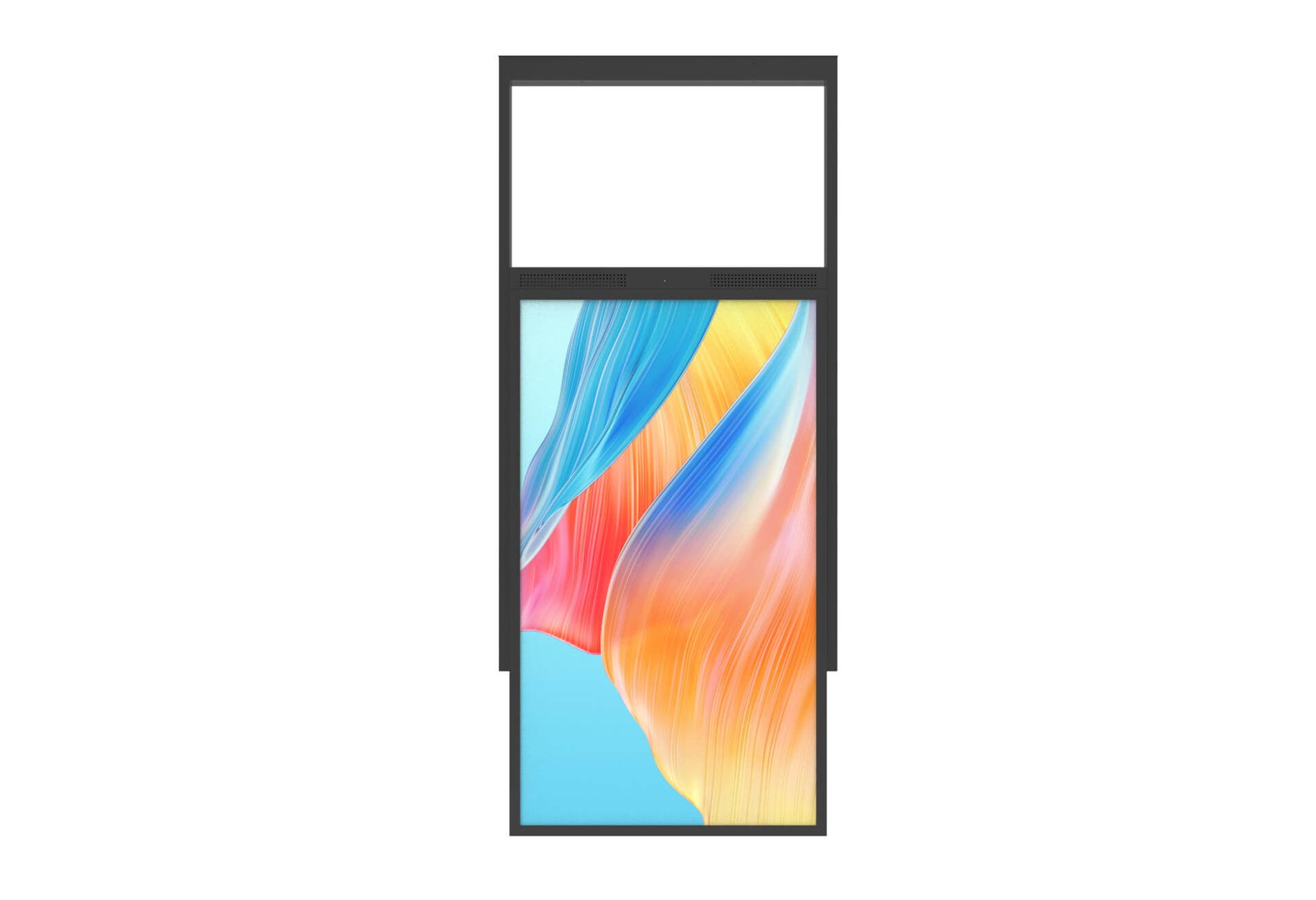

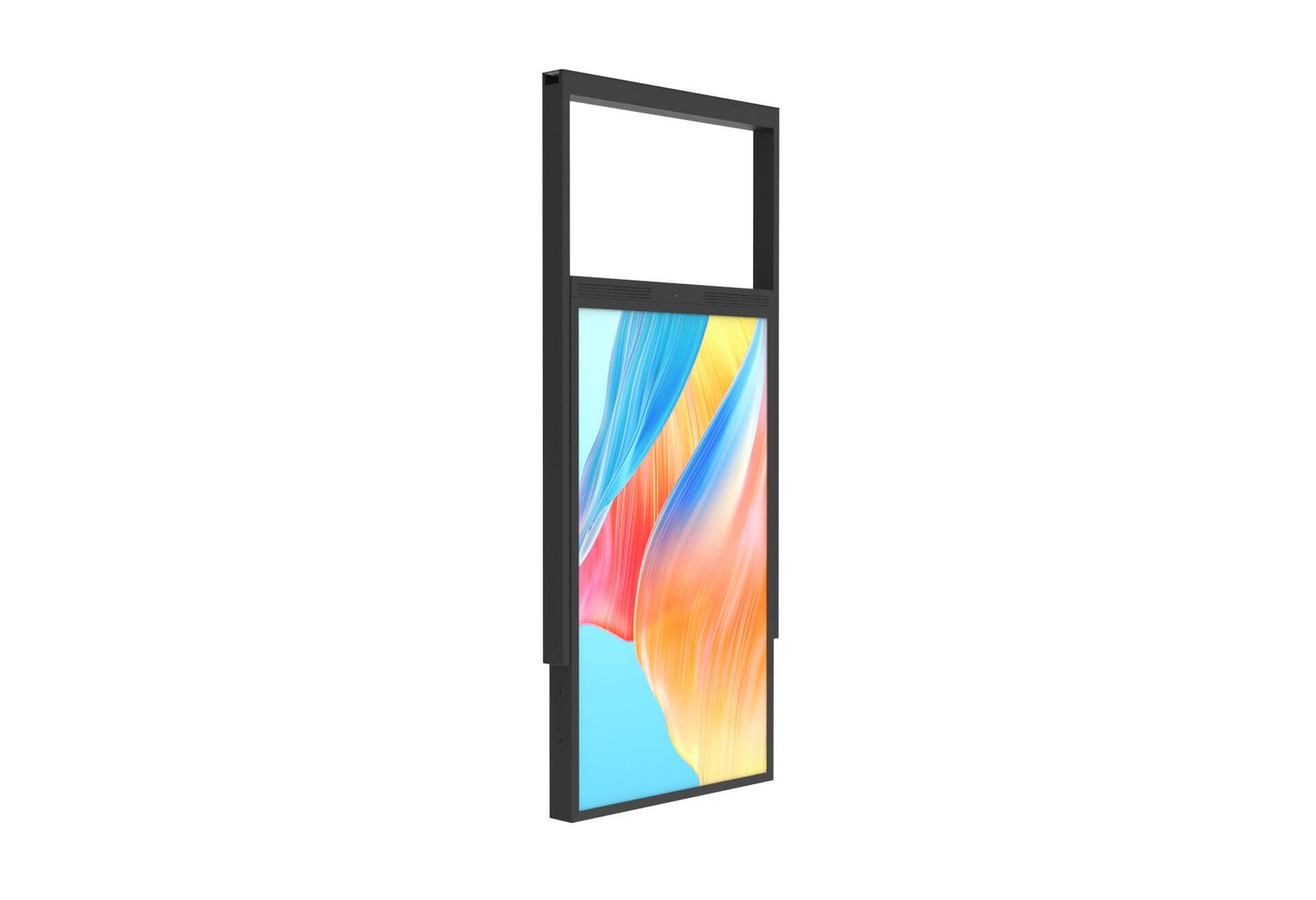


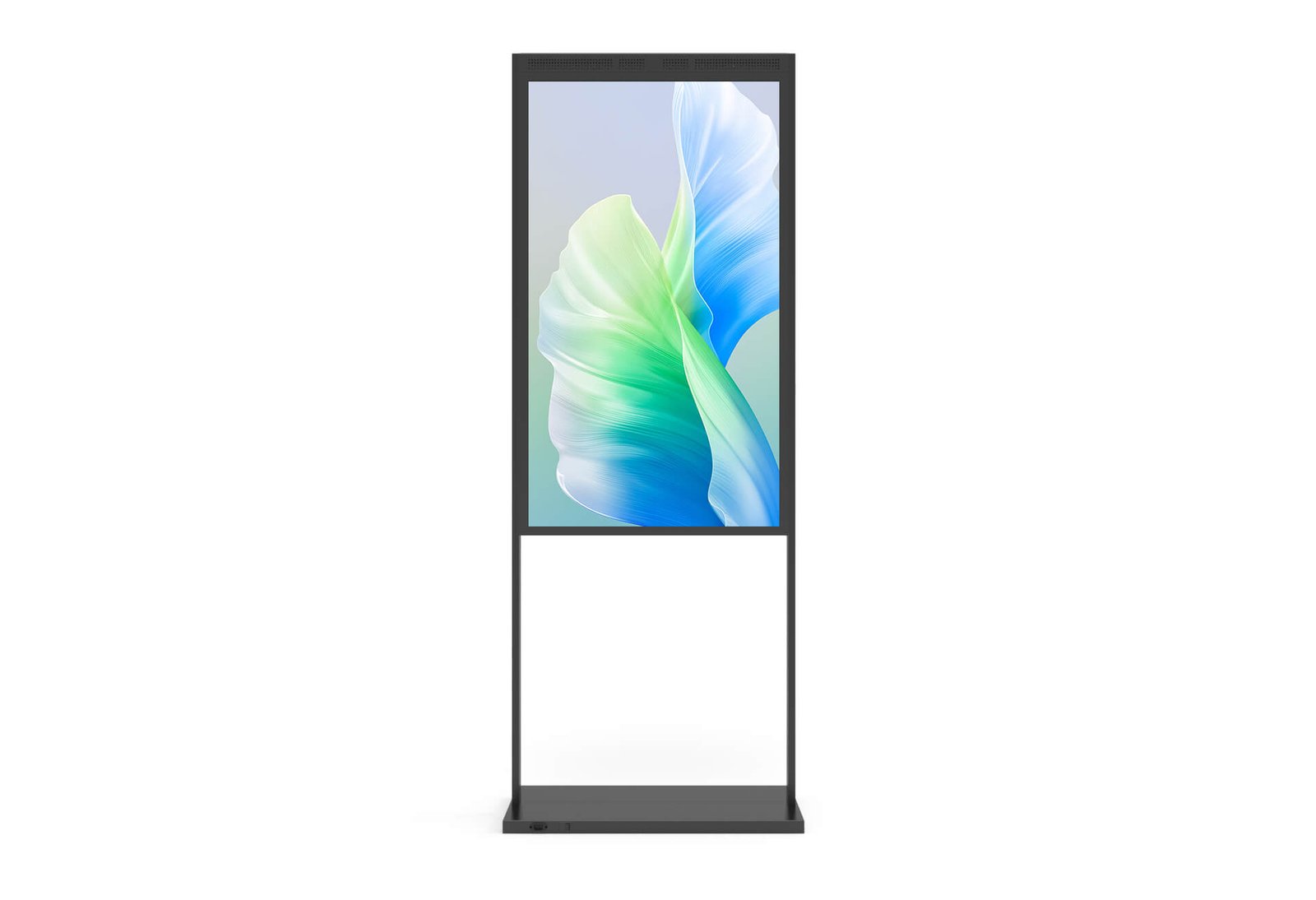
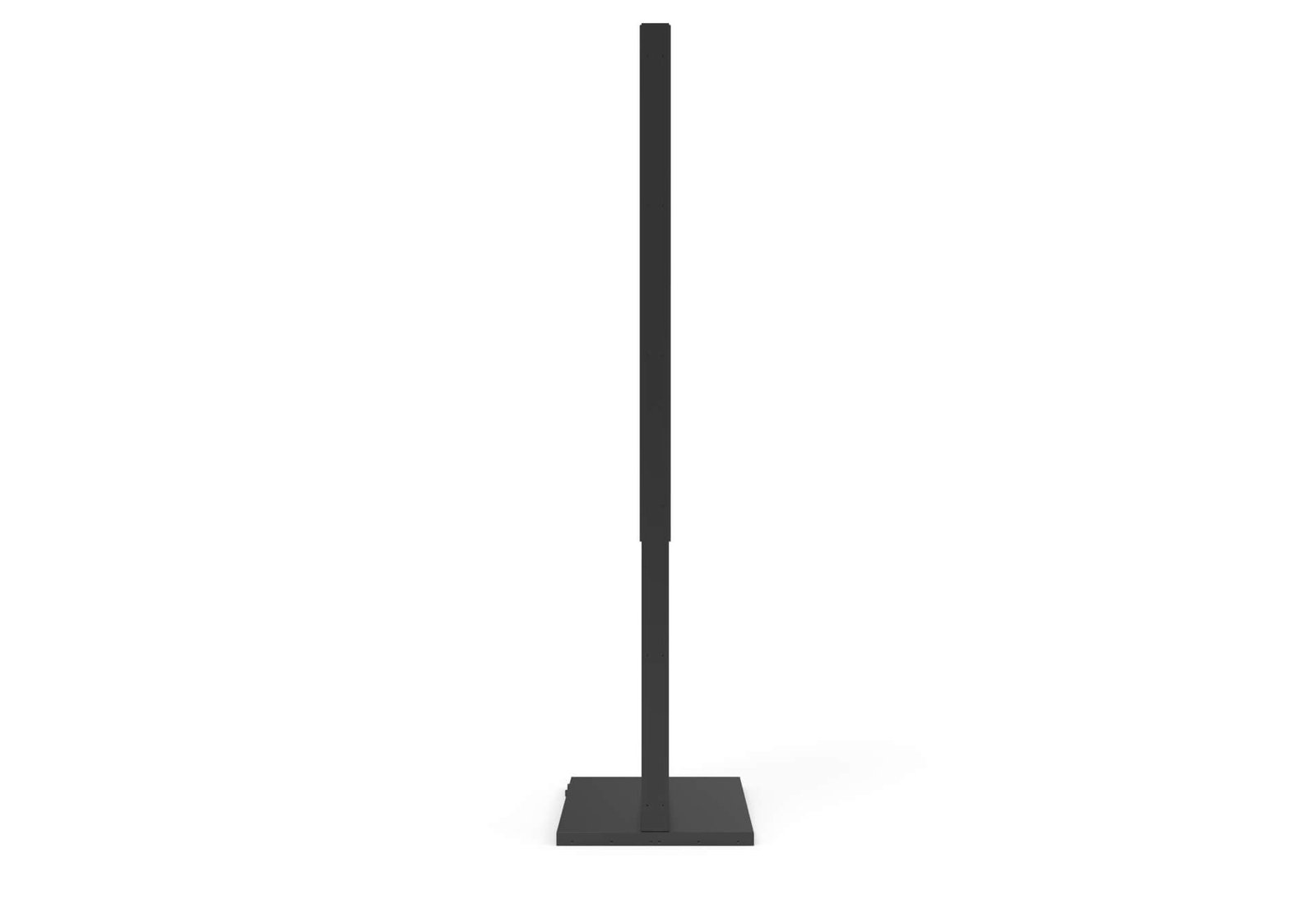
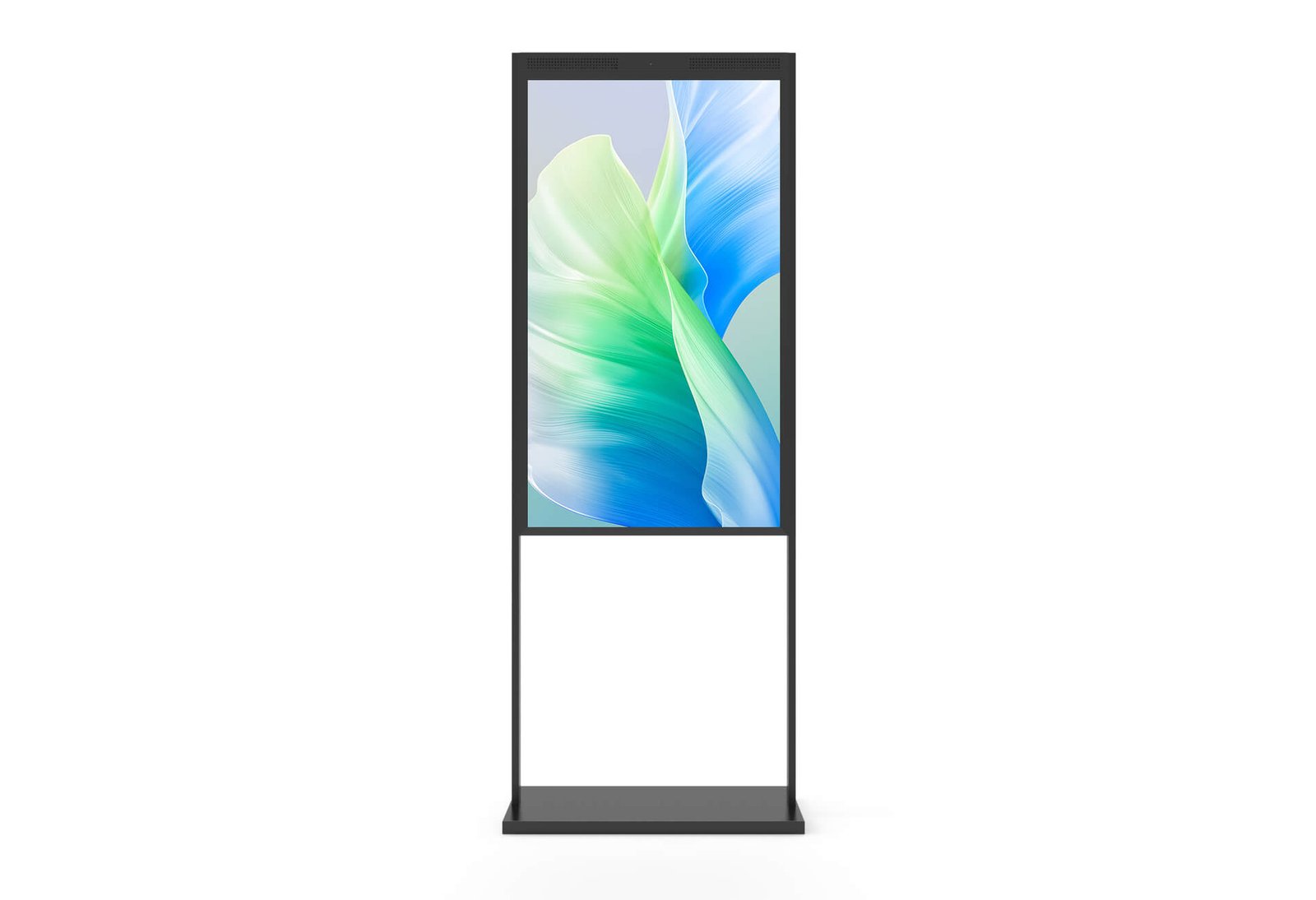
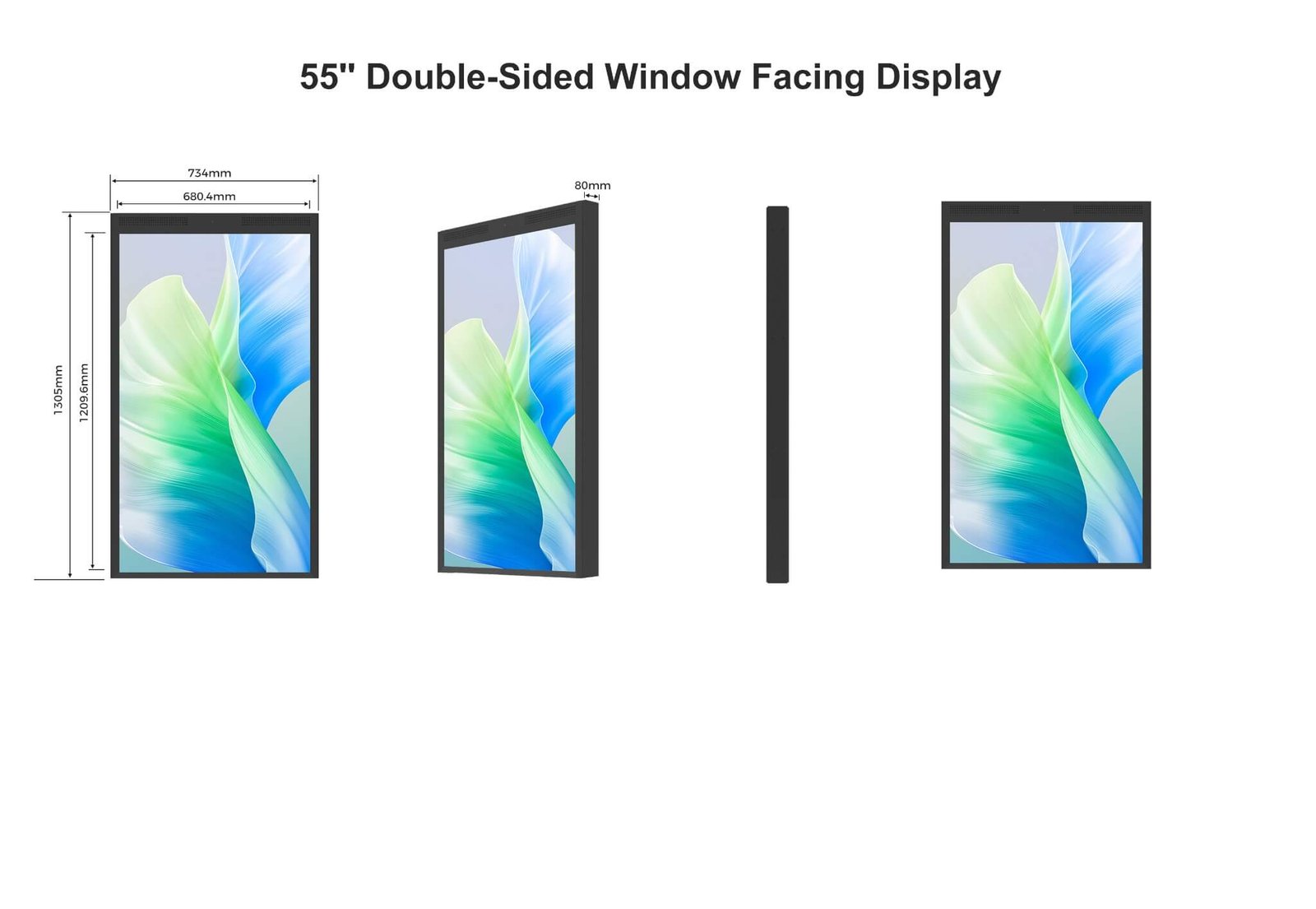
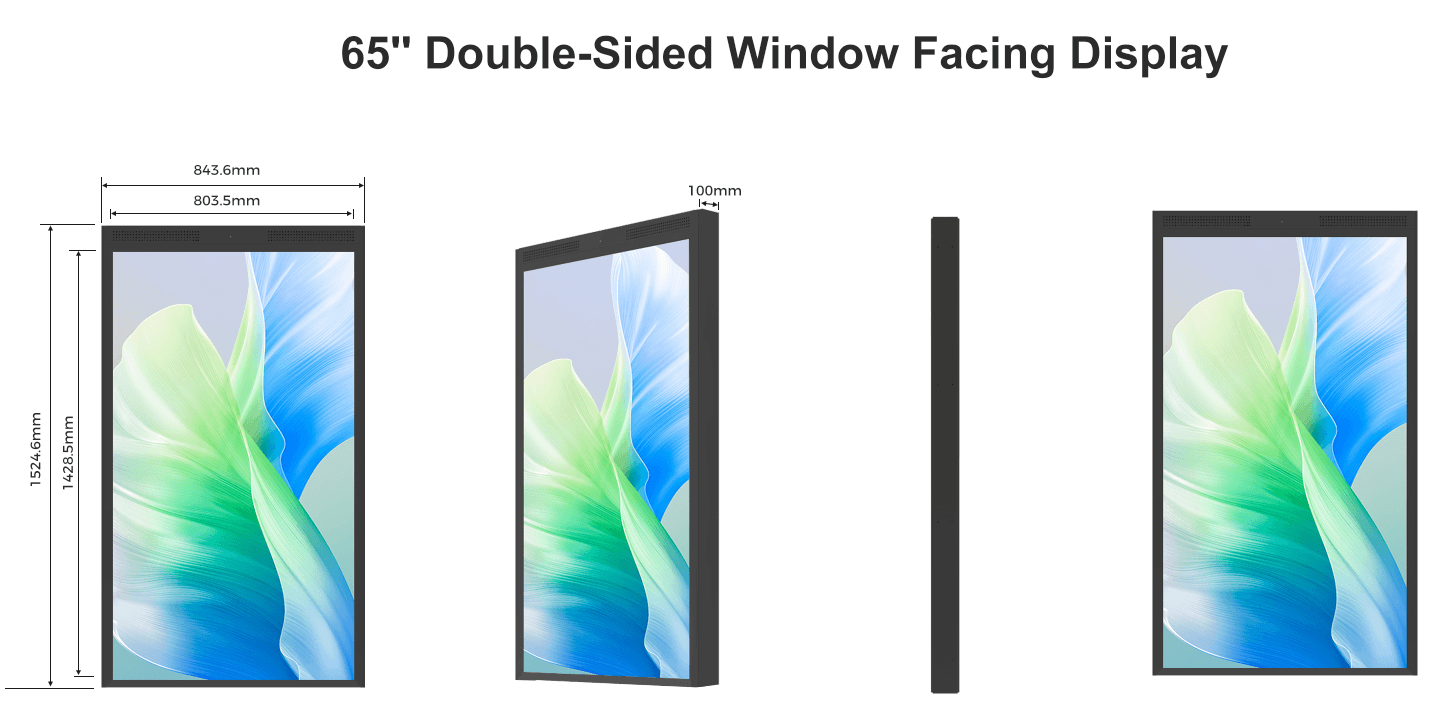

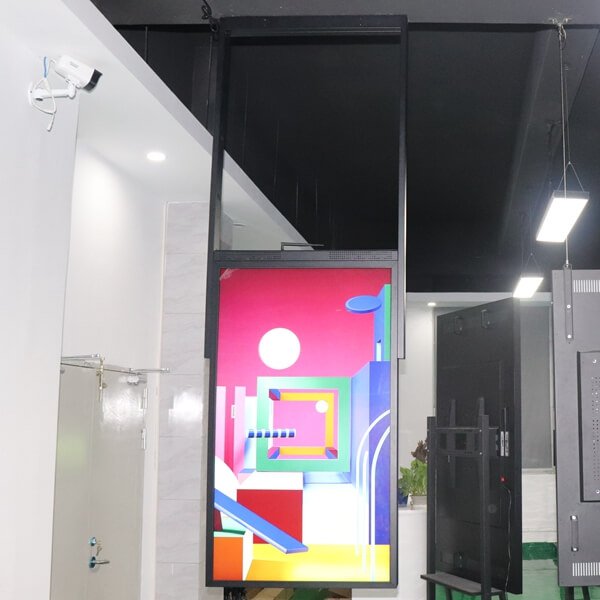


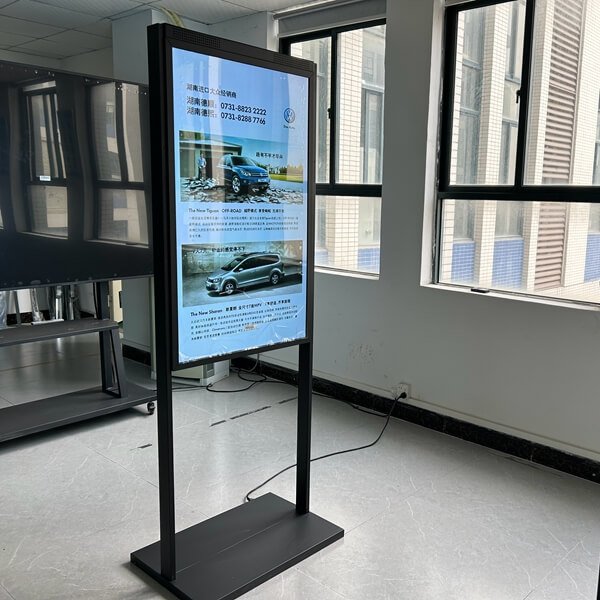
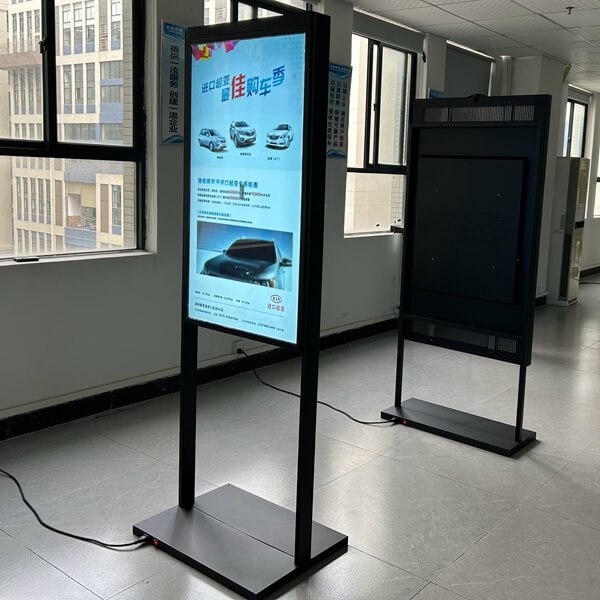
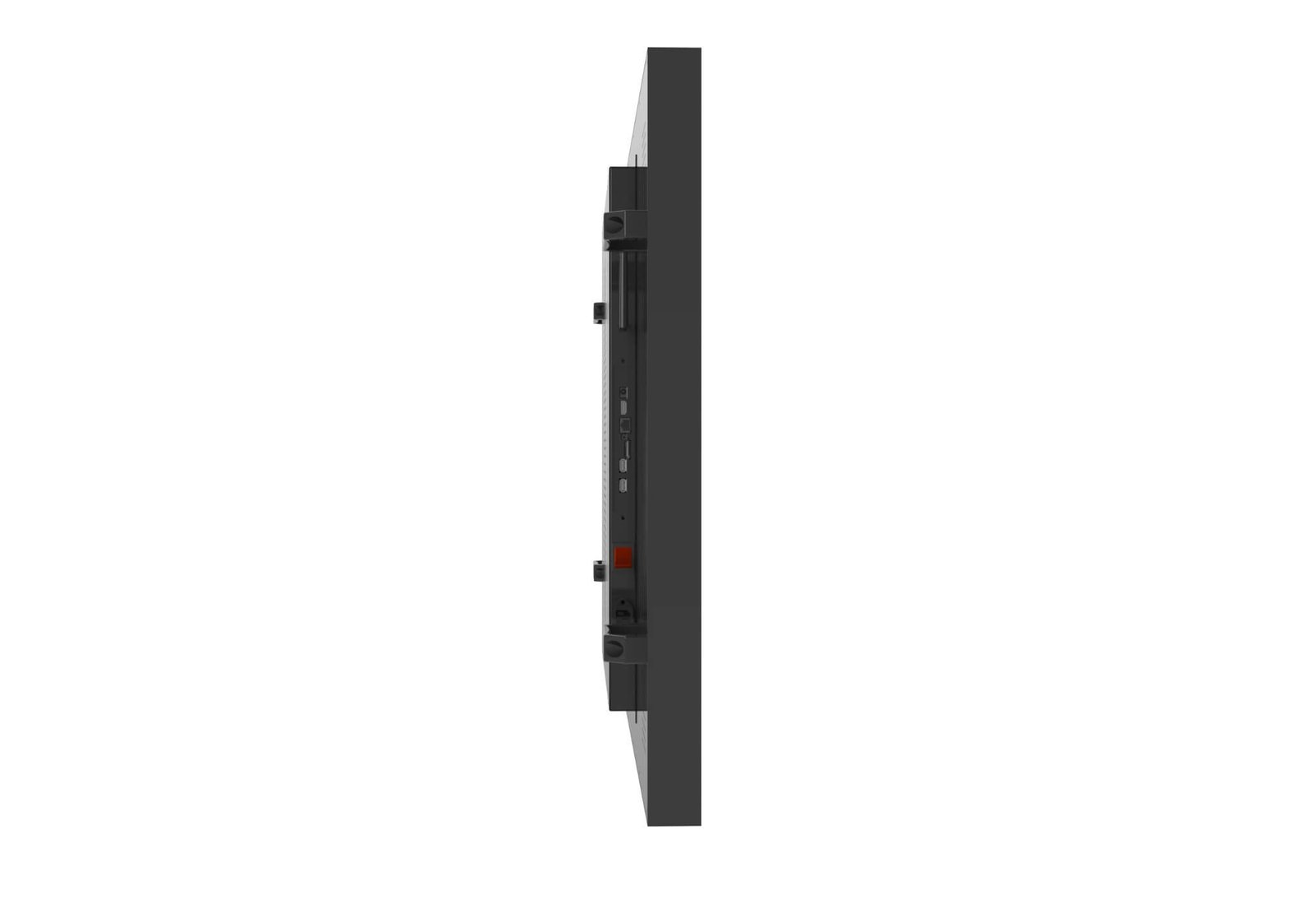
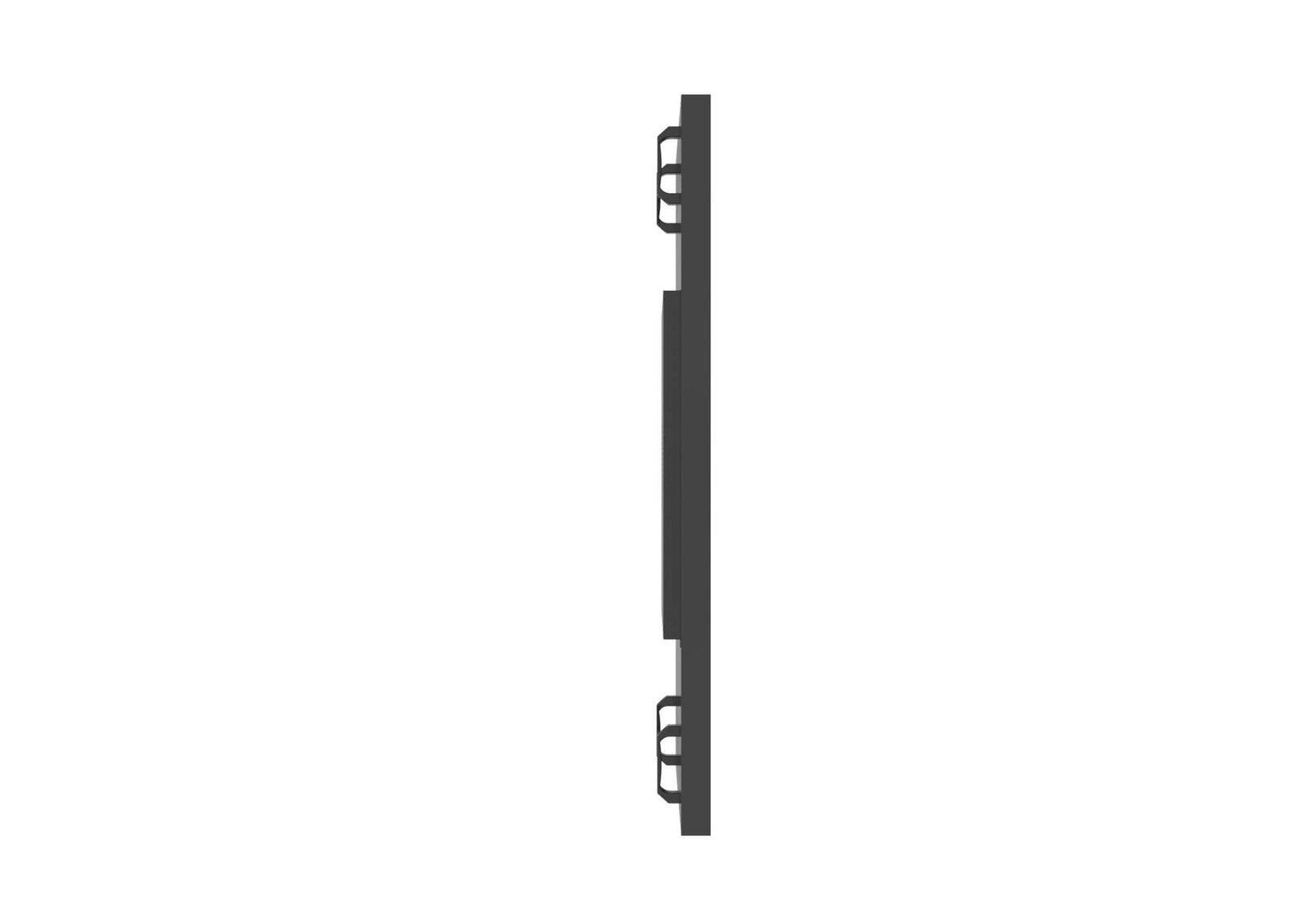
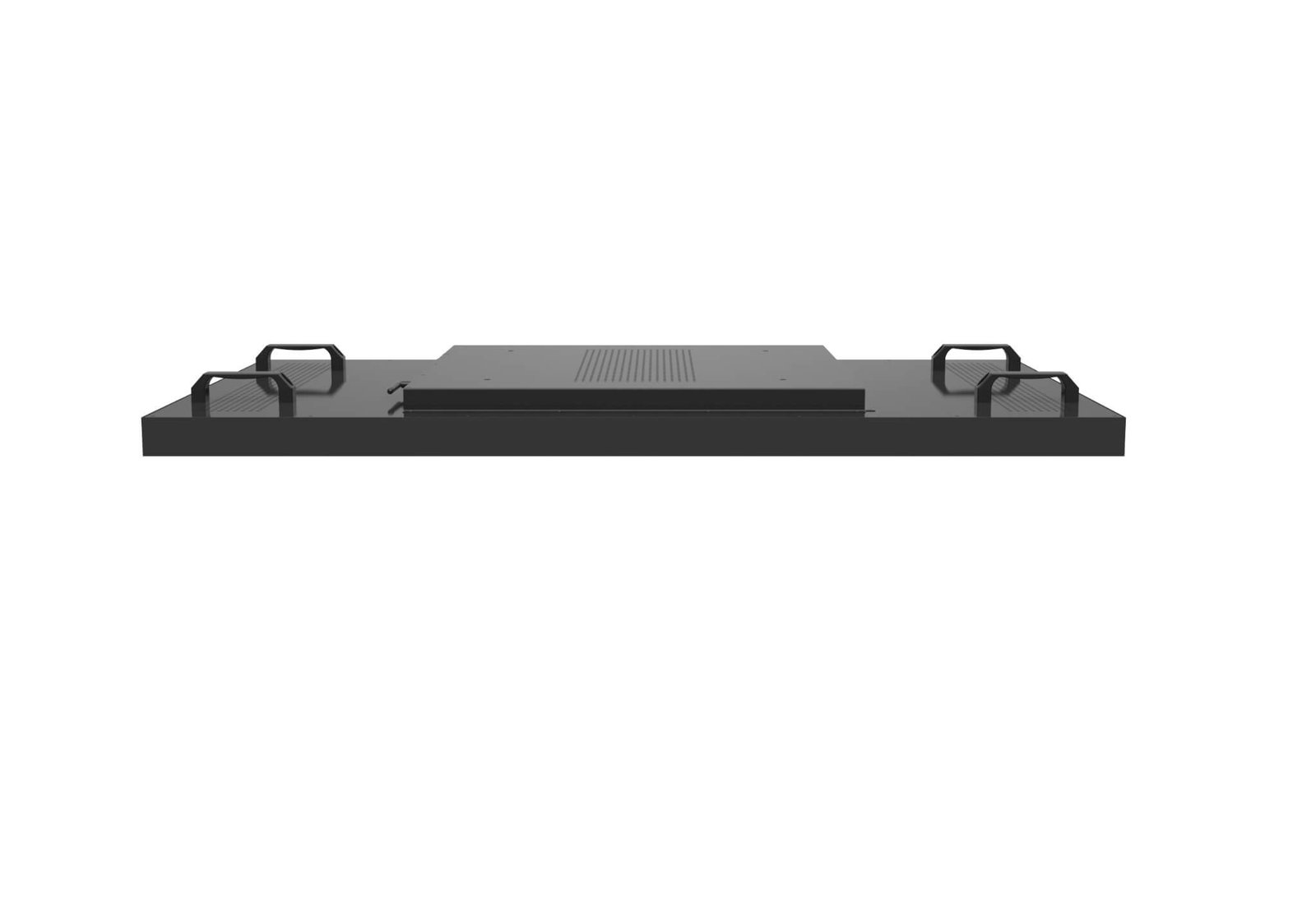
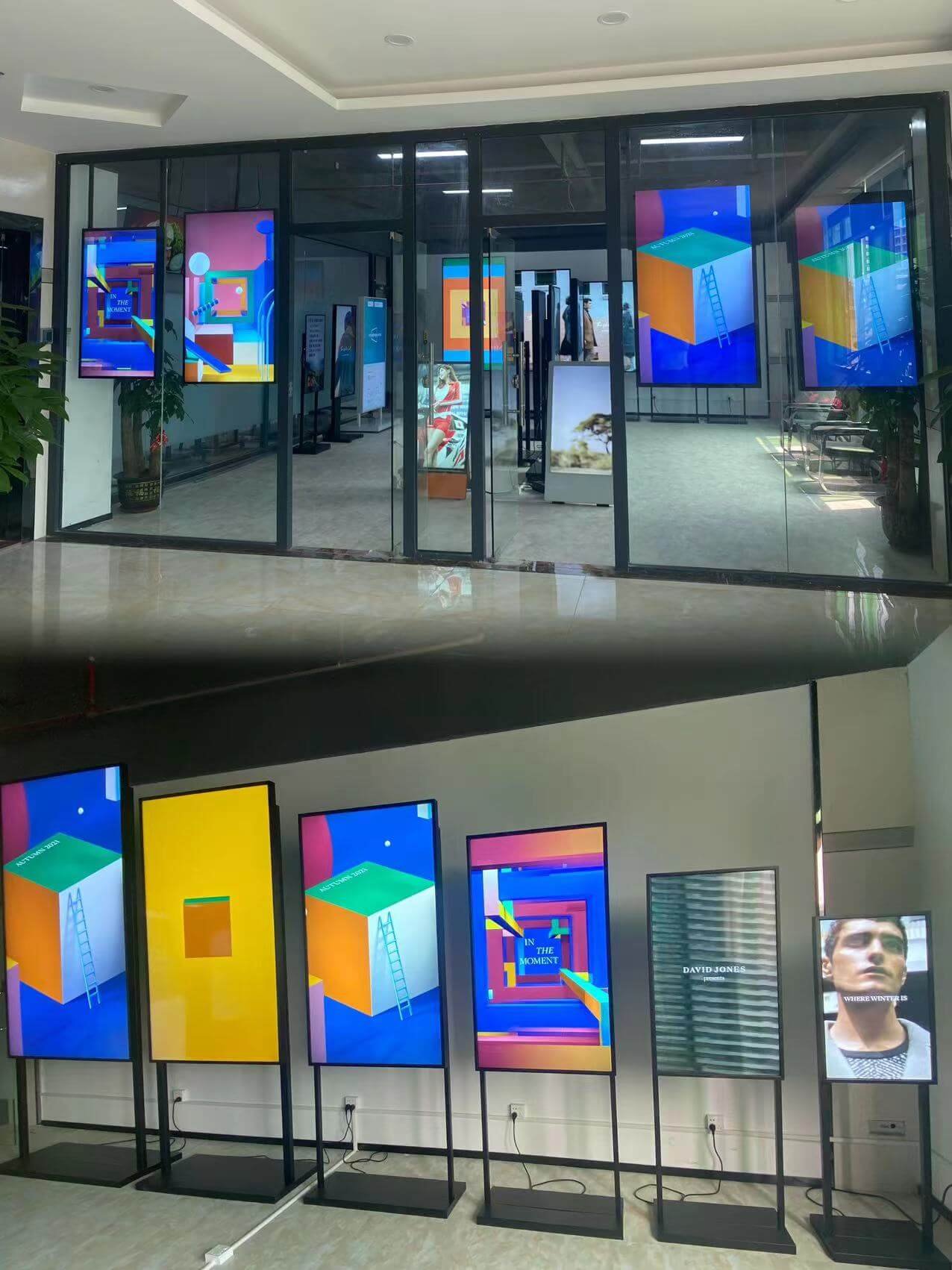
Actual display configurations photographed in the factory and showroom. Review front views, enclosure angles and the display lineup; size, brightness and installation details are confirmed for the selected project. Hover to enlarge and click to view the full photograph.


| Factor | Single-Sided Window Display | Double-Sided Window Display |
|---|---|---|
| Audience | Outdoor or glass-facing viewers | Outdoor viewers and customers inside the store |
| Display Structure | One outward-facing screen | Two screens installed back-to-back in one structure |
| Brightness Strategy | Selected for the outward-facing environment | Higher-brightness outward side; lower-brightness indoor side |
| Content | One outward-facing content stream | Synchronized or independent content for two audiences |
| Thickness and Weight | Thinner and lighter | Higher because of two panels, power systems and cooling |
| Thermal Review | Required for the outward-facing screen | More important because heat from both displays shares one structure |
| Best For | Storefront advertising and outward-facing communication | Retail stores, banks, restaurants and service counters serving both directions |
North-, south-, east- and west-facing windows experience different periods and strengths of sunlight.
Storefront glass can reflect the street, sky and nearby buildings, reducing visible image contrast.
Tint, coating, laminated layers and printed areas reduce the light reaching the viewer.
A screen viewed from across a street needs different size, content and luminance than one viewed from a mall walkway.
Daytime-only, evening and long-hour commercial use require different brightness and dimming strategies.
Manual, scheduled or sensor-based dimming can reduce glare, heat and unnecessary power after dark.
The relevant result is the visible contrast from the viewer’s position after glass reflection and transmission—not only the bare-screen luminance.
Sunlight passing through the window can heat the display and the air trapped behind the glass.
A high-brightness backlight adds its own thermal load during long daily operation.
The distance from the window affects ventilation, reflection, appearance and maintenance access.
Air inlet, exhaust, fan direction and surrounding furniture should not trap hot air.
The selected LCD must be reviewed for the expected surface and internal operating temperatures.
Canopies, window film, blinds or layout changes may reduce thermal load more effectively than brightness alone.
Brightness, ventilation, spacing, glass, sun direction and operating temperature must be evaluated as one system.
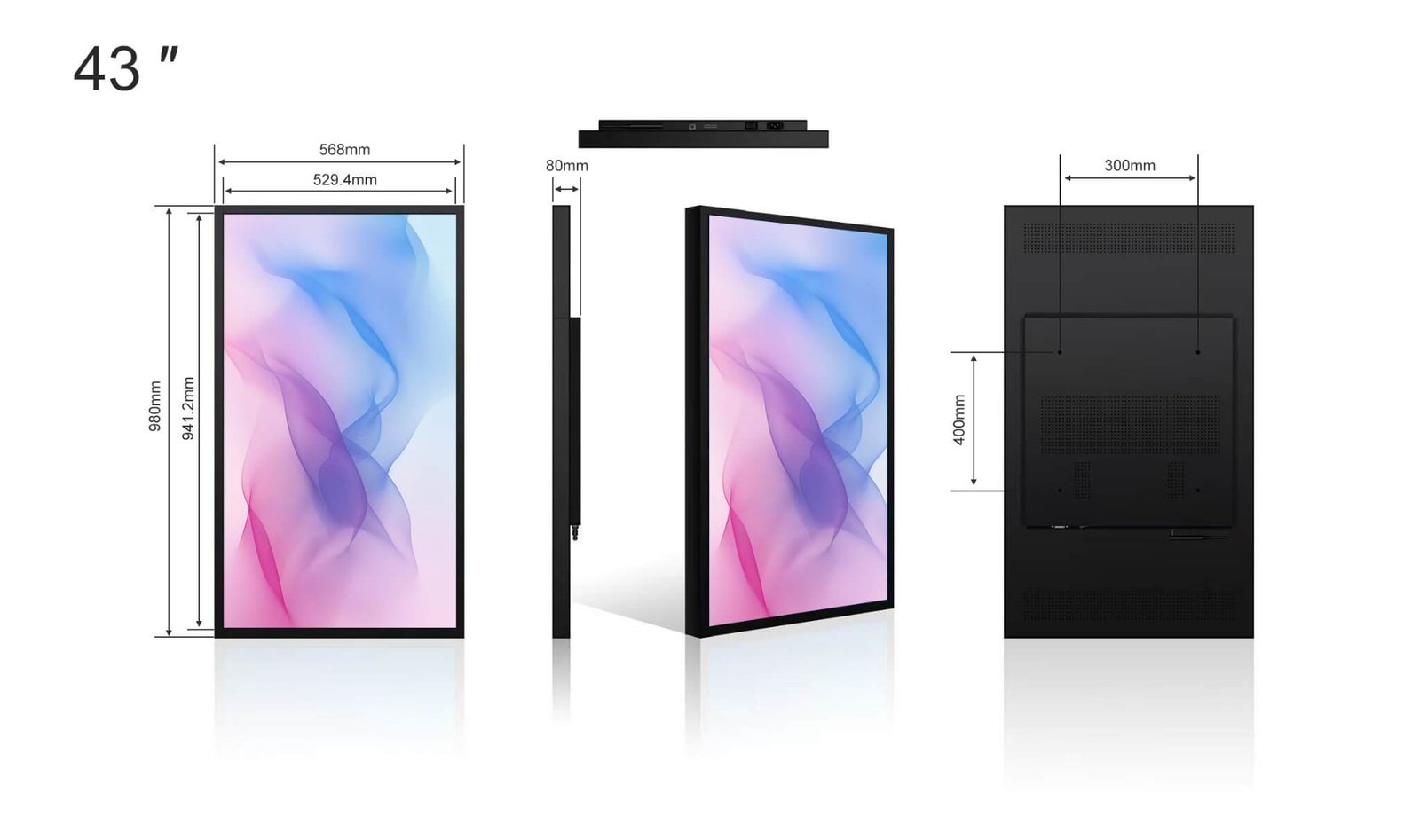
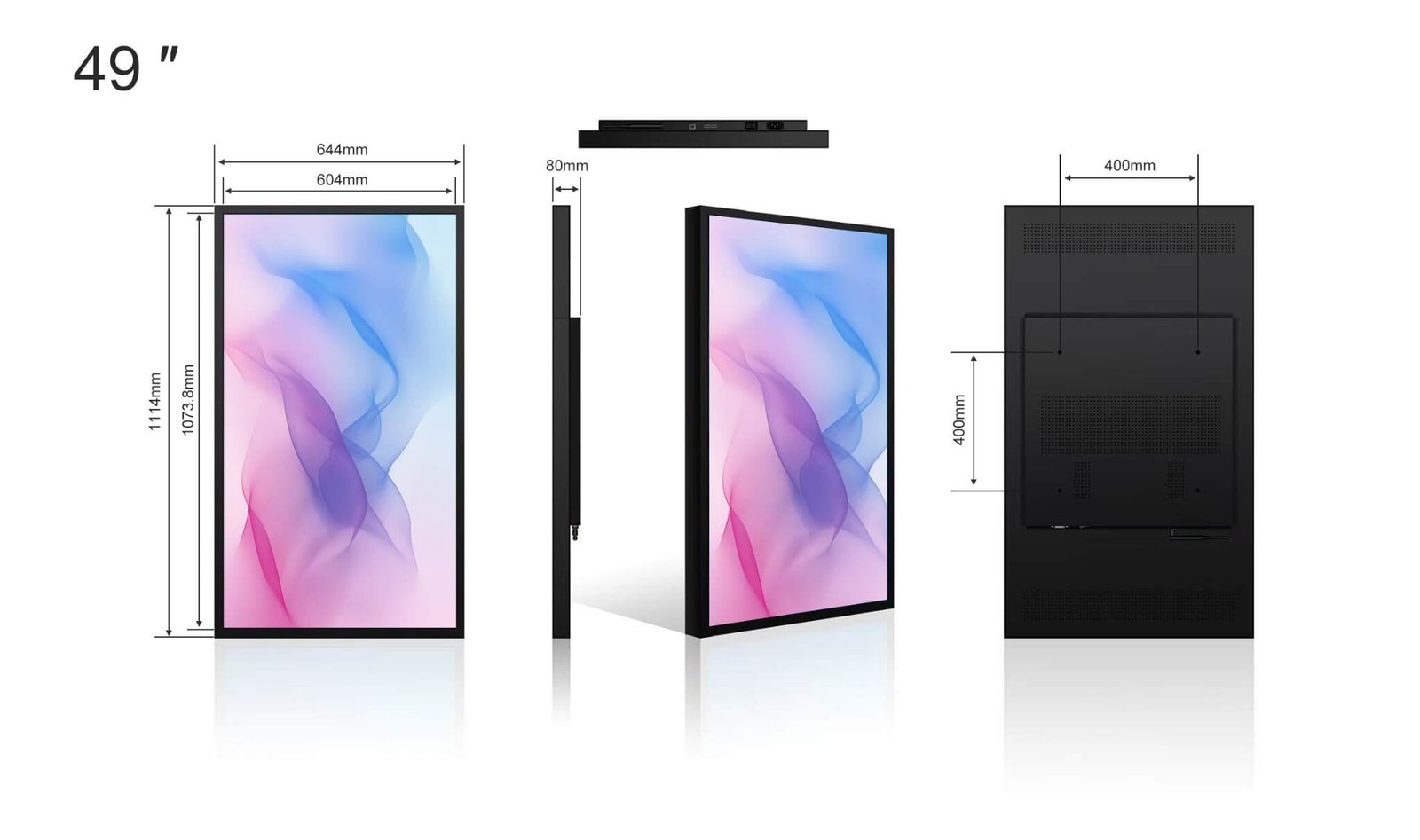
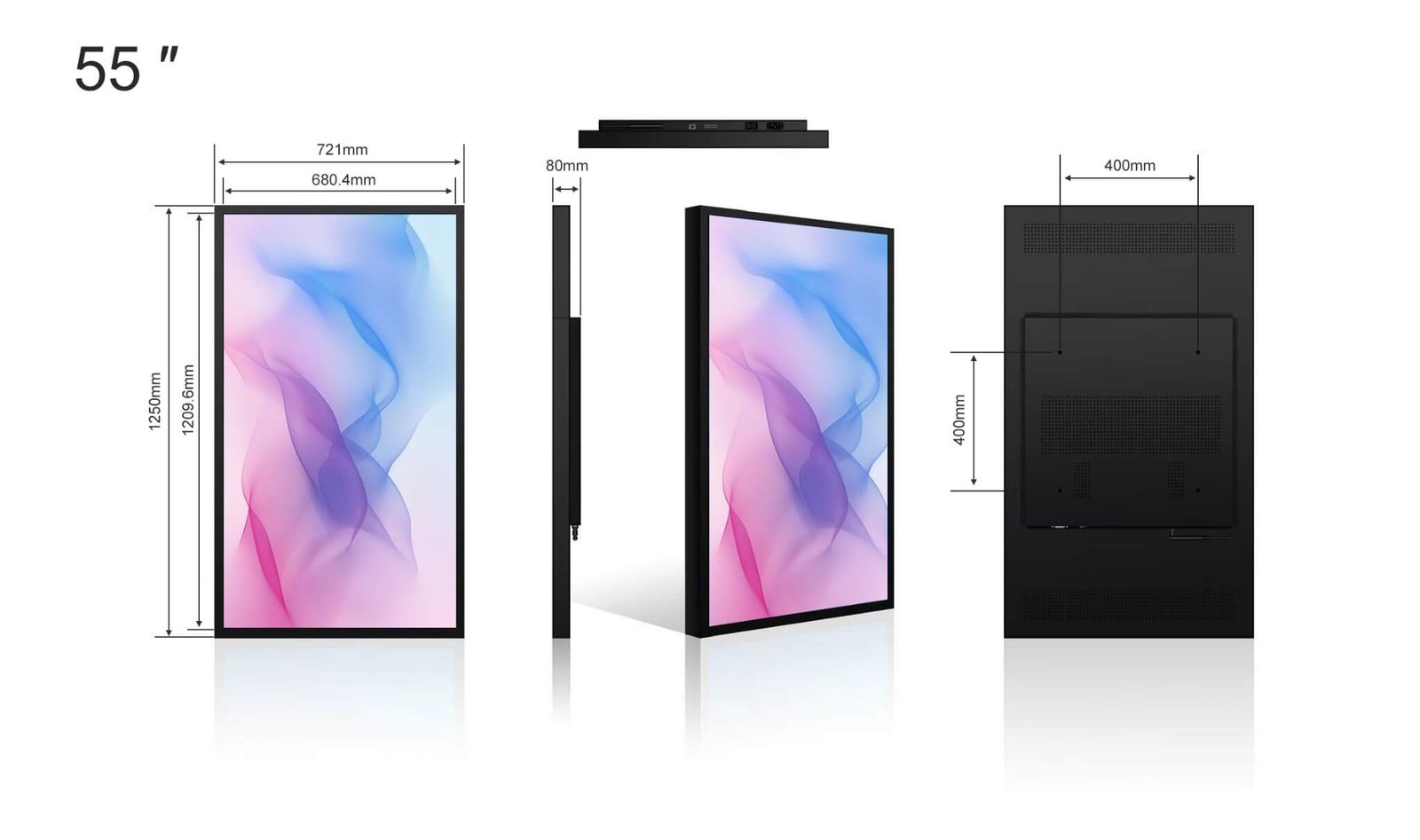
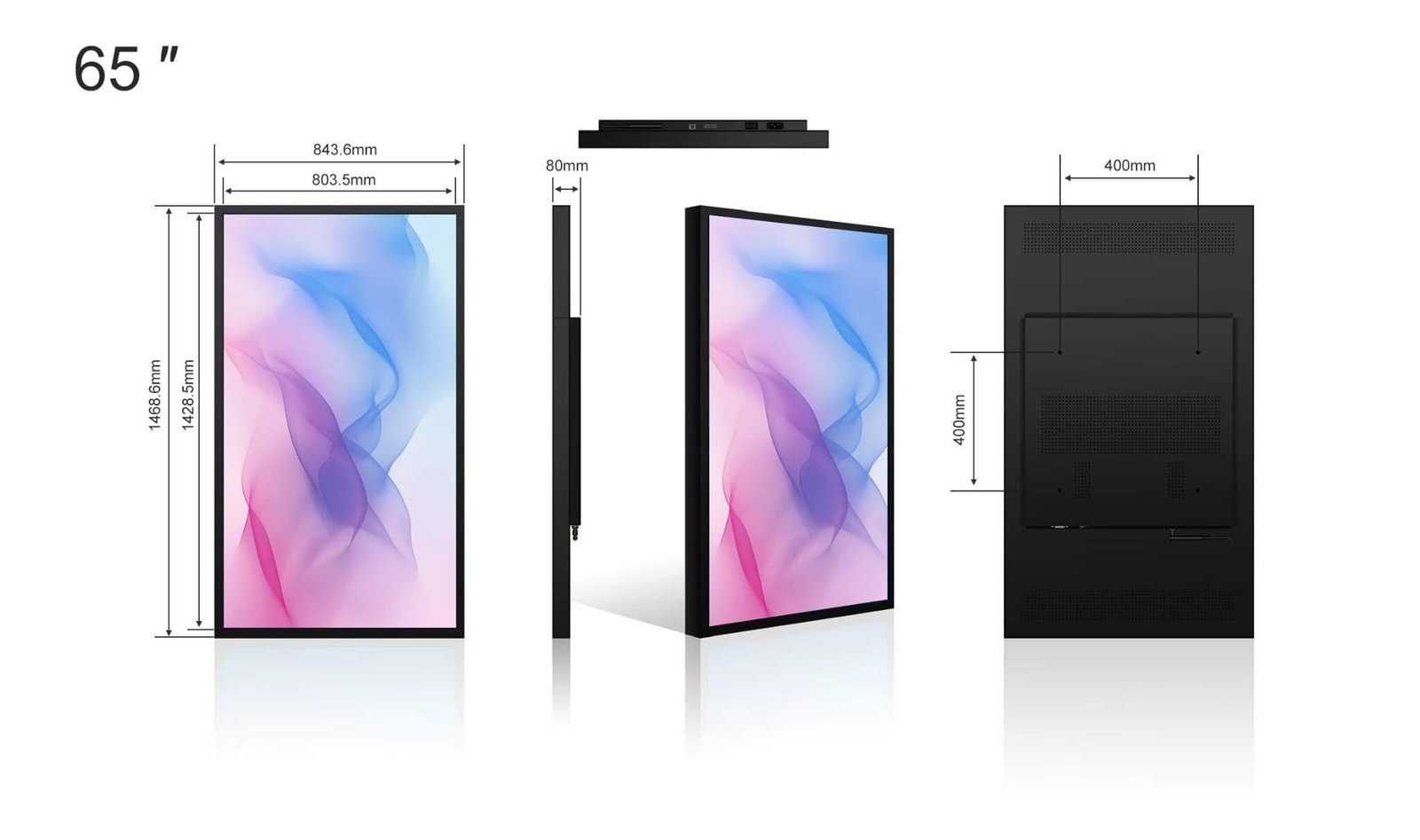
| Size | Model | Resolution | Brightness | Catalogue body dimensions (mm; long edge × short edge × depth) | Net weight | Maximum power |
|---|---|---|---|---|---|---|
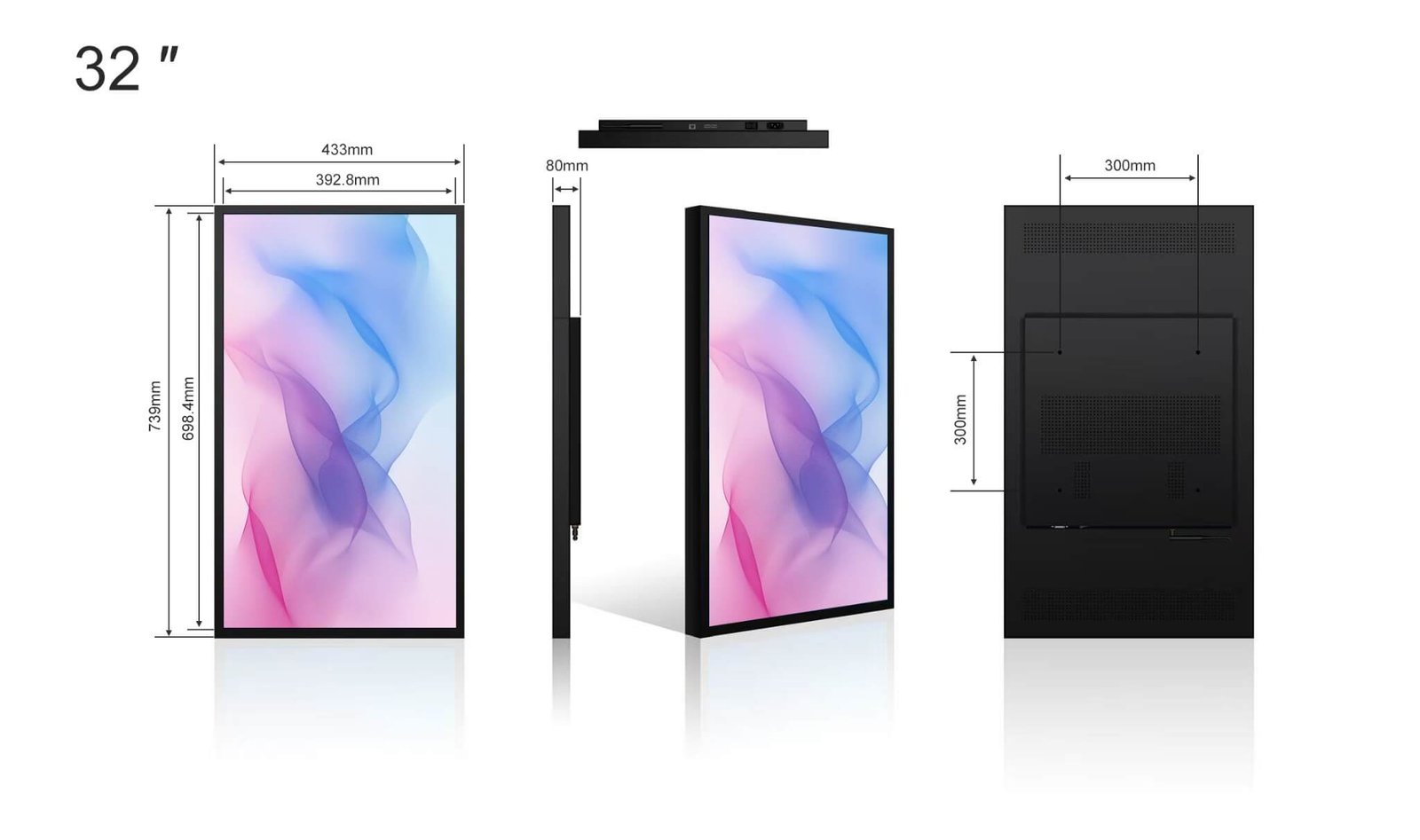
| 32″ | FSHD320-D25-C | 1920 × 1080 | 2500nits | 739 × 433 × 80mm | 15kg | 160W |
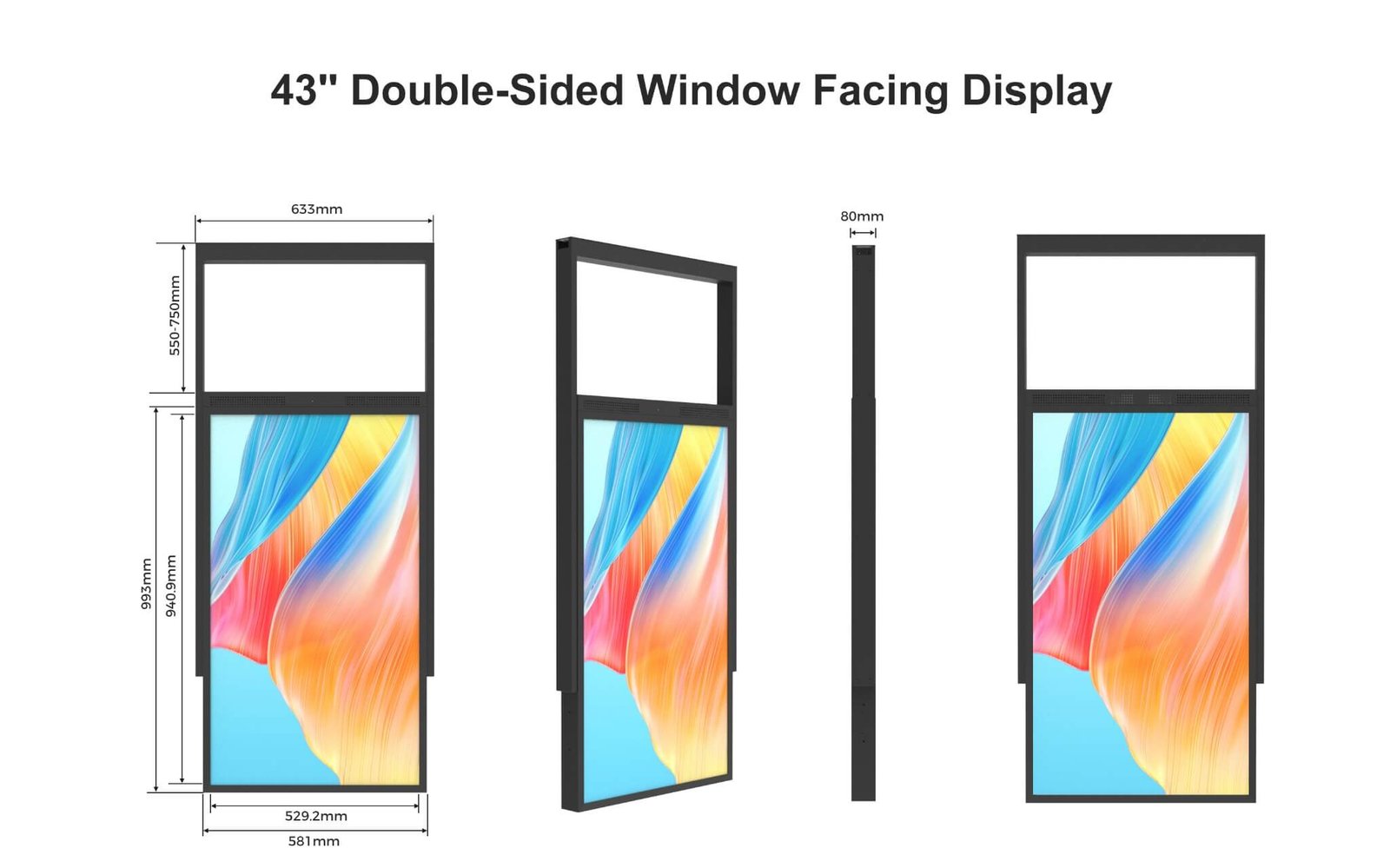
| 43″ | FSHD430-D25-C | 1920 × 1080 | 2500nits | 980 × 568 × 80mm | 25kg | 260W |
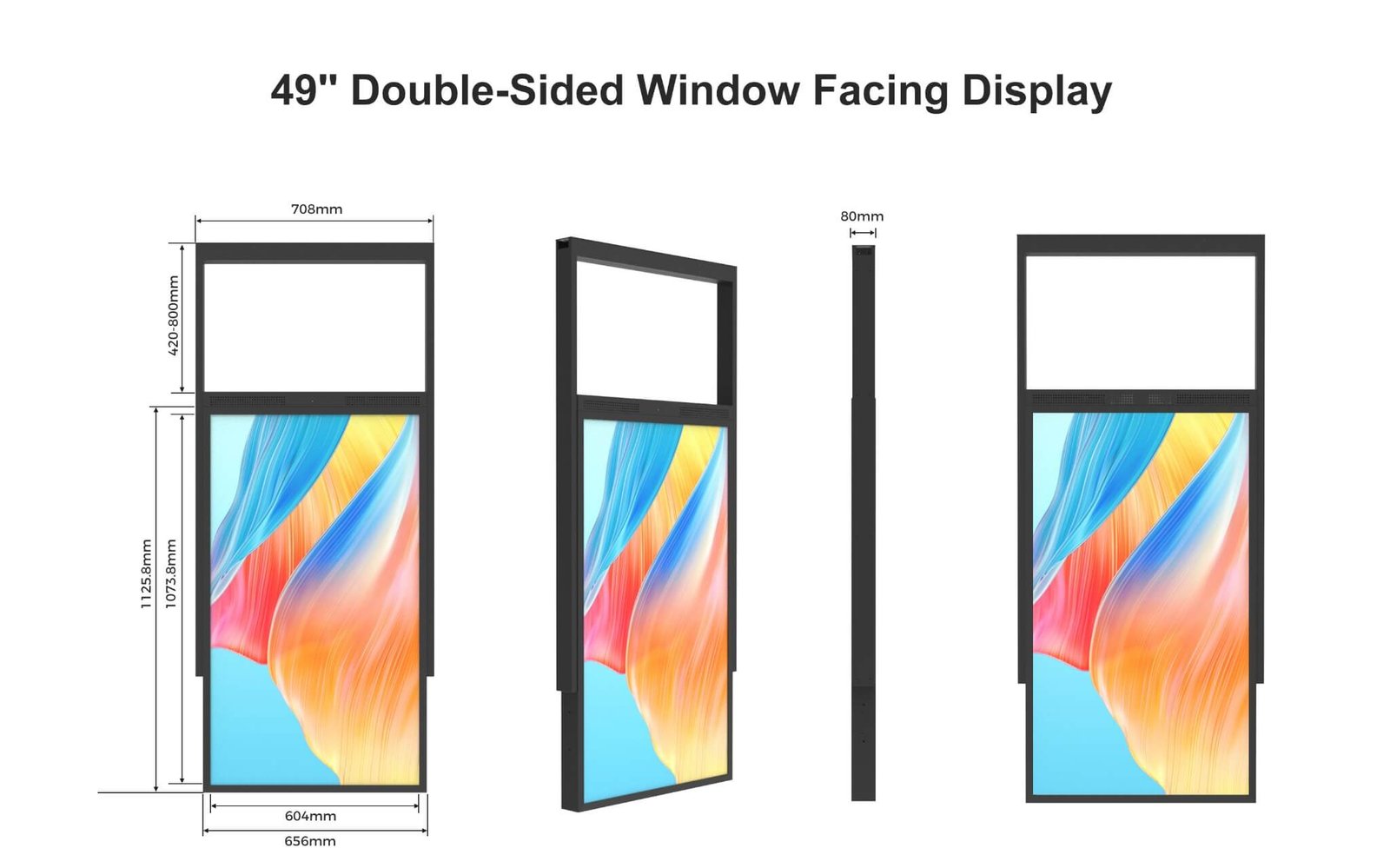
| 49″ | FSHD490-D25-C | 1920 × 1080 | 2500nits | 1114 × 644 × 80mm | 29kg | 220W |
| 55″ | FSHD550-D25 | 1920 × 1080 | 2500nits | 1249.6 × 720.4 × 80mm | 32kg | 310W |
| 65″ | FSHD650-D25 | 3840 × 2160 | 2500nits | 1468.6 × 843.6 × 80mm | 40kg | 440W |
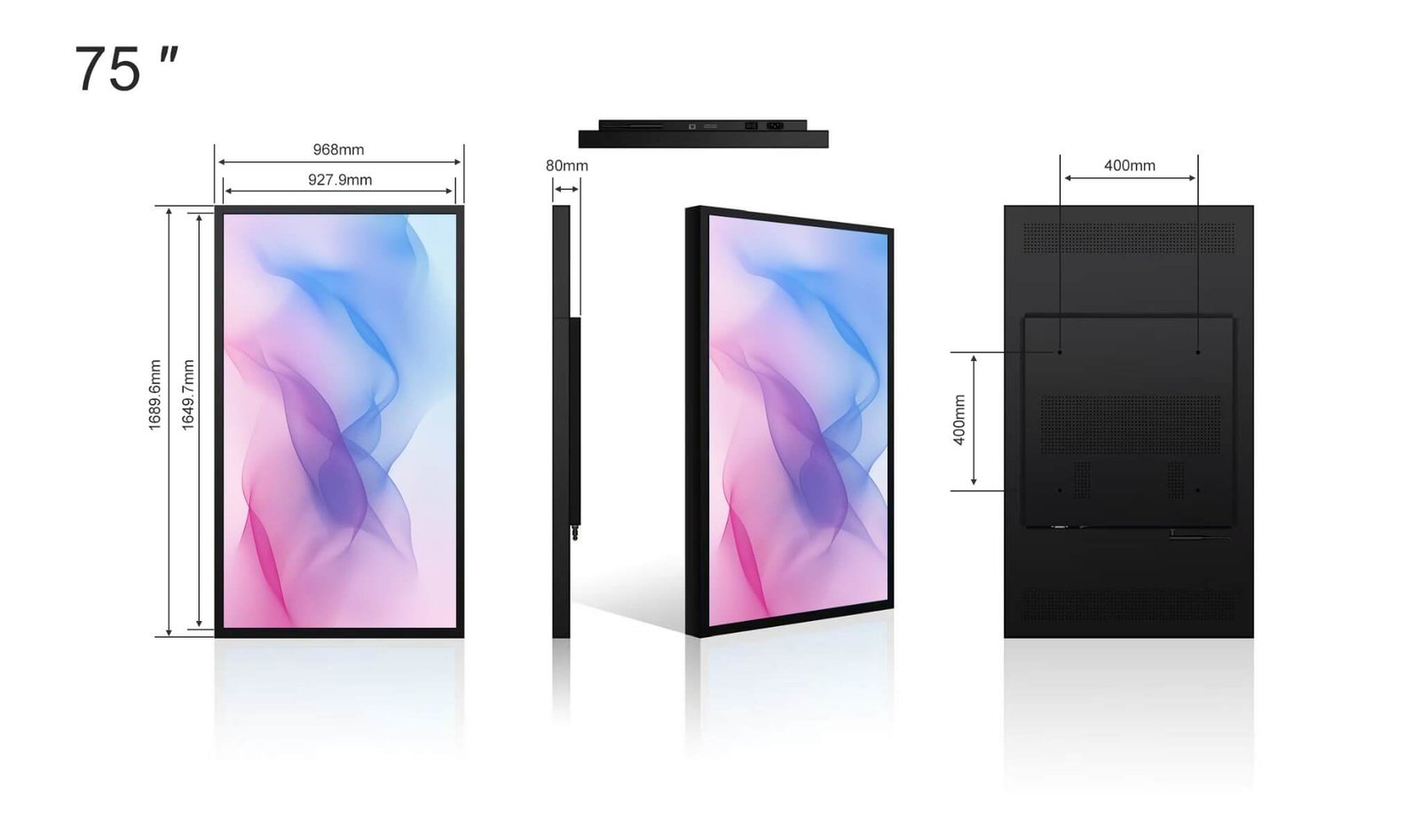
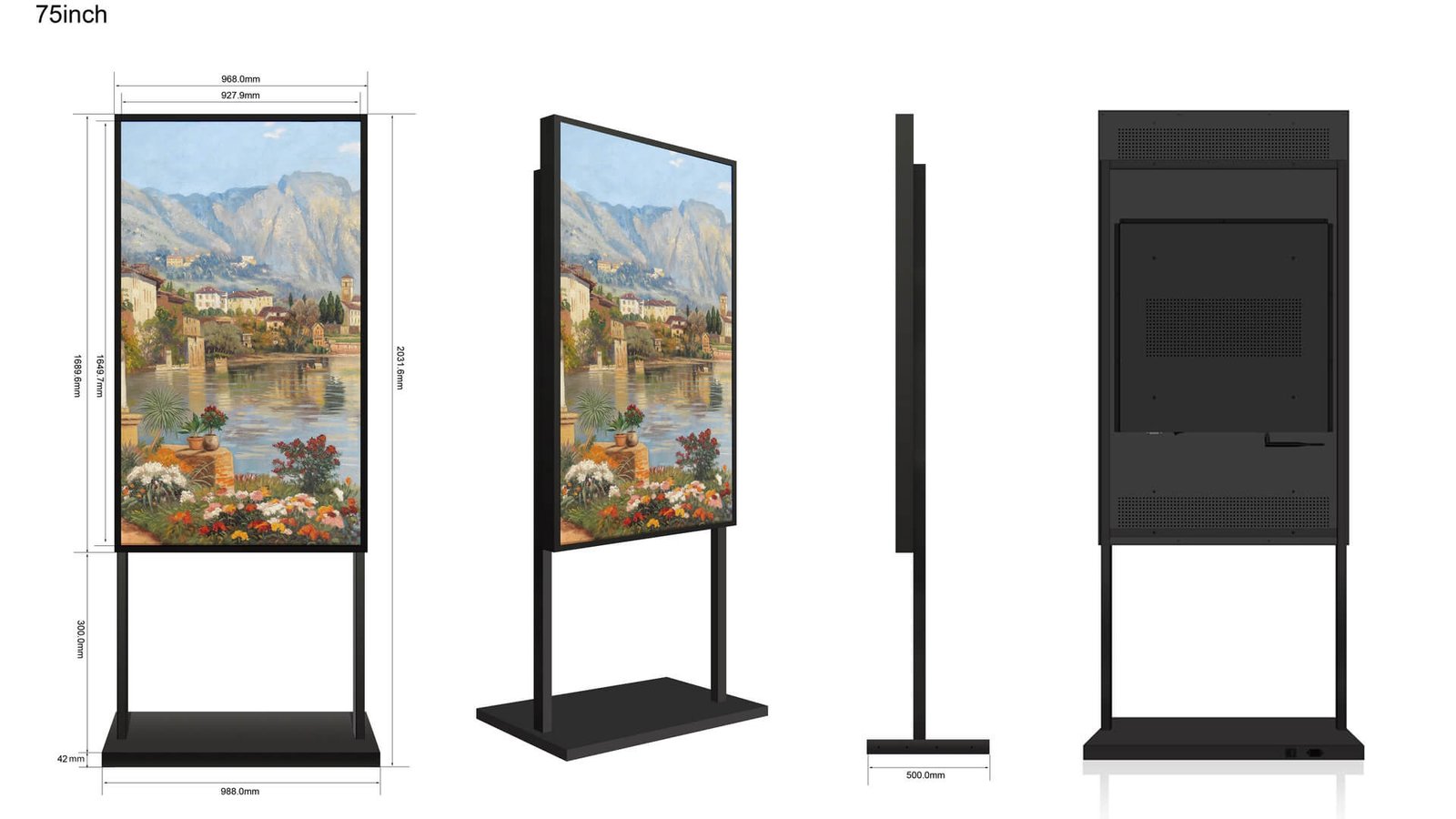
| 75″ | FSHD750-D25 | 3840 × 2160 | 2500nits | 1689.6 × 968 × 80mm | 48kg | 660W |
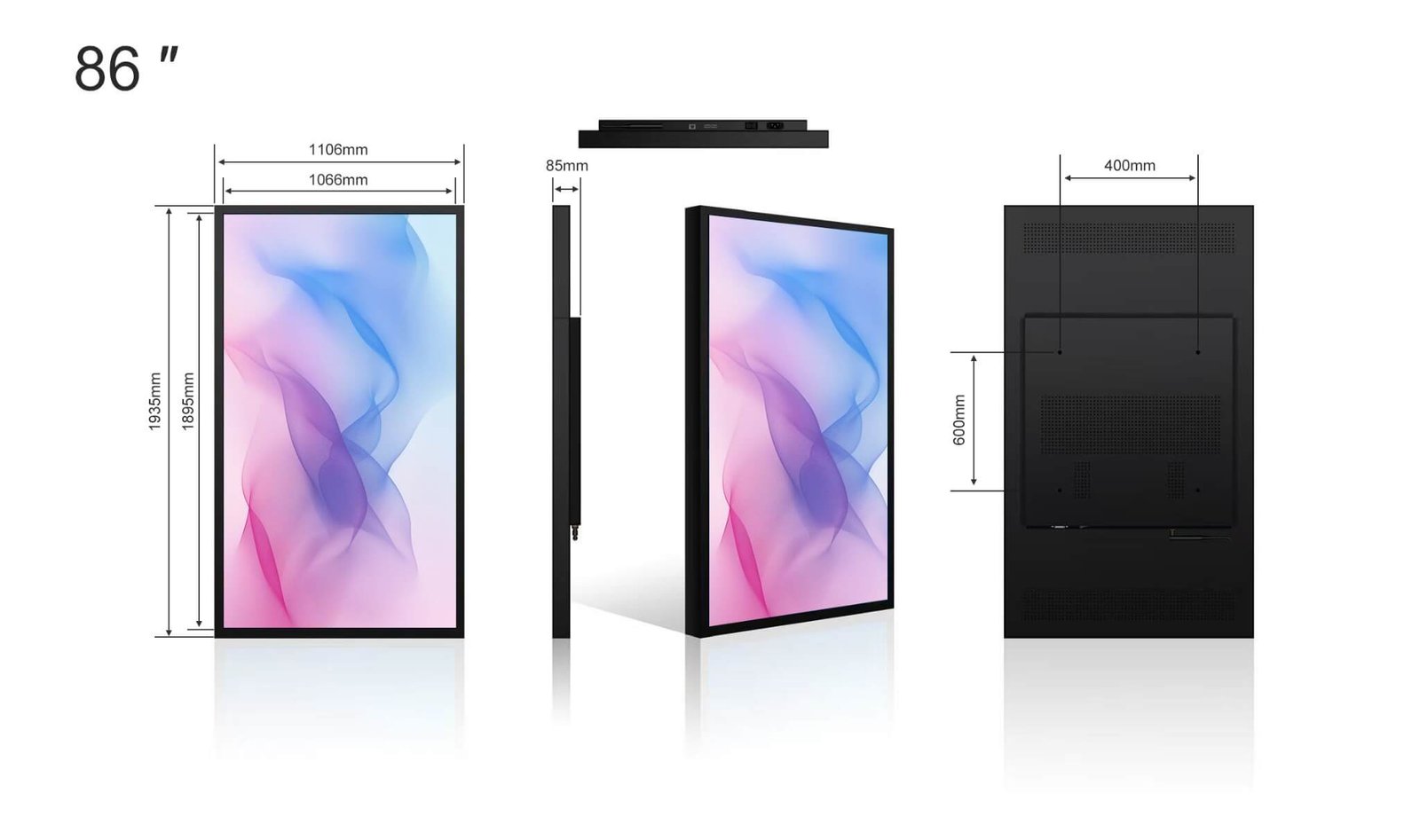
| 86″ | FSHD860-D25 | 3840 × 2160 | 2500nits | 1935 × 1106 × 85mm | 68kg | 960W |
| Size | Catalogue package dimensions (mm) | Packed weight |
|---|---|---|
| 32″ | 860 × 550 × 220mm | 18kg |
| 43″ | 1100 × 670 × 220mm | 28kg |
| 49″ | 1250 × 750 × 220mm | 32kg |
| 55″ | 1350 × 840 × 220mm | 36kg |
| 65″ | 1580 × 980 × 220mm | 44kg |
| 75″ | 1800 × 1100 × 220mm | 58kg |
| 86″ | 2100 × 1300 × 220mm | 85kg |
| Size | Model | Resolution | Brightness | Catalogue body dimensions (mm; long edge × short edge × depth) | Net weight | Maximum power |
|---|---|---|---|---|---|---|
| 43″ | FSDB430-D25 | 1920 × 1080 | 2500nits/700nits | 1036.0 × 583.0 × 80.0mm | 32kg | 290W |
| 49″ | FSDB490-D25 | 1920 × 1080 | 2500nits/700nits | 1166.9 × 656.0 × 80.0mm | 38kg | 340W |
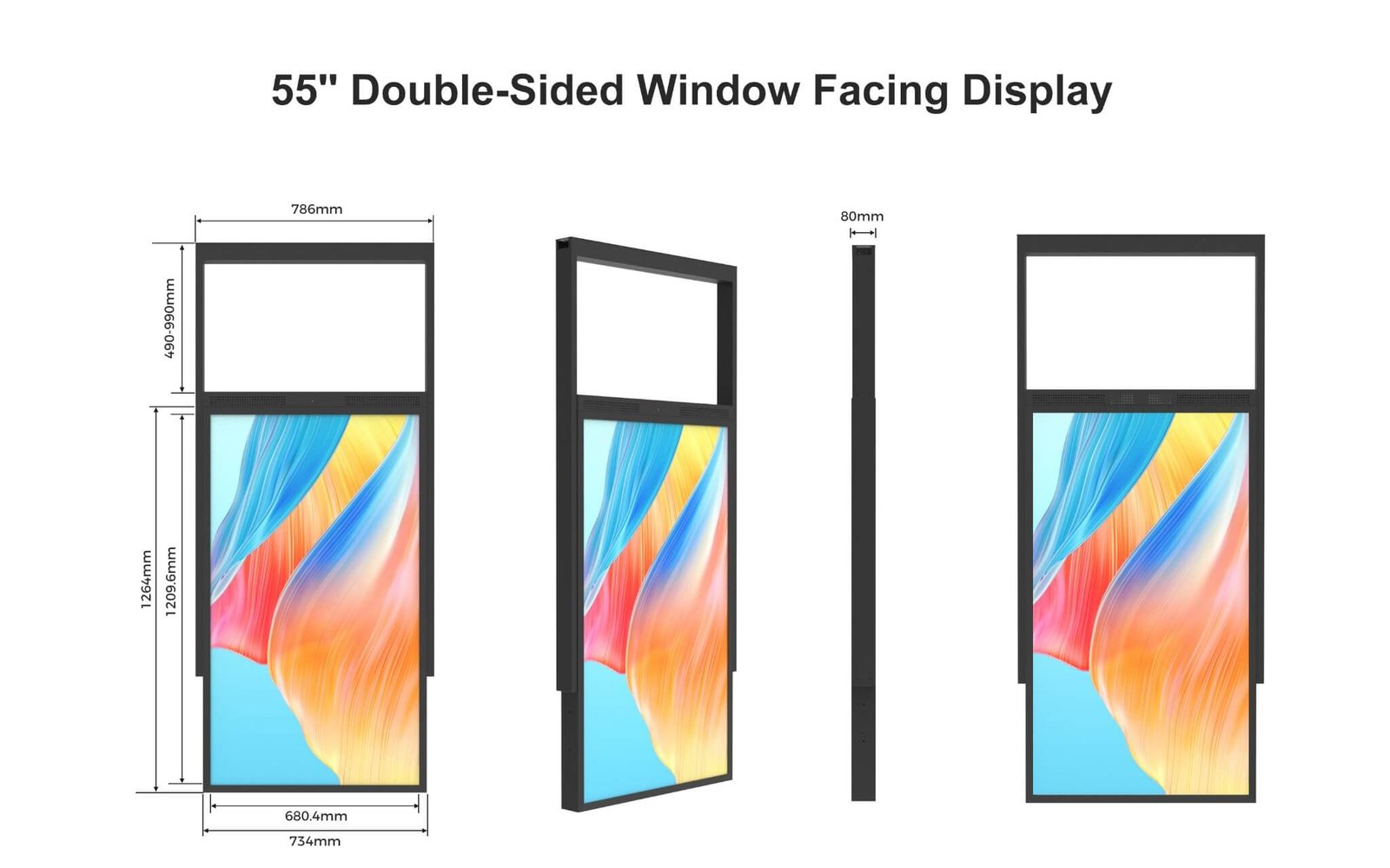
| 55″ | FSDB550-D25 | 1920 × 1080 | 2500nits/700nits | 1302.7 × 732.4 × 80.0mm | 42kg | 440W |
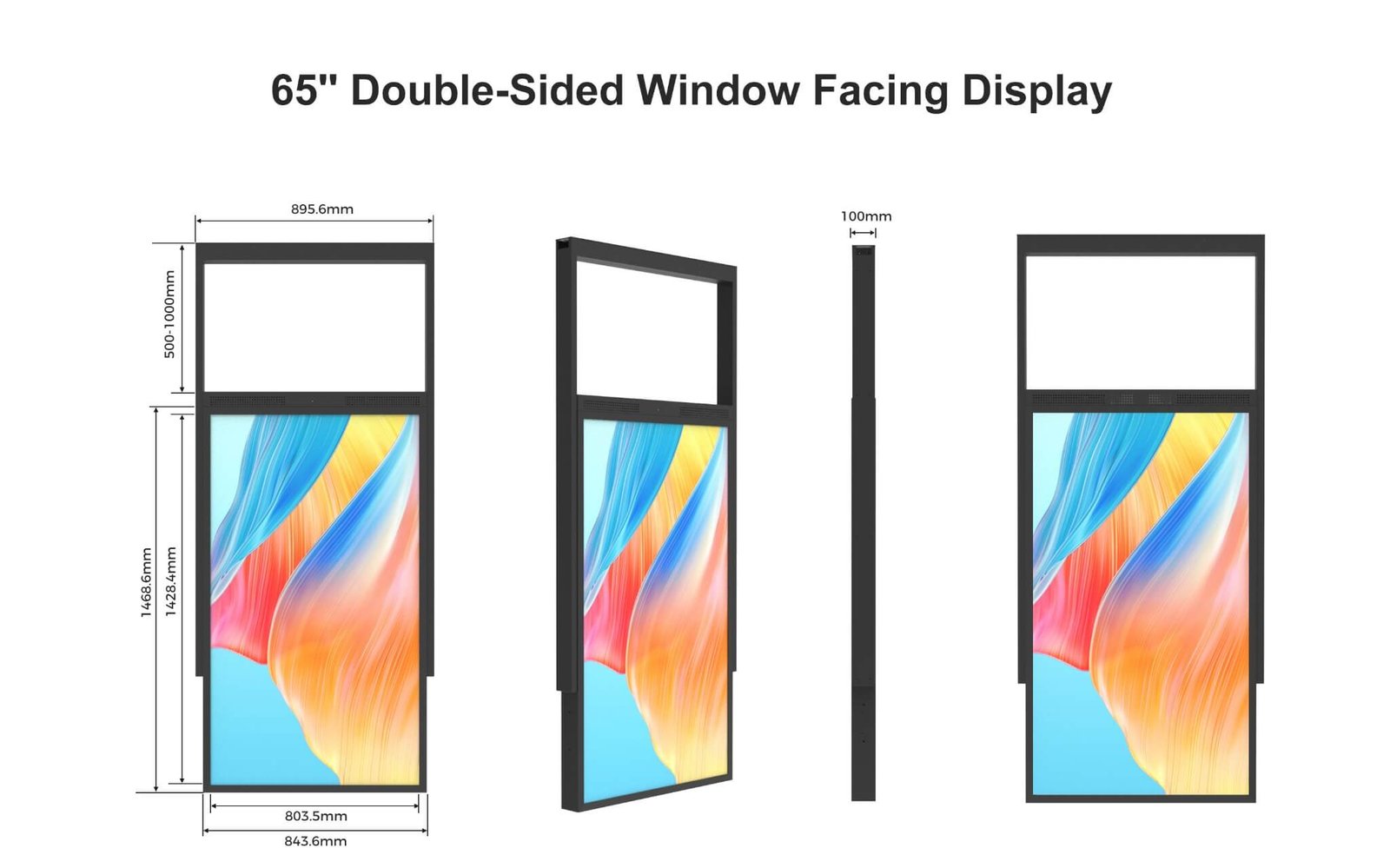
| 65″ | FSDB650-D25 | 3840 × 2160 | 2500nits/700nits | 1524.6 × 843.6 × 100.0mm | 62kg | 560W |
| Size | Catalogue package dimensions (mm) | Packed weight |
|---|---|---|
| 43″ | 1150 × 800 × 300mm | 40kg |
| 49″ | 1250 × 900 × 300mm | 48kg |
| 55″ | 1450 × 890 × 300mm | 54kg |
| 65″ | 1680 × 1050 × 300mm | 72kg |
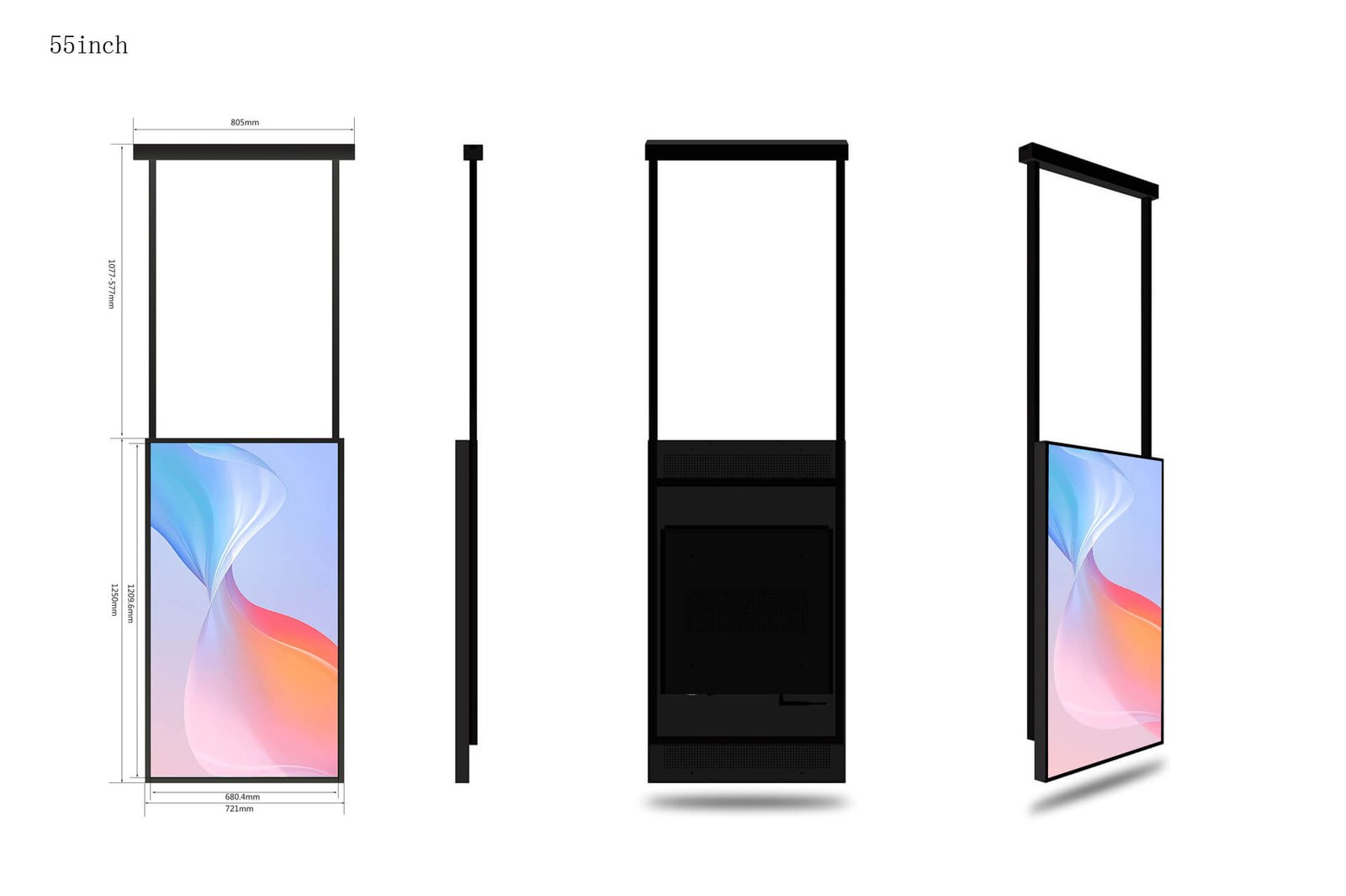
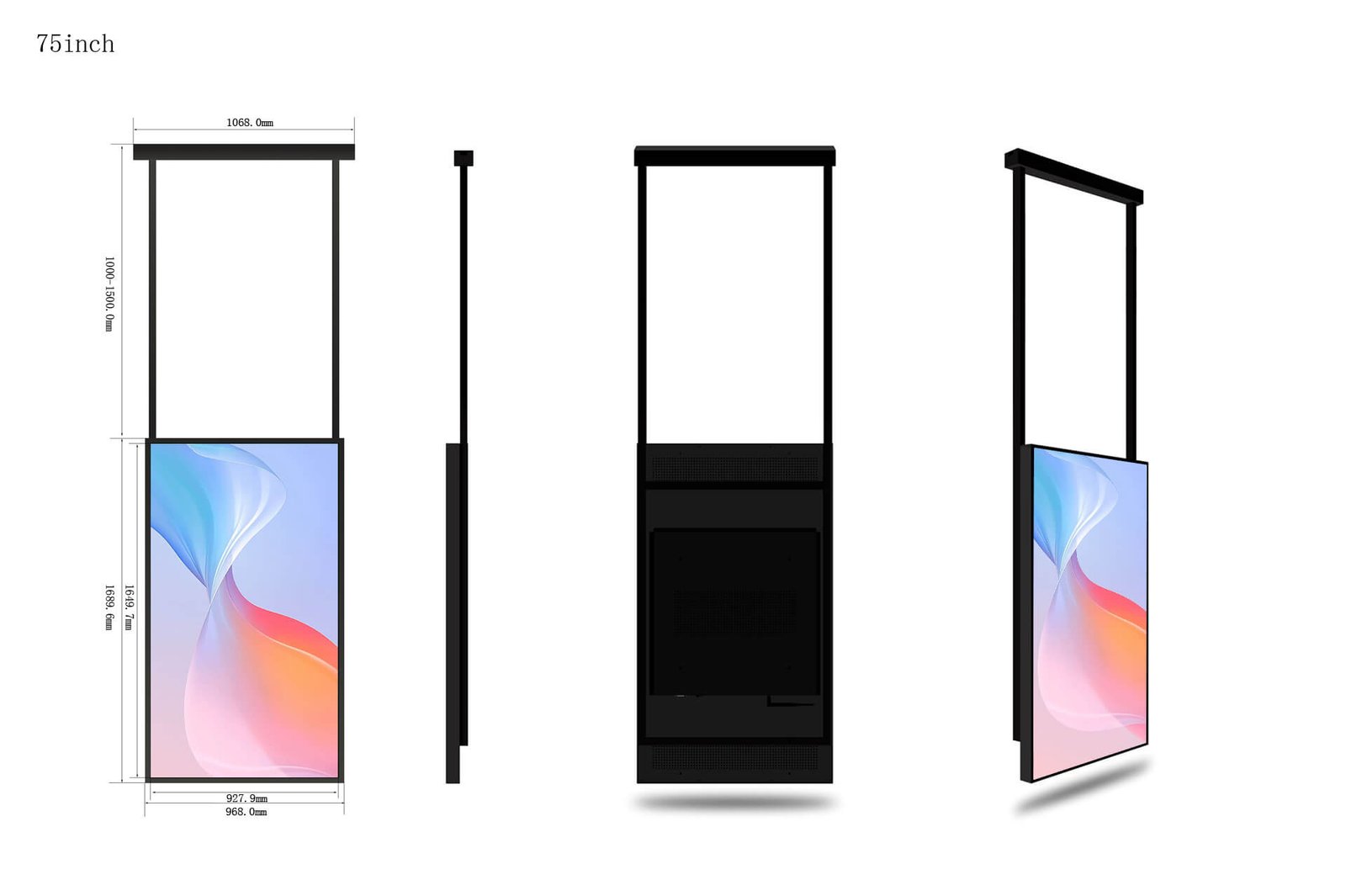
Catalogue body dimensions exclude the complete floor stand or suspension assembly. Brackets, rear handles, enclosure revisions and packing methods can change the installation envelope. DisplayMan supplies the matching dimensional drawing for the selected configuration before installation.
| Parameter | Single-Sided C Series | Double-Sided Standard Models |
|---|---|---|
| Contrast ratio | 1200:1 | 1200:1 |
| Viewing angle | 178° horizontal / 178° vertical | 178° horizontal / 178° vertical |
| Surface treatment | 3% haze | 3% haze |
| Backlight life reference | 50,000 hours | 50,000 hours |
| Rated duty cycle | 24/7, with installation and thermal conditions confirmed | 24/7, with installation and thermal conditions confirmed |
| Orientation | Landscape / portrait | Portrait |
| Operating temperature | 0–40°C | 0–50°C |
| Operating humidity | 10–85% | 10–85% |
| AC input | 180–264 V, 50/60 Hz | 180–264 V, 50/60 Hz |
| Brightness control | Ambient-light brightness control | Ambient-light brightness control |
| Standard outward / inward brightness | 2500 nits / not applicable | 2500 / 700 nits |
| Colour | Black | Black |
| Series / sizes | Controller reference | Interfaces / connectivity |
|---|---|---|
| Single-sided 32–75 inch | RK3288 or RK3568; 2 GB RAM + 16 GB storage | HDMI input × 1, USB × 1, RJ45; DC12V controller connection |
| Single-sided 86 inch | Confirm controller and storage configuration | Confirm interfaces for the selected configuration |
| Double-sided 43 / 49 / 55 inch | RS3288, Cortex-A17 quad-core; 2 GB RAM + 8 GB storage | HDMI output, Wi-Fi, RJ45, TF card, USB × 2; DC12V controller connection |
| Double-sided 65 inch | Two RK3568 boards; 2 GB RAM + 16 GB storage per board | HDMI, USB, Ethernet and Wi-Fi; confirm port direction |
| Double-sided size | Overall width × height × base depth (mm) | Display body thickness (mm) |
|---|---|---|
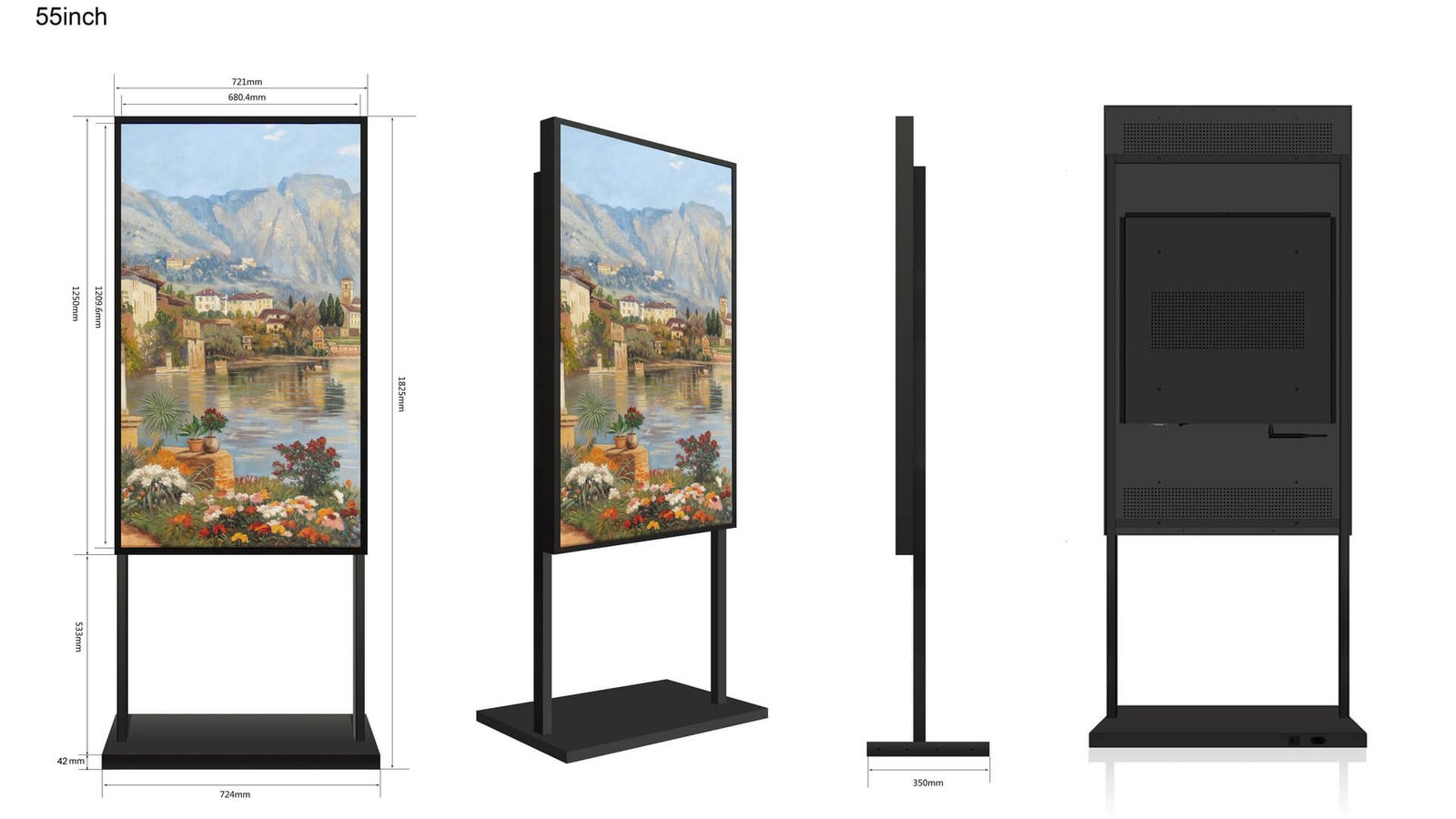
| 43 inch | 638 × 1902 × 509.2 | 80 |
| 49 inch | 710 × 2019 × 509.2 | 80 |
| 55 inch | 788 × 2038 × 500 | 80 |
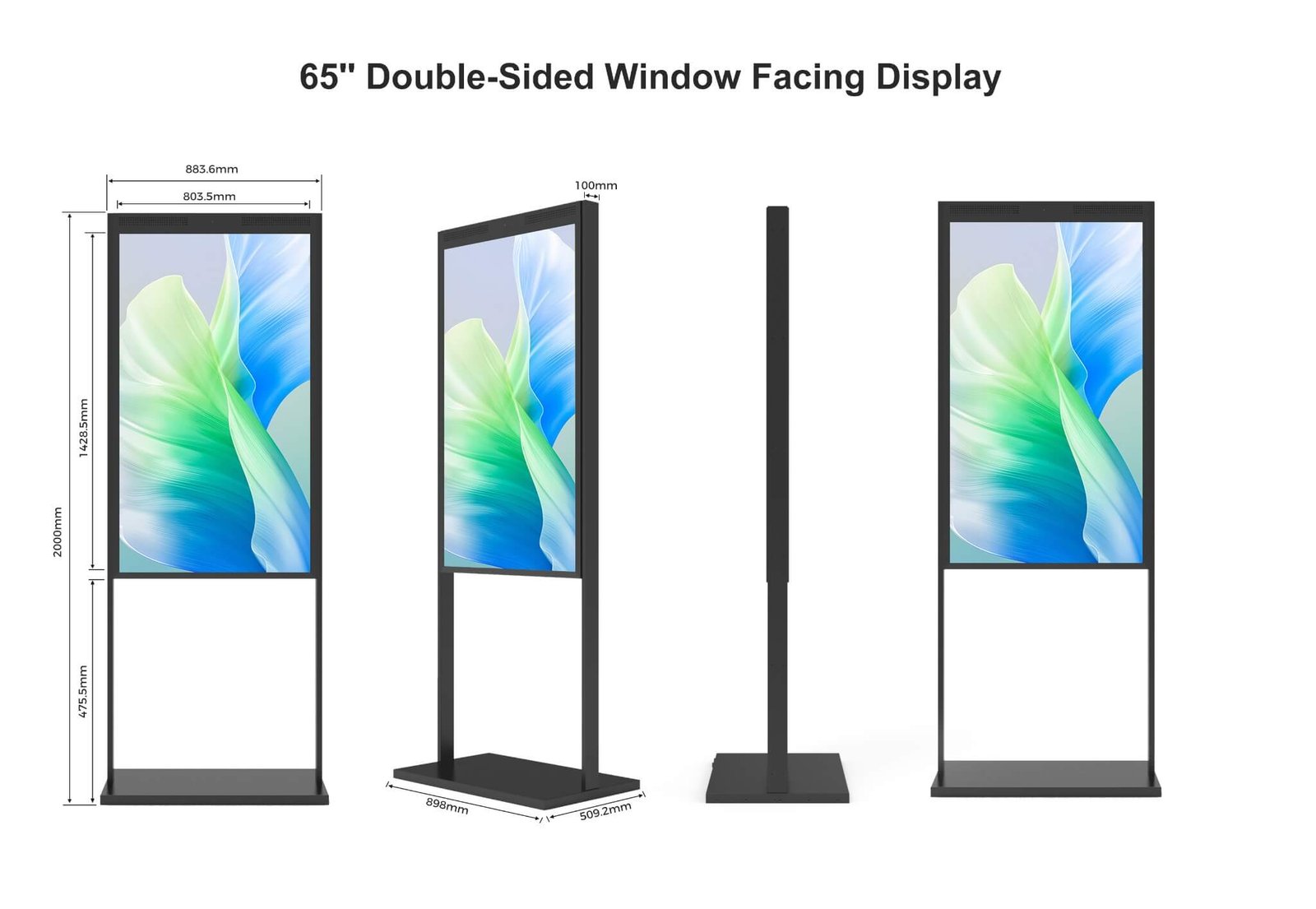
| 65 inch | 898 × 2000 × 509.2 | 100 |
These floor-standing dimensions refer to the illustrated stand versions, not the bare display dimensions in the catalogue table.
| Configuration | Drawing reference |
|---|---|
| Single-sided 32 inch | Adjustable suspension bracket: 555–855 mm |
| Single-sided 43 inch | Adjustable suspension bracket: 400–900 mm |
| Single-sided 49 inch | Adjustable suspension bracket: 650–1050 mm |
| Single-sided 55 inch | Six bracket positions: 577–1077 mm |
| Single-sided 65 inch | Bracket adjustment: 1000–1450 mm; wire-rope version also available |
| Double-sided 49 inch wire-rope version | FSDB490-V17: standard 3 m wire rope; adjustable hanging height |
| Double-sided 55 inch wire-rope version | FSDB550-V30: 3 m wire-rope reference |
| Double-sided 75 inch | FSDB750-V20241204: 500 / 750 / 1000 mm suspension positions |
| Double-sided 32 / 75 inch | Drawing-based options; brightness, resolution, weight and power confirmed for the quoted model |
Creates a clean storefront and keeps the floor clear. Ceiling strength, hanging points and cable routing must be confirmed.
Supports easier placement and service where ceiling suspension or wall fixing is unavailable.
Provides a stable long-term structure when a wall or column is available near the glass.
Uses a custom bracket coordinated with mullions, window divisions and available structural points.
Several portrait or landscape screens can create a listing wall, campaign row or synchronized storefront system.
Requires additional weight, cooling, balance, cable and service-access planning.
Simple local playback for individual stores and basic promotional loops.
Connects an external media player, PC, signage player or customer-side source.
Supports apps, scheduled content and network control according to the selected platform.
Suitable for PC-based content, property-listing systems and specialized commercial software.
Updates content remotely across one or many stores and supports schedules and campaigns.
Two sides may show synchronized or independent content depending on the player and project structure.
Fashion, cosmetics, electronics, convenience and specialty retail advertising.
Property listings, agency branding and continuously updated window information.
Service information, financial products, customer guidance and branch campaigns.
Menus, seasonal promotions, takeaway campaigns and street-facing food advertising.
Corridor-facing promotion and double-sided communication for both walkway and interior audiences.
Vehicle launches, finance offers, brand films and showroom window campaigns.
Offers, schedules, services and public-facing information.
Branding, visitor communication, announcements and public information.
Centralized campaigns and scheduled content across many storefronts.
| Factor | Window Facing Display | Standard Indoor Display | Outdoor High Brightness Display |
|---|---|---|---|
| Installation Location | Indoors, facing storefront glass or public traffic | Controlled indoor environment | Outdoor or weather-exposed area |
| Main Audience | People outside or across bright glass | Indoor viewers | Outdoor viewers |
| Brightness Direction | Higher, selected for daylight and glass reflection | Lower for controlled lighting | High for outdoor sunlight |
| Weather Protection | Provided by the building | Not required | Integrated into the display enclosure |
| Thermal Concern | Solar heat buildup behind glass | Normal indoor heat load | Sun, weather, sealed enclosure and outdoor temperature |
| Housing | Slim commercial hanging, standing or wall structure | Standard indoor signage enclosure | Weather-protected outdoor enclosure |
| Best For | Storefronts, real estate, banks, restaurants and mall windows | Offices, meeting rooms and indoor signage | Outdoor advertising and public information |
| Key Selection Point | Glass, daylight, reflection, heat and audience direction | Normal indoor display requirements | Weather, IP, heat, structure and outdoor service |
A high-brightness LCD creates a solid visual surface and blocks the view behind the display. Transparent technologies should be reviewed when the storefront must remain visually open.
| Display Direction | Choose It When | Main Consideration |
|---|---|---|
| Window Facing High Brightness LCD | Strong daylight-readable content and normal video detail are the main goals | Blocks the background behind the screen |
| Transparent LED Film Screen | Large-format advertising should remain see-through on glass | Content detail and viewing distance differ from LCD |
| LED Holographic Invisible Screen | A lightweight premium transparent visual effect is required | Best for visual media rather than detailed text |
| Transparent OLED Displays | Premium indoor image quality and close viewing matter | Higher cost and limited standard sizes |
| Transparent LCD Displays | A controlled-light product cabinet or showcase is required | Needs backlighting and a controlled display structure |
Outdoor-facing only, indoor and outdoor, mall corridor or another public-facing direction.
Provide window direction, glass type, reflection, shade and direct-sunlight periods.
Match screen size, portrait or landscape orientation and viewing distance to the content.
Hanging, floor-standing, wall-mounted, double-sided or project-specific bracket.
Review window spacing, ventilation, cooling, operating hours and service access.
USB, HDMI, Android, Windows or CMS; one location or a multi-store deployment.
| Related Page | When to Visit |
|---|---|
| High Brightness LCD Displays | Overview of the complete High Brightness LCD product family |
| Open Frame High Brightness Monitors | OEM embedded displays for customer-designed machines and enclosures |
| Outdoor High Brightness Displays | Finished displays for direct outdoor installation |
| Outdoor Waterproof Touch Screen Displays | Waterproof touch screen displays for outdoor kiosks, EV chargers and public terminals |
| Window Facing Display Systems | Application and system-level storefront planning |
| Retail Window Display Solution | Compare LCD and transparent-display directions for retail glass |
| Optical Bonding Display Solution | Reduce internal reflection and improve front-display integration |
| High Brightness vs Normal Display | Evaluate daylight, reflection, distance, heat and operating conditions |
| Outdoor High Brightness Display Solutions | Compare window-facing, semi-outdoor and outdoor display routes |
| Digital Signage Displays | Finished commercial signage and media-player directions |
| Transparent LED Displays | See-through large-format storefront and glass media |
| Transparent OLED Displays | Premium indoor transparent displays for close viewing |
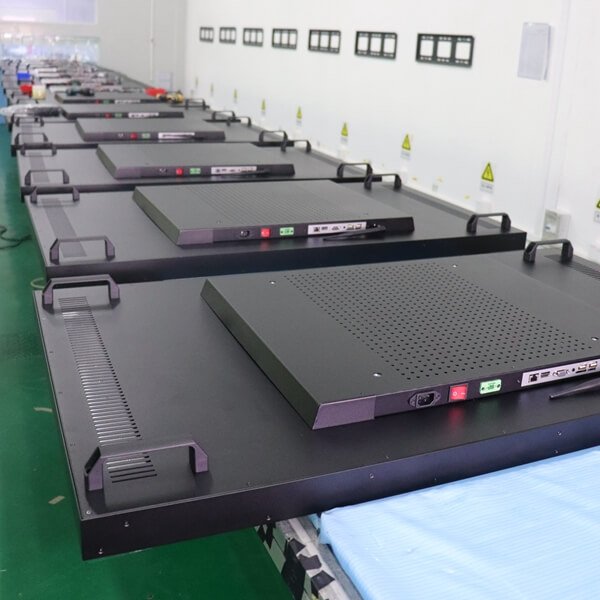
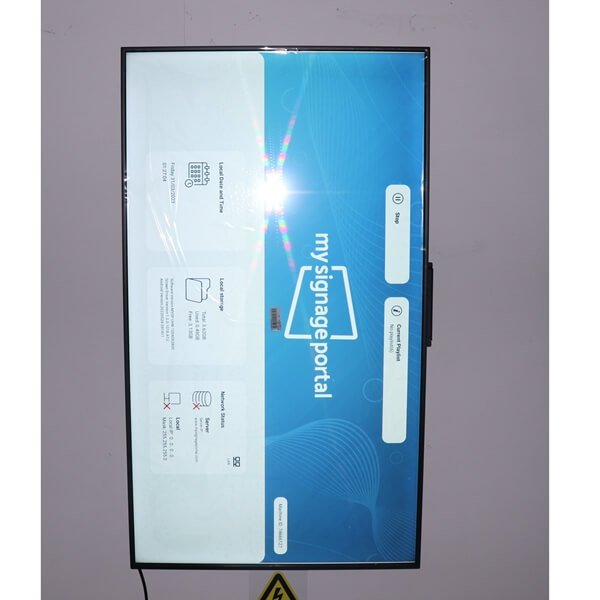
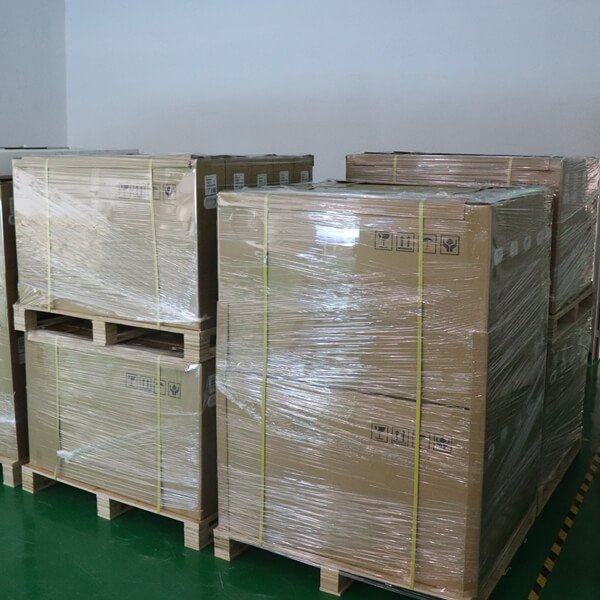
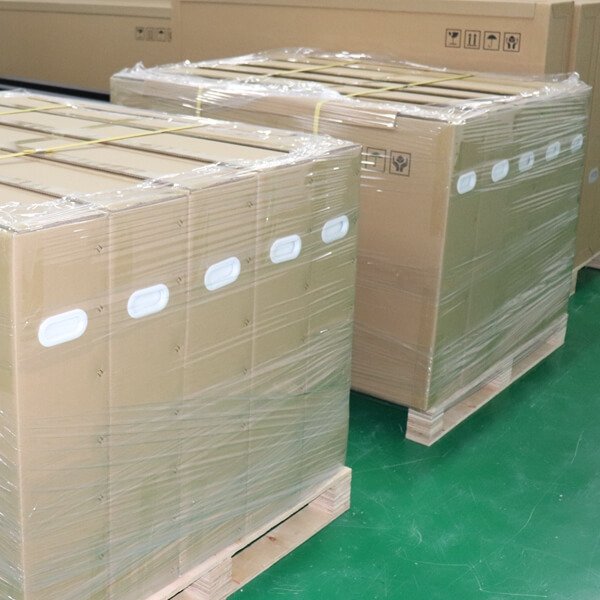
Review rear assembly details, powered-on test batches and shipping packaging. Final inspection items and packing requirements are agreed for the selected display and destination.




It is a high-brightness commercial LCD display installed indoors and positioned toward storefront glass, a street, a mall walkway or another public-facing direction.
No. A Window Facing Display is normally installed indoors behind glass. An Outdoor High Brightness Display is designed as a weather-protected finished product for exposed outdoor installation.
A normal indoor display may look too dim because daylight, glass reflection and longer viewing distance reduce visible contrast. It may also be unsuitable for the heat buildup and long operating hours of a window-facing installation.
The correct brightness depends on the direction of the window, direct or indirect sunlight, glass reflection and transmission, viewing distance, content, operating hours and thermal conditions. Brightness should be evaluated for the real site rather than selected from one universal number.
No. Excessive brightness increases power, heat and night glare. A practical system should provide enough daytime visibility and support dimming when the surrounding light becomes lower.
The installation distance must be reviewed. Very small spacing may restrict ventilation and increase heat buildup, while excessive spacing may increase reflection and reduce the clean storefront appearance.
Strong solar loading can increase the LCD surface and enclosure temperature. The project should review sun direction, shading, ventilation, cooling, glass type and the operating-temperature capability of the display.
It has one display surface facing the window or public traffic and is used when only the outside-facing audience needs to see the content.
It combines an outward-facing display and an inward-facing display. The outward side normally needs higher brightness, while the indoor side can use lower brightness for customer comfort.
Yes. Hanging installation is common, but the ceiling structure, suspension points, total weight, cable routing, rotation control and service access must be confirmed.
Yes. Floor-standing, wall-mounted and project-specific bracket systems can be reviewed according to the storefront layout and installation responsibility.
Yes, when the selected LCD and thermal design support the required orientation. The orientation should be confirmed before final product selection.
Yes. Android, Windows, external media players or networked CMS systems can be reviewed for scheduled playback, remote updates and multi-location content management.
Yes, depending on the selected player or controller. USB playback, HDMI input and network media-player configurations can be reviewed.
Touch can be reviewed, but a screen behind storefront glass is not automatically touch-accessible. User distance, glass thickness, installation position, optical bonding and the interaction method must be considered.
Yes. Transparent LED, Transparent OLED or Transparent LCD may be reviewed when visibility through the screen is essential. For strong daylight-readable advertising, a high-brightness Window Facing LCD is often the more practical route.
The required duty cycle should be specified before selection. Commercial projects may require long daily operation, but the final operating schedule depends on the LCD, backlight, cooling, brightness settings and product configuration.
Please provide the window size, display size, viewing distance, window direction, sunlight condition, glass information, installation method, single- or double-sided requirement, orientation, content system, operating hours, quantity, destination and schedule.
Send us the window size, display size, viewing distance, window direction, sunlight condition, glass information, installation method, single- or double-sided requirement, orientation, content system, operating hours, quantity, destination and schedule.
We will review the suitable display structure, brightness direction, thermal design, installation method and content system for the real storefront environment.
Window Facing Displays are installed indoors but designed for people viewing through bright commercial glass. The correct solution must balance visibility, reflection, heat, mounting and commercial operation.