
Explore wall-mounted touch terminals from DisplayMan for room booking, visitor systems, retail interaction and enterprise applications. Review screen size, touch, operating system, network, optional peripherals and wall installation around your software and project requirements.
A Wall-Mounted Touch Terminal is a finished interactive commercial device designed for fixed wall installation. It combines an LCD display, touchscreen, computing platform, network connection, housing and wall-mount structure into one product.
It is used when users must operate an application, browse information, enter data, book a room, register, select services or interact with enterprise software directly on the wall-mounted device.
For DisplayMan, this product belongs to Touchscreen All-in-One Terminals → Enterprise & Industrial Terminals.
Wall-Mounted Touch Terminals are interaction-first products. Projects that only need advertising or passive information playback should normally use Digital Signage Displays.
Explore three transparent display directions for wall-mounted presentation, glass-mounted advertising and custom interactive projects. They remain part of their dedicated transparent LCD, OLED and LED display ranges, with links below to the complete product information. For window-facing, sunlight-readable or outdoor applications, use the high brightness display links below to review the appropriate configuration.
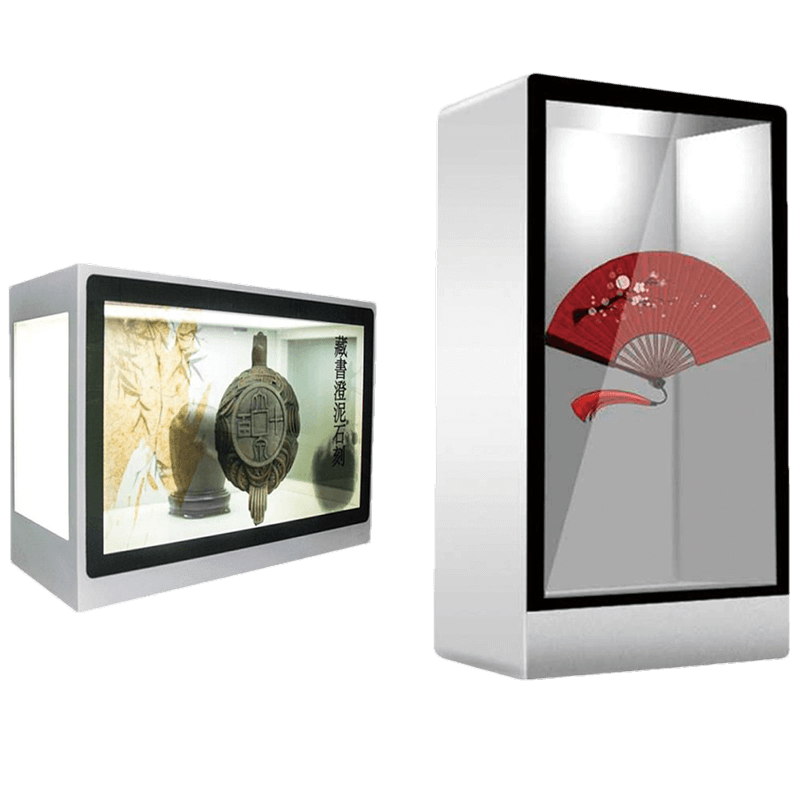
Explore transparent LCD panels and assemblies for display cabinets, viewing windows, retail equipment and custom integration. Plan illumination, the visible background, enclosure and any touch layer together.
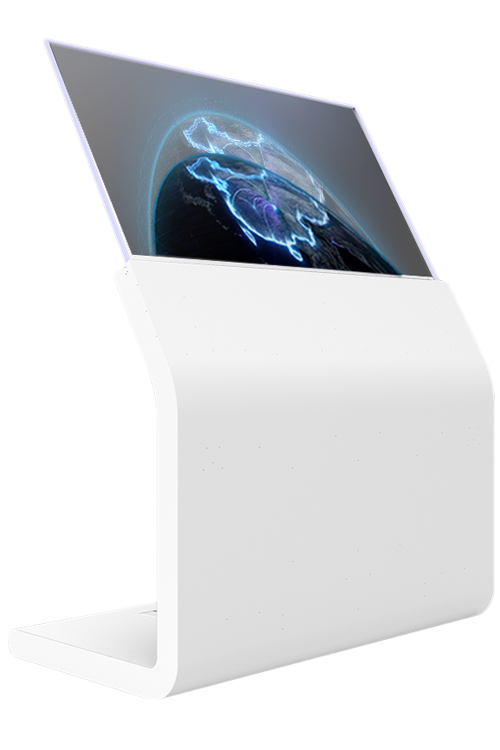
Explore self-emissive transparent OLED displays for signage, exhibitions and premium information presentation. Wall-mounted or embedded assemblies require suitable support, protection, ambient-light review and project-specific touch integration.
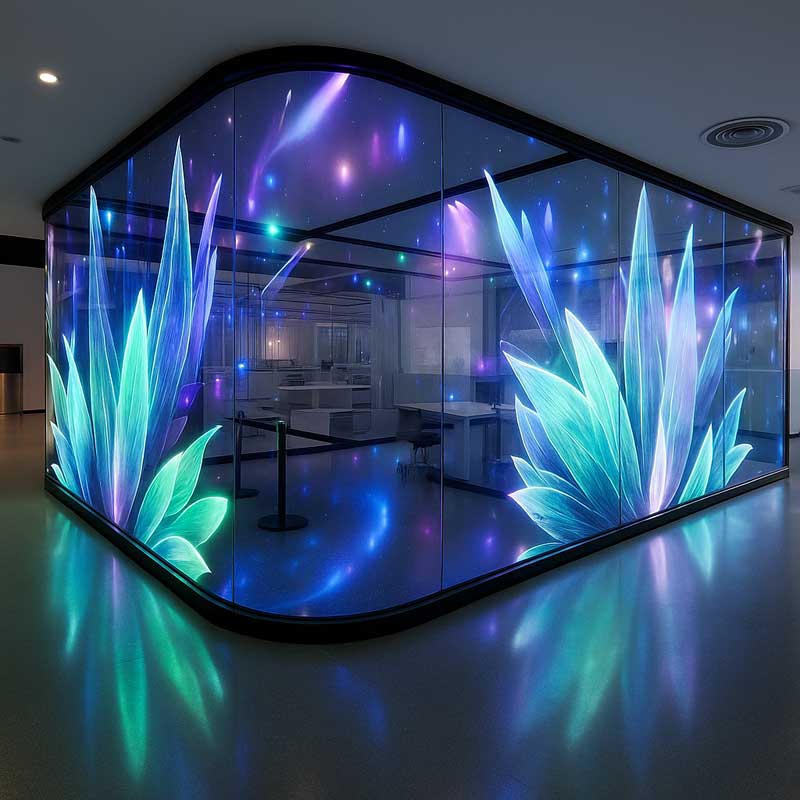
Explore transparent LED film, glass, mesh and modular products for storefront glazing and larger architectural display surfaces. Select pixel pitch, transparency, brightness and installation method for the viewing distance; touch interaction is separately engineered.
For strong ambient light or outdoor touch operation, review brightness, reflections, front glass, thermal management and enclosure protection together.
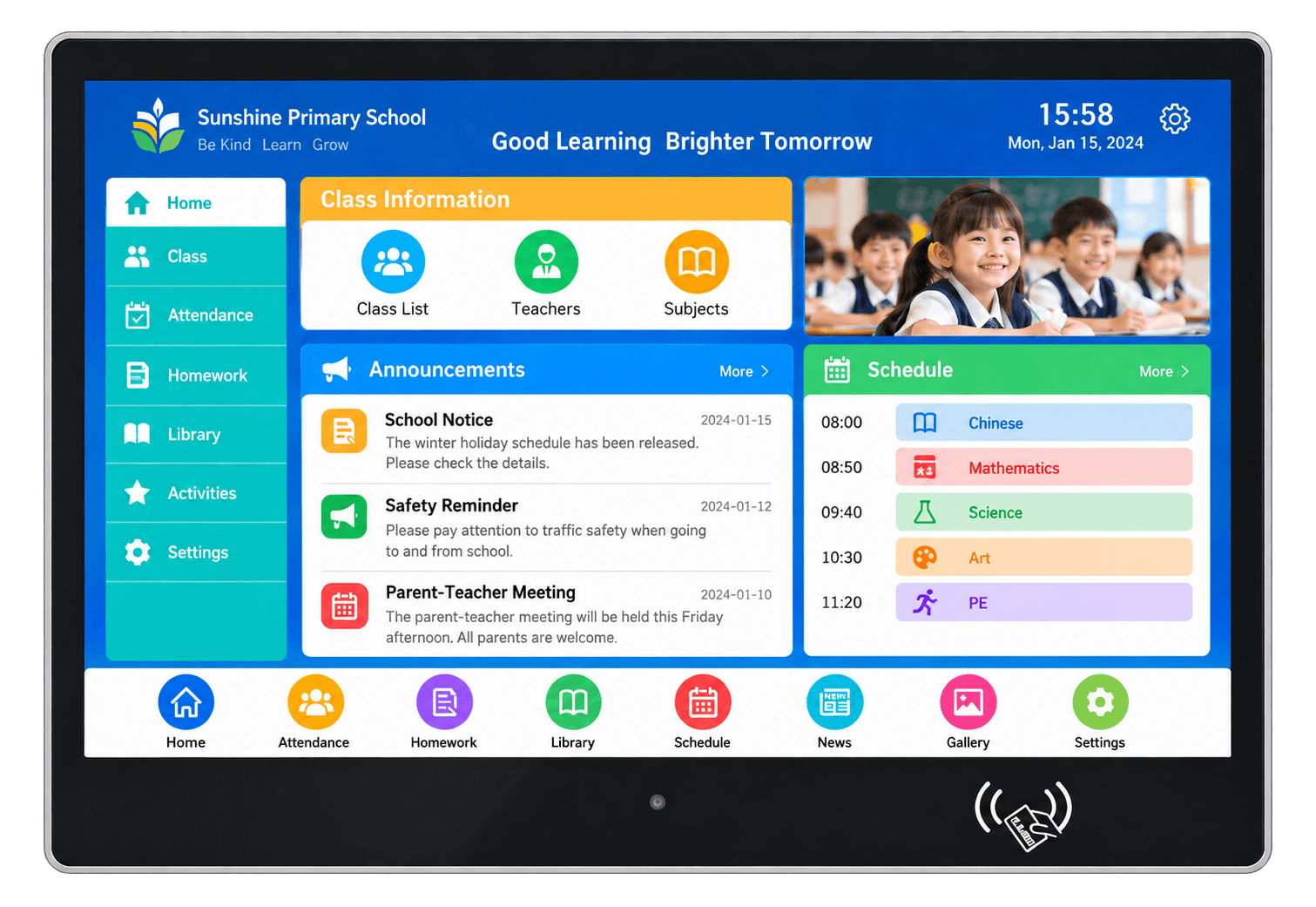
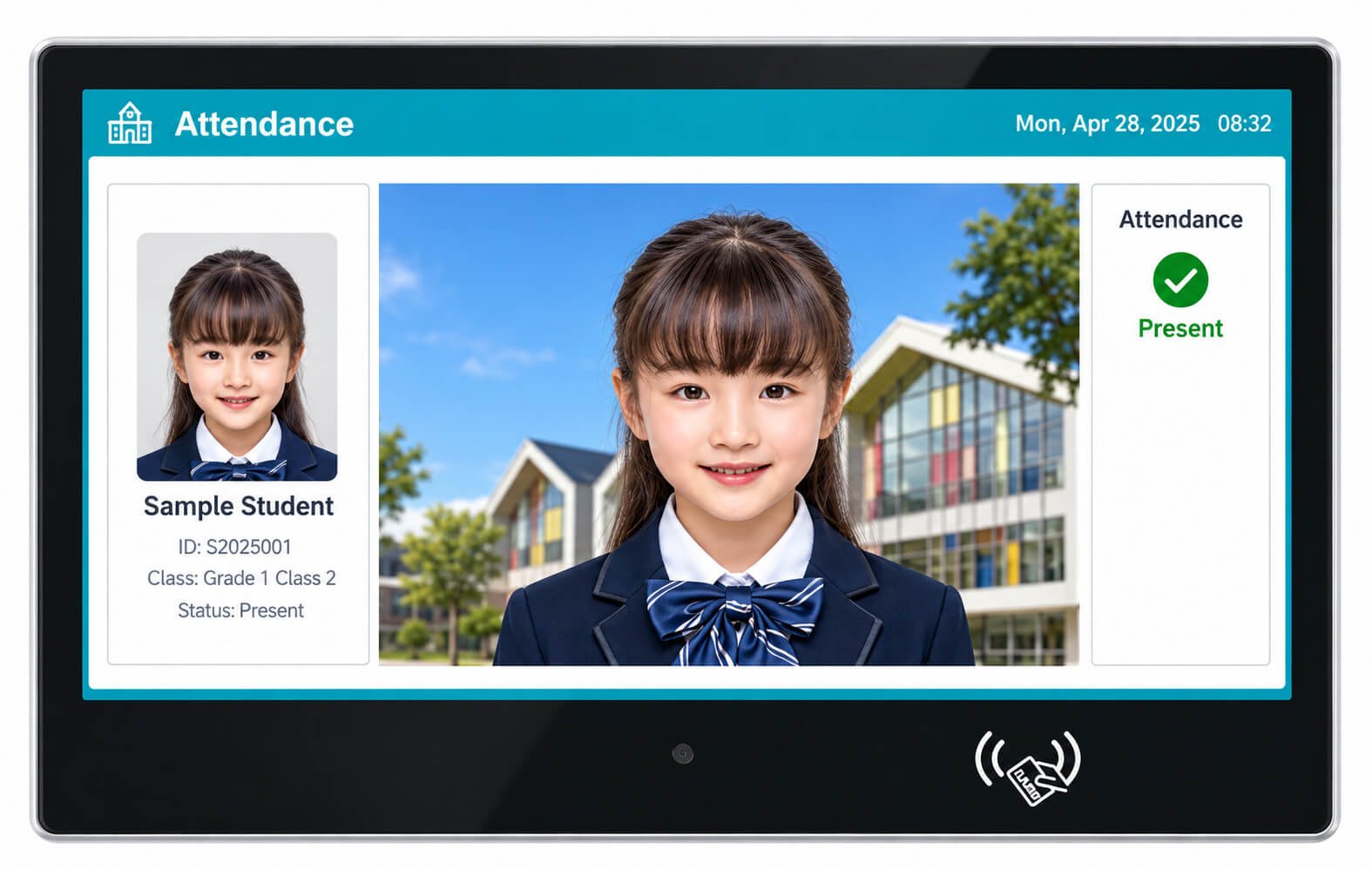
Wall-mounted classroom terminals place class information, schedules, notices and interactive menus beside a classroom. The illustrated glass-front design includes a lower camera position and contactless-reader marking. Reader type, camera specification and software functions must be confirmed for the selected assembly.
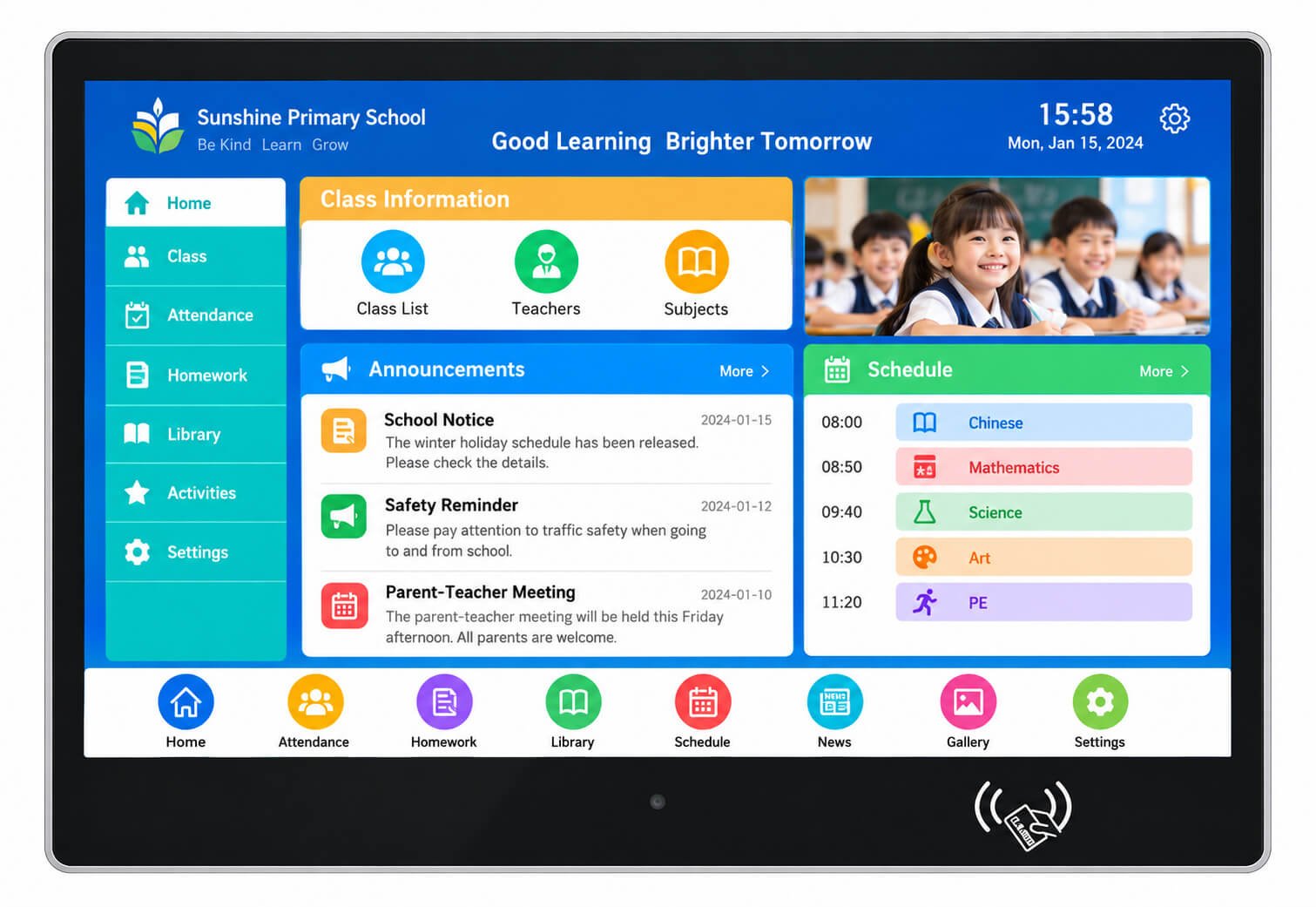
| Configuration | Reference / Project Review |
|---|---|
| Screen size and pixels | Confirm the selected panel size, resolution and active area; the illustration does not establish a screen size. |
| Touchscreen | Capacitive or other agreed touch technology; confirm touch points, controller, driver and cover-glass thickness. |
| Camera / contactless reader | Optional project modules. Confirm camera resolution, reader protocol, drivers and interface; a printed reader symbol alone does not confirm NFC/RFID compatibility. |
| Computing | Select Android, Linux or Windows around the application; confirm CPU, RAM, storage and lifecycle. |
| Power / network | Confirm DC input, Ethernet/Wi-Fi and cable route. PoE requires a compatible power budget and board; it is not assumed. |
| Installation | Confirm housing dimensions, wall bracket, fixings, wall strength and service access. |
Position the terminal beside the entrance where users can read and touch it without obstructing door movement. Review viewing height, accessible reach, corridor width, reflections, cable concealment and replacement access. A camera-based workflow also requires an agreed capture angle and software integration.
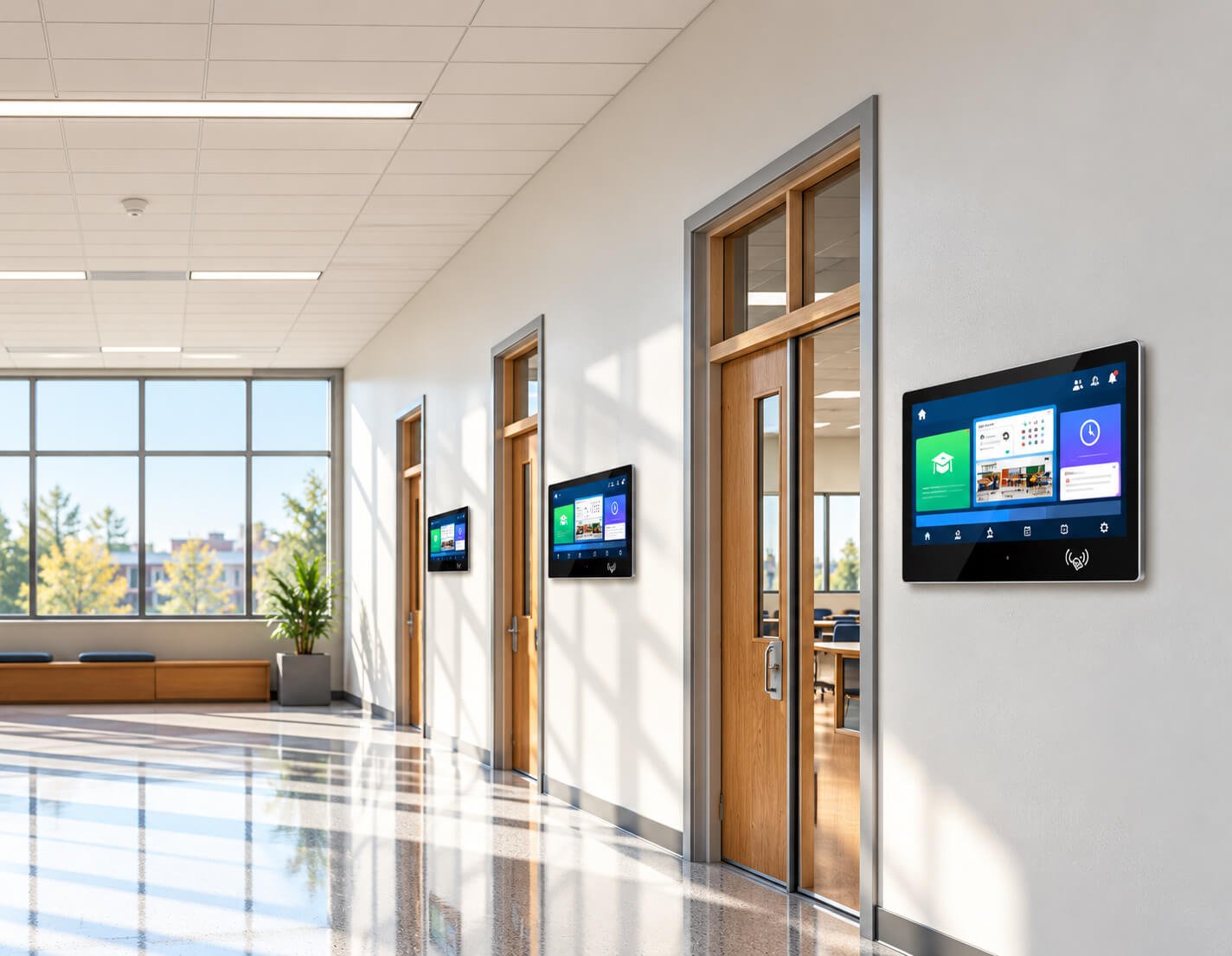
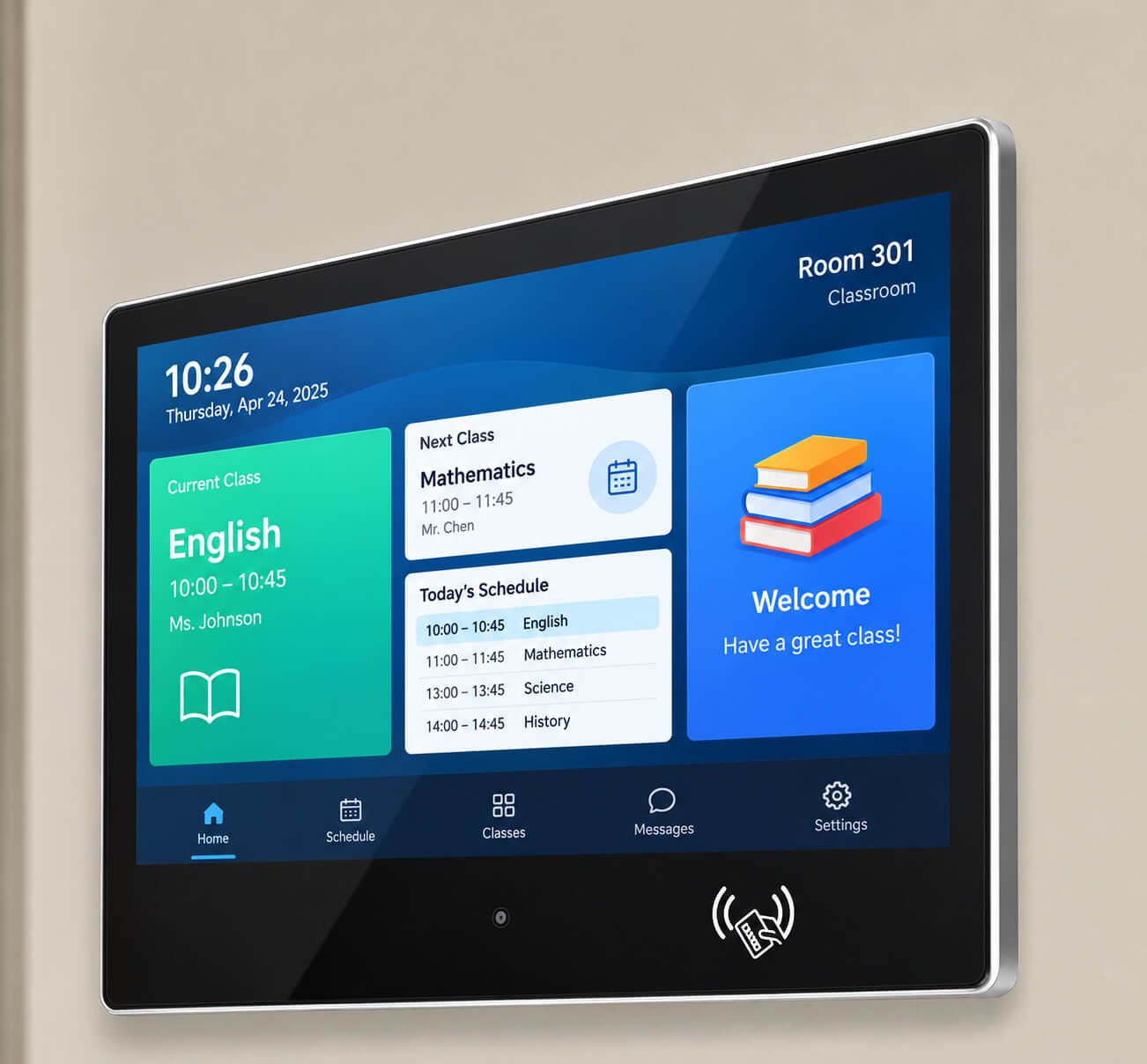
Information terminals can host schedules, announcements, class updates and attendance interfaces when suitable software is supplied and validated. The English screens shown here are UI concepts. They do not establish that DisplayMan includes a school-management platform, recognition engine, content subscription or cloud service.
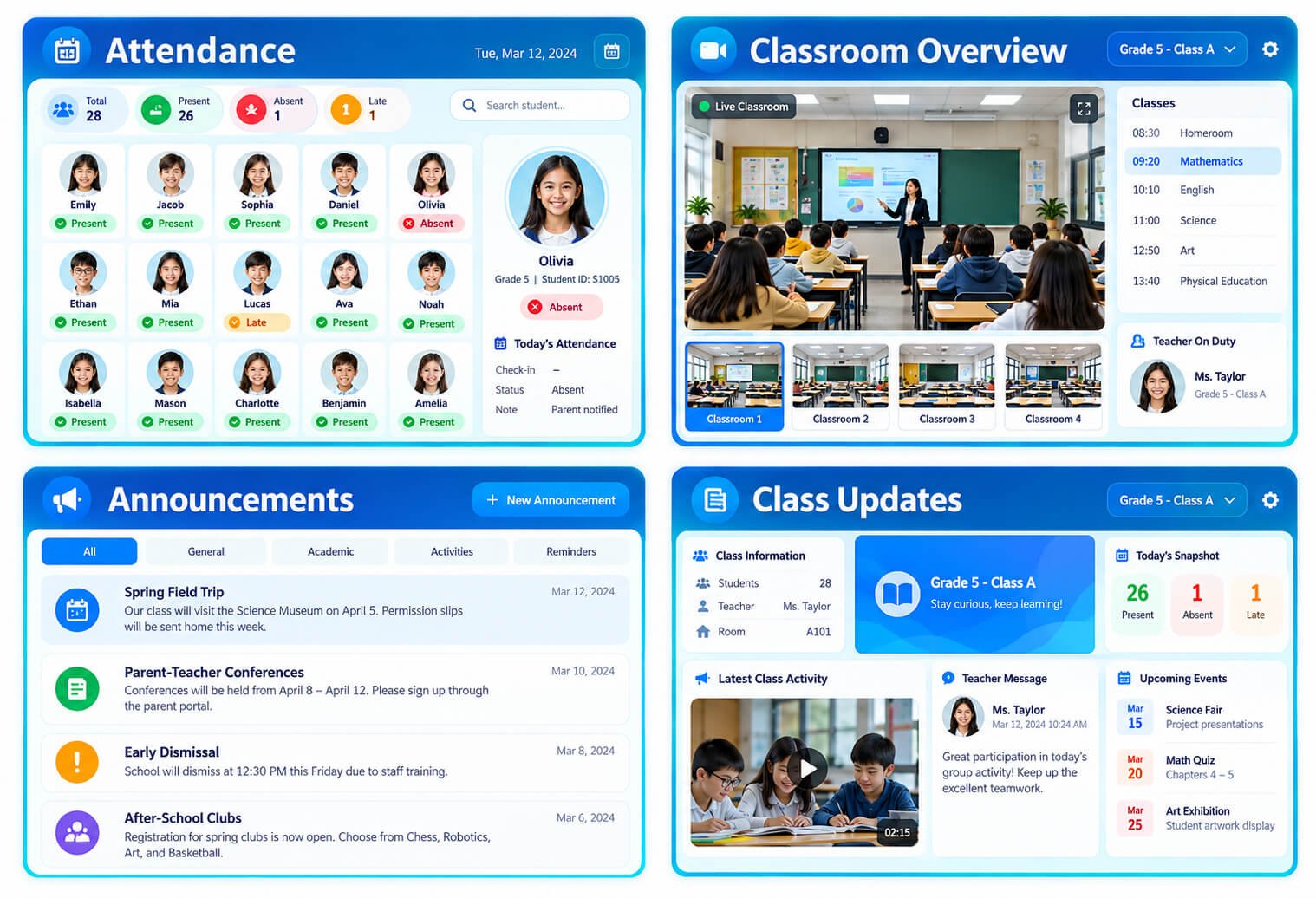
| Configuration | Reference / Project Review |
|---|---|
| Content and menus | Confirm languages, screen orientation, UI scaling, update method and offline content. |
| Attendance workflow | Agree card/QR/manual or camera-assisted workflow, supported modules, data fields and integration API. |
| System integration | School records, identity matching, cloud licensing and application support are separately defined in the project scope. |
| Validation | Test touch targets, reader/camera compatibility, network interruptions, reboot behavior and software updates on the agreed sample. |
For projects centered on identity verification or access control, explore AI Recognition & Smart Access Terminals.
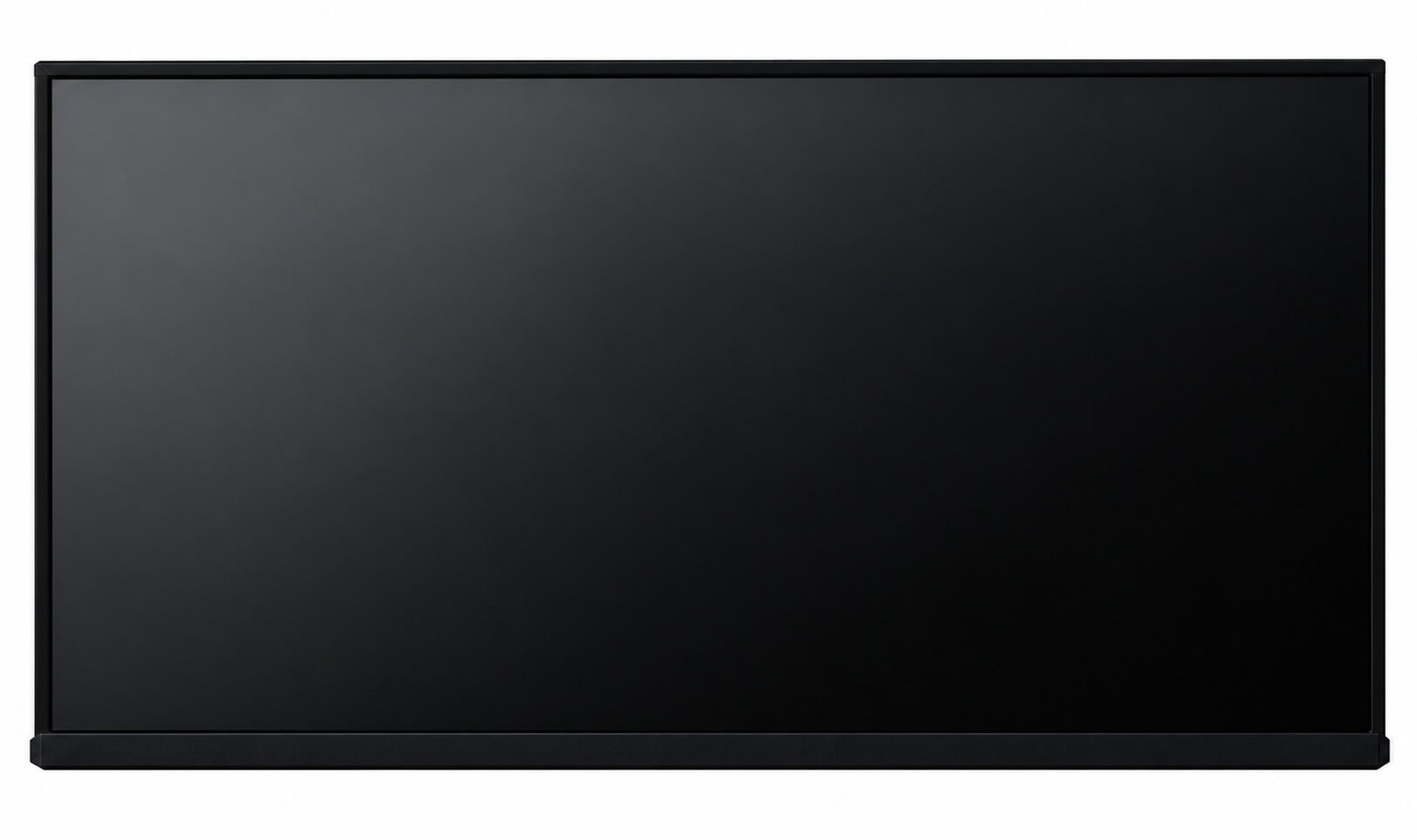
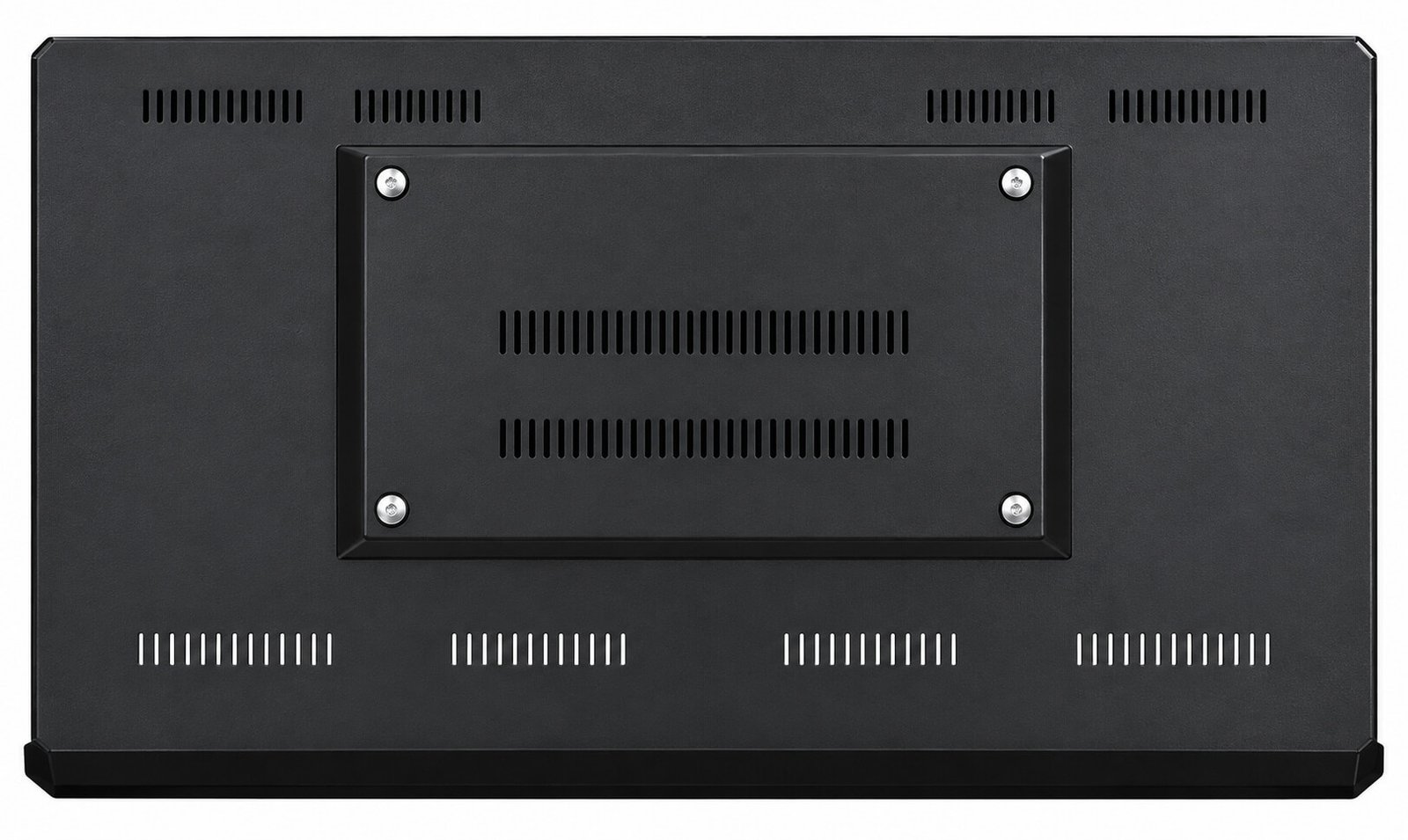
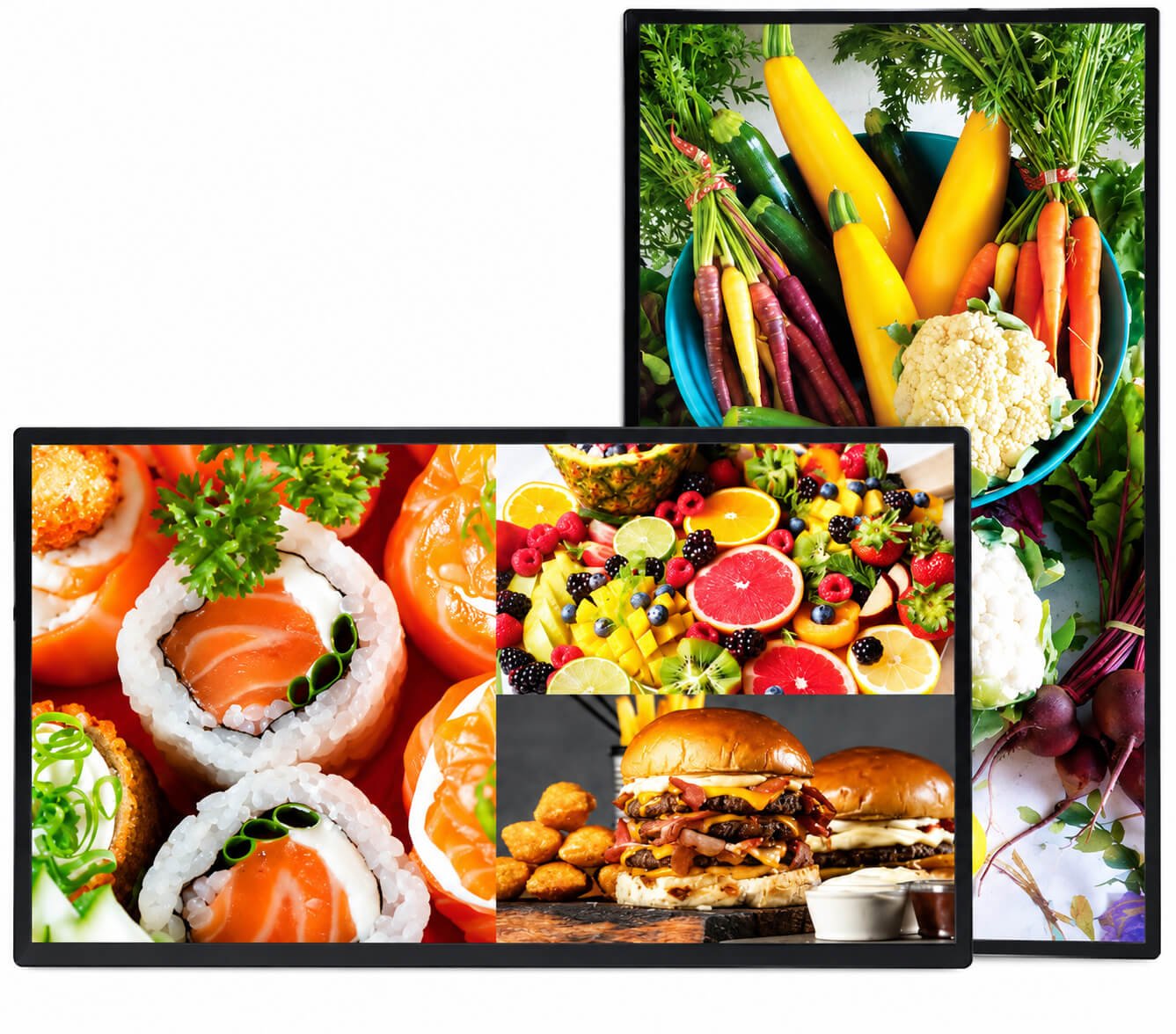
Commercial wall-mounted enclosures support retail browsing, directories, service information and fixed enterprise touch applications. The reference images show the front enclosure, rear ventilation and mounting area, plus landscape/portrait display examples. Touch, computing and peripheral integration depend on the selected configuration.
| Configuration | Reference / Project Review |
|---|---|
| Panel selection | Catalogue examples: 21.5, 32, 43, 50, 55, 65, 75 and 86 inches. Larger formats require separate review; this page uses 98 inches as its practical project upper range. |
| Resolution / aspect ratio / refresh | 1920 × 1080 or 3840 × 2160; 16:9; 60 Hz, dependent on selected panel. |
| Catalogue optical references | 4500:1 contrast, 5 ms response, 16.7M colors, 178° viewing angle. These values are series references and must be confirmed per panel. |
| Brightness | Not specified in this catalogue table. Set a project target; use High Brightness Displays for strong ambient light. |
| Housing | Catalogue: tempered-glass front, aluminum-profile sides, cold-rolled steel body; black housing and selected custom finishes. |
| Mounting | Wall or suspended installation references. Confirm bracket dimensions, mounting pattern, orientation and assembly drawing. |
| Power / temperature | Catalogue reference AC 100–240 V, 50/60 Hz; 0–40°C operating range. Confirm complete-system power and actual operating limits per configuration. |
| Legacy player reference | RK3188 Cortex-A9 quad-core 1.6 GHz; Mali-400 MP4; DDR3 2 GB; eMMC 8 GB; HDMI 1.4 / LVDS output up to 1080p. This is a legacy catalogue option, not the default current board. |
| 4K workflow | A 4K panel does not ensure 4K playback. Confirm panel, player output, decoder, software and content together. |
| Values requiring confirmation | Catalogue power (<150 W) cannot be generalized across sizes. The humidity entry is printed with temperature units and is not used as a valid humidity rating. |
| Final integration | Confirm touch, interfaces, OS, dimensions, weight, cooling, EMC/certifications and packing on the approved specification. |
| Product Direction | Typical Size | Best For | Key Difference |
|---|---|---|---|
| Compact Wall-Mounted Touch Terminals | 10.1"–15.6" | Room booking, hotel rooms, smart control, reception and compact service panels | Compact touch terminal with selected PoE and fixed wall installation |
| Medium Wall-Mounted Touch Terminals | 18.5"–32" | Visitor systems, retail browsing, healthcare information and enterprise applications | Larger interaction area with finished commercial housing |
| Standard Commercial Touch Terminals | 43"–65" | Public information, retail interaction, service centers and office lobbies | Stronger visual impact and larger touch interface |
| 75" Wall-Mounted Touch Terminals | 75" | Large enterprise halls, public interaction, retail and premium information systems | Most practical large-format starting point |
| Large-Format Wall-Mounted Touch Terminals | 86"–98" | Premium lobbies, showrooms and high-budget public spaces | Larger visual and interaction area with higher wall-loading and logistics requirements |
| Android / Linux / Windows Terminals | Project-based | CMS, room systems, enterprise software, browser and custom applications | System platform selected around software and peripheral requirements |
| OEM Wall-Mounted Touch Terminals | Project-based within 10.1"–98" | Private-label brands, integrators and enterprise terminal projects | Custom housing, bracket, interfaces, UI, logo and packaging |
For many large-format Wall-Mounted Touch Terminal projects, 75" is the most practical starting point. A 98" product is usually the practical maximum for regular projects. A 110" product should be treated only as a special evaluation.
Suitable for meeting-room booking, hotel service, smart-room control, access information and close-view operation.
Suitable for visitor registration, reception, retail browsing, healthcare information and wall-mounted enterprise applications.
Suitable for public information, shopping malls, service centers, office lobbies and larger touch interfaces.
Suitable for many commercial spaces, although projects needing stronger large-format visual impact may start from 75".
Provides strong visibility and touch area while retaining better cost, logistics and customer acceptance than 86" or 98".
Suitable for premium lobbies, showrooms, enterprise halls and high-budget projects with suitable wall structure and installation planning.
Can be reviewed for selected projects, but it is not a standard recommendation because cost, wall loading and installation risk increase sharply.
Wall material, load capacity, bracket, anchor points, screen weight, touch force, installation height, service access and lifting path must be confirmed before shipment.
Room schedules, availability, booking, check-in and workplace-management applications.
Reception, visitor check-in, host notification, QR workflows and enterprise visitor systems.
Interactive catalogs, product comparison, membership, promotions and customer guidance.
Directories, service information, guidance, queue selection and interactive information access.
Hotel service, room information, department guidance, patient communication and service interfaces.
Windows, Android or Linux business software installed on a fixed wall-mounted interactive device.
When face recognition, attendance, identity verification or door access is the core function, use AI Recognition & Smart Access Terminals.
Common for compact and medium-size direct interaction, multi-touch operation and modern glass-front appearance.
Can be considered for selected large-format wall displays where the structure and bezel can support the infrared frame.
Cover glass size, printing, logo, holes, thickness, edge treatment, sensor and controller can be customized.
Can reduce internal reflection, improve optical appearance and strengthen the display stack for selected projects.
Button position, keyboard area, accessibility, viewing angle and user reach must match the final installation height.
Use this category only when interaction is a core requirement. Passive content projects should normally use Digital Signage Displays.
Suitable for room booking, visitor systems, CMS, browser content, APK applications and cost-efficient commercial deployment.
Suitable for controlled embedded applications, custom interfaces and system-integrator projects.
Suitable for enterprise applications, visitor systems, service software, Windows peripherals and higher-performance requirements.
CPU architecture, operating system version, permissions, browser engine, touch driver, camera or NFC access, startup behavior, remote updates and long-term software responsibility must be defined before sample production.
| Function | Typical Use | Important Confirmation |
|---|---|---|
| Wi-Fi / Wi-Fi 6 | Applications, cloud systems, room booking and flexible indoor deployment | Frequency band, antenna position, wall material and signal environment |
| Ethernet | Stable wired network for fixed enterprise terminals | Cable route, port access, network policy and installation structure |
| PoE | Selected compact room panels and wall terminals | PoE standard, power budget, cable length and total terminal consumption |
| 4G | Sites without reliable wired or Wi-Fi networks | Frequency bands, SIM access, antenna and local approval |
| USB | Touch, storage, scanner, camera, service and accessories | Quantity, version, host mode and accessible connector position |
| RS232 / RS485 | Equipment communication, room systems and selected peripherals | Protocol, voltage, isolation, connector and software driver |
| Camera | Visitor check-in, QR workflows and selected recognition applications | Resolution, viewing angle, wall height, privacy indicator and software access |
| NFC / Card Reader | Membership, identification and selected access workflows | Reader type, front position, frequency, protocol and application integration |
| Microphone / Speakers | Prompts, media, voice input and communication | Acoustic openings, echo, volume, privacy and software control |
Camera, NFC and serial I/O are optional extensions. If recognition, access control or industrial machine control becomes the main function, use the corresponding specialized terminal route.
Concrete, brick, steel, partition or decorative walls require different anchors, backing plates and installation methods.
VESA pattern, bracket depth, tilt, locking, anti-removal design and service method must match the product and site.
Viewing height, touch reach, accessibility, camera angle and user operation determine the final center line.
Power, Ethernet, USB and serial cables should be routed safely without visible clutter or interference with the bracket.
Rear clearance, wall cavity, processor power and display brightness affect the thermal path.
Connectors, storage, mainboard, power supply and mounting screws must remain accessible after installation.
The bracket and wall must remain stable during repeated public touch operation.
75"–98" products require qualified handling, doorway access, lifting equipment and local installation planning.
A technically compatible display can still fail as a project if wall loading, anchors, cable routing, heat, service access or installation height are not reviewed before shipment.
The following table defines common project directions. Final specifications depend on LCD availability, touch technology, motherboard, software, housing, wall structure, environment and quantity.
| Item | Project Direction |
|---|---|
| Screen Size | 10.1" / 13.3" / 15" / 15.6" / 18.5" / 21.5" / 23.6" / 23.8" / 27" / 32" / 43" / 55" / 65" / 75" / 86" / 98" |
| Most Practical Large Size | 75" for many large-format wall-mounted projects |
| Practical Maximum | 98" for regular commercial projects |
| Special Size | 110" may be reviewed as a special project but is not a standard recommendation |
| Resolution | 1280×800, 1366×768, 1920×1080 or 4K depending on size |
| Touch | Projected capacitive touch or selected infrared touch depending on size and structure |
| Operating System | Android, Linux or Windows depending on application and motherboard |
| CPU Platform | ARM or x86 selected according to software, decoding, peripherals and performance |
| RAM | Common project directions include 1GB / 2GB / 4GB / 8GB or higher platform options |
| Storage | Common project directions include 16GB / 32GB / 64GB / 128GB or larger x86 storage |
| Network | Wi-Fi, Wi-Fi 6, Ethernet, selected PoE and selected 4G |
| Interfaces | USB, RS232, RS485, GPIO or project-specific interfaces depending on platform |
| Optional Functions | Camera, NFC, microphone, speakers and selected peripherals |
| Environment | Standard versions are primarily indoor; window-facing projects route to Window-Facing Displays and outdoor interaction routes to Outdoor Touch Displays |
| Installation | VESA, wall bracket, recessed wall structure or project-specific mounting |
| OEM | Housing, color, logo, UI, bracket, cable outlet, interface layout, accessories and packaging |
| Factor | Wall-Mounted Touch Terminals | Digital Signage Displays | Floor-Standing Kiosks | Open Frame Digital Signage |
|---|---|---|---|---|
| Product Form | Finished wall-mounted interactive terminal | Finished commercial content display | Complete freestanding terminal | Embedded display and system core |
| Main Purpose | Application operation and direct user interaction | Advertising, menus and information playback | Freestanding signage, wayfinding and self-service | OEM integration into customer equipment |
| Installation | Wall, VESA or custom wall structure | Wall, counter, desktop or VESA | Placed or anchored on the floor | Inside customer enclosure |
| Touch | Core function | Optional for light interaction | Optional or common depending on workflow | Optional |
| Final Enclosure | Finished housing and wall-mount structure | Finished commercial housing | Standing enclosure and base | Customer provides final enclosure |
| Mainstream Large Size | 75" | 75" | 75" | 75" |
| Practical Maximum | 98" | 98" | 98" | 98" |
| Best For | Room systems, visitor terminals, retail interaction and enterprise applications | Advertising and public information | Public freestanding terminals | Equipment makers and kiosk manufacturers |
Use Wall-Mounted Touch Terminals when the final device is installed on a wall and direct user interaction is the core requirement.
When advertising, menus, promotions and information playback are more important than application operation.
When the project requires a complete freestanding enclosure, base, internal space or self-service peripherals.
When the customer already has the final enclosure and needs an embedded display and system assembly.
When meetings, teaching, annotation and group collaboration are the core use case.
When face recognition, attendance, identity verification or access control is the main product function.
When industrial control, rugged computing, sealing or demanding environmental reliability is required.
When the interactive product must operate in direct sunlight, rain, dust or uncontrolled outdoor environments.
Room status, scheduling, check-in and workplace-management applications.
Visitor registration, host notification, QR scanning and reception workflows.
Interactive catalogs, membership, product selection and promotional content.
Guest information, facility guidance, room service and lobby applications.
Department guidance, patient communication, room information and service interfaces.
Menu browsing, ordering information, queue selection and customer interaction.
Service selection, information search, registration and feedback terminals.
Room systems, employee services, workplace information and enterprise software.
Custom housing, touch, system, interfaces, bracket, UI, logo and packaging for batch deployment.
Room booking, visitor registration, retail browsing, public information or enterprise application operation.
Indoor, storefront window, strong ambient light, semi-outdoor or outdoor. High-light and outdoor projects require specialized routes.
Choose within 10.1"–98" based on viewing distance, wall area, user reach, software layout and budget.
Android APK, Linux application, Windows software, browser, CMS, drivers and update responsibility.
Wi-Fi, Ethernet, PoE, 4G, camera, NFC, serial interfaces and audio.
Wall structure, bracket, anchors, cable route, heat, service access, height, lifting and production sample.
| Stage | Main Work | Output |
|---|---|---|
| 1. Requirement Review | Application, size, environment, touch, software, network, interfaces, wall and quantity | Recommended product and platform direction |
| 2. System Architecture | LCD, touch, motherboard, memory, network, interfaces, peripherals and power | Confirmed electrical configuration |
| 3. Housing and Wall-Mount Engineering | Housing, bracket, VESA, cable outlet, camera opening, ventilation and service access | Mechanical drawing and installation concept |
| 4. Software Integration | APK, browser, Linux or Windows software, startup, permissions, drivers and updates | Working software image or integration plan |
| 5. Sample Validation | Touch, software, network, I/O, heat, wall mounting, height and user workflow | Approved sample and change list |
| 6. Batch Production | BOM control, software loading, housing inspection, assembly, aging, testing and packaging | Consistent terminal batch products |
DisplayMan can support the terminal hardware, system platform, agreed interfaces, housing and wall-mount structure. Customer business software, cloud service, third-party protocols, wall construction and local installation approval must be assigned clearly.
A Wall-Mounted Touch Terminal is a finished interactive commercial device that combines an LCD display, touchscreen, computing platform, network connection and wall-installation structure.
Digital Signage Displays are primarily used for content playback and information display, with touch as an option. Wall-Mounted Touch Terminals are interaction-first products designed for application operation, user input and business workflows.
A Floor-Standing Kiosk includes a complete freestanding enclosure and base. A Wall-Mounted Touch Terminal is fixed to a wall, VESA bracket or project-specific wall structure.
Open Frame Digital Signage is installed inside the customer's own enclosure. A Wall-Mounted Touch Terminal is supplied as a more complete finished device with housing and wall-mount structure.
Interactive Flat Panels are mainly designed for meetings, teaching, annotation and group collaboration. Wall-Mounted Touch Terminals are generally used for fixed business applications, information access, room systems and public interaction.
Common project sizes range from 10.1 inches to 98 inches, covering compact room panels, standard enterprise touch terminals and large-format public interaction displays.
For many large-format Wall-Mounted Touch Terminal projects, 75 inches is the most practical starting point because it provides strong visual impact with better cost, handling and customer acceptance than 86 or 98 inches.
For regular commercial projects, 98 inches is generally the practical maximum because packing, wall loading, logistics, handling and installation become more demanding above this size.
A 110-inch product can be reviewed as a special project, but it is not recommended as a standard option because availability, cost, wall loading, transport and installation risk increase significantly.
Projected capacitive touch is common for compact and medium-size terminals. Infrared touch can be reviewed for selected large-format projects. The final choice depends on size, cover glass, structure, user experience and budget.
Yes. Android, Linux and Windows platforms can be reviewed according to the customer application, CMS, browser, enterprise software, peripheral drivers and performance requirements.
Yes, subject to platform compatibility. APK installation, launcher control, automatic startup, permissions, Windows software, Linux drivers and update responsibility should be confirmed before sample production.
Selected compact Wall-Mounted Touch Terminals can support PoE. The PoE standard, power budget, cable length, total device consumption and network architecture must be confirmed.
Selected configurations can support camera, NFC, microphone, speakers, USB, RS232 and RS485. When face recognition, access control or industrial control becomes the main purpose, the corresponding specialized terminal category should also be reviewed.
Standard indoor terminals are not automatically suitable for storefront windows. Projects facing strong daylight should use the Window-Facing Displays or High Brightness Displays product route, with touch and thermal design reviewed separately.
Standard Wall-Mounted Touch Terminals are primarily indoor products. Outdoor interactive projects should use the Outdoor Touch Displays product route with brightness, sealing, thermal management and installation conditions reviewed for the real environment.
Yes. Housing color, dimensions, VESA pattern, wall bracket, cable outlet, interface positions, camera opening, logo, cover glass and packaging can be reviewed for OEM projects.
Please provide screen size, application, viewing distance, touch requirement, operating system, software, network, interfaces, camera or NFC requirement, installation environment, wall structure, mounting method, quantity, destination and project schedule.
The application, wall structure, screen size, touch technology, system platform, software, interface positions, cable route, heat path, service access, installation height and responsibility boundaries should be confirmed before sample production.
Send us the screen size, application, viewing distance, touch requirement, operating system, software, network, interfaces, smart functions, environment, wall structure, mounting method, quantity, destination and target schedule.
We will review the display, touch, system platform, housing, wall-mount structure, software and OEM production scope.
Wall-mounted projects require both electronic configuration and installation engineering. The terminal, bracket, cable route, wall load, user height and software environment must work as one complete system.