
Explore AI translation terminals, audio-visual interaction hardware and wall-mounted attendance terminals for business communication, service counters, education and OEM smart-terminal projects. Match the display, touch, audio, camera and computing platform to your application.
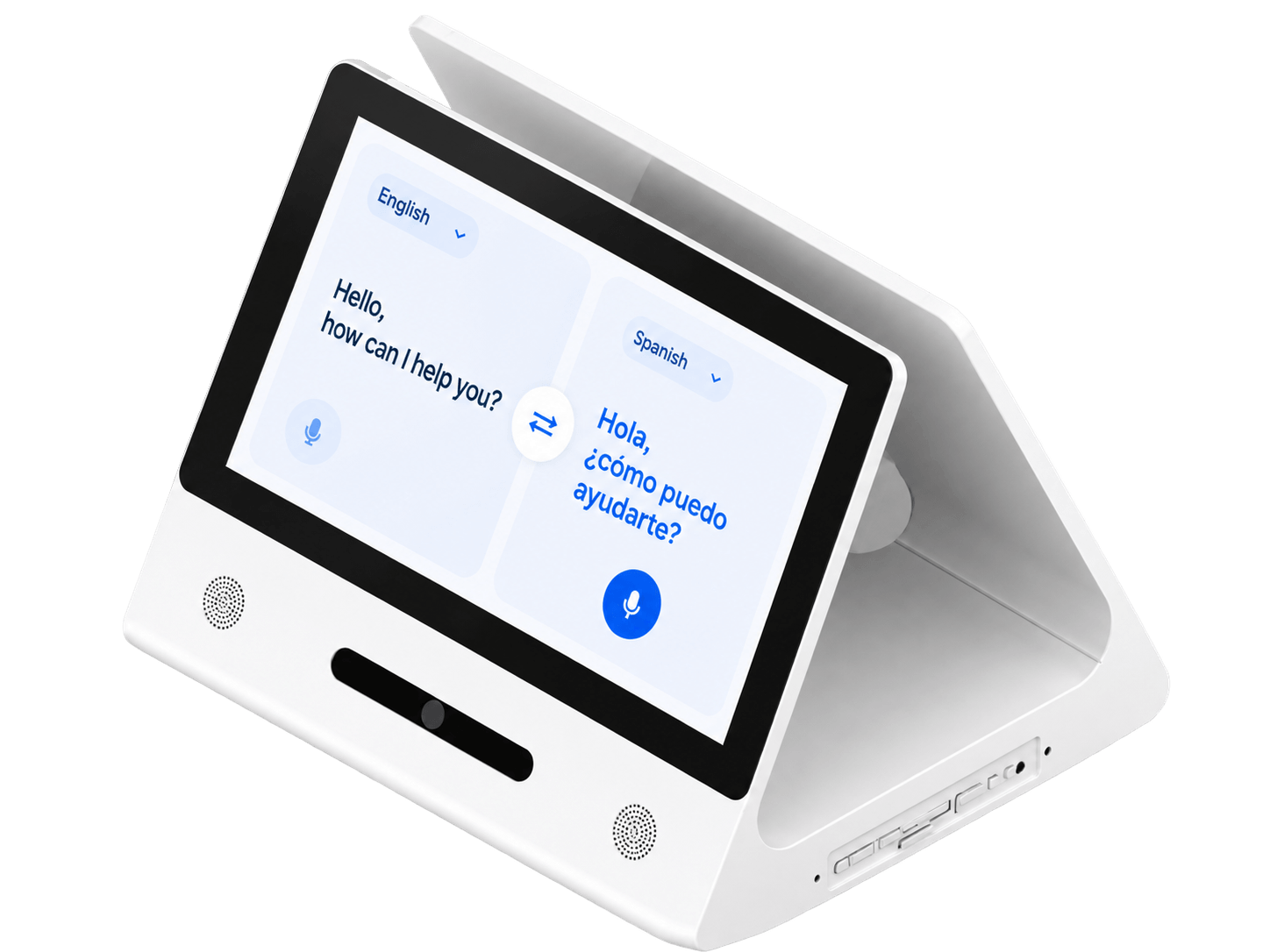
AI Recognition and Smart Access Terminals combine display and interaction hardware for multilingual communication, voice and visual interaction, classroom attendance, visitor registration and selected entrance workflows. This page presents dual-sided translation terminals, audio-visual recognition concepts and classroom attendance terminals.
Configurations combine an LCD display, touchscreen, computing platform and network connection with application-specific microphones, speakers, cameras or identification interfaces.
For DisplayMan, this product belongs to Touchscreen All-in-One Terminals → Enterprise & Industrial Terminals.
DisplayMan supports terminal hardware selection and OEM integration. Translation, recognition, attendance and access functions are defined with the chosen software platform. For door-control projects, specify the controller, interface and operating logic separately from the attendance display.
DisplayMan focuses on transparent displays, custom displays, high brightness engineering and integrated touchscreen terminals. Explore transparent presentation formats for digital-human reception, product showcases and smart spaces, or high brightness displays for daylight-facing installations.
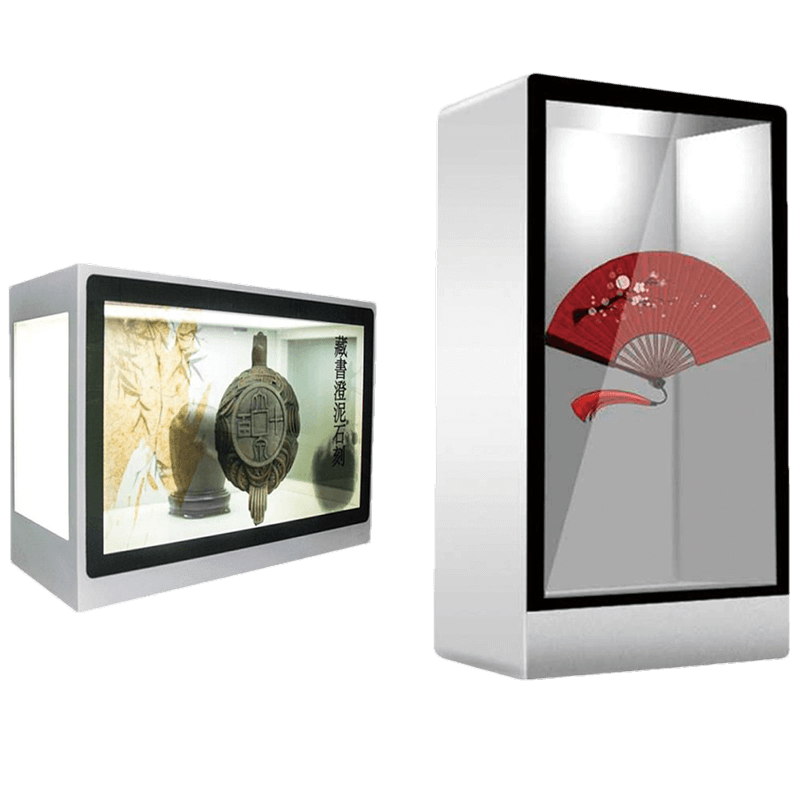
Combine digital content with visible physical exhibits in display cabinets, demonstration equipment and interactive showcases. Plan the rear lighting, object space and installation as part of the system.
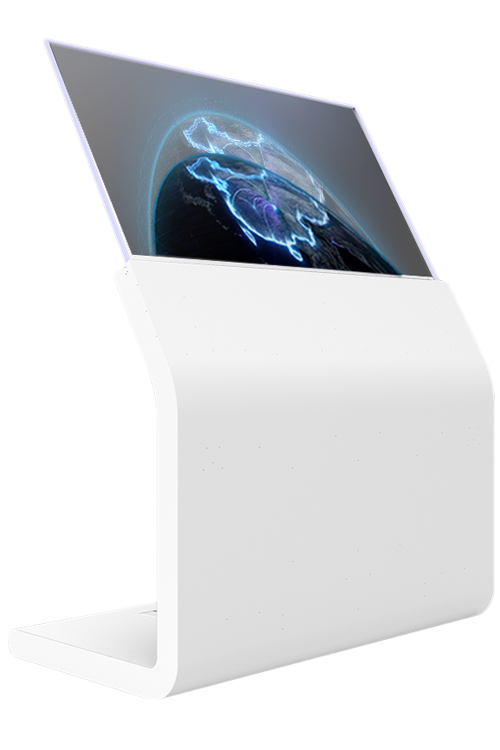
Use self-emissive transparent displays for premium showrooms, interactive presentation concepts and exhibits where visibility through the screen matters. Touch and mounting are reviewed for the chosen product.
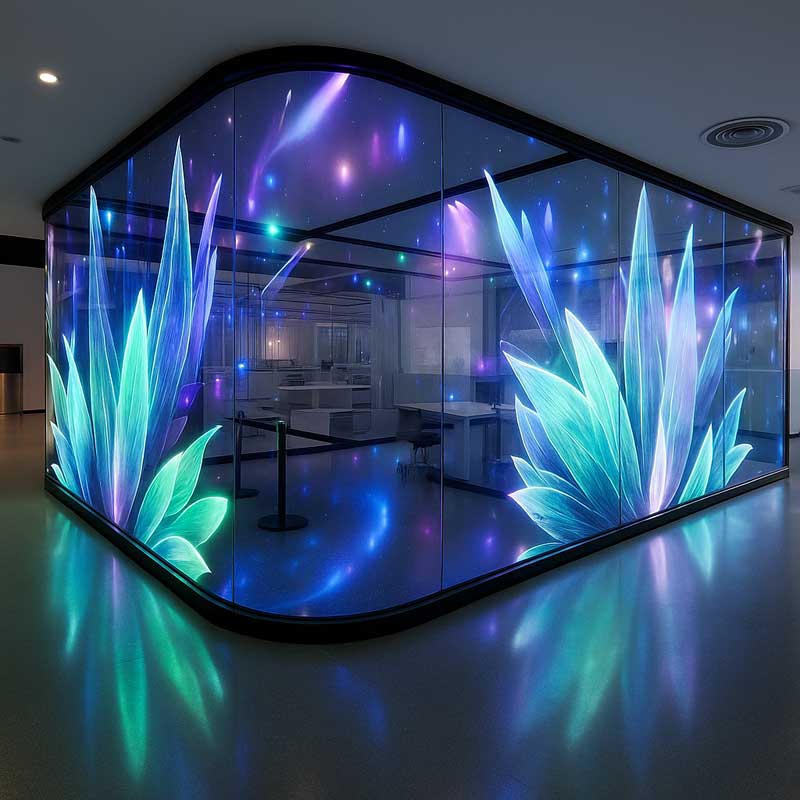
Explore glass-mounted and larger architectural display formats for lobbies, windows and presentation spaces. Pixel pitch, transparency, viewing distance and structure determine the appropriate format.
Specify ambient light, direct sunlight, reflections, touch and thermal requirements before selecting the display.
A desktop terminal gives both participants a dedicated screen for face-to-face multilingual conversations. The angled enclosure brings touch interaction, display and audio into a compact counter or meeting-table format.
The product family includes 10.1-inch and 15.6-inch options. The compact configuration below uses the smaller panel and enclosure; the 15.6-inch version requires its own panel specification and drawing. Select screen orientation, interface language and conversation layout with the intended translation application.
| Item | Configuration / Selection Detail |
|---|---|
| Product formats | 10.1-inch / 15.6-inch dual-sided desktop translation terminal options |
| Compact panel resolution | 800 × 1280 pixels; landscape UI orientation is configured in software |
| Compact panel active area | 135.36 × 216.58 mm (±0.5 mm) |
| Panel brightness / contrast | 280 cd/m² / 1000:1 typical for the compact configuration |
| Color / backlight | 16.7 million colors; white LED backlight (28 LEDs in the compact panel) |
| Touch | Projected capacitive touch; 10 touch points |
| Cover glass | Tempered glass; listed hardness 6H; glass transmission ≥85% |
| Processor / graphics | RK3568, quad-core Cortex-A55 up to 1.8 GHz; ARM G52 2EE GPU |
| Memory | 2 GB standard; 1 / 2 / 4 / 8 GB options subject to board configuration |
| Storage | 8 GB eMMC standard; 16 / 32 / 64 / 128 GB options |
| Operating system | Android 11 reference configuration; Windows option requires a separately specified computing platform |
| Speakers | Two built-in 2 W, 4 Ω speakers |
| Enclosure | Sheet-metal construction; finish and branding reviewed for OEM orders |
| Compact enclosure dimensions | 253 × 232.09 × 222 mm (L × W × H), listed tolerance ±5 mm |
| Storage environment | 0–60°C; 0–65% RH as listed for this configuration. Operating conditions are specified separately. |
| Connections and power | Confirm connector functions, quantities, network, power input and adapter for the selected board |
| Translation software | Language pairs, online/offline operation, licensing, accounts and service region are selected separately |
Specify the target languages, service country, offline requirements, microphone pickup distance and expected background noise. Confirm the final software package and regional availability before sample evaluation.
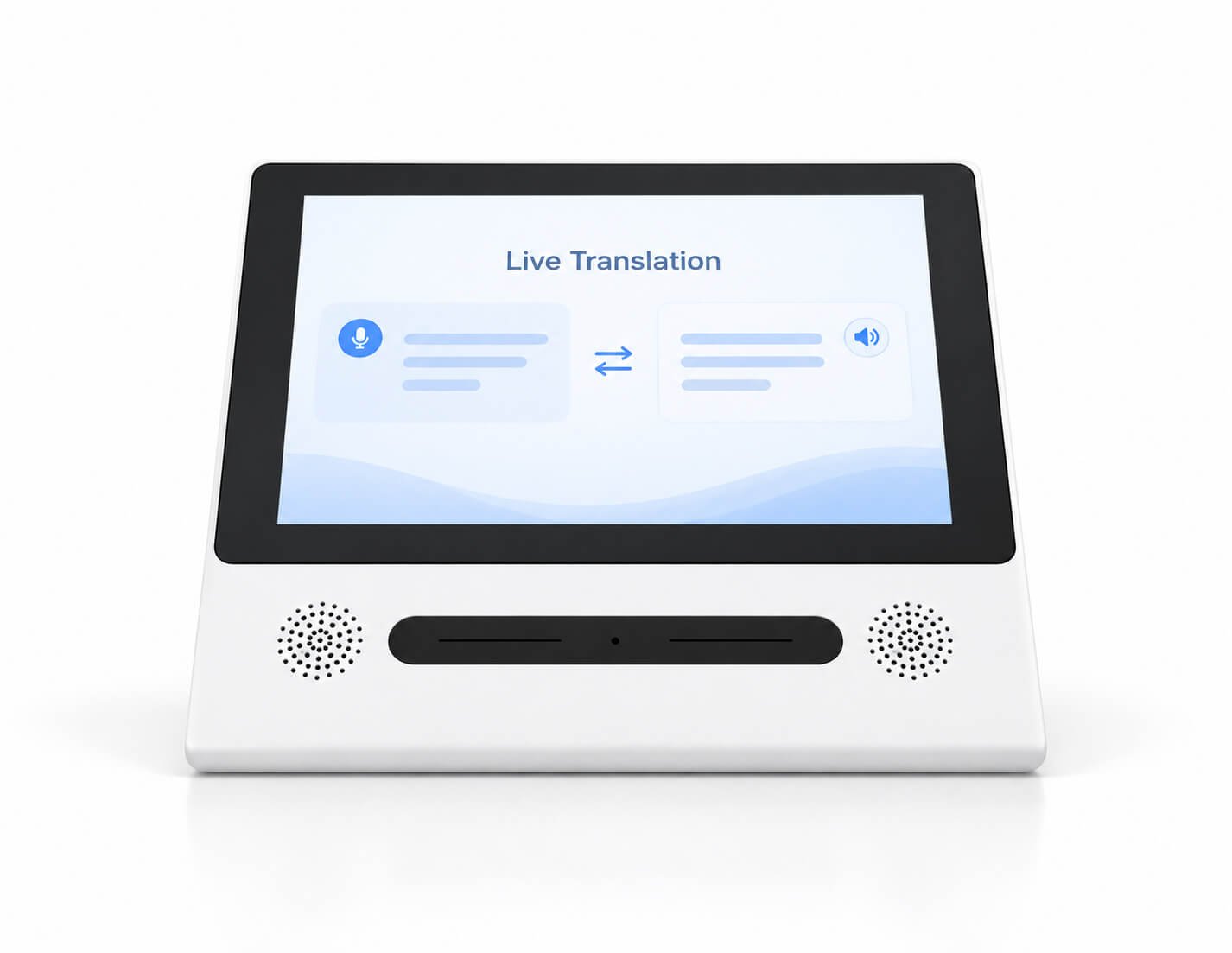
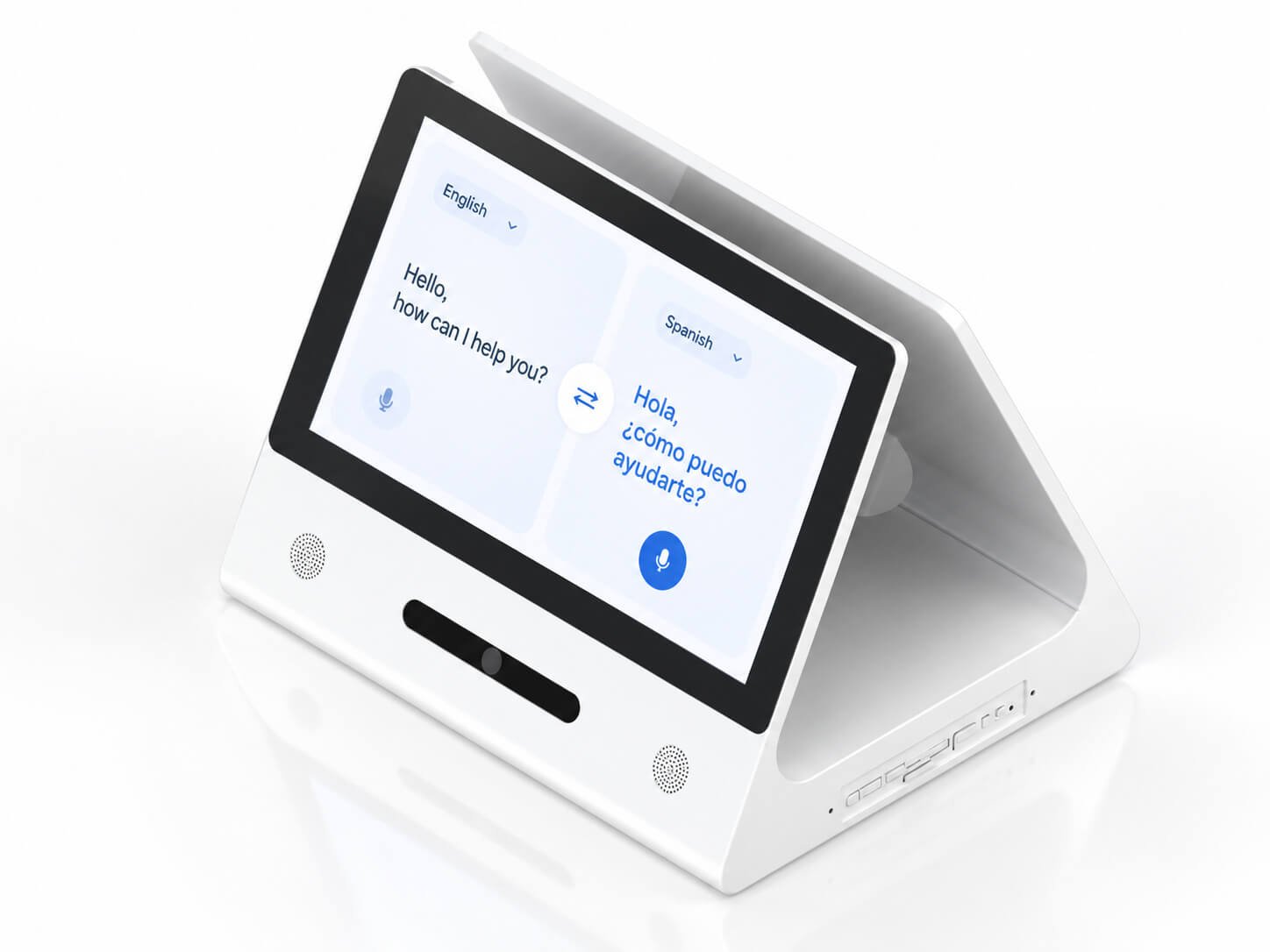
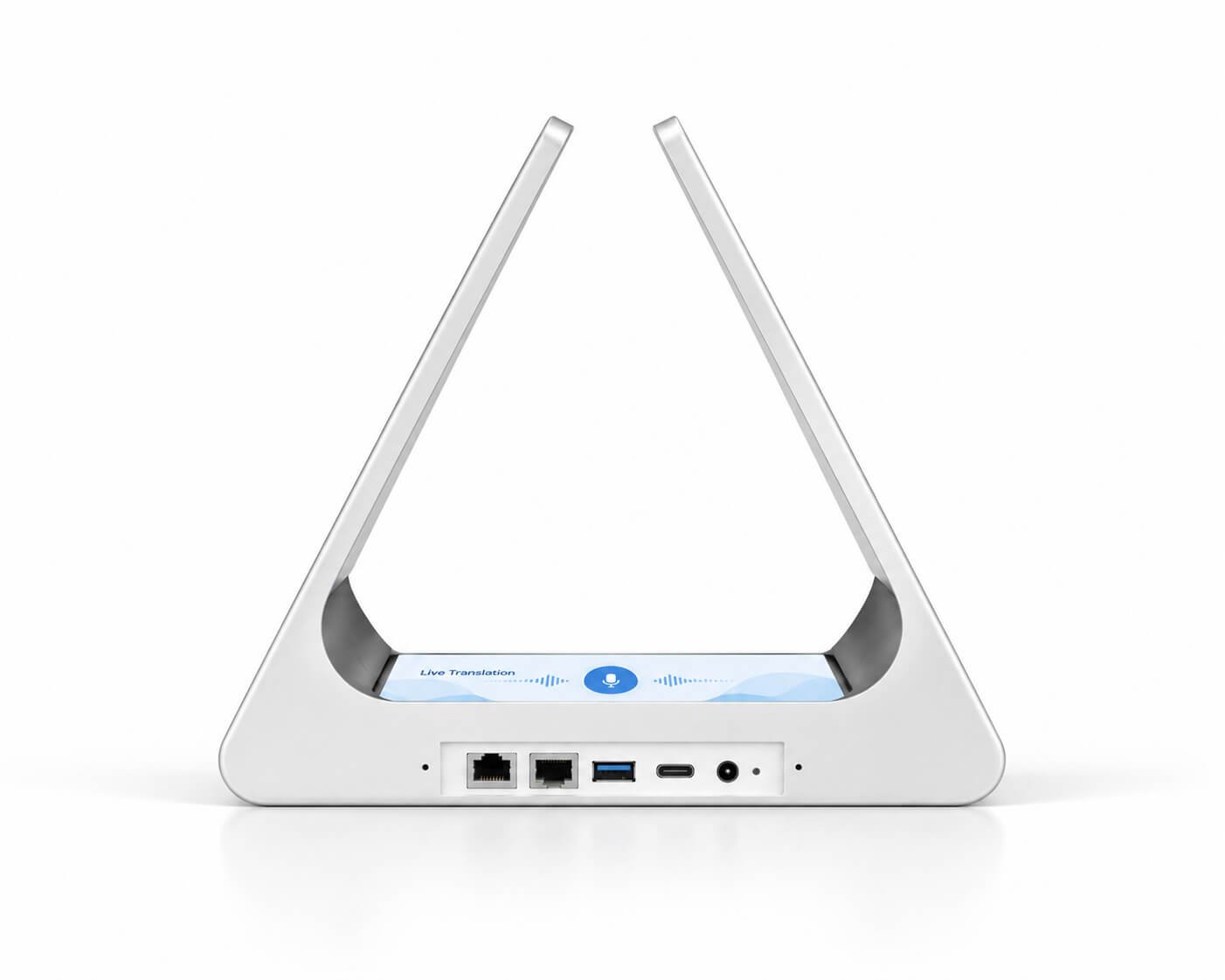
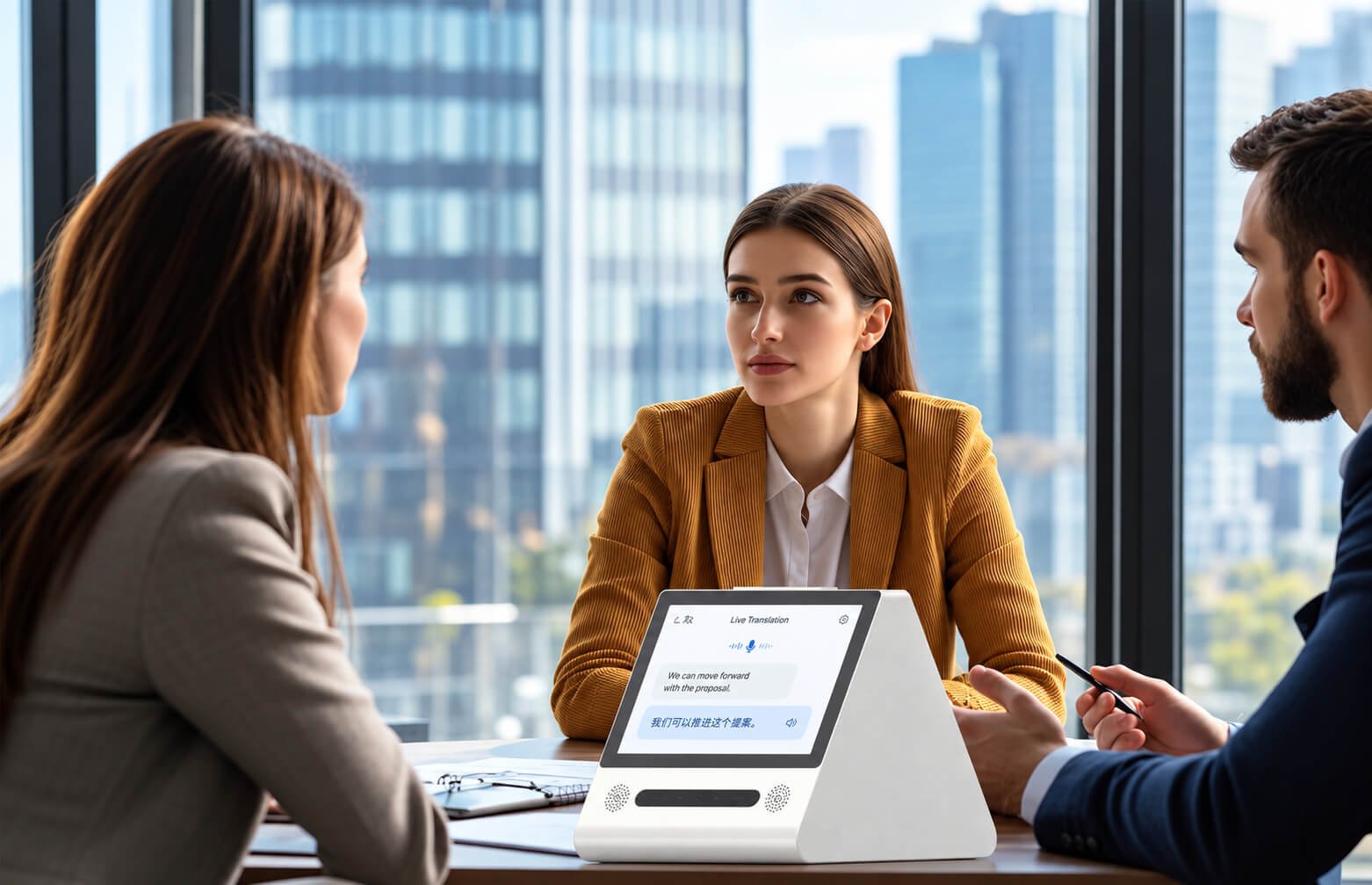
Position the terminal between participants so each person can view the conversation in their own language. These application illustrations show ways to arrange the terminal in business and public-service environments.
| Item | Configuration / Selection Detail |
|---|---|
| Business meetings | Bilingual negotiations, supplier discussions and one-to-one conversations; review vocabulary and recording policy |
| Group discussions | Define who speaks, microphone coverage, speaker separation and screen visibility; a desktop translator is not automatically a conference-room microphone system |
| Service counters | Reception, hotel desks and customer service; review counter depth, screen glare, cleaning and cable security |
| Multilingual environments | Confirm exact language pairs, accents, UI language and service availability in the destination market |
| Online / offline services | The supplier software reference lists 35 online languages and 17 offline languages. Validate the actual language list, license and region for the selected package. |
| Specialized vocabulary | Supplier software references describe 16 professional domains; evaluate your actual terminology using a sample before deployment |
| OEM delivery | Define startup screen, enclosure branding, application provisioning, packaging and batch quantity |

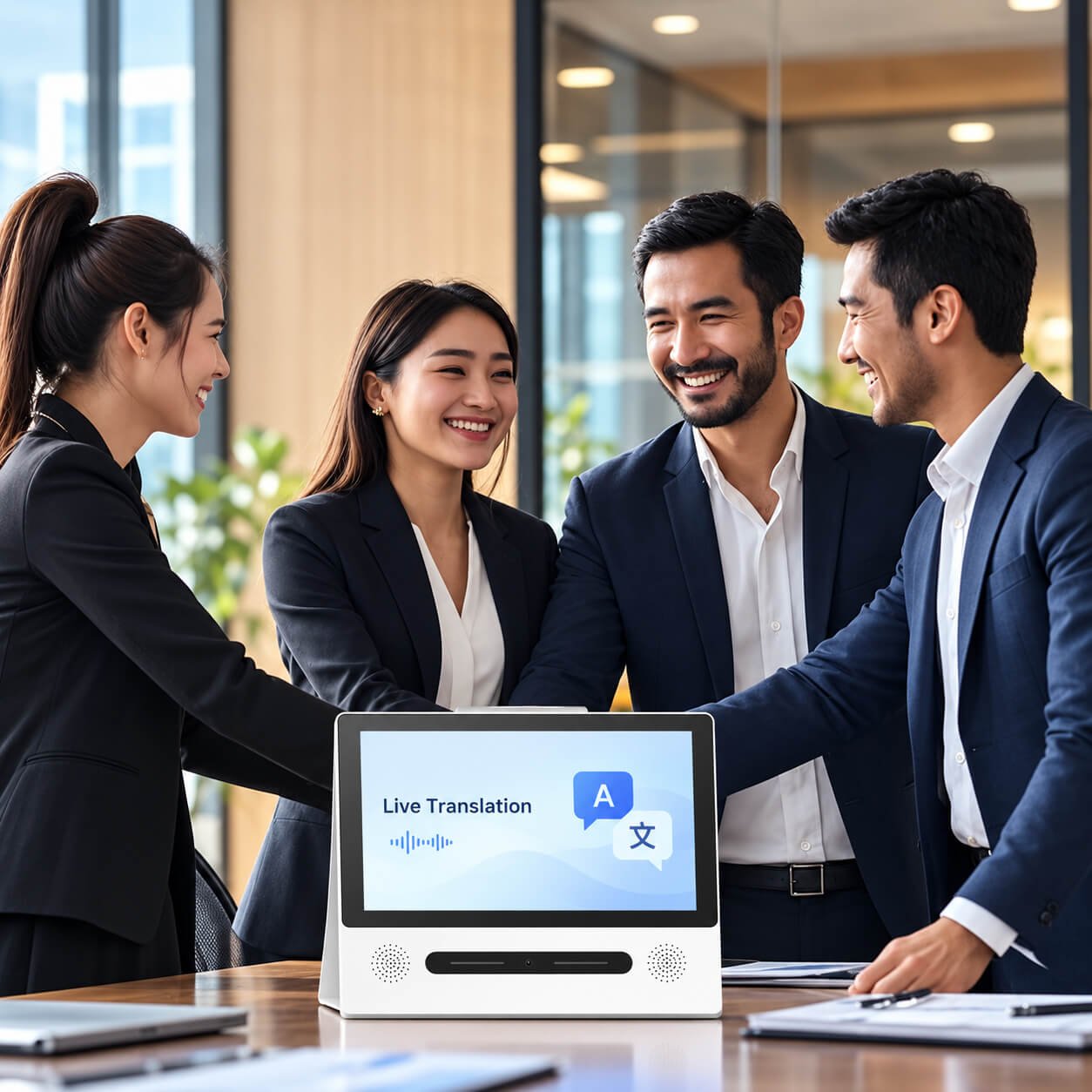
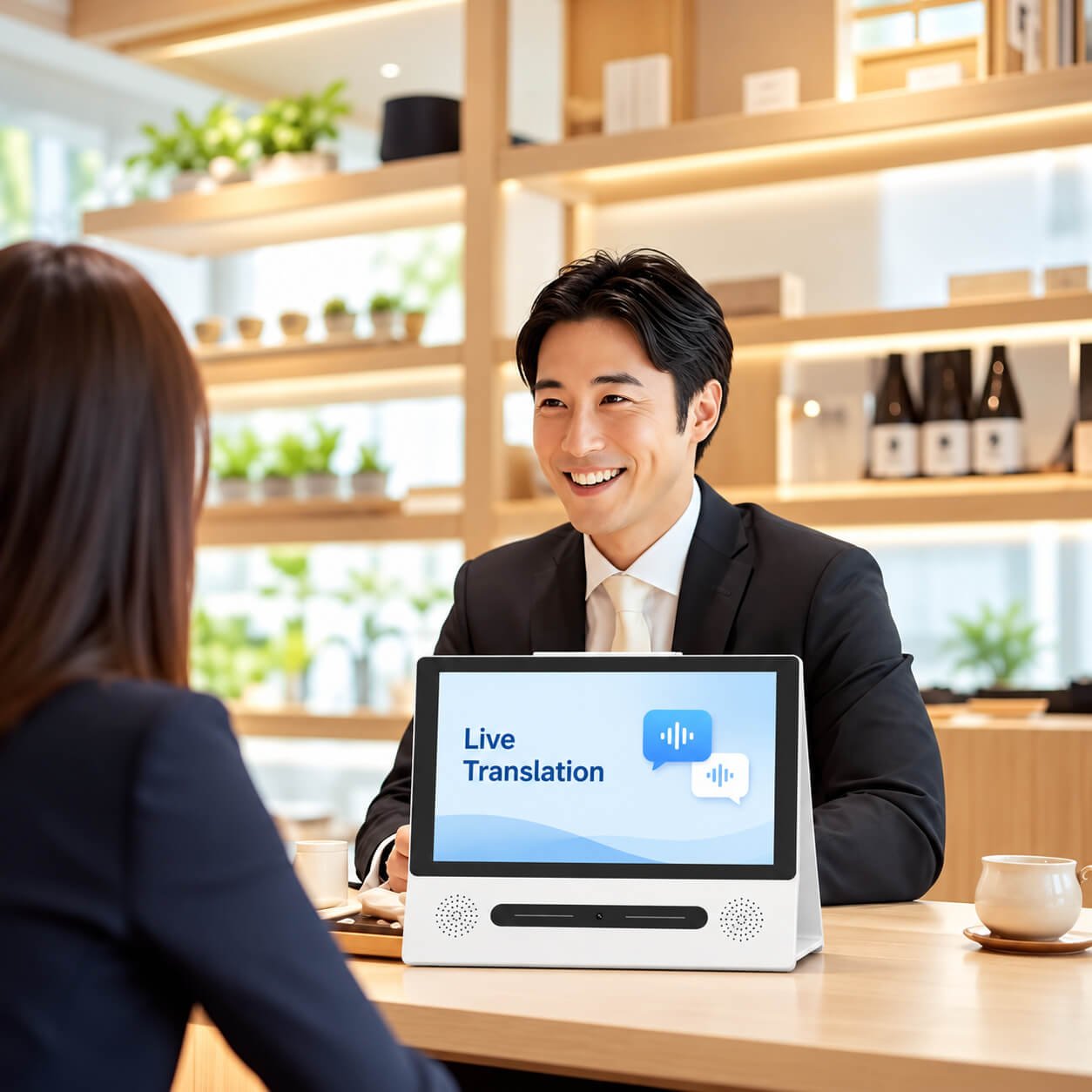
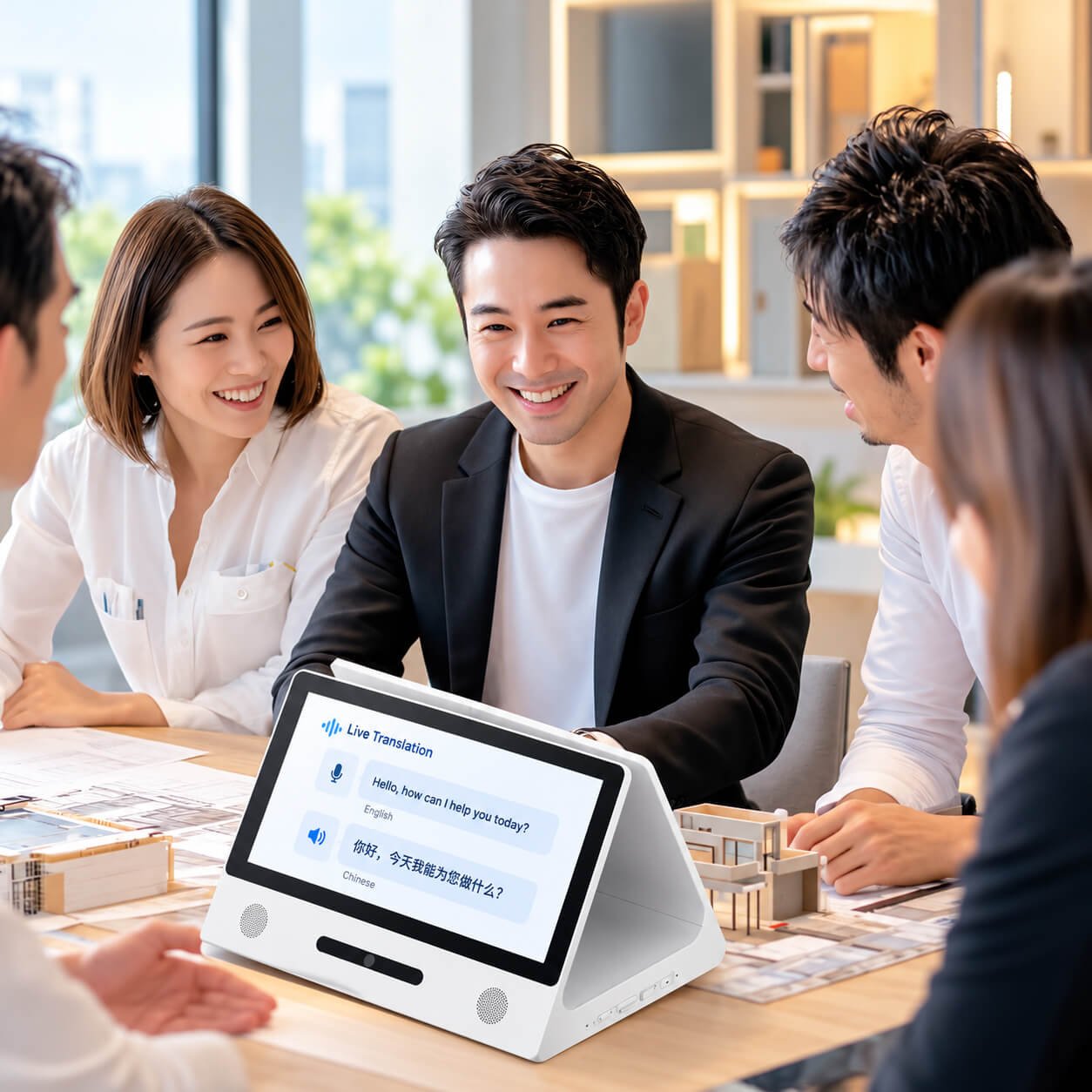
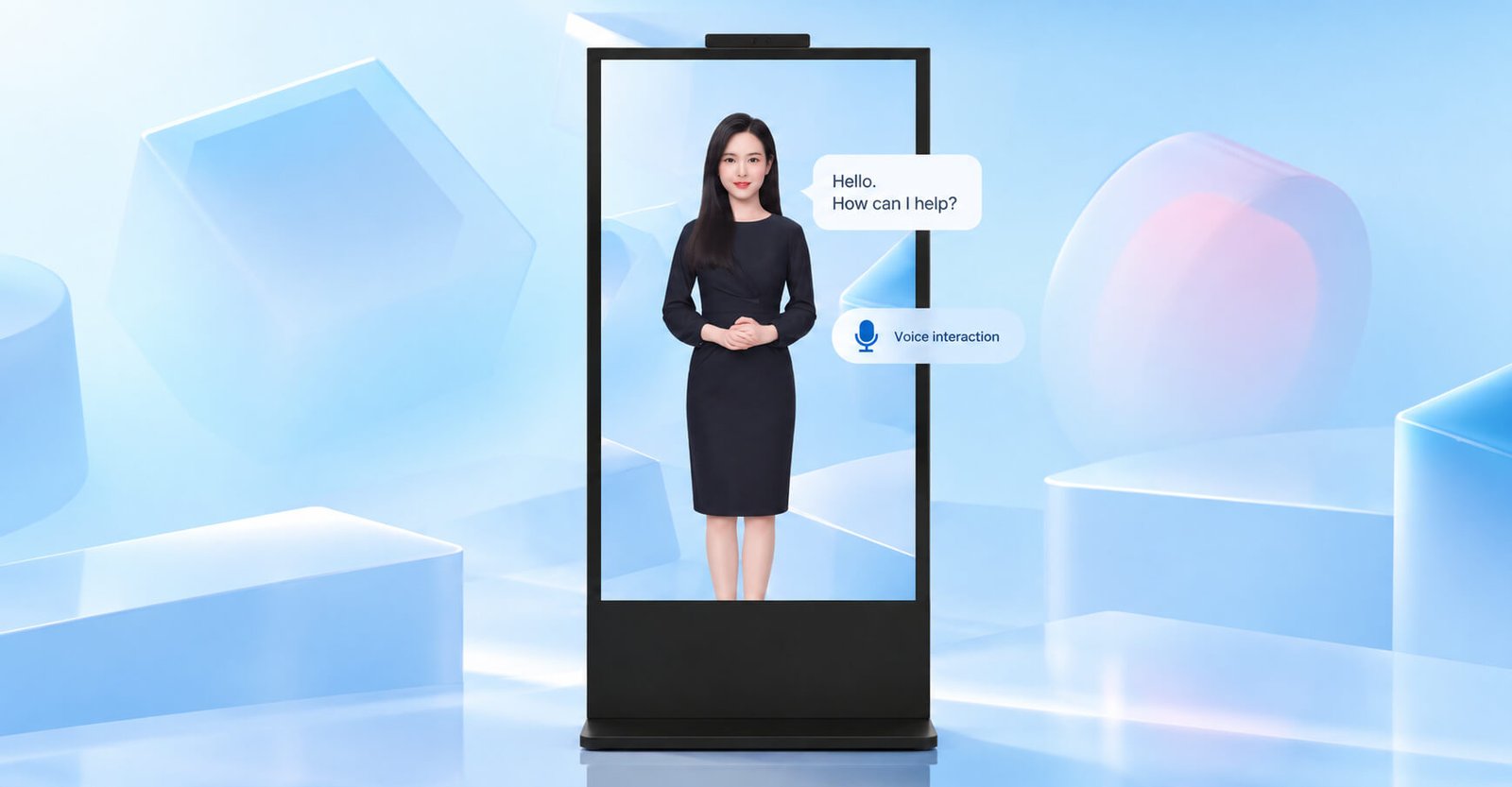
Voice pickup, visual sensing and edge computing can be combined for interactive reception, digital-human terminals and custom equipment. The concept images explain the interaction approach; module selection determines the actual capabilities.
The following configuration applies to the separate audio-visual module family. It is not the specification of the desktop translation terminal or classroom display.
| Item | Configuration / Selection Detail |
|---|---|
| Visual sensing | 5-megapixel binocular camera reference; 1080p imaging support |
| Microphone array | Directional eight-microphone array |
| Acoustic reference | 360° source localization; listed accuracy ±12°; SNR >63 dB |
| Pickup distance | Supplier reference up to 5 m; validate in the actual room and noise conditions |
| Face imaging distance | Listed face detection/tracking range 0.7–1.5 m |
| Vision / synchronization | Listed dynamic range 105 dB; lip-motion processing at 30 FPS |
| Processing approach | Beamforming, noise suppression, voice activity detection and audiovisual synchronization depend on the selected algorithm package |
| Platform | Android / Linux integration paths; confirm supported OS version, drivers and SDK for new projects |
| Integration scope | Module mounting, camera field of view, audio openings, thermal design, SDK access and host application |
| Digital human applications | Presenter rendering, speech recognition, speech synthesis, knowledge content and cloud/local deployment are agreed as software scope |


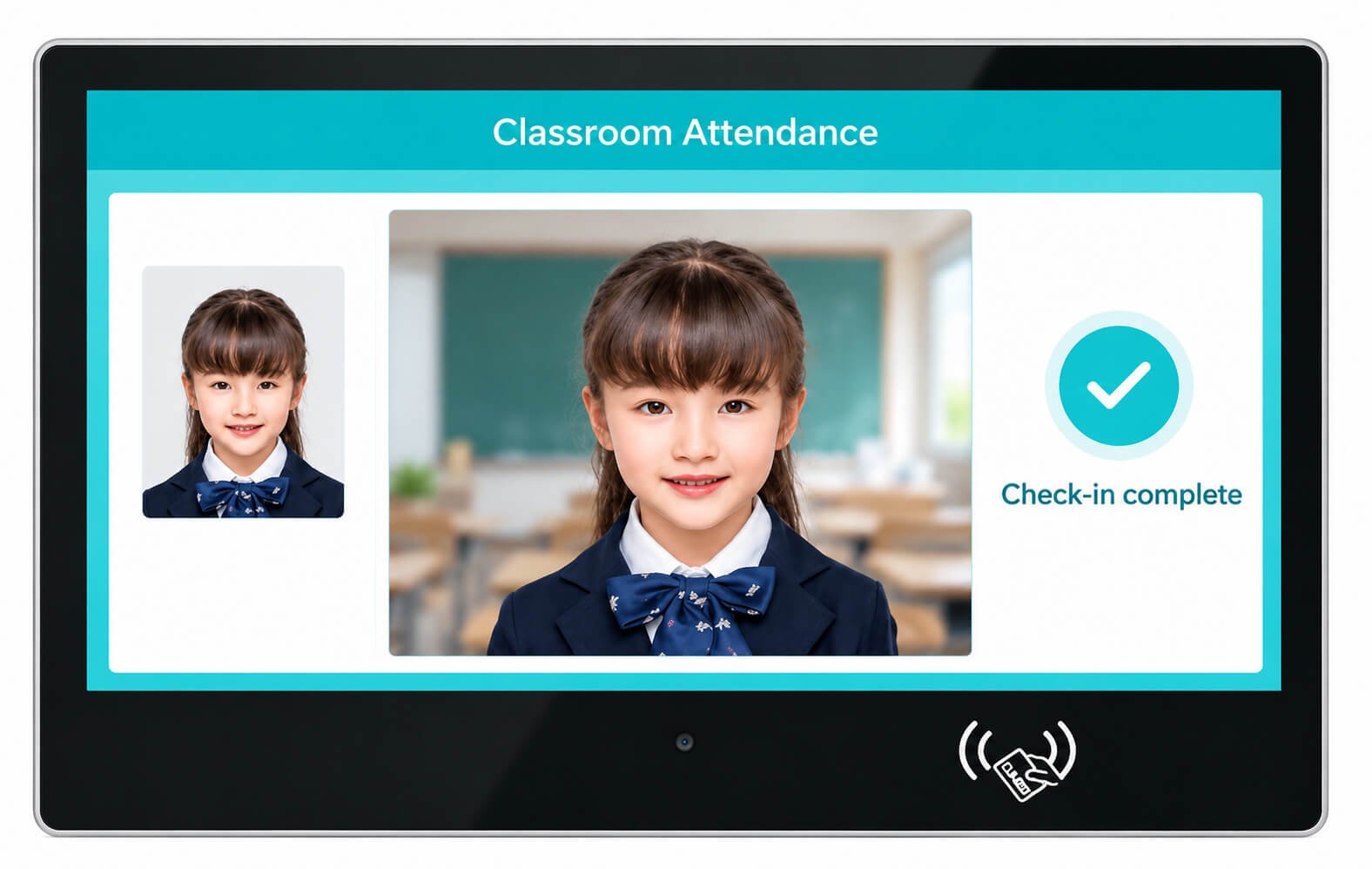
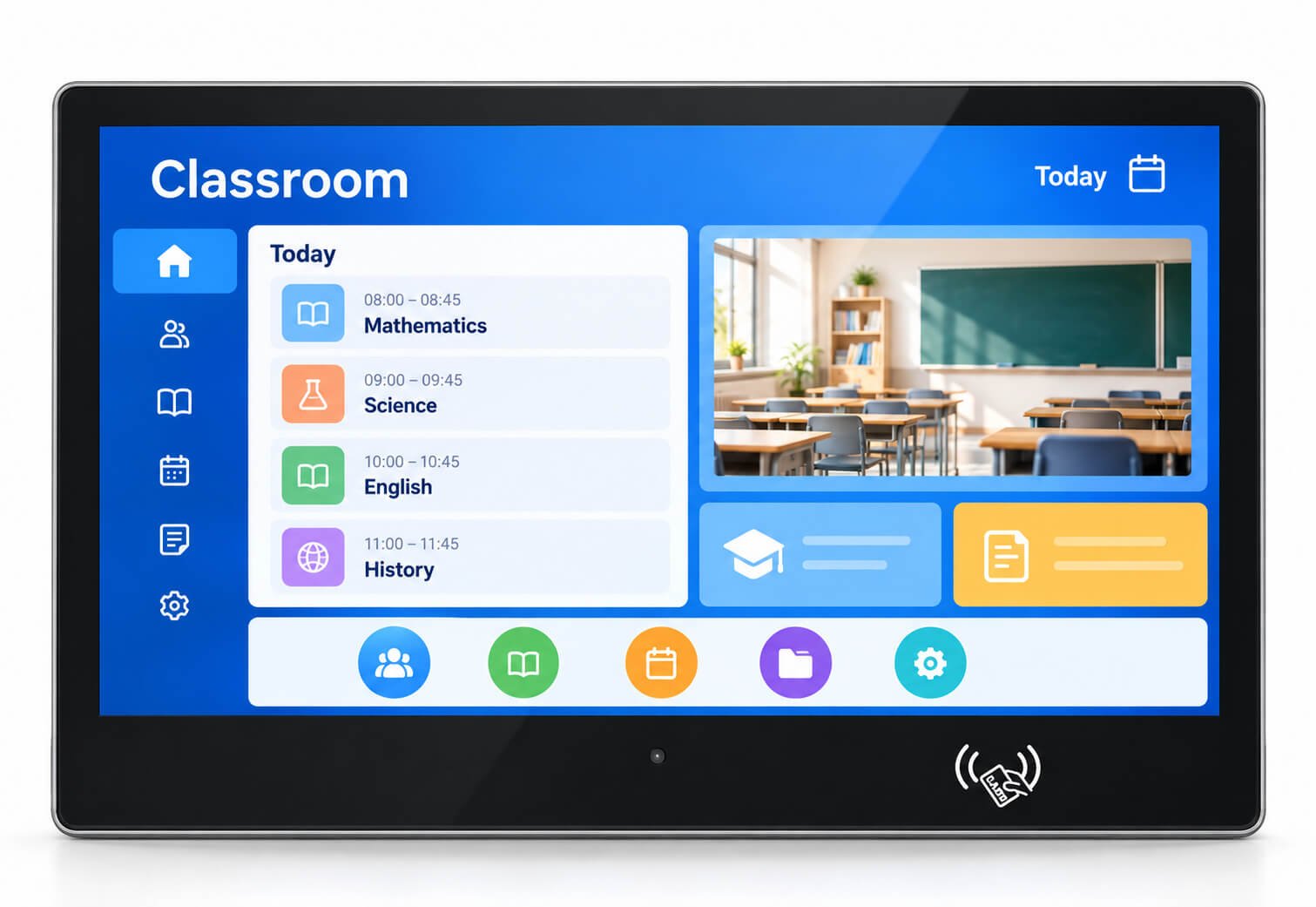
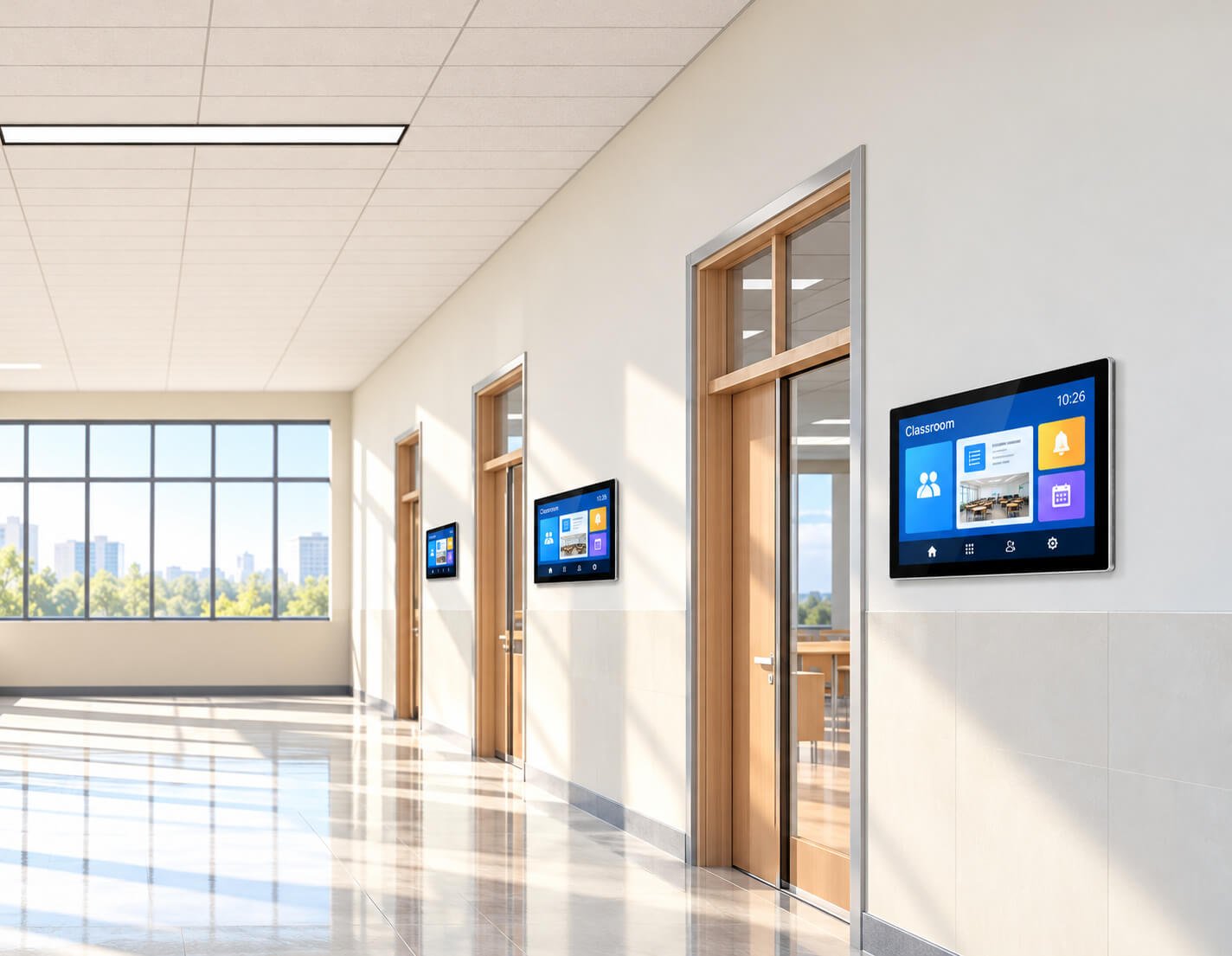
Wall-mounted touch terminals can combine classroom information, schedules, notifications and attendance interaction beside classroom or meeting-room doors. Choose the hardware around the school or enterprise software platform.
| Item | Configuration / Selection Detail |
|---|---|
| Application | Classroom attendance, digital room information, schedules and visitor interaction |
| Display and touch | Select screen size, native resolution, brightness and touch configuration for the installation |
| Camera | Match camera position, lens and lighting to the selected attendance software |
| Card identification | The illustrated front includes a contactless identification area; reader standard and card compatibility require model confirmation |
| Attendance workflow | Define user enrollment, check-in feedback, exception handling, administrator access and record synchronization |
| Network and power | Confirm Ethernet / Wi-Fi and adapter requirements; PoE is a selected configuration, not assumed from appearance |
| Installation | Wall bracket, mounting height, cable outlet, ventilation and service access |
| Door-control integration | Attendance recording does not establish door-lock control. Specify a compatible controller and required relay, Wiegand, serial or network interface as a separate project requirement. |
| Software and OEM | School platform/API, application image, language, logo, enclosure and packaging |
| Model selection | Screen, processor, memory, camera and mechanical dimensions are confirmed for the chosen model |
| Product Direction | Size to Review | Best For | Key Difference |
|---|---|---|---|
| Compact AI Recognition Terminals | 7"–10.1" | Door access, staff attendance, face recognition and compact entry points | Small access-focused terminal with camera and identification functions |
| Wall-Mounted Smart Access Terminals | 10.1"–15.6" | Office entrances, meeting rooms, classrooms and visitor check-in | Touch display with camera, network and selected PoE |
| Digital Nameplate Terminals | 10.1"–21.5" | Classroom nameplates, meeting-room signs and office room displays | Combines schedule, identity, room status and information |
| Visitor Management Terminals | 10.1"–21.5" | Reception desks, offices, hospitals, hotels and service centers | Visitor registration, identity input and check-in workflows |
| Attendance & Time Clock Terminals | 7"–15.6" | Factories, offices, schools and staff entrances | Identity verification and attendance-platform compatibility |
| Large Smart Access Displays | 32"–98" | Lobbies, public entrances, enterprise halls and smart buildings | Combines recognition or visitor interaction with larger information display |
| OEM AI Smart Terminals | Project-based | Private-label brands, software companies and system integrators | Custom housing, camera, interfaces, system, UI and accessories |
The directions above are for project selection. Reader, PoE, camera, door-control interface and software support depend on the approved configuration. Larger lobby displays use a separate kiosk or signage structure.
Compact camera terminals for staff entrance, office access, school gates and controlled entry points.
Employee identification, staff attendance, shift entry and connection to attendance software.
Reception check-in, visitor registration, host notification, QR workflows and identity interaction.
Classroom names, meeting-room schedules, room status, office information and smart-space applications.
Building directory, visitor guidance, identity interaction and selected access-control functions.
Identity-related check-in, service selection, visitor guidance and public-facing information.
Large displays for high-visibility entrances where recognition, visitor interaction and information presentation are combined.
Project-specific housing, camera, reader, operating system, interfaces, software image, logo and packaging.
| Method | Typical Application | Important Confirmation |
|---|---|---|
| Face Recognition | Door access, attendance, visitor verification and staff identity | Camera, algorithm, liveness requirement, database, privacy workflow and software responsibility |
| NFC / Card Reader | Employee cards, member identification, room access and attendance | Reader type, frequency, protocol, front position and application integration |
| QR Code | Visitor invitation, temporary access, registration and event entry | Camera or scanner, code format, lighting, scanning distance and software workflow |
| Touch Registration | Visitor data entry, service selection and reception check-in | UI, keyboard layout, language, privacy notice and data-handling responsibility |
| Attendance Identification | Staff check-in, shift management and time records | Identity method, attendance platform, network, data sync and exception handling |
| Room and Schedule Identification | Meeting-room signs, classroom nameplates and smart-office panels | CMS, calendar integration, PoE, touch and local network compatibility |
Camera, display and computing hardware can be supplied as agreed. Recognition software, database, access rules, liveness detection, visitor platform and cloud service must be defined separately.
Suitable for compact access devices, visitor terminals, digital nameplates and customer APK applications.
Suitable for controlled embedded access systems, customized recognition software and stable project-specific environments.
Suitable for visitor-management software, enterprise databases, specialized peripherals and x86 applications.
CPU, operating system, RAM, storage, camera driver, reader driver, API, protocol, network security and update method should be confirmed before the mainboard and housing are finalized.
| Function | Typical Use | Important Confirmation |
|---|---|---|
| Camera | Face recognition, visitor registration, QR workflows and video interaction | Resolution, lens, angle, mounting height, lighting, privacy indicator and software driver |
| Wi-Fi | Cloud services, app updates, room systems and flexible indoor deployment | Frequency band, antenna position, building materials and network policy |
| Ethernet | Stable fixed access-control and attendance connection | Port position, cable route, network security and site infrastructure |
| PoE | Selected compact wall-mounted access terminals and room signs | PoE standard, power budget, camera load, cable length and system consumption |
| 4G | Remote sites without reliable local network | Frequency bands, SIM access, antenna and local approval |
| NFC / Card Reader | Staff identification, access, membership and room entry | Reader type, protocol, frequency, application access and front position |
| QR Scanner | Visitor codes, event entry and temporary access | Scanner type, code format, lighting, reading distance and software workflow |
| USB | Touch, camera, scanner, storage and service access | Quantity, version, host mode and accessible connector position |
| RS232 / RS485 | Access controllers, equipment communication and selected peripherals | Protocol, voltage, isolation, connector and software driver |
| Microphone / Speaker | Prompts, intercom, visitor interaction and video communication | Acoustic openings, pickup distance, volume, privacy and software control |
Common for doors, staff entrances, meeting rooms, classrooms and smart-office locations.
Suitable for reception, visitor registration, hotel check-in and service desks.
Installed inside access gates, equipment, turnstiles or customer enclosures. Mechanical drawing and interface responsibility must be confirmed.
Compact wall structure for meeting rooms, classrooms and office room information.
Suitable for public lobbies and visitor areas when a complete freestanding structure is required.
Installation height, user distance, face position, wheelchair access and lighting affect camera placement.
Power, Ethernet, reader, access interface and maintenance connectors should remain protected and accessible.
Camera windows, NFC areas, speaker holes, microphone holes and cable outlets must match the final hardware.
Door position, wall material, camera height, lighting, network, power, access controller, user flow and local installation requirements should be confirmed before shipment.
The project owner should define when consent or notice is required for camera, identity or biometric-data collection.
Local device, local server, private cloud or third-party cloud storage must be defined by the software and system owner.
Administrator accounts, access roles, device permissions and software credentials should follow the customer’s security policy.
Encryption, certificates, firewall rules, remote access and update mechanisms belong to the complete software and network design.
The software operator should define how long identity records are stored and how users or administrators can delete them.
The customer must confirm applicable privacy, biometric-data, employment, visitor-management and access-control requirements in the destination market.
Final biometric-data processing, recognition accuracy, cybersecurity, user consent, cloud service, database operation and legal compliance are not automatically included in the hardware supply scope.
Final specifications depend on application, screen size, recognition method, software environment, camera, interfaces, network, installation structure and quantity.
| Item | Project Direction |
|---|---|
| Screen Size | 7" / 8" / 10.1" / 11.6" / 13.3" / 15.6" / 18.5" / 21.5" / 27" / 32" / 43" / 55" / 65" / 75" / 86" / 98" |
| Common Access Terminal Size | 7"–15.6" |
| Common Digital Nameplate Size | 10.1"–21.5" |
| Large-Format Smart Terminal Size | 32"–98" |
| Most Recommended Large Size | 75" |
| Practical Maximum | 98" |
| Special Size | 110" may be reviewed as a special project but is not a standard recommendation |
| Resolution | 1280×800, 1366×768, 1920×1080 or 4K depending on size |
| Touch | Projected capacitive touch or selected infrared touch depending on size and structure |
| Operating System | Android, Linux or Windows depending on software and platform |
| Network | Wi-Fi, Ethernet, selected PoE or 4G |
| Camera | Project-based front camera options depending on resolution, lens, software and mounting requirement |
| Identification | Camera, NFC, card reader, QR scanner or touch registration depending on project |
| Audio | Microphone and speaker options depending on application |
| Interfaces | USB, RS232, RS485 or project-specific interfaces |
| Software | Customer recognition software, CMS, visitor system, attendance platform or access-control application |
| Installation | Wall-mounted, desktop, embedded, access-gate or kiosk-style structure |
| Environment | Standard configurations are primarily indoor; outdoor projects route to Outdoor Touch Displays |
| OEM | Housing, camera position, reader position, bracket, logo, boot screen, UI, interfaces, packaging and accessories |
| Factor | AI Recognition & Smart Access Terminals | Wall-Mounted Touch Terminals | Digital Signage Displays | Floor-Standing Kiosks |
|---|---|---|---|---|
| Main Purpose | Recognition, access, attendance, visitor management and identity interaction | General wall-mounted application operation | Advertising and information playback | Freestanding signage, wayfinding and self-service |
| Camera | Usually important | Optional | Optional | Optional |
| Identification | Core or common function | Project-based | Usually not required | Project-based |
| Touch | Common | Core function | Optional | Optional or common depending on workflow |
| Typical Size | 7"–21.5" for access and nameplates; larger for lobbies | 10.1"–98" | 10.1"–98" | 32"–98" |
| Installation | Wall, desktop, embedded, access gate or kiosk | Wall-mounted | Wall, counter, desktop or VESA | Floor-standing |
| Software | Recognition, attendance, visitor, access or scheduling platform | Enterprise application | CMS and content playback | Self-service or signage application |
Choose AI Recognition & Smart Access Terminals.
Choose Wall-Mounted Touch Terminals.
Choose Digital Signage Displays.
Door access, attendance, visitor management, digital nameplate, room sign, service check-in or lobby smart terminal.
Face recognition, NFC, card, QR code, touch registration or a combination.
Compact wall terminal, digital nameplate, desktop visitor terminal, embedded gate terminal or large lobby display.
Android, Linux or Windows; recognition platform; attendance, visitor or access-control software; API and drivers.
Ethernet, PoE, Wi-Fi, 4G, NFC, scanner, USB, RS232, RS485 and access-control interface.
Camera angle, lighting, wall or gate structure, power, network, data responsibility, software workflow and production sample.
| Stage | Main Work | Output |
|---|---|---|
| 1. Requirement Review | Application, recognition method, size, camera, software, network, interface, structure and quantity | Recommended product and system direction |
| 2. Hardware Architecture | LCD, touch, mainboard, camera, reader, audio, network, interfaces and power | Confirmed hardware configuration |
| 3. Software and Protocol Review | Recognition platform, attendance system, visitor software, API, drivers and data flow | Integration plan and responsibility boundary |
| 4. Mechanical Engineering | Housing, camera opening, reader position, bracket, cable outlet, ventilation and service access | Mechanical drawing and installation concept |
| 5. Sample Validation | Display, touch, camera, reader, software, network, interface, heat, installation and workflow | Approved sample and change list |
| 6. Batch Production | BOM control, software loading, assembly, aging, inspection, labeling and packaging | Consistent OEM terminal batch |
| Project Area | DisplayMan | Customer / Software Provider | Local Installer / System Integrator |
|---|---|---|---|
| Display, Touch and Computing Hardware | Supply agreed hardware platform | Confirm performance and application requirements | Receive, install and protect equipment |
| Camera and Reader Hardware | Supply agreed camera, NFC or scanner configuration | Confirm algorithm, protocol, software and data workflow | Confirm installation height, lighting and user position |
| Recognition and Access Software | Support agreed hardware compatibility | Provide, license, test and maintain software | Commission site-side access and network connection |
| Privacy and Biometric Data | Provide agreed hardware documents | Define consent, storage, security and compliance | Follow site procedures and access permissions |
| Network and Cloud Service | Define device-side network requirements | Provide server, cloud, credentials and security policy | Provide compliant site network and cabling |
| Door, Gate and Building Integration | Provide agreed interface information | Confirm controller and software requirements | Verify local wiring, controller and installation safety |
Standard AI Recognition and Smart Access Terminals are primarily indoor products. Direct sunlight, rain, dust, high or low temperature, condensation and outdoor corrosion require separate review of target brightness, camera performance, touch behavior, thermal design, sealing, drainage, materials and installation structure.
Use High Brightness Displays as the main environmental route. For direct outdoor interaction, continue to Outdoor Touch Displays.
Dual-sided AI translation terminals, audio-visual interaction concepts and classroom attendance terminals. Dedicated door-access functions are reviewed as a separate hardware and system-integration requirement.
The translation family includes 10.1-inch and 15.6-inch options. The detailed compact-panel specification on this page does not apply automatically to the 15.6-inch version.
Offline operation depends on the translation package and target languages. Confirm the supported language pairs, licensing and service region before ordering.
The quotation defines the hardware, application, licenses, service accounts and cloud subscription scope. They are not assumed to be included with every hardware configuration.
Logo, finish, startup screen, application provisioning, connector layout, mounting and packaging can be reviewed for OEM batch projects.
No. It is a separate integration option. Its camera, microphone array and algorithm specifications do not describe all translation or classroom terminals.
No. Face recognition requires compatible software, algorithms, enrollment and data handling. Liveness detection and recognition performance must be specified separately.
Attendance functionality alone does not establish door-lock control. The project needs a compatible controller, specified interface and software workflow.
Selected configurations can be reviewed. Confirm reader standards, scanner method, PoE power budget, drivers and enclosure integration for the chosen model.
Provide the operating environment, SDK or API, required peripherals and test procedure so compatibility can be evaluated on a sample.
The illustrated desktop and classroom formats are intended for indoor applications. Outdoor projects require separate brightness, sealing, thermal and installation review.
Explore the linked Transparent LCD Digital Human Display and Transparent OLED AI Digital Human Display pages for dedicated display formats and project integration.
The project software and system owners define storage location, user permissions, retention, deletion and deployment requirements.
Send the application, screen size, target languages or recognition workflow, software platform, interfaces, installation, environment, quantity, destination and schedule.
Send us the application, screen size, recognition method, camera requirement, NFC or card requirement, operating system, software platform, network, interfaces, installation method, environment, quantity, destination and target schedule.
We will review the display, touch, audio, camera, computing platform, interfaces, mechanical structure and OEM production scope.
Tell us how users will interact with the terminal: multilingual conversation, voice assistance, attendance, visitor registration or access integration. We will match the hardware and software scope to that workflow.