
Explore infrared touch frames for large displays, digital signage, kiosks and transparent LCD cabinets. DisplayMan helps match the frame size, USB connection, front glass and enclosure to your display system.
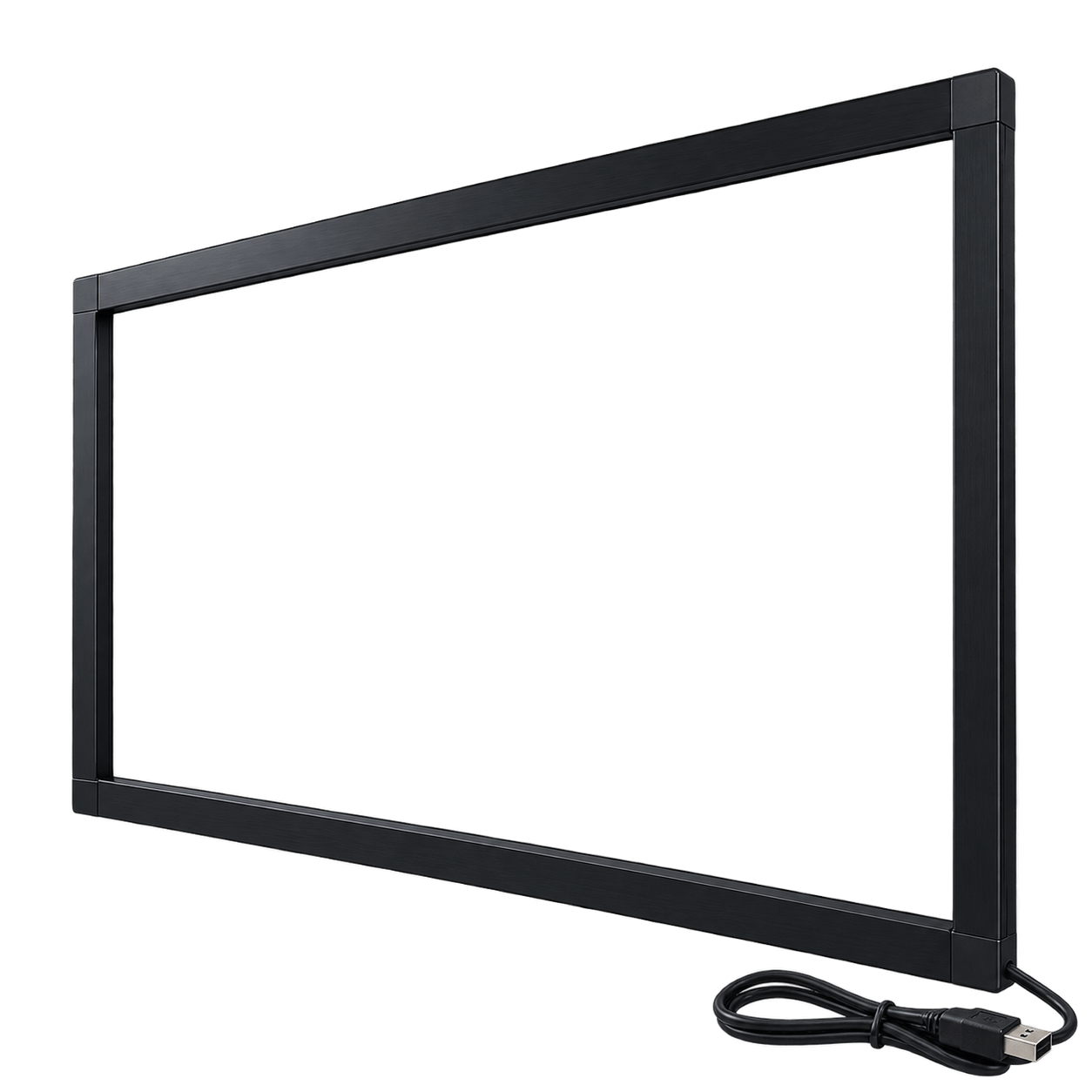
DisplayMan supplies Infrared Touch Frames as supporting touch components for large-format display integration projects.
They are commonly used with transparent display cabinets, digital signage displays, interactive monitors, exhibition systems, kiosks and commercial display equipment.
Infrared touch is especially practical for 32-inch and larger displays because it can be installed around the display area without redesigning the LCD panel or bonding a full-surface capacitive sensor.
Choose an Infrared Touch Frame when a medium or large-format display needs practical touch operation without a custom bonded PCAP sensor across the full display surface.
Product selection depends on display size, active area, required touch area, touch points, front glass, bezel, enclosure and control system.
| Product Direction | Best For | Selection Logic |
|---|---|---|
| 32–55 Inch Infrared Touch Frames | Transparent cabinets, signage displays and commercial touch screens | Practical standard direction for many medium and large commercial displays |
| 65–86 Inch and Larger Touch Frames | Interactive displays, exhibition systems and large digital signage | Selected when a large display needs touch without a full-surface PCAP sensor |
| Infrared Touch for Transparent Cabinets | 32-inch and larger transparent display cabinets | Standard DisplayMan direction for large transparent cabinet touch integration |
| Infrared Touch for Digital Signage | Directories, information screens and interactive advertising displays | Selected when an existing large LCD structure needs touch interaction |
| Infrared Touch for Kiosks | Self-service terminals, registration displays and public interfaces | Reviewed with front glass, enclosure, service access and operating system |
| Custom Infrared Touch Integration | Custom bezel, front glass, display area and enclosure structures | Selected when frame size, mounting, touch area and control system require project-specific matching |
An Infrared Touch Frame does not display images by itself. It must be combined with an LCD, transparent cabinet, digital-signage display, interactive monitor or another complete display system.
A grid of infrared beams is created across the display surface.
The frame is mechanically integrated around the display or front-glass area.
The touch controller calculates coordinates and sends the touch signal to the host system.
The following table shows DisplayMan’s standard configuration logic for common transparent display cabinet and commercial display projects.
| Display Size or Project Type | Common Touch Direction | Selection Note |
|---|---|---|
| Small LCD modules | Capacitive Touch or Resistive Touch | Selected according to multi-touch, pressure input, glass and operating environment |
| 15.6-Inch Transparent Cabinet | G+G Capacitive Touch | DisplayMan standard configuration |
| 21.5-Inch Transparent Cabinet | G+G Capacitive Touch | DisplayMan standard configuration |
| 27-Inch Transparent Cabinet | G+G Capacitive Touch | DisplayMan standard configuration |
| 32-Inch Transparent Cabinet | Infrared Touch Frame | DisplayMan standard large-cabinet direction |
| 43-Inch Transparent Cabinet | Infrared Touch Frame | Practical standard direction |
| 49-Inch Transparent Cabinet | Infrared Touch Frame | Practical standard direction |
| 55-Inch Transparent Cabinet | Infrared Touch Frame | Practical standard direction |
| 65-Inch and Larger Cabinet | Infrared Touch Frame | Large-format integration review required |
| Large Digital Signage Touch Display | Infrared Touch or Large-Format PCAP Review | Choose according to appearance, budget and structure |
| Premium Large-Format Touch Display | Large-Format PCAP Can Be Reviewed | Selected when clean front-glass appearance has higher priority |
Large-format PCAP can still be reviewed for selected premium projects, but Infrared Touch is normally the more practical direction for DisplayMan standard 32-inch and larger transparent display cabinets.
Commonly reviewed for 32-inch and larger commercial display structures.
The touch frame surrounds the display rather than covering the entire active area with a capacitive sensor.
Can be installed around an existing display, front-glass or cabinet structure.
Often more practical than custom large-format PCAP for standard commercial projects.
The frame can be serviced separately from a fully bonded touch-display stack.
Can be reviewed with transparent cabinets, signage displays, monitors and kiosk structures.
Provides the image and visible active area.
Detects touch by infrared-beam interruption.
Protects and supports the complete display structure.
Receives the touch signal and runs the interactive application.
The final performance depends on the display, touch frame, front glass, enclosure, controller, operating system, grounding and software working together.
| Review Factor | Why It Matters | Information to Confirm |
|---|---|---|
| Display Size | Determines frame dimensions and mechanical structure | Nominal size and exact outline |
| Active Display Area | The frame should align with the visible content area | Active-area dimensions and position |
| Required Touch Area | May be the same as or different from the active display area | Touchable width and height |
| Orientation | Affects frame, FPC or cable position and installation | Landscape or portrait |
| Front Glass | Thickness and position affect the touch and mechanical stack | Thickness, distance and edge structure |
| Bezel Requirement | Affects appearance and installation space | Visible bezel and maximum frame width |
| Touch Points | Determines controller and software support | Single-touch or multi-touch requirement |
| Interface | Must match the control hardware | Normally USB; confirm host connection |
| Operating System | Driver and touch behavior must be compatible | Windows, Android, Linux or customer system |
| Environment | Dust, sunlight, moisture and public use affect reliability | Indoor, semi-outdoor or outdoor |
| Maintenance Access | The frame may need cleaning or replacement | Service direction and disassembly method |
| Quantity and Project Stage | Affects customization, sample plan and cost | Concept, sample, pilot or mass production |
Direct sunlight, water, dust and temperature can affect infrared touch performance. Outdoor projects should be reviewed as complete rugged display structures rather than only as standalone frame purchases.
| Factor | Infrared Touch Frame | Capacitive Touch Panel |
|---|---|---|
| Typical Size Direction | Medium and large-format displays | Small and medium-size displays; selected premium large formats |
| Structure | Frame around the display area | Touch sensor integrated with cover glass |
| Large-Display Integration | Usually easier | Requires large sensor, glass and controller tuning |
| Large-Size Cost Direction | Usually more practical | Usually higher |
| Appearance | Frame may remain visible | Cleaner front-glass appearance |
| Optical Bonding | Usually not required | Air bonding or optical bonding can be used |
| Maintenance | Frame can often be replaced separately | Bonded structures may be harder to repair |
| Best For | 32-inch and larger commercial displays, transparent cabinets and kiosks | Compact modules, medical devices and premium integrated touch products |
| Factor | Infrared Touch Frame | Resistive Touch Panel |
|---|---|---|
| Typical Size | Medium and large displays | Small and medium-small industrial displays |
| Touch Method | Infrared-beam interruption | Pressure contact between conductive layers |
| Front Surface | Depends on front glass and frame structure | Flexible top film |
| Best For | Large display interaction | Industrial control, legacy replacement and conventional stylus use |
| Display Type | Digital signage, transparent cabinets and large monitors | Small LCD modules and industrial equipment |
| DisplayMan Use Logic | Large-format display integration | Small-size component and replacement support |
| Item | Infrared Touch Frame | Touch Screen Display |
|---|---|---|
| Product Scope | Touch component installed around a display | Display module or monitor with touch integrated |
| Includes Display | No | Yes |
| Main Engineering Focus | Frame size, touch area, glass, bezel and controller | Complete display, touch, bonding, electronics and mechanics |
| Best For | Customers integrating touch into an existing large display structure | Customers needing a ready-to-integrate touch display |
| Selection Logic | Choose when only the large-format touch layer is required | Choose when display and touch should be supplied together |
32-inch and larger interactive product showcases and transparent LCD cabinets.
Shopping-mall directories, information screens and interactive advertising displays.
Large interactive product demonstrations and brand-presentation systems.
Registration, ticketing, inquiry and public-service interfaces.
Commercial monitors, meeting displays and selected educational screens.
Product exploration, guided selection and interactive presentation.
Large-format interactive content and visitor-information displays.
Project-based frame, glass, bezel and enclosure integration.
Adding touch to selected existing LCD or signage structures.
Normal LCD, transparent cabinet, signage display, monitor or kiosk.
Confirm the exact visible area and the required touchable region.
Review glass thickness, position, frame width, installation space and appearance.
Define single-touch or multi-touch, USB output and host-controller requirement.
Indoor, public-use, semi-outdoor or outdoor conditions plus service access.
Test the frame, glass, enclosure, host operating system and application software together.
The correct route depends on display size, front-panel appearance, pressure input, touch integration level and whether the customer needs only a component or a complete display system.
| Project Requirement | Recommended Product Direction |
|---|---|
| Large-format touch component for display integration | Infrared Touch Frames |
| Small or medium-size integrated multi-touch | Capacitive Touch Panels |
| Pressure input, stylus or legacy replacement | Resistive Touch Panels |
| Cover glass without a touch sensor | Custom Touch Panels & Cover Glass |
| TFT LCD module with touch integrated | Touch Screen TFT LCD Displays |
| Complete commercial signage display | Digital Signage Displays |
| Complete self-service or interactive terminal | Touchscreen All-in-One Terminals |
| Complete industrial touch computer | Industrial Panel PCs & Rugged Terminals |
Please provide the cabinet drawing, front-glass structure, visible area, installation photos, orientation and control-system information.
An Infrared Touch Frame is a touch component installed around the display area. It uses a grid of infrared beams to detect the position where a finger or object interrupts the beam field.
No. It is a supporting touch component. It must be integrated with an LCD display, transparent display cabinet, digital signage display, interactive monitor or another display system.
Infrared Touch Frames are commonly used for medium and large-format displays. For DisplayMan standard transparent display cabinets, infrared touch is the standard direction from 32 inches and above.
DisplayMan normally uses G+G capacitive touch for 15.6-inch, 21.5-inch and 27-inch standard transparent display cabinets. For 32-inch and larger standard models, infrared touch frames are normally used.
Yes. These are common large-format display sizes for infrared touch-frame integration, subject to active area, frame dimensions, front-glass structure and enclosure review.
Multi-touch can be reviewed according to the frame specification, controller, touch-point requirement, operating system and application software.
USB is the common touch-output direction. Final interface and driver compatibility must be reviewed with the operating system and control hardware.
Compatibility can be reviewed for Windows, Android and Linux systems. The exact controller, driver and software environment must be confirmed before production.
Infrared touch detects interruption of the beam field, so glove operation can often be reviewed. Final performance depends on object size, frame specification and actual operating conditions.
Object touch can be reviewed when the stylus or object is large enough to interrupt the required infrared beams. Minimum object size depends on the frame specification.
The touch frame and front glass can be integrated in selected structures, but glass position, distance, thickness, bezel and mounting must be reviewed together.
Usually no. Infrared touch frames are installed around the display area rather than bonded across the full display surface.
For many standard large-format projects, infrared touch is more practical than custom large-format PCAP. Final cost depends on size, frame structure, touch points, quantity and integration requirements.
Not universally. Capacitive touch is generally better for compact, clean cover-glass integration. Infrared touch is often more practical for large-format commercial display systems.
Choose Capacitive Touch when the product needs a thin integrated cover-glass structure, narrow bezel, premium front appearance or a small-to-medium touch display module.
Choose Resistive Touch for small industrial devices, pressure input, conventional stylus operation, glove use or legacy touch-panel replacement.
Outdoor use requires special review of sunlight, dust, water protection, front glass, enclosure, temperature and service access. A complete rugged outdoor terminal structure may be more appropriate.
DisplayMan can review infrared touch frames as part of display-integration projects. The main focus is the complete display, touch, glass, enclosure and control-system fit rather than standalone commodity supply.
The frame may remain visible, ultra-narrow bezel design can be difficult, the structure needs installation space, and outdoor sunlight, dust or water may require additional engineering.
Please provide display size, active display area, required touch area, orientation, display model, enclosure drawing, front-glass thickness and position, bezel requirement, touch points, operating system, interface, environment, installation method, quantity, project stage, schedule and budget range if available.
Send us the display size, active area, touch area, orientation, front-glass structure, bezel, touch points, operating system, environment, cabinet drawing, quantity and schedule.
DisplayMan will review whether an Infrared Touch Frame is suitable or whether Capacitive Touch, Resistive Touch, a Touch Screen TFT LCD module or a complete touch terminal is the more practical direction.
DisplayMan focuses on display integration rather than only standalone frame supply. Final performance depends on the display, touch frame, front glass, enclosure, control hardware, operating system and software working together.