DisplayMan Engineering Guide · Quick Answer
What Is an LCD Display?
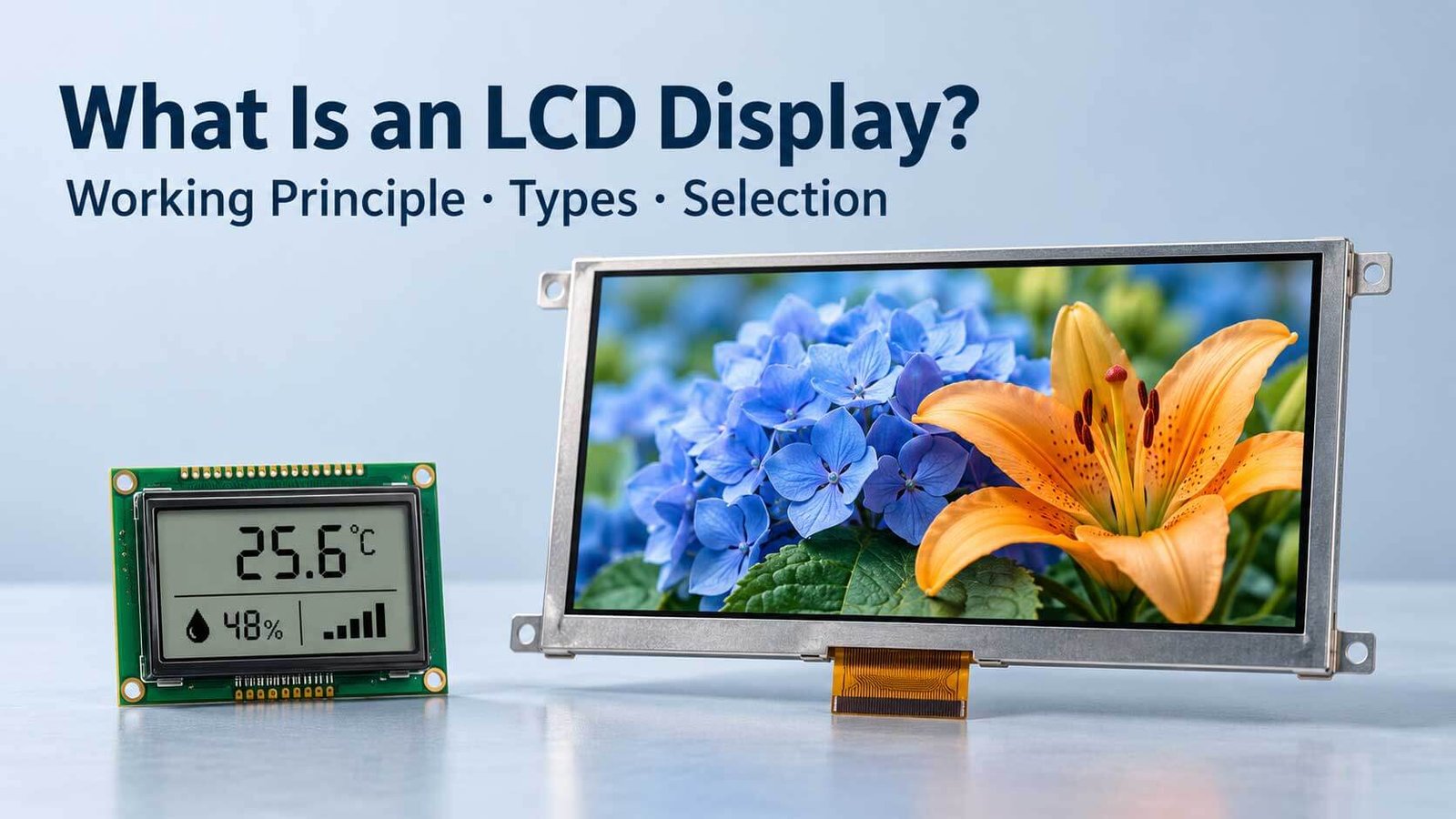
An LCD (liquid crystal display) uses electrically controlled liquid crystals to modulate light and form text, symbols or images. It does not generate image light in the liquid-crystal layer itself. Transmissive LCDs use illumination behind the panel; reflective LCDs use ambient light; transflective designs combine both approaches.
LCD products include monochrome segment and graphic displays, color TFT modules, high-brightness assemblies and transparent display systems. TFT describes an addressing architecture, IPS describes a liquid-crystal mode, and resolution and brightness are separate specifications.
For OEM selection, DisplayMan starts with the content, viewing conditions, dimensions, interface and operating environment, then reviews the module and supporting components together.
Compare transparent, high-brightness and reflective LCD →
Review the seven key parameters →
What Does LCD Mean?
LCD stands for liquid crystal display. It is a display technology that controls light rather than generating image light in the liquid-crystal material itself. An electrical drive changes the orientation of liquid-crystal molecules, changing the optical behavior of the cell so that different areas appear brighter or darker. [1]
LCD products range from simple numbers and fixed symbols to full-color interfaces and video. Meters, instruments, appliances, industrial controls and commercial display systems can therefore use very different LCD assemblies while sharing the same basic light-modulation principle.
For an OEM buyer, understanding the terminology helps answer a practical question: Do you need custom LCD glass, a complete display module, or an integrated screen with touch, controller and housing? DisplayMan reviews these as different supply scopes.
How Does an LCD Display Work?
In a typical transmissive color TFT LCD, light travels from a backlight through an optical stack that includes polarizers and a liquid-crystal cell. Pixel drive conditions change the light transmission. Color filters separate the light into subpixel colors, which combine to form the image. [1]
A simplified sequence is:
- A light source provides illumination behind the panel.
- The optical stack controls the polarization and distribution of that light.
- Electrical drive changes the liquid-crystal orientation at the addressed regions.
- The liquid-crystal and polarizer arrangement modulates the transmitted light.
- Color subpixels produce the required image where the panel uses a color-filter architecture.
This describes a common color LCD arrangement, not every LCD construction. Monochrome, reflective and specialized displays can use different stacks. Liquid crystals do not simply “create colors when current passes through them,” and a polarizer alone does not provide the red, green and blue colors of a conventional color TFT panel.
The next sections connect this operating principle to practical optical modes, module types and purchasing parameters.
The Main Components of an LCD Assembly
An LCD cell is only one part of many finished display products. Understanding the components prevents confusion between a panel quotation and a complete system quotation.
| Component | Main role | What an OEM project needs to confirm |
|---|---|---|
| Liquid-crystal cell | Modulates light under electrical drive | Display mode, optical characteristics and temperature limits |
| Glass substrates and electrodes | Support the cell and provide electrical addressing structures | Outline, connection method and handling requirements |
| Polarizers and compensation films | Form part of the light-control stack | Viewing behavior and compatibility with the intended optics |
| Color filters, where fitted | Provide color selection in conventional color subpixels | Required color performance of the actual model |
| TFT backplane or passive addressing | Controls pixels or segments | Resolution, multiplexing, drive and addressing method |
| Backlight, where required | Supplies illumination | Brightness, uniformity, power, dimming and thermal design |
| Driver IC and interconnects | Drive the display and connect it electrically | Interface, initialization, pinout, supply and timing |
| Touch panel and cover glass, if included | Add input and front-surface protection or finish | Mechanical size, touch interface, bonding and optical effects |
| Controller and enclosure, if included | Form an integrated display system | Host input, firmware, mounting and environmental requirements |
The glass used inside an LCD cell should not be confused with optional tempered or strengthened protective cover glass. Similarly, a front cover does not establish the impact or ingress-protection rating of the complete product.
For engineering options, explore LCD displays and components and custom LCD module solutions.
Do All LCDs Need a Backlight?
No. The lighting mode determines whether the LCD uses a backlight, ambient light or both. [2]
| Optical mode | How it is viewed | Selection question |
|---|---|---|
| Transmissive | Uses illumination behind the panel, normally a backlight in a conventional module | Is the image bright enough after the final optical stack is installed? |
| Reflective | Uses ambient light reflected through the display | Is adequate ambient light available at the actual viewing position? |
| Transflective | Combines reflective and transmissive operation | Are the daytime and low-light appearances acceptable? |
The right mode depends on the environment, content and power budget. A reflective display may reduce the need for active illumination in suitable conditions, but that does not make every reflective LCD readable in darkness. A transflective design also needs evaluation in both operating modes.
LED backlights are common in current LCD module designs. CCFL backlights are relevant to some older equipment and replacement projects. Neither backlight type changes the fact that the image is formed by an LCD cell.
Explore LED backlights for lighting components, or read the separate transmissive, reflective and transflective LCD comparison.
LCD Types: Use the Right Classification
“LCD,” “TFT,” “IPS,” “high definition” and “high brightness” describe different aspects of a display. They are not competing product categories at the same level.
Monochrome and Segment LCDs
A monochrome LCD displays limited-color information such as numbers, symbols, text or simple graphics. A segment display has predefined shapes; a dot-matrix display uses an addressable grid. The choice begins with what information must be shown and how frequently the layout will change.
For an instrument that only needs readings, status icons and units, custom segment glass may be more appropriate than a full-color video module. If flexible text and graphics are required, a character or graphic module may be the better starting point. Review monochrome LCD displays and LCD glass panels for these directions.
Passive-Matrix and Active-Matrix Addressing
Passive-matrix displays address the cell through electrode arrangements and drive schemes without a TFT switch at every pixel. Active-matrix TFT displays incorporate thin-film transistors for pixel control. Both belong to the LCD family. [3]
Do not assume every LCD uses a TFT array. Likewise, do not assume a bare glass panel includes the driver, controller and firmware required by the customer’s system.
TN, IPS and VA Color TFT Panels
TN, IPS and VA describe liquid-crystal operating modes. IPS is a type of TFT LCD, not a technology outside the TFT family. [4]
In DisplayMan’s current color TFT project experience, IPS is the main selection route, particularly for higher-resolution and multi-angle interfaces. Selected TN modules remain relevant to fixed-viewing, small-format or legacy requirements. This describes our project mix rather than an industry-wide rule.
Suitable TN and IPS panels can look similar head-on. A key difference to evaluate is how color, gray scale and contrast change as the observer moves. For the full comparison, see TN vs IPS vs VA LCD panels.
High Resolution and High Brightness
Resolution describes the pixel count. Brightness describes luminance under specified conditions. These are separate specifications from panel mode. A high-resolution panel is not automatically sunlight-readable, and an IPS label does not establish a particular brightness or temperature range.
A higher pixel count can improve detail when the size, viewing distance and content justify it. It also affects host performance, bandwidth and scaling requirements. Confirm the complete signal path rather than purchasing on pixel count alone.
What Is a Transparent LCD?
A transparent LCD is configured so that the scene or objects behind it remain visible while the display modulates light to show content. A common cabinet arrangement uses a front transparent LCD with a bright interior behind it. [5]
Transparent does not mean self-emissive. Lighting, background, content and the goods inside the cabinet must be designed together. More lighting can improve image visibility, but does not automatically increase the panel’s measured optical transmittance.
DisplayMan’s transparent LCD displays include directions for product cabinets, refrigeration and other integration projects. The transparent LCD vs OLED cabinet guide explains why the two technologies require different lighting and structural decisions.
Selected LCD panels may be suitable for resizing after feasibility review. This is not a general promise that every panel can be cut in any direction, retain its original resolution or fit any outline. Start with available panel dimensions before considering a custom process.
Transparent LCD, High-Brightness LCD and Reflective LCD Compared
These three terms answer different questions. Transparent LCD concerns seeing objects through the display. High-brightness LCD concerns the luminance and installed readability of a backlit assembly. Reflective LCD concerns using ambient light to form the visible image. They should not be treated as three interchangeable versions of a monitor.
| Direction | Light and background | Useful starting application | Main trade-off to check |
|---|---|---|---|
| Transparent LCD | A common cabinet uses illumination behind a see-through front panel | Product showcases, selected refrigerator and vending integrations | Balance image visibility with the goods, lighting depth and heat |
| High-brightness LCD | An engineered backlight raises output; a conventional module is not see-through | Bright-location HMI, window-facing and outdoor systems | Reflections, power, temperature and finished-system protection |
| Reflective LCD | Uses ambient light reflected through the optical stack | Readings, status information and suitable low-power products | Available ambient light, contrast, image capability and low-light use |
A reflective display is not a transparent window into a cabinet. A high-brightness display does not automatically become transparent. Likewise, a bright cabinet behind transparent LCD glass is a different optical arrangement from a conventional high-brightness LCD module.
High Brightness Is a System Requirement
For a high-brightness TFT LCD module, specify the target luminance at the required operating conditions and evaluate it behind the intended touch and cover glass. Increasing LED drive without reviewing heat, uniformity and lifetime is not a complete design.
For complete outdoor high-brightness displays, the enclosure, solar heat load, ventilation or cooling, moisture protection and mounting also need review. A module quotation should not be mistaken for a weatherproof finished display quotation.
For a low-power instrument used mainly in available light, a suitable reflective or transflective module may be a better starting point than simply maximizing backlight brightness. Evaluate the actual text or graphics in both bright and dim conditions. [2]
Seven LCD Parameters Worth Checking Before Purchase
These parameters bring the LCD operating principle into the buying decision. Read the definitions and test conditions together; isolated headline numbers are not enough.
1. Active Area, Viewing Area and Outline
The active area (AA) is the image-forming region. The viewing area (VA) on a mechanical drawing can describe the visible window, while the outline includes the physical module boundary. Here “VA” is a dimensional abbreviation, not vertical-alignment panel technology. Check the supplier drawing because terminology can vary.
A cover-glass aperture must reveal the required image while accommodating the frame, adhesive and assembly tolerances. Record active width and height as well as diagonal; allow room for connectors, FPC routing and mounting.
2. Viewing Angle and Direction
Check the user’s actual positions, including above and below the panel, and test the intended rotation. A quoted angle depends on its measurement criterion and does not establish unchanged color or gray scale. For details, use the TN, IPS and VA selection guide.
3. Resolution and Pixel Pitch
Resolution is usually expressed as horizontal by vertical pixel count. Pixel pitch is the spacing between adjacent pixel centers and is related to the active dimensions and pixel count. Distinguish a full color pixel from an individual subpixel when interpreting drawings.
A small pitch can support finer detail at a given distance, but the host still needs to generate the required image and timing. A higher resolution is useful only when it serves the UI and viewing conditions.
4. Color Capability
Bit depth, gamut, white point, uniformity and accuracy are different properties. A count of displayable colors does not prove accurate reproduction. For monochrome products, review the foreground/background appearance, positive or negative mode, polarizer and backlight color instead of applying full-color marketing metrics.
5. Contrast Ratio
Ask whether a value is native/static contrast or involves dynamic backlight processing, and under what conditions it was measured. Ambient reflections can reduce apparent installed contrast. Compare the final assembly with representative light and content, rather than assuming that the largest catalog number is always the best result.
6. Brightness
Luminance is measured in cd/m², also called nits. Establish whether the value applies to the bare module, a touch assembly or the finished product, and whether it is typical or guaranteed. Record drive and thermal conditions. For reflective operation, reflectance and ambient contrast also matter; an emitted-luminance number alone does not describe its usability.
7. Response Time
Check the transition definition, temperature and drive conditions behind a response-time number. Pixel transition time is not the same as input latency or refresh rate. Test scrolling text, changing numbers and motion representative of the actual product rather than borrowing a gaming-monitor threshold.
These seven checks sit alongside interface compatibility, operating temperature, power, mechanical reliability and long-term supply. They summarize the parameters that help turn a general LCD inquiry into an engineering specification.
LCD, LED and OLED: What Is the Difference?
An LED-backlit LCD uses LEDs as its illumination source and liquid crystals to form the image. A direct-view LED display forms the visible image with LED emitters. An OLED display uses organic self-emissive pixels. The terminology describes different architectures, not simply different versions of the same screen. [6]
| Technology | Image mechanism | Practical selection focus |
|---|---|---|
| LCD | Liquid crystals modulate transmitted or reflected light | Optical mode, backlight where required, viewing conditions and integration |
| LED-backlit LCD | LCD image formation with LED illumination | Same LCD checks, plus backlight drive, dimming and thermal requirements |
| Direct-view LED | LED emitters form the image | Pixel pitch, viewing distance, brightness and installation structure |
| OLED | Organic emitters form the image | Model, content, brightness, operating schedule and aging behavior |
Avoid declaring LCD or OLED the universal winner. Compare the actual assembly under the intended use conditions. LCD avoids OLED’s organic-emitter aging mechanism, but it can still have retention, uniformity, backlight and other reliability issues. OLED has different optical and operating trade-offs.
For a dedicated technology comparison, read LCD vs OLED displays. Keep this introductory page focused on understanding the LCD family.
LCD Advantages and Limitations for OEM Products
Why LCD Is Worth Considering
The range of available LCD formats gives engineers several routes—from fixed segment information to color graphics, from bare glass to integrated systems. An existing module can simplify a project when its mechanics, interface and optical performance fit the requirements.
Customization may involve the backlight, FPC, cable, touch panel, cover glass, controller or enclosure rather than a new LCD cell. That distinction matters when discussing MOQ, development charges and lead time.
Reflective or simple monochrome options can be attractive for suitable low-power information displays. Transmissive color modules provide another route for detailed interfaces. Power must be evaluated for the chosen display and content rather than assumed from the LCD name.
What Needs Engineering Review
- Viewing position: color, contrast and gray scale may change off-axis.
- Ambient light: reflections and the final glass stack can reduce readability.
- Power and temperature: a brighter backlight changes the thermal budget.
- Motion: pixel response and system latency need application-specific evaluation.
- Mechanical handling: glass, polarizers, bonds and FPCs remain vulnerable to damage.
- Operating life: the cell, backlight, electronics and enclosure have different limits.
An LCD is not automatically waterproof, shock-resistant or suitable for extreme temperatures. Medical, automotive and other demanding applications require the appropriate model qualification and complete-system verification. A product-category name or an attractive sample picture is not proof of compliance.
How to Specify an LCD Display for Your Product
Begin with the user and installation rather than a list of attractive specifications. A display inside an instrument has different needs from a window-facing sign or a transparent product cabinet.
| Requirement | Information to provide |
|---|---|
| Content | Fixed icons, numbers, text, graphics, video or a mixed UI |
| Dimensions | Diagonal, active width and height, outline and thickness restrictions |
| Optical performance | Viewing positions, lighting, brightness, contrast and color needs |
| Electrical integration | Host interface, supply rails, timing, controller and cable arrangement |
| Touch and front surface | Touch method, cover glass, coatings and bonding |
| Environment | Operating/storage temperature, sunlight, moisture, vibration and mounting |
| Commercial scope | Order/annual quantity, sample schedule, target cost and supply period |
Screen diagonal alone is insufficient. Two displays with the same nominal diagonal can differ in aspect ratio, outline, connector location, active area and electrical requirements.
A bare panel may expose RGB, LVDS, eDP, MIPI DSI or another interface, while a finished monitor may accept HDMI or DisplayPort. Review the module and host together. See LCD controller boards when conversion or a matched driving solution is needed.
For replacement projects, send the original label, drawing, pinout, photos and a working sample if available. For a new product, send the enclosure restrictions and intended user interface before fixing the display choice.
From Datasheet to Sample Approval
A practical selection process should end with a representative sample in the intended assembly—not simply a panel viewed on a supplier’s desk.
- Confirm the exact part number, revision and supplied components.
- Check mechanical fit, mounting clearance and cable routing.
- Verify the approved power, signal and initialization arrangement.
- Evaluate the actual content at the intended viewing positions.
- Check representative lighting, temperature and operating conditions under the agreed test plan.
- Record optical, defect and functional acceptance criteria for production.
Protect the module while carrying out these checks. The LCD and OLED ESD handling guide covers workstations, connection procedures and packaging. Do not assume a handling fault can be identified from a blank screen alone.
DisplayMan can help review the display-side specification and the combination of module, backlight, touch, cover glass, cable and controller. Development scope and production requirements are confirmed against the actual project.
Frequently Asked Questions
Does every LCD need a backlight?
No. Transmissive designs need illumination behind the panel, while reflective designs use ambient light. Transflective designs combine both approaches. [2]
Is IPS better than TFT?
IPS is a type of TFT LCD. A useful comparison is between specific TN, IPS or VA TFT panels and their installed performance. [4]
Is an LED monitor an LCD?
Many products marketed as LED monitors are LED-backlit LCDs. Direct-view LED displays use a different image-forming architecture. Confirm what the supplier is describing. [6]
Does LCD glass include the driver board?
Not necessarily. Confirm whether the quote covers bare glass, a module with driver electronics, a panel-and-controller kit or a complete monitor.
Can any LCD be made transparent or cut to size?
No. Transparency requires a suitable optical configuration, and resizing depends on the panel and manufacturing feasibility. Review the project before approving the enclosure.
Does more resolution always make a better product?
No. Match pixel count to image size, content and viewing distance, then check host capability, power, cost and readability. Brightness and viewing behavior remain separate requirements.
From guide to product
Explore Related Display Products
Choose the product direction that matches the content and viewing environment.

TFT LCD Displays
Explore color modules for OEM interfaces, with mechanical, electrical and optical requirements reviewed together.
Explore product options →
Transparent LCD Displays
Review see-through display directions for showcases, refrigeration and other engineered systems.
Explore product options →
High Brightness TFT LCDs
Compare brighter module options while checking reflection control, power and thermal constraints.
Explore product options →Project review
Find the Right LCD Direction for Your Product
Send your application, content, dimensions, interface, lighting conditions and quantity. DisplayMan can review whether your project needs LCD glass, a standard module, a customized assembly or a complete display system.
Prefer to open the enquiry form here?
Technical References and Further Reading
- Sharp: LCD operating principle
- Newhaven Display: Transmissive, reflective and transflective displays
- Newhaven Display: Active- and passive-matrix LCD introduction
- Display Visions: TFT and IPS terminology
- DisplayMan: Transparent LCD product and integration directions
- DisplayMan: LCD and OLED comparison
This overview explains general principles and purchasing questions. Use the approved specification and integration instructions for the exact assembly.