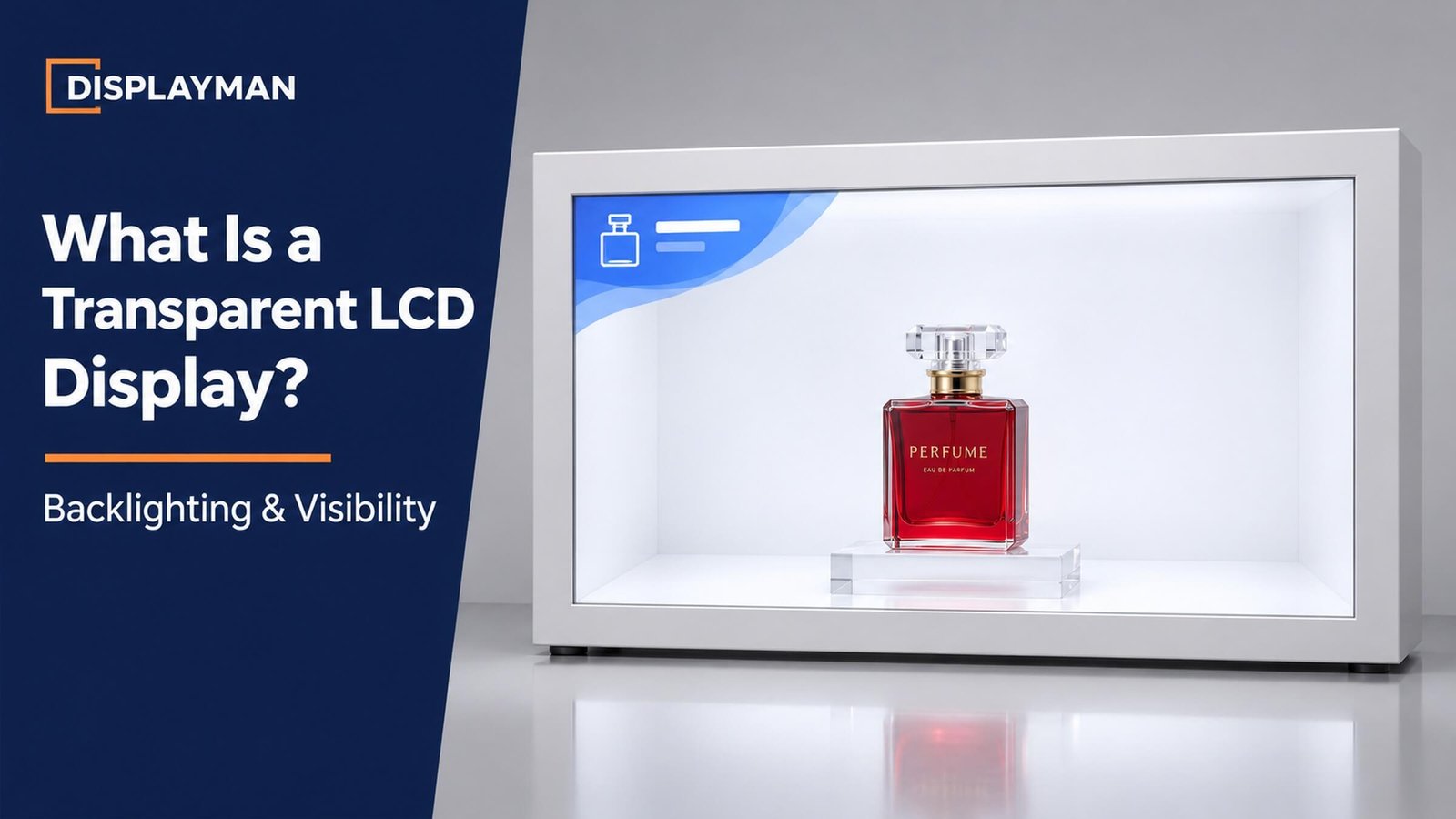
A transparent LCD display uses a liquid-crystal panel to present images while allowing selected areas of the screen to reveal products inside a cabinet. The panel does not generate its own image light. Its performance depends on the panel optics, LED illumination, reflective cabinet interior and displayed content working together.
In DisplayMan’s reflective-cabinet design, four elements are essential: high-transmission front and rear polarizers, bright LED lighting, white interior surfaces and content that creates the intended see-through regions. A transparent panel alone does not deliver the finished effect.
This guide explains that system using our cabinet configurations. It covers transparent refrigerator doors, vending-machine displays, product showcases and AI digital-human cabinets. Their applications differ, but the same basic question applies: where does the light come from, and how does it reach the viewer?
1. How Transparent LCD Relates to an Ordinary LCD
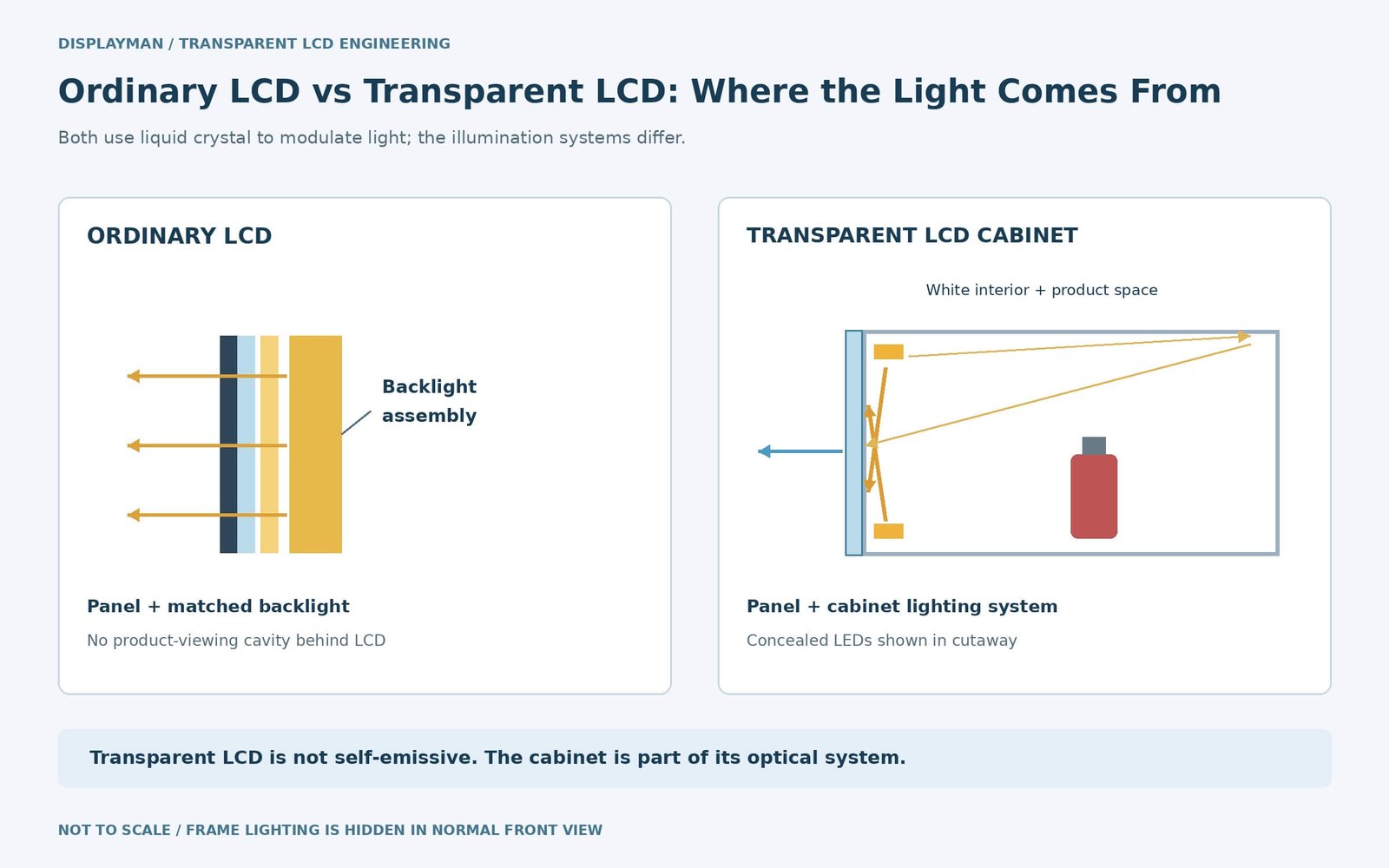
An ordinary LCD uses a backlight assembly behind its liquid-crystal panel. The backlight provides illumination; the panel controls how much light passes through different image locations to produce the picture.
A transparent LCD also needs illumination. In our cabinet system, LED strips and the illuminated cabinet space perform the lighting role while preserving room behind the screen for physical products. The conventional opaque backlight assembly is not placed directly across that viewing space.
The liquid crystal remains a light-modulating element. Electrical drive changes the optical state of the panel so that different image regions transmit different amounts and colors of light. It does not work like a Micro LED display, where the emitting devices directly generate the image light.
This distinction has a practical consequence: the transparent LCD panel and the cabinet lighting must be designed together. A panel can receive the correct video signal yet produce a disappointing installation if the available light is insufficient or poorly distributed.
| Element | Ordinary backlit LCD | DisplayMan reflective-cabinet transparent LCD |
|---|---|---|
| Image formation | Liquid crystal modulates supplied light | Liquid crystal modulates supplied light |
| Illumination | Dedicated backlight assembly behind the panel | LED strips integrated into the cabinet frame |
| Light distribution | Backlight optical components | Lighting arrangement and reflective white interior |
| Space behind the panel | Occupied by the conventional backlight structure | Available for products and the illuminated display space |
| Design scope | Panel and matched backlight | Panel, lighting, cabinet and content as one system |
2. The Polarizers Are Essential to the Image
The transparent LCD panel uses black, high-transmission polarizers on its front and rear. Their appearance is similar to conventional polarizers. “High-transmission” describes their optical performance; it does not mean that the films look like colorless clear sheets.
The polarizers and liquid-crystal layer work together to make the electrically controlled optical changes visible. Without the correctly configured polarizers, the viewer cannot normally see the intended liquid-crystal image. The polarizers are therefore functional image-forming components, not optional surface decoration.
This is also why simply removing the backlight from an ordinary LCD is not a complete transparent-display solution. The panel optics must be appropriate, and the replacement illumination must support the intended viewing arrangement.
We do not assign an unconfirmed transmission percentage to the individual polarizers. The useful result is the performance of the complete optical assembly under its intended lighting conditions.
3. Where the LED Light Comes From
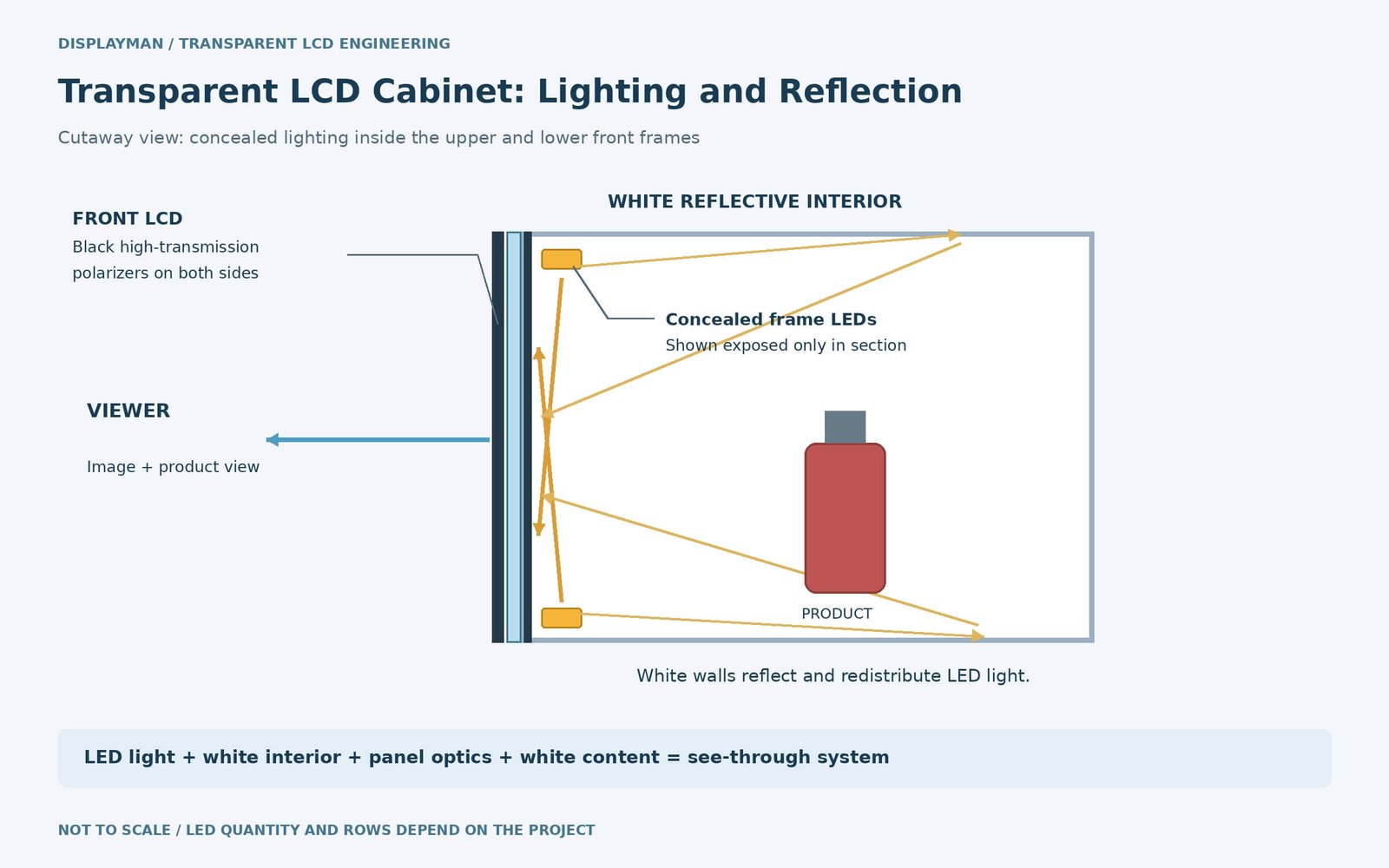
In our regular reflective-cabinet configuration, the LED strips are concealed inside the upper and lower frame sections close to the LCD. They are not normally visible from the front; an oblique close-up or cutaway can reveal their location. LED quantity and row arrangement are selected for the actual lighting requirement, rather than fixed for every cabinet. Their light is directed mainly toward the LCD region, with the upper and lower lighting arranged to illuminate toward one another.
The illumination concept is comparable to an edge-lit approach: the light enters from the frame area rather than from a conventional full-area opaque backlight immediately behind the panel. This is a description of the lighting arrangement, not a claim that the cabinet contains the same light-guide plate as an ordinary edge-lit LCD module.
The white interior surfaces reflect and redistribute light within the cabinet. Together, the strip placement and reflective enclosure make more of the available light useful for the screen and the physical product display.
An engineering illustration should therefore show the upper and lower LED positions, the transparent LCD at the front, the product space and the white reflecting surfaces. Drawing a large light source directly behind the product would misrepresent this particular construction.
4. Why This Cabinet Requires a White Interior
For this reflective-cabinet design, the interior must be white. The white surfaces are part of the optical system: they reflect and distribute the LED illumination needed for the display and product visibility.
A black interior absorbs much of that light and conflicts with the operating principle of this construction. It is unsuitable for our reflective-cabinet configuration. Increasing LED output is not an equivalent substitute for preserving the intended reflecting environment.
This requirement should be settled before industrial design is approved. The customer can define an exterior finish for the installation, but should not carry that color into the optical interior without considering its function. Exterior branding and interior light management are separate design decisions.
The cabinet is therefore more than packaging around the screen. Its internal surfaces, lighting positions and available space contribute directly to what the viewer sees. Changing them can change the display result even when the LCD panel remains identical.
A four-sided transparent cabinet is a different construction. It can use upper and lower frame lighting without the same white-wall enclosure. That arrangement requires its own optical layout. The four-sided example we have demonstrated has low display brightness; it is a special case, not our reference for the regular single-front-panel cabinet. It does not make a black-walled version of the reflective cabinet equivalent to the white-interior design described here.
5. White Content Creates the See-Through Regions
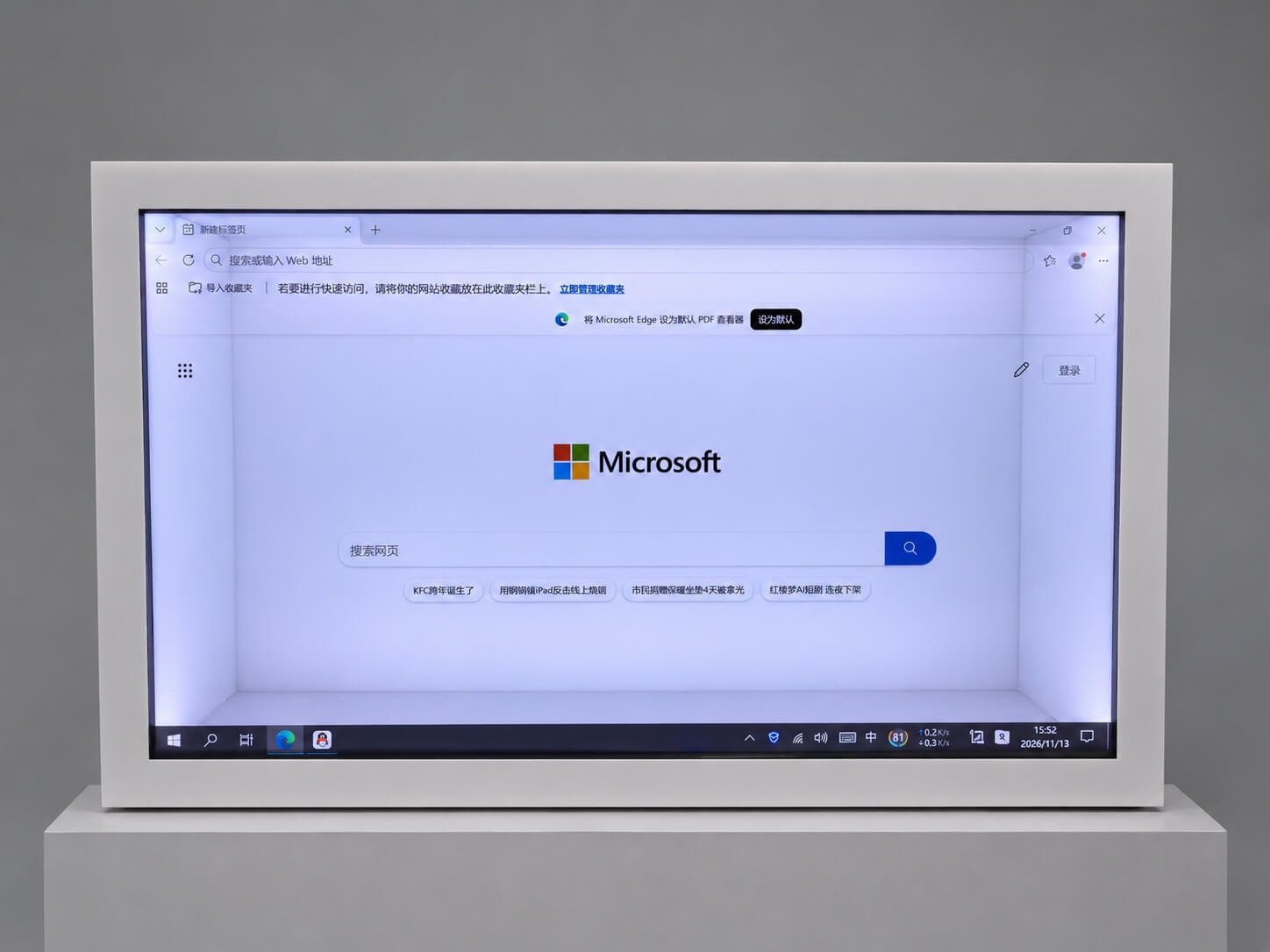
In our configured cabinet system, white image regions produce the see-through appearance used to reveal products. A full white screen makes the products inside easiest to see.
Black, red, yellow and green content behave differently. In the cabinet demonstrations and configurations discussed here, these regions conceal the products behind them. They display the image rather than acting as useful see-through windows.
The practical distinction is therefore between regions that reveal the product and regions that cover it with displayed content. A transparent LCD is not uniformly see-through while every possible image is playing.
| Displayed content or state | Observed effect in our configured cabinet |
|---|---|
| White background | The product behind the panel is visible |
| Transparent blank regions in PNG artwork, through our configured playback system | The same see-through effect as a white background |
| Black image regions | The product behind those regions is not visible |
| Red, yellow or green image regions | The product behind those regions is not visible |
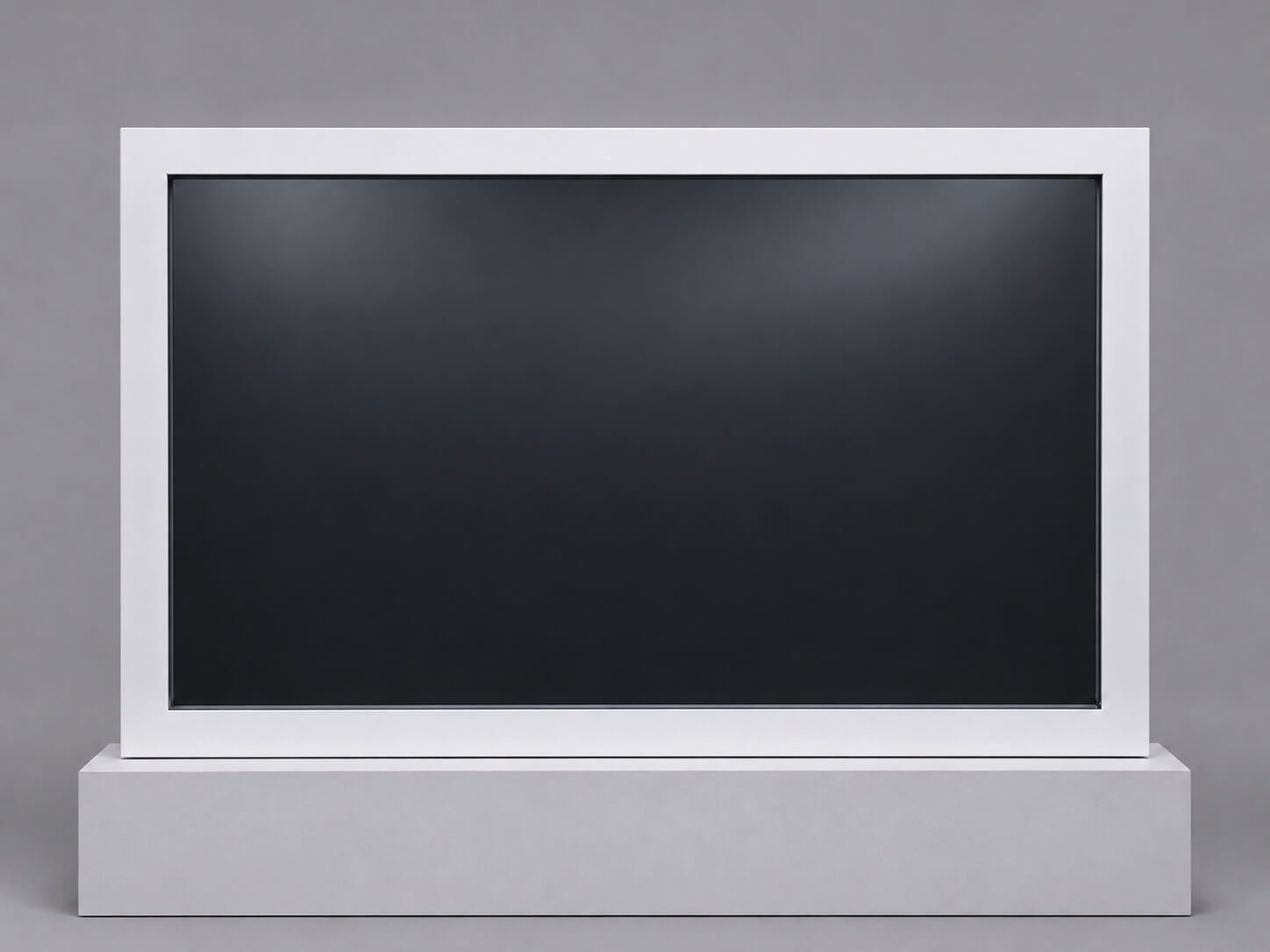
| LCD panel powered off, cabinet LEDs still illuminated | The panel defaults to black and the product is not visible |
These are practical descriptions of product visibility in our systems, not claims that every dark or colored region has mathematically zero light transmission. The important outcome is whether the customer can actually see the product through that region.
6. What “Transparent PNG” Means in This System
A PNG file can contain transparent regions where no visible artwork is present. In our configured playback system, those regions give the same product-revealing result as a white background.
There is a distinction between file transparency and the panel’s optical state. Windows or Android software composites the PNG into a final image before the display receives it. The LCD responds to that image; it does not read the file’s alpha channel as a separate instruction to become transparent.
The approved playback configuration must therefore preserve the intended result. Loading a transparent PNG into another application with a black canvas can produce a different output. “No artwork,” “white background,” “no signal” and “power off” should not be treated as interchangeable technical states.
For this introduction, the rule is simple: approve white backgrounds and transparent PNG regions using the actual supplied playback system. Detailed artwork preparation and media-player settings belong in the separate content and control guides.
7. What Happens When the Panel Is Powered Off?
In the panel configuration discussed here, the unpowered state is dark and reflective. Room reflections may remain visible on the front surface; they are not a view of the products inside. The products behind the LCD are not visible, even if the cabinet LED lights remain on.
This is different from leaving the system running with white content. White is an actively driven display state; switching off the panel does not preserve that state as a clear window.
The distinction matters for operating hours and customer expectations. If the installation is expected to reveal products after an advertising sequence finishes, the playback system should present the approved see-through content. It should not simply turn off the panel and assume that the product remains visible.
Likewise, test startup and shutdown separately. A configured Windows or Android system can present a white background during normal operation, but an operating-system name alone does not guarantee what appears during boot, a source change or loss of signal. Those behaviors should be checked on the actual unit.
8. Why the Same Panel Can Look Different in Two Cabinets
The LCD is only one contributor to the result. Light reaching the viewer depends on LED output and positioning, the reflective environment, product placement and the optical state of the panel.
A large or dark product can interrupt light distribution. A cabinet crowded with products may behave differently from an empty demonstration enclosure. The design should be evaluated with representative items, rather than accepted only from a white-screen photograph of an empty cabinet.
Room conditions matter as well. Reflections on the front surface can compete with the image and the view of the product. An installation that looks effective under controlled showroom lighting should be reviewed in the customer’s actual environment before performance is assumed.
This does not mean that every project needs an entirely new display technology. It means that the cabinet and its contents are part of the optical review. Product photographs, approximate dimensions and installation lighting help establish a useful proposal much earlier than a screen diagonal alone.
9. Different Applications, the Same System-Level Principle
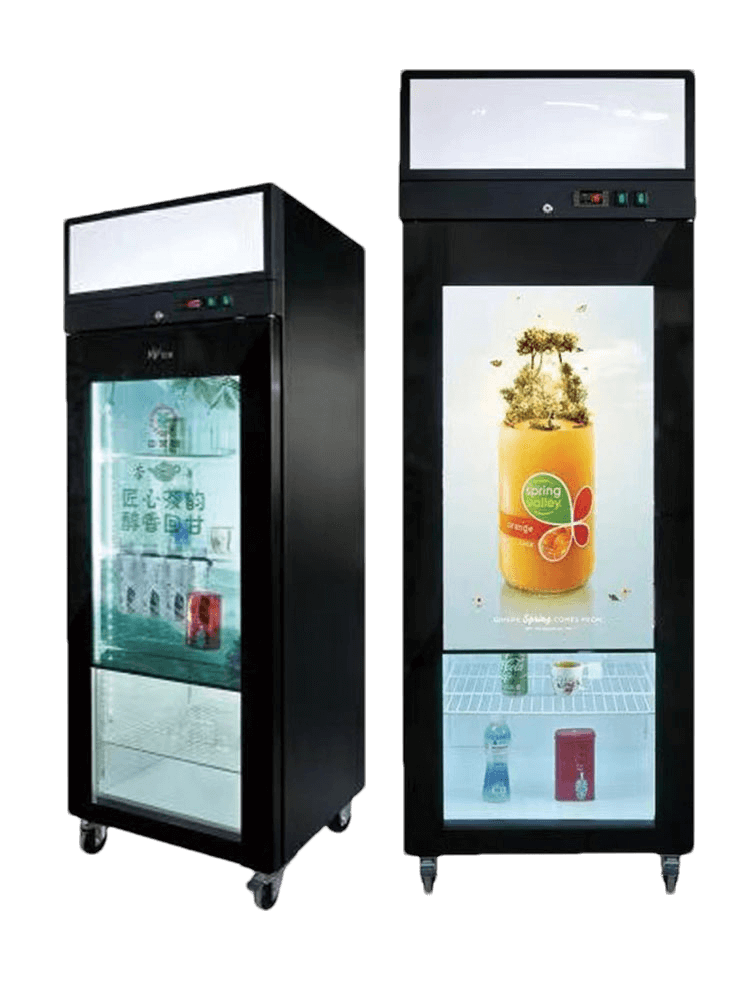
A transparent refrigerator display, vending-machine display and product showcase serve different commercial purposes. Their mechanical and environmental requirements differ, but the LCD still depends on a suitable illuminated space behind it.
| Application | What changes | What remains essential |
|---|---|---|
| Transparent LCD refrigerator display | Door integration, refrigeration and environmental requirements | Coordinated panel optics, illumination, interior and content |
| Transparent LCD vending-machine display | Product arrangement and vending-machine integration | A lighting and viewing arrangement that reveals the selected products |
| Transparent LCD display cabinet | Showcase dimensions and product presentation | The complete cabinet optical system |
| Transparent LCD AI digital-human display | Computing, software and interactive content | LCD illumination and the required optical enclosure |
| Transparent LCD video wall | Multiple panels and a larger display frontage | Cabinet lighting and a coordinated optical environment behind the panels |
Adding AI changes the software and interaction layer. It does not make the LCD self-emissive. Likewise, joining multiple transparent LCD panels into a video wall increases the display frontage without removing the need for the cabinet system behind it.
For the large-format arrangement, see the Transparent LCD Video Wall. Refrigerator-door engineering, condensation and application-specific controls are separate subjects; they are not resolved by the basic LCD principle alone.
10. What to Confirm Before Starting a Project
Begin with the complete installation rather than asking for a transparent panel in isolation. Define the products, available cabinet space and required content behavior together.
| Project information | What to provide |
|---|---|
| Application | Showcase, refrigerator, vending machine, digital human or video wall |
| Display format | Required dimensions, orientation and available installation space |
| Cabinet construction | Drawings or photographs, interior dimensions and frame arrangement |
| Reflective interior | Confirmation of white surfaces for the reflective-cabinet design |
| Lighting | Proposed upper and lower LED positions, power and service access |
| Physical products | Representative dimensions, colors and arrangement |
| Content behavior | Which regions must reveal products and which must conceal them |
| Playback system | Intended source and the required white/PNG rendering behavior |
| Operating states | Normal operation, startup, shutdown and source-loss expectations |
| Commercial scope | Sample quantity, expected production volume and schedule |
Sample approval should include white content, transparent PNG artwork, black and colored regions, and panel power-off with cabinet lights on. Inspect the actual product visibility in each state. This creates a practical acceptance reference for the system rather than a vague promise that the screen is “transparent.”
Frequently Asked Questions
Does transparent LCD generate its own light?
No. The panel modulates supplied light. Our reflective-cabinet system uses LED strips near the upper and lower LCD frame and a white interior to establish the required lighting environment.
Is the white cabinet interior optional?
Not in the reflective-cabinet design described here. It is a functional optical requirement. A black interior absorbs much of the available illumination and is unsuitable for this configuration.
Do the high-transmission polarizers look clear?
No. They are black films that look similar to conventional polarizers. Their high-transmission designation describes optical performance, not a colorless appearance.
What lets the viewer see the products?
White image regions and transparent PNG regions rendered through our configured playback system provide the see-through effect. The product also needs the intended cabinet illumination and optical environment.
Can viewers see through black or colored content?
In the configurations discussed here, black, red, yellow and green regions conceal the products behind them. Their practical product-visibility effect differs from white content.
Does the panel become clear when switched off?
No. This configuration defaults to black when the LCD is unpowered. The product remains hidden even if the cabinet LEDs are still illuminated.
Explore Transparent LCD Solutions
Start with the Transparent LCD Displays family to review the available formats. The Transparent LCD Video Wall demonstrates how the same system-level principle extends to multiple panels and a larger cabinet frontage.
The right starting point is the complete application: product space, white reflecting interior where required, LED lighting, panel optics and content. Treating those elements as one design is what turns a transparent LCD panel into a useful commercial display.
Review Your Transparent LCD Cabinet Project
Send your company details, application, cabinet drawing or photographs, required display dimensions, product examples, sample quantity and expected production volume. Include the installation environment and the areas of the content that should reveal the product.
DisplayMan can then review the panel, lighting arrangement, cabinet structure and playback behavior together. For this technology, the cabinet is part of the display’s optical system—not simply an enclosure added after the screen is selected.
Explore Related Transparent LCD Products
Transparent LCD Refrigerator Display
Review door integration and the illuminated cabinet system.
View product →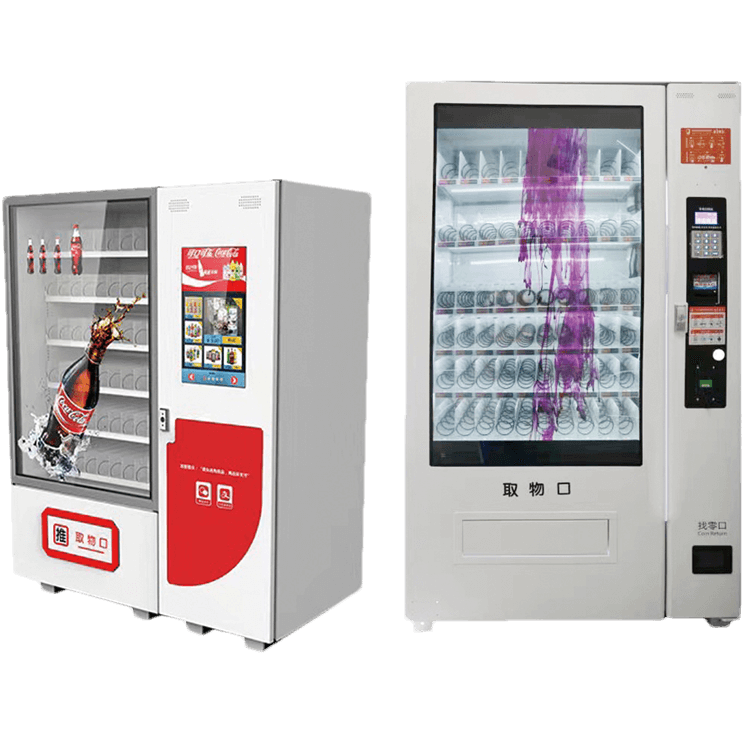
Transparent LCD Vending Machine Display
Coordinate product arrangement, viewing regions and machine integration.
View product →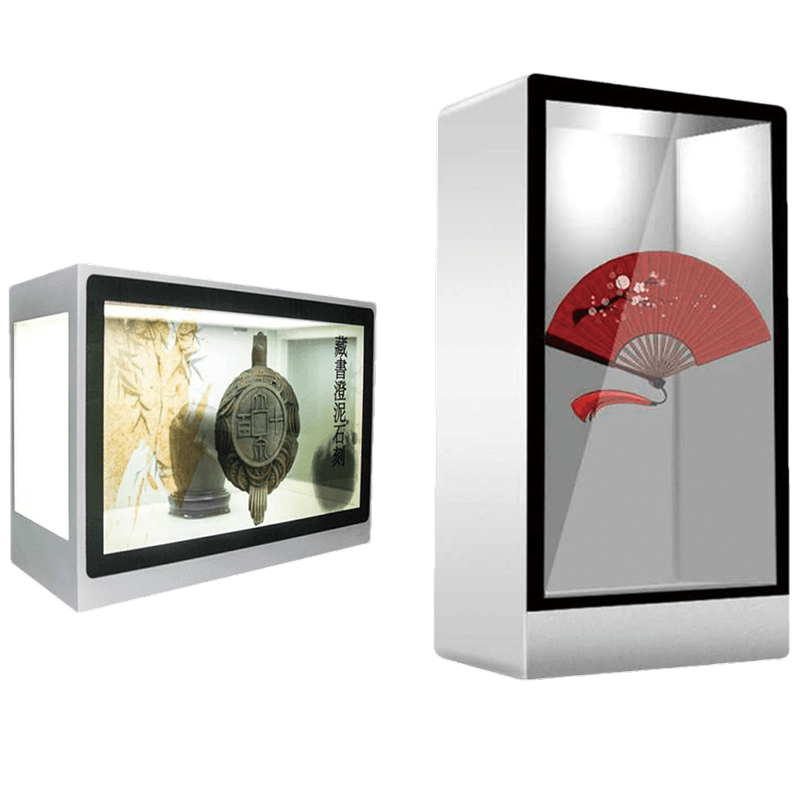
Transparent LCD Display Cabinet
Explore complete product-showcase configurations.
View product →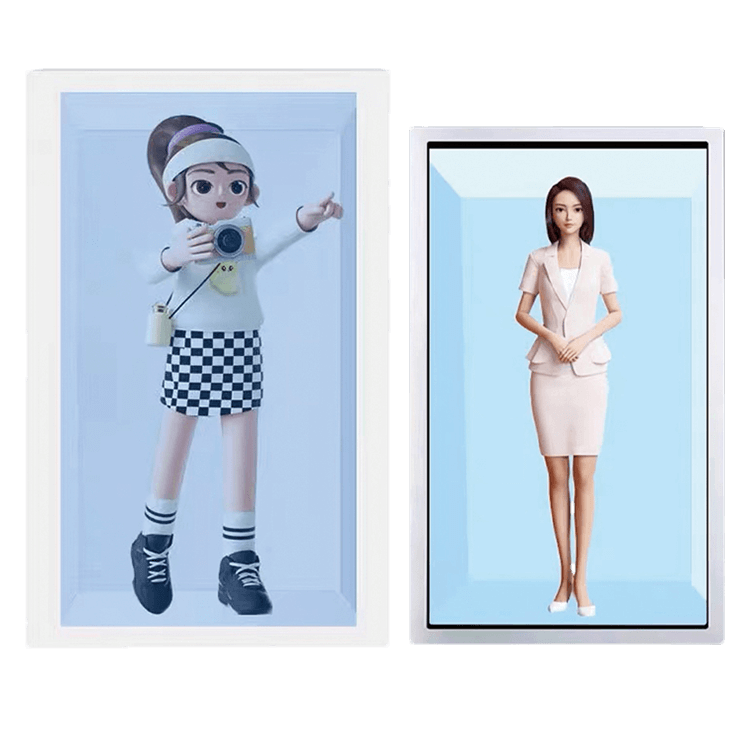
Transparent LCD AI Digital Human Display
Combine the cabinet optical system with digital-human content and interaction.
View product →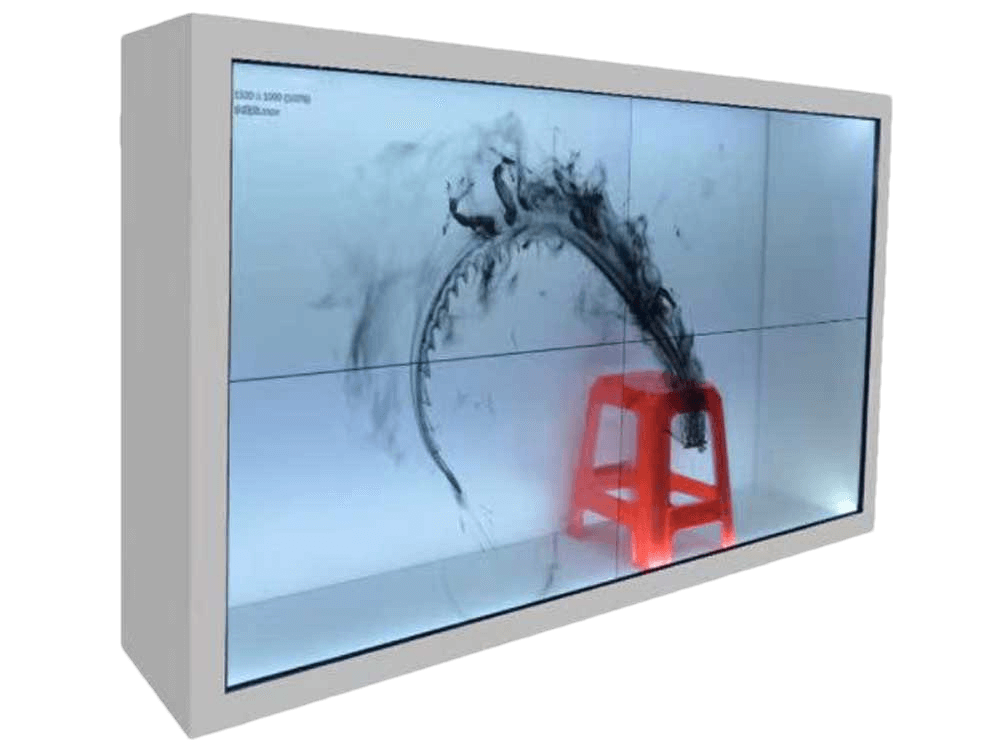
Transparent LCD Video Wall
Review multiple-panel display fronts and coordinated cabinet illumination.
View product →
Custom Transparent LCD Display
Discuss dimensions, cabinet construction, content and integration requirements.
View product →Project review
Discuss Your Transparent LCD Cabinet Project
Send your company details, application, cabinet drawing, product examples, required dimensions, sample quantity and expected production volume.