DisplayMan develops tree-shaped LED displays for atriums, transport interiors, exhibitions and brand experience spaces. A sculptural trunk, spreading canopy or branching framework gives programmable content a distinctive architectural form.
Choose a continuous LED tree, a canopy-focused installation or a hybrid structure with decorative branches and selected display surfaces. Geometry, viewing positions, supports and content mapping are reviewed together to define a practical project configuration.
Custom Trunk & CanopyCurved Video SurfacesArchitectural IntegrationProject-Based Engineering
This category uses a trunk-and-canopy or branching form as part of the display structure. The tree silhouette remains while its digital content changes.
An Architectural Display Form
A tree-shaped LED display can combine a curved vertical trunk with a wider overhead canopy. Other designs use a branching framework around selected video surfaces. The purpose is to create a spatial focal point rather than a conventional rectangular screen. The exact active coverage should be marked on drawings because the name alone does not define where pixels are installed.
Continuous Surfaces or Separate Display Zones
Some concepts carry imagery from the trunk into the canopy, while others treat the trunk, underside and outer edge as separate zones. Both approaches can work, but they need different mapping and content strategies. A visually continuous tree still contains structural joints, module boundaries and electrical connections that must be considered during design.
LED Video and Decorative Branches
A tree installation may combine video displays with non-display branches, cladding or architectural lighting. These components should be identified separately in the supply scope. A lattice structure can provide the recognizable tree outline while an internal or adjacent screen supplies imagery. Do not assume every illuminated branch is a video-capable LED surface.
A Different Direction from Christmas Trees
This page focuses on architectural trunks, spreading canopies and technology-tree installations. A Christmas tree uses a seasonal conical or tiered silhouette and belongs to a separate product direction. Explore Christmas Tree Shaped LED Displays →
Main Tree-Shaped LED Display Configurations
Select the physical arrangement around the space and the audience’s normal viewing positions.
Continuous Trunk-to-Canopy LED Trees
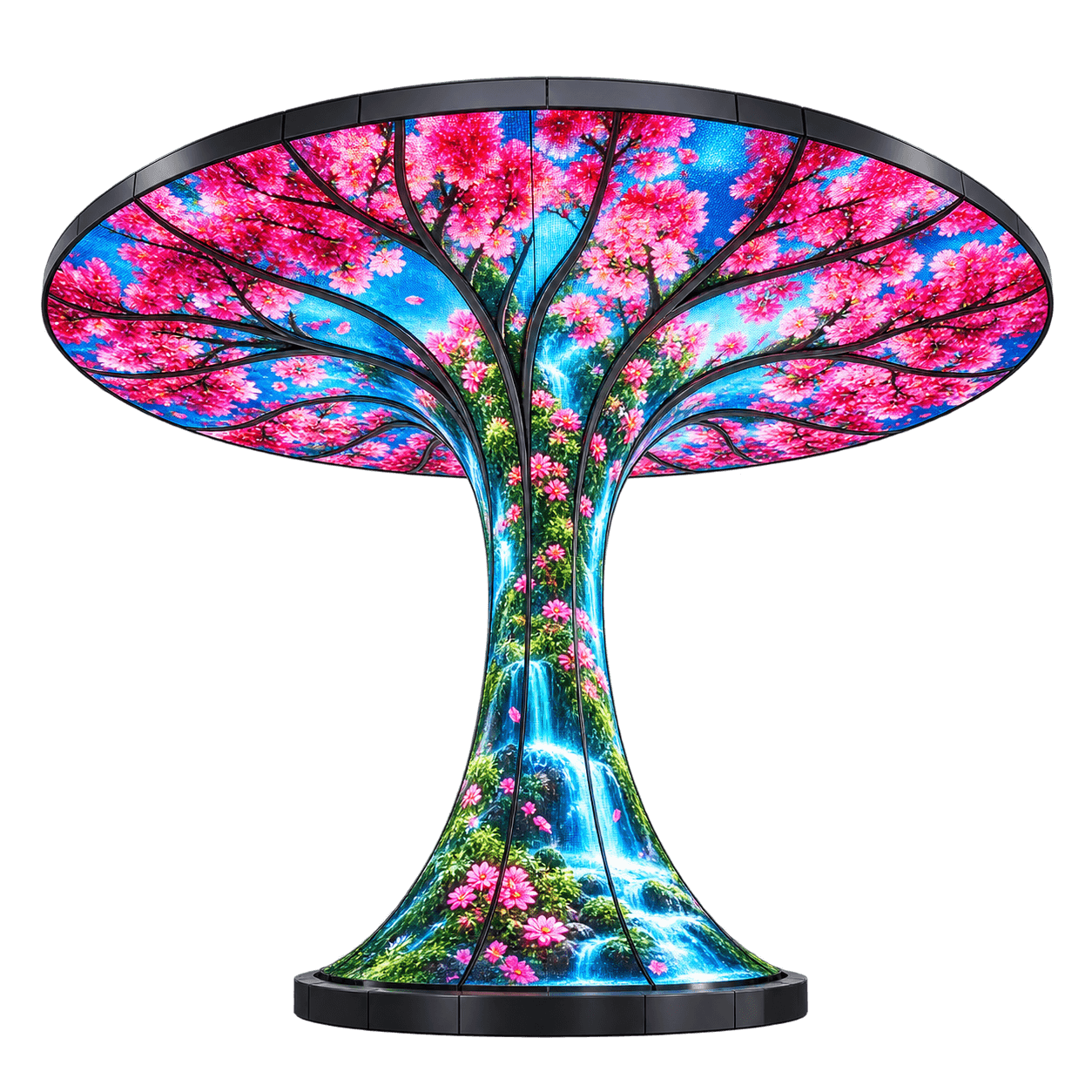
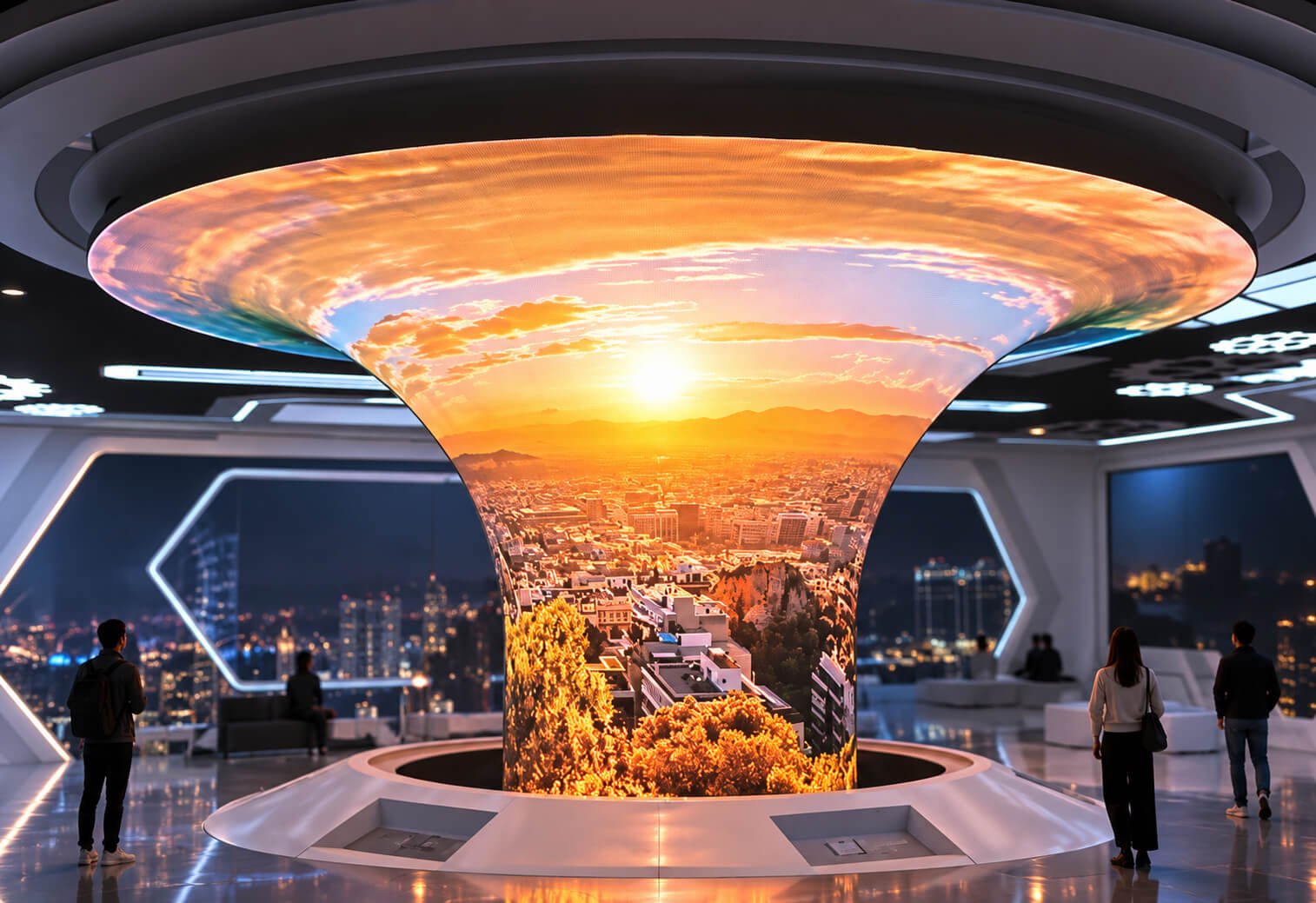
A flared trunk can transition into an overhead video canopy, creating a large sculptural canvas. Flowing content can emphasize the connection between the vertical and horizontal surfaces. The transition zone needs careful geometry and module planning. Confirm the visible LED boundary, underside coverage and rear or top finish before approving the overall form.
Canopy-Focused Technology Trees
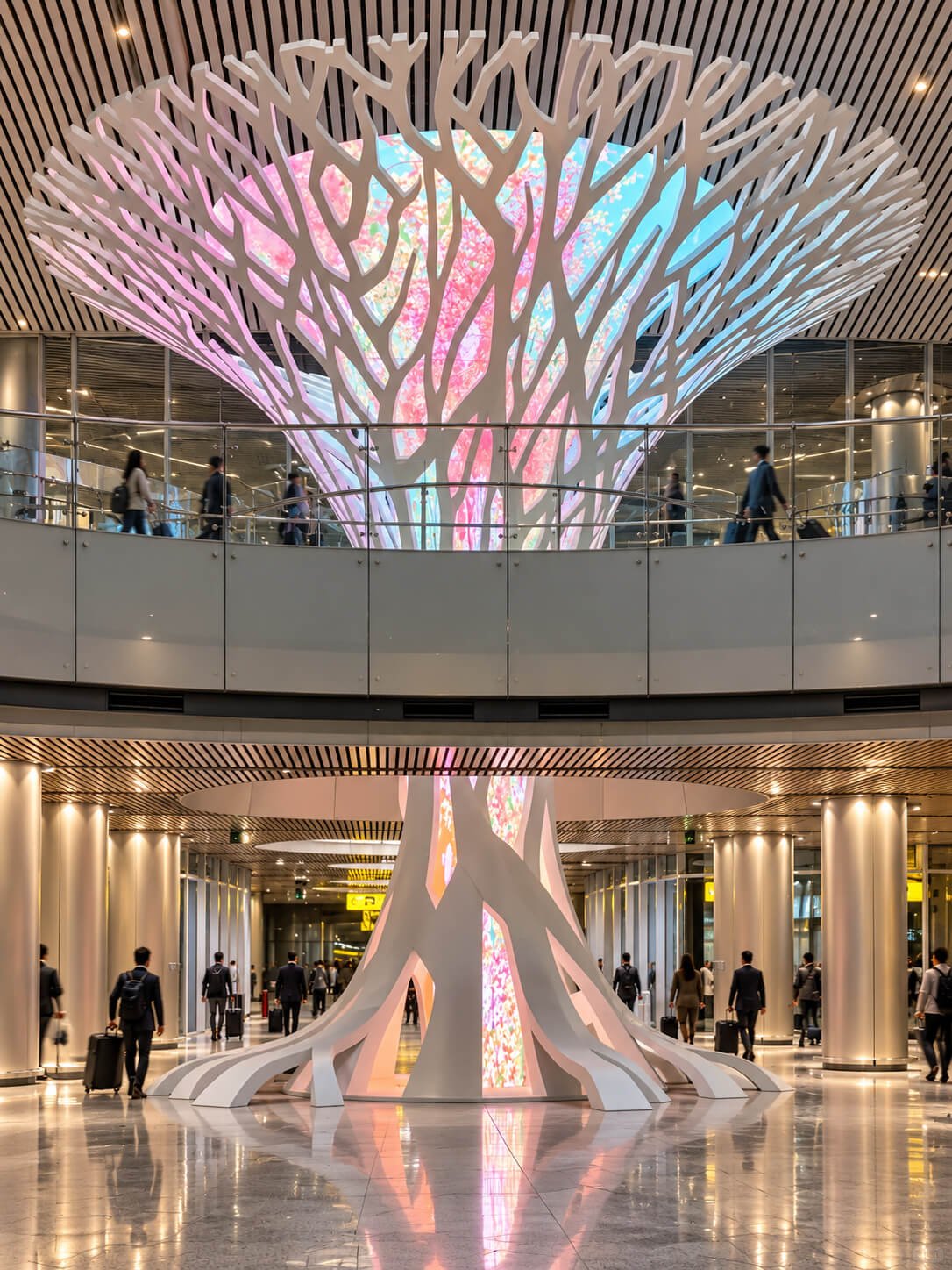
A broad canopy can carry the main content while a decorative trunk or branching support completes the tree silhouette. This can concentrate the display area where it contributes most to the experience. Review whether visitors see the canopy from below, from nearby upper levels or from a distant entrance. These viewpoints influence the active surfaces and content placement.
Branching Architectural Trees
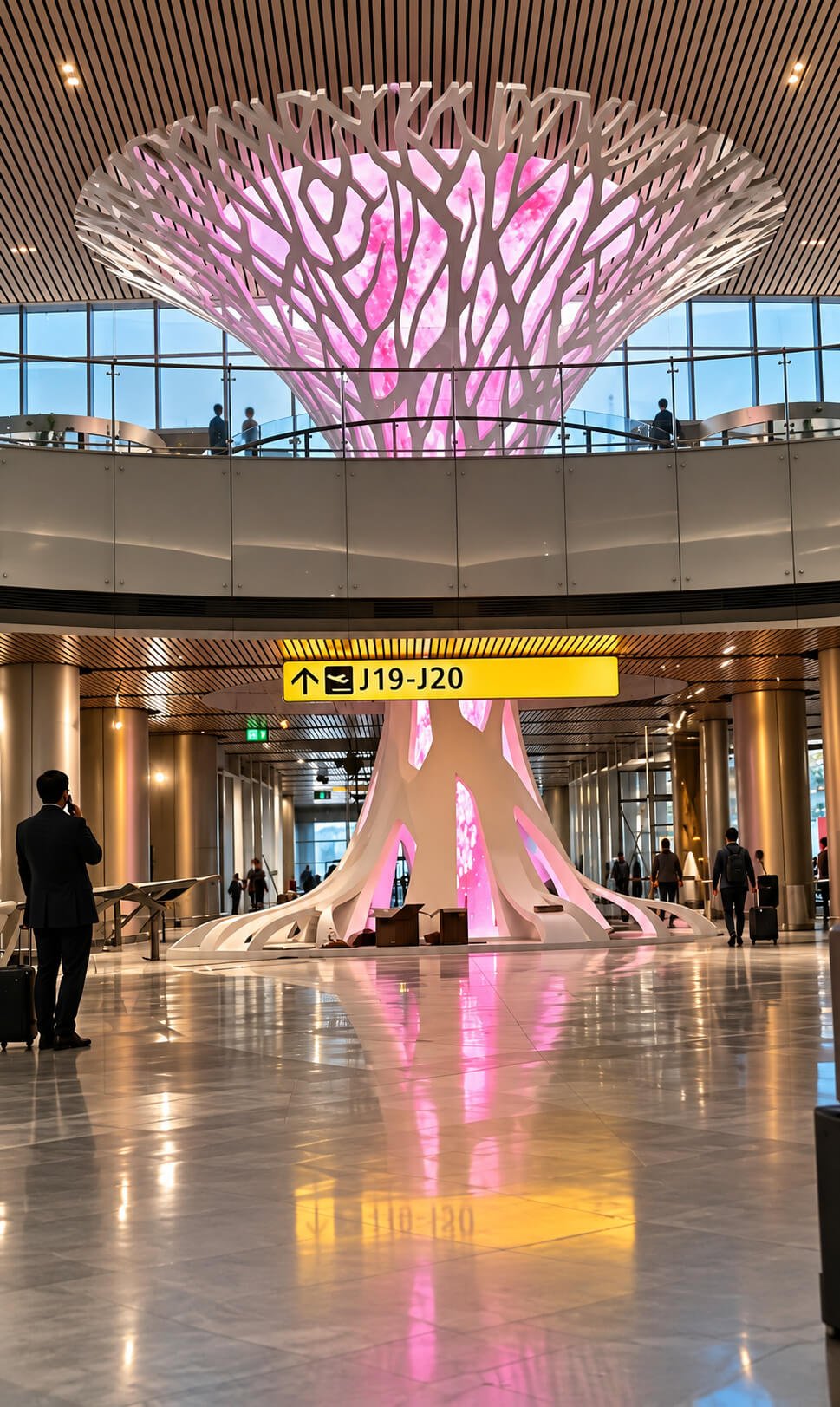
A branching framework can create a strong sculptural identity with selected screens or lighting incorporated into it. The framework may be visually prominent even when the digital surfaces are off. Define which parts are structural, decorative, illuminated or video-capable. The construction and maintenance strategy should follow that distinction.
Freestanding Digital Tree Sculptures
A floor-supported tree can provide a central feature in an exhibition or brand environment. The base footprint, trunk access and canopy overhang need to be considered together. A compact base in a rendering does not establish the support requirements of the finished display. Confirm the mounting interface and intended site conditions.
Building-Integrated Tree Installations
Some concepts interact with atrium floors, ceiling openings or surrounding architecture. The display supplier and building team need agreed boundaries for supports, finishes and services. A tree that visually meets a ceiling should not be assumed to rely on that ceiling for support. Connection details must be explicitly defined.
Custom Canopy and Trunk Variations
The canopy may be circular, asymmetric or segmented, and the trunk may taper, flare or split into branches. Share a section drawing or 3D model to communicate the geometry accurately. Different areas can use different construction methods. A simpler active surface with decorative extensions may meet the visual brief more efficiently than full video coverage.
Tree-Shaped LED Display: 7 Design References
Explore branching architectural trees, atrium canopies and continuous curved LED forms. These redrawn references illustrate design directions. Final active LED coverage, structural details and equipment scope are defined in the project drawings.
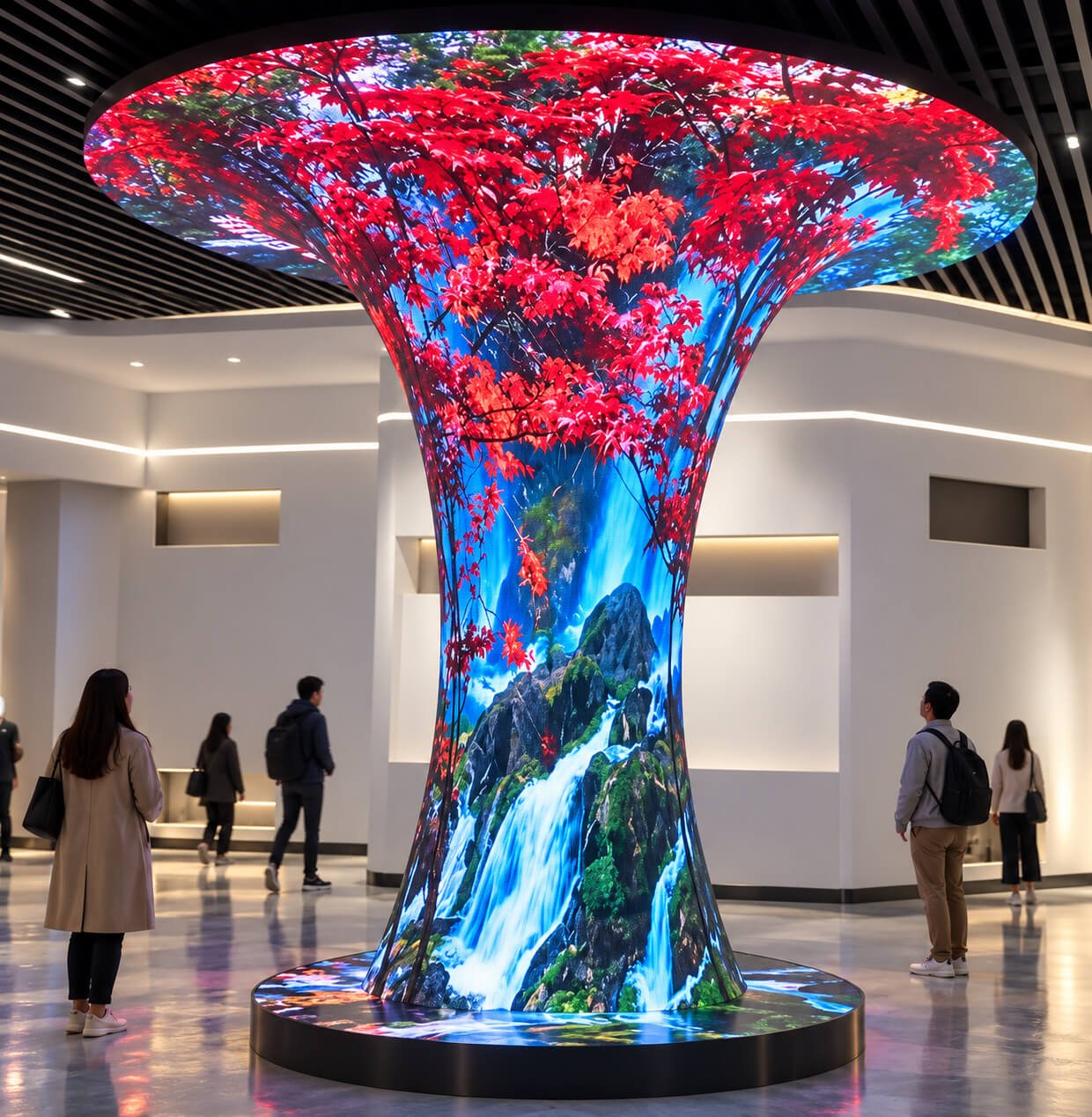
Tree imagery and bright blossoms follow the curved trunk into the spreading overhead canopy.
Tree Dimensions, Viewing Positions & Pixel Pitch
A tree-shaped display needs more than an overall height. Its canopy reach, trunk geometry and installation envelope define the practical configuration.
Specify the Complete Envelope
Provide overall height, canopy width or diameter, canopy depth, trunk profile and base footprint. Include the lowest canopy edge and available ceiling clearance. A section drawing helps reveal curves that are hidden in a front view. Identify any nearby balconies, walls or ceiling features that affect the available space.
Map the Audience Positions
Visitors may view the trunk at close range, look upward beneath the canopy or see the installation from an upper floor. These positions reveal different surfaces. Mark the main approach directions and viewing distances before choosing LED coverage. Important content should occupy areas that remain visible in normal use.
Define Each Active Surface
Mark trunk coverage, canopy underside, outer rim and top surface separately. An illuminated underside does not imply an active upper surface. Decorative branches and structural ribs should also be identified. This surface map provides a clearer basis for pricing and content design than describing the installation as a complete LED tree.
Select Pitch for the Content
Choose pixel pitch with the nearest viewing distance, active area and detail in the artwork. The trunk may be closer to visitors than the canopy, creating different viewing requirements. If different configurations are considered across zones, review their visual relationship. The final module arrangement determines the resolution and content canvas.
Review Curvature and Transition Zones
The flared connection between trunk and canopy can curve in more than one direction. Module dimensions, bending limits and alignment need to be assessed locally. A flexible module should not be assumed to follow every compound curve. The proposed construction may combine shaped modules, segmented surfaces and non-display transitions.
Keep Architecture and Access in View
The canopy can occupy space needed for lighting, building services or maintenance equipment. Coordinate the installation envelope with the venue team early. Floor access around the trunk and service access above or behind the canopy should be planned before the silhouette is finalized.
Structure, Modules & Complete System Engineering
The display surface and its supporting tree structure need to be developed as one coordinated assembly.
Support Structure and Load Path
A broad canopy creates a different support problem from a simple vertical screen. Define whether the structure is floor-supported, suspended, building-connected or a combination. The support arrangement should be assessed for the actual geometry and site. The appearance of branches or a slender trunk does not establish their structural capacity.
Module Layout and Surface Continuity
Plan how LED sections follow the trunk, flare and canopy. The layout needs workable assembly joints and replacement routes. Visible ribs can be part of the design, while other concepts prioritize a visually continuous surface. Agree the intended finish and seam treatment before the structure is fabricated.
Power Distribution and Cable Routes
A tree offers internal space for routing, but access can become difficult where the trunk narrows or branches split. Define how power and data reach each screen zone and where connections can be serviced. The electrical design should reflect the selected LED equipment, operating conditions and site supply arrangement.
Cooling and Equipment Access
Enclosed trunks and canopy shells need a suitable thermal arrangement. Decorative covers should allow planned access to power supplies and control equipment. Review the maintenance route together with ventilation. Hiding electronics is useful only if the final design still permits reliable operation and practical servicing.
Playback and Multiple Display Zones
A tree can operate as one coordinated canvas or as several independently addressed zones. Confirm the required controller, inputs and content workflow. If the tree must synchronize with nearby wall or floor screens, define timing and interface responsibilities early. Shared imagery alone does not establish a synchronized system.
Indoor and Outdoor Configurations
Indoor atriums and exposed outdoor sites require different environmental and structural reviews. Share operating conditions, ambient light and site photographs. Outdoor use may affect protection, drainage, materials and service arrangements. Required targets should be confirmed in the project specification rather than inferred from reference imagery.
Content Mapping from Trunk to Canopy
The tree shape changes the image canvas and viewing angles. Prepare artwork for the approved pixel map and the intended audience zones.
Use the Vertical and Overhead Areas Deliberately
The trunk can support close-view imagery, while the canopy can carry broader environmental scenes. A continuous theme can connect them without requiring every object in the video to cross the transition. Place key logos or short messages where visitors can see them comfortably. Detailed reading content may be better placed on a separate screen.
Create Flow Across the Flare
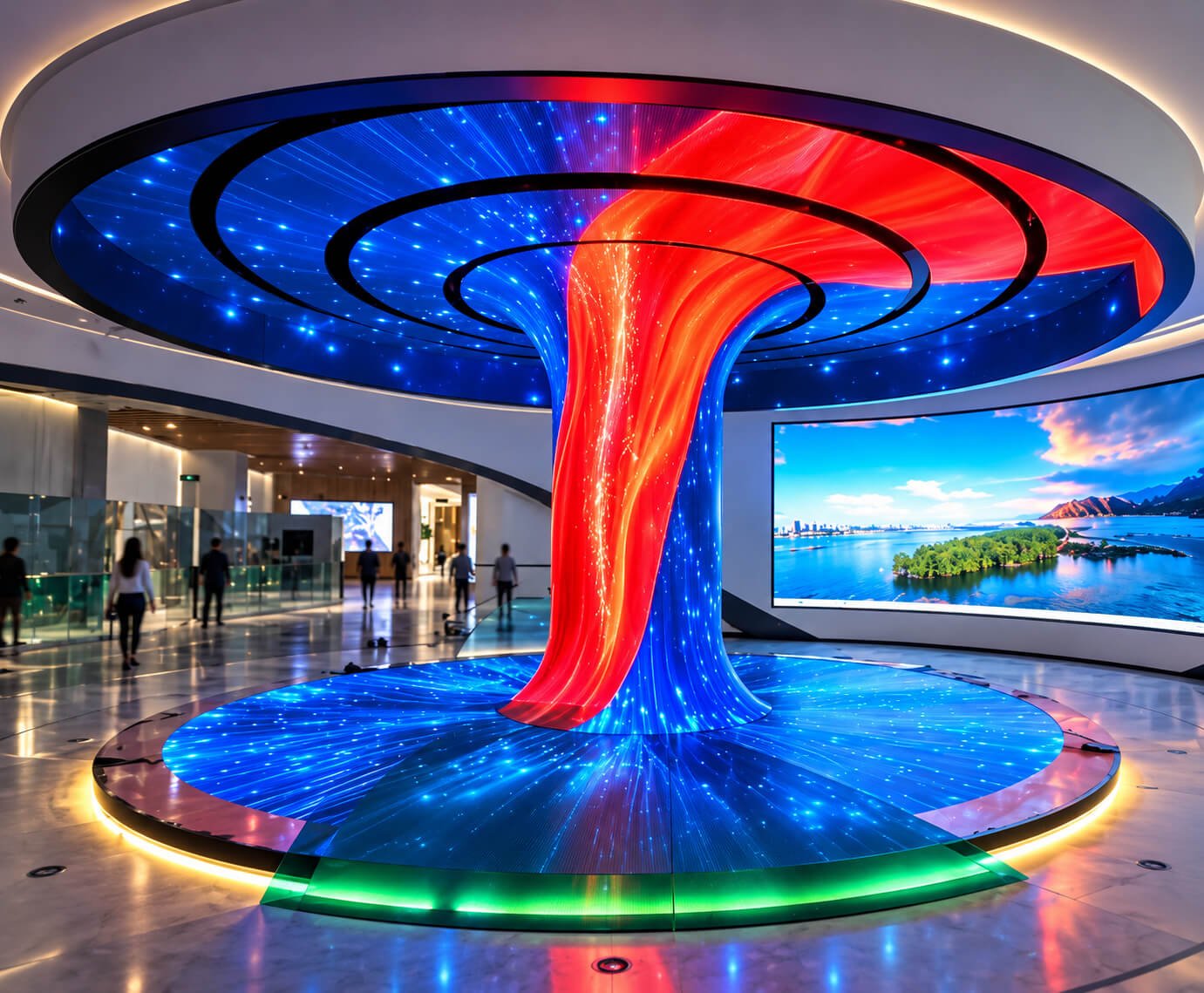
Water, light trails, foliage and abstract motion can reinforce the expanding tree geometry. Content should account for how the surface spreads from a narrow trunk into a broad canopy. A conventional rectangular video may need remapping or recomposition. Review the mapping template before producing the final animation.
Account for Ribs and Branches
Structural elements may divide or obscure portions of the active surface. Mark these boundaries in the content layout so important imagery does not land behind them. A segmented design can use separate visual zones intentionally. Avoid treating gaps between panels as if they were active pixels.
Design for Multiple Viewpoints
A central trunk can be seen from many directions, while the canopy presents different angles to nearby and distant viewers. Decide which positions take priority. A visual preview can help identify stretched content or hidden areas, but commissioning should include checks from the actual visitor locations.
Balance Brightness and Color
A large overhead display influences the surrounding space. Review ambient light, reflections, nearby screens and the venue’s intended atmosphere. Daytime and evening operation may need different settings. If filming or photography is central to the project, include representative camera checks in the commissioning plan.
Plan Seasonal and Campaign Updates
The tree structure can remain while its content changes between campaigns or seasons. Keep a validated mapping template and define the update workflow. Identify who prepares artwork, who uploads it and who operates the system. This helps the installation remain useful beyond its first launch event.
Typical Tree-Shaped LED Display Applications
The strongest designs use the tree form to organize a space or create a recognizable visual focal point.
Airports and Transport Interiors
A tree-like installation can form a landmark within a large public interior. Review sightlines, building interfaces and everyday maintenance access with the venue team. Decorative or brand content should have a clearly defined role alongside operational information systems. Do not assume the feature display replaces passenger information screens.
Shopping Mall Atriums
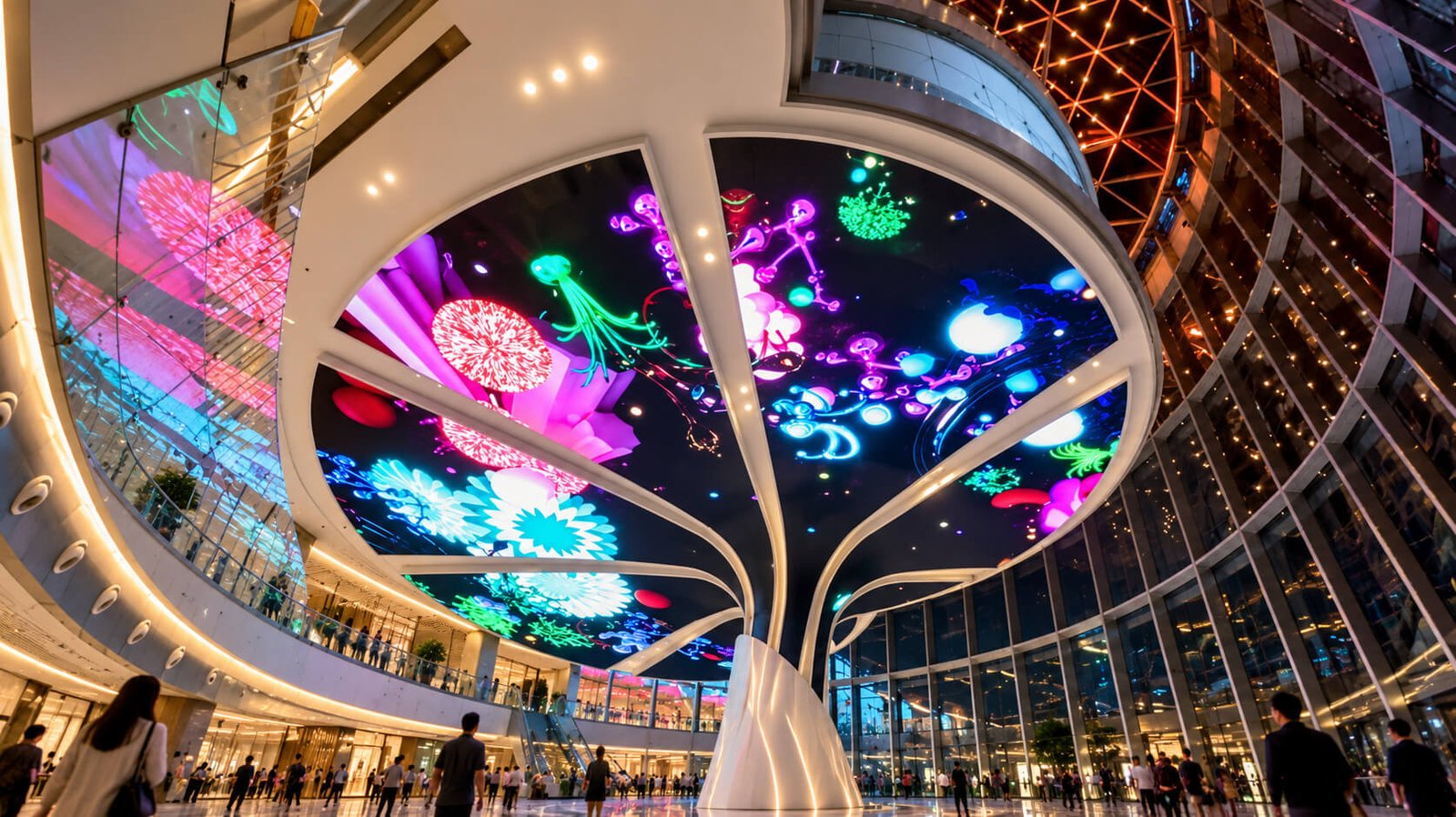
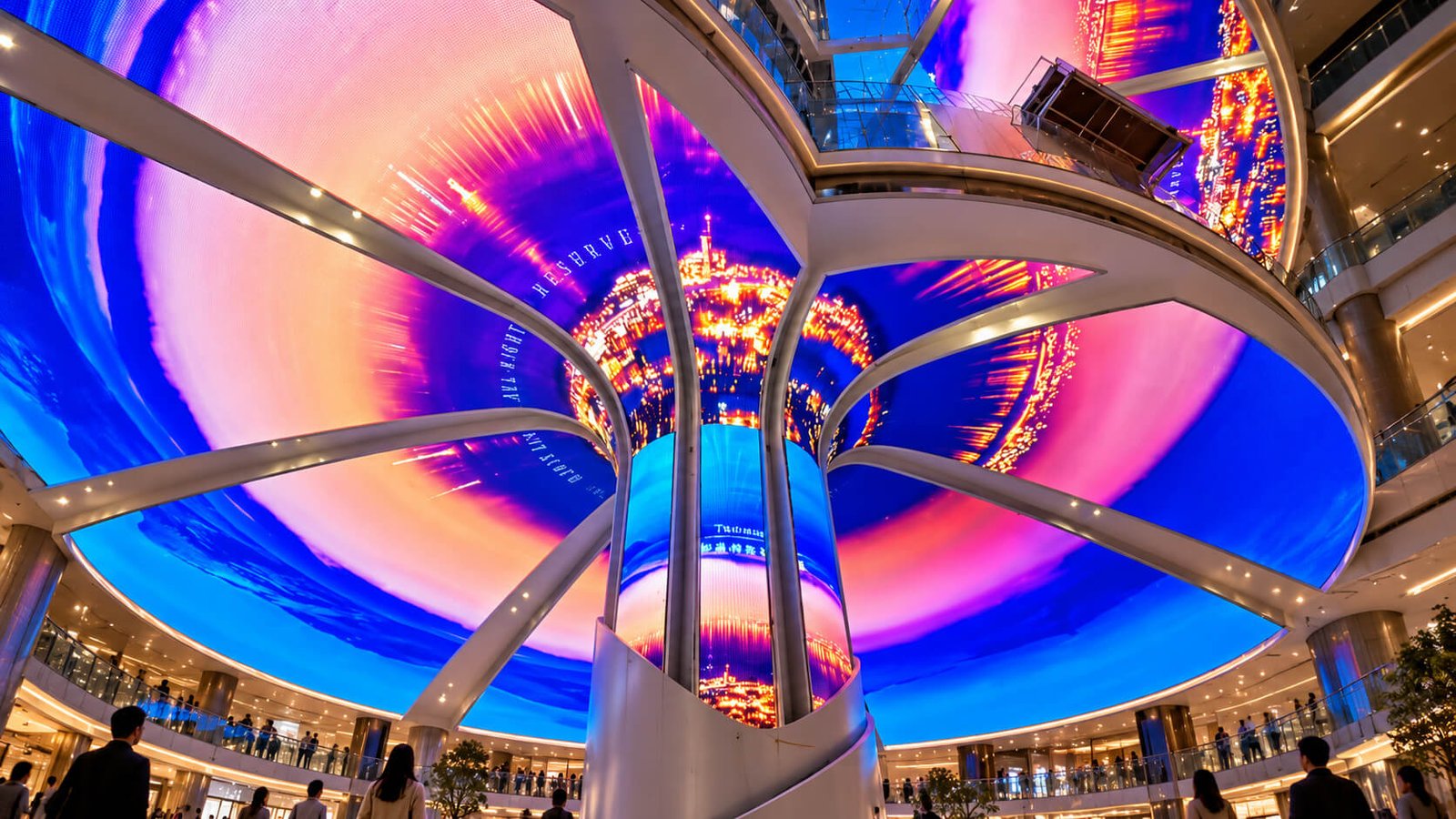
A canopy can be visible from multiple floors while the trunk connects the composition to the ground-level space. Review the installation from balconies and approach routes as well as directly underneath. The active upper and lower surfaces should be specified separately. Coordinate the design with existing architecture and building services.
Exhibitions and Brand Showrooms
A digital tree can create a central feature within a stand or visitor route. Temporary projects need a practical segmentation, packing and assembly plan. Confirm available height, loading access and installation time before fixing the canopy dimensions. Repeated use may require a different construction approach from a permanent installation.
Corporate Experience Centers
A tree-shaped display can support visual storytelling in reception or demonstration areas. The content can combine abstract brand colors, environmental imagery and campaign themes. Plan normal daily operation as carefully as the launch presentation. Consider how the installation appears when it is switched off.
Museums and Cultural Spaces
Tree and canopy forms can support nature, technology and other environmental narratives. Keep detailed educational content within comfortable reading areas. Interactive triggers or guided playback require their own control brief. The display geometry provides the canvas, while the content and operating system define the experience.
Architectural and Landscape Features
A custom tree can become part of a larger spatial composition. Clarify its relationship with landscaping, seating and adjacent structures. Outdoor projects require site-specific equipment and supports. The design should include a practical method for reaching and replacing elevated components.
Transport, Installation & Maintenance Planning
Plan the tree’s delivery route, assembly sequence and service access before approving the final shell.
Divide Large Structures into Workable Sections
Canopies may need removable segments and trunks may require structural joints. Confirm packing dimensions, access routes, lifting arrangements and assembly space. The final position is only one part of the installation footprint. The site also needs enough room to connect, align and test the equipment.
Agree Building and Display Responsibilities
Identify who supplies foundations or base connections, overhead supports, electrical feeds and architectural finishes. Drawings should define the interfaces between teams. A tree that appears integrated into the building still needs explicit responsibility for each connection. Resolve these boundaries before production.
Design Service Access Around the Geometry
The widest canopy area may be the hardest place to reach after installation. Decide whether service is from above, below or through removable sections. Keep access to internal electronics practical within the trunk. A maintenance plan should not depend on dismantling unrelated architectural elements.
Commission Using Representative Content
Check module alignment, pixel mapping, image orientation, synchronization and operating controls against agreed criteria. Use content similar to the intended program, not only a single test image. Inspect from ground-level and elevated viewpoints where relevant. Record any decorative or intentionally inactive zones.
Prepare Documentation and Spares
Agree the drawings, mapping files, controller settings and operating instructions included at handover. Custom-shaped modules may need a specific spare-parts plan. Clear identification of sections and connections helps future maintenance. Confirm which team handles equipment support and which handles content production.
Consider the Long-Term Operating Pattern
A permanent public installation and a traveling exhibition feature have different needs. Share expected operating hours, content update frequency and relocation plans. Repeated handling may affect joint design, packing and protective trims. These choices are easier to incorporate before fabrication than after delivery.
What Drives the Cost of a Tree-Shaped LED Display?
Compare the proposed geometry, active LED area and supply scope rather than overall height alone.
Canopy Size and Active Coverage
A wide canopy can add substantial display area even when the trunk is narrow. Underside-only, rim coverage and two-sided canopies are different configurations. Mark every active zone in the quotation drawings. Decorative sections can complete the silhouette without necessarily needing video capability.
Curvature and Custom Components
Complex transitions, shaped modules, carriers and special structural parts can introduce development work. Clarify which components use established designs and which require custom fabrication. A continuous flared tree and a branching frame with separate panels may have different engineering requirements despite similar overall dimensions.
Site Integration and Installation
Support interfaces, transport segmentation, environmental requirements and assembly conditions affect the complete project. Separate equipment supply from shipping, lifting, local electrical work and installation services where appropriate. Clear responsibility boundaries make proposals easier to compare.
Content and System Integration
Custom mapped animation, coordinated wall-and-canopy playback and interactive triggers add deliverables beyond the physical screen. Define the required behavior early. Basic local playback is a different scope from a synchronized experience connected to other venue systems.
Compare Tree-Shaped LED Displays with Related Formats
Use the tree form when the trunk, canopy and spatial presence contribute to the intended experience.
Architectural Tree vs Christmas Tree
Architectural trees use spreading canopies or branches and can support year-round themes. Christmas tree displays use a seasonal silhouette. Explore Christmas Tree Shaped LED Displays →
Tree vs Cylindrical Display
A cylinder offers a more regular vertical wraparound surface. A tree adds a canopy and a changing cross-section, creating a different image canvas and support arrangement. Explore Cylindrical LED Displays →
Tree Canopy vs Dome Display
A dome can provide an overhead curved canvas without a central trunk. A tree connects the canopy to a vertical sculptural element. The choice depends on the spatial design and desired coverage. Explore Dome & Bowl LED Displays →
Tree vs Flower and Petal Sculpture
A flower emphasizes separate petals and a floral crown. A tree emphasizes a trunk, branching structure or spreading canopy. Both can use botanical imagery, but their active surfaces and supports differ. Explore Flower & Petal LED Displays →
What to Send for a Tree-Shaped LED Quote
A geometry and site brief helps turn a visual concept into a reviewable configuration.
Shape and Site Information
Send a sketch or 3D model, overall height, canopy diameter, trunk profile and base footprint. Mark active surfaces, decorative branches and any building interfaces. Include site photographs, ceiling clearances, access dimensions and the intended support method.
Viewing and Commercial Requirements
Provide audience positions, viewing distances, example content, control requirements, quantity, destination and project schedule. Identify any synchronized displays or interactive functions. DisplayMan can review the module layout, structure and system scope against this brief.
It is a custom display that uses a trunk, canopy or branching form as part of its physical structure. Active LED coverage is defined for the selected surfaces.
Is it the same as a Christmas tree LED display?
No. This category focuses on architectural trees with spreading canopies or branches. Christmas tree displays use a separate seasonal silhouette.
Can the trunk and canopy both display video?
Both areas can be reviewed for LED coverage. The transition, module layout and content mapping need to be designed together.
Are all branches active LED screens?
Not necessarily. Branches may be structural, decorative, illuminated or video-capable. The supply drawings should identify each type clearly.
Can the dimensions be customized?
Custom height, canopy width and trunk geometry can be reviewed against the module arrangement, support requirements, site access and maintenance plan.
What pixel pitch should we choose?
Select pitch with the nearest viewing distance, active area and content detail. Trunk and canopy viewing conditions should both be considered.
Can the installation be viewed from upper floors?
Upper-level views can be included in the design brief. Specify whether the canopy top must be active, decorative or concealed.
Can it be installed outdoors?
Outdoor use requires a site-specific environmental and structural configuration. Required protection and performance targets must be confirmed for the selected equipment.
Can ordinary video be played on the tree?
The playback system may accept standard video, but curved and segmented surfaces often need remapped or recomposed artwork based on the final pixel map.
Can it synchronize with surrounding screens?
Synchronization can be reviewed with the controller architecture, timing requirements and interfaces defined. It is not implied by showing similar content on several screens.
How is maintenance handled?
The design should provide practical access to trunk and canopy modules, electronics and connections. Elevated sections need an agreed service method.
What information is needed for a quotation?
Provide geometry, dimensions, active surfaces, site conditions, support method, audience positions, content and control requirements, quantity, destination and schedule.
Develop a Digital Tree for Your Space
Send your tree reference, dimensions, active surfaces and installation setting. DisplayMan can review the canopy, trunk, module layout, support structure and content mapping for your project.
Start with the complete tree geometry and the audience’s view. Canopy reach, trunk transitions, structural connections and maintenance access should work together before the final LED configuration is selected.
Provide your tree drawing, overall height, canopy dimensions, trunk profile, active surfaces, installation setting, content requirements, quantity and schedule.
Send Your Display Requirement
Please share your application, display size, quantity and project background. We will review the most practical display direction.