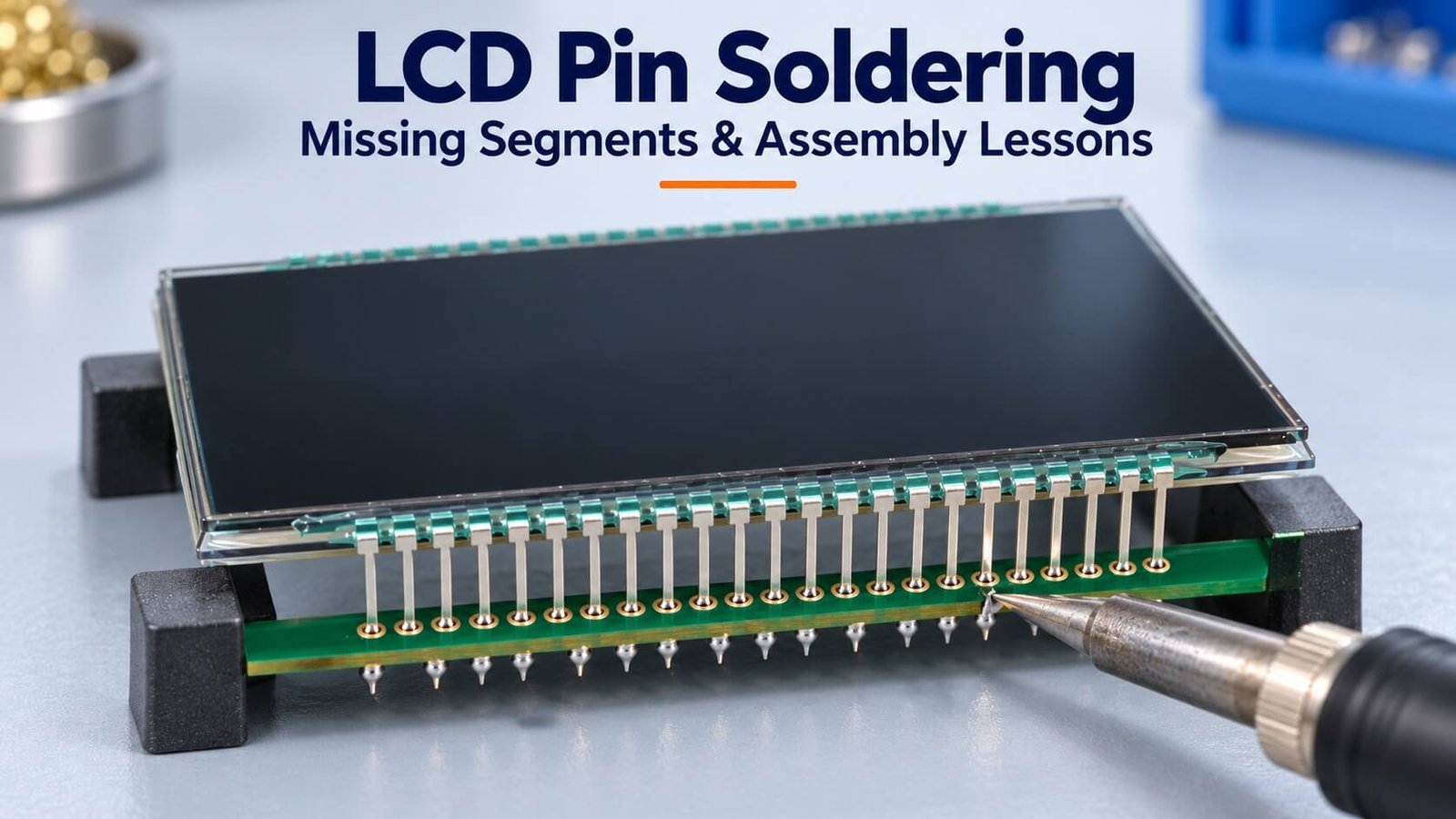
Practical assembly lessons
Why Can LCD Segments Go Missing After Pin Soldering?
Excess heat or mechanical loading during PCB soldering can affect the pin attachment near the LCD glass, not only the visible solder joint. In Greg’s original sample experiments, deliberate overheating produced adhesive changes and missing segments, while reheating sometimes restored an image only temporarily.
This DisplayMan report preserves those observations and explains their limits, along with practical assembly and fault-investigation steps. The original experiment settings describe the tested samples; production soldering conditions must be established for the exact construction.
Why This Test Was Carried Out
In customer projects, we sometimes encountered missing LCD segments after metal pins had been soldered to a PCB. The useful question was not simply whether the glass or the solder joint was “bad,” but what changed during assembly.
I carried out the experiments described below to investigate heat reaching the pin-retention area on a particular LCD construction. They are practical observations from those samples, not a standardized reliability study of all LCD products.
This article concerns pins attached to LCD glass, not only a standard header soldered to a module PCB. The glass-to-pin attachment and the pin-to-PCB solder joint are different interfaces. A good-looking PCB joint does not prove that the attachment near the glass remains undamaged.
Experiment 1: Heating Near the LCD Pin Attachment
For this deliberate overheat test, the soldering iron was set to 350°C and applied to a pin approximately 4.0 mm from the bottom edge of the LCD glass. On the tested sample, the adhesive softened and visible bubbling appeared after about 4 seconds.
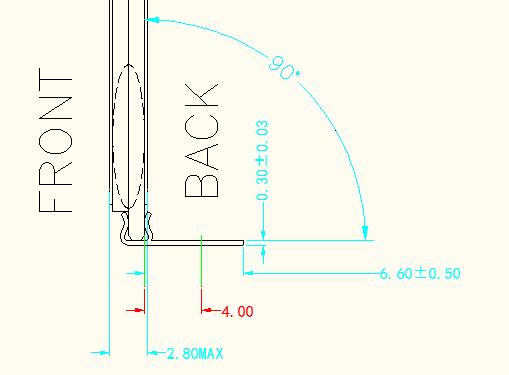
After the iron was removed, the adhesive cooled, solidified and changed shape as it cooled. This provided a practical warning: heat applied at the PCB end of a short pin can also reach the attachment region near the glass.
The stated 350°C was the iron setting used in the experiment. The report does not establish the actual adhesive temperature, a material transition temperature or a universal safe-distance limit.
Experiment 2: A Temporary Recovery Was Not a Reliable Repair
On a sample with missing segments, we identified the associated pin, reheated it and moved it slightly. The full pattern appeared briefly, but the missing-segment fault returned after cooling.
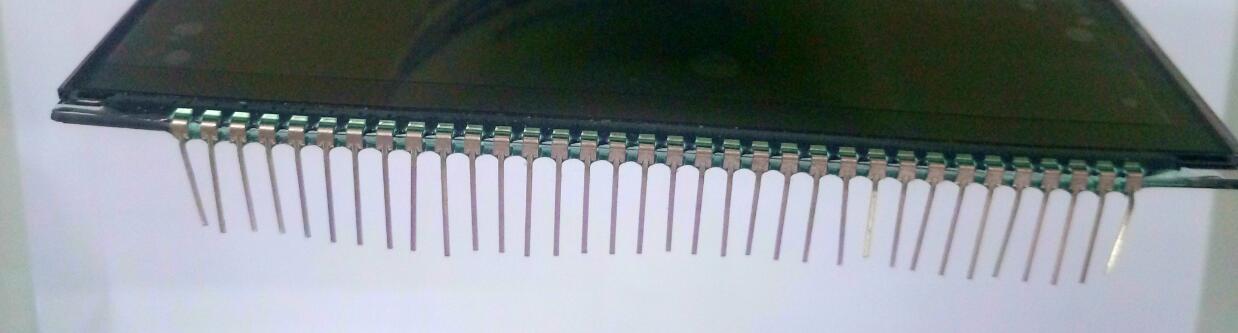
This is a failure lesson rather than a repair instruction. A temporary display recovery after heating or moving a pin does not demonstrate that the original attachment has regained its mechanical and electrical reliability.
We also applied excessive heating to a previously working sample and reproduced a missing-segment problem. Together, these observations supported investigating the pin-attachment area as part of the fault path for that construction.
Do not repeatedly pull, bend or overheat a pin to make a rejected sample appear functional. Preserve the failed sample for investigation and agree the disposition with the supplier.
Experiment 3: The Sample Without Pin-Retaining Adhesive
A further experimental sample omitted the UV-cured adhesive used to retain the pins in the normal assembly. With the iron set to 350°C, we heated a pin for approximately 10 seconds or longer. The polarizer yellowed, while the display still operated during the observation.
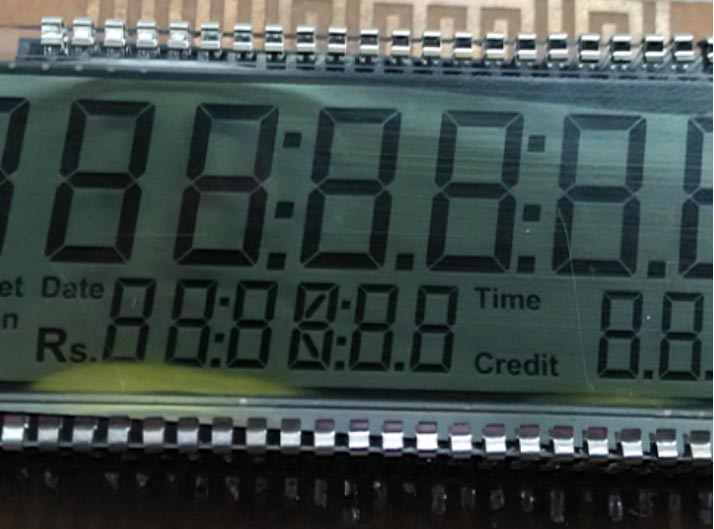
This was a destructive comparison, not a usable production configuration. Polarizer discoloration is damage, and continued short-term operation does not establish long-term reliability.
The result strengthened our suspicion that the adhesive/retention region was involved in the earlier failures. It did not prove the exact chemical mechanism, nor rule out other electrical or mechanical causes in other samples. The retaining adhesive was necessary for the normal tested pin structure; that statement should not be generalized to every LCD pin-attachment design.
Experiment 4: Comparing Two Adhesives
We compared a dark-green UV-cured adhesive with a colorless adhesive used in the tested assemblies. At the same nominal 350°C iron setting and roughly 4.0 mm position, visible bubbling occurred after approximately 4 seconds with the dark-green adhesive and 6–8 seconds with the colorless adhesive. The cured colorless material also felt harder in this comparison.
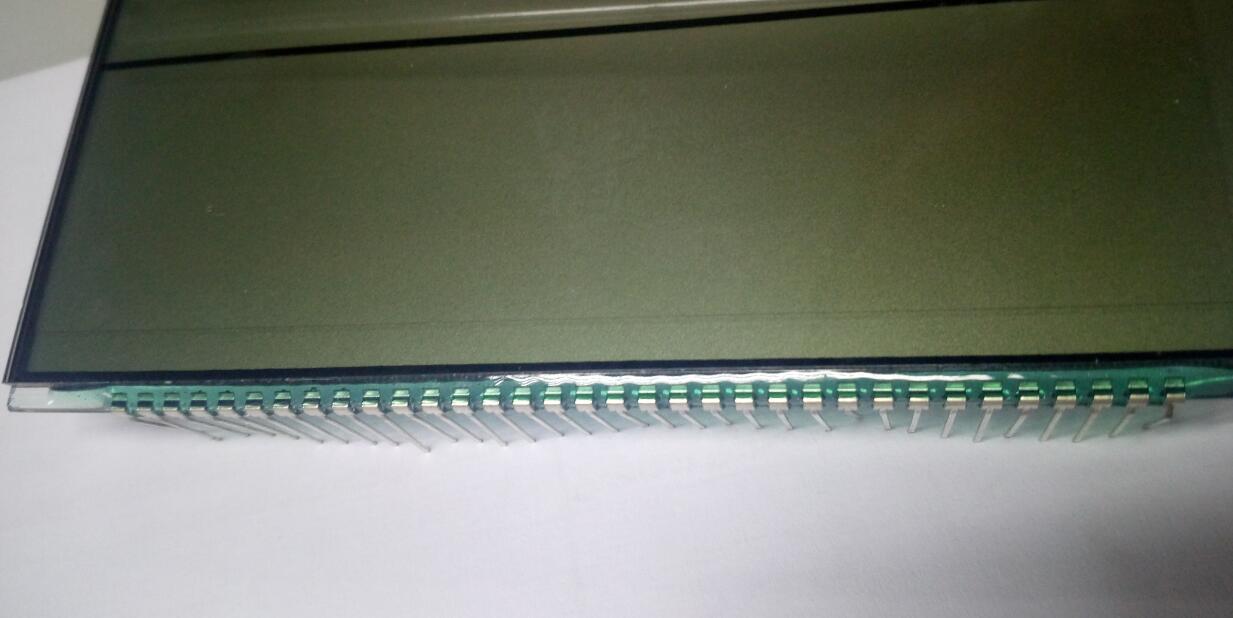
| Tested material | Observation under the reported conditions | Interpretation |
|---|---|---|
| Dark-green adhesive | Bubbling at approximately 4 seconds | Heat sensitivity observed in this sample/process combination |
| Colorless adhesive | Bubbling at approximately 6–8 seconds; harder cured appearance | Different behavior from the other tested adhesive |
These results concern the two materials and sample structures tested. Adhesive color is not a specification of thermal resistance. Hardness, color and time to visible bubbles do not establish bond reliability by themselves. Material identification, curing conditions, assembly geometry and appropriate qualification are needed before changing a production adhesive.
What the Experiments Tell Us—and Their Limits
The practical lesson is that soldering can affect more than the visible PCB joint. Excessive local heat and mechanical movement can damage the pin-retention/contact arrangement near the LCD glass.
The original report records approximate observations but does not provide a full controlled qualification dataset: sample counts, calibrated temperatures at the attachment, process variation and long-term testing are not documented. Therefore, it should not be used to set one universal soldering recipe for all LCDs.
Missing segments can also result from PCB solder faults, bridges, damaged traces, connector problems, incorrect mapping or unsuitable drive conditions. Do not assume that every post-solder fault is adhesive damage—or automatically blame the customer or the LCD supplier before checking the evidence.
For connections, drive and COM mapping, see the Custom Monochrome LCD Quotation Guide.
Practical Assembly Recommendations
Control the solder process for the actual construction
Use the supplier-approved process for the exact LCD, pin geometry, PCB and solder alloy. Define iron settings, tip geometry, contact time, heating location, cooling and any permitted rework. Iron setpoint alone is not enough to describe the heat reaching the glass-side attachment.
The original project notes proposed a working reference of below 260°C, less than 4 seconds and at least 4 mm from the glass, plus a limit of three soldering attempts with at least five minutes between attempts. These were recommendations for the original construction, not validated limits for all LCDs. Reconfirm them before use, particularly with a different alloy, pin length, board or adhesive. They must still produce an acceptable PCB solder joint.
Support the assembly without loading the pins
Use a fixture that supports the assembly in approved areas and prevents movement during soldering. Do not force the pins into misaligned holes or use the soldering iron to push them into position.
Protect the polarizer and glass from scratching, localized pressure and flux spatter. The original suggestion to lay the display face on a table should be replaced by a suitably designed protective fixture.
Match tip and joint geometry
Select a tip that transfers heat efficiently to the intended joint under the qualified process. The earlier suggestion of a 30° tip angle and contacting two adjacent pins was specific workshop advice, not a universal requirement. Avoid unintended bridges and unnecessary heating of neighboring pins.
Plan mechanical retention and rework
The end pins can experience greater mechanical loading in some assemblies. Additional non-electrical support pins were suggested in the original project, but they require an approved glass, pin and PCB design. Do not add supports or adhesive without reviewing stress, clearances and the production process.
If repeated rework does not produce a stable result, stop and investigate. Bubbling, loose pins, glass damage or polarizer discoloration should be recorded and dispositioned rather than hidden by another heating cycle.
Missing Segments After Soldering: Investigation Checklist
| Check | Evidence to collect |
|---|---|
| Before/after comparison | Functional result before soldering and after cooling, with sample identification |
| PCB joints | Inspection for missing solder, bridges, poor wetting and mechanical damage |
| Glass-side attachment | Pin movement, adhesive changes, damage and photographs without disturbing the fault |
| Drive and mapping | Correct segment/common map, waveform, voltage, duty and bias |
| Process history | Iron setting, contact time, tip, heating location, alloy, fixture and rework count |
| Scope | Number affected versus inspected, batch/revision and comparison with the approved sample |
Run the intended all-segment and representative display patterns using the approved driver conditions. Keep useful failure evidence, including samples that fail only intermittently. A continuity check alone may not establish correct LCD operation.
Sample Approval and Supplier Communication
Share the assembly drawing, pin arrangement, PCB thickness/hole details, soldering method and anticipated production quantity before finalizing the LCD specification. If the enclosure or PCB loads the glass-side pins, review that mechanical path early.
Agree the approved sample, assembly process and functional inspection criteria. Review results after cooling and after any relevant reliability checks; do not approve only the momentary image observed during a repair attempt.
DisplayMan can review Monochrome LCD Displays, Segment LCD Displays and LCD Glass Panels against the required drive and assembly. For a controller-on-glass direction, also consider COG LCD Displays and the appropriate FPC connection.
Frequently Asked Questions
Does a missing segment after soldering prove the LCD glass was defective?
No. Compare the pre-assembly result, joints, attachment, mapping and drive conditions. The timing of a failure is evidence to investigate, not a complete diagnosis.
Can reheating a pin fix a missing segment?
A PCB solder defect may have an approved rework route, but temporarily restoring an image by moving or overheating a glass-side pin does not establish a reliable repair. Follow the supplier’s disposition for attachment damage.
Is 350°C safe because one comparison sample still operated?
No such conclusion follows from the experiment. That sample showed polarizer damage, and the observation was not a qualification of the heating condition.
Is colorless UV adhesive always better than green adhesive?
No. This report compared two particular materials. Select adhesive by identified formulation, curing and validated assembly performance rather than color.
From guide to product
Explore Related Display Products
Review the module construction and connection method alongside the required assembly process.
Monochrome LCD Displays
Review segment, character and graphic LCD requirements, including drive and mechanical integration.
Explore product options →
Segment LCD Displays
Discuss custom artwork, pin arrangements, operating conditions and an approved sample.
Explore product options →
COG LCD Displays
Review driver-on-glass modules and the appropriate FPC and host interface requirements.
Explore product options →Project review
Review Your LCD Assembly Requirements
Send the LCD model, pin/PCB drawings, operating conditions, quantity and available assembly or failure evidence. DisplayMan can review a suitable module and connection direction.
Prefer to open the enquiry form here?
Technical References and Further Reading
- Newhaven Display: product-specific example of soldering and handling requirements
- Orient Display: LCD connection methods
The experiments described above are Greg’s original project observations. External references provide general connection context and product-specific handling examples; their limits must not be transferred to a different LCD assembly.