Custom LCD quotation guide
What Do You Need Before Requesting a Custom LCD Quote?
Define the supply scope, quantity, dimensions, artwork, liquid-crystal mode, environmental limits, drive, viewing requirements, connections and optical mode. These 11 requirements let the supplier review feasibility and quote the actual assembly rather than guess from a screen size.
This guide focuses on custom monochrome segment and passive-matrix LCD projects. It includes positive/negative appearance, viewing direction, conductive rubber and other connections, plus transmissive, reflective and transflective optics. DisplayMan can review these requirements together before drawing approval and sampling.
A practical note from Greg: In more than 10 years of custom LCD project work, I have found that temperature range, drive voltage and COM count must be selected together. A panel optimized for very high temperatures cannot simply inherit the lowest temperature of another design; a special low-voltage request can change the background appearance; and for a high-temperature readout with few segments, I normally recommend one-COM static drive first. The recommendations below reflect that project experience and the platforms we supply.
1. Define the Supply Scope: LCD Glass or Complete Module
A diagonal size or a resolution is not enough to quote a custom LCD. Start by stating what the supplier should deliver: bare LCD glass, glass with attached connections, a driver-equipped module, or a complete assembly with backlight, PCB and mechanical parts.
This guide focuses on custom monochrome segment and passive-matrix LCD projects. A full-color TFT module is a different development path; see TFT LCD Displays. An existing standard module should be considered before commissioning new glass or electronics.
For a replacement, provide the original part number, samples, drawings, pin assignments and available drive information. Similar dimensions do not establish electrical compatibility. Read What Is an LCD Display? for the basic component distinctions.
2. State Quantity, Development Scope and Schedule
Give the sample quantity, initial production quantity and estimated annual demand. MOQ depends on the glass dimensions, process, tooling, driver and assembly scope; the old examples of a particular size and order quantity are not universal rules.
Separate tooling or engineering charges from the unit price. Confirm sample lead time, approval steps, production lead time and any minimum purchasing commitment.
Where driver-board development is required, DisplayMan generally reviews projects involving production quantities in the thousands. Confirm the actual requirement for the project rather than assuming that a prototype quantity can support custom electronics development.
3. Specify Outline, Viewing Area and Active Content Area
Provide a dimensioned drawing showing glass outline, thickness, viewing window, segment/pixel area, connection ledge, mounting clearances and the direction of cable or pin exit.
A specification such as “36 × 22 mm” must identify which area it describes. A “128 × 32” pixel matrix gives resolution, but not the physical dimensions or readable character height.
Include enclosure drawings and the normal user position. The supplier needs enough space for seals, contacts, routing and assembly. Keep critical content away from the window edge and validate the complete front-cover arrangement.
4. Display Graphic: Segment LCD or Dot Matrix LCD?
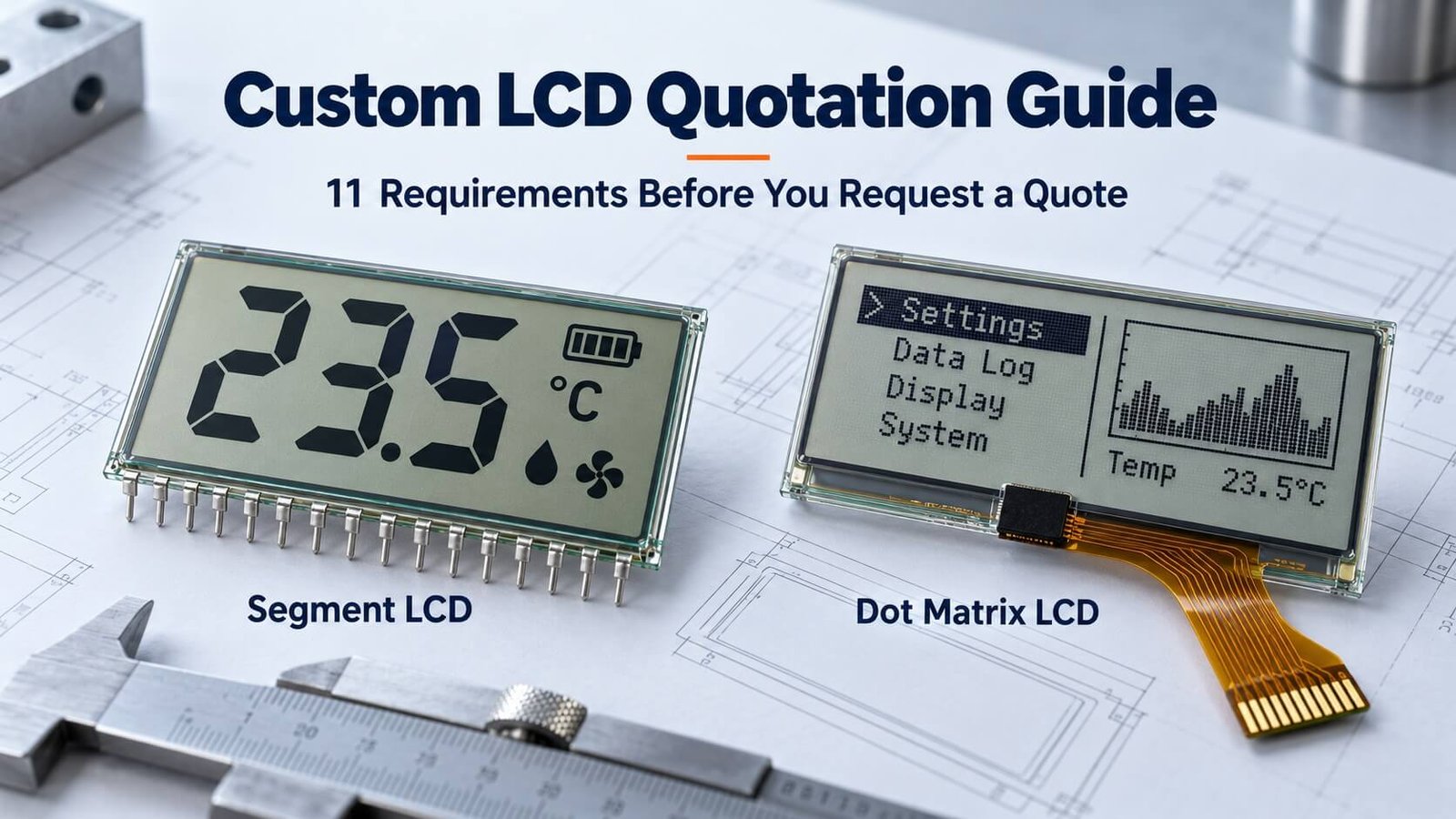
Choose the content structure before finalizing the glass, driver and quotation. A segment LCD uses predefined shapes; a dot matrix LCD uses an addressable pixel grid. They can both show information, but the way you create and change that information is different.
Segment LCD: fixed digits, icons and custom artwork
A segment display can contain seven-segment digits, more complex alphanumeric elements, logos, scales and custom symbols. Each independently controlled element has a defined shape and location in the glass artwork. It is not limited to seven-segment numbers.
Changing the displayed value is normal operation. Adding a completely new icon or moving a fixed symbol after tooling can require a glass redesign; firmware cannot draw arbitrary content outside the available shapes. For a stable numeric/status interface, well-designed segments can provide clear, large information without requiring a general-purpose pixel framebuffer.
Send the full artwork, digit height, decimal points, units, symbols, independently controlled elements and required combinations. Mark whether all segments need to be on together and identify any special routing or appearance requirements. Review tooling and driver feasibility before assuming a particular pin count.
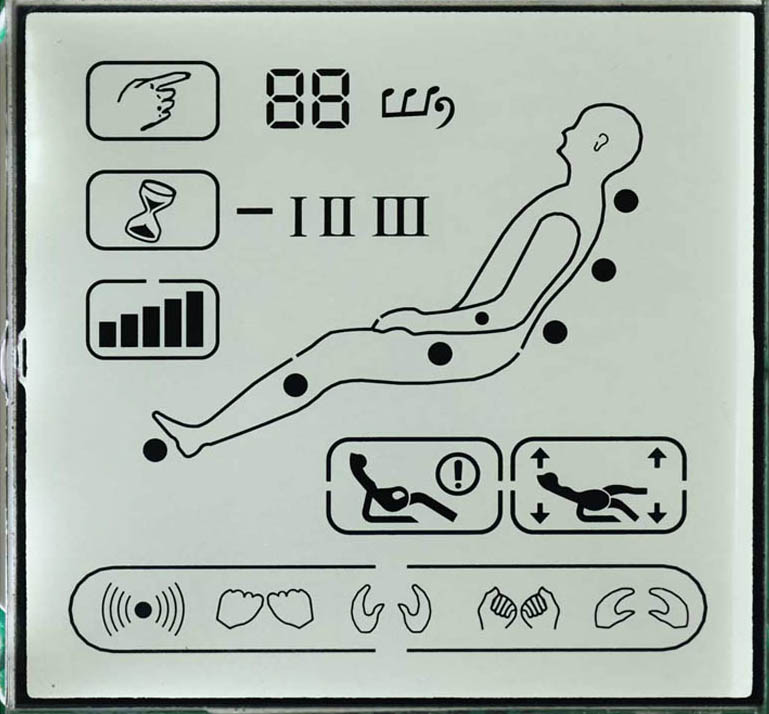
Explore Segment LCD Displays for custom fixed-layout panels and related module directions.
Dot Matrix LCD: programmable content within a fixed pixel grid
A dot matrix display forms letters, symbols and graphics from addressable pixels. It can be useful for changing menus, multiple languages, different messages or graphical content, provided the pixel count and controller support the requirement.
“Programmable graphics” does not mean unlimited detail: the matrix resolution, active dimensions, font size, controller memory and update performance set the usable content area. A 128 × 32 matrix defines pixel count, not physical size or how many readable lines your chosen font will provide.
Send the required resolution, active area, example screens, fonts/languages and update behavior. Identify the host interface and controller if fixed. A character module built from dot-matrix character cells can restrict layout differently from a fully graphic matrix, so specify which behavior is required.
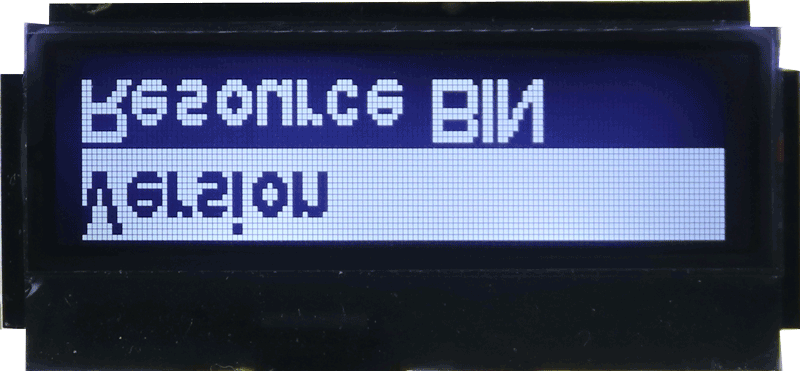
Explore Dot Matrix LCD Displays for pixel-matrix module directions. The Graphic LCD Displays page provides a related route for graphical interface requirements.
| Decision | Segment LCD | Dot Matrix LCD |
|---|---|---|
| Content structure | Predefined digits, icons and artwork | Addressable pixel matrix |
| Firmware changes | Select available elements and combinations | Change content within pixel/controller limits |
| Typical fit | Stable numeric readouts and status symbols | Menus, changing messages and graphics |
| Quotation artwork | Complete segment layout and independent-element map | Resolution, physical dimensions and representative screens |
| Future layout changes | New physical shapes may require new glass | New layouts may be possible within the existing matrix |
| Drive and resources | Confirm segment count, commons and mapping | Confirm matrix, controller, memory and update requirements |
Neither type is automatically lower cost or lower power in every project. Compare the complete glass/module, driver, backlight, quantity and development scope. Custom icons can also coexist with a dot-matrix region; a hybrid design requires an explicit layout and drive review.
Practical example: a meter that always shows a measurement, unit and battery symbol may suit a segment layout. An instrument that needs changing menus and multilingual instructions may benefit from a suitable dot matrix. Approve both the content and its readability before committing to tooling.
5. TN vs HTN vs STN vs FSTN: Select the LCD Mode
TN, HTN, STN and FSTN describe liquid-crystal or optical-compensation approaches used in monochrome LCD designs. They do not specify the artwork, optical mode, driver or complete module by themselves.
TN — Twisted Nematic
TN is an established direction for simple segment information, particularly where a suitable static or low-multiplex design meets the viewing requirement. It can offer a simple construction, but the actual contrast and off-axis appearance must be checked under the specified drive and lighting.
Do not assume that every TN panel is the cheapest possible delivered assembly. Glass size, segment routing, order quantity, backlight and connections also affect price.
HTN — Higher-Twist Nematic
HTN uses a greater twist than conventional TN and can improve viewing behavior in suitable segment designs. It does not guarantee a particular angle range or eliminate all ghosting. Evaluate it with the intended duty, bias and observation positions.
A legacy design may need to preserve an existing driver and appearance. In that case, review the original specification and physical sample before choosing a replacement mode.
STN — Super-Twisted Nematic
STN has electro-optical characteristics useful for passive-matrix multiplexing, including character and dot-matrix applications. Its appearance can include yellow-green or blue variants, depending on the optical construction and image mode.
STN is not limited to one color appearance, and it does not automatically provide equal clarity in all directions. Specify the background, desired information color, drive and viewing requirement together.
FSTN — Film-Compensated Super-Twisted Nematic
FSTN adds optical compensation to an STN construction to reduce unwanted coloration and support a more neutral appearance. A positive FSTN display is often considered when dark information on a light background is desired; negative versions also exist.
Compensation does not independently determine the permitted multiplex duty, response speed or viewing-angle range. Compare a complete sample and its specification rather than assigning FSTN a universal “best” rating.
Detailed comparison: TN, HTN, STN and FSTN
This comparison preserves the practical categories from the original guide. Cost and optical performance are relative selection tendencies; confirm the exact glass, drive and sample instead of applying a fixed quality ranking.
| Comparison item | TN LCD | HTN LCD | STN LCD | FSTN LCD |
|---|---|---|---|---|
| Main advantages | Established, relatively simple construction; economical for suitable simple layouts | Can improve viewing behavior over a suitable TN design while retaining a relatively simple segment approach | Useful electro-optical behavior for multiplexed information; several optical appearances available | STN architecture with compensation film; useful for a more neutral background and monochrome appearance |
| Typical applications | Fixed digits, icons and simple segment information | Segment information with more demanding viewing requirements | Multiplexed segments, characters and dot-matrix information | Character, graphic and segment applications where compensated appearance is required |
| Main limitations | Viewing direction and contrast/ghosting require care, particularly as multiplexing increases | Still requires viewing-direction and drive optimization; not an all-angle guarantee | Uncompensated background coloration may be undesirable; drive and optical construction need matching | Compensation adds optical-stack complexity and cost; viewing and response still require validation |
| Liquid-crystal twist angle | Typically about 90° | Greater than conventional TN; about 110° is one design example | Super-twisted; roughly 210°–255° in the original guide’s design examples | STN-based twist with added compensation film; not a separate universal twist value |
| Viewing behavior | Preferred direction and off-axis contrast depend on the design | Can improve on a comparable TN reference | Can support useful viewing performance, but not identical contrast from every direction | Compensation improves appearance; usable angle range remains product-specific |
| Contrast | Check under specified drive, lighting, temperature and viewing geometry | Compare against a matched TN sample rather than assuming a fixed rating | Suitable drive can provide useful multiplex contrast | Compensation can improve background neutrality and perceived contrast; no universal “best” ratio |
| Drive / scan duty | Often considered for static or lower-multiplex designs; confirm specification | Confirm the actual glass/driver combination | Suitable for multiplexed designs; confirm duty and bias separately | Duty follows the selected STN-based design and driver; not restricted to 1/64 or higher multiplexing |
| Positive appearance | Common examples use darker segments on a light/gray background | Darker segments on a lighter background; exact color varies | Yellow-green or gray-toned examples are available | Commonly dark information on a lighter, more neutral background |
| Negative appearance | Brighter segments on a darker background with appropriate illumination | Brighter segments on a darker background with appropriate illumination | Blue-background/bright-character examples are available | Brighter information on a darker compensated background; exact color depends on the construction |
| Relative cost | Often economical for a suitable simple design | May add cost over a comparable TN design | Depends on glass, materials, drive and assembly | Compensation may add cost over a comparable STN design |
Background and character colors depend on polarizers, compensation, illumination and operating conditions. Positive/negative appearance is not fixed to one optical mode. The angle values above are descriptive examples, not manufacturing acceptance limits.
Duty and bias are different parameters. Duty describes the selection fraction in a multiplex scan; bias describes waveform voltage levels. The old comparison table mixed these terms and assigned fixed duty ranges to each mode. Obtain both values from the selected driver/glass specification rather than treating such ranges as universal rules.
For new monochrome projects, DisplayMan generally starts by reviewing STN/FSTN options. The final choice depends on content, environmental limits, the available platform and the approved appearance. TN/HTN may still need to be reviewed for a legacy replacement or a specific design requirement.
DisplayMan’s practical product routing: segment or dot matrix?
For the custom monochrome platforms covered by this guide, DisplayMan uses the following simplified routing. “Entry-level” and “higher-specification” refer to the project direction, not a universal quality grade.
| Platform | Position in DisplayMan’s selection process | Content structure offered in this scope |
|---|---|---|
| TN / HTN | Entry-level, simpler display direction | Segment / fixed artwork |
| STN / FSTN | Higher-specification monochrome direction | Segment and dot matrix |
| Monochrome VA | Higher-specification segment direction | Segment / fixed artwork |
VA is included here as a monochrome segment option. This statement does not describe all VA-based TFT monitors or other manufacturers’ products. For changing menus and pixel graphics within this supply scope, review STN/FSTN dot-matrix options; for predefined digits and icons, review the segment platforms against the required appearance and operating conditions.
See LCD Glass Panels for construction options, including STN LCD Glass Panels and FSTN LCD Glass Panels. Positive/negative appearance is discussed in section 9, and transmissive/reflective/transflective optics in section 11.
6. Define Operating, Storage and Environmental Conditions
Specify the complete operating range, not only the highest temperature. The material system selected for very high temperatures may not provide the same low-temperature performance as a design optimized for extreme cold. The highest and lowest available limits cannot simply be combined into one product rating.
Operating and storage limits are separate specifications. Also state humidity, condensation risk, direct sunlight, vibration, chemical exposure and the enclosure arrangement. Check response at the cold end and contrast, background color and ghosting at the hot end.
Common operating and storage temperature options
| Reference option | Operating temperature | Storage temperature |
|---|---|---|
| Standard range — Option 1 | 0°C to +50°C | −10°C to +60°C |
| Extended range — Option 2 | −10°C to +60°C | −20°C to +70°C |
| Wide range — Option 3 | −20°C to +70°C | −30°C to +80°C |
These are common reference combinations for DisplayMan custom monochrome LCD enquiries. Confirm the actual glass and complete assembly specification.
Special high-temperature and low-temperature designs
Operating at +80°C is already a special high-temperature requirement beyond the common ranges above. Selected custom designs can be reviewed for +85°C or +90°C operation, but their lower operating limit may need to be −10°C or −20°C. Do not interpret this as availability of a −40°C to +90°C design.
Conversely, a design requiring operation down to −40°C may need an upper operating limit of only +50°C or +60°C. These combinations describe DisplayMan’s practical engineering review directions; the selected material, drive and approved sample determine the actual rating.
| Project priority | Range direction to discuss | What must be confirmed |
|---|---|---|
| Very high upper operating limit | Selected designs reaching +85°C or +90°C, with a lower limit such as −10°C or −20°C | Exact paired limits, exposure duration, image performance and complete assembly |
| Extreme low-temperature operation | −40°C lower limit, with an upper limit such as +50°C or +60°C | Cold response, hot-end performance, drive and qualified material system |
An +80°C storage rating does not establish +80°C operation. For every special range, agree the powered test conditions, duration, contrast, response and allowable image changes. Review polarizers, adhesives, driver, backlight and connections where supplied, as well as the LCD glass. Storage limits must be confirmed separately.
Temperature and Reliability Testing: An Original LCD Example
My earlier temperature-testing article contained a specification example for a negative, transmissive monochrome LCD with a 12 o’clock viewing direction. Its recorded drive was 1/4 duty, 1/3 bias and Vop = 5.0 V, with an operating range of −20°C to +70°C and a storage range of −30°C to +80°C.
The table below preserves its reliability-test conditions. It is an example test schedule for that LCD, not a universal DisplayMan standard and not evidence that a particular batch passed. The original article did not provide sample counts, chamber records or before/after inspection results. A new project needs an agreed plan and recorded results for its actual design.
| Test | Recorded condition | Electrical state | Duration |
|---|---|---|---|
| High-temperature operation | +70°C | Powered; specified LCD drive at Vop = 5.0 V | 192 hours |
| Low-temperature operation | −20°C | Powered; specified LCD drive at Vop = 5.0 V | 192 hours |
| High-temperature storage | +80°C | Unpowered | 192 hours |
| Low-temperature storage | −30°C | Unpowered | 192 hours |
| High-temperature/high-humidity exposure | +40°C, 90% RH | Unpowered | 192 hours |
| Temperature cycling | −20°C → +25°C → +70°C → +25°C | Unpowered | 10 cycles; dwell times below |
| Cycle stage | Temperature | Recorded dwell |
|---|---|---|
| 1 | −20°C | 30 minutes |
| 2 | +25°C | 20 minutes |
| 3 | +70°C | 30 minutes |
| 4 | +25°C | 20 minutes |
The listed dwells total 100 minutes per cycle, excluding any transition time. The original schedule did not establish ramp rate, transfer method or when the dwell timer starts. Do not treat it as a defined thermal-shock procedure or infer a complete test duration without those details.
Agree What Is Measured and What Counts as Acceptable
- Before testing: identify samples, revision, material/assembly configuration, drive waveform, display pattern and reference measurements.
- During powered exposure: check the required segments or graphics, contrast, background color, ghosting and response where the agreed setup permits measurement. LCD drive is the specified alternating waveform; a 5.0 V Vop reference does not authorize continuous DC across the cell.
- During unpowered exposure: maintain the specified electrical state and control humidity and condensation as required by the plan.
- After exposure: use an agreed recovery interval and ambient condition, then inspect appearance, polarizer/adhesive condition, connections and electrical/optical performance.
- Acceptance: agree sample count, allowed defects, response/contrast limits, measurement geometry and before/after change limits. Retain chamber logs and the actual result for each sample.
A display recovering at room temperature after storage does not prove it was readable at that storage temperature. Likewise, a glass-only test does not qualify the backlight, driver board, cover lens or complete enclosure. Define the test boundary before quotation so the customer and supplier are evaluating the same product.
7. Confirm Supply Rails and LCD Drive Requirements
For DisplayMan’s custom monochrome LCD quotation process, 5.0 V is the normal design starting point. TN and HTN can also be reviewed for 3.0 V designs. For the STN, FSTN and VA platforms discussed here, DisplayMan specifies a 5.0 V design requirement.
| LCD direction | DisplayMan quotation starting point | Review note |
|---|---|---|
| TN / HTN | Normally 5.0 V; 3.0 V designs can be reviewed | Match material, duty, bias, temperature and appearance |
| STN / FSTN / monochrome VA | 5.0 V required for the platforms discussed here | Do not assume a direct 3.0 V replacement |
| Special low-voltage TN | Requests such as 2.8 V or 2.6 V require engineering review | Background color, contrast and temperature behavior are more demanding |
These are DisplayMan’s platform selection requirements, not a universal voltage rule for every LCD sold elsewhere. In the drawing, identify whether a number refers to the module input, driver supply or LCD drive condition. A 3.0 V host interface or battery does not by itself prove that the glass can be driven at 3.0 V; suitable power conversion may be needed.
Why 2.8 V or 2.6 V needs additional review
Some customers require a TN LCD to work at 2.8 V or even 2.6 V. This is a special design request rather than a setting to apply to an existing 3.0 V or 5.0 V panel. Lower-voltage designs are technically demanding and can show background color shift or changed contrast, particularly as drive and temperature conditions vary.
Send the minimum, nominal and maximum voltage, battery discharge range, driver IC, waveform, duty, bias and required operating temperature. Approve appearance at the voltage and temperature corners, not only on a room-temperature sample at nominal voltage.
A bare LCD cell needs the specified alternating drive waveform. Static drive also uses alternating electrical drive; it does not mean sustained DC across the cell. Distinguish logic supply, LCD waveform/bias and LED backlight power. Do not exceed the approved drive limits to hide weak contrast or missing segments.
8. Static or Multiplex Drive: COM Count, Mapping and Image Quality
COM means a common-electrode drive line. One COM corresponds to static segment drive. A multiplex design scans several commons; a basic N-COM scan is commonly described as 1/N duty. COM count is not the number of digits or the number of host connector pins.
Static drive — the preferred optical starting point for simple segments
For a suitable segment design, DisplayMan regards static drive with one COM as the preferred choice for display effect and drive margin. Fewer commons generally make it easier to achieve a clear, stable image in a comparable design. The trade-off is more individual segment connections and driver outputs.
A fuel-dispenser or petrol-station readout is a useful example: where the display has relatively few segments and needs high-temperature operation, DisplayMan normally recommends one-COM static drive as the starting point. The required temperature rating and complete equipment requirements still need separate qualification.
More commons reduce connections but increase design difficulty
Multiplexing addresses more elements with fewer electrode lines. As COM count rises, maintaining adequate distinction between selected and non-selected elements becomes more demanding. Material, waveform, bias, voltage, temperature and artwork must be reviewed together to control contrast and ghosting.
For suitable STN/FSTN platforms, 64-COM operation is an established, stable direction in DisplayMan’s experience. Higher COM counts require additional review; 64 COM is neither a universal maximum nor a guarantee for every panel and drive condition.
| Design direction | Practical recommendation | Main trade-off |
|---|---|---|
| Few segments; high-temperature numeric/status display | Review static drive, one COM, first | More segment outputs and physical connections |
| More segment information with limited connections | Review a suitable lower-multiplex design | Balance line count against optical and temperature margins |
| STN/FSTN dot-matrix or higher-information layout | Match row/COM count to the qualified platform; 64 COM is a proven direction | More commons make drive and optical optimization harder |
Electrode mapping versus module interface
For an illustrative 17-element layout, a one-common arrangement could require 18 electrode connections. A three-common matrix could use six segment lines plus three commons to map the 17 elements, subject to routing and driver feasibility. That saves connections but is not automatically the best optical choice.
A simple 128 × 32 passive matrix has 128 column and 32 row electrodes. A controller-equipped module can expose a much smaller host connector. Glass electrode count, COM count and host interface pin count are different specifications.
Confirm the segment map or matrix, COM count, duty, bias, drive voltage, driver/controller and host interface before PCB layout. Qualify the working sample over the paired voltage and temperature requirements.
9. Positive vs Negative Display and Viewing Direction
Positive and negative describe image appearance
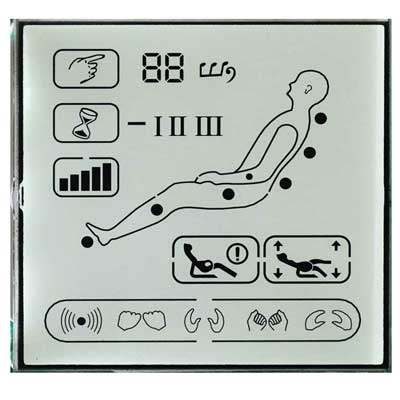
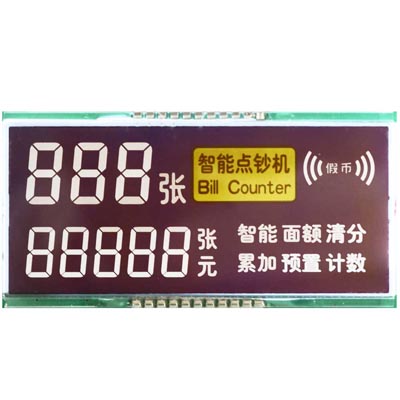
A positive display normally presents darker characters or pixels against a lighter background. A negative display presents lighter characters against a darker background, commonly using backlighting for the intended appearance.
These terms do not describe supply polarity or whether the LCD emits its own light. LCD is non-emissive in both cases. A negative-voltage bias rail does not make a module a negative-image display.
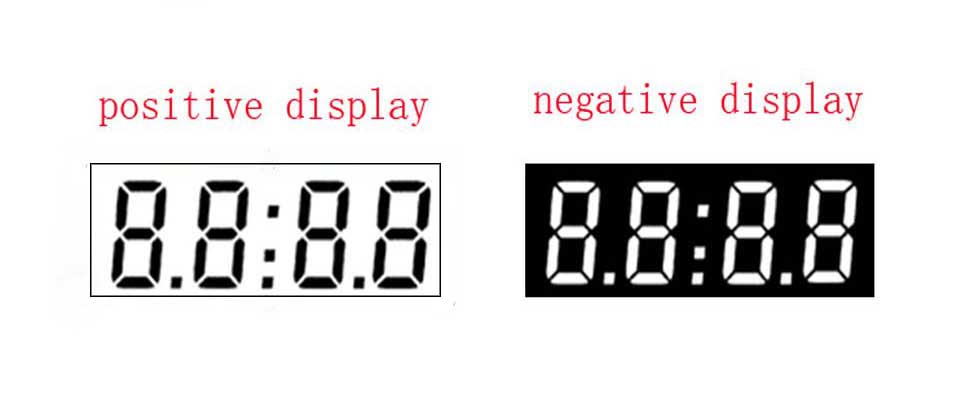
| Requirement | What to review |
|---|---|
| Dark information on a light background | Positive appearance with the intended reflective/transflective/transmissive construction |
| Lit information on a dark background | Negative appearance, backlight and ambient-light performance |
| Specific background or segment color | Exact LCD mode, polarizers, illumination and sample appearance |
Viewing direction is different from viewing-angle range
Clock-face notation describes the preferred off-axis viewing direction relative to the drawing’s front-view orientation. A 6 o’clock preference means evaluation from below that orientation; 12 o’clock means from above. Confirm the drawing convention and the way the display is installed.

A preferred direction is not a claim that only one direction is visible. Nor does STN automatically provide equal clarity from all sides. Contrast, ghosting and inversion depend on the panel, drive, temperature and observation angle.
Provide a sketch of the user’s eyes relative to the display, including installation tilt. Approve a sample from the normal and extreme user positions with actual content and the final front cover.
10. Choose the LCD Connection and Assembly Method
Connection choice depends on the module construction, not simply whether it is monochrome or color. Conductive rubber strips, metal pins and heat-seal flexible interconnects are common options in monochrome LCD assemblies. FPC is also a principal connection method for monochrome dot-matrix modules—especially COG—and for color TFT LCD modules. Specify the glass-side attachment and module-to-mainboard connection separately.
The term “zebra connection” can be ambiguous: distinguish an elastomeric conductive strip from a heat-seal flexible interconnect. FPC is another construction and should not be grouped under heat-seal paper simply because both are flexible.
10.1 Monochrome LCD: conductive rubber strip — often called zebra rubber
Alternating conductive and insulating regions connect the glass contacts to PCB pads under controlled compression. A housing or frame maintains alignment and load. The contact is not made by directly soldering ordinary wires onto the glass.
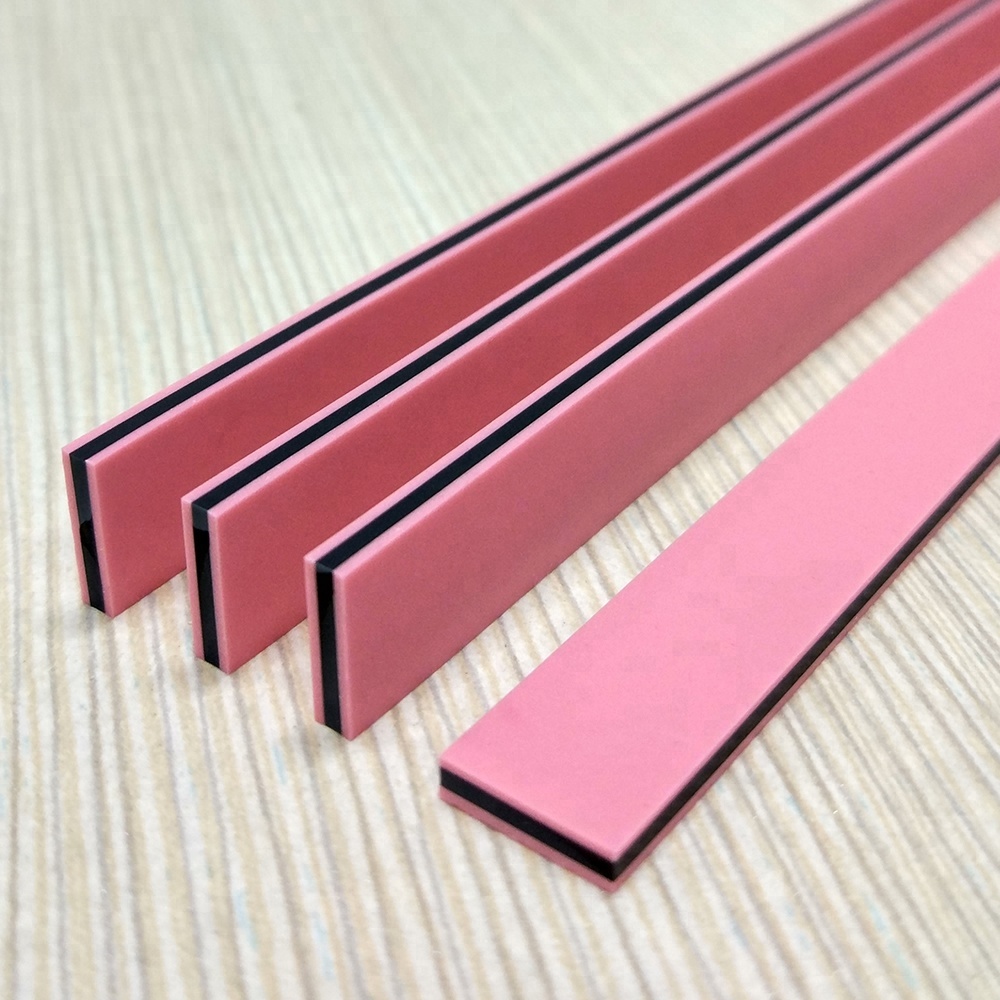
This can support a serviceable assembly, but compression, pad layout, cleanliness, tolerance and retention must be designed together. Shock resistance is a qualification requirement, not an automatic property of any strip assembly.
10.2 Monochrome LCD: metal pin connection
Attached metal pins provide terminals that can be connected to the PCB according to the approved process. The glass-to-pin attachment is a different interface from the pin-to-PCB solder joint.
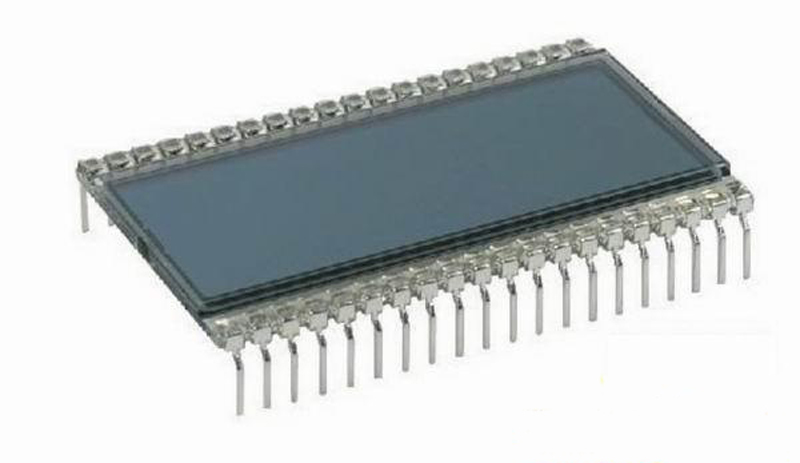
Confirm pin count, pitch, length, orientation, attachment method and permitted soldering conditions. Pitches such as 1.27, 1.5, 2.0 and 2.54 mm are possible examples, not guaranteed options for every design. Custom pin geometry, bent pins or a special pitch require review of tooling, quantity and mechanical stress.
For the original overheating experiments and practical assembly lessons, read LCD Pin Soldering: Missing Segments & Assembly Lessons. It explains why a PCB soldering operation can also affect the attachment near the glass.
10.3 Monochrome LCD: heat-seal flexible interconnect
A heat-seal interconnect uses a suitable flexible conductive structure and a controlled bonding process to connect the monochrome LCD assembly. Confirm its actual material and termination rather than identifying it only by the informal name “zebra paper.” It is not interchangeable with an FPC.
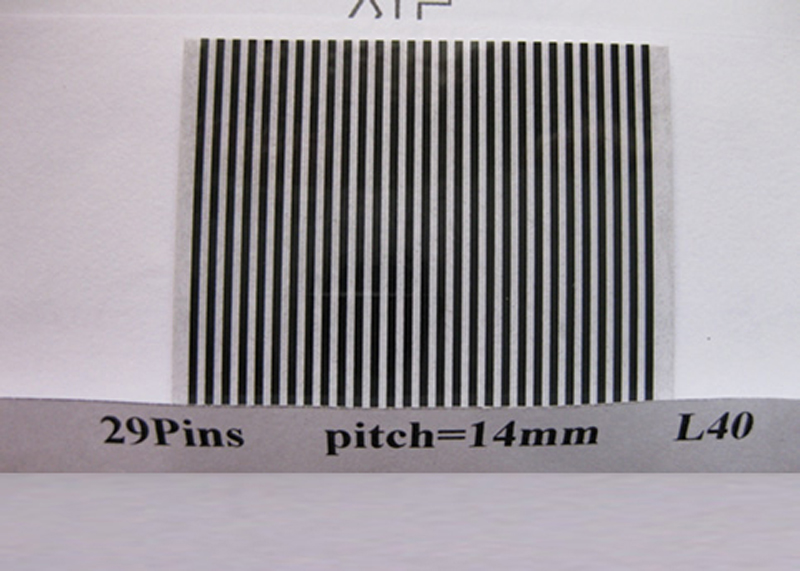
Confirm bonding materials, pitch, tail geometry, strain relief and the PCB-side termination. Temperature, humidity, vibration and rework capability must be checked for the actual construction; “suitable for all harsh environments” is not an acceptable blanket specification.
10.4 Monochrome Dot Matrix, COG and Color TFT LCD: FPC Connection
FPC means flexible printed circuit. It is a main connection method for both monochrome dot-matrix LCD modules and color TFT LCD modules, carrying the required connections between the display assembly and the host/controller board.
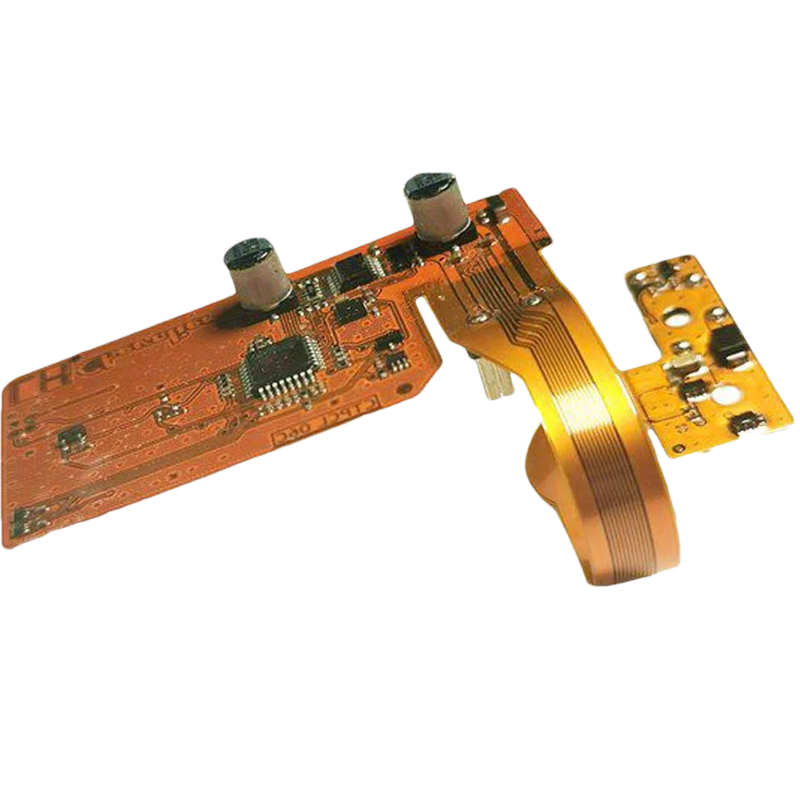
For custom flexible-circuit routing, connector matching and assembly requirements, explore FPC & Cable Assembly. Provide the module drawing and electrical requirements so the FPC can be reviewed as part of the complete connection.
Monochrome dot matrix and COG modules
In Greg’s experience with DisplayMan’s monochrome dot-matrix projects, COG modules use FPC almost exclusively for the external connection. It should be presented as a primary connection direction for these products, rather than merely an occasional monochrome alternative.
COG means chip on glass: the driver IC is mounted on the glass. FPC describes the flexible interconnect used to bring the required signals and power to the host/controller board. These terms describe different parts of the assembly and are compatible with one another.
A controller-equipped COG module can expose host power, control and communication connections rather than bringing every individual glass row and column to the mainboard. Confirm the exact controller, pinout and interface for the selected module.
Explore COG LCD Displays and Dot Matrix LCD Displays for monochrome module options.
Color TFT LCD modules
FPC is also a principal connection direction for color TFT LCD modules. A selected module may use an FPC tail, an FPC connector or a module connector and cable arrangement, depending on its construction.
The host end of an FPC tail commonly mates with a suitable FPC/FFC connector. Other terminations must follow the approved design. The factory bond at the display end is not the same connection as the removable connector on the mainboard.
For a quotation or replacement review, provide:
- Pin count, pitch and the complete pin assignment.
- Exposed-contact side, mating orientation, insertion depth and tail-end thickness/stiffener.
- FPC length, exit direction, routing, permitted bending and available connector space.
- Exact mating connector and locking arrangement, where already selected.
- Display interface, logic levels, supply rails, backlight connections and any touch connections.
FPC describes the physical interconnect, not the display protocol. RGB, LVDS, MIPI DSI and other interface requirements must still be specified for the selected TFT module. Matching pin count and pitch does not establish electrical compatibility.
For custom routing or a replacement, review the complete drawing and pinout before assuming a different length, fold or connector location is feasible. Consider strain relief, mechanical clearance and signal integrity, then validate the sample in the final enclosure. See TFT LCD Displays and What Is TFT LCD? for module-level requirements.
For both monochrome COG and color TFT modules, approve the actual FPC drawing and mating connector. The final module specification defines the connection; color capability alone does not determine it.
| Connection method | Main product direction in this guide | Information needed for quotation |
|---|---|---|
| Conductive rubber strip | Monochrome LCD | Glass/PCB contact layout, compression, stack height and enclosure retention |
| Metal pins | Monochrome LCD | Pin drawing, count, pitch, orientation, attachment and solder conditions |
| Heat-seal flexible interconnect | Monochrome LCD | Bonding material, pitch, tail geometry, routing and PCB termination |
| FPC | Main connection for monochrome dot-matrix/COG and color TFT LCD modules | Pinout, interface, connector, contact side, pitch, length, thickness and bend/routing limits |
Avoid universal minimum-pitch claims. The supplier must review the complete contact and assembly design.
11. Select Transmissive, Reflective or Transflective LCD
These terms describe how the optical arrangement uses available light. They are separate from positive/negative appearance and liquid-crystal mode.
| Optical mode | Main light path | Dark conditions | Useful project direction |
|---|---|---|---|
| Transmissive | Light passes through the LCD from behind | Requires suitable rear illumination | Lit interfaces and controlled display systems |
| Reflective | Incident light returns toward the viewer through the display | Needs adequate incident light or a designed frontlight | Ambient-light viewing and low backlight-power needs |
| Transflective | Combines reflected light and transmitted rear illumination | Backlight can support viewing | Products used across changing light conditions |
Transmissive LCD
A transmissive construction uses light arriving from behind the image-forming panel. In a conventional module, this comes from a backlight. The absence of a reflector in the LCD rear optical path should not be confused with the reflective materials that may be used inside the backlight itself.
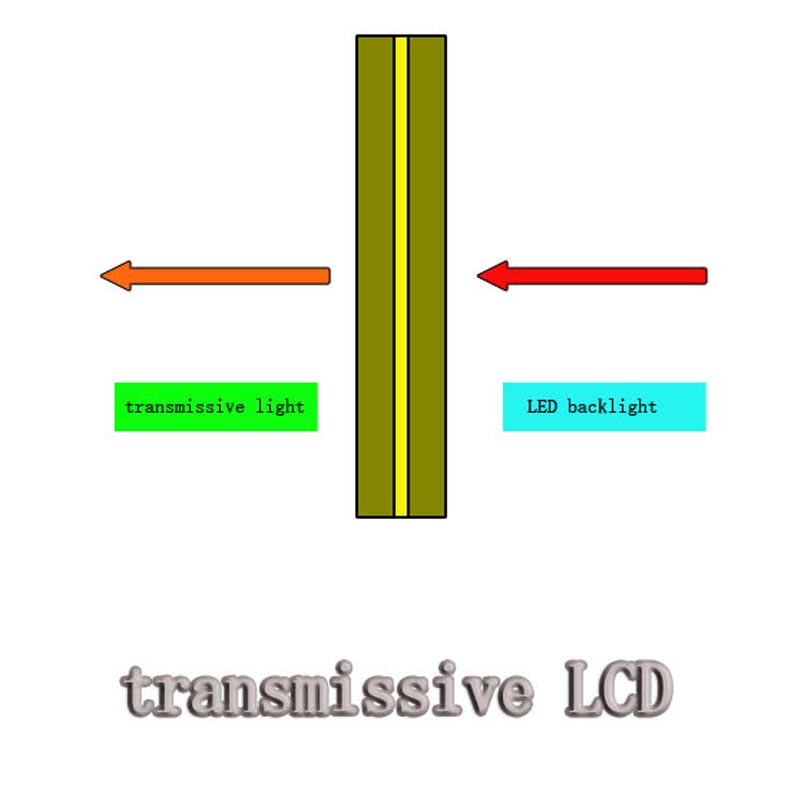
It is not automatically limited to indoor use. A suitable high-brightness transmissive system can be considered for bright environments when reflection control, heat and optical integration are addressed. Remove the unsupported “90% of the market” claim and evaluate the actual product.
Watch: Transmissive LCD demonstration
Reflective LCD
A reflective construction uses incident light from the viewing side and a reflective optical structure. It can remain readable without a powered backlight when suitable illumination is present. In darkness it needs an appropriate external light or designed frontlight.
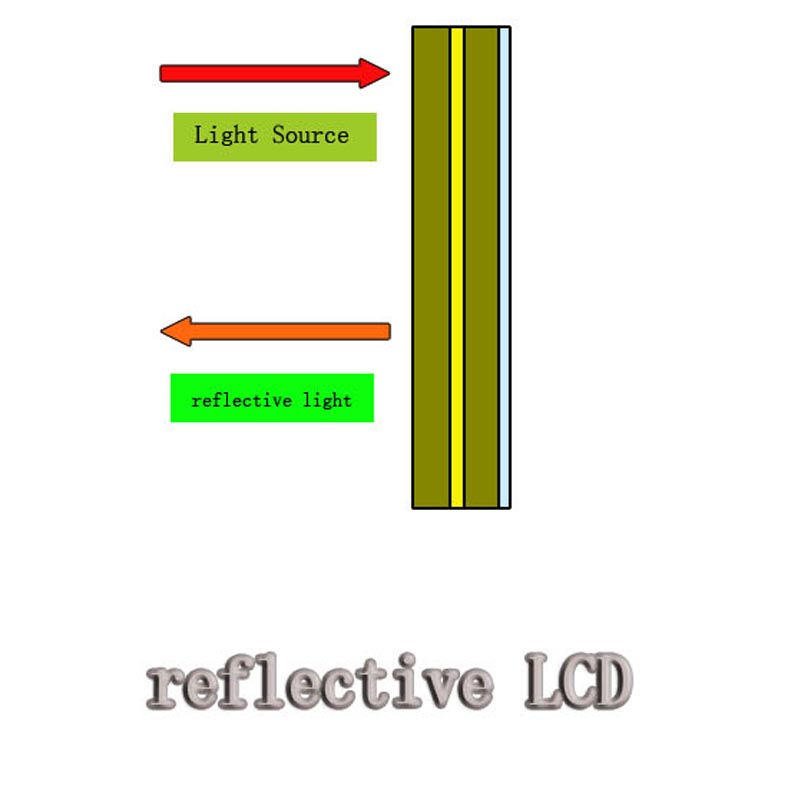
Reflective LCD is not inherently the cheapest option and is not limited to monochrome products. Color, resolution and operating behavior depend on the chosen platform. No optical mode guarantees freedom from eyestrain or eye injury.
Watch: Reflective LCD demonstration
Transflective LCD
A transflective construction supports both reflected ambient light and transmitted rear illumination. This may use a transflector or a design with separate transmissive and reflective areas. It is not a one-way film that simply blocks all front light and passes all backlight.
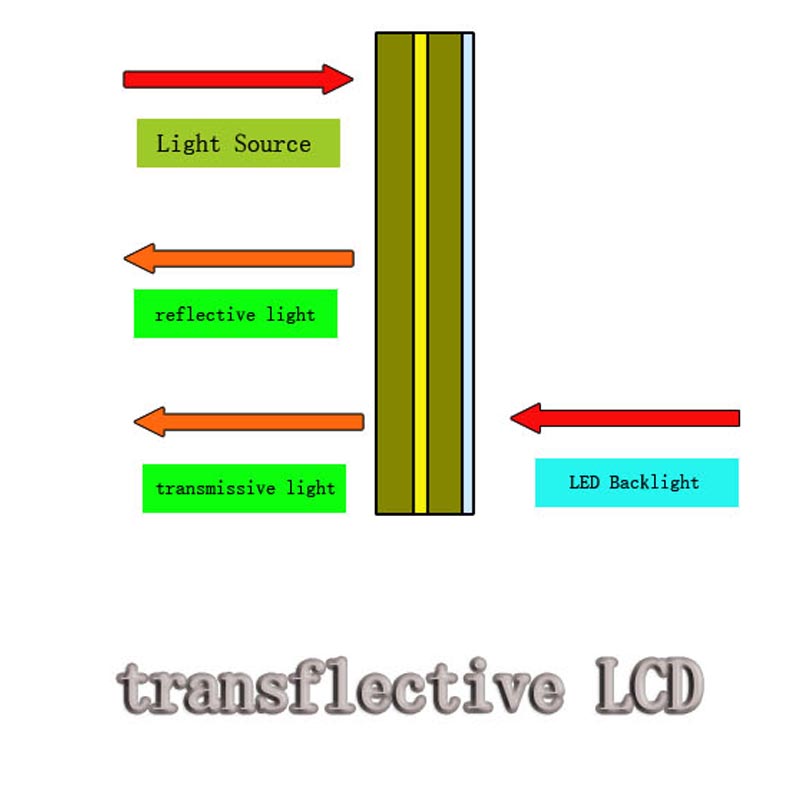
The balance involves optical efficiency, contrast, color/appearance, power and cost. It can be useful when lighting changes, but it is not automatically the best or most expensive LCD. Verify readability with backlight off and on under the intended indoor and outdoor conditions.
Watch: Transflective LCD demonstration
How to use the original demonstrations
The three videos show sample behavior under different lighting and backlight states. Seeing a finger through a sample is an observation, not a specification of transmittance or an acceptance test. Camera exposure and lighting are not a controlled performance comparison unless documented.
Approve samples at defined illumination, viewing positions and drive settings. For power estimates, include how often auxiliary illumination is actually required.
A transmissive LCD is also not automatically a transparent product display. For seeing physical objects behind a screen, evaluate Transparent LCD Displays as a complete optical system. For daylight-readable full-color modules, review High Brightness TFT LCD Displays.
Final RFQ Checklist and Sample Approval
Provide one package containing the supply scope, artwork, mechanical drawings, required appearance, viewing positions, optical mode, environmental limits, driver/interface information, quantity and schedule.
Confirm the responsibilities for glass, backlight, controller, PCB, connector and enclosure. For a backlight development requirement, also read Custom LED Backlight Quotation Requirements.
Approve both the engineering drawing and a working sample. Check all segments/pixels, contrast, ghosting, viewing direction, backlight states, power, mechanical fit and the relevant environmental conditions. Record the approved revision and criteria for production inspection.
Frequently Asked Questions
Can I get an accurate quotation from size alone?
Not for a new custom design. Outline, viewing area, artwork, drive, optics, connections and quantity affect feasibility and cost. An existing standard module can be quoted against its exact model and configuration.
Is negative display the same as negative drive voltage?
No. One describes image appearance; the other describes an electrical supply or bias condition. Check both separately.
Are zebra rubber and heat-seal paper the same connection?
No. Specify the physical construction and attachment process. The word “zebra” alone can be ambiguous in older purchasing documents.
Should I always choose transflective LCD for outdoor equipment?
No. Compare actual content, viewing environment, auxiliary lighting, available modules and power budget. Reflective, transflective or a suitably designed high-brightness transmissive system can each have a role.
From guide to product
Explore Related Display Products
Choose the product direction that matches the content and viewing environment.
Monochrome LCD Displays
Review segment, character and graphic LCD directions with drive, optics and assembly requirements.
Explore product options →
High Brightness TFT LCDs
Compare brighter module options while checking reflection control, power and thermal constraints.
Explore product options →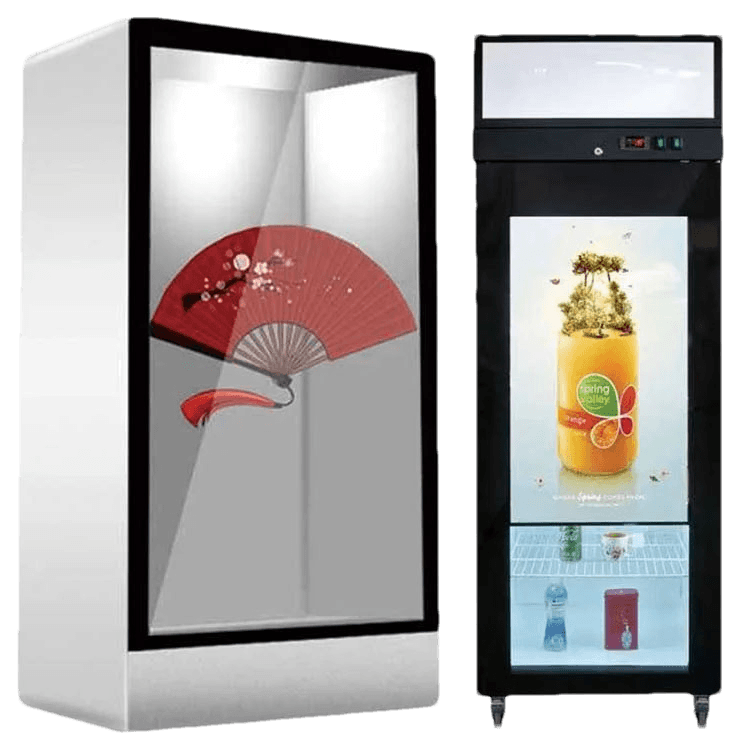
Transparent LCD Displays
Review see-through display directions for showcases, refrigeration and other engineered systems.
Explore product options →Project review
Prepare Your Custom Monochrome LCD Project
Send your artwork, dimensions, viewing conditions, driver information, quantity and drawings. DisplayMan can review a suitable monochrome LCD construction and the glass, connections, backlight and electronics required.
Prefer to open the enquiry form here?
Technical References and Further Reading
- Orient Display: TN, HTN and film-compensated STN terminology
- Newhaven Display: LCD types and optical modes
- Newhaven Display catalogue: LCD connectors and optical constructions
- Newhaven Display: Example specification listing image mode and viewing direction
- Sharp: Reflective LCD product directions, including color implementations
Examples explain construction and terminology. Confirm all drive conditions, pitches, environmental ratings, quantities and acceptance requirements for the actual design.