
Buying Guides & Project Review · Wet-Hand Touch
Choose the Touch Technology Before Choosing the Controller
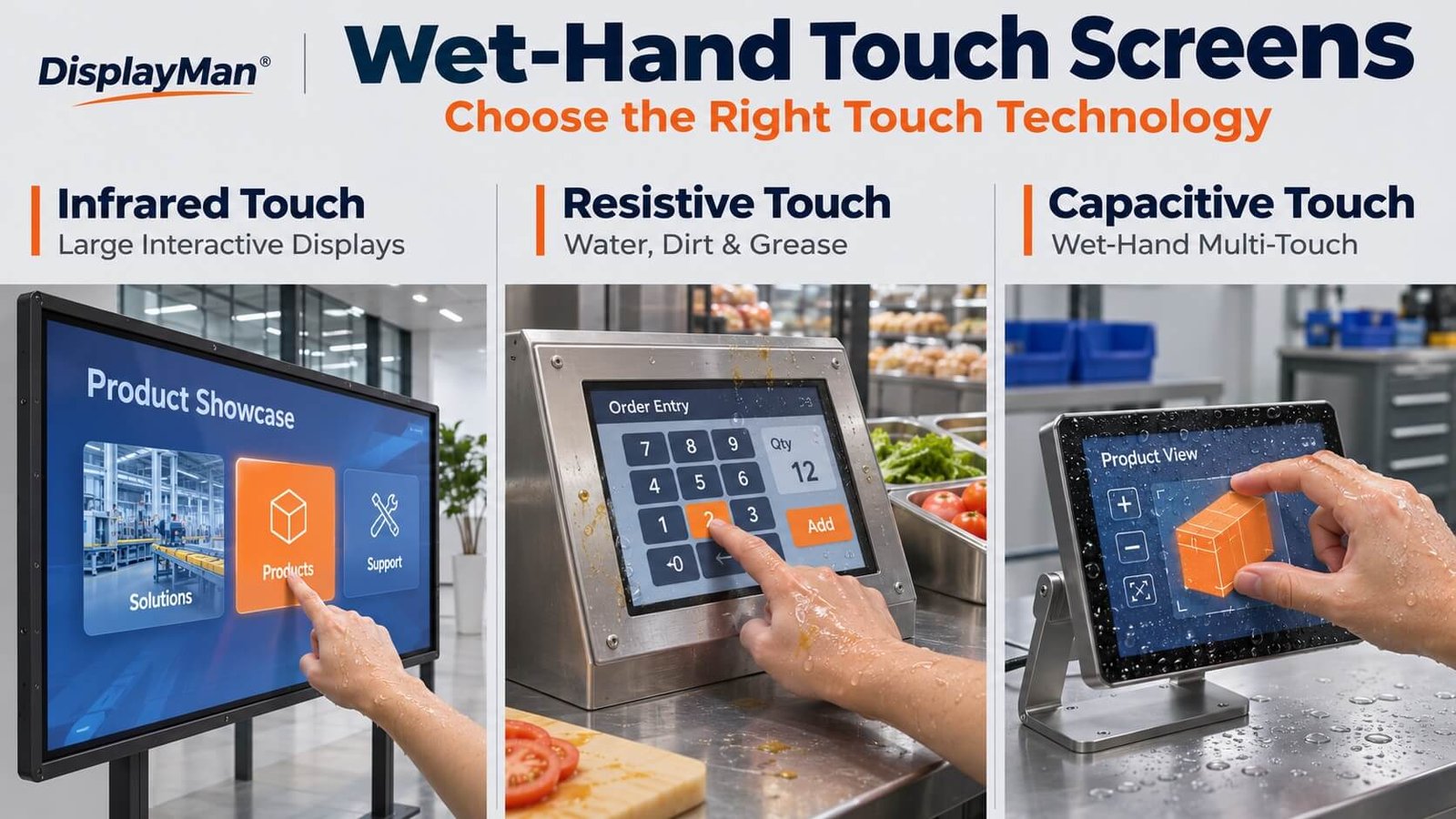
For wet-hand operation, first compare infrared, resistive and capacitive touch. Choose around the display size, water and contamination, and the actions the user needs to perform.
For large-format interaction, infrared touch is a strong starting point. For compact controls frequently exposed to water, dirt and grease, we generally prioritize resistive touch. Capacitive touch can support wet-hand multi-touch when the IC and tuning match all project requirements.
Our 7-inch standalone panel test demonstrated wet-finger drawing, dragging, two-finger zoom and multi-touch without observed false touches. That result belongs to the tested configuration, not every capacitive screen.
1. Which Touch Technology Should You Choose for Wet-Hand Operation?
There are three practical routes. Start with the operating task: a large interactive display, a compact control used around water and dirt, or a multi-touch interface that must keep working when wet. A water-capable IC is an implementation choice within the capacitive route.
| Application direction | Preferred starting point | Reason |
|---|---|---|
| Large interactive display with wet-hand or ordinary work-glove operation | Infrared touch | Input does not depend on electrical coupling through the finger |
| Compact controls in markets or similar environments with frequent water, dirt and grease | Resistive touch | Pressure-based input avoids the capacitive-sensing challenge of surface contamination |
| Compact multi-touch interface with occasional water marks or damp fingers | Capacitive touch with a suitable controller | Supports required interaction when wet-touch behavior is included in selection and tuning |
| Equipment needing protection against water ingress | A separately specified sealed assembly | Touch behavior does not establish enclosure protection |
These are practical selection directions, not universal size limits. Capacitive touch is also available in large sizes; final suitability depends on the actual hardware, installation and tests.
Glove compatibility has its own material and operating considerations. Read our Glove Touch Screens guide for those details.
Infrared vs Resistive vs Capacitive: A Practical Comparison
| Technology | How input is detected | Typical selection direction | What to confirm |
|---|---|---|---|
| Infrared | An object interrupts the optical sensing grid across the screen. | Large interactive displays, including ordinary glove and wet-hand input. | Frame integration, tracking, required touch points and water or contamination around the optical sensing region. |
| Resistive | Pressure brings the sensing layers into contact. | Compact, deliberate controls used regularly around water, dirt and grease. | Activation force, surface durability, sealing and whether single-touch operation meets the task. |
| Capacitive | The controller measures changes in capacitance. | Interfaces requiring light touch, gestures and multi-touch with defined water exposure. | Controller, sensor, cover thickness, panel area and tuning, tested together under wet conditions. |
2. Large Displays: Infrared Touch
Infrared touch detects an object interrupting a grid of infrared beams across the display surface. It does not rely on the finger’s capacitive coupling or pressure bringing conductive sensor layers together.
This makes it useful for large-format interaction with ordinary fingers, work gloves or wet fingers.
At DisplayMan, we use a 75-inch transparent LCD display cabinet with infrared touch in our office. In our hands-on use, handwriting and tapping are accurate and responsive.
We also tested this unit with thick, thoroughly soaked fabric covering a finger. The fabric had been held under running tap water for approximately 20 seconds. Writing and tapping remained accurate during that test.
This illustrates why we consider infrared touch early for large displays with demanding input requirements.
Wet Input Does Not Establish Unlimited Water Tolerance
Wet material around a finger and water obstructing the touch frame are different conditions. Water, dirt or other objects blocking the sensing region can affect detection.
Review the optical windows, frame installation and likely contamination conditions. Environmental protection also needs its own assessment; a successful wet-input test does not establish an ingress-protection rating.
Explore our Infrared Touch Frames or Transparent LCD Display Cabinets for component and complete-product directions.
3. Compact Controls with Water, Dirt and Grease: Resistive Touch
For compact equipment used regularly around water, dirt and grease, resistive touch is often our first recommendation.
A resistive touchscreen recognizes input when pressure brings conductive layers together. It does not need the electrical coupling used by capacitive touch. This is useful where operators cannot keep their fingers or the screen consistently clean and dry.
Examples include market equipment and straightforward industrial controls where users mainly:
- Press large buttons.
- Enter numbers or select menu items.
- Operate with ordinary work gloves.
- Use a suitable blunt stylus.
Deliberate single-touch controls are a different requirement from smartphone-style multi-touch gestures.
Surface Durability and Sealing Still Matter
Pressure-based sensing does not make an assembly immune to contamination or damage. Check cleaning methods, surface compatibility, mounting and enclosure sealing. Sharp objects and unsuitable cleaning chemicals can damage the touch surface.
The advantage is a practical input mechanism for the intended environment, not automatic protection against every environmental failure.
See our Resistive Touch Panels for product directions.
4. Wet-Hand Multi-Touch Interfaces: Capacitive Touch
A capacitive touchscreen is not automatically unsuitable for wet operation. The question is whether its controller, sensor and configuration support the actual conditions.
In our experience, the panel does not necessarily require an unusual surface construction. The key work is selecting an appropriate IC and completing the necessary tuning.
We have personally seen touchscreen manufacturers and touch-controller suppliers work together during this process. The required behavior is developed and evaluated as part of the selected configuration.
AG, AR and AF treatments serve their own optical or surface purposes. They do not substitute for a controller’s ability to distinguish intended wet-finger input from unwanted signals. See our AR, AG and AF Cover Glass Selection Guide.
For a compact interface with occasional water marks or damp fingers, a suitable capacitive configuration can be practical, particularly when multi-touch is needed. In vehicle projects, wet-touch behavior is only one part of the wider qualification requirements.
5. Our Hands-On Test: A 7-Inch Capacitive Touch Panel
We tested a 7-inch capacitive touch panel connected directly to a computer.
The test used ordinary tap water. The operator’s hand was wet, and a large area of the touch surface was wet. Excess water was not wiped away with a cloth or paper towel.
The finger moved directly through droplets during continuous drawing and dragging. Wet-hand two-finger zoom and multi-touch were also evaluated.
| Test condition or action | Observed result |
|---|---|
| Wet finger moving across droplets | Normal operation |
| Continuous line drawing | No observed breaks or jumping |
| Dragging | Continuous tracking |
| Wet-hand two-finger zoom | Normal operation without observed sudden jumps |
| Multi-touch with the surface wet | No observed missing or merged touch points |
| Areas not being touched | No observed false touches |
| Finger lifted from the surface | No observed continuing unwanted input |
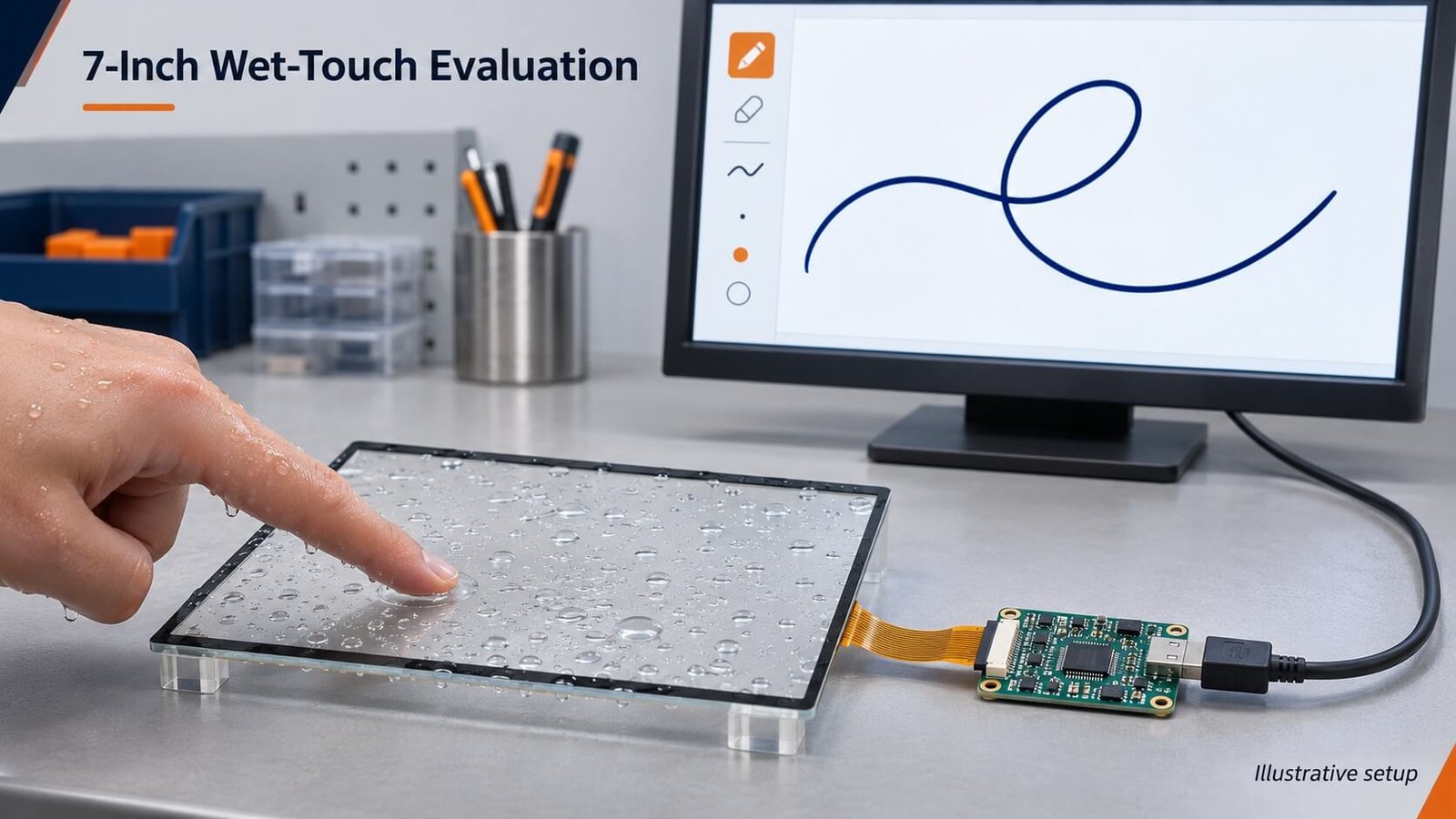
This test used a selected controller and tuned configuration. It was not an arbitrary bare-finger panel tested without preparation.
What This Test Establishes
It demonstrates that this 7-inch configuration supported the tested wet-hand and wet-surface actions. It does not establish the same performance for every panel size, controller, cover thickness or finished product.
The panel was connected separately to a computer. A final equipment assembly must still be evaluated with its display, power system, enclosure and installation.
Soap, oil, sweat, salt water and cleaning chemicals were not tested here. They are not included in the reported result.
6. Why a Wet Phone Can Behave Differently
In my personal use, a phone has produced severe false touches when my fingers were not fully dry after washing. That experience contrasts with the tuned 7-inch panel described above.
The lesson is that capacitive touch performance is configuration-dependent. The label “capacitive touchscreen” does not tell a buyer how a product will behave with wet input.
One phone’s behavior also does not prove that an OEM capacitive panel will fail under the same general description of “wet hands.” For equipment development, specify the condition and evaluate the selected configuration directly.
7. Select the IC for the Complete Requirement
We do not select an IC by checking only whether its feature list mentions water resistance. The controller must suit the combined requirements of the product.
| Requirement | Define before selection |
|---|---|
| Touch area | Panel size, active area and sensor configuration |
| Cover glass | Thickness and intended construction |
| Touch points | Two-point, five-point, ten-point or another supported requirement |
| Intended actions | Tapping, writing, dragging, zooming and other gestures |
| Wet operation | Wet fingers, droplets and required wet-surface conditions |
| Glove operation | Actual glove type and required actions |
| Temperature | Required operating conditions |
| Integration | Host interface, display assembly and electrical environment |
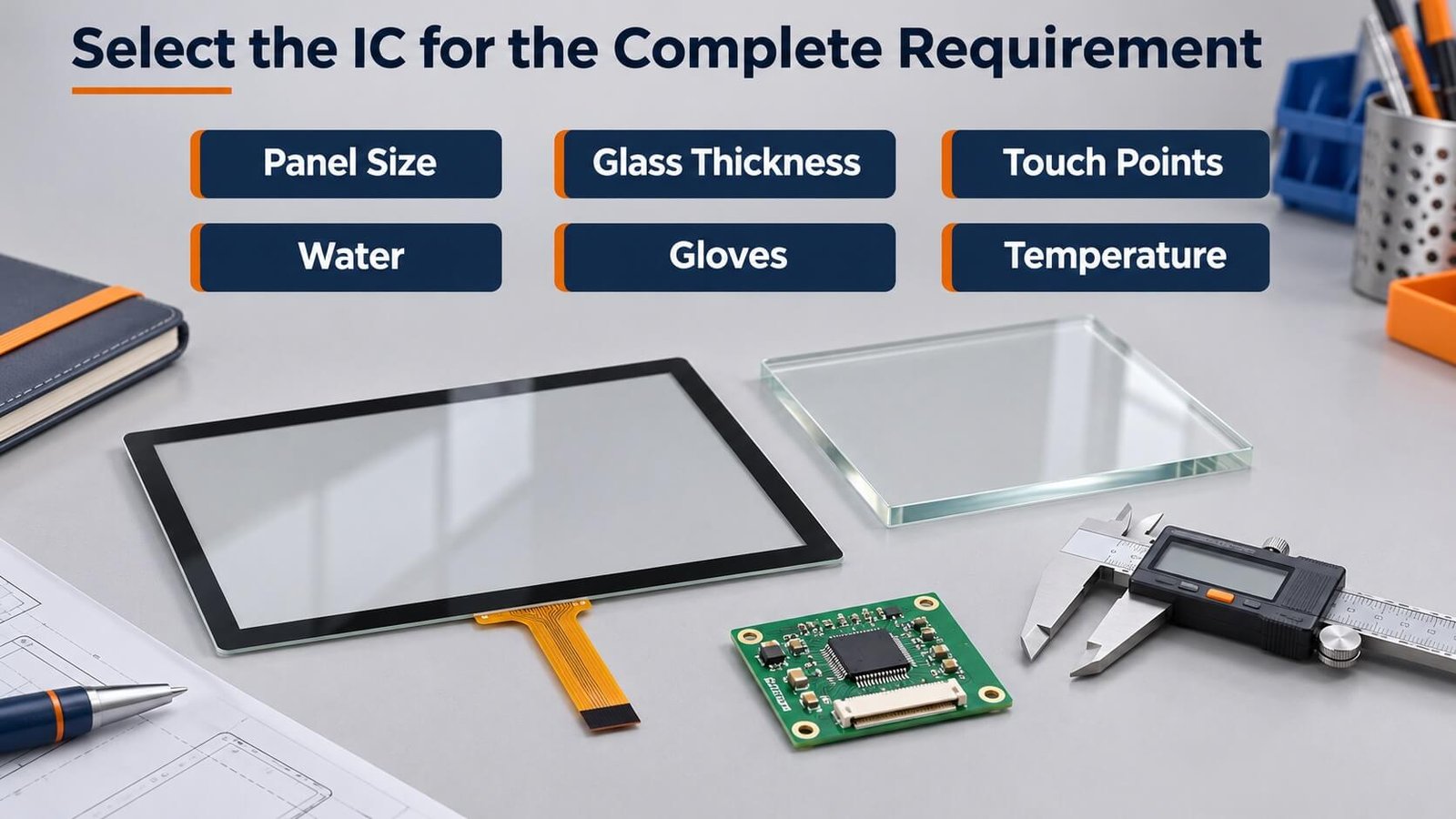
A controller suitable for a 5-inch panel is not automatically suitable for a 7-, 20- or 30-inch project. Cover thickness is also important: the controller must detect intended input through the selected stack while handling unwanted signals.
The IC must satisfy the combined requirement, followed by tuning and testing. Our PCAP Touchscreen Customization & Tuning guide explains the broader process.
8. Controller Features Need Assembly-Level Confirmation
A controller supplier’s datasheet is a useful starting point. Features such as wet operation or glove support indicate capabilities to investigate. A feature in an IC datasheet does not by itself approve every complete touchscreen assembly.
The manufacturer matches the controller to the sensor and project. Depending on the design, the touch manufacturer and IC supplier may work together on firmware and configuration.
For wet operation, confirm both:
- Can the screen reject input caused by water alone?
- Can it still recognize intended finger input?
A screen that avoids false touches by ignoring all input while wet does not satisfy continued wet-hand operation. A screen that detects the finger but generates extra commands elsewhere has not met the requirement either.
9. Changes Can Require a Different Controller
Wet-touch capability cannot always be added through a parameter change. Changes to the following may require controller reselection and renewed tuning:
- Cover-glass thickness.
- Panel size or active area.
- Required simultaneous touch-point count.
- Glove requirements.
- Wet operating conditions.
- Temperature requirements.
- Final assembly or electrical environment.
Approving a small panel and then increasing the screen size does not establish that the same IC remains suitable. Agree on the full requirements early. When they change, review the configuration before proceeding.
10. Wet-Touch Capability Is Different from Equipment Waterproofing
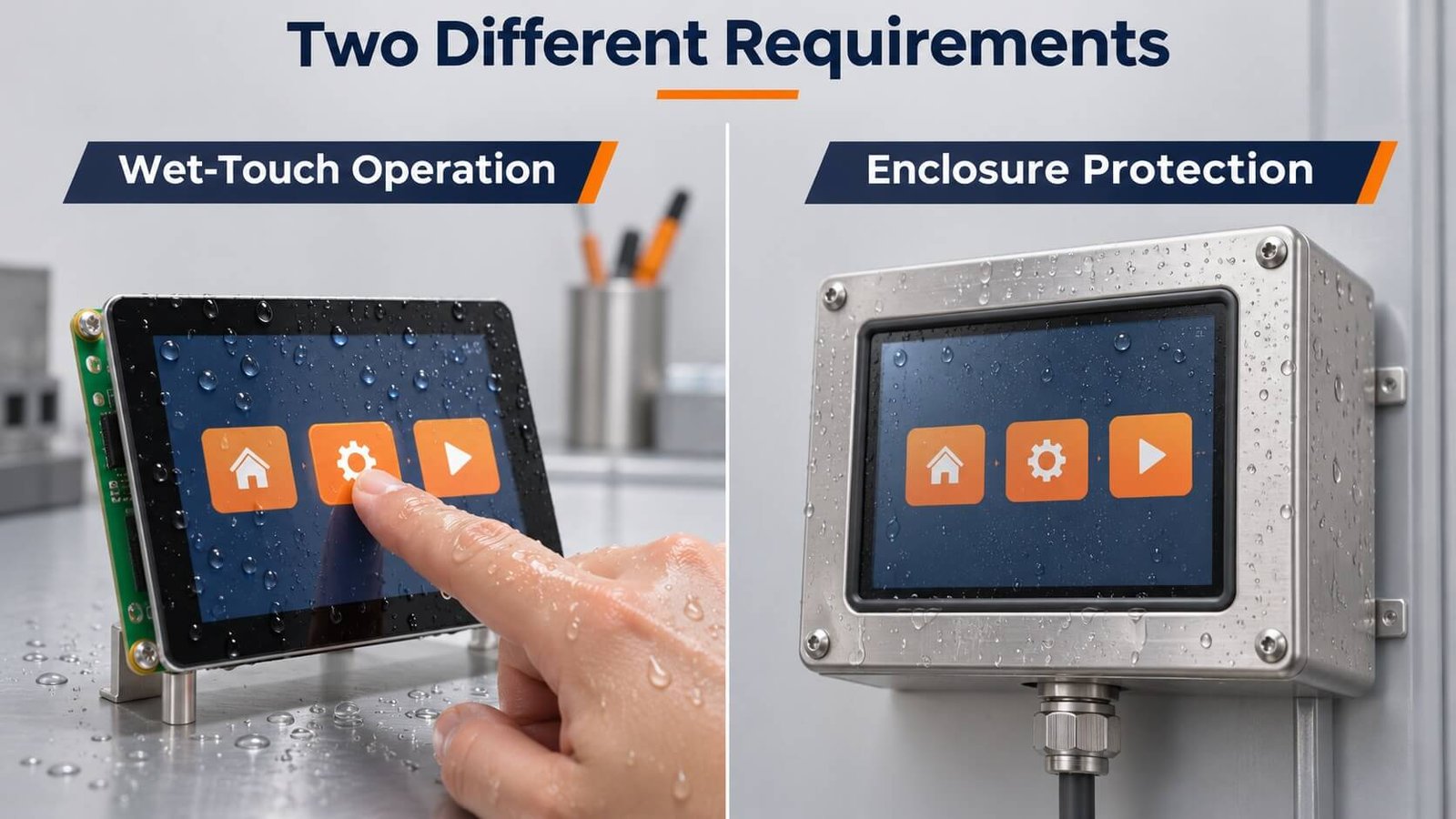
A screen that responds correctly to wet fingers is not necessarily a waterproof device. Equally, a sealed device can prevent water ingress while its touch input behaves poorly when the surface is wet.
| Requirement | What it means | What to evaluate |
|---|---|---|
| Water rejection | Water alone should not generate unwanted touch commands | False touches while water is present |
| Wet-hand operation | Intended finger input should remain usable | Tapping, dragging and required gestures |
| Wet-screen operation | Input should remain usable with water on the surface | Tracking, touch-point recognition and release |
| Equipment ingress protection | Water should not enter protected equipment under specified conditions | Enclosure, seals, connectors and complete assembly |
| Recovery | Normal behavior should return after the wet condition ends | Remaining false touches, stuck contacts and recovery |
A suitable capacitive controller may address wet-touch requirements without changing the entire enclosure. In some projects, the IC cost difference can be relatively modest. This does not establish a universal surcharge for the complete development project.
An ingress-protected monitor is a different engineering scope, involving the mechanical structure, sealing and electrical connections as well as the touchscreen.
For an IP-rated finished product, see our Industrial Touch Monitor Solution. Confirm whether protection applies to the front face or the complete equipment.
11. Define False-Touch and Tracking Tests Clearly
“Works with water” is too vague for sample approval. Define the liquid, application method, surface condition and required interaction.
| Test | What to observe |
|---|---|
| Water present, no finger input | Unwanted contacts |
| Repeated wet-finger taps | Missed input, duplicate input and coordinate stability |
| Continuous drawing through droplets | Breaks, jumps and unexpected releases |
| Dragging | Stable tracking from start to finish |
| Two-finger zoom | Stable recognition of both contacts |
| Required multi-touch actions | Missing, merged or additional touch points |
| Finger release | Whether contact ends correctly |
| Recovery after the wet condition | Whether normal operation returns |
Use tasks from the actual interface. One successful large-button tap does not establish accurate writing, dragging or multi-touch.
For a final capacitive assembly, repeat the tests with the intended display and power equipment operating normally. Additional liquids or exposure conditions need their own evaluation.
12. From Requirements to Approved Production
- Confirm the complete requirements. Define size, cover, touch points, environment, wet operation, gloves and integration.
- Select hardware and confirm the drawing. Review the panel, controller and mechanical requirements before customer sign-off.
- Produce and tune samples. Complete the necessary work with the touch manufacturer and IC supplier where required.
- Obtain customer sample approval. Evaluate against agreed conditions and the intended equipment.
- Proceed to mass production. Follow the confirmed drawing and approved sample configuration.
Skipping sample confirmation transfers uncertainty into production. Wet-touch requirements belong in the approval process, not only an informal conversation. Review changes after approval before introducing them into production.
13. What to Send DisplayMan
- Display and touch-panel size.
- Cover-glass thickness and available drawings.
- Required touch-point count and actions.
- Actual operating environment.
- Water conditions and whether operation must continue.
- Glove requirements, if applicable.
- Operating temperature.
- Host interface and complete display configuration.
- Sample quantity and production forecast.
Start with our Custom Touch Glass Solution for panel, cover and controller selection. For an integrated assembly, see Custom LCD Module Solution. For an ingress-protected finished monitor, use the Industrial Touch Monitor Solution.
14. Frequently Asked Questions
Can a capacitive touchscreen work with a wet hand?
Yes. Our tuned 7-inch configuration supported wet-finger drawing, dragging, two-finger zoom and multi-touch with a large area wet with tap water. Other configurations require their own confirmation.
Does water rejection mean operation can continue?
Not necessarily. Water rejection can describe avoiding unwanted input. Continued wet-hand operation is an additional behavior that needs explicit testing.
Does wet-touch support make the equipment IP65?
No. Wet-touch sensing and ingress protection are different requirements. An IP rating needs a defined scope and supporting product verification.
Is infrared touch suitable for wet-hand operation?
It is a practical direction for large displays because it does not depend on skin conductivity. Evaluate the actual frame and installation, including anything that could obstruct the optical sensing region.
When does DisplayMan recommend resistive touch?
We generally evaluate it first for compact, straightforward controls exposed regularly to water, dirt and grease, especially where deliberate single-touch input fits the task.
Can AG, AR or AF solve false touches?
These treatments do not substitute for suitable controller selection and tuning. Specify optical and surface requirements separately from wet-touch detection.
Can we increase cover thickness after sample approval?
A thicker cover may require a different controller or configuration. Review the change, retune where necessary and obtain renewed sample confirmation before production.
Explore Related Touch Products
Compare three input technologies, then review the configuration against your actual working conditions.
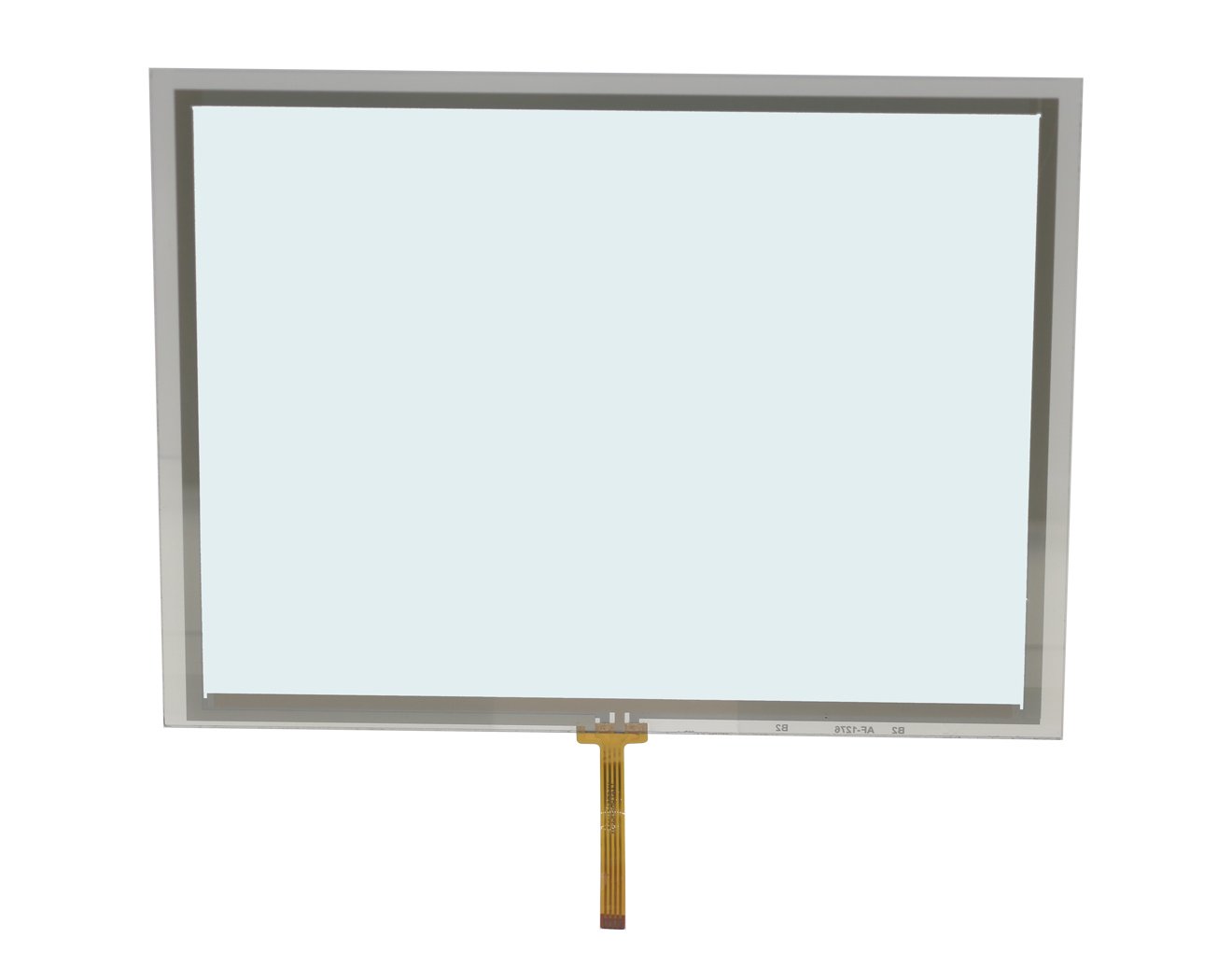
Resistive Touch Panels
Pressure-based input for straightforward compact controls and work environments.
Explore product options →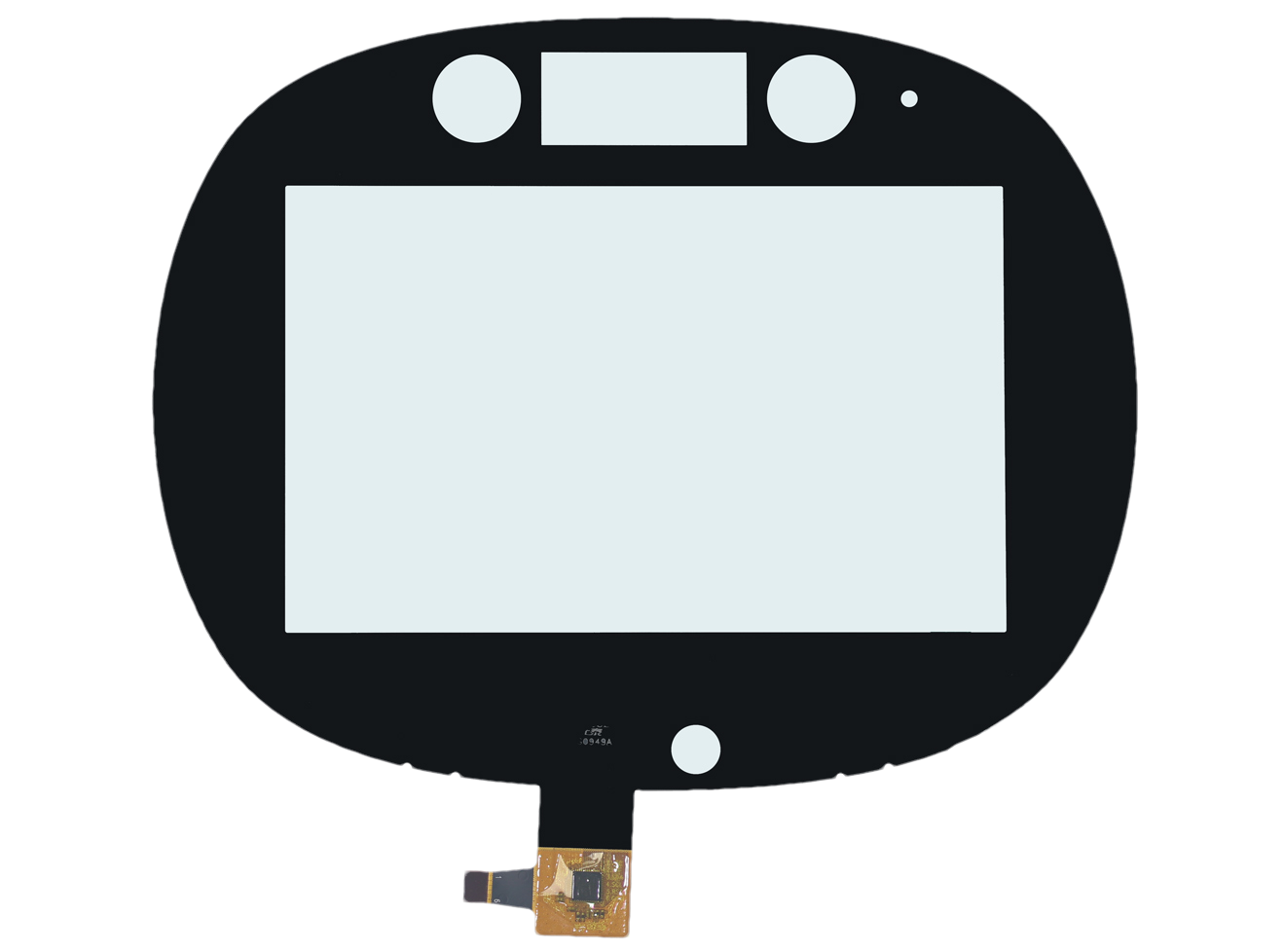
Capacitive Touch Panels
Select the sensor, cover, controller and tuning around the full requirement.
Explore product options →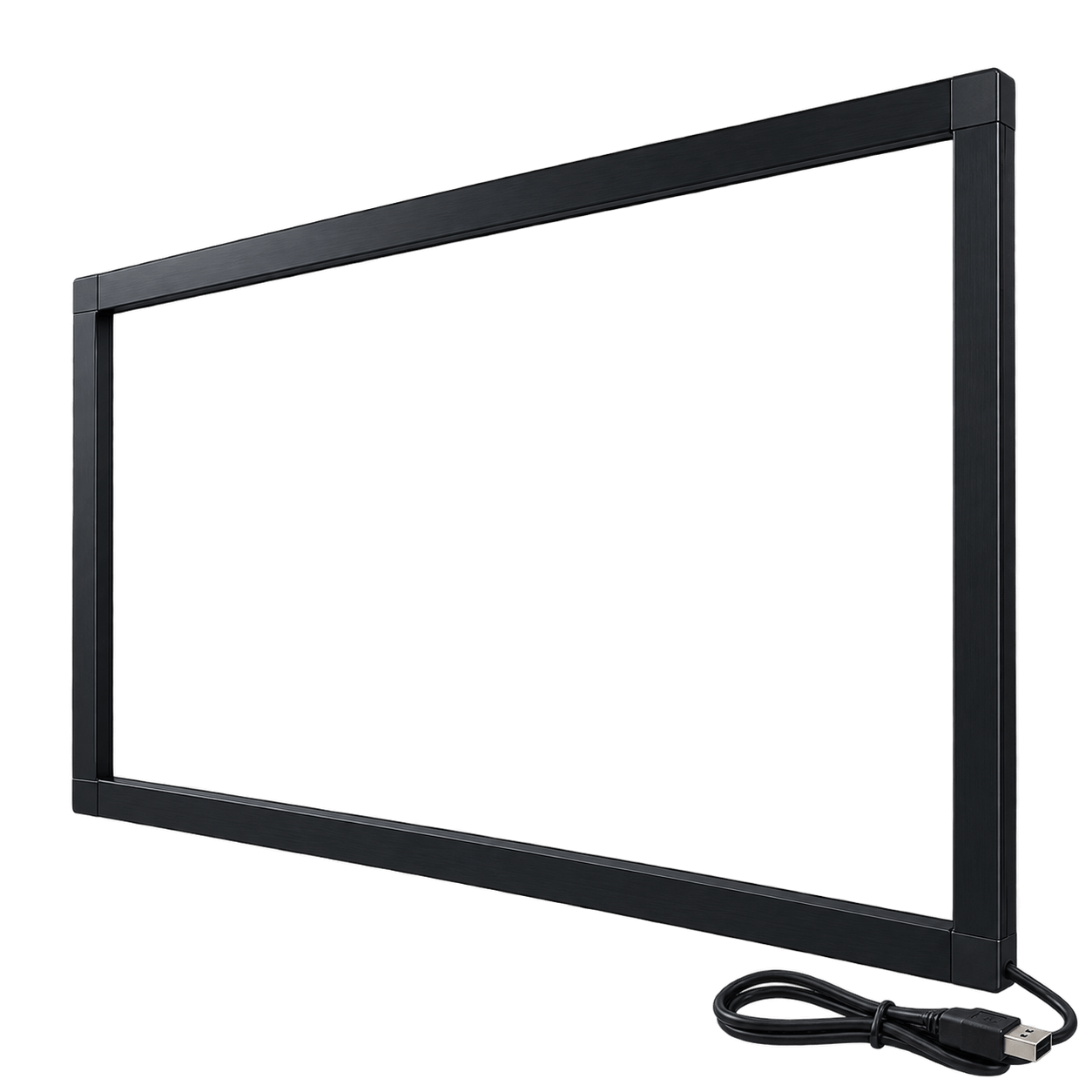
Infrared Touch Frames
Review large-format interaction, frame integration and actual operating conditions.
Explore product options →Project review
Review Your Wet-Touch Requirements
Send the panel size, cover thickness, touch-point count, liquid conditions, operating temperature and project quantity. We can review the technology, controller and sample-evaluation scope together.
Prefer to open the enquiry form here?
Related Guides and Engineering Support
Glove Touch Screens · PCAP Customization & Tuning · Capacitive vs Resistive Touchscreens
Custom Touch Glass Solution · Custom LCD Module Solution · Industrial Touch Monitor Solution
Hands-on observations are described for the tested equipment and conditions. The 7-inch capacitive test used tap water on a standalone touch panel connected to a computer. Article illustrations depict example setups rather than original test photographs. Final performance is confirmed through drawing review and customer sample approval.