Greg’s LED backlight engineering guide
How Do We Create the Required Backlight Color?
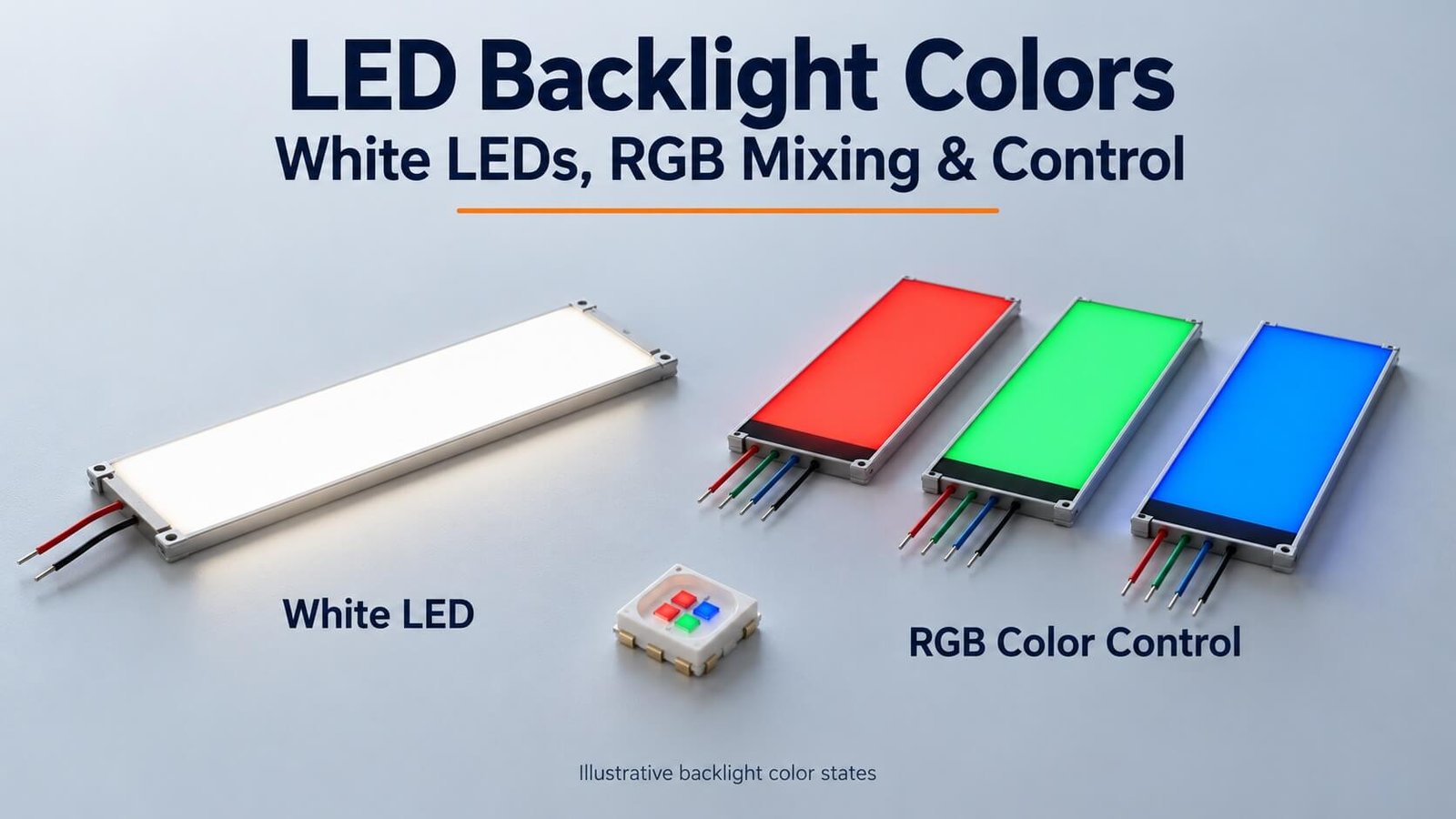
Use a suitable single-color source for a fixed color, a white LED for specified white illumination, or RGB sources and a matched controller for changing colors. Fixed colored silk printing is another optical treatment; it does not provide the same behavior as electronic RGB mixing.
This DisplayMan guide preserves the original nine images and four white-light approaches, while explaining the optical units, source specifications and control requirements that matter in an OEM project.
Start with the Color Effect Your Product Needs
Before choosing an LED package, define what the user should see. A fixed red backlight, a white backlight behind printed color artwork, and an RGB backlight that changes color are different designs.
| Required effect | Direction to review | What the color control means |
|---|---|---|
| One fixed illuminated color | Suitable single-color LEDs | One selected source color |
| White illumination | Suitable white LED spectrum and bin | Defined white appearance and tolerance |
| Fixed colored icons or regions | Printed color treatment with a suitable source | Colors belong to the defined artwork |
| Whole area changes color | RGB light sources and compatible driver | Channels mix across the illuminated area |
| Regions change independently | Separate optical/electrical zones | Each required region needs the appropriate control and isolation |
A photograph alone does not define these behaviors. Tell us which colors are fixed, which must change, and whether different regions switch independently.
LED Packages: DIP, SMD, 5050 and 3528
My original article started with the package because it affects how the light source fits into the backlight. DIP and SMD describe different packaging and mounting approaches. For a thin guide, package height, emitting-face position and circuit-carrier thickness matter as much as nominal length and width.
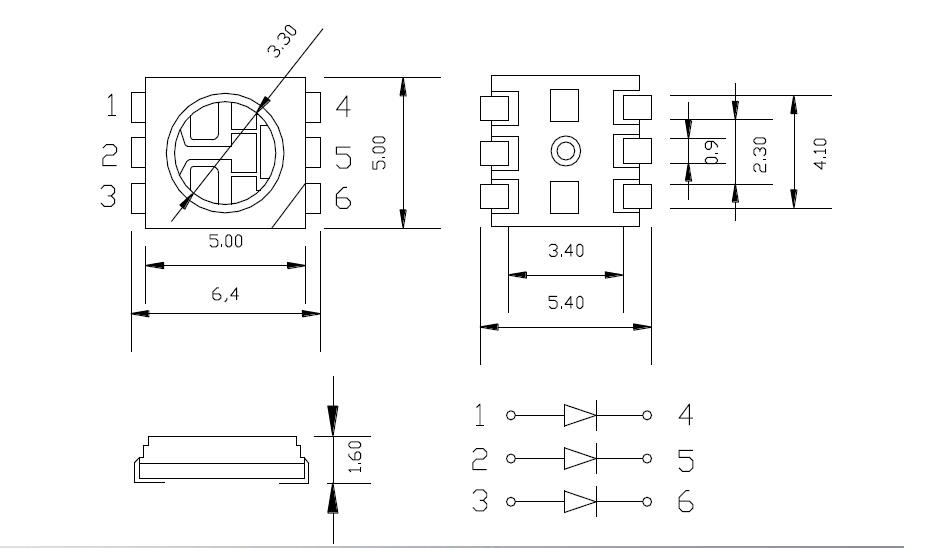
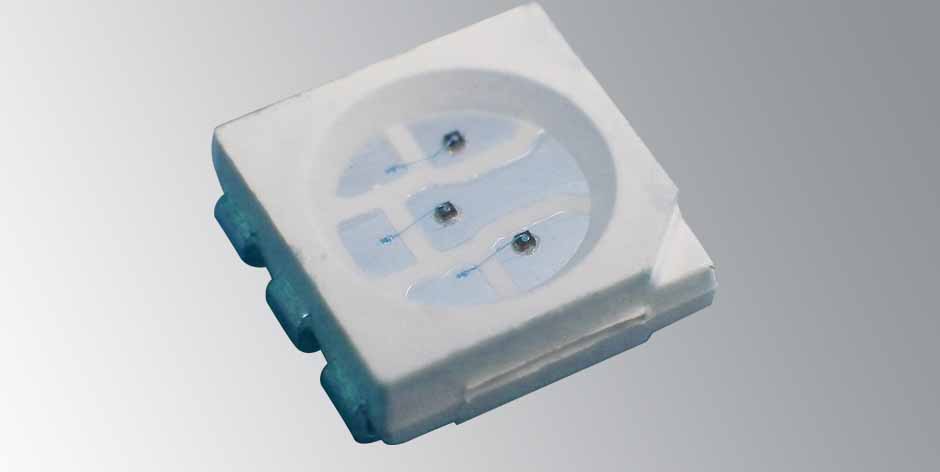
A familiar package code such as 5050 commonly refers to a nominal 5.0 × 5.0 mm outline; 3528 commonly refers to 3.5 × 2.8 mm. Confirm the actual drawing. A package code does not establish its number of dies, color, pinout, emission pattern, voltage or power rating.
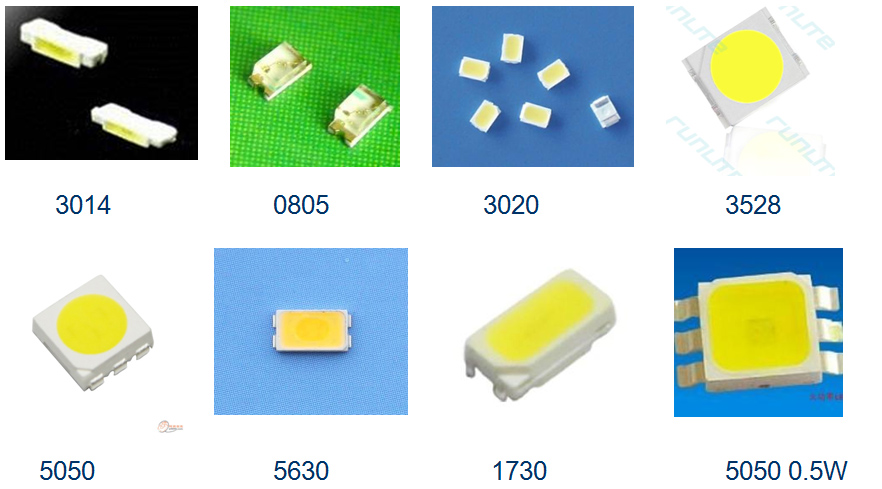
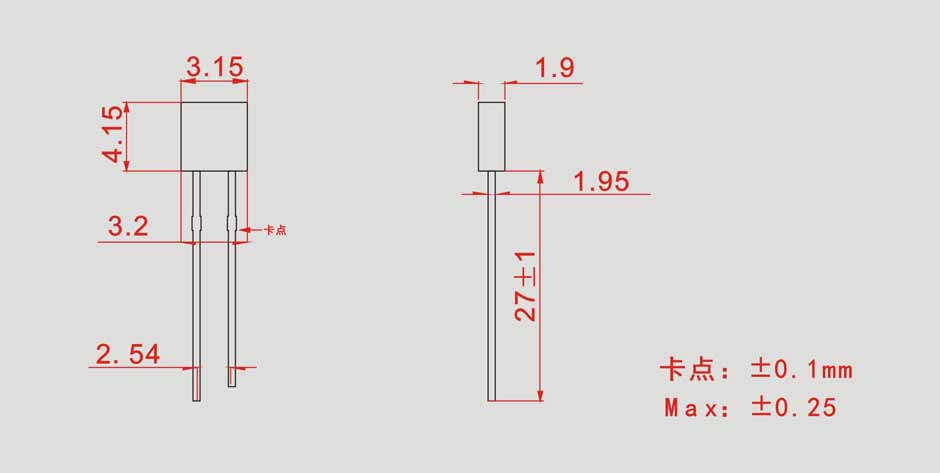
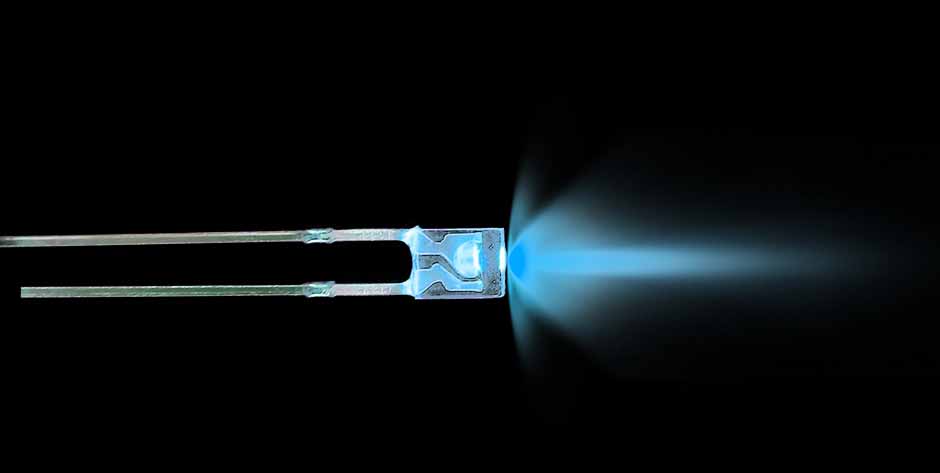
SMD packages can support compact assembly, while a suitable DIP source can still be practical in a particular construction. My earlier table ranked SMD above DIP for life, reliability, heat and soldering quality. Those outcomes depend on the selected component, process and assembly, so they should not be inferred from the package name alone.
For complete structure and thickness requirements, see our custom LED backlight quotation guide.
Light Output: Lumens, Candela and Backlight Luminance
These units answer different questions. Keeping them separate avoids a common sourcing mistake: comparing two LEDs by a bright-looking catalog number that was measured differently.
| Quantity | Unit | What it describes |
|---|---|---|
| Luminous flux | lumen (lm) | Total visible-light output weighted by human visual sensitivity |
| Luminous intensity | candela (cd), often mcd | Light output per solid angle in a specified direction |
| Luminance | cd/m², also called nits | Directional brightness of an emitting or transmitting surface |
| Luminous efficacy | lm/W | Luminous output per stated power input; identify whether this is electrical or radiant power |
For a uniform distribution over a solid angle, average intensity can be written as I = Φ/Ω. More generally, intensity describes the flux per infinitesimal solid angle in a direction. Also, 1,000 mcd = 1 cd and 15,000 mcd = 15 cd.
Two sources with similar total flux can have different on-axis intensity if their angular distributions differ. That does not mean the narrower-beam source will necessarily illuminate a light guide more efficiently: coupling and the complete optical structure matter.
The original article quoted historical wattage and lumen ranges for different LED classes. Those figures are not current specifications for an unidentified part. Use the actual datasheet current, temperature and test conditions, then confirm the finished backlight’s luminance and uniformity.
What 683 lm/W Actually Means
The familiar 683 lm/W value relates to photopic visual weighting at approximately 555 nm and radiant optical power. It is not a statement that one watt of electrical input produces that output in an actual LED.
Electrical-to-optical efficiency and luminous efficacy are related but different concepts. White LED efficacy also depends on spectrum and operating conditions. My older figures such as 100 or 140–150 lm/W, and the statement that laboratory results could not exceed 200 lm/W, should not be used as present-day performance limits.
For a backlight enquiry, specify the required useful surface luminance and power budget rather than trying to infer the whole assembly performance from LED efficacy alone.
Single-Color Wavelength, White Point and CIE Coordinates
For many colored LEDs, a wavelength specification helps define appearance. Confirm whether the supplier is stating dominant wavelength or peak wavelength. Human visual sensitivity also differs by wavelength, so equal electrical current or radiant output does not mean equal perceived brightness.
| Color family | Original article’s example range | How to use it |
|---|---|---|
| Red | 630–660 nm | A historical starting reference; confirm the actual bin |
| Green | 500–535 nm | Appearance and spectral width vary by source |
| Blue | 450–480 nm | Confirm the required dominant/peak specification |
| Yellow, amber and yellow-green | Original labels and ranges overlapped | Specify the intended bin or measured color instead of reusing an ambiguous name |
| Purple/magenta | Cannot always be represented by one spectral wavelength | Distinguish spectral violet from mixed red/blue appearance |
The original color table repeated 50–150 lm for many colors at about 15–20 mA and used the incorrect current unit “am.” Those entries do not form a valid universal LED specification and should not be copied into a purchase drawing. Forward voltage is also component- and current-dependent; color alone is insufficient to set the driver.
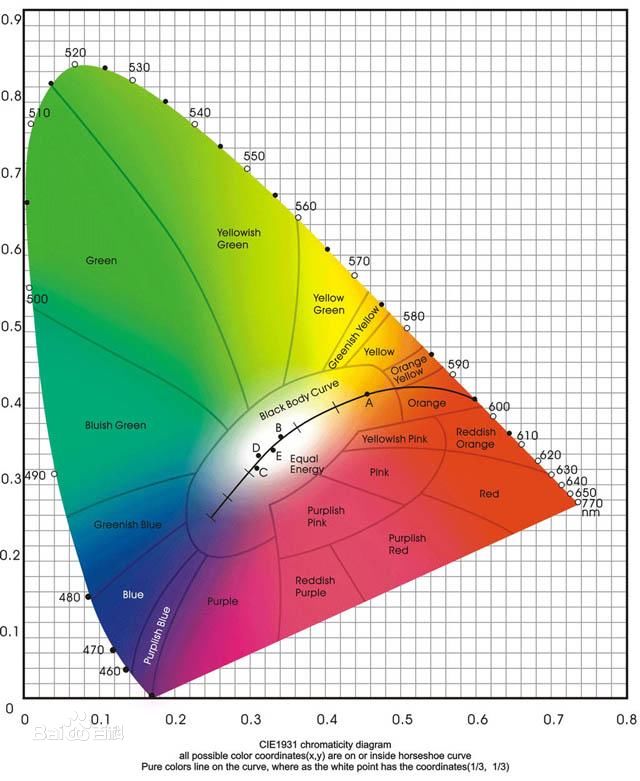
CIE chromaticity coordinates provide a way to specify color numerically. In a CIE x,y diagram, the coordinates come from normalized tristimulus values; the axes are not simply red/blue and green/blue sliders. A gamut depends on the selected primaries and their mixing.
For white LEDs, correlated color temperature (CCT) gives a useful warm-to-cool description, but the same nominal CCT can still look different. Agree a bin, chromaticity tolerance or reference sample when consistency matters. CCT is written in K, without a degree symbol, and does not describe the physical operating temperature of the LED.
The color-temperature section of our quotation guide explains the enquiry requirements and includes a reference chart. Evaluate the actual LCD and cover stack, since they can change the finished appearance.
Four Ways to Produce White Light
My original article described four useful routes. They explain different optical architectures rather than four interchangeable parts with identical performance.
1. Blue LED with Phosphor Conversion
A blue emitter excites a phosphor system, and the combined spectrum produces white light. This is a common practical approach. The phosphor system and emitter determine the spectrum, color point and other performance characteristics.
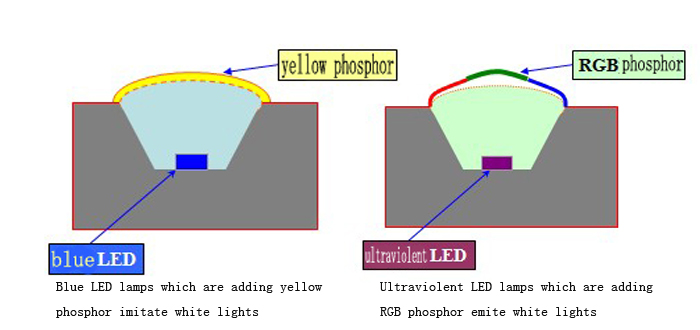
It is too broad to say every such LED lacks red or has a fixed “65%” color-rendering result. Different phosphor formulations produce different spectra. For an LCD, assess the spectrum with the panel filters and required white point rather than assuming a universal result from the source category.
2. UV or Near-UV Emitter with Multiple Phosphors
A UV or near-UV source can excite phosphors that contribute the visible spectrum. Material compatibility, conversion efficiency, stability and encapsulation need review. The actual architecture determines what radiation reaches the output; it should not be assumed from the emitter name alone.
3. RGB Dies in One Package
Red, green and blue dies can share a package. Their outputs are mixed to obtain the desired appearance, including an intended white point. Driver channels and source temperature affect the balance.
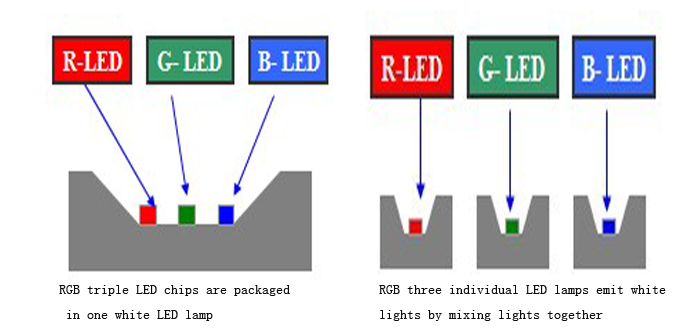
A shared package can simplify source placement, but it does not eliminate the need for optical mixing, current control or thermal design.
4. Separate Red, Green and Blue Sources
Separate sources offer layout flexibility but require adequate mixing. If colors remain spatially separated, the user may see colored edges or patches instead of a uniform white surface. Guide design, source spacing, optical distance and diffusion must be matched.
The source route should follow the required color behavior, output, space, power and cost. RGB is useful for tunable colors, but an RGB-generated white is not automatically equivalent to a dedicated white LED spectrum.
RGB Mixing: Seven Basic Combinations and Intermediate Colors
With each of three channels simply on or off, there are eight combinations including all-off: seven illuminated combinations and black/off.
| Channels illuminated | Ideal additive mixing description |
|---|---|
| Red | Red |
| Green | Green |
| Blue | Blue |
| Red + green | Yellow |
| Green + blue | Cyan |
| Blue + red | Magenta; appearance may be described as pink depending on balance |
| Red + green + blue | A white point if the channel balance is appropriate |
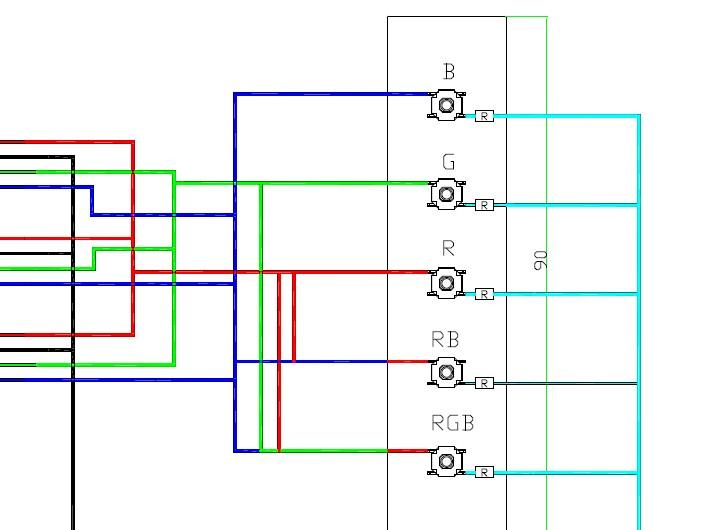
By varying channel intensity, the controller creates intermediate mixtures. For example, three 8-bit channel commands provide 256 × 256 × 256 = 16,777,216 numerical combinations. These are control combinations, not a guarantee of that many distinguishable colors or the ability to reproduce every visible color.
The achievable colors lie within the gamut of the chosen sources and optical system. The same R/G/B command values can look different with different LEDs, current settings, temperatures or films. Approve the actual appearance instead of treating a digital code as a complete optical specification.
RGB Control: Current, PWM and Optical Mixing
LED brightness is controlled through an appropriate driver. Channel current adjustment and PWM are common approaches. PWM changes the on-time proportion at the chosen frequency; analog current control changes the operating current. Driver design may combine methods.
It is not enough to vary an arbitrary supply voltage and assume accurate color control. The circuit must respect current limits, supply range, forward-voltage variation and the selected common-anode, common-cathode or other connection arrangement.
For quotation, define:
- Whether the whole backlight changes together or regions require separate channels.
- Available supply, interface and driver/controller responsibilities.
- Required colors or white points, dimming range and transition behavior.
- Uniformity, color consistency and intended operating temperature.
- PWM/camera requirements where the application needs them.
A controller sets electrical channel output; it cannot compensate for an optical layout that does not mix the sources adequately. Check color across the full illuminated area, not only at its center.
Colored Silk Printing versus RGB Backlighting
These approaches can create a multicolor appearance, but they serve different purposes.
| Approach | What defines the color | Customer decision |
|---|---|---|
| Colored silk printing / optical artwork | Fixed printed regions with the selected illumination | Which symbols or regions have permanently defined colors? |
| RGB backlighting | Electronic mixing of red, green and blue source channels | Should the illumination change color over time? |
| Printed artwork with controlled segments | Fixed colors combined with the monochrome LCD’s segment states | Which symbols must switch independently? |
| Full-color TFT LCD | Pixel-addressable color display system | Is changing full-color image content actually required? |
A white backlight can illuminate a fixed-color treatment. RGB can change the illumination color according to its source and channel design. Neither by itself turns a monochrome segment LCD into a full-color TFT display.
Our monochrome VA LCD guide includes an actual multicolor silk-printed control-panel example. Our round and ring backlight guide shows how board layout and RGB wiring affect the assembly.
Read the Actual LED Datasheet before Setting the Drive
The original article included an example component table with 200 mW power dissipation, 60 mA DC current, 150 mA peak current, temperature limits and a soldering condition. Those are not specifications for every LED, and peak current is incomplete without pulse width and duty conditions.
Its optical table also labeled luminous intensity in lm, which is a unit mismatch. A numerical value should not be reassigned to cd without the source datasheet. Use a traceable component part number and the correct test conditions before adopting the values.
Absolute maximum ratings are limits, not recommended operating points. Confirm derating, thermal conditions, pulse ratings, forward current, voltage, spectrum or white bin, angular distribution and the permitted assembly process.
Reverse-current testing is a qualification procedure only when defined for the particular component. Do not apply the old article’s blanket 5 V or 20 V reverse test to an unidentified LED. The correct reverse-voltage limit and acceptance criterion must come from its specification; some parts prohibit such operation.
Prepare a Color Backlight Enquiry
Send the product application, illuminated area, thickness, color behavior, brightness measurement surface, uniformity, supply, control interface, environment and quantity. Include the LCD, mask and cover stack if these affect the result.
For a fixed color, provide an approved source bin or sample where available. For white, specify the desired CCT and tolerance or chromaticity requirement. For RGB, identify required target colors and how the host controls them. For silk printing, provide the artwork and independently switched regions.
The custom LED backlight quotation guide collects the wider structural and commercial requirements. This article provides the deeper color explanation so the enquiry can distinguish the source, optics and control system.
Frequently Asked Questions
Can RGB make every color?
No. RGB can mix colors within the gamut of the selected sources and optical system. Channel resolution does not remove that limit.
Do red, green and blue at equal command values automatically make neutral white?
No. Source output, current, channel response and optical transmission differ. Calibrate or approve the desired balance on the actual assembly.
Is 5050 always an RGB LED?
No. The package-size code does not establish color, die count or pinout. Check the exact part number and drawing.
Does RGB backlighting make a monochrome LCD full color?
No. It changes illumination according to the backlight design. The LCD retains its defined segment or matrix architecture.
Can I compare LED brightness using only mcd?
Not reliably for a complete backlight. Confirm the angular distribution and assess the required surface luminance and uniformity after the optics.
From guide to product
Explore Related Display Products
Choose the product direction that matches the visible content, hidden assembly and integration needs.
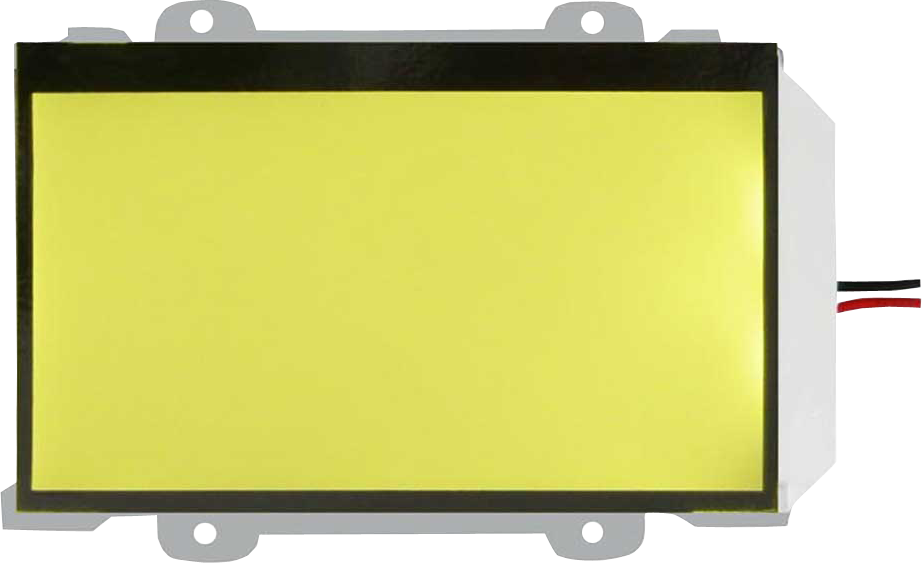
LED Backlights
Review a single-color, white or RGB backlight against your optical and mechanical requirements.
Explore product options →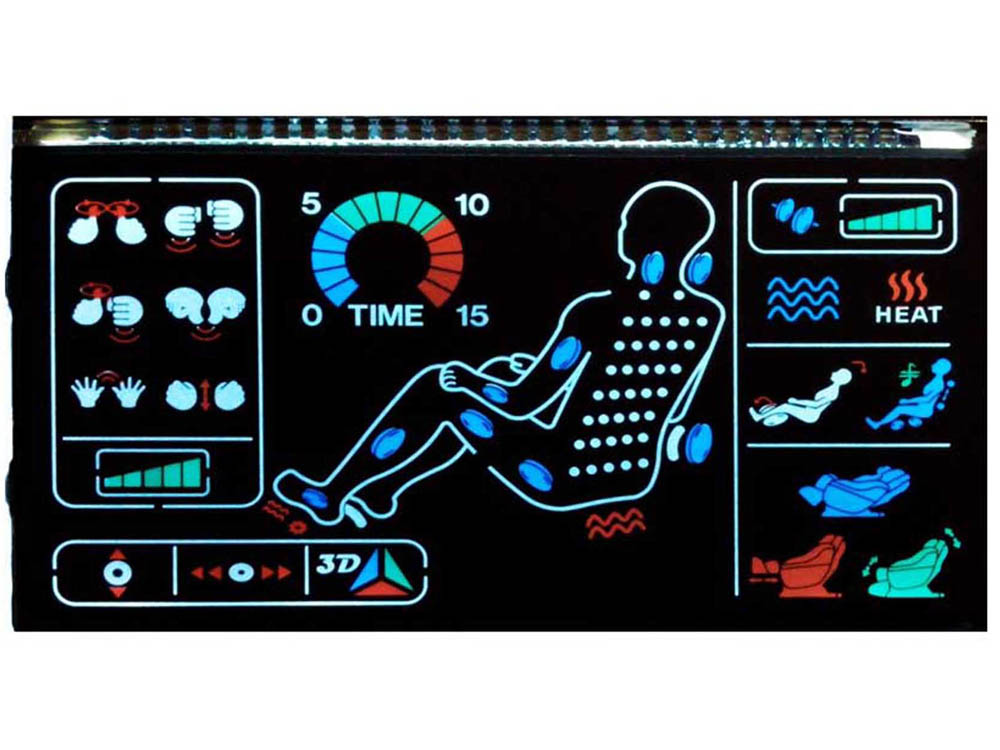
VA LCD Glass Panels
Review fixed-segment interfaces with a black background and colored silk-printed artwork.
Explore product options →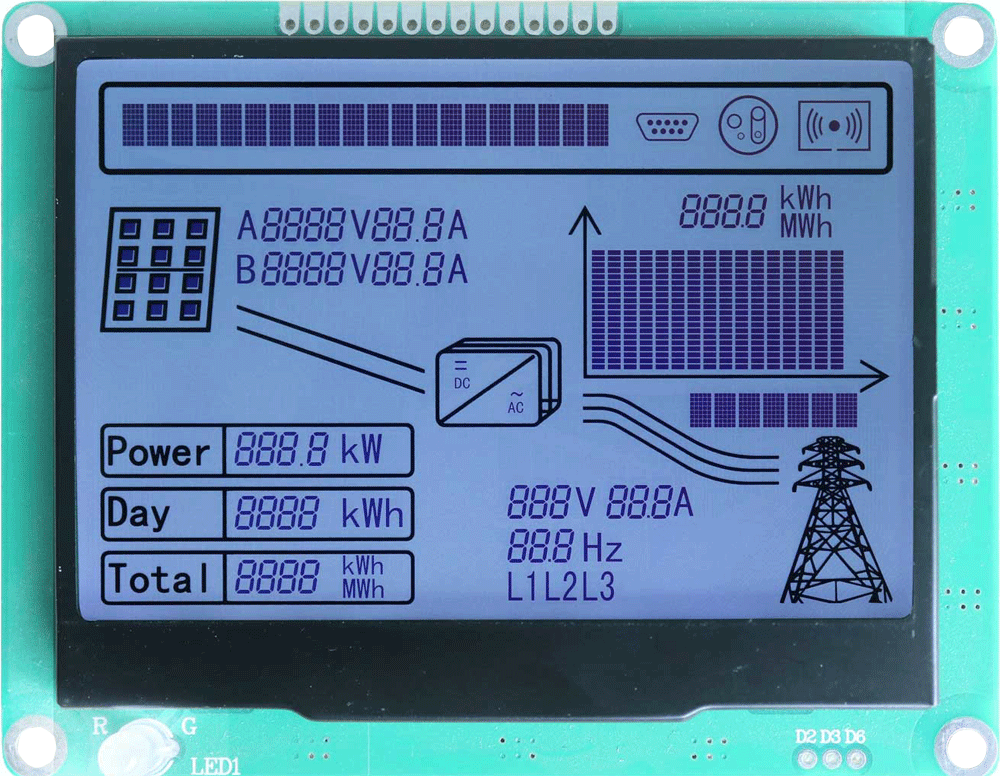
Monochrome LCD Displays
Match the illumination and color effect to the intended LCD content and assembly.
Explore product options →Project review
Review Your Color Backlight Requirements
Send the illuminated area, thickness, brightness, required colors, color-change behavior, supply, controller interface and quantity. DisplayMan can review a suitable backlight direction.
Prefer to open the enquiry form here?
Related Engineering Guides
Custom LED backlight quotation requirements · VA LCD and colored silk printing · Round and ring RGB backlight design
Original illustrations and practical source-selection topics are retained from Greg’s article. Component ratings, optical measurements and drive limits must be confirmed against the actual selected parts and assembly.